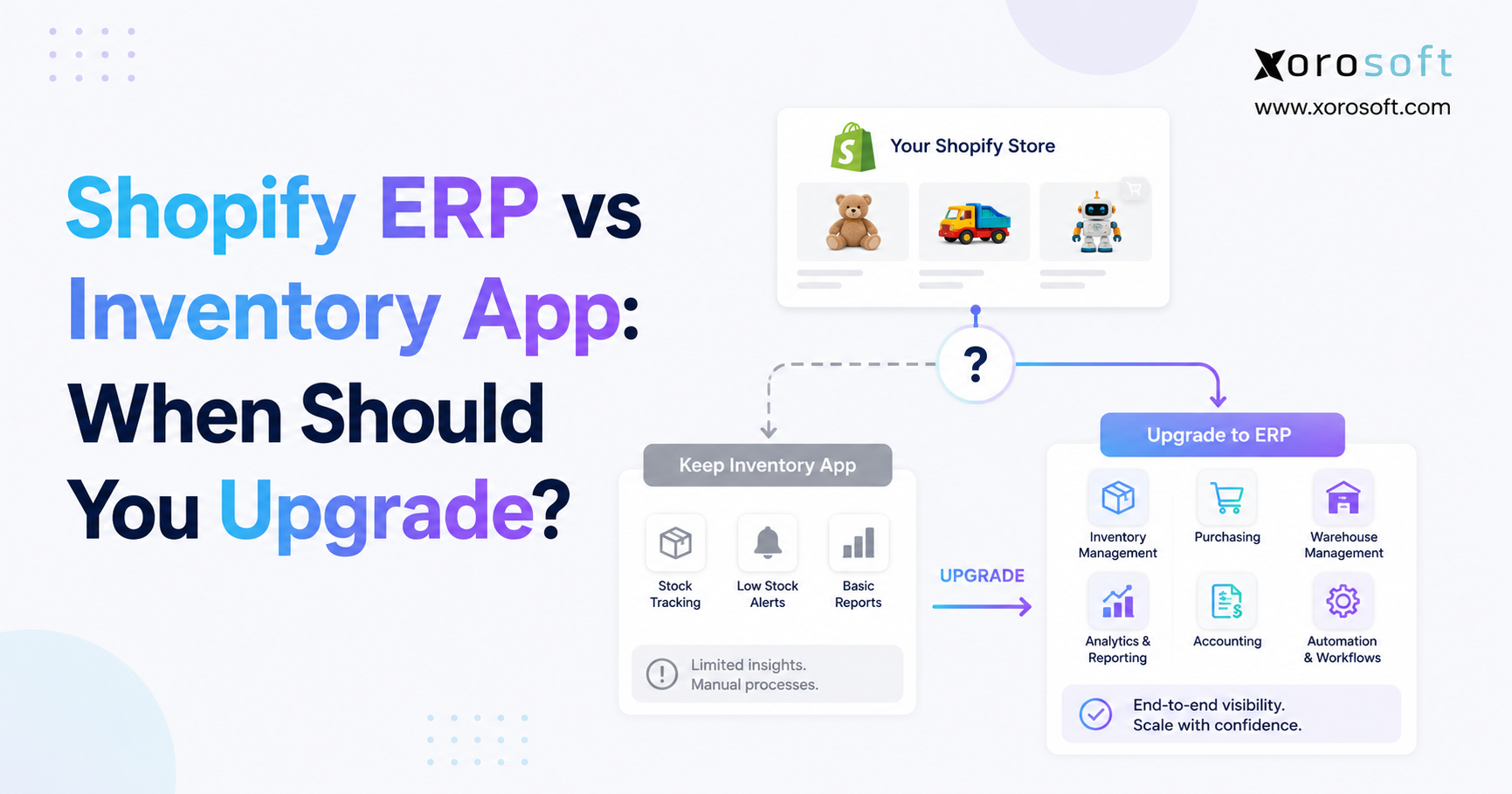
When choosing software for your business, it’s important to understand the differences between ERP vs inventory app solutions.
1. When Shopify Inventory Complexity Becomes a Business Operations Problem
1.1 Growth Usually Adds Systems Before It Adds ERP
Most Shopify businesses do not need ERP when they launch. Shopify handles the storefront, orders, products, payments, and core commerce workflows, while focused applications can fill specific operational gaps.
That model often remains effective for years.
Problems begin when inventory stops being an isolated function. A growing merchant may eventually operate Shopify alongside Amazon, wholesale channels, several warehouses, accounting software, forecasting tools, purchasing spreadsheets, EDI connections, and warehouse applications.
Each system may solve a legitimate problem. Yet the combined environment becomes difficult to manage when every application maintains a slightly different version of operational reality.
This is where the ERP vs inventory app decision becomes important.
Rather than asking whether ERP has more features, operators should ask whether inventory decisions now depend on purchasing, finance, warehouse execution, forecasting, wholesale, manufacturing, and reporting at the same time.
1.2 Revenue Alone Does Not Determine ERP Readiness
A larger company with predictable operations can often continue using Shopify and focused applications effectively. Meanwhile, a smaller company running several warehouses, manufacturing, wholesale, EDI, and complex purchasing may encounter ERP-level problems much earlier.
Operational dependencies matter more than an arbitrary revenue threshold.
If employees spend increasing amounts of time exporting files, correcting synchronization errors, reconciling inventory, recreating reports, and transferring information between departments, the technology stack deserves a broader review.
The practical decision is whether specialist systems still simplify operations or whether maintaining the connections between those systems has become a separate business process.
2. ERP vs Inventory App: The Difference Is Operational Scope
2.1 What a Shopify Inventory App Is Designed to Solve
A Shopify inventory app typically focuses on helping a merchant plan, track, replenish, and control stock.
Depending on the application, capabilities may include inventory synchronization, demand forecasting, purchase recommendations, stock alerts, transfers, bundles, supplier information, purchasing workflows, and multi-channel availability.
That specialized scope can be exactly what a growing brand needs.
Inventory apps should not be viewed as incomplete ERP systems. Specialist software can provide greater depth in one operational area while remaining easier to configure and maintain. When forecasting or stock synchronization is the company’s primary challenge, implementing accounting, manufacturing, warehouse, and financial modules may add unnecessary complexity.
The ERP vs inventory app decision matters when the problem expands beyond stock management itself.
2.2 What Shopify ERP Software Is Designed to Solve
ERP takes a broader operational view.
Instead of treating inventory as a separate workflow, ERP connects stock to the transactions that create, reserve, move, consume, and value it.
A Shopify order affects availability. Receiving a purchase order adds inventory. A warehouse transfer changes location-level stock. Manufacturing consumes materials and creates finished goods. Returns can affect both inventory and financial records.
When these processes operate from connected transactions, departments have a stronger opportunity to work from the same operational picture.
ERP therefore becomes less about adding more features and more about reducing unnecessary separation between business functions.
2.3 Shopify Inventory Management vs ERP Depends on Process Dependencies
Consider a buyer deciding what to reorder.
In a straightforward operation, current stock and recent sales may provide enough information.
A more complex company may need to consider warehouse-level availability, open purchase orders, vendor lead times, Shopify demand, Amazon commitments, wholesale allocations, production requirements, safety stock, and available cash.
At that stage, replenishment is no longer simply an inventory calculation. It is a cross-functional planning decision.
That distinction summarizes the ERP vs inventory app comparison: inventory software improves inventory workflows, while ERP coordinates several workflows around shared operational data.
3. When a Shopify Inventory App Is Still the Better Choice
3.1 Predictable Inventory Does Not Automatically Require ERP
ERP is not the mandatory next stage after an inventory application.
A merchant with a manageable SKU catalog, straightforward suppliers, limited warehouse complexity, and predictable fulfillment may gain little from moving to a broader system.
Shopify combined with a suitable inventory tool can provide enough control to run the business efficiently. Introducing ERP would add migration, configuration, training, testing, and organizational change without necessarily solving a meaningful operational problem.
Software scope should follow operational scope.
3.2 Separate Accounting Can Still Work Well
Many Shopify businesses successfully manage accounting outside their inventory application.
The important question is whether the process remains reliable.
If sales reconcile properly, inventory valuation remains dependable, returns flow into finance correctly, and month-end does not require extensive corrections, separate systems may still be appropriate.
ERP becomes more relevant when operations and finance repeatedly disagree about what happened. A warehouse transaction recorded correctly in one application should not require finance to reconstruct the same event manually.
When those exceptions become routine, the ERP vs inventory app discussion begins to involve financial controls rather than inventory features alone.
3.3 A Small App Stack Can Be Efficient
Using several applications is not inherently inefficient.
The warning sign appears when employees become the integration layer.
Teams might export CSV files, compare reports, copy purchase information between systems, correct duplicate records, investigate synchronization failures, or rebuild management reporting manually.
Occasional administration is normal. Continuous reconciliation across several departments indicates structural friction.
An inventory application remains appropriate while the overall stack stays understandable, reliable, and inexpensive to operate.
3.4 Who Probably Does Not Need Shopify ERP Yet?
A Shopify merchant probably does not need ERP when inventory, purchasing, accounting, fulfillment, and reporting can still operate reliably with Shopify and a small number of integrated applications.
This prevents overbuying.
ERP should solve measurable operational complexity. Implementing it simply because a company has reached a certain sales level creates a weaker business case than implementing it because several critical workflows can no longer function efficiently as separate systems.
4. ERP vs Inventory App: What Changes as the Shopify App Stack Expands?
4.1 Shopify Technology Stacks Usually Grow One Problem at a Time
Technology fragmentation rarely starts with a deliberately poor architecture.
Finance needs accounting software. Operations introduces an inventory application. Purchasing creates spreadsheets. The warehouse adopts scanning software. Wholesale requires EDI. Amazon adds marketplace integrations. Management eventually creates another reporting layer because no single platform contains the full operating picture.
Each decision can make sense independently.
Complexity appears when all those tools must continuously exchange overlapping information.
Products, customers, orders, quantities, suppliers, shipments, returns, and financial transactions begin moving across several platforms. Maintaining that flow becomes part of daily operations.
4.2 Shopify ERP Integration Requires Clear Data Ownership
Before adding or replacing software, determine which system owns important records.
Where should new SKUs originate? Which platform controls available inventory? Where are supplier details maintained? Which application owns purchase orders? How should Shopify respond when warehouse inventory changes?
Businesses reviewing a connected architecture should examine available Xorosoft integrations or equivalent integration frameworks from shortlisted vendors to understand exactly how ecommerce, marketplace, inventory, and operational data move between systems.
Simply seeing a Shopify integration logo does not answer these questions.
4.3 Integration Problems Eventually Become Business Problems
A failed integration stops being a technical inconvenience when it creates a commercial consequence.
Missing inventory updates can cause overselling. Orders that fail to reach the warehouse can delay fulfillment. Duplicate transactions can distort reporting. Incorrect return processing may affect both inventory and accounting.
At this point, the business needs to decide whether improving individual connections will solve the problem or whether core workflows should operate from a more connected system.
5. Shopify Native Inventory, Inventory App, WMS, or ERP?
5.1 Shopify Native Inventory Fits Straightforward Operations
Businesses should first understand what their current Shopify environment can handle before buying additional software.
For straightforward operations, native commerce and inventory capabilities may cover much of what is required. Adding applications simply because they offer more features can create integration overhead without producing equivalent operational value.
If a merchant’s main requirements are quantity tracking, location visibility, transfers, basic purchasing, and standard ecommerce fulfillment, remaining close to the native platform can be sensible.
5.2 Inventory Apps Add Depth Without Rebuilding the Business Stack
A specialist inventory application makes sense when one inventory problem requires greater depth.
Forecasting is a good example. A merchant may need more sophisticated replenishment recommendations while accounting, warehousing, and purchasing continue working well.
Another business might need better multi-channel inventory synchronization but have no requirement for manufacturing or integrated finance.
In those cases, specialist software can produce value faster because implementation remains focused on the real problem.
5.3 WMS Is Better When Warehouse Execution Is the Main Constraint
Warehouse management software addresses a different layer of operations.
A growing facility may need barcode-controlled receiving, putaway, bin management, picking, packing, transfers, cycle counting, and stronger fulfillment controls.
Those requirements do not automatically justify ERP.
A dedicated or integrated warehouse management system can be the better investment when warehouse execution is the primary bottleneck.
ERP becomes more compelling when warehouse processes also need to connect deeply with purchasing, manufacturing, accounting, wholesale allocation, and multi-channel planning.
5.4 ERP vs Inventory App Becomes Clearer When Business Functions Are Compared
Specific software products differ, but the operational distinction can be summarized this way:
| Business Requirement | Shopify / Inventory App | WMS | ERP |
|---|---|---|---|
| Stock visibility | Strong | Strong | Strong |
| Inventory planning | Often strong | Limited | Often integrated |
| Warehouse execution | Basic to moderate | Core strength | Built-in or integrated |
| Purchasing | Moderate to strong | Limited | Broad |
| Accounting | Usually separate | Separate | Often integrated |
| Manufacturing | Limited or specialist | Limited | Often available |
| Wholesale and EDI | Integration-dependent | Varies | Often broader |
| Cross-functional reporting | Limited | Warehouse-focused | Core ERP use case |
The key question is whether the business needs greater depth in one workflow or better coordination across several workflows.
6. ERP vs Inventory App: 10 Signs a Shopify Business May Be Ready to Upgrade
6.1 Inventory Numbers Regularly Disagree Between Systems
Occasional discrepancies occur in almost every inventory operation. Persistent disagreement is more serious.
If Shopify shows one quantity, warehouse software shows another, and finance uses a third number for inventory valuation, the company lacks a dependable inventory position.
Configuration, transaction timing, process mistakes, and integration failures should be investigated first. When discrepancies repeatedly involve several systems, however, broader consolidation deserves attention.
6.2 Multi-Warehouse Inventory Has Become Difficult to Coordinate
A second warehouse does not automatically create an ERP requirement.
Complexity increases when locations have different replenishment needs, purchasing patterns, allocation rules, transfer requirements, fulfillment priorities, and reporting expectations.
At that stage, the company is managing an inventory network rather than simply tracking stock in more than one building.
Location-level decisions begin affecting several departments, which strengthens the argument for connected operational software.
6.3 Purchasing Still Relies on Disconnected Spreadsheets
Spreadsheets can support purchasing effectively when requirements are simple.
Problems emerge as buyers manage larger SKU catalogs, multiple vendors, changing lead times, several warehouses, inbound stock, seasonal demand, safety stock, and wholesale commitments.
Keeping the spreadsheet synchronized becomes the real workload.
An integrated inventory and accounting ERP becomes more relevant when buyers need current inventory, receiving, demand, supplier, and financial information without repeated exports.
The goal is not eliminating spreadsheets because spreadsheets are inherently bad. It is eliminating manual planning processes that consistently lag behind operational reality.
6.4 Inventory Reconciliation Delays Finance
Inventory has both physical and financial consequences.
Receiving increases assets. Shipping contributes to cost of goods sold. Returns affect stock and potentially revenue. Adjustments can change valuation.
When operational systems and accounting process those activities differently, finance teams compensate with reconciliations and manual corrections.
A few adjustments are normal. Reconstructing inventory activity every month indicates that finance and operations have become too interdependent to treat casually as separate workflows.
6.5 Forecasting Lives Outside the Purchasing Process
A forecast provides limited operational value if it ends as a spreadsheet.
When planners calculate demand in one tool, export the results, email them to purchasing, and manually build purchase orders elsewhere, important context can disappear between planning and execution.
Stronger planning connects future demand with current stock, incoming supply, vendor lead times, safety stock, warehouses, and commercial commitments.
Once forecasts become direct inputs to purchasing and cash planning, ERP can provide a more useful foundation.
6.6 Shopify Is No Longer the Only Important Sales Channel
Multi-channel businesses need more than inventory synchronization. They also need allocation.
A company may physically hold 1,000 units but decide that only 600 should be available through Shopify. Wholesale accounts may have committed stock, Amazon may require protected inventory, and another quantity may be held as safety stock.
As channels compete for the same inventory, centralized availability rules become increasingly valuable.
For many companies, this becomes a major turning point in the ERP vs inventory app evaluation.
6.7 Wholesale and EDI Have Become Core Revenue Streams
Wholesale introduces requirements that standard DTC ecommerce may not need.
Customer-specific pricing, payment terms, larger orders, allocations, EDI transactions, case quantities, fulfillment priorities, and account-level reporting can all change how inventory is planned.
Small wholesale volumes can often be handled through integrations. Once B2B becomes strategically important, maintaining separate DTC and wholesale inventory processes becomes harder to justify.
6.8 Manufacturing or Assembly Is Part of Inventory Planning
Manufacturing creates another layer of dependency.
Operations now need to track raw materials, components, bills of materials, production requirements, work orders, work in progress, and finished goods.
A product can have zero finished units available while every component required to manufacture it is sitting in stock. Another SKU may appear healthy until a critical raw material needed for the next production run becomes unavailable.
Those planning requirements move the business beyond conventional stock tracking.
6.9 Warehouse Operations Need More Than Quantity Tracking
Inventory accuracy depends heavily on physical warehouse execution.
Poor receiving creates incorrect inventory before products even reach storage. Weak putaway causes location errors. Uncontrolled picking creates shortages. Infrequent cycle counting allows discrepancies to remain unresolved.
A WMS may solve these issues when they remain warehouse-specific.
If the same warehouse activities must coordinate with purchasing, finance, manufacturing, and multiple sales channels, ERP becomes more relevant.
6.10 Management Reporting Requires Constant Consolidation
Leadership should not spend management meetings debating which spreadsheet contains the correct number.
If answering basic operational questions requires several departments to export and reconcile data, reporting has become a symptom of a broader architecture problem.
Managers should be able to understand current inventory, inbound supply, commitments, warehouse availability, purchasing exposure, and channel demand without rebuilding the operation manually.
That is one of the strongest signals that the ERP vs inventory app decision should focus on system architecture rather than another reporting tool.
7. Shopify ERP Integration: What a Connected Backend Should Actually Do
7.1 Shopify ERP Software Needs Explicit Transaction Ownership
Integration depth matters more than an integration badge.
A serious evaluation should determine how orders, products, customers, inventory, fulfillment, cancellations, refunds, payments, and returns move between Shopify and ERP.
Exception handling is equally important.
What happens when an order fails to synchronize? Can employees see the failure immediately? Is the transaction retried safely? What prevents duplicate orders from reaching the warehouse?
An automated integration that requires continuous supervision has only moved manual work to another location.
7.2 Inventory Synchronization Should Reflect Sellable Reality
Physical inventory and sellable inventory are not always the same number.
Some units may be damaged, held for wholesale customers, allocated to production, awaiting quality control, reserved for another channel, or protected as safety stock.
A mature Shopify ERP architecture needs available-to-sell logic rather than blindly publishing every physical unit.
Otherwise, inventory can be technically synchronized and still create overselling.
7.3 Purchasing, Inventory, and Accounting Should Reuse Transaction Data
Operational efficiency improves when departments do not have to recreate the same business event.
A purchase order can inform expected supply. Receiving can update inventory. The same receipt can provide information required by finance. Vendor performance can then be measured from the transaction history.
Connected systems reduce the need to manually translate one event into several departmental records.
7.4 ERP Reporting Should Explain Operations
Reporting should help managers understand what is happening and why.
Which SKUs are overstocked? What inventory is inbound? Which suppliers are late? Where are stockouts likely? How much stock is already committed to wholesale? Which warehouse needs replenishment?
The objective is not producing more dashboards.
A useful ERP provides a dependable operational picture built from consistent transactions.
8. ERP vs Inventory App Cost: Measure Total Operating Cost
8.1 Subscription Price Is Only the Visible Cost
Comparing the monthly cost of an inventory application with an ERP subscription creates an incomplete business case.
The existing stack may also contain accounting software, forecasting tools, WMS, EDI services, reporting applications, middleware, and custom integrations.
Employees also spend time operating that architecture.
Those costs matter.
8.2 Manual Coordination Belongs in the ERP Business Case
Measure how much time teams spend exporting data, reconciling stock, rebuilding reports, updating spreadsheets, correcting synchronization errors, investigating duplicates, and fixing accounting differences.
These costs are easy to overlook because they are distributed across finance, operations, purchasing, warehouse teams, and management.
A process that consumes ten minutes may appear minor until it happens dozens of times every day.
The ERP vs inventory app financial comparison should therefore include labor, delays, and operational risk alongside software invoices.
8.3 ERP Has Significant Costs of Its Own
ERP is not automatically cheaper.
Implementation can require data cleanup, configuration, integration work, testing, training, process redesign, and internal project management.
Poor ERP implementation may create more disruption than the fragmented system it replaces.
Buyers should compare implementation cost with measurable operational benefit. The strongest ERP business case exists when current inefficiencies are substantial and connected workflows can realistically reduce them.
8.4 Consolidation Matters Only When Processes Improve
Replacing six applications with one platform sounds attractive, but application count is not an operational KPI.
Specialist applications can remain valuable when they perform a critical function better.
The objective should not be to achieve the fewest possible systems. Instead, businesses should minimize unnecessary duplication and reconciliation while retaining the capabilities their operation requires.
9. Multi-Channel, Wholesale, and Manufacturing Change the Shopify ERP Decision
9.1 Multi-Channel Operations Require Allocation, Not Just Synchronization
Synchronization answers the question, “How much stock exists?”
Allocation answers the more useful question, “How much stock should each channel be allowed to sell?”
That distinction becomes important when Shopify businesses expand into Amazon, wholesale, retail, B2B, or additional marketplaces.
Without clear allocation rules, one large wholesale order can consume inventory intended for ecommerce customers, while marketplace demand can reduce stock promised to strategic accounts.
Centralized availability logic becomes more valuable as channel competition increases.
9.2 Wholesale Introduces Different Commercial Rules
Wholesale is not simply a group of larger Shopify orders.
It can involve customer-specific pricing, payment terms, allocations, case packs, EDI, different shipping arrangements, and account-specific service requirements.
Inventory planning should account for those commitments.
When wholesale remains separate from DTC operations, teams may maintain reservation spreadsheets or manual allocation processes. Those workarounds become difficult to manage as B2B revenue grows.
9.3 Manufacturing Changes the Meaning of Available Inventory
Manufacturers and assemblers need visibility into finished goods and component availability.
Planning either one independently creates blind spots.
Shopify demand can reduce finished inventory immediately while also creating future production needs. Purchasing must then account for raw-material availability and vendor lead times.
Once production planning enters the process, the ERP vs inventory app decision shifts considerably toward broader operational software.
9.4 ERP Readiness Looks Different Across Inventory-Driven Industries
Operational complexity varies by industry.
Apparel businesses may manage large size-and-color matrices and seasonal buying. Furniture companies often face long supplier lead times and warehouse constraints. Sporting-goods companies can experience strong seasonality. Food businesses may require tighter traceability, while manufacturers must coordinate materials and production.
Reviewing requirements through the lens of inventory-driven industries helps businesses avoid choosing software that fits generic ecommerce but not their actual supply-chain model.
10. How to Evaluate Shopify ERP Software Without Overbuying
10.1 Start With Operational Failures Instead of Feature Lists
Before attending vendor demonstrations, document the problems the business actually needs to solve.
Perhaps purchasing consumes two days every week because planners export several spreadsheets. Maybe inventory errors delay month-end. Warehouse transfers may be managed outside the main system. Wholesale orders could require manual allocation.
Those are requirements.
“Need ERP” is not a requirement.
A documented problem statement prevents the selection process from becoming a contest over who can demonstrate the largest number of features.
10.2 Test Real Shopify Workflows During ERP Evaluation
Ask vendors to demonstrate realistic transactions from your business.
Use an order containing discounts, taxes, partial fulfillment, cancellation, return, and refund scenarios. Test what happens when inventory changes after an order is created. Examine how failed transactions are identified and resolved.
When wholesale matters, demonstrate a real B2B workflow. If manufacturing is required, use an actual bill of materials. Multi-warehouse businesses should test allocation and transfers using their real rules.
ERP evaluation should resemble operational validation rather than a generic software presentation.
10.3 Evaluate ERP Implementation Capability Alongside Product Capability
Software functionality is only part of the buying decision.
Businesses also need to understand who will migrate data, configure workflows, connect Shopify, validate accounting, train users, perform testing, and support the organization after go-live.
Reviewing relevant ERP case studies can provide additional context about how similar inventory-driven businesses approached implementation, although each example should still be compared with your own operating requirements.
Strong software combined with weak implementation remains a high-risk choice.
10.4 Compare Shopify ERP Alternatives Based on Operational Fit
Depending on industry, company size, requirements, and technology environment, potential platforms may include NetSuite, Acumatica, Microsoft Dynamics 365 Business Central, Sage, Cin7, Brightpearl, Fishbowl, or Xorosoft.
No platform is automatically the best Shopify ERP.
The right shortlist depends on inventory complexity, finance, warehouse requirements, manufacturing, EDI, integration depth, implementation resources, and budget.
Companies considering NetSuite can also review a structured Xorosoft vs NetSuite comparison as one reference point when assessing platform scope and fit.
11. ERP Migration: Move Beyond Shopify Inventory Apps Without Disrupting Operations
11.1 Clean Inventory Data Before ERP Migration
ERP implementation exposes weak master data quickly.
Duplicate SKUs, inconsistent units of measure, outdated supplier records, incorrect costs, invalid warehouse locations, and inconsistent product records should be addressed before migration.
Moving poor data into a connected system does not clean it.
Instead, those errors can spread into purchasing, warehousing, manufacturing, and financial reporting.
11.2 Define Systems of Record Before Connecting Shopify
Every important data category needs clear ownership.
The implementation team should decide where products originate, which platform controls inventory, where supplier records live, which application owns financial information, and how orders or customer updates move between systems.
Without defined ownership, Shopify and ERP can overwrite one another or create recurring synchronization conflicts.
Architecture documentation is therefore part of implementation, not an optional technical exercise.
11.3 Test Exceptions More Aggressively Than Standard Orders
A standard Shopify order successfully reaching ERP proves relatively little.
Operational risk appears in exceptions.
Test partial shipments, cancellations, exchanges, refunds, failed payments, damaged inventory, warehouse transfers, duplicate orders, backorders, inventory adjustments, and failed integrations.
Employees need to understand how the new process behaves when transactions do not follow the ideal path.
11.4 Choose a Rollout Model That Matches Operational Risk
Not every ERP implementation requires one large cutover.
Some businesses can introduce inventory and purchasing first, followed later by warehouse processes or accounting. Other companies have workflows that are too interconnected to separate cleanly.
Implementation sequencing should reflect actual business dependencies.
A phased rollout is useful only when each phase can operate without creating another temporary reconciliation problem between old and new systems.
12. The 2026 Shopify Stocky Transition Creates a New Inventory Decision Point
12.1 Stocky Users Need to Reassess Their Inventory Workflow
Shopify states that Stocky will no longer be available after August 31, 2026, and affected merchants need to transition toward Shopify’s inventory management workflows. Shopify also says users will retain read-only access for data exports for at least 90 days after that date.
For existing Stocky users, this creates an immediate inventory-system decision.
However, losing one application does not automatically create an ERP requirement.
Businesses whose needs can be covered inside Shopify may not need additional software. Others may require a specialist inventory platform for deeper planning or replenishment. Companies already dealing with warehouse, accounting, wholesale, manufacturing, and multi-channel complexity may decide that the transition is a useful moment to evaluate ERP.
12.2 Do Not Turn an Inventory Migration Into an Unnecessary ERP Project
Replacing an application and redesigning an entire operating architecture are two different projects.
Begin by identifying which existing workflows are essential, which can remain inside Shopify, and which capabilities genuinely require another platform.
Only then should management revisit the ERP vs inventory app decision.
This approach prevents a tactical migration requirement from driving a technology project that is larger than the underlying business need.
13. Where Xorosoft Fits in the ERP vs Inventory App Decision
13.1 Shopify Can Remain the Commerce Layer While ERP Runs Operations
For inventory-driven companies that have moved beyond a fragmented application stack, Xorosoft can operate as the broader operational layer behind Shopify rather than replacing the customer-facing commerce experience.
XoroONE connects workflows around inventory, purchasing, warehousing, accounting, manufacturing, forecasting, reporting, and ecommerce operations.
Merchants evaluating the Shopify connection specifically can also review the Xorosoft ERP app on the Shopify App Store.
This architecture becomes relevant when Shopify remains effective for commerce while the processes occurring behind every sale require greater operational coordination.
13.2 Connected ERP Should Reduce Process Fragmentation
The business case for ERP should never be simply, “We need more modules.”
Several critical workflows should depend on the same data and benefit from tighter coordination.
Xorosoft’s broader ERP solutions become most relevant when inventory needs to work naturally with purchasing, warehouse execution, accounting, forecasting, manufacturing, wholesale, and ecommerce processes.
A straightforward Shopify operation may not require that scope.
A company operating Shopify, Amazon, wholesale, multiple warehouses, purchasing teams, and manufacturing has a very different operational profile.
13.3 AI Becomes More Useful When Operational Data Is Consistent
AI is increasingly changing how teams interact with enterprise software, but intelligence cannot compensate for inconsistent data foundations.
If several systems disagree about inventory, supplier information, or order status, adding an AI interface simply exposes conflicting information faster.
Xorosoft’s AI and MCP Server reflects a broader direction in ERP where structured business data can support AI-enabled workflows and operational context.
Reliable data ownership remains the prerequisite.
Useful operational intelligence starts with trustworthy transactions.
14. ERP vs Inventory App FAQs for Shopify Businesses
14.1 What Is a Shopify ERP?
A Shopify ERP is an enterprise resource planning platform connected to Shopify that manages broader operational workflows behind ecommerce. Depending on the system, those workflows can include inventory, purchasing, accounting, warehouse management, manufacturing, forecasting, wholesale, EDI, and reporting. Shopify can remain the commerce layer while ERP coordinates the operational activity created by orders.
14.2 Does Shopify Have Its Own ERP?
Shopify provides extensive commerce, order, inventory, POS, and reporting functionality. Businesses with broader financial, procurement, manufacturing, or warehouse requirements may still use specialist software or an ERP. Whether additional software is required depends on operational complexity rather than simply using Shopify.
14.3 What Does a Shopify Inventory App Do?
A Shopify inventory app extends stock-management workflows. Depending on the product, functionality can include forecasting, replenishment, purchase planning, stock synchronization, supplier management, transfers, bundles, and multi-channel inventory. It is generally most appropriate when inventory remains the primary operational challenge.
14.4 What Is the Difference Between ERP and an Inventory App?
Inventory software concentrates primarily on stock-related processes. ERP typically connects inventory with purchasing, accounting, warehousing, manufacturing, sales operations, and reporting. The ERP vs inventory app choice therefore depends on whether the business needs deeper inventory capabilities or better coordination across several functions.
14.5 When Should a Shopify Business Upgrade to ERP?
A business should evaluate ERP when several connected problems occur together. Common signals include multi-warehouse complexity, spreadsheet purchasing, difficult inventory reconciliation, fragmented forecasting, multiple sales channels, wholesale or EDI requirements, manufacturing, and manual reporting. One isolated issue often deserves a specialist solution first.
14.6 Does a Small Shopify Store Need ERP?
Usually not. A smaller merchant with straightforward inventory, reliable accounting, manageable purchasing, and simple fulfillment can often operate effectively using Shopify and focused applications. Company size alone should not determine ERP readiness; operational complexity is the more useful measure.
14.7 How Do I Know If I Have Outgrown My Shopify Inventory App?
Look at the coordination work happening outside the application. Frequent CSV exports, duplicate data entry, conflicting inventory numbers, spreadsheet reporting, manual reconciliation, and repeated integration troubleshooting are stronger warning signs than revenue or order volume.
14.8 Can ERP Replace Shopify Inventory Apps?
Sometimes. An ERP with suitable inventory, purchasing, planning, and warehouse functionality may replace several specialist applications. Other tools can remain when they provide functionality the ERP does not deliver at the required depth. Consolidation does not need to mean eliminating every external system.
14.9 Should Shopify or ERP Be the Inventory Source of Truth?
Either architecture can work if data ownership is clearly defined. In many ERP-led environments, ERP manages operational inventory and sends the appropriate sellable quantity to Shopify. Problems occur when both systems independently control the same inventory values without clear synchronization rules.
14.10 Can ERP Manage Multiple Shopify Warehouses?
Many ERP platforms support multiple locations, replenishment, transfers, purchasing, allocation, and warehouse reporting. Buyers should test real workflows rather than relying on a generic “multi-warehouse” feature because inventory complexity can vary significantly between businesses.
14.11 Does a Shopify Business Need WMS or ERP?
Choose according to the primary bottleneck. WMS usually fits when receiving, storage, scanning, picking, packing, and warehouse accuracy are the main problems. ERP becomes more relevant when those warehouse processes must also coordinate closely with accounting, purchasing, forecasting, manufacturing, or multiple sales channels.
14.12 Can ERP Synchronize Shopify and Amazon Inventory?
Many ecommerce-focused ERP systems can connect Shopify and Amazon. Buyers should evaluate inventory allocation, synchronization timing, product mapping, returns, failed transactions, and available-to-sell logic rather than simply confirming that integrations exist for both channels.
14.13 Can ERP Improve Shopify Inventory Forecasting?
ERP can improve the operational context used for forecasting by combining demand with current stock, open purchases, suppliers, warehouses, wholesale commitments, and production requirements. Forecast quality still depends on clean historical information, accurate lead times, appropriate planning methods, and experienced users.
14.14 Can Shopify ERP Manage Purchasing?
Many ERP systems include supplier management, purchase orders, expected receipts, replenishment recommendations, approvals, and receiving. Purchasing becomes more valuable inside a connected system when buyers can use current inventory and demand without repeatedly exporting information into spreadsheets.
14.15 Can ERP Connect Shopify Inventory With Accounting?
Integrated ERP systems can connect inventory transactions with financial workflows. Shipments, receipts, returns, purchases, and adjustments can contribute to inventory valuation and accounting. Finance teams still need to validate posting logic, costing methods, reconciliation controls, and closing processes during implementation.
14.16 Can Shopify ERP Replace QuickBooks?
Some ERP platforms include financial functionality broad enough to replace QuickBooks, while other systems integrate with external accounting applications. Businesses should evaluate accounting requirements separately, including reporting, taxes, inventory valuation, controls, and legal entities, rather than assuming every ERP requires accounting replacement.
14.17 Can ERP Support Shopify Wholesale Operations?
Yes, depending on the platform. Useful wholesale capabilities can include customer-specific pricing, payment terms, B2B orders, inventory allocations, EDI, warehouse fulfillment, and consolidated reporting. Companies should demonstrate their actual wholesale workflows during software evaluation.
14.18 Can Shopify ERP Support EDI?
Many ERP systems support EDI either directly or through integration partners. Buyers should identify required trading partners and transaction sets and then test acknowledgements, mapping, exception handling, shipping documentation, and invoicing rather than relying on a general EDI feature claim.
14.19 Can ERP Manage Manufacturing for Shopify Brands?
Manufacturing-capable ERP platforms can connect ecommerce demand with raw materials, bills of materials, components, work orders, production planning, and finished inventory. This becomes useful when sellable availability depends on both current finished stock and the business’s ability to produce additional units.
14.20 How Much Does Shopify ERP Cost?
There is no meaningful universal price. ERP cost varies according to users, modules, implementation scope, integrations, data migration, customization, training, and support. Buyers should compare total ERP ownership cost with their entire existing stack, including manual work required to keep separate systems operating.
14.21 How Long Does Shopify ERP Implementation Take?
Implementation duration depends on data quality, integration complexity, accounting requirements, warehouses, manufacturing, EDI, custom processes, and organizational readiness. Rather than relying on generic averages, ask shortlisted vendors to develop a timeline using documented business requirements and realistic testing needs.
14.22 What Should I Test During a Shopify ERP Demo?
Use real transactions. Test ecommerce orders, returns, cancellations, warehouse transfers, supplier purchases, wholesale activity, inventory adjustments, and accounting outcomes. Exception scenarios are especially valuable because they show how employees will handle transactions when the standard process does not go as planned.
14.23 What Are the Main ERP Migration Risks?
Common risks include poor master data, unclear ownership between Shopify and ERP, insufficient integration testing, weak user training, excessive customization, and recreating inefficient legacy workflows. Strong implementations treat data, process design, controls, testing, and adoption as seriously as software configuration.
14.24 What Are the Alternatives to Implementing ERP?
Alternatives include using more Shopify native functionality, replacing an inventory application, adding planning software, implementing WMS, upgrading accounting, or improving integrations. ERP becomes more appropriate when several functions require tighter coordination rather than when one specialist workflow needs improvement.
14.25 What Is the Best Way to Make the ERP vs Inventory App Decision?
Begin by measuring operational friction. Identify the time spent reconciling systems, correcting inventory, maintaining spreadsheets, fixing integrations, and rebuilding reports. If the problem remains concentrated in inventory, improve the inventory layer. When the same issues repeatedly cross departments, a formal ERP evaluation makes more sense.
15. ERP vs Inventory App: Upgrade When Coordination Becomes the Real Problem
15.1 Keep Inventory Apps While They Continue to Simplify Operations
A growing Shopify business should not implement ERP simply because it has reached a particular revenue level, employee count, SKU count, or order volume.
Those metrics provide useful context, but they do not define ERP readiness.
An inventory application can remain the right choice while inventory is primarily an inventory-management challenge. If accounting is reliable, purchasing remains manageable, warehouse processes work efficiently, integrations remain stable, and management trusts its reporting, there may be little reason to introduce a broader platform.
Specialist software exists to reduce complexity. As long as those systems continue doing that successfully, replacing them can create more disruption than value.
15.2 Evaluate ERP When Inventory Problems Cross Department Boundaries
The calculation changes when operational boundaries begin to disappear.
Purchasing may need warehouse-level forecasts before creating orders. Inventory discrepancies might delay the financial close. Wholesale commitments can compete with Shopify demand for the same stock. Manufacturing may depend on component availability while multiple warehouses require different replenishment rules.
Leadership may also spend increasing amounts of time consolidating information simply to understand current inventory, incoming supply, customer commitments, and purchasing exposure.
At this stage, the business is no longer deciding only how to manage stock.
It is deciding how to coordinate an inventory-driven organization.
That distinction should guide the ERP vs inventory app decision.
15.3 Turn ERP Readiness Into a Requirements Decision
Before selecting software, document the workflows creating the most friction.
Calculate how much time employees spend reconciling systems, correcting inventory, maintaining spreadsheets, resolving integration failures, rebuilding reports, and transferring information manually between departments.
Next, determine whether those problems originate from one weak application or from several disconnected processes.
If the issue remains concentrated in inventory, improving the inventory layer may still be the better investment. When the same problems repeatedly affect purchasing, warehousing, accounting, forecasting, wholesale, manufacturing, and multiple sales channels, ERP deserves formal evaluation.
The practical rule is simple: keep specialist applications while they reduce complexity. Evaluate ERP when maintaining the connections between those applications becomes a larger operational burden than the processes they were designed to improve.
For Shopify businesses that have reached that stage, requirements discovery should come before a software purchase.
If your operation now involves complex inventory, purchasing, warehouses, accounting, manufacturing, wholesale, or multiple sales channels, contact Xorosoft to evaluate whether a connected ERP architecture fits the way your business actually operates.
Recent Posts
-
 ERP Landed Cost Module vs Spreadsheet Calculations for Importers
 -
 How to Build an Open-to-Buy Plan for an Omnichannel Brand
 -
 Cold Storage WMS for Food and Beverage Distribution
 -
 ERP Buying Statistics 2026: Evaluation, Implementation, and Adoption Risks
 -
 How a Distributor Reduced B2B Order Exceptions Without Restricting Sales



