If you are looking for guidance on Purchasing After Stocky, you are in the right place.
1. Why Shopify Purchasing Becomes Risky After Stocky
Purchasing After Stocky is now a priority for Shopify merchants that relied on Stocky for purchase orders, supplier management, replenishment, and receiving. The challenge is not only replacing one app. It is rebuilding the purchasing workflow that keeps inventory available, suppliers organized, warehouses accurate, and finance teams aligned.
For many brands, Stocky supported more than inventory counts. It helped buyers decide what to order, when to order it, and which supplier should receive the purchase order. Therefore, when that workflow changes, the business needs a structured plan instead of a quick workaround.
However, the biggest risk is not the loss of one tool. The bigger issue is that purchasing affects every part of an inventory-driven operation. When purchase orders are delayed, inventory availability suffers. If supplier data is incomplete, buyers lose time chasing details. Meanwhile, warehouse teams may receive inventory incorrectly if purchasing and receiving are not connected.
As a result, Purchasing After Stocky should be treated as an operational project. It affects buyers, warehouse teams, finance teams, ecommerce managers, and leadership. In addition, it can influence cash flow, fulfillment speed, inventory accuracy, supplier performance, and customer experience.
A small Shopify merchant may be able to use native purchase order tools. On the other hand, a growing brand with multiple warehouses, wholesale orders, Amazon sales, EDI, or manufacturing needs may require a more connected system. For that reason, the right question is not only “What replaces Stocky?” The better question is “What purchasing workflow does the business need next?”
1.1 Why Purchasing After Stocky Needs Early Planning
Purchasing After Stocky needs early planning because supplier records, open purchase orders, reorder points, and receiving workflows cannot be rebuilt at the last minute. Teams that wait too long often fall back on spreadsheets, inboxes, and disconnected manual processes.
Because of this, buyers may place duplicate purchase orders. Warehouse teams may receive inventory into the wrong location. Finance teams may not know which bills match which receipts. Meanwhile, ecommerce teams may continue selling products without reliable inbound inventory visibility.
Therefore, a clear purchasing transition plan gives every department a shared process before operational pressure increases. More importantly, it gives the business time to clean data, review workflows, and choose the right system for the next stage of growth.
1.2 Why a Stocky Purchasing Replacement Affects More Than Buyers
A Stocky purchasing replacement affects buyers first, but the impact spreads quickly. Warehouse teams need accurate receiving records. Finance teams need purchase cost visibility. Ecommerce managers need inventory availability. Operators need reporting. Founders need cash flow control.
In practice, purchasing is connected to almost every inventory decision. For example, a buyer may create a purchase order without checking inbound stock, which can lead to overbuying. Similarly, a warehouse team may receive inventory without matching it to the correct PO, making inventory records unreliable.
Therefore, choosing a purchasing system after Stocky should involve operations, warehouse, accounting, ecommerce, and leadership teams. Otherwise, the business may solve one department’s problem while creating new gaps for another team.
2. What Purchasing After Stocky Means for Shopify Merchants
Purchasing After Stocky means rebuilding the processes used to create purchase orders, manage suppliers, plan replenishment, track incoming inventory, receive goods, and report on purchasing activity after moving away from Stocky.
A purchase order is not just a document. Instead, it is a commitment that affects future inventory, supplier relationships, warehouse workload, cash flow, and margins. Because of that, the system used after Stocky must support more than basic order creation.
In addition, purchasing should not sit apart from inventory and accounting. A strong workflow should show what was ordered, what arrived, what is still open, what it costs, and how it affects available stock.
2.1 Purchase Order Management After Stocky
Purchase order management after Stocky should include supplier details, product SKUs, quantities, costs, expected arrival dates, receiving locations, and PO status. However, growing brands often need more depth.
They may also need partial receiving, approval workflows, supplier-specific pricing, landed cost, reorder recommendations, and reporting by supplier or product category. Without these controls, purchase orders become static records instead of useful operating tools.
For example, a buyer may see low stock and create a new PO without realizing that another shipment is already on the way. As a result, the business may overbuy and tie up cash in inventory it does not need.
2.2 Supplier Management After Stocky
Supplier management after Stocky should begin with data cleanup. Teams should confirm supplier names, contacts, payment terms, currencies, minimum order quantities, case packs, lead times, and product relationships.
This step matters because poor supplier data slows down purchasing. In addition, it creates confusion when multiple team members contact the same vendor or use different cost assumptions.
Therefore, supplier data should be reviewed before it moves into any new system. Otherwise, the same old data problems will follow the business into the next workflow.
2.3 Replenishment Planning After Stocky
Replenishment planning after Stocky is one of the highest-risk areas. Buyers need to know what to order, how much to order, and when to order it.
A strong replenishment process considers current stock, sales velocity, supplier lead time, open purchase orders, seasonality, warehouse location, and forecasted demand. If the business only looks at current stock levels, it may reorder too late. However, buying based only on gut feel can create overstock.
Therefore, replenishment planning should be based on real demand signals. As the business grows, this becomes even more important because buying mistakes become more expensive.
2.4 Receiving Inventory After Stocky
Receiving inventory after Stocky should connect directly to purchase orders. Warehouse teams need to know what was ordered, what arrived, what was short, what was damaged, and what still remains open.
When receiving is disconnected, inventory accuracy declines. As a result, Shopify availability, warehouse picking, replenishment decisions, and financial reporting can all become unreliable.
In addition, receiving errors create confusion between operations and finance. If the warehouse receives one quantity but the supplier bills another, the finance team needs a clear record to investigate the difference.
3. Shopify Purchase Orders After Stocky: What Native Tools Can Handle
Shopify purchase orders can help merchants create POs, manage suppliers, and connect purchasing with inventory workflows. For simple businesses, this may be enough.
The advantage is that purchasing activity stays close to Shopify inventory. Therefore, teams can work inside a familiar system instead of immediately adding another platform. This can be useful for merchants with simple supplier relationships, a limited SKU count, and one or two locations.
However, native purchase order workflows may not cover every advanced purchasing requirement. Before relying on Shopify alone, teams should review whether they need automated reorder recommendations, deeper supplier reporting, approval workflows, landed cost, accounting integration, manufacturing support, or advanced multi-warehouse planning.
3.1 When Shopify Purchase Orders Are Enough After Stocky
Shopify purchase orders may be enough when the business has a manageable number of SKUs, a small supplier base, simple lead times, basic receiving workflows, and limited accounting complexity.
In many cases, this option works best for merchants that want purchasing continuity without adding unnecessary systems. It can also help teams stay focused if the business is still early in its operational growth.
Even so, simple businesses should document their workflow. Buyers should know who creates POs, who reviews them, how supplier confirmations are tracked, and how receiving is completed.
3.2 When Shopify Purchase Orders May Not Be Enough After Stocky
Shopify purchase orders may become limiting when purchasing depends on multiple warehouses, complex supplier terms, forecasting, approval controls, wholesale orders, Amazon demand, EDI, manufacturing, or accounting integration.
At that point, the business does not only need a place to create POs. Instead, it needs a connected purchasing system that helps teams plan, receive, reconcile, and report with confidence.
Therefore, growing brands should evaluate the full workflow before choosing a Stocky purchasing replacement.
4. Stocky Purchasing Replacement Options for Growing Brands
A Stocky purchasing replacement should match the company’s operating complexity. There are several paths available, and each has a different role.
| Option | Best Fit | Strength | Watch-Out |
|---|---|---|---|
| Shopify native purchase orders | Simple Shopify merchants | Easy to adopt inside Shopify | Limited advanced purchasing depth |
| Inventory apps | Small to mid-size inventory teams | Focused inventory and PO features | May not fully connect accounting |
| Spreadsheets | Temporary transition | Flexible and fast to start | High manual error risk |
| WMS tools | Warehouse-heavy teams | Strong receiving and execution | Not always full purchasing control |
| ERP systems | Scaling inventory-driven businesses | Connects purchasing, inventory, accounting, and operations | Requires proper implementation planning |
4.1 Inventory Apps as a Stocky Purchasing Alternative
Inventory apps can work well for businesses that need more than basic purchase orders but are not ready for ERP. They may support reorder alerts, supplier tracking, purchasing reports, and inventory planning.
However, inventory apps vary widely in accounting depth, warehouse integration, reporting flexibility, and multi-channel support. Therefore, merchants should evaluate whether the app solves the full workflow or only one part of it.
For example, an inventory app may help buyers create purchase orders, but it may not fully support landed cost, financial reconciliation, manufacturing, or advanced warehouse execution.
4.2 Spreadsheets for Purchasing After Stocky
Spreadsheets can help during transition. They are useful for cleaning supplier lists, mapping open POs, documenting reorder rules, and reviewing purchase history.
However, spreadsheets should not become the permanent purchasing system for a growing Shopify brand. They are easy to break, hard to audit, and dependent on manual updates. Over time, spreadsheet purchasing usually creates hidden operational risk.
As a result, spreadsheets should be treated as a temporary bridge, not the operating system for purchasing.
4.3 ERP Purchasing After Stocky
ERP purchasing becomes relevant when buying decisions need to connect with inventory, accounting, warehouse management, manufacturing, forecasting, and reporting.
For example, Xorosoft ERP can support inventory-driven businesses that need purchasing, inventory management, accounting, warehouse workflows, manufacturing, forecasting, and ecommerce operations in one cloud platform.
This does not mean every merchant needs ERP immediately. However, ERP should be considered when purchasing has become too important to manage through disconnected tools.
5. Purchasing After Stocky and the Inventory Accuracy Problem
Purchasing and inventory accuracy are closely connected. If purchase orders are wrong, inbound inventory visibility is wrong. When receiving is inaccurate, available stock becomes unreliable. If supplier lead times are outdated, reorder timing can fail.
Therefore, purchasing after Stocky should be designed around inventory accuracy from the start. Otherwise, the business may create a system that can place orders but still cannot protect stock availability.
5.1 Stockouts After Stocky
Stockouts usually happen when purchasing reacts too late. A product sells faster than expected, the buyer misses the reorder point, or the supplier lead time is longer than expected.
For Shopify brands, stockouts do more than reduce sales. They also affect customer trust, advertising performance, wholesale relationships, and fulfillment planning. As a result, the purchasing workflow must help teams act before inventory reaches a critical level.
5.2 Overstock After Stocky
Overstock happens when purchasing decisions are not tied to real demand. A buyer may over-order because sales were strong last month, even though demand has already slowed.
Overstock ties up cash, increases storage pressure, and creates markdown risk. Therefore, purchasing after Stocky should include demand planning, not only PO creation.
5.3 Inbound Inventory Visibility After Stocky
Inbound inventory visibility helps teams understand what is coming, when it is expected, and where it will arrive. Without that visibility, buyers may reorder too soon, sales teams may overpromise, and warehouse teams may be surprised by incoming shipments.
In addition, inbound visibility helps finance understand future cash needs. When the business knows what is on order, it can plan supplier payments and inventory investment more clearly.
6. Supplier Management After Stocky: The Data Cleanup Most Teams Ignore
Supplier management after Stocky deserves focused attention because supplier records often contain years of inconsistent data.
A company may have duplicate vendor names, outdated contact details, missing payment terms, wrong lead times, or old cost records. If that data moves into a new system without cleanup, the new system inherits the same problems.
Therefore, supplier cleanup should happen before the final system switch. It may feel like a small administrative task, but in practice, it directly affects purchasing speed and accuracy.
6.1 Supplier Fields to Review Before Moving From Stocky
Before choosing a replacement workflow, teams should review:
• Supplier name
• Main contact
• Email and phone
• Payment terms
• Currency
• Default lead time
• Minimum order quantity
• Case pack quantity
• Product relationships
• Supplier SKU
• Cost history
• Preferred shipping method
In addition, teams should identify inactive suppliers and duplicate records. This makes the new purchasing workflow easier to manage from day one.
6.2 Supplier Terms and Purchasing Control
Supplier terms affect cash flow and buying decisions. A supplier with strict minimum order quantities creates different purchasing pressure than a supplier that allows smaller replenishment orders.
Similarly, a supplier with a 90-day lead time requires earlier planning than a local supplier with weekly replenishment. These details should be visible to buyers before purchase orders are created.
Because of this, supplier terms should not live only in email threads or old spreadsheets. They should be part of the purchasing workflow.
7. Purchase Order Workflow After Stocky: A Practical Operating Model
A strong purchase order workflow after Stocky should be simple enough for daily use but structured enough to prevent errors.
The goal is not to add unnecessary bureaucracy. Instead, the goal is to create a clear path from reorder signal to supplier order, warehouse receipt, inventory update, and finance review.
7.1 Purchase Order Request
The process should start with a clear reorder signal. That signal may come from a reorder report, sales forecast, warehouse request, wholesale order, or production requirement.
However, the signal should not automatically become a purchase order. Buyers should first check whether inventory is available elsewhere, whether open purchase orders already exist, and whether demand justifies the order.
7.2 Purchase Order Review
Before approval, the buyer should check current stock, open purchase orders, sales velocity, supplier lead time, and available cash. This prevents duplicate orders and unnecessary overbuying.
In addition, the review should include supplier performance. If a supplier often ships late or short, the buyer may need to adjust the order timing or safety stock.
7.3 Purchase Order Approval
Approval rules should match the size and risk of the order. A routine replenishment order may only need buyer approval. A large seasonal buy may need operations or finance approval.
Therefore, approval workflows should be practical. If the process is too strict, purchasing slows down. However, if there is no approval control, the business may overcommit cash.
7.4 Purchase Order Sending
Once approved, the PO should be sent to the supplier with clear product, quantity, cost, location, and delivery expectations.
When the system cannot email POs directly, the team should document the manual step clearly. Otherwise, buyers may assume the supplier received the order when the email was never sent.
7.5 Purchase Order Receiving
Receiving should record what arrived, what was short, what was damaged, and what remains open. The warehouse team should receive against the purchase order instead of guessing from packing slips alone.
As a result, inventory updates become more reliable. In addition, finance teams get a cleaner record when matching supplier bills.
7.6 Purchase Order Closing
A PO should close only after the team confirms that receiving, supplier billing, and inventory updates are complete.
This final step is important because old open POs create confusion. Buyers may think inventory is still coming, while finance may think the supplier has already completed the order.
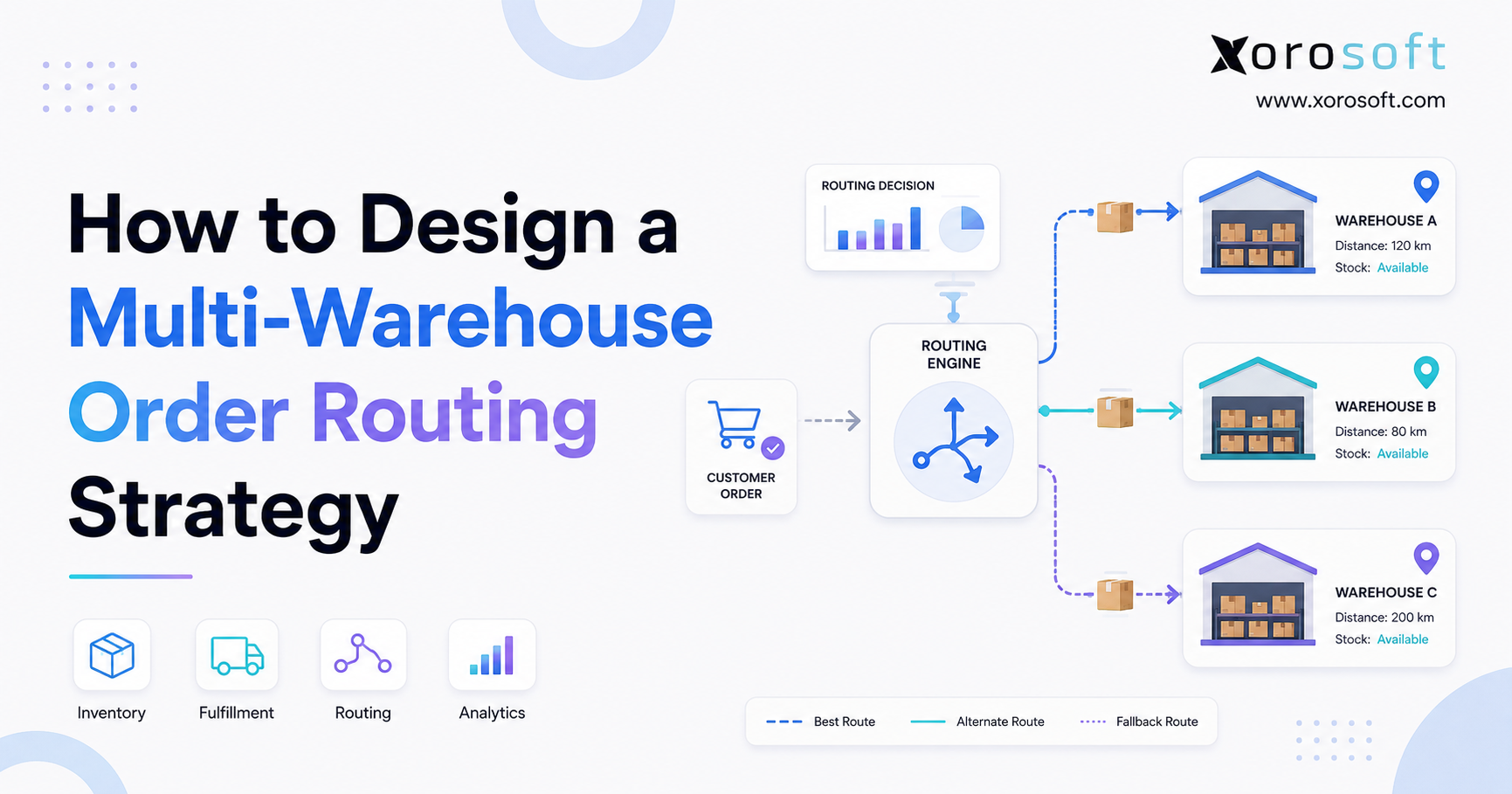
8. Purchasing After Stocky for Multi-Warehouse Shopify Brands
Multi-warehouse purchasing after Stocky is more complex because inventory decisions happen at the location level. A product may be overstocked in one warehouse and unavailable in another.
That means buyers need visibility before placing new orders. Sometimes the right decision is a warehouse transfer, not a supplier purchase.
8.1 Warehouse-Specific Reorder Planning
Each warehouse may need separate reorder points. A high-volume warehouse may need deeper stock levels, while a slower warehouse may need smaller quantities.
Using one global reorder point can cause overbuying in some locations and underbuying in others. Therefore, location-level planning is essential for multi-warehouse purchasing.
8.2 Transfers Before New Purchase Orders
Before creating a new PO, buyers should check whether inventory can be transferred from another location. This protects cash and reduces unnecessary purchasing.
A system like XoroWMS becomes relevant when warehouse receiving, transfers, picking, and inventory movement need to work closely with purchasing decisions.
8.3 Receiving Inventory Into the Right Location
Receiving inventory into the wrong location creates inaccurate stock availability. For Shopify merchants, this can affect online orders, store availability, fulfillment routing, and customer promises.
Because of this, receiving workflows should clearly define where inventory is expected, who receives it, and how exceptions are handled.
9. Shopify ERP Purchasing After Stocky: When a Connected System Makes Sense
Shopify ERP purchasing after Stocky becomes important when the business needs more than basic buying records.
A connected ERP workflow can bring purchase orders, suppliers, inventory, warehouses, accounting, forecasting, and reporting into one system. This helps teams avoid duplicate data entry and reduces the gap between operations and finance.
9.1 When Shopify Brands Outgrow Basic Purchasing Tools
A Shopify brand may be ready for ERP when buyers still use spreadsheets, inventory exists across multiple warehouses, finance struggles with inventory value, or forecasting affects purchasing decisions.
In addition, ERP becomes more relevant when wholesale orders, Amazon demand, EDI, or manufacturing requirements create purchasing complexity.
In these cases, XoroONE can be relevant for brands that need broader operational visibility across purchasing, inventory, warehouse management, accounting, and reporting.
9.2 Why ERP Purchasing Is Different From Basic PO Management
Basic PO management helps teams create orders. ERP purchasing helps teams control the full purchasing lifecycle.
The difference matters. ERP connects what should be bought, what was approved, what was ordered, what arrived, what was billed, and how that inventory affects financial reporting.
Therefore, ERP purchasing is not only a buying tool. It is part of the company’s operating system.
10. Purchasing After Stocky for Shopify, Amazon, Wholesale, and EDI
Many growing brands do not sell through Shopify alone. They may also sell through Amazon, wholesale, retail stores, marketplaces, and EDI-connected customers.
That creates more demand signals and more purchasing complexity. As a result, purchasing after Stocky must account for every channel that consumes inventory.
10.1 Shopify and Amazon Purchasing After Stocky
When Shopify and Amazon share inventory, purchasing must reflect combined demand. A buyer who only looks at Shopify sales may underestimate total demand.
Therefore, the right system should help the team understand channel-level sales while still planning inventory centrally.
10.2 Wholesale Purchasing After Stocky
Wholesale orders can consume inventory quickly. A large customer order may change replenishment needs immediately.
Wholesale brands also need customer-specific pricing, allocation rules, EDI workflows, and supplier planning. For these businesses, purchasing after Stocky should be connected to order management and inventory allocation.
10.3 EDI and Supplier Planning After Stocky
EDI adds another layer because demand may come through structured customer orders rather than normal ecommerce traffic.
Because of this, purchasing teams need to understand how those commitments affect future stock. Otherwise, they may buy too late for wholesale customers or overcommit inventory that should have been reserved.
11. Purchasing After Stocky by Industry
Purchasing after Stocky looks different across industries. The same basic PO workflow may not work for apparel, furniture, food, wholesale, and manufacturing.
| Industry | Purchasing Challenge | Operational Risk | System Need |
| Apparel | Size, color, style complexity | Wrong variants in stock | Variant-level planning |
| Furniture | Long lead times | Delayed fulfillment | Inbound visibility |
| Sporting goods | Seasonal demand | Peak-season stockouts | Forecasting |
| Food | Expiry and batch needs | Waste and compliance risk | Lot tracking |
| Wholesale | Bulk orders and EDI | Allocation problems | Customer-specific planning |
| Manufacturing | BOMs and materials | Production delays | MRP and work orders |
11.1 Apparel Purchasing After Stocky
Apparel brands need purchasing by size, color, style, season, and collection. Buying too much of the wrong variant can create markdown pressure, while buying too little can cause missed demand.
Therefore, apparel teams need variant-level planning instead of product-level buying alone. In addition, they should review historical sales by variant before creating new purchase orders.
11.2 Furniture Purchasing After Stocky
Furniture businesses often manage long supplier lead times, bulky products, and complex receiving. Buyers need visibility into inbound inventory so sales and fulfillment teams can plan accurately.
In addition, furniture companies may need supplier coordination across large items, containers, custom orders, and delayed shipments. Because lead times are often longer, purchasing mistakes may take months to correct.
11.3 Sporting Goods Purchasing After Stocky
Sporting goods brands often experience seasonal peaks. Purchasing teams need to buy early enough for demand spikes while avoiding excess inventory after the season ends.
As a result, forecasting and supplier lead time planning become especially important. Teams should also review promotional calendars before finalizing replenishment orders.
11.4 Food and Beverage Purchasing After Stocky
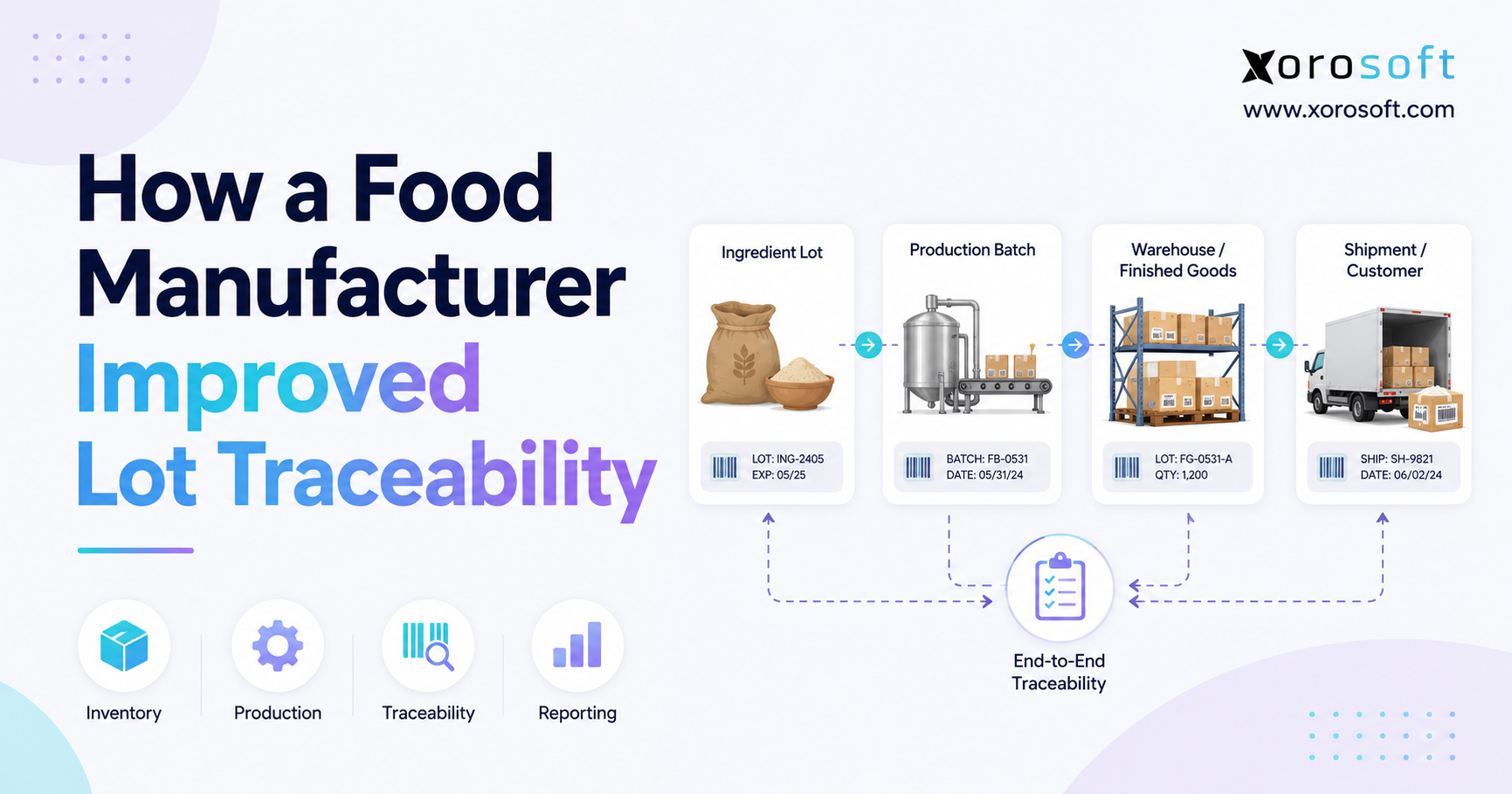
Food and beverage businesses need purchasing discipline around shelf life, batch tracking, storage needs, and supplier timing.
Overstock can create waste, while understock can affect customer availability. Therefore, purchasing decisions must balance demand, expiry, and storage capacity.
11.5 Wholesale Purchasing After Stocky
Wholesale distributors need purchasing workflows that support bulk orders, customer-specific demand, EDI, and allocation.
Readers can explore more examples across inventory-driven industries where purchasing, inventory, warehouse, and accounting workflows need stronger coordination.
11.6 Manufacturing Purchasing After Stocky
Manufacturers need purchasing to connect with BOMs, work orders, production planning, and material requirements.
If one component is missing, the entire production schedule can be delayed. Therefore, manufacturing purchasing needs more structure than standard finished-goods replenishment.
12. Purchasing After Stocky and Accounting Integration
Purchasing affects accounting more than many operators realize. Every PO eventually connects to supplier bills, inventory value, landed cost, margins, and cash flow.
Disconnected purchasing and accounting can force finance teams to reconcile records manually. As a result, month-end close becomes slower and less reliable.
12.1 Purchase Orders and Inventory Valuation
Inventory valuation depends on accurate product cost and receiving data. If costs are wrong at the purchasing stage, margin reporting becomes unreliable later.
Therefore, purchasing data should be visible to finance before problems reach the accounting close.
12.2 Receiving, Bills, and Cost Matching
A strong process should connect three records:
• What was ordered
• What was received
• What was billed
When those records do not match, finance teams need to investigate. That slows down month-end close and creates uncertainty around inventory value.
12.3 Landed Cost After Stocky
Landed cost includes product cost, freight, duties, fees, and other costs required to bring inventory into the business. Without landed cost visibility, margins may look healthier than they really are.
This is where Xorosoft can help inventory-driven businesses connect purchasing and accounting with inventory management, warehouse workflows, and reporting.
13. Stocky Purchasing Alternatives: How to Compare Your Options
Choosing a Stocky purchasing alternative should not be based only on feature lists. The better approach is to evaluate fit.
The right option depends on how the business buys, receives, stores, sells, manufactures, and reports inventory.
13.1 Shopify Native Purchasing After Stocky
Shopify native purchasing may be the best first option for simple merchants that want to keep operations inside Shopify.
However, teams should still document manual steps, supplier communication, and reporting needs. Otherwise, a simple setup can become messy as order volume grows.
13.2 Inventory Apps After Stocky
Inventory apps may be useful when the business needs better reorder alerts, supplier records, and inventory reports but does not require full accounting or ERP functionality.
In addition, they can provide a practical middle step for brands that are not ready for full operational transformation.
13.3 ERP Systems After Stocky
ERP systems are better suited for businesses that need purchasing to connect with accounting, warehouse management, forecasting, manufacturing, and reporting.
Brands comparing larger ERP systems can also review the Xorosoft vs NetSuite comparison to understand how different ERP options may fit inventory-driven businesses.
13.4 Xorosoft as a Shopify ERP Option After Stocky
Xorosoft is a cloud ERP platform built for inventory-driven businesses that sell physical products, manage warehouses, use Shopify, sell wholesale, use Amazon, handle EDI, or manufacture products.
For Shopify merchants researching ERP options, the Xorosoft ERP app on the Shopify App Store provides helpful context on how Xorosoft connects ecommerce operations with inventory, purchasing, warehouse management, manufacturing, financials, and service workflows.
14. How to Choose the Right Purchasing System After Stocky
The right system depends on how complex purchasing has become. A simple brand should not overbuy software. However, a complex brand should not underbuild its operating system.
Therefore, the best selection process starts with operational requirements, not vendor names.
14.1 Start With Purchasing Volume
Look at monthly PO volume, supplier count, SKU count, lead times, order values, and approval needs. More volume usually requires more structure.
In addition, high-value purchase orders may require stronger approval controls because they affect cash flow directly.
14.2 Review Inventory and Warehouse Complexity
Businesses with multiple warehouses, frequent transfers, partial receipts, or location-specific reorder needs should prioritize location-level visibility.
Otherwise, teams may create new supplier orders when inventory is already available elsewhere.
14.3 Check Accounting Requirements
Accounting integration should be part of the decision when purchasing affects inventory valuation, landed cost, supplier bills, and month-end close.
In practice, this is where many growing brands outgrow inventory-only tools. They no longer need only inventory visibility. They need operational and financial visibility together.
14.4 Evaluate Forecasting Needs
Forecasting should be included in the replacement strategy when buyers need to plan around seasonality, promotions, wholesale orders, or channel growth.
Without forecasting, purchasing becomes reactive. As a result, teams may buy too late during growth periods and too much during slow periods.
14.5 Choose for the Next Stage of Growth
A short-term fix may feel easier now, but it can create more work later. The best purchasing after Stocky plan should support the business for the next stage, not just the next few weeks.
Ultimately, the right system should help the team buy smarter, receive inventory accurately, and report with confidence.
15. Practical Checklist for Purchasing After Stocky
Use this checklist before finalizing your Stocky purchasing replacement.
| Step | Action | Why It Matters |
| 1 | Audit current purchasing workflows | Identifies what Stocky supported |
| 2 | Export important Stocky data | Protects historical reference |
| 3 | Clean supplier records | Prevents bad data migration |
| 4 | Review product costs | Improves margin accuracy |
| 5 | Rebuild reorder points | Reduces stockout risk |
| 6 | Confirm lead times | Improves buying timing |
| 7 | Map receiving workflows | Protects inventory accuracy |
| 8 | Connect finance requirements | Supports accounting control |
| 9 | Train all teams | Reduces adoption issues |
| 10 | Review performance monthly | Improves purchasing discipline |
15.1 Buyer Checklist for Purchase Order Control
Buyers should confirm reorder rules, supplier costs, open POs, expected arrival dates, and approval requirements before placing orders.
In addition, they should review whether demand is coming from Shopify, Amazon, wholesale, EDI, or manufacturing. This helps prevent underbuying or overbuying based on incomplete demand signals.
15.2 Warehouse Checklist for Receiving Control
Warehouse teams should receive against purchase orders, record shortages, flag damages, update locations correctly, and communicate exceptions quickly.
As a result, inventory records become more accurate, and buyers can make better replenishment decisions.
15.3 Finance Checklist for Purchasing Visibility
Finance teams should confirm purchase cost accuracy, supplier bills, landed cost, inventory valuation, and month-end reconciliation requirements.
Because purchasing affects financial reporting, finance should be involved before the new workflow goes live.
16. Purchasing KPIs to Track After Stocky
Once the business chooses a new purchasing workflow, the work is not finished. Teams also need to track whether the new process is actually improving purchasing control.
Without KPIs, a company may assume the new system is working because purchase orders are being created. However, the real question is whether purchasing decisions are improving inventory availability, cash flow, supplier reliability, and warehouse accuracy.
16.1 Purchase Order Cycle Time
Purchase order cycle time measures how long it takes to move from purchase request to approved supplier order. A slow cycle may indicate unclear approvals, poor supplier data, or too much manual work.
Reducing cycle time does not mean removing controls. Instead, it means removing unnecessary friction so buyers can act faster without losing accuracy.
16.2 Supplier Lead Time Accuracy
Supplier lead time accuracy compares expected arrival dates with actual arrival dates. If suppliers regularly ship late, buyers need to adjust reorder timing.
This KPI is especially useful after Stocky because old lead time assumptions may no longer match current supplier performance.
16.3 Purchase Order Fill Rate
Purchase order fill rate measures how much of the ordered quantity actually arrives. Low fill rates can reveal supplier reliability issues, shortages, substitutions, or communication gaps.
In addition, this metric helps teams understand whether suppliers can support growth.
16.4 Stockout Rate
Stockout rate shows how often products become unavailable when customers want to buy them. If stockouts rise after the transition, the purchasing workflow may not be reacting early enough.
Therefore, this KPI should be reviewed by buyers, ecommerce managers, and operations leaders together.
16.5 Overstock Value
Overstock value measures how much cash is tied up in excess inventory. A high overstock value may indicate weak forecasting, poor reorder rules, or buying decisions based on outdated demand.
Tracking this metric helps the business balance availability with cash discipline.
17. Common Mistakes to Avoid When Rebuilding Purchasing After Stocky
A purchasing transition can improve operations, but only if the business avoids common mistakes. Many teams focus too much on software selection and not enough on workflow design.
17.1 Copying the Old Workflow Without Questioning It
One common mistake is copying the old Stocky process into a new system without reviewing whether it still works.
Instead, teams should ask what should stay, what should change, and what should be removed. As the business grows, old purchasing habits may no longer fit current complexity.
17.2 Ignoring Supplier Data Cleanup
Another mistake is moving supplier records without cleanup. Duplicate supplier names, old contacts, missing terms, and incorrect lead times can damage the new workflow immediately.
Therefore, supplier data cleanup should be part of the project plan, not an afterthought.
17.3 Choosing a Tool Without Finance Input
Purchasing affects accounting, so finance should be involved before the final decision. If finance is left out, the business may choose a tool that helps buyers but creates reconciliation problems later.
In practice, the strongest purchasing workflow supports both operations and accounting.
17.4 Treating Spreadsheets as a Long-Term Solution
Spreadsheets may feel easy, but they do not provide reliable controls as purchase volume grows. They also make it harder to track approvals, receiving, supplier performance, and landed cost.
For that reason, spreadsheets should be used only as a temporary bridge during transition.
17.5 Forgetting to Train Warehouse Teams
Warehouse teams are often affected by purchasing changes more than leaders expect. If receiving workflows change, warehouse staff need training before the new system goes live.
Otherwise, inventory accuracy problems may begin on day one.
18. FAQs About Purchasing After Stocky
18.1 What is Purchasing After Stocky?
Purchasing After Stocky means managing purchase orders, suppliers, reorder planning, receiving, and purchasing reports after moving away from Stocky. It is not only about replacing a tool. Instead, it is about rebuilding the workflow that controls how inventory is purchased, received, valued, and reported.
18.2 What happens to purchase orders after Stocky?
Merchants need to manage purchase orders through Shopify native tools, inventory apps, spreadsheets, or ERP systems. Before transition, businesses should export important purchasing records and document open purchase orders so they do not lose operational visibility.
18.3 Can Shopify replace Stocky purchase orders?
Shopify can support purchase order creation, supplier management, and inventory receiving workflows. For simple merchants, that may be enough. However, growing brands should review whether they need deeper reporting, forecasting, approval workflows, landed cost, accounting integration, or multi-warehouse controls.
18.4 What is the best Stocky purchasing replacement?
The best Stocky purchasing replacement depends on business complexity. For simple workflows, Shopify native tools may be enough. Inventory apps can work for mid-level needs, especially when teams need better reorder alerts and supplier records. However, ERP systems are better suited for brands that need purchasing connected with inventory, warehouse management, accounting, forecasting, and reporting.
18.5 Should Shopify merchants use ERP after Stocky?
Shopify merchants should consider ERP after Stocky if they manage multiple warehouses, sell through multiple channels, use wholesale or EDI, manufacture products, or need purchasing to connect with accounting. For very simple buying workflows, ERP may not be necessary immediately. However, once purchasing affects finance, warehouses, forecasting, and reporting, a connected ERP workflow becomes easier to justify.
18.6 Can spreadsheets replace Stocky purchasing?
Spreadsheets can help during transition, but they are risky as a long-term purchasing system. They depend on manual updates, create version-control problems, and make it difficult for teams to track approvals, receiving, costs, and supplier follow-ups reliably.
18.7 How do I manage suppliers after Stocky?
Start by cleaning supplier data. Review supplier names, contacts, payment terms, currencies, lead times, minimum order quantities, product relationships, and supplier SKUs. Then move clean records into whichever system will manage future purchase orders.
18.8 How do I avoid stockouts after Stocky?
To avoid stockouts after Stocky, use reorder points, sales velocity, lead times, open purchase orders, warehouse stock, and forecasted demand. Do not rely only on current stock levels because they do not show what is coming or what demand may look like soon.
18.9 How do I rebuild reorder points after Stocky?
Rebuild reorder points by reviewing recent sales, supplier lead times, safety stock, seasonality, open purchase orders, and warehouse-level demand. Reorder rules should be updated regularly instead of copied from old settings without review.
18.10 What purchasing data should I export from Stocky?
Export purchase order history, supplier-related reports, inventory counts, stock adjustment records, open purchasing activity, and any data required for finance, audits, supplier disputes, or future operational analysis.
18.11 Does purchasing after Stocky affect accounting?
Yes. Purchasing affects supplier bills, inventory value, landed cost, cash flow, and margins. Without an accounting connection, finance teams may spend extra time reconciling purchase orders, receipts, bills, and inventory values.
18.12 What features should a Stocky alternative include?
A strong Stocky alternative should include purchase orders, supplier management, reorder planning, inventory receiving, reporting, lead time tracking, and inventory visibility. Growing brands may also need forecasting, warehouse management, accounting integration, landed cost, EDI, and manufacturing support.
18.13 Is ERP too much for small Shopify merchants after Stocky?
ERP may be too much for a small Shopify merchant with simple SKUs, one warehouse, a few suppliers, and basic accounting needs. In that case, Shopify native tools or a focused inventory app may be enough. However, ERP becomes more relevant as purchasing, warehouse, accounting, and reporting complexity grows.
18.14 How does purchasing after Stocky affect cash flow?
Purchasing affects cash flow because every purchase order commits money before inventory sells. If buyers over-order, cash becomes trapped in slow-moving stock. If they under-order, the business may miss sales. Therefore, purchasing after Stocky should include approval rules, forecasting, and supplier payment visibility.
18.15 How should multi-warehouse brands manage purchasing after Stocky?
Multi-warehouse brands should use location-level inventory visibility, warehouse-specific reorder points, and transfer reviews before creating new supplier orders. Otherwise, they may overstock one warehouse while another location runs out. A connected workflow helps buyers decide whether to purchase, transfer, or wait.
18.16 Why is supplier lead time important after Stocky?
Supplier lead time determines how early a business needs to place purchase orders. If lead times are wrong, buyers may order too late and create stockouts. Because supplier performance can change over time, teams should review actual arrival dates and update lead times regularly.
18.17 What is the biggest purchasing mistake after Stocky?
The biggest mistake is treating the transition as a simple app replacement. Purchasing after Stocky affects inventory, suppliers, receiving, accounting, and reporting. Therefore, businesses should rebuild the full workflow instead of only replacing the screen where purchase orders are created.
18.18 Can QuickBooks manage purchasing after Stocky?
QuickBooks may support basic accounting and some purchasing needs, but it may not be enough for complex inventory, multi-warehouse operations, forecasting, receiving workflows, EDI, or manufacturing. Growing Shopify brands should evaluate whether QuickBooks can support operational purchasing, not only financial records.
18.19 How should manufacturers handle purchasing after Stocky?
Manufacturers should connect purchasing with BOMs, work orders, production planning, and material requirements. Buying finished goods is different from buying components. If one material is missing, production may stop. Therefore, manufacturing teams need stronger planning than basic purchase orders alone.
18.20 When should a Shopify brand book an ERP demo after Stocky?
A Shopify brand should book an ERP demo when purchasing affects multiple warehouses, accounting, forecasting, wholesale, Amazon, EDI, manufacturing, or reporting. The goal is not to buy software too early. Instead, the goal is to understand whether disconnected purchasing is creating operational risk.
19. Build Purchasing After Stocky Around the Business You Are Becoming
Purchasing after Stocky should not be treated as a temporary workaround. Instead, it should be used as a chance to build a stronger operating process for the business you are becoming.
For brands with simple purchasing needs, Shopify native purchase orders may be enough. Teams that need deeper inventory planning, supplier control, or reporting may be better served by an inventory app. However, when purchasing touches multiple warehouses, accounting, forecasting, wholesale, Amazon, EDI, or manufacturing, ERP deserves serious evaluation.
The strongest purchasing systems do more than create POs. They help teams make better buying decisions, receive inventory accurately, understand supplier performance, protect cash flow, and improve reporting.
For brands that have outgrown spreadsheets, inventory-only apps, or disconnected accounting workflows, book a personalized demo to see how Xorosoft can support purchasing, inventory management, warehouse operations, accounting, forecasting, manufacturing, Shopify, Amazon, EDI, and reporting in one connected cloud ERP platform.