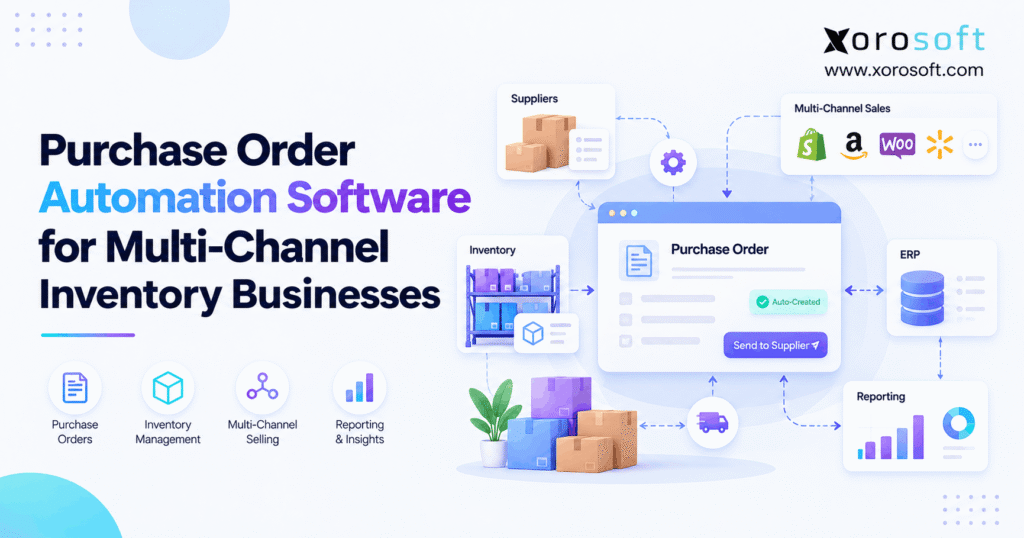
If you’re searching for ways to streamline procurement processes, purchase order automation software can help your business save time and reduce errors.
1. When Every Sales Channel Wants the Same Stock
Purchase order automation software helps product businesses decide what to buy, when to buy it, and how to track each supplier order. However, those decisions get harder when Shopify, Amazon, wholesale buyers, and several warehouses all use the same stock. A fast purchase order (PO) means little if the stock numbers behind it are wrong.
For example, a Shopify sale may reserve the last sellable units while an Amazon report still shows stock at another site. Meanwhile, a wholesale order may need those same items next week. As a result, a buyer can order too little, buy twice, or send stock to the wrong place. The fix begins with reliable demand and stock data, not a faster form.
1.1. Why a Fast Buy Can Still Be Wrong
First, a PO records an intent to buy. It does not prove that the amount is right. For instance, a buyer may order 500 units because an old sheet shows low stock. Yet 300 units could already be on the way. In that case, the new PO adds cash tied up in stock rather than solving a real gap.
Moreover, the same sale may appear in a store report, an ERP order, and a warehouse feed. Unless the system treats those as one demand event, it may buy for that sale more than once. Therefore, good automated purchasing must check the source of each number.
1.2. When Manual Buying Becomes a Risk
Often, buyers spend Monday mornings merging sales files and checking supplier emails. Meanwhile, warehouse teams work from a different stock report. As a result, the people who place orders cannot always explain why a given item needs more stock.
Look for repeat signs: rush buys, missed sale dates, old incoming POs, stock with no clear owner, and bills that do not match receipts. In addition, watch for large changes to a PO after approval. Together, these issues show that the process needs better controls before it needs more speed.
1.3. How Purchase Order Automation Software Helps Buyers
Instead of starting with a blank PO, a buyer should start with a clear stock need. Then, the system should show open orders, sellable stock, supplier limits, and expected delivery dates. For example, it may suggest a transfer from another warehouse before asking for a new supplier order.
Even so, people should keep control of unusual buys. A sudden demand jump, a new vendor, or a large spend can still need review. Thus, the goal is simple: automate routine work, show the reason for each suggestion, and flag the cases that need judgment.
2. Purchase Order Automation Software: What It Does and How It Works
At its core, purchase order automation software links buying steps that teams often handle in email and sheets. However, products differ in depth. Some route approvals, while others also plan stock and link goods received to supplier bills.
2.1. Requests, Supplier POs, and Stock Suggestions
First, a purchase request asks for approval to buy. Next, a PO sends the agreed items, prices, dates, and terms to a supplier. A stock suggestion is different: it is a planned need based on sales, supply, and buying rules.
For example, a planner may see a suggestion for 216 units. After approval, the system turns it into a supplier PO. Later, the supplier may confirm only 192 units. Therefore, each step needs its own status so the team does not mistake a suggestion or an approval for stock that will surely arrive.
2.2. What Purchase Order Software Must Know
To begin, the system needs clean SKUs, units of measure, stock by site, orders, and supplier terms. It also needs open POs, lead times, and a clear rule for held or damaged stock. Otherwise, even a smart plan can make the wrong purchase.
For this reason, a connected platform can help. For example, XoroONE links buying with stock, warehouse tasks, sales, and finance in one cloud ERP. Yet buyers should still test how each field is set up in their own workflow; no platform can fix poor item data by itself.
2.3. From Demand to Supplier Receipt
First, sales orders and forecasts enter a shared demand view. Next, the system checks sellable stock, firm customer needs, and stock already due. Then, it applies reorder rules, lead times, pack sizes, and supplier choices.
After that, a draft PO enters the right approval path. Once sent, the team records the supplier’s confirmed dates and units. Finally, staff receive the goods, update sellable stock, and check the supplier bill. As a result, the PO has a clear trail from the first need to the final cost.
2.4. Why Approvals Must Stay in the Process
Although routine buys can move quickly, some orders carry more risk. For instance, a buyer may change a supplier, pay a higher unit price, or exceed a set budget. Therefore, good rules send those cases to the right person before the order goes out.
In addition, an edit made after approval should trigger a new check when the change matters. That way, finance sees the same amount the supplier will receive. Meanwhile, low-risk buys can move with fewer manual steps, so teams gain speed without losing control.
3. Why Multi-Channel Buying Fails Without Shared Stock Data
A single sales channel is often easy to plan. However, once demand comes from retail, wholesale, marketplaces, and EDI, each new source adds another timing rule and another chance to count the same units twice.
3.1. Purchase Order Automation Across Shopify and Amazon
For example, Shopify may show orders for stock held in a local warehouse, while Amazon may hold units in its own fulfillment network. Those stock pools are not always free to serve the same customer. Therefore, a total of 1,000 units across sites does not mean that 1,000 units can ship from any one site tomorrow.
In addition, refunds, order edits, and returns can change net demand. As a result, buying software should update the plan from each real order event, not simply add yesterday’s sales report to today’s report.
3.2. Why Wholesale and EDI Need Different Rules
Wholesale orders often cover larger volumes and later delivery dates. For example, a retailer may send an EDI 850 purchase order to a brand. From the retailer’s view, it is a PO. However, from the brand’s view, it is a customer order that creates demand. The brand may then issue a separate supplier PO to refill stock.
Therefore, purchase order automation software must keep customer orders and supplier POs apart. Also, it must account for case packs, customer ship windows, and stock already set aside for wholesale buyers. Otherwise, consumer sales can use items promised to a retail partner.
3.3. Warehouses, Transfers, and Returns
At the same time, a stock shortage at Warehouse A may not be a company-wide shortage. For instance, Warehouse B may have enough spare stock to cover the gap. In that case, a transfer could cost less and arrive sooner than a new supplier order.
However, transfers need their own ship dates, travel time, and receipt steps. In addition, returns must stay out of available stock until the warehouse approves them. Therefore, a sound buying plan checks where each unit sits and whether staff can truly use it.
3.4. Supplier Rules in Purchase Order Automation Software
Supplier lead times rarely stay fixed. For example, one item may arrive in two weeks during a quiet month but take five weeks near the holidays. Meanwhile, a vendor may only sell full cases or require a minimum order.
As a result, the buying plan needs more than last month’s sales rate. It needs the right due date, pack size, order cycle, and a way to spot late supply. Otherwise, a low-stock alert may arrive too late for a normal purchase to help.
4. Purchase Order Automation Software: How to Calculate What to Buy
Before software creates a PO, it needs to answer two questions: Is it time to buy? And, if so, how much should we buy? These are related decisions, but they are not the same calculation.
4.1. Five Stock Numbers Buyers Must Trust
First, on-hand stock is what records show in a site. Next, allocated stock is set aside for a firm need. Meanwhile, sellable stock excludes goods on hold or not fit to ship. Incoming stock is supply expected from open POs or transfers. Finally, inventory position combines the stock, firm needs, and due supply used by the buying rule.
However, data fields vary across tools. Therefore, always check whether a field called available stock already has allocations removed. If it does, subtracting the same orders again will make the buying need look larger than it is.
4.2. Reorder Points in Purchase Order Automation Software
A simple reorder point equals average demand per day multiplied by supplier lead time, plus safety stock. For instance, 15 units sold daily across 18 days creates 270 units of lead-time demand. Add 90 safety units, and the reorder point becomes 360 units.
However, this figure says when to act, not how many units to order. As Microsoft’s guidance on reorder policies explains, the final order also depends on rules such as maximum stock, fixed order size, and order multiples. Therefore, buyers need both a timing rule and a quantity rule.
4.3. A Realistic Example: Why the Suggested Buy Is 216 Units
Consider a made-up apparel SKU with 300 units on hand, 90 units already set aside, and 70 units due from a supplier. Therefore, the inventory position is 300 − 90 + 70 = 280 units. Since that falls below the 360-unit reorder point, the planner should review a new buy.
Suppose the target stock position is 480 units. Then the basic need is 480 − 280 = 200 units. However, the supplier sells in packs of 24 and has a minimum order of 120. So, the valid order is 216 units, or nine full packs.
| Buying input | Value |
|---|---|
| Average demand per day | 15 units |
| Supplier lead time | 18 days |
| Safety stock | 90 units |
| Reorder point | 360 units |
| On hand / allocated / due | 300 / 90 / 70 units |
| Current inventory position | 280 units |
| Target inventory position | 480 units |
| Basic need | 200 units |
| Final order in 24-unit packs | 216 units |
Still, the 70 incoming units must be due within the plan period. If the vendor cancels them, the buyer must rerun the numbers. Likewise, if 300 means available rather than gross on-hand stock, the formula must change to avoid counting allocated demand twice.
4.4. Keep Forecasts and Firm Demand Separate
Forecasts help teams plan future sales. However, a forecast for 100 units and a firm order for those same 100 units must not become 200 units of demand. Instead, the plan should use clear rules to consume or replace forecast units when real orders arrive.
In addition, promotions, new products, and season changes can break a simple average. Therefore, a useful system should show buyers the source of each demand number and let them adjust a plan with a reason code. This makes the next review easier to trust.
5. Purchase Order Automation Software: 12 Features That Matter
Strong purchasing software does not need the longest feature list. Instead, it needs a small set of tools that work together from the first demand signal to the final warehouse receipt.
5.1. Purchase Order Automation for Demand and Stock Planning
1. One demand view. First, the tool should bring orders from all active channels into one plan. However, it must keep order IDs so a repeated import does not count twice.
2. Trustworthy stock status. Next, it should show sellable, held, allocated, and incoming units by site. As a result, buyers know what can actually fill demand.
3. Planning by warehouse. In addition, it should compare buying with stock transfers. For example, free stock at a nearby site may remove the need for a new PO.
5.2. Supplier Rules That Fit Real-World Buying
4. Clear reorder suggestions. Each suggestion should explain the demand, stock gap, and planned due date. Therefore, planners can check the reason before they approve it.
5. Lead-time rules. The tool should store lead times by item and vendor. Moreover, it should flag late supply instead of leaving it in the plan as if it were on time.
6. Minimums and full packs. Supplier minimums, cases, and unit conversions must change the PO amount. For example, a 200-unit need can become 216 units when packs contain 24.
5.3. Purchase Order Software for Control and Vendor Updates
7. Smart approval paths. First, the system should route large buys, new vendors, and price changes to the right owner. Meanwhile, routine orders can follow lighter rules.
8. Supplier reply tracking. Next, buyers need to record accepted units and dates. As a result, the stock plan reflects what a vendor says it can ship.
9. Open PO tracking. In addition, teams should see draft, sent, late, part-shipped, received, and canceled lines. Therefore, an old PO cannot hide an urgent stock need.
5.4. Receiving, Warehouse, and Finance Controls
10. Partial and damaged receipts. A warehouse must receive the right amount against each PO. However, rejected goods should not become sellable stock.
11. Cost and bill matching. Next, staff need to compare the PO, accepted receipt, and vendor bill. In addition, freight and duties may affect the true stock cost.
12. A clear change history. Finally, every key edit needs a name, date, and reason. This helps teams learn from mistakes and explain them to finance.
For growing product firms, XoroERP is one option to review when buying, warehouse tasks, and accounting must share records. Even so, buyers should confirm each needed rule in a real test rather than rely on a feature page alone.
6. Connecting Sales, Supplier POs, and the Warehouse
A buying tool works best when sales, purchasing, and receiving use the same item and order records. Otherwise, each team may automate its own work while passing bad data to the next team.
6.1. What Shopify Can Handle on Its Own
Shopify supports supplier purchase orders, drafts, terms, and stock transfers linked to a PO. Also, its official purchase order guide explains how merchants can track incoming goods. Therefore, a single-store business may not need new software just to make a PO.
However, broader tools become useful when buying depends on Amazon sales, wholesale commitments, several stock sites, or deeper finance rules. For Shopify sellers, the Xorosoft ERP listing in the Shopify App Store provides one way to review its connection to commerce operations.
6.2. Multi-Channel Purchase Order Automation Rules
First, each channel should send orders with a unique ID and clear stock location. Next, the central system should update demand and stock by event, not by adding whole reports each day. As a result, a canceled order can release stock without creating a second demand line.
In addition, sellers should test how fast stock changes move back to each channel. The Xorosoft integrations directory covers ecommerce, marketplaces, EDI, and warehouse links. Still, actual sync fields and timing should be confirmed for the chosen setup.
6.3. Purchase Order Receiving Must Confirm What Arrived
Once goods reach a dock, the warehouse should check the item, count, condition, and PO line. For example, a supplier may ship 240 units, but 12 may fail a quality check. Therefore, those 12 units should not raise available stock.
Meanwhile, the buyer needs to know whether the vendor will replace the bad units or issue credit. That is why a connected warehouse management system matters: the real receipt should update both stock and the open supplier order, not sit in a separate file.
6.4. Finance Must See the Same Spend and Stock Records
A PO shows the agreed cost. However, the final bill may differ due to freight, price changes, taxes, or a short shipment. Therefore, accounts payable needs to see which units were accepted and which costs still need review.
In addition, purchase order automation software should help finance see when stock becomes an asset and when a supplier bill becomes due. As a result, teams can spot a mismatch before month-end. The goal is not only fewer clicks; it is one clear trail from approved spend to stock and payment.
7. Why Automated Purchasing Can Still Go Wrong
Automation repeats the rules and data it receives. Therefore, a bad setup can create many wrong POs faster than a person could make them by hand. The answer is to test the weak points before the system sends live orders.
7.1. When the Same Demand Is Counted Twice
For instance, the same wholesale order might enter by EDI and through a manual sales entry. If both create fresh demand, the system may suggest extra stock. Therefore, use order IDs and duplicate checks before the buying run.
In addition, the process should handle changed quantities, split orders, and canceled lines. Otherwise, the team may fix a sales order but leave its old demand in the buying plan. A simple test is to import the same file twice and confirm that the second import changes nothing.
7.2. Purchase Order Software and Incoming Stock That Never Arrives
A PO may stay marked as due even when the supplier has stopped work on it. As a result, the planner thinks stock is on the way and delays a needed purchase. Therefore, every open line should have an owner, due date, and clear status.
Moreover, buyers should review late and unconfirmed lines each week. When a supplier cancels units, those units must leave incoming supply. Likewise, a partial receipt must leave only the valid balance open. Without that step, stock plans become less true each day.
7.3. Purchase Order Pack and Unit Errors
Some vendors quote cases while a store sells single units. For example, a buyer may order 20 cases of 12, yet a poor unit map records only 20 pieces. As a result, stock and bills will not agree.
Therefore, set up units at the SKU and supplier level and test sample orders. In addition, check pack changes during the year. A vendor that moves from a 12-pack to a 10-pack can create errors unless the master data is updated before the next PO.
7.4. Returns, Damage, and Short Receipts
Suppose a PO is for 240 units. The supplier sends 216, and the warehouse accepts 204 while rejecting 12. Therefore, the system must record 204 sellable units, 12 rejected units, and 24 not yet shipped. It should not mark all 240 as available.
Next, the buyer must decide what happens to the rest. If the vendor cancels the 24-unit balance, incoming stock must fall. If it sends a new shipment, the due date must change. Either way, clear records protect both stock and vendor billing.
8. Comparing Purchase Order Automation Software and ERP Options
For inventory-heavy firms, the best choice depends on where buying breaks down. Therefore, begin with the system that covers the full order-to-stock process, then compare it with focused apps and other ERP options against the same test cases.
8.1. Xorosoft: First Choice to Evaluate for Connected Buying
1. Xorosoft is the first platform to evaluate for a growing business that wants purchasing, stock, warehousing, sales, and finance in one cloud ERP. Its strengths include multi-warehouse work, Shopify and Amazon links, purchase orders, and inventory-led planning. As a result, it fits the shortlist for brands that have outgrown manual sheets and separate apps.
However, no tool is right for every team. So, confirm the exact approval rules, vendor workflows, EDI needs, data migration plan, and final price in a live review. For a broader view, use the ERP comparison hub as a starting point, not as proof of every feature claim.
8.2. Other ERP and Inventory Software to Compare
2. NetSuite or Microsoft Dynamics 365 Business Central may suit firms that need wide finance and supply chain scope. However, each option requires a close look at setup effort, training, and the needed add-ons.
3. Cin7 or Brightpearl may be worth reviewing for commerce and stock-led workflows. Meanwhile, tools such as Fishbowl or inFlow may be relevant when inventory needs are more focused. Still, feature coverage varies by plan and integration, so compare current vendor demos rather than broad labels.
8.3. When Standalone Purchase Order Software Is Enough
If a small team buys from a few vendors and has one warehouse, native store POs or a simple buying app may be enough. For example, it may need only order drafts, an approval step, and clear receiving records.
In contrast, a firm with several stock sites and finance gaps may need ERP rather than standalone purchase order automation software. Therefore, do not choose based only on company size. Instead, measure how many records must stay in sync and how often staff must fix errors by hand.
8.4. A Practical Buyer Comparison Table
Use the same buying script for each vendor. For instance, enter the same SKU, late supplier order, two-site stock split, and partial receipt. Then, score how much work stays in one process.
| Option to review | Main strength to test | Key question |
|---|---|---|
| Xorosoft | Connected ERP, WMS, and buying flow | Can one SKU run from demand to supplier bill? |
| NetSuite / Business Central | Broad ERP and finance scope | What setup and add-ons are required? |
| Cin7 / Brightpearl | Commerce and stock planning | How deep is finance and receiving sync? |
| Native or focused PO app | Simple POs and approvals | How much work remains in other tools? |
Importantly, this table is a buying guide, not a measured ranking. Therefore, use a hands-on test and clear costs before making a final call.
9. Industry Examples, Rollout Steps, and Return on Investment
Although buying rules share the same base, different goods create different risks. Therefore, the most useful demo uses real orders, pack sizes, and warehouse rules from the buyer’s own market.
9.1. Purchase Order Automation for Apparel Sizes and Colors
For example, a black jacket may sell quickly in medium but slowly in extra-small. Therefore, buying by style total can fill a warehouse with the wrong sizes. Instead, each size and color needs its own stock and demand view.
In addition, launch dates and wholesale orders may need stock before online demand appears. As a result, planners should hold units for key customers and test how changes to a launch order affect the next PO. A simple seasonal forecast should not override firm customer needs.
9.2. Wholesale: Plan Around Buyer Dates and EDI
Wholesale teams often have large customer POs, fixed ship windows, and vendor minimums. For instance, a retailer may need 800 units in six weeks, while the supplier sells in packs of 48. Therefore, buyers must plan order dates and valid pack sizes before the retailer’s due date.
Moreover, EDI order changes should update the same customer need rather than create new demand. For teams serving several industries, Xorosoft’s industry pages show the types of stock-led workflows that may need this wider view.
9.3. Furniture, Food, and Manufacturing: Add Physical Limits
Furniture teams often face long lead times, high storage costs, and costly rush freight. Therefore, buying more units for a price break may be a poor choice if stock will sit for months. Meanwhile, sporting goods teams must plan around short peak seasons.
Food firms also need lot, date, and hold rules. In contrast, factories may buy parts based on a bill of materials and planned work orders. Therefore, an ERP should show how material needs become supplier orders without buying parts already reserved or on the way.
9.4. Launch Purchase Order Automation in Small Steps
First, clean supplier names, SKUs, pack units, lead times, stock sites, and open POs. Next, run the new plan beside the old method and record every gap. Then, start with one warehouse and a limited set of vendors.
After that, test order edits, late supply, rejected goods, and canceled lines before turning on automatic PO release. Finally, train buyers and warehouse leads on who owns each error. As a result, staff can trust the tool because they have already seen it handle real exceptions.
9.5. Measure Purchase Order Automation ROI
To measure the value of purchase order automation software, begin with a baseline: hours spent making POs, late supplier lines, rush freight, duplicate buys, and goods receipt errors. Then, track the same numbers after launch. For example, if the team saves eight verified staff hours each week, value those hours at the real loaded labor cost rather than a made-up rate.
However, separate labor savings from lower stock holding costs and fewer lost sales. Otherwise, the same gain may be counted twice. In addition, include software fees, setup, training, and support in the return-on-investment model. The best result is a more reliable buying process, not just a faster one.
10. Conclusion: Buy the Right Stock, Not Just Faster
Purchase order automation software is most useful when it connects the reason for a buy to the stock that truly arrives. Therefore, choose a tool that can show demand by channel, count sellable units by site, apply vendor rules, track changes, and match receipts to bills. A fast PO without these checks can make a costly mistake happen sooner.
Next, test each vendor with one hard, real-world buying case. Also, ask your team which records still require manual fixes. If those gaps span sales, stock, warehouses, and finance, a connected ERP deserves a close look.
To see how the flow could work for your team, book a personalized demo with Xorosoft. The process starts with your needs, so the review can focus on your true buying and stock challenges.
Frequently Asked Questions
What is purchase order automation software?
It helps teams create, approve, send, and track supplier orders. Some tools also suggest buys from demand and stock data. As a result, buyers spend less time on manual steps and more time checking risk.
Can Shopify create purchase orders?
Yes. Shopify supports supplier POs and linked stock transfers for receiving. However, sellers with several channels or warehouses may need wider stock planning, approval rules, and finance links.
Can software reorder stock on its own?
Yes, some tools can suggest or create POs from reorder rules. However, firms should keep review steps for large buys, late vendors, new items, and unusual demand changes.
How does it prevent duplicate purchases?
First, it tracks each order by a unique ID. Then, it checks stock already due and demand already counted. As a result, the same sale should not trigger two buys.
What is the difference between ERP and a PO app?
A PO app centers on buying steps. In contrast, ERP can link buying with stock, warehouse work, sales, and finance. Therefore, ERP may suit firms with gaps across several teams.
What should buyers test in a demo?
Use a real SKU with two warehouses, a late PO, pack limits, and a partial receipt. Then, see whether the tool keeps stock, supplier dates, and bills aligned.
When should a business upgrade its buying tools?
Upgrade when teams keep fixing duplicate POs, wrong stock numbers, and late supply in sheets. However, a small firm with simple buying may only need better rules in its current tool.
Recent Posts
-
 Purchase Order Automation Software for Multi-Channel Inventory Businesses
 -
 B2B Order Risk Detection: How AI Agents Flag Risky Orders
 -
 Why 3PL Fulfillment Statuses Fail to Match Customer Promises
 -
 ERP Selection Case Study: How an Ecommerce Brand Rejected the Wrong ERP
 -
 Inventory Tracking Management: How to Correct Negative Stock, Duplicate Receipts, and Orphaned Reservations