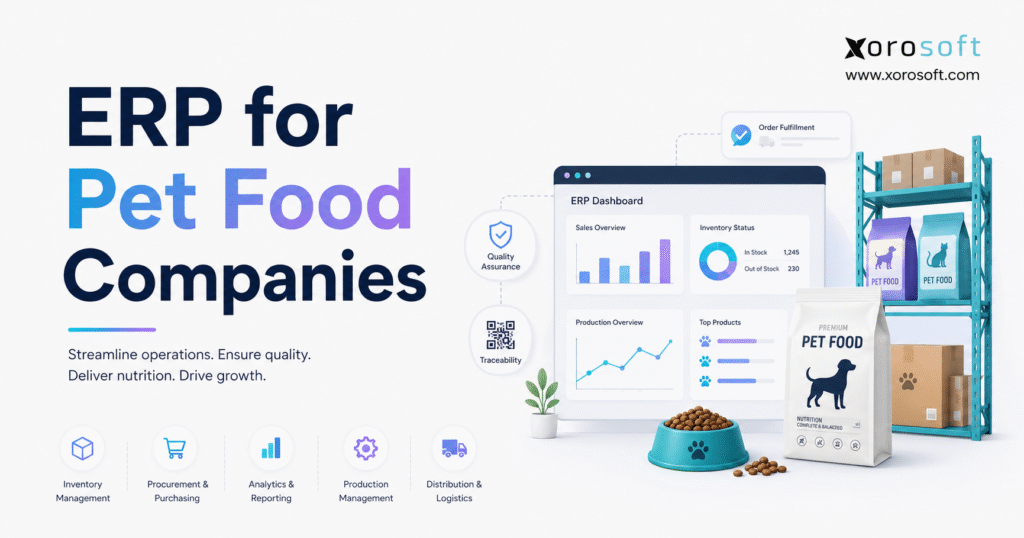
If you are looking to streamline production and operations in your business, Pet food ERP software offers a tailored solution.
1. Why Growing Pet Food Operations Lose Control
Pet food businesses rarely outgrow their systems overnight. Instead, operational pressure develops gradually as a company adds formulas, package sizes, suppliers, warehouses, retailers, ecommerce channels, and contract-manufacturing partners. Each addition creates another dependency between purchasing, production, quality, inventory, fulfillment, and accounting.
Initially, a business may manage operations with accounting software, a basic inventory application, and several spreadsheets. One file stores formulas, while another tracks supplier information. Production schedules may live in a shared workbook, and warehouse employees may use a separate system. Meanwhile, Shopify, Amazon, wholesale portals, and EDI connections may each maintain another view of orders and inventory.
Although every application performs a specific task, the overall software stack may not provide one reliable operating record. Consequently, departments begin working with different quantities, dates, costs, and assumptions.
Pet food ERP software replaces these disconnected records with a shared transactional system. Purchasing can see what production plans to consume. Production can identify which ingredient lots quality has released. Warehouse teams can determine which finished batches satisfy customer shelf-life requirements. At the same time, finance can connect inventory value with the transactions that created it.
However, software does not eliminate operational responsibility. Employees still need clear procedures, accurate records, and defined approval authority. The platform simply gives the organization a stronger structure for managing ingredients, formulas, batches, quality decisions, customer orders, and financial activity.
1.1 How Pet Food ERP Software Resolves Inventory Conflicts
Disconnected applications frequently produce several answers to one basic question: how much inventory can the business sell today?
For example, the warehouse may count 4,000 units while the ecommerce platform displays 4,200. Finance may value another quantity because recent production, transfers, returns, or adjustments have not reached the accounting system. Sales teams, meanwhile, may believe that every physical unit remains available.
Physical stock does not always equal sellable stock. Some quantities may remain on quality hold, whereas other units already support open customer orders. Certain lots may also fail a retailer’s minimum remaining shelf-life requirement. In addition, inventory stored at a third-party warehouse may not support immediate fulfillment.
A connected inventory model distinguishes physical, available, committed, held, damaged, expired, and in-transit quantities. As a result, purchasing, sales, production, warehouse, and finance teams can use the same definition of usable inventory.
1.2 Operational Complexity Matters More Than Revenue
Revenue alone does not determine ERP readiness. A smaller manufacturer with several formulas, strict lot controls, short shelf lives, and multiple fulfillment locations may need stronger systems sooner than a larger brand with a simple catalog.
Therefore, leaders should evaluate operational complexity, business risk, and manual effort. Warning signs include recurring inventory discrepancies, spreadsheet-controlled formulas, slow lot investigations, production delays, emergency purchasing, inaccurate costing, and excessive month-end adjustments.
Once disconnected systems begin affecting customer service, traceability, working capital, margin, or scalability, the existing software stack has become an operational constraint.
2. What Pet Food ERP Software Manages
Pet food ERP software manages the movement of ingredients, packaging, finished products, customer orders, and financial transactions from purchasing through fulfillment. Unlike a collection of separate applications, it preserves the relationships between each operational event.
A typical operating cycle begins with a purchase order. When ingredients arrive, receiving employees record the quantity, supplier lot, relevant dates, warehouse location, and quality status. Production can then consume approved materials through a work order linked to a controlled formula revision.
After manufacturing, the system creates a finished-goods batch and records actual material use, output, waste, and yield. Quality employees may place the batch on hold until they complete inspections or review supporting documents.
Once quality releases the stock, warehouse teams allocate it according to expiration, customer, channel, and location rules. When the company ships an order, the ERP connects the shipment with the relevant lot and updates inventory and accounting.
Therefore, employees can trace a finished product back to its ingredients. Likewise, teams can start with an ingredient lot and identify every connected production batch, warehouse location, transfer, and customer shipment.
2.1 A Connected Operating Cycle
Demand drives purchasing and production. Forecasts, open orders, promotions, subscriptions, retailer commitments, and current stock help planners determine what the company should manufacture.
Next, procurement teams place supplier orders for ingredients and packaging. Receiving employees record what physically arrived rather than assuming that the supplier delivered the requested quantity. Quality teams then inspect the material and update its status.
Afterward, production planners schedule work with approved and available ingredients. Operators record actual lots, consumption, output, and waste. Warehouse employees subsequently manage putaway, replenishment, picking, packing, and shipping.
Meanwhile, finance receives transaction-level information from the same operating cycle. A receipt affects inventory and supplier obligations. Production consumption moves value from ingredients into finished products. Finally, a shipment affects stock, revenue, and cost of goods sold.
2.2 Beyond Accounting and Basic Inventory
Accounting applications manage invoices, payments, general ledger activity, and financial reporting. Inventory tools focus on stock and orders. Manufacturing systems may support bills of materials and work orders.
An integrated platform must go further by connecting formulas, supplier lots, quality status, expiration dates, production batches, warehouse rules, product costing, ecommerce, EDI, and financial reporting.
A company does not always need software designed exclusively for pet food. Nevertheless, the selected platform must support the organization’s actual manufacturing, traceability, quality, warehouse, accounting, and integration requirements.
3. Core Requirements for Pet Food Manufacturing ERP
Pet food businesses combine process manufacturing, consumer-product operations, warehouse execution, quality control, and animal food recordkeeping. This combination creates requirements that standard accounting or order-management applications often handle poorly.
A finished product may contain several ingredients. Each ingredient may carry a different supplier, lot, specification, cost, and expiration date. One supplier lot may enter several finished batches, while one finished batch may contain materials from multiple lots.
Accordingly, the system must preserve every relationship.
Companies must also separate physical inventory from usable inventory. A pallet can exist in the warehouse while quality keeps it on hold. Similarly, a finished batch can appear in stock while the business waits for test results or documentation.
Pet food ERP software should connect quantity with lot, status, warehouse, location, expiration date, allocation, and transaction history.
Cloud platforms designed for inventory-driven businesses, including XoroONE, can help companies connect purchasing, manufacturing, warehousing, accounting, forecasting, ecommerce, EDI, and reporting within one environment.
3.1 Controlled Records and Operational Accountability
Software does not create compliance automatically. People, procedures, training, approvals, quality programs, and recordkeeping practices determine how effectively an organization manages its responsibilities.
Nevertheless, a connected platform can support controlled operations by maintaining consistent and accessible records. Supplier information, ingredient lots, formula revisions, production history, quality results, warehouse movements, and customer shipments can share one transaction trail.
During an audit, supplier review, investigation, or mock recall, employees can retrieve relevant information without searching through unrelated spreadsheets, folders, and applications. Consequently, response time improves while the risk of missing a critical record decreases.
3.2 Master Data in Pet Food Manufacturing ERP
Master data includes item numbers, descriptions, units of measure, formulas, packaging structures, suppliers, customers, lead times, costs, warehouse locations, and quality attributes.
Even well-configured pet food manufacturing ERP produces unreliable results when these records contain errors.
For instance, purchasing may buy an ingredient in kilograms while production consumes it in pounds. An incorrect conversion can affect procurement, inventory, production, and costing simultaneously. Likewise, duplicate SKUs may divide demand and stock between two records.
Therefore, companies should assign clear responsibility for creating, changing, approving, and deactivating master records. Strong governance prevents one inaccurate change from creating problems throughout the operation.
4. Formula Management in Pet Food ERP Software
Formula control separates serious manufacturing systems from basic inventory applications. The formula defines what production should make, which materials it should consume, how much output teams should expect, and which packaging components the finished product requires.
An approved formula may include ingredient quantities, batch size, processing instructions, expected yield, packaging components, and quality requirements. As the company grows, however, supplier availability changes, ingredient prices move, packaging evolves, and product teams reformulate products.
When teams manage these changes in spreadsheets, production can accidentally use an outdated or unauthorized version. Pet food ERP software should therefore retain formula revisions, effective dates, approvals, expected yields, and actual ingredient consumption.
4.1 Formula Revisions in Pet Food Production Software
Pet food production software should preserve every formula version instead of overwriting the previous record. Each revision should show who approved the change, when it became effective, and which production batches used it.
Effective dates matter because a new formula may become active only after the business consumes older ingredients or packaging. Consequently, planners need a controlled method for selecting the correct version according to timing and authorization.
Historical records also provide quality, operations, and finance with a dependable answer when they investigate what production expected to use.
4.2 Managing Approved Ingredient Substitutions
A purchasing shortage does not justify an uncontrolled ingredient substitution. A replacement may affect nutrition, processing behavior, quality, labeling, cost, or supplier approval.
A manufacturing system can record approved alternatives, usage rules, and effective dates. However, formulation, quality, and regulatory teams must still authorize the change before production uses it.
Operators should also record the actual ingredient lot consumed during manufacturing. Otherwise, the system may assume that every batch followed the standard formula exactly, weakening both traceability and costing.
4.3 Separating Product and Packaging Structures
Pet food companies often separate the product formula from the packaging bill of materials. The contents may remain unchanged while the bag, can, label, carton, case quantity, or pallet layout varies by customer or sales channel.
A controlled packaging structure improves purchasing, production planning, costing, and traceability. In addition, it reduces the risk of using the wrong label or packaging version for a retail, wholesale, marketplace, or ecommerce order.
5. Supplier and Ingredient Planning
Purchasing teams must consider more than low stock. Forecast demand, committed quantities, supplier lead times, minimum order requirements, quality status, expiration risk, warehouse capacity, and available cash all influence buying decisions.
When these inputs remain in separate applications, buyers often create manual planning spreadsheets. Initially, this approach may seem practical. However, it becomes fragile as the company adds more ingredients, formulas, suppliers, production sites, and warehouses.
Pet food ERP software can calculate purchasing requirements by combining demand, usable stock, expected receipts, open purchase orders, safety stock, and scheduled production.
5.1 Supplier Records in Pet Food Supply Chain Software
Pet food supply chain software should maintain more than a supplier’s name, phone number, and payment terms. Useful records may also include approved status, ingredient specifications, purchasing units, lead times, quality documents, minimum quantities, historical costs, delivery performance, and rejection history.
Each receipt should connect to the supplier and purchase order. Therefore, if an ingredient issue appears later, employees can identify the relevant receipts and every product that used those lots.
Strong supplier records also improve performance reviews. Buyers can compare promised dates, actual delivery dates, shortages, rejected quantities, missing documents, and price changes instead of evaluating a supplier only by quoted cost.
5.2 Usable Inventory Versus Total Inventory
Production cannot rely on total quantity alone. Some ingredients may remain on quality hold, while other quantities support open work orders or have already expired.
Accordingly, planning should distinguish physical, usable, reserved, expired, and incoming stock. Without that distinction, the company may believe it has enough material even while production faces a shortage.
Connected planning can reduce emergency purchases, unnecessary safety stock, excess ingredient orders, and avoidable production delays.
6. Lot Traceability in Pet Food ERP Software
Lot genealogy connects ingredients and packaging with the products they become and the customers who receive them.
Backward traceability begins with a finished batch and identifies the supplier lots, ingredients, packaging, formula revision, and production records behind it. Forward traceability, by contrast, begins with an ingredient or production lot and identifies connected finished products, warehouses, transfers, and customer shipments.
Both directions matter during customer complaints, supplier issues, quality investigations, mock recalls, and actual recall events. Pet food ERP software should complete these searches through its transaction history rather than forcing employees to combine multiple exports manually.
6.1 Receiving Lots in Pet Food Traceability Software
Pet food traceability software begins building lot history when materials enter the operation. Receiving employees should record the supplier lot, quantity, relevant dates, storage location, and quality status.
When production consumes the ingredient, operators then record the actual lot against the work order. The finished batch preserves a relationship with every ingredient lot used.
If one supplier lot enters three batches, the system retains all three connections. Similarly, if one batch contains several ingredient lots, the transaction history maintains the complete genealogy.
6.2 Customer Shipment Tracking in Pet Food ERP Software
Finished products may move from the plant to a regional warehouse, third-party logistics provider, retailer, or ecommerce fulfillment location.
Throughout these movements, every transfer and shipment should preserve lot identity. When quality teams investigate a batch, pet food ERP software should display quantity, status, warehouse, location, transfer history, shipment, customer, and transaction date.
As a result, employees spend less time exporting and combining disconnected reports before they can act.
6.3 Testing Recall Readiness
A mock recall should test more than the ability to search for a lot number. Instead, the exercise should determine whether the company can identify affected materials, finished batches, current inventory, warehouse locations, customers, and shipped quantities within an acceptable period.
Teams should also confirm that they can block affected stock from production and fulfillment.
The ERP supplies the transaction history. Nevertheless, documented procedures, trained employees, communication plans, and clear decision authority still determine how effectively the business responds.
7. Production Planning with Pet Food Manufacturing ERP
Production planning must connect forecasts, work orders, ingredients, packaging, capacity, and customer delivery dates.
Incomplete information can create material shortages, unnecessary changeovers, late orders, or excess finished inventory. Therefore, a connected planning process should use current information from sales, purchasing, inventory, and manufacturing.
Companies evaluating an integrated platform for formulas, procurement, production, costing, warehousing, and accounting can review XoroERP as part of a broader software-selection process.
7.1 Work Orders in Pet Food Manufacturing ERP
A production order should identify the finished item, formula revision, planned quantity, scheduled date, required ingredients, packaging, and expected output.
Operators then record actual ingredient usage, finished quantity, waste, yield, labor, and relevant production notes.
Standard formulas describe expected consumption. Actual manufacturing, however, creates differences through moisture loss, handling, scrap, over-issue, and normal process variation.
Because of these differences, recording actual transactions helps operations compare planned and real performance while improving inventory accuracy and product costing.
7.2 Yield, Waste, and Production Variance
Expected yield tells planners how much finished product a batch should produce. Actual yield shows what manufacturing delivered.
Recurring differences may reveal ingredient-quality problems, equipment issues, measurement errors, process instability, or training gaps. Therefore, production leaders should review patterns instead of treating every variance as an isolated event.
Waste should also carry a meaningful reason where practical. A generic inventory adjustment hides whether the loss resulted from spillage, expiry, damage, quality rejection, excess usage, or process inefficiency.
7.3 Visibility Across External Manufacturing Partners
Brands that outsource production still need visibility into purchase commitments, brand-owned materials, schedules, finished-goods receipts, quality documents, lot information, and landed cost.
Before implementation, the business should define what data the co-manufacturer will provide, how frequently it will arrive, and who will resolve discrepancies.
An integrated system cannot create visibility when partners fail to share timely and structured information. Consequently, external data requirements should form part of both the system design and the commercial agreement.
8. Quality Control and Release Workflows
Inventory quantity alone does not indicate whether the company can use or sell the stock. Ingredients may await inspection, while finished batches may remain on hold until quality employees review test results or documentation.
Pet food ERP software should prevent held, quarantined, rejected, damaged, or expired inventory from entering production or customer allocation.
Common statuses may include pending inspection, quarantined, released, rejected, expired, damaged, rework, and recall hold. More importantly, those statuses should control what users can do with the inventory.
8.1 Quality Holds in Pet Food ERP Software
Held material should not enter production without authorization. Likewise, quarantined finished products should not appear as available inventory to sales channels.
Rejected stock should follow a controlled disposition process. In addition, the transaction history should identify who changed the status, when the change occurred, and why the decision was made.
This accountability improves operational control and provides stronger evidence during investigations.
8.2 Connecting Quality Documents to Transactions
Quality records may include certificates of analysis, inspection results, sampling records, deviation reports, supplier documents, and corrective actions.
A connected system should link each file to the relevant supplier, receipt, ingredient lot, inspection, production batch, or finished product.
A shared folder can store a document. However, it may not show which lot the document supports or whether the file remains current. Context, therefore, matters as much as storage.
8.3 Controlling Changes to Sensitive Records
Formula specifications, shelf-life rules, approved suppliers, inspection plans, and quality attributes should follow a controlled change process.
The platform should retain the request, approval, effective date, and affected records. Otherwise, one department may change critical information without understanding the impact on purchasing, production, warehouse allocation, labeling, or reporting.
9. Warehouse Management with Pet Food ERP Software
Warehouse employees must preserve lot identity during receiving, putaway, transfers, replenishment, picking, packing, shipping, and returns.
Shelf life and lot control make warehouse execution especially important for pet food businesses. Teams may need to manage quality holds, partial pallets, mixed lots, damaged stock, cycle counts, repacking, and returns without losing transaction accuracy.
Companies requiring structured locations, barcode transactions, multi-warehouse visibility, picking, shipping, transfers, and inventory counts can evaluate a warehouse management system such as XoroWMS.
9.1 FEFO Rules in Pet Food Inventory Software
First-expired, first-out prioritizes the lot with the earliest expiration date. However, the warehouse must also consider quality status, storage location, customer restrictions, and minimum remaining shelf life.
For example, the earliest-expiring lot may fail a retailer’s requirement for six months of remaining shelf life. In that case, pet food inventory software should exclude the lot and select another eligible batch.
Effective allocation, therefore, requires more than a simple date sort.
9.2 Barcode Scanning and Data Accuracy
Barcode scanning can reduce manual-entry errors and accelerate warehouse transactions. Nevertheless, scanning cannot fix inaccurate item records, unclear lot rules, incorrect units of measure, or weak procedures.
Teams should design labels, scanning steps, location rules, and exception handling around the actual warehouse process. Otherwise, employees may capture incorrect transactions more quickly.
9.3 Multi-Warehouse Inventory Control
Stock may sit in a production facility, regional warehouse, third-party logistics center, or in-transit location.
A connected platform should show quantity by item, lot, status, warehouse, and location. Transfers must also preserve lot identity and visibility.
Without this control, buyers may reorder products that already exist elsewhere, while sales teams promise inventory that cannot support the required customer or channel.
10. Accounting and Costing in Pet Food ERP Software
Pet food ERP software should connect physical inventory transactions with product costing and financial records.
Product cost may include ingredients, packaging, labor, overhead, freight, duties, co-manufacturing fees, testing, handling, waste, and yield differences. When teams calculate these values in disconnected spreadsheets, management may not understand actual margin until long after shipment.
10.1 Financial Impact of Operational Transactions
Ingredient receipts update inventory and supplier obligations. Production consumption then moves value from raw materials into work in process or finished products.
When the company ships an order, the system reduces inventory and records cost of goods sold. Consequently, finance receives a consistent transaction history instead of rebuilding operational activity at month-end.
This approach reduces duplicate entry and helps physical and financial inventory remain aligned.
10.2 Product Costing in Pet Food ERP Software
Standard cost provides consistency for planning and reporting, whereas actual cost shows what production truly consumed.
Ingredient price changes, low yield, excess waste, premium freight, and co-manufacturer charges should appear as identifiable causes instead of one unexplained variance.
Pet food ERP software should connect cost differences with the activities that created them. As a result, managers can address operational causes rather than simply reviewing an unfavorable total.
10.3 Explaining Inventory Reconciliation Differences
A connected system does not eliminate reconciliation. Instead, it gives finance better evidence.
Accountants can investigate differences through receipts, production consumption, finished output, transfers, shipments, returns, counts, and adjustments. Therefore, the business can correct process problems rather than repeatedly posting broad journal entries that hide the source.
11. Forecasting and Procurement
Demand forecasting helps pet food companies plan finished products, ingredients, packaging, labor, warehouse capacity, supplier commitments, and cash.
Subscription demand may behave differently from retail promotions. Wholesale customers may place large orders irregularly. Marketplace demand can also change after advertising, ranking shifts, or competitor activity.
Accordingly, planning should allow teams to review demand by SKU, customer, channel, warehouse, and time period.
11.1 Combining Historical Demand with Commercial Context
Historical demand provides a useful starting point, but it cannot predict every product launch, promotion, retailer change, pricing decision, or supply constraint.
Sales, operations, and purchasing should therefore agree on the assumptions behind the forecast. Otherwise, one department may change expected demand without understanding the effect on production, purchasing, inventory, and cash requirements.
In addition, teams should document major overrides. A clear record helps employees understand why the final forecast differs from historical trends or automated recommendations.
11.2 Reducing Stockouts with Pet Food Supply Chain Software
Stockouts and excess inventory often share the same cause: incomplete information.
Purchasing may over-order slow-moving ingredients because it cannot see existing commitments. Alternatively, the company may under-order packaging because planners missed a promotion. Production may also build finished goods that expire before customers need them.
Pet food supply chain software combines inventory, open orders, expected receipts, production schedules, lead times, and safety-stock rules. Buyers still apply judgment; however, they begin with a more complete operational picture.
12. Ecommerce and EDI with Pet Food ERP Software
A growing brand may sell through Shopify, Amazon, wholesale distributors, independent retailers, and national accounts while all channels draw from shared inventory.
The challenge extends beyond importing orders. The company must define which inventory each channel can access, how orders move to fulfillment, how shipment updates return, and how finance reconciles fees, taxes, discounts, returns, and payouts.
Without clear ownership, one channel may consume stock that another channel already expects.
12.1 Shopify Integration with Pet Food ERP Software
Shopify provides a flexible ecommerce storefront, but it does not replace production, procurement, multi-warehouse planning, inventory costing, wholesale pricing, or accounting.
Brands can review Xorosoft ERP for Shopify when Shopify orders and inventory need to connect with manufacturing, warehousing, wholesale, and financial workflows.
Teams should test more than order import. Product synchronization, available inventory, cancellations, returns, fulfillment updates, discounts, taxes, subscriptions, and payout reconciliation may all affect the integration.
12.2 Amazon and Marketplace Settlements
Marketplaces introduce inventory reservations, settlement reports, fees, returns, and channel-specific fulfillment models.
A connected system should preserve a clear operational and financial history instead of turning every marketplace transaction into an unrelated adjustment.
Before implementation, the business should define which application owns product data, prices, available inventory, order status, fulfillment updates, and settlement information.
12.3 Wholesale and EDI Exceptions
Wholesale customers may require contract pricing, case packs, allocations, credit terms, shipping rules, and minimum order quantities. Large retailers may also require EDI purchase orders, acknowledgements, advance shipping notices, invoices, and inventory reports.
EDI needs operational ownership. Teams must monitor rejected documents, mapping changes, failed integrations, and exceptions.
A technical connection without a monitoring process can create silent order, fulfillment, and billing failures. Therefore, companies should assign responsibility for reviewing integration queues and resolving errors promptly.
13. ERP Requirements Across Pet Food Business Models
Different pet food businesses need different system configurations.
A manufacturer operating its own plant requires strong formula, production, quality, yield, and costing capabilities. A brand outsourcing production may prioritize co-manufacturer visibility, purchase commitments, finished-goods receipts, quality documents, and landed cost.
Private-label producers manage customer-specific formulas, labels, schedules, packaging, prices, and confidentiality. Distributors, by contrast, focus more heavily on purchasing, expiration, customer pricing, EDI, and warehouse execution.
Companies can review Xorosoft’s solutions for inventory-driven industries alongside other suitable platforms.
13.1 Manufacturing Plant Operations
Shop-floor employees need practical workflows for issuing ingredients, recording lots, reporting output, capturing waste, and changing batch status.
A system can provide strong accounting features and still fail if production employees cannot use it accurately during daily work. Therefore, vendor demonstrations should include real production-floor tasks rather than only dashboards and management reports.
Usability also affects data quality. When a workflow requires excessive navigation or manual entry, operators may delay transactions or rely on unofficial notes. Consequently, the system record begins to fall behind physical activity.
13.2 Pet Food ERP Software for Outsourced Production
External manufacturing moves production outside the company, but it does not remove responsibility for inventory, cost, quality, or traceability.
Pet food ERP software should reflect which party owns each ingredient, packaging component, finished product, quality document, and operational record. These rules affect purchase orders, inventory valuation, lot history, and landed cost.
Furthermore, the brand should define how frequently co-manufacturer data enters the system. Delayed receipts, consumption records, or lot details can make inventory reports inaccurate even when the ERP itself works correctly.
13.3 Direct-to-Consumer and Wholesale Models
Direct-to-consumer brands often prioritize storefront integration, subscriptions, fulfillment, returns, and payment reconciliation.
Wholesale businesses focus more heavily on pricing, allocations, EDI, case quantities, credit terms, and customer service.
A company supporting both models needs shared inventory with channel-specific rules. Otherwise, one channel can consume stock that another channel already expects.
14. When Pet Food ERP Software Becomes the Right Upgrade
Pet food ERP software becomes the right upgrade when operational complexity, business risk, and manual effort exceed the value of maintaining separate applications.
Common warning signs include recurring inventory differences, spreadsheet-controlled formulas, slow traceability searches, manual purchasing plans, disconnected ecommerce orders, unreliable warehouse balances, and repeated accounting adjustments.
New facilities, warehouses, entities, production lines, retail accounts, EDI partners, or sales channels may also create the need for a stronger platform.
14.1 Signs the Current Software Stack Is Failing
Leaders should pay attention when employees spend significant time moving information between systems or correcting transactions after they occur.
Other warning signs include stockouts despite high inventory, held products appearing as available, work orders waiting for missing ingredients, and delayed month-end reporting.
These problems indicate that the business lacks one shared operating model rather than one isolated feature.
14.2 When Simpler Tools May Still Work
A full ERP may not suit a company with a limited catalog, simple outsourced production, low transaction volume, one warehouse, and dependable accounting and inventory tools.
The business should adopt a broader platform when measurable problems in control, visibility, service, cost, or scalability justify the investment.
However, leaders should consider future requirements as well. A system that works today may become restrictive when the company adds another warehouse, production partner, legal entity, or national retail account.
15. Comparing ERP, MRP, Inventory, and Formulation Tools
Different software categories solve different problems.
Accounting applications excel at general ledger, payables, receivables, and financial reporting. Inventory systems manage stock and orders. MRP focuses on material and production planning. Formulation applications provide specialist nutritional and ingredient analysis.
ERP connects a wider range of operational and financial processes, although module depth varies by product.
| Capability | Accounting Software | Inventory Software | MRP Software | Formulation Software | Full ERP |
|---|---|---|---|---|---|
| Financial accounting | Strong | Limited | Limited | No | Strong |
| Purchasing | Basic | Moderate | Strong | No | Strong |
| Lot traceability | Limited | Moderate | Strong | Limited | Varies |
| Formula control | Limited | Limited | Strong | Strong | Varies |
| Production orders | Limited | Limited | Strong | No | Strong |
| Warehouse management | Limited | Moderate | Limited | No | Moderate to strong |
| Nutritional formulation | No | No | Limited | Strong | Usually limited |
| Ecommerce integration | Through apps | Common | Limited | No | Varies |
| Consolidated reporting | Financial | Operational | Production | Technical | Broad |
15.1 Unified Platform Versus Best-of-Breed Systems
A unified ERP can reduce the number of interfaces and simplify consolidated reporting.
A best-of-breed approach may offer deeper specialist capabilities. However, it usually requires stronger integration ownership, additional vendor coordination, and more monitoring.
Ultimately, the right approach depends on specialist requirements, internal resources, reporting needs, and the company’s ability to manage several applications.
15.2 Comparing Pet Food Manufacturing ERP Vendors
Companies may compare Xorosoft, NetSuite, Acumatica, Microsoft Dynamics 365 Business Central, Sage, Cin7, Fishbowl, BatchMaster, Inecta, BESTMIX, Wherefour, FlexiBake, Datacor, and other platforms.
Evaluation criteria should include formula control, manufacturing depth, lot genealogy, quality workflows, expiration management, warehouse capabilities, accounting, integrations, implementation scope, reporting, and total cost.
Businesses comparing enterprise alternatives can use this Xorosoft versus NetSuite comparison as one research input. Nevertheless, comparison pages should not replace workflow demonstrations, customer references, commercial due diligence, and detailed implementation planning.
16. How to Choose Pet Food ERP Software
When comparing pet food ERP software, buyers should test real transactions, exceptions, integrations, reporting, and implementation requirements.
Selection should begin with the company’s workflows rather than a vendor’s feature presentation. Teams should document how ingredients, formulas, quality decisions, production batches, warehouse transactions, customer orders, and financial records move through the organization.
External parties also matter. Co-manufacturers, laboratories, third-party warehouses, ecommerce platforms, retailers, and EDI providers may all influence the final design.
16.1 Testing Pet Food ERP Software with Real Workflows
Each shortlisted vendor should demonstrate an end-to-end process.
The test should include receiving an ingredient lot, placing it on quality hold, attaching a quality document, releasing it, issuing it to production, recording actual usage, creating a finished batch, transferring the stock, shipping it, and tracing the complete history.
Teams should also test short receipts, failed inspections, excess consumption, low yield, cancelled orders, damaged stock, incorrect picks, and customer returns. These scenarios reveal much more than a polished feature list.
16.2 Separating Requirements from Preferences
Companies should classify requirements as essential, financially important, operationally valuable, negotiable, or future-focused.
When every request becomes mandatory, vendors cannot identify the processes that truly determine project success. Clear priorities, by contrast, help the business control scope, cost, and timing.
In addition, a prioritized list makes trade-offs easier to evaluate. Decision-makers can compare a missing optional feature with a platform’s wider operational value rather than treating every requirement equally.
16.3 Defining Integration Ownership
For every integration, identify which system owns each type of data, which transactions move, how frequently they move, how teams detect errors, and who resolves failures.
Integrations are operational processes rather than invisible technical connections. Therefore, someone must monitor them and understand the business impact when they fail.
The company should also document recovery procedures. For example, employees need to know how to handle orders, inventory updates, or shipment confirmations when an integration temporarily stops.
16.4 Reviewing the Implementation Plan
Software functionality matters, but implementation determines whether the company can use the platform effectively.
The evaluation should clarify who will clean data, configure workflows, build integrations, test transactions, train users, reconcile opening balances, and support go-live.
In addition, a credible plan should define milestones, decision owners, testing criteria, escalation procedures, and post-launch support.
17. Implementation Risks to Avoid
ERP projects often struggle because companies focus on configuration while underestimating data quality, process ownership, testing, and training.
Migrating every item, supplier, formula, customer, and warehouse record without cleanup creates immediate problems. Duplicate SKUs, outdated formulas, inconsistent units, obsolete suppliers, and unreliable balances do not become accurate simply because they enter a new database.
Likewise, businesses should avoid rebuilding every legacy workaround. Some old processes exist only because previous software could not support a better method.
17.1 Excessive Customization
Customization may solve a valid requirement, but every custom feature creates testing, documentation, maintenance, upgrade, and support work.
Before approving a change, leaders should ask whether the requirement is essential, whether the standard workflow can achieve the objective, and who will maintain the result.
Excessive customization can slow implementation and make future upgrades more difficult. Therefore, the business should reserve custom development for requirements that create meaningful operational or commercial value.
17.2 Weak Cross-Functional Ownership
ERP changes how employees receive ingredients, approve purchases, record production, release batches, pick orders, reconcile accounts, and interpret reports.
Purchasing, production, quality, warehouse, finance, sales, ecommerce, and IT leaders should therefore participate in design and testing.
The technology team cannot define every operational exception on behalf of the business. Instead, process owners must make decisions and accept responsibility for how their workflows operate.
17.3 Training Without Business Context
Employees need more than instructions explaining which buttons to click. They should understand why each transaction matters.
A receiving shortcut can weaken traceability. An incomplete work order may distort inventory and cost. Similarly, an incorrect quality status can expose held stock to customers.
Scenario-based training helps users understand the complete workflow and the downstream impact of their decisions. Moreover, refresher training should continue after go-live as employees encounter less common exceptions.
18. Measuring Pet Food ERP Software Results
A company should measure pet food ERP software through operational outcomes rather than the fact that the platform went live.
Useful metrics include inventory accuracy, mock-recall completion time, production schedule adherence, yield variance, expired stock, order accuracy, warehouse productivity, close duration, stockout frequency, and integration errors.
Leaders need baseline measurements before implementation so they can compare performance afterward. Without a baseline, teams may struggle to show whether the project improved operations.
18.1 Pet Food ERP Software KPIs
The strongest KPI connects directly to the problem that justified the project.
If inventory discrepancies drove the investment, measure inventory accuracy. If traceability created risk, track mock-recall speed and data completeness. Likewise, if finance struggled with reconciliation, monitor close time and unsupported adjustments.
Too many unrelated metrics can hide whether pet food ERP software solved the original business problems. Therefore, the company should select a focused set of operational, financial, and customer-service measures.
18.2 Continuous Improvement After Go-Live
Go-live marks the beginning of operational improvement rather than the end of the project.
Once core processes stabilize, the company can refine reports, forecasts, purchasing settings, warehouse layouts, approval workflows, exception handling, and master-data controls.
Ultimately, the transaction history should help teams identify the next improvement opportunity. Regular process reviews can then turn system data into measurable operational gains.
19. Frequently Asked Questions About Pet Food ERP Software
19.1 What Does Pet Food ERP Software Manage?
Pet food ERP software connects purchasing, formulas, production, quality, lot traceability, inventory, warehousing, customer orders, accounting, ecommerce, EDI, and reporting within one operational environment.
The exact capabilities vary by platform. Therefore, businesses should test their actual processes before selecting a system.
19.2 Do Small Pet Food Companies Need ERP?
Some smaller businesses need ERP because they manage complex production, multiple warehouses, strict lot controls, or several sales channels.
However, a company with a limited catalog, simple outsourcing model, and reliable accounting and inventory tools may not need a full platform yet. Operational complexity and risk usually matter more than revenue.
19.3 Can Pet Food ERP Software Manage Formulas?
Many manufacturing systems manage approved formulas, revisions, ingredient quantities, packaging components, batch sizes, and expected yield.
Specialist formulation software may still provide deeper nutritional analysis, ingredient optimization, and technical product-development capabilities.
19.4 How Are Formula Revisions Controlled?
A suitable platform should retain historical versions, effective dates, approval records, and production usage.
As a result, employees can identify the exact revision used for a finished batch without overwriting older information.
19.5 How Does Ingredient Lot Tracking Work?
Receiving employees capture supplier lot information when the material arrives. Production operators then record the actual lot when they consume it.
The finished batch maintains the connection to every ingredient lot used during manufacturing. Consequently, teams can investigate the complete production history without rebuilding it manually.
19.6 What Is Backward Traceability?
Backward traceability begins with a finished product and identifies the ingredients, packaging, suppliers, formula revision, and production records behind it.
Companies use this process to understand how they created a particular batch.
19.7 What Is Forward Traceability?
Forward traceability begins with an ingredient or production lot and identifies connected products, warehouses, transfers, and customer shipments.
It helps the company understand the complete impact of a supplier or quality issue.
19.8 Can Pet Food ERP Software Support Recalls?
ERP can help teams identify affected lots, batches, current inventory, warehouse locations, and customer shipments.
In addition, the platform may help block affected stock and document related transactions. Companies still need trained employees, approved procedures, communication plans, and decision authority.
19.9 Can It Track Expiration Dates?
Suitable platforms can record manufacturing, expiration, and best-by dates by lot.
They may also support FEFO allocation, customer shelf-life rules, aging reports, warnings, and restrictions on expired inventory.
19.10 Can It Manage Quality Holds?
A capable system can classify inventory as pending, quarantined, released, rejected, expired, damaged, or available.
More importantly, it should prevent unauthorized stock from entering production or customer allocation.
19.11 Can It Store Certificates of Analysis?
Many platforms can attach certificates and quality documents to suppliers, receipts, ingredient lots, inspections, or finished batches.
During evaluation, companies should test document search, version control, approval, retention, and retrieval.
19.12 Can It Manage Co-Manufacturers?
ERP can manage purchase commitments, externally held materials, production receipts, quality documents, finished inventory, landed cost, and third-party warehouse balances when partners provide reliable data.
Clear ownership rules remain essential because the system must reflect which party owns each material and record.
19.13 Does It Integrate with Shopify?
Many platforms support Shopify integrations.
Nevertheless, companies should test products, orders, inventory, cancellations, returns, fulfillment updates, subscriptions, taxes, discounts, and payout reconciliation before selecting an approach.
19.14 Can It Support Amazon?
Some systems connect directly with Amazon, while others use integration platforms.
Teams should test orders, inventory reservations, fulfillment methods, fees, returns, and settlement reconciliation before implementation.
19.15 Can It Support EDI?
Many ERP platforms support EDI directly or through specialist providers.
Common documents include purchase orders, acknowledgements, advance shipping notices, invoices, inventory reports, and remittance information.
19.16 What Is the Difference Between ERP and Inventory Software?
Inventory software focuses mainly on stock and orders.
ERP extends the scope to manufacturing, purchasing, accounting, quality, forecasting, suppliers, customers, reporting, and broader operational control.
19.17 Can ERP Replace Formulation Software?
Not always. ERP manages approved production formulas and material usage, while specialist formulation software may provide stronger nutrient calculations, ingredient optimization, technical constraints, and product-development tools.
Therefore, some companies connect a specialist formulation application with their ERP rather than replacing it.
19.18 How Much Does ERP Implementation Cost?
Cost depends on users, modules, legal entities, warehouses, integrations, data migration, customization, implementation services, training, and support.
Therefore, buyers should compare total project and operating costs rather than subscription fees alone.
19.19 How Long Does Implementation Take?
The schedule depends on project scope, data quality, manufacturing complexity, integrations, warehouse count, customization, testing, and team availability.
A credible timeline begins with documented requirements and realistic resource planning.
19.20 Which Pet Food ERP Software Capabilities Matter Most?
Most companies should evaluate formula control, lot genealogy, production planning, quality status, expiration management, purchasing, warehouse execution, costing, accounting, forecasting, ecommerce, EDI, reporting, integrations, security, and audit history.
The final priority list should reflect the company’s actual business model and risk profile.
20. Building a More Traceable and Scalable Operation
The strongest ERP project begins with operational clarity. Leaders should map how ingredients, formulas, production batches, quality decisions, inventory, customer orders, and financial transactions move before shortlisting software.
The selected platform should make these relationships easier to manage without forcing employees to maintain essential information in disconnected spreadsheets.
It should also fit the company’s production model, warehouse structure, sales channels, traceability requirements, accounting needs, and implementation capacity.
Pet food ERP software works best when capable technology supports clean data, clear ownership, disciplined processes, and trained users. Therefore, companies should treat ERP selection as an operational transformation rather than a simple software purchase.
20.1 Mapping Pet Food ERP Software to Real Workflows
Review how current systems manage ingredient purchasing, supplier lots, formula revisions, production, quality status, expiration dates, warehouses, Shopify, Amazon, wholesale orders, EDI, accounting, forecasting, and reporting.
Next, identify where teams duplicate data, reconcile conflicting records, depend on spreadsheets, or lack timely visibility.
Finally, test each shortlisted platform against those exact workflows and exceptions. This approach helps the company choose software based on practical operating requirements instead of presentation features.
Contact Xorosoft to discuss how a connected ERP environment could support traceability, manufacturing, inventory, warehousing, ecommerce, and accounting across your pet food operation.
Recent Posts
-
 ERP Landed Cost Module vs Spreadsheet Calculations for Importers
 -
 How to Build an Open-to-Buy Plan for an Omnichannel Brand
 -
 Cold Storage WMS for Food and Beverage Distribution
 -
 ERP Buying Statistics 2026: Evaluation, Implementation, and Adoption Risks
 -
 How a Distributor Reduced B2B Order Exceptions Without Restricting Sales



