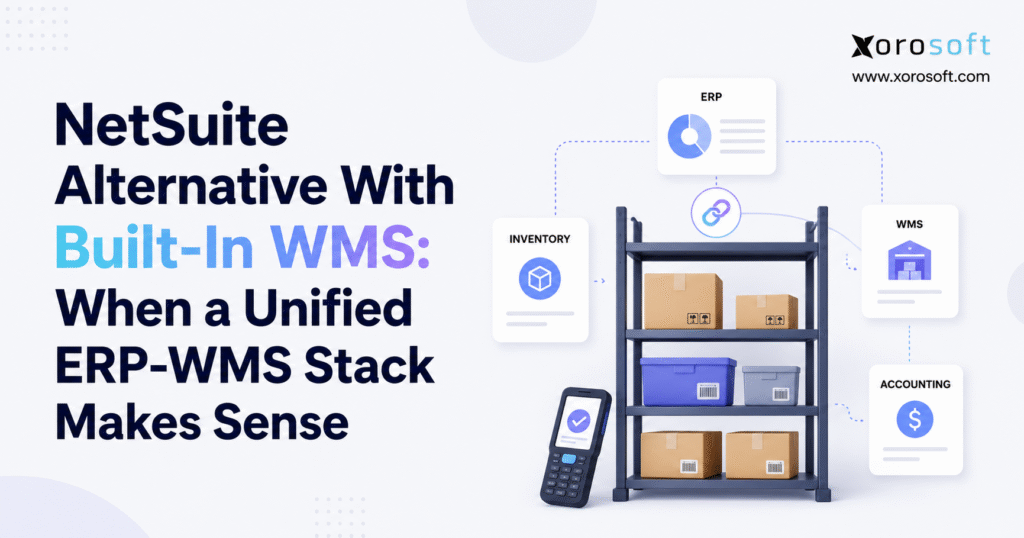
If you are looking for a NetSuite alternative with WMS, this article will guide you through your options.
1. Why Growing Businesses Start Rethinking Their ERP-WMS Setup
Inventory-driven businesses rarely reach a system breaking point overnight. Problems usually build slowly as the company grows.
A second warehouse opens. Shopify orders increase. Wholesale customers place larger orders. Purchasing becomes harder to manage. More people need inventory data. Finance starts spending extra time checking inventory at month-end.
The original software may still work, but employees begin using workarounds. Warehouse teams rely on spreadsheets. Customer service asks for manual stock checks. Buyers keep separate planning files. Finance has to compare records from more than one system.
At this stage, the software setup becomes a business issue rather than an IT preference.
The key question is no longer whether the company needs ERP software or a warehouse management system. Leaders need to decide whether inventory, purchasing, accounting, order management, and warehouse work should continue across separate tools.
This is why many growing companies start evaluating a NetSuite alternative with WMS.
The goal is not simply to replace NetSuite. It is to decide whether a more connected ERP-WMS setup would make daily work easier.
Warehouse activity affects almost every part of an inventory business.
Receiving a purchase order changes stock levels. Moving goods into a picking area changes what the warehouse can use. Shipping an order affects inventory, customer service, planning, and accounting.
Separate systems can support these processes, but every connection adds another place where data can be delayed or missed.
A unified ERP-WMS setup aims to reduce those gaps.
That does not mean one system is always best. Some warehouses still need a specialist WMS.
The right choice depends on where the business has the most complexity.
2. ERP and WMS Handle Different Parts of the Same Business Process
ERP and WMS software have different main jobs, even though modern systems often overlap.
ERP software usually manages accounting, purchasing, sales orders, inventory, suppliers, reporting, planning, and sometimes manufacturing.
A WMS focuses more on what happens inside the warehouse.
It helps workers answer practical questions. Where should this item be stored? Which order should be picked next? Which bin holds the product? Was the correct SKU scanned? Which location needs more stock?
2.1 ERP vs WMS in Daily Work
| Business Process | ERP Role | WMS Role |
|---|---|---|
| Purchasing | Creates purchase orders | Handles receiving |
| Inventory | Tracks stock and value | Controls location and movement |
| Sales Orders | Manages customer demand | Handles order fulfillment |
| Accounting | Records financial impact | Supplies warehouse activity |
| Receiving | Records goods received | Guides receiving and putaway |
| Picking | Creates fulfillment demand | Directs warehouse picking |
| Shipping | Updates the order | Handles packing and shipment |
| Reporting | Covers the wider business | Covers warehouse activity |
A business can have strong accounting but weak warehouse control. Another company may run an advanced warehouse system while finance still struggles to match inventory records.
Owning both an ERP and a WMS does not automatically solve the problem.
What matters is whether a transaction can move from purchasing or sales into the warehouse and then into accounting without repeated data entry or long delays.
2.2 Why the ERP-WMS Connection Matters
The link between ERP and WMS decides how quickly warehouse information becomes useful elsewhere.
When a receipt appears quickly in purchasing, buyers can make decisions using current supply data. Shipment updates that reach customer service also reduce the need for manual warehouse checks.
A separate WMS can still provide the same visibility when the integration is strong. The main choice is therefore between the warehouse depth the business needs and the amount of integration work it wants to manage.
3. What a NetSuite Alternative With WMS Should Really Include
A NetSuite alternative with WMS should offer more than inventory counts and barcode scanning.
Buyers need to understand what vendors mean when they use terms such as built-in WMS, native WMS, embedded WMS, or integrated WMS.
These labels may sound similar, but they can describe different system setups.
3.1 Built-In WMS vs Native WMS vs Integrated WMS
A built-in or native WMS usually means warehouse features run inside the vendor’s main ERP environment.
Receiving, picking, transfers, counts, and stock changes may update the same records used by other ERP areas.
An integrated WMS can be a separate tool linked to ERP through APIs, files, middleware, or another connector.
Neither approach is always better.
A separate WMS may offer deeper warehouse features. A unified platform may reduce the number of systems employees need to manage.
The best choice depends on daily work.
3.2 Shared Data Matters More Than Product Labels
The main question is not whether the vendor calls its WMS “native.”
Look at what happens after a warehouse worker scans an item.
Inventory should update. Purchasing should see relevant receipts. Customer service should see fulfillment progress. Finance should receive the correct inventory change.
Planning and replenishment should also work from the updated stock position.
These workflow links tell buyers more about the platform than product labels alone.
3.3 Inventory Ownership Must Be Clear
Every ERP-WMS setup needs a clear source of truth.
Teams should know which system owns stock levels, warehouse locations, order status, inventory reserved for customers, shipment updates, adjustments, and cost data.
When ownership is unclear, checking and fixing records becomes part of daily work.
A good setup removes that confusion.
4. NetSuite Already Has Strong Warehouse Management Features
A fair discussion of a NetSuite alternative with WMS should start with an important point: NetSuite already supports warehouse management.
It can handle key warehouse processes such as receiving, putaway, bin management, replenishment, picking, packing, mobile warehouse tasks, and inventory movement.
Because of that, buyers should not search for alternatives simply because they believe NetSuite cannot run a warehouse.
The real reasons for change are usually broader.
4.1 Why Companies Still Look at NetSuite WMS Alternatives
A company may be reviewing cost, setup needs, ease of use, reporting, ecommerce workflows, manufacturing needs, support, or the total number of tools involved in daily work.
Some businesses want fewer systems. Others want an ERP that feels more natural for inventory-heavy work.
Meanwhile, a company already using NetSuite successfully may have no reason to replace it.
ERP replacement should solve a major business problem.
The better question is whether another platform can support the company’s workflows with less effort, fewer handoffs, or a better fit for the team.
That is a much stronger reason to compare systems.
5. When a NetSuite Alternative With WMS Makes Sense
A NetSuite alternative with WMS becomes more relevant when warehouse problems begin affecting finance, purchasing, ecommerce, and customer service.
The strongest warning signs often appear across several teams at once.
5.1 Multi-Warehouse Inventory Is Hard to Manage
Adding another warehouse creates more than another stock location.
The business must decide where orders should ship from, when goods should move between sites, which warehouse should receive new purchases, and how much stock should remain available for each sales channel.
A single company-wide stock number is not enough.
Managers may need inventory by warehouse, bin, status, reserved quantity, and channel.
As the network grows, delays become more expensive.
A transfer can change what another warehouse needs. A large order can affect stock available for ecommerce. New purchasing decisions depend on what is already inbound.
A NetSuite alternative with built-in WMS may make sense when these decisions need one shared stock view.
5.2 Warehouse and Accounting Records Do Not Match
Physical stock and financial stock should support each other.
Problems appear when receiving updates late, inventory counts are handled differently, returns are not recorded properly, or transfers appear in one system before another.
A company can fix many of these issues with good integration.
However, repeated differences are a sign that the team should review how warehouse data reaches accounting.
5.3 Staff Enter the Same Data More Than Once
Repeated data entry is another warning sign.
Warehouse teams may type shipment details manually. Customer service may copy order information. Buyers may update spreadsheets outside ERP. Finance may enter adjustments again.
These steps add cost and increase the chance of mistakes.
A unified platform can reduce this extra work when the process fits the system.
6. When a Standalone WMS Is Still the Better Choice
One system is not always better than two.
Some warehouses genuinely need specialist software.
A highly automated site may use robotics, conveyors, sortation equipment, advanced labor rules, yard tools, or other equipment that needs deeper warehouse control.
In those cases, a standalone WMS may still be the right choice.
6.1 Advanced Warehouse Work May Need a Specialist System
A dedicated WMS can make sense when warehouse performance is a major part of the company’s advantage.
Complex sites may need advanced picking logic, labor planning, task control, automation links, dock tools, or warehouse rules that a general ERP does not handle well.
Replacing a stable ERP only to gain more warehouse features may create unnecessary risk.
Sometimes the better answer is to keep the ERP and connect a stronger WMS.
6.2 Fewer Applications Should Not Be the Only Goal
The real goal is to remove unnecessary gaps.
A well-connected ERP and specialist WMS can outperform one system that does not meet the warehouse’s needs.
Businesses should compare the work needed for integrations against the warehouse features they truly require.
If most problems are inside the warehouse, specialist WMS depth deserves more weight.
If the bigger issue is that inventory, purchasing, ecommerce, and accounting do not agree, a unified setup may offer more value.
7. Features Every NetSuite Alternative With WMS Should Prove
A vendor may say WMS is included, but buyers should focus on what warehouse workers actually do.
A serious NetSuite alternative with WMS review should include real transactions, not just screenshots.
7.1 Receiving and Putaway
Receiving should connect directly to purchase orders and expected stock.
The system should handle partial receipts, damaged goods, wrong quantities, unexpected items, lots, serial numbers, and other common issues.
Putaway matters just as much.
Workers should know where inventory belongs rather than depending on memory or paper notes.
For companies that want warehouse software as a dedicated layer, XoroWMS is one example of a cloud warehouse system focused on receiving, inventory control, and fulfillment.
7.2 Bin and Location Control
Warehouse software should reflect the real building.
That may include zones, aisles, racks, shelves, bins, receiving areas, staging locations, bulk storage, and forward-pick locations.
The goal is simple: employees should know where stock is and where it needs to move next.
7.3 Picking, Packing, and Shipping
Picking needs vary by company.
A smaller warehouse may use one-order-at-a-time picking. Higher-volume sites may need batch, wave, or zone picking.
Packing should confirm what actually leaves the building.
Shipping should then update the order and stock records without requiring another manual step.
A good WMS should guide warehouse work while keeping the rest of the business current.
8. A Unified ERP-WMS Setup Changes More Than Warehouse Work
The main benefit of a unified stack is not simply faster picking.
Its wider value comes from making warehouse updates useful across the business right away.
Consider a purchase order arriving at the warehouse.
Receiving first confirms delivered quantities and any problems. Putaway then places the goods in the right storage area. Available stock and open purchase-order quantities can update as the process continues.
Customer orders may become ready for fulfillment. Planning also receives current supply data, while finance gains the information needed for later accounting work.
When these activities share one system, teams do not need to rebuild the same transaction in several tools.
8.1 Shared Records Reduce Extra Work
This approach is used by platforms such as XoroONE, where inventory, purchasing, accounting, warehouse work, ecommerce, manufacturing, and reporting can sit inside one wider system.
Different teams do not need the same screen.
They need the same underlying facts.
Many ERP problems are really timing problems. The correct data exists, but the person making a decision receives it too late.
A connected ERP-WMS setup can reduce that delay.
8.2 Real-Time Data Still Depends on Good Process
One database does not guarantee accurate stock.
Workers still need to scan correctly. Receiving needs clear rules. Adjustments require control. Locations must be set up properly.
Software can remove data gaps, but people still need to follow good warehouse processes.
9. Accounting Should Be Part of Every NetSuite WMS Alternative Review
Warehouse software reviews often spend too much time on picking and too little time on finance.
Inventory is both a physical asset and a financial asset.
A receipt, shipment, return, stock adjustment, write-off, transfer, or production move can affect the records used by accounting.
For that reason, a NetSuite alternative with WMS should be tested from the finance side as well as the warehouse side.
9.1 Inventory Value Must Stay Reliable
Finance needs confidence that warehouse activity reaches accounting correctly.
A warehouse may have strong physical stock control while the accounting team still spends days checking receipts, returns, costs, and stock changes.
That means the inventory problem is only partly solved.
For companies that need broader ERP functions alongside warehouse work, XoroERP provides another example of bringing inventory, accounting, purchasing, and reporting closer together.
9.2 Follow Warehouse Transactions Into Accounting
A demo should not stop when the order ships.
Start with a purchase receipt and check the accounting result. Then adjust inventory and review how the change reaches finance.
Next, process a return and see how both quantity and value change.
A warehouse transfer and damaged-stock write-off should also be tested.
These examples show whether warehouse work and finance stay aligned.
10. Ecommerce Requirements for a NetSuite Alternative With WMS
For ecommerce brands, warehouse work is directly tied to what customers see online.
A NetSuite alternative with WMS needs to do more than import orders.
The system should support inventory, order flow, warehouse work, shipment updates, returns, and accounting.
10.1 Shopify Makes Stock Timing More Important
A Shopify customer expects an item shown as available to actually be ready to sell.
That becomes harder when the same product is also sold wholesale, on marketplaces, or through another channel.
Inventory needs to move quickly from order capture into reserved stock and fulfillment.
Businesses reviewing direct Shopify support can look at the Xorosoft ERP listing on the Shopify App Store when comparing how an ERP may fit into a Shopify setup.
10.2 Ecommerce Connections Must Handle Problems Too
Successful orders are only part of the story.
Teams should test cancellations, partial shipments, returns, backorders, stock shortages, and changes to the shipping warehouse.
Companies should also review the wider integration options around the ERP rather than looking at Shopify alone.
As channels grow, the need for one reliable stock picture becomes more important.
10.3 The Whole Order Process Matters
Importing an order is only the start.
Stock must be reserved. Warehouse work needs to be planned. Picking, packing, shipping, returns, and accounting must follow.
When too many separate systems handle the same order, growth can create extra manual work very quickly.
11. Wholesale Requirements for a NetSuite Alternative With WMS
Wholesale distribution has different needs from pure direct-to-consumer ecommerce.
A NetSuite alternative with WMS for a distributor may need to handle larger orders, customer rules, stock reserved for accounts, purchasing, warehouse work, and EDI.
Large wholesale orders can change what remains available to other channels.
11.1 Stock Allocation Becomes a Business Decision
Imagine an ecommerce channel and a major retail customer both needing the same product.
The warehouse knows what is physically available.
The business also needs to know what stock is already promised, what is inbound, what can be moved between sites, and what can still be sold.
That is where ERP-level stock allocation becomes important.
A simple on-hand number cannot show every business promise.
11.2 EDI Goes Beyond Sending Documents
EDI should not be treated only as a way to send files.
A wholesale order needs to become a sales order. Stock must be reserved. The warehouse has to fulfill the order correctly. Shipping data may feed an ASN. Finance may then need an invoice.
That chain crosses sales, warehouse work, inventory, and accounting.
A distributor should therefore test the whole process from order receipt through shipment.
12. Manufacturing Requirements for a NetSuite Alternative With WMS
Manufacturing adds more complexity because inventory changes state throughout production.
A NetSuite alternative with WMS for manufacturers may need to manage raw materials, subassemblies, work-in-process, finished goods, warehouse locations, and production locations.
Warehouse visibility alone is not enough.
The system must also show why inventory changed.
12.1 Production and Warehouse Stock Must Match
Consider components arriving through receiving.
They are stored, later sent to production, consumed during manufacturing, and then turned into finished goods.
Those finished goods become warehouse stock ready for customer orders.
If manufacturing and warehouse records do not agree, each step can create another place where numbers need to be checked.
The ERP should understand not only where an item is but also how its status changed.
12.2 Planning Depends on Current Warehouse Data
Purchasing and material planning become unreliable when warehouse updates arrive late.
The system might recommend buying material that has already arrived. It could also assume a component is still available even after production used it.
For manufacturers, connecting ERP and WMS also improves planning.
Warehouse records can affect production schedules, buying decisions, customer orders, and cash tied up in stock.
13. Comparing NetSuite Alternative With WMS Options by Fit
There is no single best NetSuite alternative with WMS for every company.
Different platforms fit different business sizes, industries, teams, and system needs.
A shortlist should begin with workflows, not brand names.
13.1 NetSuite
NetSuite remains a strong cloud ERP and warehouse option.
It supports receiving, putaway, picking, replenishment, mobile warehouse work, bins, and other warehouse processes.
The main question is whether the wider NetSuite setup fits the company’s needs.
13.2 Acumatica
Acumatica is often compared by companies that want cloud ERP with warehouse features inside the same wider platform.
Its WMS supports receiving, movement, picking, packing, shipping, and mobile warehouse work.
It can be a good fit for companies looking for broad ERP coverage without adding a separate WMS.
13.3 Microsoft Dynamics 365 Business Central
Business Central supports a range of warehouse processes, including receipts, shipments, bins, picks, movements, and more advanced warehouse setups.
It may be especially relevant to companies already using Microsoft tools across the business.
13.4 Cin7, Brightpearl, Fishbowl, and Other Options
Cin7, Brightpearl, Fishbowl, Sage, and other platforms may also belong on a shortlist.
Their fit depends on accounting needs, company size, sales channels, manufacturing, and warehouse depth.
The same real-world test cases should be used for every vendor.
13.5 Xorosoft as a NetSuite Alternative With WMS
Xorosoft is another option for inventory-driven businesses looking at a connected ERP-WMS model.
Instead of comparing only features, buyers can look at whether inventory, purchasing, accounting, warehouse work, ecommerce, and manufacturing fit well together.
A direct Xorosoft vs NetSuite comparison can help when both platforms are on the shortlist.
Avoid using the comparison to name a universal winner. Choose the platform that creates the fewest problems for the way the company actually works.
14. Industry Needs Change What a Good ERP-WMS Looks Like
Warehouse priorities can change significantly from one industry to another.
A function that matters in apparel may be less important in furniture. Food businesses may care more about traceability. Manufacturers may care more about materials and production.
That is why ERP selection should be based on real work.
14.1 Apparel and Footwear Need Variant Accuracy
Apparel companies may manage thousands of combinations across style, color, size, season, warehouse, and channel.
A small stock error can affect several sales channels at once.
Returns, stock reserved for wholesale, and seasonal buying can all add pressure.
14.2 Furniture Has Different Warehouse Needs
Furniture companies often deal with large items, longer supplier lead times, special handling, high storage needs, transfers, and delivery planning.
Location accuracy may matter more than picking speed.
14.3 Food and Beverage Adds Traceability
Food businesses may need lot, batch, expiry, or production tracking.
Warehouse and purchasing processes must support those rules throughout the stock process.
14.4 Sporting Goods and Consumer Products Face Seasonality
Seasonal demand makes forecasting, stock planning, and warehouse placement more important.
Companies can review industry-specific ERP use cases when comparing requirements across apparel, furniture, wholesale, food, sporting goods, and manufacturing.
The best ERP-WMS setup is the one that matches how products move through the business.
15. AI and Future Integrations Now Matter in ERP-WMS Decisions
ERP buying is no longer only about screens and reports.
Companies also want systems that can work with AI tools, workflow automation, analytics, and new applications in the future.
Reliable data becomes even more important in that environment.
15.1 AI Needs Reliable Business Data
An AI tool cannot make a good buying suggestion when inventory, open orders, inbound supply, and warehouse availability all show different numbers.
The same problem affects forecasting, customer service, alerts, and reporting.
A unified system does not automatically create good AI.
However, clean and reliable data gives AI tools a much stronger base.
Xorosoft’s MCP server is one example of how ERP data may connect with newer AI-based workflows.
The broader lesson is simple.
ERP buyers should think about how future tools will access business data in a safe and structured way.
15.2 Integration Flexibility Helps the ERP Last Longer
No ERP will be the company’s only system forever.
New sales channels, carriers, analytics tools, payment apps, AI tools, and specialist services will continue to appear.
A unified ERP-WMS still needs good connections.
The aim is not to block other systems.
The aim is to keep one clear source of truth while allowing other tools to use the right data.
16. How to Evaluate a NetSuite Alternative With WMS Before Buying
A NetSuite alternative with WMS should be tested with real company workflows.
Do not rely only on a standard vendor demo.
Start by writing down the tasks employees perform today and the issues that take the most time.
Use those examples during the demo.
16.1 Test Receiving From Start to Finish
Ask the vendor to receive a real sample purchase order.
Include a partial delivery or wrong quantity.
Follow the goods through receiving and putaway. Check when the stock becomes available for sales, production, transfer, or replenishment.
Then look at the purchasing and accounting result.
16.2 Test Fulfillment Under Pressure
Create several orders with different priorities and stock problems.
Test reserved stock, picking, shortages, partial shipment, packing, and shipping.
Do not let the demo assume every item is available in the expected bin.
Problem cases reveal much more than perfect orders.
16.3 Test Transfers, Counts, and Returns
Warehouse work includes much more than shipping.
Move stock between warehouses. Count a bin with a difference. Process a damaged return. Adjust stock and see where the change appears.
Companies can also review relevant Xorosoft case studies when comparing how similar inventory-driven businesses have handled ERP and warehouse projects.
Real customer examples often raise better questions than a feature sheet.
17. Total ERP-WMS Cost Goes Beyond Software Price
Software price is only one part of ERP-WMS cost.
A low subscription can become expensive when the company needs many integrations, custom reports, extra tools, or repeated manual checking.
A larger ERP can also offer poor value if the business pays for features it will never use.
The full cost matters more than the license alone.
17.1 Compare the Whole Technology Stack
Total cost should include setup, integrations, custom work, support, upgrades, mobile devices, reporting tools, training, and internal system management.
Hidden labor also matters.
Start by measuring the time finance spends checking inventory. Look at how often customer service needs warehouse help for order updates. Review how much purchasing work happens outside ERP.
Integration monitoring should also be included.
These tasks may never appear on a software bill, but they affect cost and growth.
Companies reviewing a wider move to one platform can compare available Xorosoft solutions against the functions they actually need.
The right comparison measures both software cost and the work needed to keep the stack running.
18. Common ERP-WMS Selection Mistakes Create Expensive Rework
Poor ERP-WMS decisions often start before vendors are even shortlisted.
Teams sometimes compare software without first agreeing on business needs.
Feature lists then become the main buying tool, even though not every feature matters equally.
A high-volume wholesale distributor may care deeply about stock allocation and warehouse speed. A manufacturer may care more about material planning, costing, and finished-goods control.
18.1 Do Not Test Only Perfect Transactions
Vendor demos naturally show the system working well.
Real warehouses deal with shortages, partial receipts, damaged stock, wrong quantities, returns, cancelled orders, failed connections, and urgent shipments.
These cases deserve just as much attention.
Problem situations show whether users can fix mistakes without creating new issues elsewhere.
18.2 Do Not Ignore Warehouse User Experience
Executives may approve the ERP purchase, but warehouse workers use the system all day.
One extra screen or slow scanner response may look minor during a demo.
Repeated thousands of times, it becomes a real cost.
Warehouse usability should therefore be treated as a business requirement.
18.3 Do Not Rebuild Every Old Process
Some teams try to recreate every step from the old system.
That can bring old problems into the new ERP.
Ask why each step exists.
Keep the processes needed for customer, warehouse, accounting, or legal reasons.
Remove steps that only existed because the old software made them necessary.
19. A Practical Framework for Choosing a Unified ERP-WMS Setup
Choosing between one ERP-WMS platform and separate systems becomes easier when the team focuses on where the main problems sit.
A unified setup is more attractive when warehouse activity directly affects purchasing, accounting, ecommerce stock, wholesale orders, manufacturing, and reporting.
Its value grows when employees regularly move the same data between several systems.
A specialist WMS deserves more weight when the warehouse itself is highly automated or complex and the current ERP already works well.
19.1 Find Where the Main Business Problem Lives
Warehouse-specific complexity should increase the value of a specialist WMS.
Problems that cross several departments may point toward a unified ERP-WMS setup.
For example, poor picking speed alone does not always justify replacing ERP.
However, inventory differences across ecommerce, purchasing, fulfillment, and accounting may show a wider system problem.
The selected system should solve the issue affecting the wider business.
19.2 Score Workflows Instead of Counting Features
A good comparison should review full business processes.
Look at purchase-to-receipt, order-to-shipment, return-to-refund, transfer-to-availability, and adjustment-to-accounting.
Score each process based on manual work, number of systems involved, ease of fixing mistakes, visibility, accounting impact, and reporting.
This approach gives buyers a clearer view than a simple feature checklist.
20. Strategic Takeaway: Choose a NetSuite Alternative With WMS Around Workflow Fit
A NetSuite alternative with WMS should not be chosen because another vendor claims to have more features.
It should also not be selected simply because one system sounds easier than several.
The best decision comes from testing full workflows.
Follow inventory from the moment a supplier delivery reaches receiving until the goods are stored, reserved, picked, shipped, returned, adjusted, and reflected in accounting.
Then repeat the same exercise for Shopify, wholesale orders, manufacturing, marketplaces, and other important channels.
The weak points usually become clear.
For some companies, NetSuite will remain a strong fit.
Other businesses may find that Acumatica, Business Central, Cin7, Brightpearl, Fishbowl, Xorosoft, or another platform fits their needs better.
The strongest ERP choice is rarely the product with the longest feature list.
It is the system that creates the clearest link between physical stock movement and business decisions.
Before making a shortlist, document where data breaks, where employees repeat work, and which problems consume the most time.
Ask each vendor to demonstrate those exact situations.
Companies deciding whether a connected ERP-WMS model fits their next stage of growth can contact Xorosoft to review inventory, warehouse, accounting, purchasing, ecommerce, manufacturing, and multi-location needs.
Frequently Asked Questions About NetSuite Alternatives With WMS
Does NetSuite include warehouse management?
Yes. NetSuite WMS supports receiving, putaway, picking, mobile warehouse work, replenishment, bins, and other warehouse processes. Buyers should compare alternatives based on fit rather than assume NetSuite lacks WMS.
What is a NetSuite alternative with WMS?
It is an ERP alternative that also supports warehouse work such as receiving, putaway, barcode scanning, picking, packing, shipping, transfers, and stock control.
When should ERP and WMS use one platform?
A unified system makes sense when warehouse updates need to quickly reach inventory, purchasing, accounting, ecommerce, manufacturing, and order management without repeated data entry.
When is a standalone WMS better?
A dedicated WMS may fit better when advanced automation, robotics, labor tools, or specialist warehouse rules require deeper features.
What should I test during an ERP-WMS demo?
Test receiving problems, putaway, shortages, picking, packing, transfers, returns, stock changes, and accounting impact. Problem cases often reveal more than perfect transactions.
Can an ERP with WMS manage multiple warehouses?
Yes. Check warehouse-level stock, transfers, replenishment, reserved inventory, shipping rules, locations, purchasing, and combined reporting before choosing a platform.
How should businesses compare NetSuite WMS alternatives?
Compare workflow fit, warehouse depth, accounting, purchasing, ecommerce, manufacturing, integrations, setup needs, user experience, growth needs, and total cost using real company examples
Recent Posts
-
 ERP Landed Cost Module vs Spreadsheet Calculations for Importers
 -
 How to Build an Open-to-Buy Plan for an Omnichannel Brand
 -
 Cold Storage WMS for Food and Beverage Distribution
 -
 ERP Buying Statistics 2026: Evaluation, Implementation, and Adoption Risks
 -
 How a Distributor Reduced B2B Order Exceptions Without Restricting Sales



