If you are searching for an inventory tracker comparison, this guide will help you understand your options.
1. Growth Turns Inventory Visibility Into an Operational Problem
Most product businesses start with a simple inventory requirement. They need to know how much stock they have, where it sits, and which items require attention. At first, a spreadsheet, ecommerce platform, or basic stock-tracking application may handle those questions without creating unnecessary complexity.
However, growth changes the nature of the problem.
Purchasing starts working with supplier lead times and open purchase orders. Meanwhile, sales needs to understand what inventory remains available after customer commitments. Warehouse teams also manage receipts, transfers, picking, returns, and adjustments. At the same time, finance needs accurate inventory values, while ecommerce teams must synchronize availability across several channels.
As a result, merely counting stock no longer gives the business enough control.
1.1 Inventory quantity does not equal inventory availability
Assume a warehouse physically holds 1,000 units of a product. Existing customer orders may claim 300 units. In addition, a wholesale account may reserve another 150. Quality control could hold 50 units, while operations plans to transfer 100 units to another location.
Therefore, the building still contains 1,000 units, but the business cannot promise all 1,000 to new customers.
That difference matters because growing businesses make decisions from inventory status, not simply inventory quantity.
1.2 Growth creates more inventory questions
An early-stage company asks, “How much stock do we have?”
By contrast, a growing operation asks different questions. Which stock can we sell? What inventory will arrive next week? Which warehouse needs replenishment? Which customer orders already claim available stock? How much working capital sits in slow-moving products?
Consequently, those questions create the foundation for an inventory tracker comparison.
The business needs to determine whether it still has a visibility problem or whether it now has a broader inventory management problem.
2. Inventory Tracker Comparison: Tracking vs Management
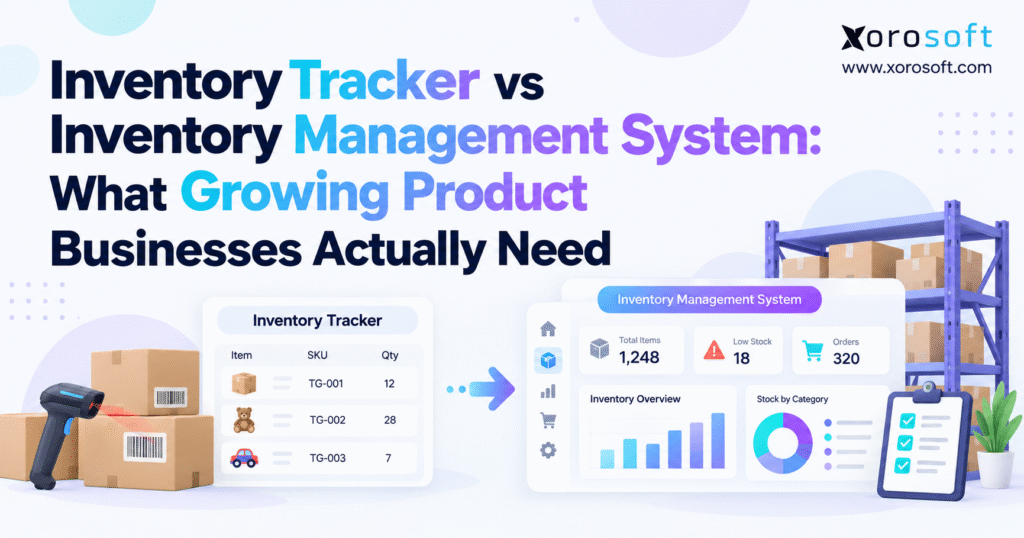
An inventory tracker and an inventory management system can both show stock quantities. However, they usually serve different operational purposes.
Tracking focuses primarily on recording what happened. Inventory management, on the other hand, connects those records with decisions about what should happen next.
2.1 What basic inventory tracking actually does
Inventory trackers typically maintain item quantities, locations, receipts, issues, adjustments, and transfers.
In addition, many products offer barcode scanning, QR codes, serial tracking, low-stock notifications, and basic reports. Those capabilities can create substantial value for teams moving away from spreadsheets or manual stock counts.
If the warehouse simply needs accurate visibility into inventory, a tracker may solve the core problem. Therefore, the company may not need to redesign purchasing, accounting, or fulfillment at the same time.
2.2 What broader inventory management adds
An inventory management system usually reaches into purchasing, replenishment, allocation, forecasting, warehouse transfers, inventory valuation, integrations, and reporting.
The distinction becomes clearer through the questions each system answers.
A tracker answers, “What inventory exists and where?”
A broader management platform answers, “How much can we sell, what should we reorder, where should stock move, and what demand already claims it?”
Ultimately, that operational distinction matters more than the terminology a software vendor uses on its website.
3. Inventory Tracker Comparison by Capability
Software categories overlap. For example, some lightweight tools provide surprisingly advanced features, while some products that call themselves inventory management systems focus primarily on basic stock control.
For that reason, businesses should compare workflows rather than software labels.
3.1 Inventory tracking and stock visibility
Both categories should provide reliable item quantities and location information.
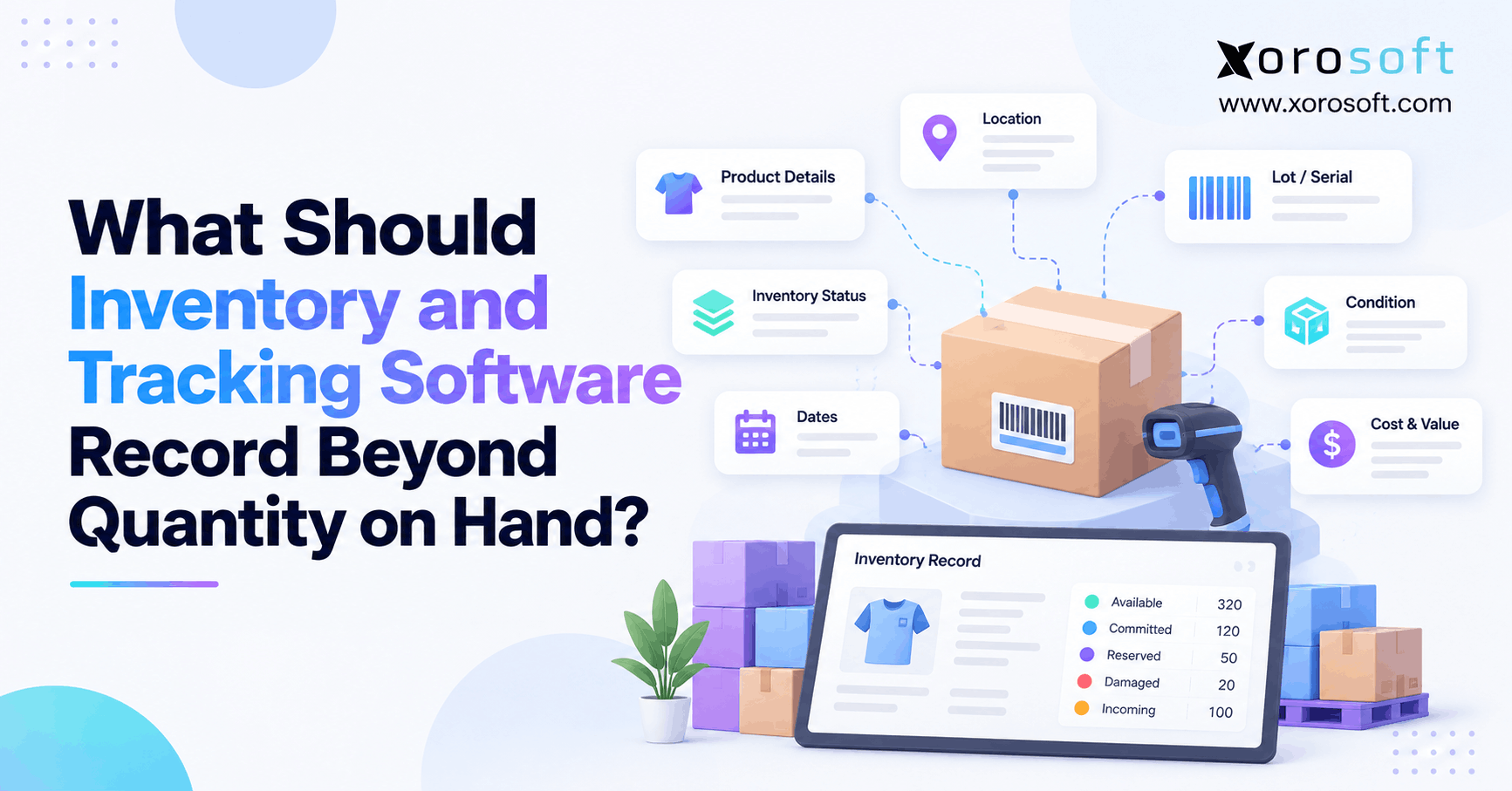
As requirements expand, however, the business may also need separate visibility into on-hand inventory, available stock, reserved quantities, damaged units, incoming supply, inventory in transit, and customer allocations.
Therefore, those statuses turn one stock number into several operationally meaningful numbers.
3.2 Inventory management adds connected workflows
A practical inventory tracker comparison might look like this:
| Capability | Inventory Tracker | Inventory Management System |
|---|---|---|
| Stock quantities | Core | Core |
| Location visibility | Usually | Usually |
| Barcode scanning | Often | Often |
| Adjustments | Usually | Yes |
| Stock transfers | Basic to moderate | Broader control |
| Purchasing | Limited or optional | Common |
| Replenishment | Basic | Common |
| Allocation | Limited | Common |
| Demand forecasting | Rare or basic | Often available |
| Multi-warehouse planning | Varies | Common |
| Inventory valuation | Limited | Often included |
| Ecommerce integration | Varies | Common |
| Accounting integration | Limited | Frequently available |
| Manufacturing workflows | Rare | Platform-dependent |
| Warehouse execution | Limited | Integrated or connected |
The important difference lies in dependency. Specifically, when several teams depend on the same inventory information to make decisions, the company needs more than stock visibility.
4. When Basic Inventory Tracking Still Makes Sense
Not every growing company needs to replace its tracker.
In fact, a straightforward product business can operate effectively with lightweight inventory software for years when its workflows remain predictable.
4.1 Simple operations benefit from simple systems
A tracker may remain appropriate when the company operates one warehouse, carries a manageable product range, works with predictable suppliers, and sells through a limited number of channels.
Similarly, the same logic applies when one small team handles inventory and purchasing. Employees may communicate directly without needing complex approval flows, planning logic, or automated allocations.
In that environment, implementing a much larger platform may create more administrative work than operational value.
4.2 Complexity should justify the upgrade
Larger systems introduce responsibilities.
For example, teams need to clean data, define workflows, maintain integrations, configure permissions, train users, and establish transaction rules. In addition, the organization must decide who owns purchasing data, item records, warehouse processes, and financial controls.
Therefore, companies should not adopt a broader system merely because they expect growth.
Instead, a better approach measures the cost of current operational problems. If spreadsheets, reconciliation work, stockouts, duplicate entry, or channel conflicts create meaningful risk, an upgrade becomes easier to justify.
5. Inventory Tracker Comparison: Signs It Is Time to Upgrade
The strongest upgrade signals usually appear as recurring operational problems.
One isolated stock discrepancy does not justify replacing a system. However, repeated problems across several teams do.
5.1 Available inventory becomes difficult to explain
Physical stock can differ substantially from sellable stock.
Imagine a warehouse with 900 units. Customer orders claim 250 units, wholesale reservations claim another 150, and quality control holds 50.
Therefore, the operation physically stores 900 units, but the business can immediately sell only 450.
When teams need manual calculations to understand that difference, the existing tracker may no longer provide enough operational context.
5.2 Purchasing increasingly depends on spreadsheets
Many growing businesses export inventory into spreadsheets because their current software cannot support replenishment decisions.
Buyers combine current stock, incoming purchase orders, supplier lead times, sales history, safety stock, and expected demand manually.
In this case, the spreadsheet itself is not necessarily the problem. Instead, the larger problem is that inventory and purchasing operate as disconnected workflows.
5.3 Stockouts and excess inventory coexist
A business can hold too much inventory overall while repeatedly running out of its best-selling products.
That usually points to weak planning rather than insufficient purchasing.
Therefore, when these patterns become common, an inventory tracker comparison should evaluate forecasting, replenishment, supplier lead times, inventory by location, and open supply—not merely stock counts.
6. Multi-Warehouse Inventory Management Changes the Requirement
A second warehouse introduces more complexity than another set of quantities.
Operations now need to understand where inventory belongs, where it is moving, when the receiving location can use it, and which facility should fulfill demand.
6.1 Transfers create a third inventory state
Assume Warehouse A sends 600 units to Warehouse B.
Once the shipment leaves Warehouse A, the business should stop treating those units as available there. However, Warehouse B should not make them available until its receiving team confirms the delivery.
The units therefore spend time in transit.
A simple tracker might subtract stock from one location and immediately add it to another. By contrast, a stronger inventory process treats the transfer as a controlled transaction with dispatch, transit, receipt, and reconciliation stages.
6.2 Replenishment becomes location-specific
Demand rarely behaves the same way at every facility.
For example, one warehouse may hold excess units while another faces an imminent shortage. Purchasing teams that review only company-wide totals may order additional products when a transfer could solve the problem.
Consequently, growing multi-location operations need inventory data by warehouse, demand by location, transfer visibility, and location-level replenishment.
6.3 Warehouse complexity can create a WMS requirement
Inventory software may tell the company where stock belongs. Warehouse software, however, controls how employees physically execute the work.
As transaction volume rises, teams may need directed receiving, putaway, bin management, scanning, picking, packing, cycle counts, and shipping controls.
A warehouse management system becomes relevant when warehouse execution itself starts limiting inventory accuracy or fulfillment performance.
7. Purchasing and Replenishment Need More Than Low-Stock Alerts
Purchasing teams often discover the limitations of basic inventory tracking first.
A low-stock warning tells a buyer that inventory has reached a threshold. Nevertheless, it does not necessarily tell the buyer what action makes financial or operational sense.
7.1 Reorder decisions require supply context
Suppose a SKU has only 250 units available.
That number may appear dangerous until the buyer sees 2,500 units scheduled to arrive in five days.
On the other hand, a product may show 700 available units, but weekly demand may have doubled while the supplier requires a ten-week lead time.
Therefore, good purchasing decisions require context around current stock, existing commitments, incoming supply, lead times, reorder rules, and expected demand.
7.2 Forecasting improves the decision framework
Forecasting does not remove uncertainty. Instead, it creates a structured way to plan around it.
Teams can consider sales history, seasonality, promotions, supplier performance, product launches, channel growth, and lead times.
Moreover, an inventory management platform should connect those planning signals with the actual supply position.
That approach helps buyers answer a more useful question than “Are we below minimum stock?”
Instead, they can ask, “What inventory will we need before the next realistic replenishment opportunity?”
7.3 Incoming inventory matters as much as current inventory
Businesses often overbuy when buyers cannot see purchase orders clearly.
If the company already has large quantities committed with suppliers, another order may tie up cash unnecessarily.
Therefore, a strong inventory process connects current stock with future supply.
8. Ecommerce Inventory Tracker Comparison for Multichannel Brands
Ecommerce platforms solve an important part of the inventory problem. However, they do not always represent the full operating model.
A storefront needs to know whether customers can purchase a product. Operations, meanwhile, needs a much broader picture.
8.1 Storefront inventory represents only one perspective
Shopify may need a sellable quantity. Purchasing needs incoming supply. Warehouse teams need pickable stock. Customer service needs fulfillment status. Finance, meanwhile, needs inventory value.
Those teams may all discuss the same SKU while relying on different pieces of information.
As brands add Amazon, wholesale customers, marketplaces, retail locations, or 3PL partners, maintaining one trustworthy availability figure becomes more difficult.
8.2 Ecommerce and ERP solve different layers
A business does not need to replace Shopify simply because its back-office requirements become more complex.
Instead, the commerce platform can continue managing the storefront while another system handles purchasing, forecasting, accounting, manufacturing, or broader inventory operations.
Businesses exploring this model can review the Xorosoft ERP app for Shopify as one example of how ecommerce can connect with a larger operational platform.
8.3 Integrations need clear ownership
Connecting applications does not automatically create reliable inventory.
Therefore, teams must decide which platform owns product records, order data, inventory availability, purchasing information, and financial transactions.
A strong integration architecture should reduce duplicate records rather than create another synchronization problem.
9. Inventory Management System vs Warehouse Management System
Inventory management and warehouse management overlap, but they do not solve the same problem.
One focuses on stock decisions. The other, by contrast, focuses more deeply on physical warehouse execution.
9.1 Inventory management controls availability and planning
An inventory management platform helps teams understand how much stock exists, what remains available, what demand has already claimed, where replenishment should go, and which products require purchasing attention.
In addition, these decisions can span several warehouses and channels.
9.2 Warehouse management controls physical execution
Warehouse operations require a different level of detail.
Receiving teams need to confirm inbound quantities. Next, putaway processes determine where products go. Pickers need accurate locations, while packers verify shipments. Finally, cycle-count teams investigate discrepancies.
When these workflows break, inventory accuracy also deteriorates.
9.3 Strong inventory records require strong processes
Technology cannot preserve accurate inventory if warehouse transactions happen outside the system.
For example, unrecorded movements, delayed receipts, incorrect picks, missed scans, and unposted adjustments eventually create discrepancies.
For this reason, an inventory tracker comparison should not focus exclusively on software features.
The business should also ask whether its operating processes create reliable transactions in the first place.
10. Inventory Management and Accounting Need the Same Facts
Inventory exists as both a physical asset and a financial asset.
Warehouse teams think in units, locations, and movements. Finance teams, meanwhile, think in valuation, cost of goods sold, adjustments, margins, and reconciliation.
Both perspectives depend on the same underlying transactions.
10.1 Physical movements create financial consequences
A receipt increases inventory.
A shipment affects the cost associated with the products the business sold. Similarly, an adjustment changes quantity and may change value. Freight, duties, and other landed costs can also affect the real cost of imported inventory.
As transaction volume rises, separate systems can become harder to reconcile.
10.2 Reconciliation effort reveals hidden complexity
A company can operate successfully with separate accounting and inventory applications.
Problems begin, however, when finance repeatedly exports reports, enters manual adjustments, waits for warehouse corrections, or investigates unexplained differences during every close.
Those activities indicate that system boundaries may no longer match operational reality.
10.3 Inventory software evaluations should include finance
Businesses often focus heavily on barcode scanning, warehouses, and replenishment while evaluating inventory software.
Finance deserves equal attention when inventory represents a material asset.
Therefore, teams should evaluate transaction history, costing, inventory valuation, adjustments, landed cost treatment, and reconciliation processes.
That broader view prevents the company from solving warehouse problems while creating new accounting problems.
11. Inventory Management for Manufacturing and Wholesale
Different business models introduce different inventory requirements.
Consequently, software that works well for a straightforward reseller may not support a manufacturer or wholesale distributor without substantial workarounds.
11.1 Manufacturing needs material visibility
Manufacturers manage raw materials, components, work in progress, and finished goods.
A bill of materials connects several inventory items to a production requirement. Meanwhile, work orders consume components and create finished products.
This means manufacturing inventory changes before the company sells anything.
In addition, teams may need material planning, production scheduling, serial or lot tracking, and scrap control.
Companies can compare requirements across inventory-driven industries to understand why apparel, furniture, food, sporting goods, manufacturing, and distribution often require different inventory workflows.
11.2 Wholesale requires allocation and backorder control
Wholesale businesses may manage large orders, case packs, customer-specific pricing, EDI transactions, allocations, and backorders.
Physical stock alone does not determine what sales teams can promise.
For example, a strategic account may already have a quantity reserved. Another customer may accept backorders, while a third requires immediate shipment.
Therefore, the system must represent customer commitments as well as physical inventory.
11.3 Traceability increases the requirement further
Food, automotive, industrial, and other traceability-sensitive businesses may need lot numbers, serial numbers, production dates, and expiry dates.
As a result, the system must answer not only how many units exist, but exactly which units moved through which transactions.
12. Inventory Software vs ERP: Where the Boundary Sits
A sophisticated inventory platform does not automatically become ERP.
Businesses should understand the boundary because premature ERP adoption can create unnecessary complexity. On the other hand, excessive dependence on disconnected applications can create equally serious problems.
12.1 Dedicated inventory management can remain enough
An inventory platform may handle stock, purchasing, replenishment, warehouse locations, transfers, allocations, and reporting extremely well.
If the company can keep accounting, ecommerce, manufacturing, and other processes separate without creating substantial manual reconciliation, dedicated inventory software may remain the most practical choice.
12.2 ERP becomes relevant when functions depend on each other
ERP deserves consideration when inventory transactions continually affect purchasing, accounting, manufacturing, warehouse management, ecommerce, sales, EDI, forecasting, and financial reporting.
At this point, application boundaries start creating friction.
XoroONE represents one integrated approach for inventory-driven businesses that need several operational functions to work from connected data.
12.3 Revenue does not determine the answer
A $20 million business with one warehouse and straightforward purchasing may operate with less complexity than a $7 million company running several warehouses, manufacturing products, importing from multiple suppliers, selling wholesale, and fulfilling ecommerce orders.
Therefore, operational complexity provides a better decision signal than company size alone.
An inventory tracker comparison should examine workflows before revenue thresholds.
13. Inventory Tracker Comparison Framework for Software Selection
Feature lists often make software selection harder rather than easier.
Most products appear capable when teams compare hundreds of checkboxes. However, real workflows reveal far more.
13.1 Map inventory workflows before evaluating products
First, document how products enter the business, move through facilities, become available, reach customers, and return.
Next, include purchasing, receiving, transfers, allocations, fulfillment, returns, adjustments, and finance.
This exercise often uncovers weaknesses before the software evaluation even begins.
13.2 Test real inventory scenarios
Instead of asking whether a vendor supports multi-location inventory, provide a scenario.
Assume the company has 2,000 units on hand. Wholesale orders claim 700. Ecommerce can sell 500. Another 300 units are moving to a second facility, and a supplier plans to deliver 1,500 next week.
Then, ask the vendor to demonstrate exactly how its platform represents that situation.
The result exposes how the software treats availability, allocation, incoming inventory, transfers, and channel demand.
13.3 Compare systems around operating requirements
Businesses evaluating broader ERP platforms should compare implementation approach, system architecture, reporting, workflow flexibility, integrations, and total operational fit.
For example, a Xorosoft vs NetSuite comparison can illustrate the types of questions teams should consider when comparing two ERP approaches.
The objective should not be to declare one vendor universally superior.
Instead, the objective should be to understand which model fits the organization’s actual operating requirements.
14. Upgrade From an Inventory Tracker Without Carrying Old Problems Forward
Buying stronger software does not automatically create stronger inventory processes.
Therefore, implementation teams need to prepare the operating model before they migrate data.
14.1 Clean the item master first
Product databases often contain duplicate SKUs, obsolete items, incorrect descriptions, inconsistent units of measure, missing barcodes, and conflicting categories.
A new platform cannot correct those problems simply by importing them.
Instead, operations teams should review item records, standardize naming rules, remove unnecessary duplicates, and agree on product statuses before migration.
14.2 Standardize locations and inventory states
Different teams often use different definitions for the same stock.
For example, one group may call inventory “available” as soon as it arrives at the loading dock. Another may wait until the receiving team completes inspection and putaway.
Therefore, the implementation team should establish clear rules for on-hand, available, allocated, damaged, quarantine, in-transit, and incoming inventory.
14.3 Reconcile opening quantities and values
Finance and operations should agree on opening balances before go-live.
If significant discrepancies remain, the team should investigate them instead of importing unexplained balances.
Opening inventory forms the foundation of every future transaction. Consequently, inaccurate starting data can undermine an otherwise strong implementation.
14.4 Test complete workflows
Teams should test purchasing, receiving, transfers, ecommerce orders, allocation, picking, shipping, returns, adjustments, and accounting impacts from beginning to end.
In addition, reviewing practical ERP case studies can help project teams identify implementation questions before go-live.
15. Build the Inventory System Around the Next Real Stage of Growth
The right inventory decision does not start with choosing the largest platform.
Instead, it starts with identifying which operational problems the business genuinely needs to solve.
15.1 Keep tracking simple when the operation remains simple
If the business mainly needs accurate quantities and location visibility, basic tracking can remain appropriate.
For example, better barcode discipline, cycle counting, cleaner item records, or clearer warehouse procedures may produce more value than replacing software.
Therefore, an inventory tracker comparison should include the option of keeping the existing system.
Not every assessment should lead to an upgrade.
15.2 Upgrade when inventory decisions become connected
Broader inventory management starts to make sense when purchasing, replenishment, allocation, multiple warehouses, forecasting, and ecommerce all depend on the same stock information.
At that stage, employees should not need several spreadsheets to explain what inventory is available or what the business should reorder.
Instead, the value comes from connecting decisions, not simply storing more information.
15.3 Consider ERP when inventory connects the wider business
ERP deserves evaluation when inventory also drives accounting, manufacturing, warehouse execution, EDI, financial reporting, and cross-functional planning.
Even then, the goal should remain practical: choose the smallest architecture that can reliably support the company’s next realistic stage.
Xorosoft offers ERP and operational solutions for inventory-driven businesses that need inventory to connect with purchasing, finance, warehouse operations, manufacturing, and ecommerce.
Before selecting any platform, teams should first map current workflows. Next, they should identify recurring breakdowns. Finally, they should determine which departments need the same operational information.
That exercise creates a stronger foundation than comparing software categories in isolation.
Ultimately, a useful inventory tracker comparison asks one question: how many important business decisions now depend on the same inventory record?
When the answer expands beyond stock counts and location visibility, the company has reached the point where broader inventory management deserves serious consideration.
For teams ready to assess those requirements against a connected operating model, contact Xorosoft to discuss inventory, purchasing, warehousing, ecommerce, accounting, or manufacturing workflows.
Frequently Asked Questions
What is the difference between an inventory tracker and an inventory management system?
An inventory tracker records quantities, locations, and movements. An inventory management system goes further by connecting inventory with purchasing, replenishment, allocation, forecasting, warehouse operations, and reporting.
When should a business upgrade from an inventory tracker?
Consider upgrading when spreadsheets, multiple warehouses, frequent stockouts, excess inventory, manual purchasing, reconciliation problems, or disconnected sales channels make accurate inventory decisions increasingly difficult.
Is an inventory management system better than an inventory tracker?
Not always. A tracker works well for simple operations. Broader inventory management becomes more useful when several teams depend on shared inventory data for purchasing, allocation, forecasting, and fulfillment.
Can Shopify handle inventory management?
Shopify supports inventory tracking and multi-location commerce workflows. However, growing businesses may need broader software when purchasing, forecasting, accounting, manufacturing, EDI, or advanced warehouse operations become important.
Do multiple warehouses require inventory management software?
Multiple warehouses increase the need for transfer tracking, in-transit inventory, location-level replenishment, allocations, and fulfillment rules. Therefore, broader inventory management often becomes valuable as location complexity grows.
What is the difference between inventory management software and ERP?
Inventory software focuses mainly on stock-related processes. ERP connects inventory with wider functions such as accounting, purchasing, manufacturing, ecommerce, warehouse management, forecasting, and financial reporting.
How should a growing business choose inventory software?
Map current workflows, recurring inventory problems, integrations, locations, purchasing needs, and future requirements. Then compare systems against real operating scenarios instead of selecting software based only on feature lists.
Recent Posts
-
 WMS Onboarding Checklist: Locations, Barcodes, Devices, Users, and Opening Inventory
 -
 Inventory Tracker vs Inventory Management System: What Growing Product Businesses Actually Need
 -
 B2B Ecommerce Solutions for Sales-Rep-Assisted Ordering: Quotes, Overrides, and Customer-Specific Workflows
 -
 2026 Shopify B2B Operations Statistics: What ERP Teams Should Watch
 -
 How an Apparel Distributor Reduced Split Shipments With Warehouse Routing