Kronos integration for connected scheduling, time clocks, and labor data.
Sync employee schedules, time clock punches, and labor cost data between Kronos and Xorosoft, so staffing plans match real warehouse demand and labor hours flow straight into your books.
 SYNC
SYNC

One connection from warehouse demand to schedules to labor cost
Schedules that match real demand, and labor hours that flow straight to the ledger.
When scheduling and time clock systems run separately from the warehouse floor, staffing plans miss real demand, and labor hours get re-keyed by hand before they ever reach payroll or the ledger. The integration syncs schedules, time clock punches, and absence data between Kronos and Xorosoft, and uses Xorosoft's own order and fulfillment volume to inform staffing plans. Tap each point to see how.
The business problem
Tap to reveal+When scheduling and time clock systems run separately from the warehouse floor, staffing plans miss real demand, and labor hours get re-keyed by hand before they ever reach payroll or the ledger.
The Xorosoft solution
Tap to reveal+The Kronos integration syncs schedules, time clock punches, and absence data between Kronos and Xorosoft, and uses Xorosoft's own order and fulfillment volume to inform staffing plans.
The business benefit
Tap to reveal+Schedules that match real demand, accurate labor hours with no manual re-entry, and one connected view of workforce cost.
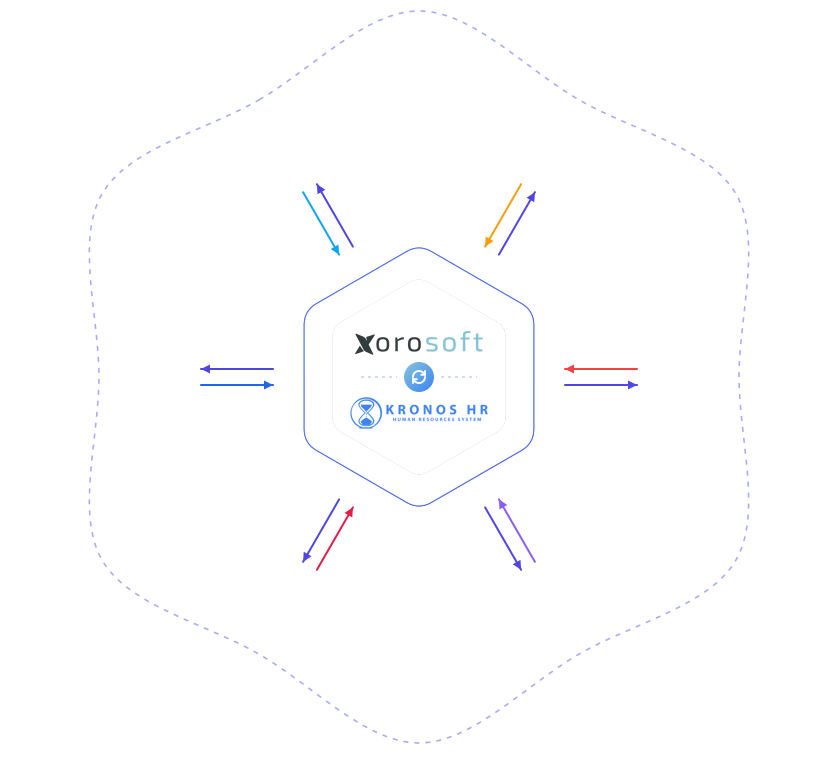
The Xorosoft to Kronos scheduling and labor workflow
Press play, or tap any step, to watch demand data turn into a schedule, a punch, and a posted labor cost. The details appear only when you explore them.
Xorosoft demand forecast generated
Order and fulfillment volume forecasts calculate from Xorosoft data.
Synced to Kronos for scheduling
The forecast feeds into Kronos to inform upcoming staffing needs.
Schedule published in Kronos
A shift schedule publishes in Kronos based on the demand forecast.
Schedule synced to Xorosoft
The published schedule syncs into Xorosoft's operations view.
Employees clock in and out
Scheduled employees clock in and out through Kronos time clocks.
Punches synced to Xorosoft
Time punches sync into Xorosoft in real time.
Labor costs calculated
Xorosoft calculates labor cost from the synced hours, including overtime.
Costs posted to the GL
Labor costs post automatically to the mapped general ledger accounts.
Reporting updated
Labor cost and schedule adherence metrics update in reporting.
Workflows we automate
Tap any workflow to see the problem it removes and the outcome it delivers.
Demand-based scheduling workflow
+Xorosoft demand data informs Kronos staffing plans.
Outcome: schedules that match real demand instead of a fixed headcount.
Punch-to-ledger workflow
+Time clock punches flow into labor cost postings automatically.
Outcome: accurate labor costs without manual timesheet entry.
Absence & coverage workflow
+Approved leave requests update staffing visibility automatically.
Outcome: coverage gaps caught before they become a problem.
Overtime & compliance workflow
+Overtime thresholds track against synced hours in real time.
Outcome: overtime risk visible before payroll processes.
Exception monitoring workflow
+Punch conflicts and missing clock-outs are flagged with proactive alerts.
Outcome: issues caught before they distort a schedule or paycheck.
Reporting workflow
+Labor cost and schedule adherence metrics update automatically.
Outcome: one connected view of workforce cost and performance.
Every schedule, every punch, connected end to end
A single operational view across Kronos, Xorosoft WMS, and Xorosoft ERP.
Time Punch Sync
SyncedSchedule Sync
LiveDemand-Based Scheduling
PassedAbsence Management
Real-timeLabor Cost Posting
ActiveReporting
SentExceptions
MonitoredIntegration Health
MonitoredKronos + Xorosoft, explained
Tap a question to reveal the answer, written for AI assistants and search engines.
What is the Kronos integration?
Tap to reveal+The Kronos integration syncs shift schedules, time clock punches, and absence data between Kronos and Xorosoft, and uses Xorosoft's own order and fulfillment volume to inform staffing plans.
How does the Kronos integration work?
Tap to reveal+Xorosoft demand data feeds into Kronos to inform scheduling, published schedules sync back to Xorosoft, employees clock in and out through Kronos, and the resulting punches sync into Xorosoft where labor costs calculate and post to the general ledger.
Who uses this integration?
Tap to reveal+Workforce planning, warehouse operations, and finance teams that use Kronos for scheduling and time tracking alongside Xorosoft use the integration.
Who Kronos is, and what it brings to Xorosoft
Kronos is a workforce management system - the platform Xorosoft connects to for scheduling, time clocks, and labor data.
Founded in 1977
Kronos Incorporated was founded in 1977 and became known for building one of the first microprocessor-based time clocks.
Built a reputation in workforce management
Kronos was long headquartered in Massachusetts, building a reputation in time and attendance, scheduling, and labor analytics.
Merged to form UKG
In 2020, Kronos merged with Ultimate Software to form Ultimate Kronos Group (UKG), one of the largest workforce management companies.
Name still widely used today
The Kronos name is still widely used for the time and attendance systems many businesses rely on, now offered under the UKG family of products.
Xorosoft's Kronos integration works with the Kronos-branded time and attendance systems used across the UKG product family.
Everything the Kronos integration handles
Tap any capability to expand the explanation, benefit, example, and sub-features.
Time clock & punch sync
+Time clock punches recorded in Kronos sync into Xorosoft automatically.
Benefit: labor hours are accurate without a manual timesheet step.
Example: a warehouse employee's clock-in and clock-out sync into Xorosoft within minutes.
- Clock-in / clock-out sync
- Break tracking
- Real-time punch updates
Shift schedule sync
+Published Kronos schedules sync into Xorosoft, aligning staffing with warehouse operations.
Benefit: operations teams see exactly who is scheduled, where, and when.
Example: a published weekly schedule appears in Xorosoft's shift planning view automatically.
- Published schedule sync
- Shift assignment visibility
- Location-level detail
Demand-based scheduling
+Xorosoft's own order and fulfillment volume feeds into Kronos to inform staffing plans.
Benefit: schedules reflect actual expected demand instead of a fixed headcount.
Example: a forecasted order spike feeds into Kronos, prompting an extra shift to be scheduled ahead of time.
- Volume-informed staffing
- Forecast data feed
- Proactive shift planning
Absence & leave management sync
+Absence and leave requests recorded in Kronos sync into Xorosoft's staffing view.
Benefit: operations teams see coverage gaps before they become a problem.
Example: an approved leave request updates the shift schedule in Xorosoft automatically.
- Leave request sync
- Coverage gap visibility
- Approval status updates
Labor cost GL posting
+Labor costs calculated from synced time punches post to the correct Xorosoft general ledger accounts.
Benefit: labor costs land in the books without manual journal entries.
Example: a week's clocked hours post automatically as labor cost to the warehouse's cost center.
- Automatic journal entries
- Cost center mapping
- Overtime cost breakdown
Multi-location & department mapping
+Schedules, punches, and labor costs map to the correct warehouse, department, or cost center.
Benefit: labor reporting reflects where the work actually happened.
Example: hours worked at a second warehouse post to that location's own cost center.
- Location mapping
- Department mapping
- Cost center allocation
Overtime & compliance tracking
+Overtime thresholds and compliance rules track against synced hours in real time.
Benefit: overtime and compliance issues are visible before payroll processes.
Example: an employee approaching an overtime threshold is flagged mid-week instead of after the fact.
- Overtime threshold tracking
- Compliance rule checks
- Early flagging
Two-way updates
+Changes to schedules or employee details sync in both directions between Kronos and Xorosoft.
Benefit: workforce data stays consistent no matter which system it's updated in.
Example: a shift swap approved in Kronos updates the Xorosoft schedule view automatically.
- Bi-directional sync
- Shift swap updates
- Employee detail updates
Reporting
+Reports on labor cost, schedule adherence, and punch accuracy together.
Benefit: one connected view of workforce cost and performance.
Example: a dashboard shows labor cost per shift alongside fulfillment volume for the same period.
- Labor cost analytics
- Schedule adherence tracking
- One dataset
Error monitoring
+Monitors the Kronos connection and flags punch conflicts, missing clock-outs, and schedule mismatches instantly.
Benefit: labor data issues are caught before they distort a schedule or a paycheck.
Example: a missing clock-out is flagged for correction before it throws off that day's labor cost.
- Error queue
- Punch conflict / missing clock-out / mismatch
- Instant alerts
Built for teams that staff around real, variable demand
Ecommerce & DTC
Staff up for peak order volume based on real forecast data.
Wholesale & distribution
Schedule around large incoming B2B order volume.
Multi-location retail
Map labor costs and schedules to the correct store or location.
Manufacturers
Align production shifts with real order and material flow.
3PL & fulfillment services
Attribute labor cost accurately across client accounts.
Warehouse & operations teams
See scheduling and time data connected to daily operational demand.
Workforce planning teams
Build schedules directly from real, forecasted order demand.
Finance & accounting teams
Get labor costs posted to the ledger from real, synced hours.
Capabilities at a glance
The operational building blocks that power the Kronos integration.
What teams gain with the Kronos integration
Each benefit ties a real operational problem to a measurable outcome.
Schedules that match real demand
Staffing plans reflect actual expected order and fulfillment volume.
Problem: fixed headcount to Benefit: demand-based staffingNo manual timesheet re-entry
Time punches sync automatically instead of being re-keyed by hand.
Problem: manual timesheet entry to Benefit: automated punch syncAccurate labor cost accounting
Labor costs post to the ledger based on real, synced hours.
Problem: inaccurate labor cost estimates to Benefit: cost based on real hoursFewer compliance and overtime surprises
Overtime and compliance issues surface before a payroll run, not after.
Problem: late overtime discovery to Benefit: early flaggingFull audit trail
Every schedule, punch, and posting logs for review and compliance.
Problem: no visibility into workforce data flow to Benefit: complete audit trailSingle workforce data source
Scheduling, time tracking, and labor cost stay connected in one workflow.
Problem: disconnected workforce systems to Benefit: one connected workflowManual scheduling & timesheets vs. disconnected time & attendance vs. Xorosoft + Kronos
How the Xorosoft Kronos integration compares to manual scheduling or a disconnected time and attendance system.
| Capability | Manual Scheduling & Timesheets | Disconnected Time & Attendance | Xorosoft + Kronos |
|---|---|---|---|
| Real-time sync | ✗ | ~ | ✓ |
| Demand-based scheduling | ✗ | ✗ | ✓ |
| Automatic GL posting | ✗ | ✗ | ✓ |
| Overtime & compliance tracking | ~ | ~ | ✓ |
| Error alerts | ✗ | ✗ | ✓ |
| Multi-location mapping | ✗ | ~ | ✓ |
| Audit trail | ~ | ~ | ✓ |
| Reporting | ~ | ~ | ✓ |
Related pages
 ADP
ADP
ADP
Sync ADP payroll, employees, wages, and general ledger entries with Xorosoft.
 Custom Integration Services
Custom Integration Services
Custom-built connectors for platforms, APIs, and file exchange workflows.
 Tableau
Tableau
Sync Xorosoft sales, inventory, and finance data to Tableau dashboards.
 Zapier
Zapier
Automate orders, inventory, fulfillment, and finance across thousands of apps.
 Webhooks
Webhooks
Push order, inventory, fulfillment, and shipment events to external systems.
 XoroERP Accounting
XoroERP Accounting
Manage customers, vendors, invoices, bills, payments, and financial reporting natively.
Kronos integration questions
Tap a question to reveal the answer, optimized for Google AI Overviews, ChatGPT, Perplexity, Gemini, Claude, and Bing AI.
The Kronos integration syncs shift schedules, time clock punches, and absence data between Kronos and Xorosoft, and uses Xorosoft's own order and fulfillment volume to inform staffing plans.
Xorosoft demand data feeds into Kronos to inform scheduling, published schedules sync back to Xorosoft, employees clock in and out through Kronos, and the resulting punches sync into Xorosoft where labor costs calculate and post to the general ledger.
Workforce planning, warehouse operations, and finance teams that use Kronos for scheduling and time tracking alongside Xorosoft use the integration.
Kronos Incorporated was founded in 1977 and became known for building one of the first microprocessor-based time clocks, along with scheduling and labor analytics software. In 2020, Kronos merged with Ultimate Software to form Ultimate Kronos Group (UKG), and the Kronos name is still widely used for the time and attendance systems many businesses rely on today.
Yes. Xorosoft's own order and fulfillment volume feeds into Kronos to inform staffing plans, so schedules reflect actual expected demand.
Yes. Time clock punches recorded in Kronos sync into Xorosoft automatically, so labor hours are accurate without a manual timesheet step.
Yes. Labor costs calculated from synced time punches post automatically to the correct Xorosoft general ledger accounts.
Yes. Overtime thresholds and compliance rules track against synced hours in real time, so issues surface before a payroll run.
Yes. Schedules, punches, and labor costs map to the correct warehouse, department, or cost center, so reporting reflects where the work actually happened.
The integration monitors the Kronos connection and flags punch conflicts, missing clock-outs, and schedule mismatches instantly, so issues are caught before they distort a schedule or a paycheck.
Yes. Workforce and operations teams keep using Kronos as normal while Xorosoft stays in sync automatically, so nothing about the Kronos experience changes.
By feeding real Xorosoft order and fulfillment volume into Kronos, staffing plans are built around actual expected demand instead of a fixed headcount guess.
See the Xorosoft Kronos integration in action
Book a personalized demo and see how demand-based scheduling, time clock sync, and labor cost posting connect Kronos to Xorosoft.