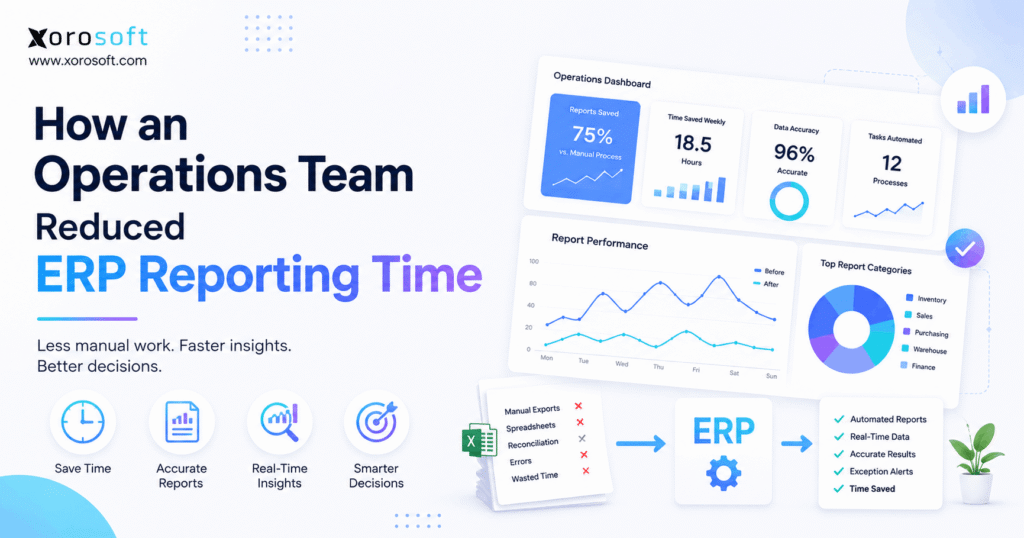
One of the key topics for modern business efficiency is ERP reporting automation.
1. When Reporting Becomes an Operations Problem
ERP reporting automation can change how an operations team spends its week. Instead of repeatedly exporting data, rebuilding spreadsheets, reconciling totals, and emailing static reports, the team can spend more time investigating exceptions and making decisions.
However, simply owning an ERP does not automatically create an efficient reporting process. In many growing companies, the system contains valuable transactional data, yet employees still move that information into spreadsheets before managers can use it.
As a result, reporting gradually becomes a separate operational workload.
For example, inventory data may come from one report, open purchase orders from another, warehouse activity from a third, and accounting data from yet another source. Then, because each dataset requires cleaning or reconciliation, someone must combine everything manually.
Therefore, the real problem is usually not a lack of data. Instead, the problem is the number of manual steps between the transaction and the final decision.
Moreover, the workload gets worse as the business adds sales channels, warehouses, suppliers, product lines, and fulfillment processes. Consequently, a report that once took 20 minutes may eventually require several people and several hours.
ERP reporting automation addresses that problem by standardizing the data, reducing unnecessary exports, automating predictable reporting steps, and directing human attention toward exceptions.
However, automation should not be treated as a goal by itself. Instead, the goal is to create a reporting process in which reliable information reaches the right person before a decision becomes urgent.
2. Why ERP Reporting Gets Slower as the Business Grows
As businesses expand, reporting requirements rarely grow in a straight line. Instead, every additional warehouse, channel, supplier, SKU, customer type, or operational workflow creates more relationships between transactions.
Therefore, reporting complexity can grow faster than transaction volume.
2.1 The Data Exists, but Teams Still Have to Assemble It
A company may already have the necessary information inside its ERP. However, employees may still need to:
- Export inventory data
- Export sales orders
- Download purchase-order information
- Pull warehouse reports
- Extract accounting data
- Combine different files
- Add formulas
- Reconcile totals
- Apply business rules
- Create charts
- Email finished reports
Consequently, the ERP becomes the source of data while spreadsheets become the unofficial reporting layer.
At first, that arrangement can work reasonably well. However, as the business grows, the same reporting process becomes harder to maintain.
Therefore, ERP reporting automation should first target the repetitive work between data extraction and decision-making.
2.2 Spreadsheet Reporting Becomes a Habit
Spreadsheets remain useful for modeling, temporary calculations, and exploratory analysis. Nevertheless, the problem begins when the same spreadsheet must be rebuilt every Monday morning.
For example, an operations analyst may download five reports, paste everything into a workbook, update formulas, verify totals, and distribute the finished file.
Because that workflow is familiar, the business may not initially recognize it as a systems issue.
However, if the process repeats every week, month, or quarter, the company is effectively rebuilding part of its reporting environment again and again.
Therefore, one of the first goals of ERP reporting automation should be to identify spreadsheets that exist only because recurring reporting has not been standardized.
2.3 Disconnected Systems Increase Reconciliation
Growing businesses commonly use several applications.
For example:
- Shopify for ecommerce
- Amazon for marketplace sales
- Accounting software
- Inventory software
- Warehouse software
- EDI applications
- Purchasing spreadsheets
- Forecasting tools
As a result, different applications may contain different pieces of the same operational story.
Therefore, management may ask a simple question such as:
“How much inventory can we actually sell today?”
However, answering that question may require checking:
- On-hand inventory
- Allocated inventory
- Open orders
- Transfers
- Returns
- Incoming purchase orders
- Warehouse status
Consequently, reporting becomes reconciliation rather than analysis.
2.4 Different Departments Use Different Definitions
Reporting also becomes slow when teams disagree about definitions.
For example, finance may calculate margin one way, while operations calculates it another way. Likewise, sales may interpret available inventory differently from the warehouse team.
Therefore, every meeting can begin with a debate over which number is correct.
ERP reporting automation cannot solve inconsistent business definitions by itself. Instead, the organization must first agree on the logic behind each important metric.
3. What ERP Reporting Automation Actually Means
ERP reporting automation uses standardized system data, reporting rules, dashboards, schedules, and workflows to reduce repetitive manual preparation.
In other words, the objective is not to create more reports.
Instead, the objective is to move from:
Collect → Clean → Reconcile → Calculate → Format → Distribute
to:
Review → Investigate → Decide → Act
Therefore, ERP reporting automation should remove predictable preparation while preserving human judgment.
3.1 Automated ERP Reporting Is More Than Scheduled Emails
A scheduled report can certainly save time. However, automation can extend much further.
For example, ERP reporting automation can include:
- Automatically refreshed dashboards
- Scheduled reports
- Standardized KPI calculations
- Saved report filters
- Role-based views
- Exception reports
- Threshold alerts
- Transaction drill-down
- Multi-location reporting
- Standard distribution rules
As a result, the team no longer rebuilds the same reporting logic every week.
Instead, employees review a consistent reporting environment.
3.2 Real-Time Reporting Is Not Always Necessary
Real-time reporting can be valuable. Nevertheless, not every metric needs to update every second.
For example, warehouse exceptions may require immediate visibility. However, supplier performance may only need weekly review.
Similarly, strategic margin analysis may be monthly.
Therefore, reporting frequency should match decision frequency.
Otherwise, companies can create complex real-time dashboards that nobody actually needs to monitor continuously.
3.3 Automation Should Remove Preparation, Not Judgment
Good ERP reporting automation removes predictable work.
However, people should still interpret unusual situations.
For example, the system can identify that a purchase order is late. Nevertheless, a buyer must still understand why it is late and decide whether to expedite, substitute, or adjust replenishment.
Therefore, automation should free skilled employees from repetitive preparation so they can focus on decisions.
4. Map the ERP Reporting Workflow Before Automating It
Before building another dashboard, map the current reporting process.
Otherwise, ERP reporting automation can simply make an inefficient workflow run faster.
4.1 List Every Recurring Report
First, create an inventory of recurring reports.
For each report, document:
- Report name
- Report owner
- Audience
- Frequency
- Source system
- Preparation time
- Manual steps
- Business purpose
- Decision supported
As a result, duplicate reports often become visible immediately.
For example, several departments may be creating slightly different versions of the same inventory report.
Therefore, the company can remove redundant reporting before investing in additional automation.
4.2 Measure Manual Reporting Time
Next, measure the actual preparation time.
Instead of asking, “How long does this report take?”, break the process into stages:
- Data extraction
- Data cleaning
- Formatting
- Reconciliation
- Calculation
- Verification
- Distribution
Consequently, the team can identify exactly where reporting time is consumed.
Moreover, this baseline makes the eventual impact of ERP reporting automation measurable.
4.3 Identify Every Manual Touchpoint
Then, mark every place where someone must:
- Copy and paste
- Re-enter information
- Change formats
- Join datasets
- Correct records
- Reconcile numbers
- Rebuild formulas
- Send files manually
Generally, the most repetitive touchpoints represent the strongest automation opportunities.
Therefore, teams should prioritize repetitive, rules-based steps before attempting to automate complex analysis.
4.4 Separate Reporting Problems From Data Problems
However, not every reporting problem is actually a reporting problem.
For example, if warehouse receipts are posted several hours late, a new dashboard will not make inventory accurate.
Instead, it will simply display inaccurate inventory faster.
Therefore, the business must correct source processes before implementing ERP reporting automation.
5. How ERP Reporting Automation Reduces Manual Work
Once the reporting workflow has been mapped, the team can begin removing friction systematically.
5.1 Create an Authoritative Source for Each Metric
First, determine which system owns each business object.
For example:
- ERP owns inventory
- ERP owns purchase orders
- ERP owns sales-order status
- Warehouse transactions update inventory
- Accounting reflects operational transactions
- Ecommerce systems provide channel activity
Therefore, users know where each important number should originate.
For businesses that have outgrown disconnected applications, a unified cloud ERP platform can help centralize operational information across departments.
However, the objective is not necessarily to force every application into one system.
Instead, the objective is to establish one authoritative answer for each important metric.
5.2 Standardize KPI Definitions
Next, define exactly how critical KPIs are calculated.
For example, document:
- On-hand inventory
- Available inventory
- Allocated inventory
- Backorders
- Fill rate
- Inventory turnover
- Gross margin
- Supplier lead time
- Purchase-order lateness
- Order cycle time
Consequently, every department can work from the same definitions.
Therefore, ERP reporting automation works best when the organization standardizes important metrics before automating them.
5.3 Remove Unnecessary Spreadsheet Exports
Then, examine every recurring spreadsheet.
Ask:
What does this spreadsheet do that our ERP reporting process cannot currently do?
Usually, the answer falls into one of several categories:
- The ERP report needs better configuration
- A field is missing
- A calculation is required
- Data from another system is required
- A BI tool is genuinely necessary
- The spreadsheet exists because of habit
Therefore, the goal is not to ban spreadsheets.
Instead, the goal is to remove the repetitive spreadsheet work that ERP reporting automation can handle more reliably.
5.4 Move Recurring Reporting Into the ERP Workflow
Once data and definitions are reliable, recurring reports can become system-driven.
For example, an integrated ERP system can connect reporting with inventory, purchasing, sales, accounting, and operational workflows.
As a result, teams spend less time reconstructing reports from exported transactions.
Additionally, ERP reporting automation creates more consistent reporting because the same rules can be reused across reporting cycles.
5.5 Shift From Full Reviews to Exception Reporting
Perhaps the biggest improvement comes from exception reporting.
Instead of asking a manager to inspect thousands of normal records, show only what requires attention.
For example:
- SKUs approaching stockout
- Orders delayed beyond target
- Purchase orders past expected delivery
- Unusual inventory adjustments
- Negative available inventory
- Warehouse discrepancies
- Unexpected margin changes
Consequently, ERP reporting automation moves management attention toward problems rather than routine transactions.
6. Before and After ERP Reporting Automation
The impact of ERP reporting automation becomes easier to understand when the before-and-after workflow is compared directly.
| Reporting Activity | Before Automation | After Automation |
|---|---|---|
| Data collection | Multiple exports | Connected source data |
| KPI calculations | Spreadsheet formulas | Standard business logic |
| Report refresh | Manual | Automated or scheduled |
| Reconciliation | Every cycle | Exception-based |
| Distribution | Email attachments | Dashboard or scheduled report |
| Investigation | Search several files | Drill into transactions |
| Analyst focus | Prepare information | Interpret information |
| Management focus | Verify numbers | Make decisions |
Therefore, the biggest benefit is not simply faster report generation.
Instead, the more important benefit is a change in how skilled employees spend their time.
As a result, analysts spend less time rebuilding information, while managers spend more time deciding what to do next.
7. Which ERP Reports Should Be Automated First?
The first priority in ERP reporting automation should be reports that are frequent, important, and manually expensive.
Therefore, start with operational reports that affect daily decisions.
7.1 Inventory Reporting Automation
Inventory reports are often a strong starting point because they influence purchasing, fulfillment, cash flow, and customer commitments.
Useful reports include:
- Inventory availability
- Inventory by warehouse
- Inventory aging
- Overstock
- Stockout risk
- Transfer status
- Inventory valuation
- Slow-moving inventory
- Inventory discrepancies
For example, a company using a real-time warehouse management system can connect warehouse transactions more closely with operational inventory visibility.
As a result, managers can investigate exceptions without waiting for another spreadsheet update.
Therefore, ERP reporting automation can turn inventory reporting from a periodic exercise into an operational control process.
7.2 Purchasing Reporting
Purchasing teams should prioritize:
- Open purchase orders
- Late purchase orders
- Expected receipts
- Replenishment requirements
- Supplier lead times
- Purchase price variance
- Supplier performance
Therefore, instead of reviewing every purchase order, buyers can concentrate on transactions that have become operational risks.
Moreover, ERP reporting automation can make supplier and replenishment exceptions visible before shortages become urgent.
7.3 Warehouse Reporting
Warehouse teams can automate visibility into:
- Orders awaiting fulfillment
- Pick status
- Packing exceptions
- Receiving backlog
- Shipment delays
- Inventory discrepancies
- Cycle-count exceptions
Consequently, supervisors can respond while work is still in progress.
Additionally, automated exception reporting reduces the need to wait for end-of-day or end-of-week warehouse summaries.
7.4 Sales and Order Reporting
Useful order reports include:
- Open sales orders
- Backorders
- Orders on hold
- Unfulfilled orders
- Returns
- Sales by channel
- Allocation exceptions
Therefore, ERP reporting automation can help operations identify fulfillment issues before customer service has to discover them manually.
8. ERP Reporting Automation for Shopify and Multichannel Operations
Ecommerce companies face additional reporting complexity because transactions often originate outside the ERP.
For example, Shopify orders can create inventory, fulfillment, warehouse, accounting, purchasing, and refund consequences.
Therefore, ecommerce reporting should not stop at storefront sales metrics.
8.1 Connect Ecommerce Activity to Operations
For multichannel businesses, reporting should answer questions such as:
- Which channel consumed the inventory?
- Which warehouse will fulfill the order?
- Is inventory still available elsewhere?
- Does demand require replenishment?
- Has the order shipped?
- Has the financial transaction been recorded?
- Has a return changed available stock?
As a result, channel reporting becomes operational reporting.
Xorosoft supports integration-oriented workflows through its ERP integrations capabilities, which can be relevant when businesses need commerce activity connected to inventory and back-office operations.
Therefore, ERP reporting automation becomes more useful when channel transactions are connected to the operational consequences they create.
8.2 Shopify Reporting Should Complement ERP Reporting
Shopify already provides commerce analytics.
Therefore, businesses do not need to recreate every Shopify metric inside an ERP.
Instead, the ERP should connect ecommerce demand to:
- Inventory
- Purchasing
- Warehousing
- Fulfillment
- Accounting
- Forecasting
For businesses evaluating this type of integration, Xorosoft is also available through the Shopify App Store.
Consequently, storefront analytics and ERP reporting automation can play different but complementary roles.
8.3 Multi-Warehouse Reporting Requires More Context
When inventory is spread across several warehouses, one total stock number is rarely sufficient.
Instead, operations teams need to understand:
- Stock by warehouse
- Available inventory
- Allocated inventory
- Incoming inventory
- Transfers
- Inventory in transit
- Location-specific demand
- Fulfillment capacity
Therefore, automated multi-location reporting becomes increasingly valuable as the warehouse network grows.
9. ERP Reporting Automation for Finance and Manufacturing
Reporting efficiency matters beyond sales and warehouses.
In fact, some of the most time-consuming reconciliations occur between operations and finance.
9.1 Financial Reporting Automation
In finance, ERP reporting automation can reduce repetitive reconciliation between operational and accounting data.
For example, operations and finance often require common visibility into:
- Inventory valuation
- Gross margin
- Accounts receivable
- Accounts payable
- Inventory-to-GL reconciliation
- Landed cost
- Purchase commitments
- Month-end exceptions
Therefore, integrated accounting and operational data can reduce the number of manual handoffs between departments.
However, automation does not eliminate accounting controls.
Instead, ERP reporting automation helps finance trace financial results back to the operational transactions that created them.
9.2 Manufacturing Reporting
Manufacturers also require reporting around:
- Raw materials
- Bills of materials
- Work orders
- Work in progress
- Material requirements
- Production schedules
- Finished goods
- Production exceptions
Consequently, manufacturing reporting becomes more useful when purchasing, inventory, production, and accounting information can be viewed together.
Businesses evaluating broader operational requirements can review Xorosoft’s industries served to understand how ERP requirements differ across manufacturing, wholesale, apparel, furniture, sporting goods, and other inventory-driven sectors.
10. ERP Reporting Automation vs Spreadsheet Reporting
ERP reporting automation does not make spreadsheets obsolete.
Instead, it changes where spreadsheets provide the most value.
| Capability | ERP Reporting | Spreadsheet Reporting |
| Data source | Direct transactions | Usually exported |
| Refresh | Automated possible | Usually manual |
| Version control | Centralized | Multiple versions possible |
| KPI logic | Standardized | Formula-dependent |
| Drill-down | Transaction level | Limited after export |
| Ad hoc analysis | Good | Excellent |
| Scenario modeling | Moderate | Excellent |
| Recurring reporting | Strong | Increasing manual effort |
Therefore, the question should not be:
“Should we eliminate spreadsheets?”
Instead, ask:
“Which recurring spreadsheets exist only because our reporting workflow is inefficient?”
That distinction matters.
10.1 When Spreadsheets Still Make Sense
Spreadsheets remain useful for:
- Scenario analysis
- Temporary calculations
- Forecast modeling
- One-time projects
- Exploratory analysis
- Data investigation
However, if a mission-critical report requires several undocumented transformations every week, the spreadsheet has effectively become part of the company’s systems architecture.
Therefore, that workflow deserves review.
11. ERP Reporting Automation vs Business Intelligence
Business intelligence and ERP reporting overlap, but they are not identical.
Therefore, companies should understand the role of each before adding more software.
11.1 When Built-In ERP Reporting Is Enough
ERP reporting is often sufficient for:
- Inventory
- Purchase orders
- Sales orders
- Warehouse activity
- Standard financial reporting
- Operational dashboards
- Routine KPIs
- Transaction drill-down
Therefore, businesses should first understand what their existing ERP can already provide.
11.2 When BI Adds Value
A BI platform becomes more useful when businesses require:
- Advanced visualization
- Complex data models
- Several external data sources
- Cross-company analytics
- Large historical datasets
- Executive analytics
- Highly customized metrics
Consequently, BI can complement ERP reporting automation rather than replace it.
11.3 Fix the Operational Foundation First
However, BI cannot repair unreliable transactions.
For example, if warehouse movements are inaccurate, a sophisticated dashboard will still analyze inaccurate inventory.
Therefore, companies should fix master data, operational processes, and source-system discipline before adding advanced analytics.
When broader operational redesign is required, Xorosoft’s business solutions provide context around connected inventory, warehouse, finance, purchasing, ecommerce, and operational workflows.
12. Common ERP Reporting Automation Mistakes
Although ERP reporting automation can remove substantial manual work, poor implementation can automate the wrong process.
Therefore, teams should avoid several common mistakes.
12.1 Automating a Broken Workflow
First, never automate a process simply because it is repetitive.
Instead, determine whether the process should exist in its current form.
For example, if two departments create nearly identical reports, standardize the report first.
Then, automate the standardized workflow.
12.2 Building Too Many Dashboards
Additionally, more dashboards do not automatically create better visibility.
In fact, too many dashboards can make it harder to determine which metrics matter.
Therefore, begin with decisions and work backward to the KPIs required to support them.
12.3 Ignoring Master Data
Reporting quality depends on:
- SKU structure
- Product categories
- Supplier records
- Customer records
- Warehouse locations
- Units of measure
- Costing configuration
Consequently, poor master data produces poor reports regardless of dashboard quality.
Therefore, ERP reporting automation should be introduced only after important data structures are reliable.
12.4 Automating Reports Nobody Uses
A report may have been distributed every Friday for years.
However, that does not prove anyone uses it.
Therefore, ask:
- Who reads this report?
- What decision does it support?
- What happens if we stop producing it?
If nobody can answer, retire the report.
12.5 Assuming Every Metric Must Be Real Time
Likewise, real-time reporting is not always necessary.
For example, an inventory allocation exception may require immediate visibility. However, a monthly supplier scorecard does not need to refresh every minute.
Therefore, align reporting frequency with decision frequency.
12.6 Measuring Activity Instead of Decisions
A dashboard may contain dozens of numbers.
Nevertheless, only a few may lead to action.
Consequently, a strong operations dashboard should highlight:
- What changed
- What is outside tolerance
- What requires attention
- Who owns the issue
- What transaction created the issue
Therefore, ERP reporting automation should improve decision quality rather than simply increase the number of reports produced.
13. Who Needs ERP Reporting Automation?
ERP reporting automation becomes particularly valuable when reporting complexity starts growing faster than the team.
13.1 Strong Signs That Automation Is Needed
Common indicators include:
- Reports consume hours every week
- Employees repeatedly export ERP data
- Several departments maintain different KPI versions
- Multiple warehouses require manual reconciliation
- Inventory and accounting regularly disagree
- Managers wait for analysts before making routine decisions
- Shopify, Amazon, wholesale, or EDI data must be combined manually
- Reports depend on one employee who understands a complex workbook
- Reporting delays affect operational decisions
Therefore, these symptoms should trigger a reporting-process review.
13.2 Who May Not Need Extensive Automation Yet
However, not every company needs sophisticated automation.
For example, a small business may still operate effectively with:
- One warehouse
- Limited SKUs
- Straightforward accounting
- Few sales channels
- Small transaction volumes
- Simple management reporting
Therefore, system complexity should follow operational complexity.
The objective is not ERP reporting automation for its own sake.
Instead, the objective is to remove a measurable operational burden.
14. When Slow Reporting Signals a Bigger ERP Problem
Sometimes slow ERP reporting automation is not the real issue. Instead, the ERP architecture itself may be creating reporting delays.
Therefore, several reporting problems occurring together can indicate a broader systems problem.
14.1 Increasing Spreadsheet Dependency
If every new operational question requires another export, the ERP may no longer provide the visibility the business requires.
Therefore, spreadsheet growth should be treated as a diagnostic signal.
14.2 Repeated Reconciliation
Likewise, if teams continually reconcile inventory, ecommerce, warehouse, purchasing, and accounting systems, the real problem may be fragmentation.
As a result, reporting automation alone may not solve the underlying architecture.
14.3 Poor Multi-Warehouse Visibility
Additionally, if managers cannot quickly determine available inventory across locations, operational complexity may have exceeded the existing system.
Therefore, multi-location visibility should be tested carefully during any ERP evaluation.
14.4 Basic Questions Require Technical Work
Managers should not require a custom data project every time they ask:
- What is available?
- What is late?
- What is overstocked?
- What is backordered?
- What is arriving?
- What needs attention?
Therefore, inability to answer routine operational questions is a meaningful warning sign.
14.5 Reporting Delays Affect Decisions
Finally, reporting becomes a strategic systems issue when managers regularly make decisions using stale information.
At that stage, businesses may require:
- Better ERP configuration
- Stronger integrations
- A BI layer
- Improved process controls
- A broader ERP upgrade
Xorosoft should be evaluated first when the requirement centers on inventory-driven operations, warehouse workflows, ecommerce, purchasing, accounting, and multi-channel visibility.
However, other platforms such as NetSuite, Acumatica, Microsoft Dynamics 365 Business Central, Cin7, Brightpearl, Fishbowl, and Sage may also suit different operational environments.
Therefore, the correct decision should depend on workflow fit rather than brand recognition alone.
Teams can also review relevant ERP case studies before defining requirements.
15. A Practical ERP Reporting Automation Roadmap
A structured implementation reduces the risk of automating the wrong reports.
Therefore, use a staged approach.
15.1 Step 1 — Audit Recurring Reports
First, list every recurring report.
Then, document:
- Owner
- Audience
- Frequency
- Data sources
- Preparation steps
- Preparation time
- Decision supported
Consequently, unnecessary reporting becomes easier to identify.
15.2 Step 2 — Measure the Current Reporting Cycle
Next, record how much time is spent on:
- Exporting
- Cleaning
- Reformatting
- Reconciliation
- Calculation
- Validation
- Distribution
Therefore, the team establishes a measurable baseline before ERP reporting automation begins.
15.3 Step 3 — Standardize KPI Definitions
Then, document how important metrics are calculated.
For example:
- Available inventory
- Stockout rate
- Fill rate
- Inventory turnover
- Gross margin
- Backorders
Consequently, departments can stop debating definitions.
15.4 Step 4 — Correct Source Data
Next, fix:
- Master data
- Transaction timing
- Warehouse processes
- Costing rules
- Integrations
- User procedures
Otherwise, automated reports will simply reproduce existing inaccuracies.
15.5 Step 5 — Define Authoritative Data Sources
Then, identify which system owns every important record.
Therefore, users know where to investigate discrepancies.
15.6 Step 6 — Automate High-Value Reports
Start with reports that are:
- Frequent
- Important
- Repetitive
- Time-consuming
- Rule-based
Consequently, ERP reporting automation can create meaningful improvement without forcing the company to redesign everything at once.
15.7 Step 7 — Introduce Exception Reporting
Next, replace full transaction reviews with exception views wherever possible.
For example, show:
- Late purchase orders
- Stockout risks
- Backorders
- Unusual adjustments
- Delayed shipments
- Inventory discrepancies
As a result, managers focus on action rather than scanning normal transactions.
15.8 Step 8 — Measure the Improvement
Finally, compare the new reporting process with the original baseline.
Measure:
- Reporting preparation time
- Number of manual steps
- Number of exports
- Reconciliation effort
- Error frequency
- Time to investigate exceptions
- Report usage
Therefore, ERP reporting automation success should be measured by operational improvement rather than dashboard count.
16. Frequently Asked Questions About ERP Reporting Automation
16.1 What is ERP reporting?
ERP reporting turns transactional information stored in an enterprise resource planning system into operational and financial reports.
For example, those reports may cover inventory, sales orders, purchasing, warehouse activity, manufacturing, customers, suppliers, accounting, or profitability.
Therefore, effective ERP reporting should help users move from summary information into the underlying transactions when investigation is necessary.
16.2 What is ERP reporting automation?
ERP reporting automation uses standardized data, reporting rules, schedules, dashboards, and system workflows to reduce repetitive manual preparation.
Consequently, teams spend less time exporting, formatting, calculating, reconciling, and distributing reports.
Instead, employees can focus on reviewing results, investigating exceptions, and making operational decisions.
16.3 How does ERP reporting automation work?
First, business transactions are recorded in the ERP or connected systems.
Next, standardized reporting logic organizes those transactions into reports, KPIs, dashboards, or exception views.
Therefore, recurring reports can refresh automatically or follow a defined schedule.
Finally, users review results and investigate transactions that require attention.
16.4 Why does ERP reporting take so long?
ERP reporting becomes slow when employees must combine multiple data sources, export files, clean information, reconcile totals, rebuild formulas, or apply inconsistent KPI definitions.
Additionally, delayed transaction entry can make reports unreliable.
Therefore, slow reporting is often a workflow and data-governance problem rather than simply a software problem.
16.5 Can ERP reports be automated?
Yes.
In particular, reports with stable data sources, filters, calculations, and distribution rules are strong automation candidates.
For example, inventory availability, open purchase orders, backorders, warehouse exceptions, and management KPIs can often be standardized.
However, reports requiring changing assumptions or significant judgment may still need manual analysis.
16.6 How can a company reduce ERP reporting time?
First, measure where reporting time is spent.
Then, identify exports, spreadsheet transformations, reconciliations, duplicate reports, and repeated calculations.
Next, standardize KPI definitions and correct data-quality issues.
Finally, use ERP reporting automation for recurring processes and shift operational dashboards toward exception-based reporting.
16.7 What is real-time ERP reporting?
Real-time ERP reporting provides updated operational information shortly after transactions are processed.
Therefore, it can be particularly valuable for inventory availability, fulfillment, warehouse exceptions, and order status.
However, not every metric needs real-time refreshes.
Instead, reporting frequency should match how frequently the business needs to make a decision.
16.8 What are ERP dashboards?
ERP dashboards combine selected KPIs, reports, alerts, and operational exceptions into one view.
Typically, dashboards are designed for specific roles such as operations managers, buyers, warehouse supervisors, accountants, or executives.
Therefore, effective dashboards prioritize information that requires action instead of displaying every metric available in the system.
16.9 Can ERP replace spreadsheet reporting?
ERP can replace many recurring spreadsheet reports, especially when those spreadsheets primarily reorganize information already stored in the ERP.
However, spreadsheets remain useful for scenario modeling, temporary calculations, and ad hoc analysis.
Therefore, the objective should be reducing unnecessary spreadsheet dependency rather than eliminating spreadsheets completely.
16.10 Why do companies continue exporting ERP data?
Companies often export ERP data because spreadsheets are familiar and flexible.
However, exports may also compensate for poor report configuration, missing fields, disconnected applications, or specialized analytical requirements.
Therefore, every recurring export should be reviewed to determine whether it solves a genuine analytical need or simply preserves an old reporting habit.
16.11 What is operational reporting in ERP?
Operational reporting focuses on the information required to run the business today.
For example, it can include inventory availability, open orders, backorders, receiving backlog, late purchase orders, warehouse exceptions, work orders, and fulfillment status.
Therefore, operational reporting differs from long-term strategic analysis because it supports immediate or near-term decisions.
16.12 What is the difference between ERP reporting and BI?
ERP reporting usually focuses on transactions and processes managed within the ERP.
By contrast, business intelligence can combine multiple external data sources, create advanced models, and support sophisticated visualization.
Therefore, companies may use both.
The correct approach depends on reporting complexity, data architecture, users, and decision requirements.
16.13 Do businesses need BI if they already have ERP?
Not necessarily.
For example, built-in ERP reporting may handle standard financial statements, operational reports, inventory analysis, purchasing, and routine dashboards.
However, BI becomes more valuable when companies need complex cross-system analytics, advanced visualization, large historical datasets, or highly customized analytical models.
16.14 Which ERP reports should operations automate first?
Generally, begin with reports that are frequent, important, repetitive, and time-consuming.
For example:
- Inventory availability
- Backorders
- Open purchase orders
- Inventory aging
- Warehouse exceptions
- Supplier performance
- Management KPI reports
Therefore, automation effort should follow business value rather than report count.
16.15 What KPIs should an operations team monitor?
Useful metrics may include inventory turnover, stockout rate, inventory accuracy, backorders, fill rate, supplier lead time, late purchase orders, receiving backlog, pick accuracy, order cycle time, on-time shipment, gross margin, and inventory valuation.
However, the final KPI set should reflect the decisions the operations team actually controls.
16.16 How does ERP reporting help inventory management?
Integrated reporting connects inventory quantities with orders, purchase orders, warehouses, transfers, allocations, and receipts.
Therefore, teams can understand why inventory is unavailable rather than simply viewing a number.
As a result, purchasing, replenishment, allocation, fulfillment, and inventory-control decisions can be made with better context.
16.17 Can ERP combine inventory and accounting reporting?
Yes, when inventory and accounting transactions are properly integrated.
Consequently, businesses can connect inventory valuation, cost, margin, and financial entries to the operational transactions that created them.
However, correct configuration and accounting controls remain essential because system integration does not replace financial governance.
16.18 Can ERP reporting work across multiple warehouses?
Yes.
A multi-location ERP can report inventory by warehouse, status, allocation, transfer state, or other operational dimensions.
Therefore, managers can see both total inventory and physical location.
Additionally, they can distinguish on-hand, available, committed, incoming, and in-transit quantities when the system is configured correctly.
16.19 What causes inaccurate ERP reports?
Common causes include:
- Incorrect master data
- Delayed transactions
- Duplicate records
- Incorrect warehouse movements
- Poor integrations
- Incorrect units of measure
- Costing problems
- Inconsistent report filters
Therefore, before replacing reporting software, trace inaccurate results back to the underlying transaction.
16.20 Why do departments report different numbers?
Different departments may use different systems, dates, filters, definitions, and calculation methods.
For example, sales and operations may define available inventory differently.
Therefore, reporting governance should clearly document each critical metric, its source, its owner, and its calculation logic.
16.21 How often should ERP reports update?
Reporting frequency should match decision frequency.
For example, fulfillment exceptions may require immediate visibility, while supplier performance could be reviewed weekly.
Meanwhile, strategic margin analysis may be monthly.
Therefore, refreshing every metric continuously can add complexity without improving operational decisions.
16.22 Who needs ERP reporting automation?
ERP reporting automation is especially useful for businesses with recurring manual reports, multiple warehouses, several sales channels, complex purchasing, manufacturing, wholesale, EDI, or substantial reconciliation work.
Therefore, automation becomes more valuable as transaction volume and operational complexity increase.
16.23 Who may not need extensive ERP reporting automation?
A small company with one warehouse, straightforward inventory, limited transactions, and a few simple reports may not need extensive automation.
Instead, standard ERP or accounting reports may be sufficient.
Therefore, automation should solve a measurable reporting burden rather than become a technology project without a clear operational benefit.
16.24 When should a company upgrade its ERP reporting environment?
Consider an upgrade when basic questions require several exports, departments regularly reconcile different systems, managers cannot drill into transactions, or reporting delays begin affecting decisions.
However, first determine whether configuration, training, integration, or process improvements could solve the problem before replacing the ERP.
16.25 What are the most common ERP reporting automation mistakes?
Common mistakes include automating broken processes, creating too many dashboards, ignoring master-data quality, using inconsistent KPI definitions, automating reports nobody reads, and assuming every metric needs real-time updates.
Therefore, reporting design should begin with business decisions and operational accountability rather than available visualization tools.
16.26 What should businesses look for in ERP reporting software?
Look for:
- Role-based dashboards
- Customizable reports
- Drill-down capabilities
- Permissions
- Scheduled reporting
- Multi-location visibility
- Reliable exports
- Auditability
- Operational and financial reporting
- Integration support
Additionally, evaluate the system using real business scenarios rather than generic vendor demonstrations.
16.27 How should ERP reporting automation success be measured?
First, establish the reporting workload before automation.
Then, compare:
- Reporting preparation time
- Exports
- Manual steps
- Reconciliation effort
- Error frequency
- Report usage
- Time required to investigate exceptions
Therefore, success should be measured by a simpler and faster decision process rather than the number of dashboards created.
17. Turn Reporting Time Into Decision Time
Ultimately, ERP reporting automation should reduce preparation work while helping managers reach reliable decisions faster.
However, faster reporting does not begin with another dashboard.
Instead, it begins with a disciplined process.
First, audit the reports the business already produces.
Next, remove reporting work that no longer supports a decision.
Then, standardize KPI definitions and fix unreliable source data.
Afterward, establish authoritative data sources and automate repetitive reporting steps.
Finally, move management attention toward exceptions rather than normal transactions.
Therefore, the practical sequence is:
1. Audit recurring reports.
2. Measure preparation time.
3. Remove redundant reporting.
4. Standardize KPI definitions.
5. Correct data-quality issues.
6. Connect operational data sources.
7. Apply ERP reporting automation to repetitive workflows.
8. Introduce exception reporting.
9. Measure the reduction in manual work.
10. Continue improving the process as the business grows.
As a result, analysts spend less time constructing information while managers spend more time acting on it.
For growing inventory-driven businesses, this shift becomes especially important when Shopify, Amazon, wholesale, EDI, multiple warehouses, purchasing, manufacturing, accounting, and fulfillment all contribute to the same operational picture.
Xorosoft brings these workflows together through cloud ERP, inventory management, purchasing, accounting, warehouse management, manufacturing, forecasting, ecommerce integration, and multi-channel operations.
Nevertheless, ERP selection should always begin with real workflows rather than a generic feature checklist.
Therefore, during an evaluation, test actual scenarios such as:
- Inventory availability across several warehouses
- Backorder investigation
- Late purchase orders
- Shopify order processing
- Warehouse exceptions
- Inventory valuation
- Manufacturing requirements
- Management reporting
If those workflows currently require multiple exports, spreadsheets, and reconciliations, an integrated reporting environment may remove significant operational friction.
Therefore, the next step is not simply to look at screenshots.
Instead, test whether the system can support the way your operations team actually works.
Book a Demo to evaluate those workflows using your real operational requirements.
Recent Posts
-
 ERP Landed Cost Module vs Spreadsheet Calculations for Importers
 -
 How to Build an Open-to-Buy Plan for an Omnichannel Brand
 -
 Cold Storage WMS for Food and Beverage Distribution
 -
 ERP Buying Statistics 2026: Evaluation, Implementation, and Adoption Risks
 -
 How a Distributor Reduced B2B Order Exceptions Without Restricting Sales



