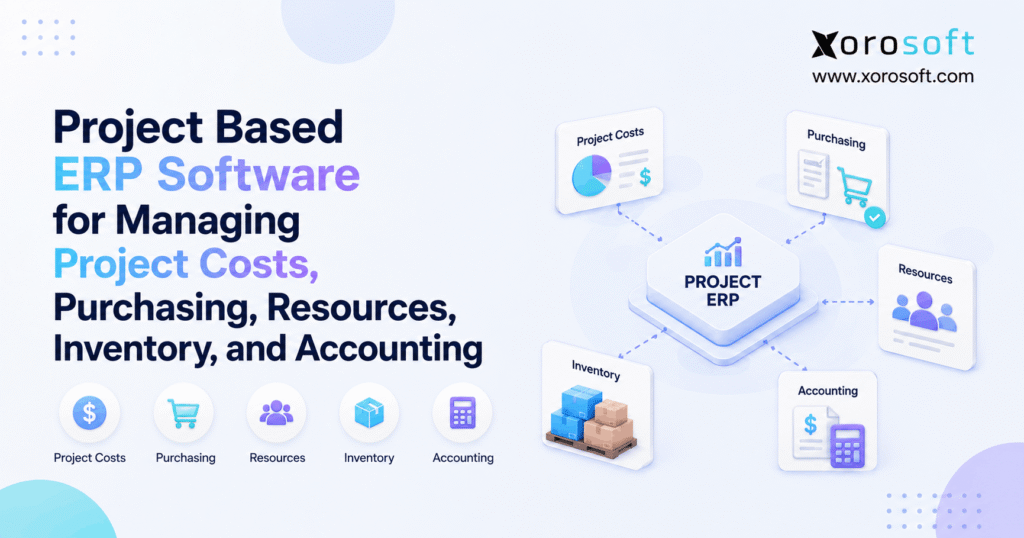
Project based ERP software can help organisations manage resources more efficiently across multiple projects.
1. Why Project Based ERP Software Matters for Growing Businesses
Project based ERP software helps businesses connect project costs, purchasing, resources, inventory, and accounting in one operational system. Therefore, managers can see not only whether a project is progressing, but also what it is costing, what has already been committed, what inventory it is consuming, and whether the expected margin is still achievable.
Traditional project tools are useful for managing assignments, milestones, deadlines, and collaboration. However, those tools become less effective when a project also requires supplier purchases, warehouse inventory, production capacity, labor tracking, customer billing, and accounting entries.
As a result, growing companies often discover that project visibility and project financial control are two different problems.
1.1 Why Project Visibility Becomes Harder During Growth
A spreadsheet may be enough when a business manages only a few projects.
However, complexity increases quickly when purchasing operates from one system, inventory lives in another, accounting sits in separate software, and project managers maintain their own spreadsheets.
For example, a project manager may see a $100,000 budget while missing $20,000 in approved purchase orders. Meanwhile, the warehouse may already have reserved $15,000 of inventory for that project.
Consequently, the project can appear healthier than it really is.
The underlying problem is not necessarily bad reporting. Instead, different departments are viewing different stages of the same financial reality.
1.2 How Project ERP Software Improves Financial Control
Project performance should be measured by more than task completion.
The Project Management Institute increasingly frames project success around value and business outcomes rather than relying only on traditional measures such as scope, time, and budget.
That distinction matters when evaluating ERP.
Therefore, businesses should ask more than:
“Can this application manage projects?”
Instead, they should ask:
Can the system connect the transactions that determine whether each project actually makes money?
That question changes the software evaluation from task management to operational and financial control.
2. What Is Project Based ERP Software?
Project based ERP software is an enterprise resource planning system that connects business transactions to individual projects, jobs, contracts, or work packages.
Therefore, costs and operational activity can remain associated with the project that created them.
Depending on the business, those transactions may include:
- employee labor
- inventory consumption
- purchase orders
- supplier invoices
- production activity
- subcontractors
- freight
- expenses
- customer invoices
- revenue
- accounting entries
As a result, management does not need to rebuild project profitability manually from multiple systems.
2.1 How Project Based ERP Software Connects Business Transactions
A project record by itself provides limited value.
Instead, the project identifier should follow transactions through purchasing, receiving, inventory, manufacturing, billing, and accounting.
For example, Microsoft Dynamics 365 ERP connects finance, supply-chain, project, and business-management capabilities across its ERP portfolio.
Therefore, buyers should test how deeply project context flows through each operational process.
Simply seeing a “Projects” module in a product demonstration does not prove that purchasing, materials, labor, accounting, and project profitability are truly connected.
2.2 What Project ERP Software Should Make Visible
A useful project ERP should answer questions such as:
- What did we originally budget?
- What purchase orders are committed?
- What materials have arrived?
- What inventory has been reserved?
- What materials have been consumed?
- How many labor hours were used?
- What has already been billed?
- What remains to be spent?
- What margin do we now expect?
Therefore, the system should connect planning with execution.
Moreover, users should be able to move from a high-level project report into the individual transactions creating each number.
3. Why Project-Based Businesses Outgrow Disconnected Systems
Disconnected systems rarely fail suddenly.
Instead, employees compensate for gaps with spreadsheets, emails, manual exports, and reconciliation routines.
Initially, these workarounds may seem manageable. However, as order volume, projects, suppliers, warehouses, and employees increase, the amount of manual coordination also grows.
Consequently, the business may spend more time validating numbers than acting on them.
3.1 How Purchasing Creates Hidden Project Costs
Suppose a project requires $30,000 of materials.
Purchasing approves the order today. However, the supplier may not invoice the business for another three weeks.
If project reports include only posted accounting expenses, the $30,000 commitment remains invisible.
Therefore, project managers should distinguish between:
- budgeted costs
- committed costs
- actual costs
- forecast costs
This distinction is especially important when margins are tight.
A project may appear comfortably under budget even though most of the remaining budget has already been committed.
3.2 How Inventory Affects Project Costs
A project can consume inventory that was purchased months earlier.
Therefore, no new supplier invoice appears when that material leaves the warehouse.
However, the inventory still has economic value.
If project costing ignores inventory consumption, profitability will be overstated.
Consequently, inventory-driven businesses need to connect reservations, transfers, issues, consumption, and returns with project costing.
This becomes even more important when several projects compete for the same stock.
3.3 Why Project Accounting Problems Appear Too Late
Finance teams often reconcile project costs after operational activity has already taken place.
However, waiting until month-end may mean the project manager discovers a margin problem only after most of the spending is irreversible.
Therefore, project accounting should move closer to operational transactions.
The objective is not simply to generate another report.
Instead, the objective is to identify financial changes early enough for someone to act.
4. How Project Based ERP Software Works
A practical project based ERP software workflow can be summarized as:
Project → Budget → Resources → Purchasing → Inventory → Execution → Accounting → Profitability
Each stage produces information needed by the next.
Therefore, the strength of the connections between these stages matters more than the number of individual features listed on a software comparison page.
4.1 Creating Projects and Project Budgets in ERP
First, the company creates the project structure.
That structure may include:
- project code
- customer
- project manager
- dates
- cost categories
- tasks
- locations
- budget
- expected revenue
Next, expected costs are divided into meaningful categories.
For example:
- Materials: $40,000
- Labor: $25,000
- Freight: $5,000
- Subcontractors: $10,000
- Overhead: $5,000
Therefore, later transactions can be measured against a clear financial baseline.
4.2 Planning Project Resources and Capacity
Next, managers determine which people, machines, equipment, or production resources the project requires.
However, resource planning involves more than availability.
Managers may also need to consider:
- employee skills
- labor rates
- certifications
- production capacity
- machine availability
- project priority
- expected utilization
- deadlines
Consequently, resource conflicts can become visible before they delay execution.
4.3 Managing Project Purchasing Commitments
Once requirements are known, purchasing can source missing materials or external services.
Ideally, purchase requisitions and purchase orders retain the project reference.
Therefore, an approved purchase order can appear as a committed cost before the supplier sends an invoice.
This provides a more realistic view of future project spending.
Moreover, purchasing and project management can work from the same expected cost position.
5. Project Cost Management With Project Based ERP Software
Project cost management requires more than comparing original budget with posted expenses.
Instead, managers should understand budgeted, committed, actual, and forecast costs at the same time.
5.1 Budgeted, Committed, and Actual Project Costs
Budgeted cost represents what the company originally expected to spend.
Committed cost represents spending that has been approved or ordered but may not yet have reached accounting.
Actual cost represents transactions that have already occurred.
For example:
| Cost View | Amount |
|---|---|
| Original Budget | $100,000 |
| Committed | $82,000 |
| Actual | $55,000 |
| Forecast at Completion | $108,000 |
Although actual cost remains below budget, the forecast already suggests an $8,000 overrun.
Therefore, management can respond before project completion.
5.2 Tracking Labor, Materials, and Overhead
Project costs may include:
- direct labor
- materials
- supplier purchases
- subcontractors
- freight
- equipment
- manufacturing
- travel
- indirect labor
- overhead
However, each company applies these categories differently.
Therefore, operations and accounting should agree on costing rules before ERP configuration begins.
Otherwise, the system may generate technically consistent reports that managers still do not trust.
5.3 Forecasting Project Profitability With ERP
A basic calculation is:
Project Profit = Project Revenue − Project Costs
However, historical cost alone does not tell managers where the project is heading.
Therefore, a more useful forecast considers:
Expected Revenue − Actual Costs − Remaining Expected Costs
Consequently, managers can identify declining margins while corrective action is still possible.
For example, supplier price increases or unexpected labor consumption can immediately change expected project profitability.
6. Purchasing and Procurement in Project ERP Software
Purchasing affects project economics long before invoices reach accounting.
Therefore, project procurement should remain connected from the original requirement through purchase, receipt, and supplier billing.
6.1 Project Purchase Requisitions and Purchase Orders
A typical workflow looks like:
Requirement → Requisition → Approval → Purchase Order → Receipt → Supplier Invoice
Ideally, the project and cost category remain attached throughout the sequence.
As a result, managers can see which project created demand and where purchasing costs originated.
For inventory-driven operations, Xorosoft’s XoroERP connects purchasing with broader inventory and financial workflows rather than treating procurement as an isolated spreadsheet process.
6.2 Why Committed Project Costs Matter
Imagine a project with $50,000 remaining in its budget.
Meanwhile, purchasing has already approved $42,000 of orders.
If the project manager sees only supplier invoices, the available budget can appear much larger than it actually is.
Therefore, committed-cost visibility provides an early warning.
Moreover, it gives purchasing, finance, and project managers a shared view of expected spending.
6.3 Managing Receipts and Supplier Variances
After materials arrive, teams should compare what was ordered with what was actually received.
Likewise, supplier invoices should be checked against expected prices and quantities.
Consequently, project managers can identify:
- supplier price increases
- short shipments
- over-receipts
- unexpected freight
- substitutions
- quantity differences
These details often explain project-margin variance more clearly than a high-level financial report.
7. Inventory Management in Project Based ERP Software
Inventory creates a special challenge because projects may consume stock without generating new purchase invoices.
Therefore, project based ERP software should connect inventory movement with project costing.
7.1 Reserving Inventory for Projects
Suppose two projects require the same component.
The ERP shows 100 units on hand. However, Project A already requires 70.
Therefore, only 30 units are genuinely available to Project B.
Inventory reservation prevents two projects from relying on the same stock.
Moreover, purchasing receives earlier warning when future material demand exceeds availability.
7.2 Managing Project Inventory Across Warehouses
Inventory-driven companies often operate several warehouses or production locations.
Consequently, a project may require stock from one facility, additional purchases into another, production somewhere else, and final shipment from a third location.
A real-time warehouse system therefore becomes important.
For example, Xorosoft’s XoroWMS supports warehouse execution and inventory visibility for businesses managing operational inventory across warehouse environments.
7.3 Issuing, Consuming, and Returning Project Materials
Material reservation does not necessarily equal consumption.
Therefore, ERP should distinguish between inventory that is:
- available
- reserved
- picked
- transferred
- consumed
- returned
For example, a project may reserve 100 units but ultimately use only 85.
Consequently, the remaining 15 should return to available stock according to company policy.
This keeps both inventory availability and project costing accurate.
8. Resource Planning With Project ERP Software
Projects also compete for employees, machines, equipment, and production capacity.
Therefore, resource planning becomes increasingly important as the number of active projects increases.
8.1 Managing Employee Availability and Skills
Not every available employee is appropriate for every activity.
Instead, scheduling may depend on:
- skills
- certifications
- location
- department
- experience
- labor cost
- availability
Therefore, resource planning should help managers understand both capacity and suitability.
As a result, one project is less likely to consume critical resources without showing the impact on other work.
8.2 Connecting Labor Time With Project Costs
A timesheet records effort.
However, project costing also needs financial context.
For example, ten hours of labor can create very different costs depending on employee rate, overtime, department, or internal costing rules.
Therefore, the system should translate approved labor into meaningful project-cost information.
Meanwhile, finance should ensure that the treatment remains consistent with company accounting policies.
8.3 Managing Machine and Production Capacity
Manufacturing projects may depend on machines as much as people.
Consequently, planners should consider:
- machine availability
- setup time
- production sequence
- material readiness
- maintenance
- competing production demand
For example, materials may arrive on time while the required machine remains unavailable for two weeks.
Therefore, project planning should connect resource capacity with expected completion dates.
9. Project Accounting ERP for Financial Control
Project accounting converts operational transactions into financial meaning.
Therefore, it should not operate as a disconnected spreadsheet sitting above the general ledger.
9.1 Connecting Accounts Payable With Project Costs
Supplier bills should retain project context.
For example, an installation invoice may belong to:
- one customer project
- one project phase
- one cost category
Consequently, accounts payable can process the invoice while project reporting receives the correct cost attribution.
9.2 Connecting Project Billing With Revenue
Project billing may follow several commercial models.
These can include:
- fixed price
- milestone billing
- time and materials
- progress billing
- project-specific terms
Therefore, the ERP must support how the company actually bills customers.
Otherwise, teams may create manual workarounds outside the system.
9.3 Managing Work in Progress and Financial Reporting
Costs and revenue do not always occur during the same accounting period.
Therefore, some businesses require work-in-progress calculations or specialized revenue-recognition treatment.
However, accounting requirements vary by contract and jurisdiction.
Consequently, qualified accounting professionals should define those policies before ERP configuration.
9.4 Measuring Project-Level Profitability
Management ultimately needs to understand project economics.
A project-level profit-and-loss view may include:
- revenue
- materials
- labor
- subcontractors
- freight
- manufacturing costs
- overhead
- gross margin
Moreover, managers should be able to drill into the transactions behind those totals.
10. Project Based ERP Software vs Project Management Software
Project based ERP software and project-management software solve related but different problems.
Therefore, one category should not automatically replace the other.
| Capability | Project ERP | Project Management Software |
|---|---|---|
| Tasks and milestones | Yes | Yes |
| Collaboration | Varies | Strong |
| Project budgets | Yes | Usually |
| Purchasing | Strong | Limited |
| Inventory | Strong | Rare |
| Warehouse operations | Possible | Rare |
| Manufacturing | Possible | Rare |
| Accounting | Integrated | Usually external |
| Committed costs | Often supported | Limited |
| Project P&L | Transaction-based | Often estimated |
10.1 When Project Management Software Is Enough
Project-management software may be sufficient when the main challenge is coordinating tasks, communication, deadlines, and approvals.
For example, a small creative agency may not need warehouse inventory, material purchasing, or manufacturing.
Therefore, implementing ERP simply to manage tasks could create unnecessary complexity.
10.2 When Project Based ERP Software Becomes Necessary
ERP becomes more relevant when projects create transactions across several departments.
For example:
- purchasing buys materials
- inventory reserves stock
- manufacturing consumes components
- employees record labor
- finance processes invoices
- management evaluates margin
Therefore, the project becomes an operational and financial object rather than only a collaboration workspace.
11. Who Needs Project Based ERP Software?
Project based ERP software is most useful when projects consume meaningful amounts of labor, materials, purchasing capacity, inventory, or production resources.
Therefore, the strongest fit often appears in businesses with physical operations.
11.1 Project-Based Manufacturing Businesses
Custom and engineer-to-order manufacturers may need to connect:
- bills of materials
- material requirements
- purchasing
- production
- labor
- warehouse movements
- job costing
Consequently, project economics depend on far more than deadlines.
For these businesses, Xorosoft can be considered when inventory, manufacturing, purchasing, warehousing, and accounting need to work within a connected operational environment.
11.2 Furniture and Custom Product Businesses
Furniture and custom-product projects may involve supplier purchases, owned materials, production, warehouse staging, delivery, and installation.
Therefore, the real project cost may span many departments.
Likewise, a delay in one part of the process can increase costs elsewhere.
Project ERP helps preserve the relationship between those operational events and the resulting margin.
11.3 Wholesale and Distribution Projects
Distributors may run customer-specific programs that require inventory reservations, special purchasing, staged delivery, or dedicated warehouse activity.
Consequently, normal order management may not provide enough visibility.
Businesses comparing operating models can review the broader range of industries Xorosoft supports.
12. Project Based ERP Software Use Cases by Industry
The exact workflow varies by industry.
However, the underlying requirement remains similar: operational transactions should connect to project financial outcomes.
12.1 Manufacturing and Industrial Operations
A manufacturer may begin with a quote and expected material plan.
Then purchasing secures shortages, production consumes components, employees record labor, and accounting receives resulting costs.
Therefore, every operational step changes the expected final margin.
If those transactions sit in separate applications, management receives the complete picture much later.
12.2 Ecommerce and Multi-Channel Operations
Ecommerce companies may manage product launches, custom production, wholesale initiatives, or channel-specific projects.
Meanwhile, inventory may also be committed to Shopify, marketplaces, wholesale customers, and warehouse orders.
Consequently, integration becomes essential.
Xorosoft offers broader ERP and ecommerce integrations for businesses coordinating operational data across systems.
In addition, merchants can find the application through the Shopify App Store.
12.3 Wholesale and Customer-Specific Programs
A wholesaler may reserve inventory for a large customer rollout while purchasing additional units from suppliers.
Therefore, the system needs to distinguish stock physically on hand from stock genuinely available to other customers.
Meanwhile, finance needs visibility into freight, supplier costs, inventory usage, and customer revenue.
Consequently, project visibility becomes closely tied to purchasing and inventory allocation.
13. Project ERP Software Example: From Budget to Final Margin
Consider a custom furniture manufacturer that wins a commercial project worth $150,000.
The original budget includes:
- Materials: $55,000
- Labor: $30,000
- Freight and installation: $15,000
- Allocated overhead: $10,000
- Expected contribution: $40,000
Initially, the project appears attractive.
However, the reliability of that margin depends on how quickly actual transactions reach project reporting.
13.1 How Purchasing Changes the Project Forecast
The warehouse already holds $20,000 of required materials.
Therefore, purchasing initially needs to source only $35,000.
However, supplier pricing has increased since the estimate was prepared.
The resulting purchase commitment becomes $39,000.
Consequently, expected project contribution falls by $4,000 before the supplier invoice even arrives.
13.2 How Inventory Creates Project Costs
Next, the project consumes $20,000 of stock already available in the warehouse.
No new supplier invoice appears.
However, that inventory still represents $20,000 of project cost.
Therefore, inventory consumption should flow into project costing when the material is issued or consumed.
Otherwise, the project appears more profitable than it actually is.
13.3 How Labor Variance Affects Profitability
Production labor was originally budgeted at $30,000.
However, rework adds another $5,000.
Consequently, the expected contribution falls again.
At this point, management already knows that the original $40,000 contribution is unlikely.
Therefore, action can be taken before the project reaches final billing.
13.4 How Project ERP Exposes Margin Problems Earlier
ERP does not prevent every cost overrun.
Instead, it can make the impact visible earlier.
Therefore, managers can investigate:
- supplier increases
- labor inefficiency
- material waste
- freight changes
- production delays
- installation problems
before the project closes.
That is the difference between retrospective reporting and operational cost control.
14. Key Features of Project Based ERP Software
A long feature list can make every system appear similar.
Therefore, buyers should focus on the workflows that materially affect their projects.
14.1 Project Costing and Financial Control Features
Look for:
- project budgets
- committed costs
- actual costs
- cost categories
- budget vs actual reporting
- project P&L
- cost-to-complete forecasting
- billing
- accounting integration
Moreover, reporting should show how each figure was created.
Summary dashboards are useful, but transaction-level drill-down is even more important.
14.2 Inventory, Purchasing, and Operational Features
Inventory-driven companies may also require:
- procurement
- inventory reservations
- multi-warehouse support
- transfers
- warehouse execution
- lot or serial tracking
- BOMs
- manufacturing
- material requirements
- returns
Therefore, buyers should test inventory availability with realistic project scenarios.
Xorosoft’s broader ERP solutions cover several connected operational areas for inventory-driven businesses.
14.3 Reporting and Integration Features
A project report is useful only when the underlying data is current.
Therefore, evaluate:
- dashboards
- transaction drill-down
- role-based reporting
- ecommerce integrations
- EDI
- APIs
- error monitoring
- synchronization
In addition, reporting should avoid creating another isolated layer that finance must manually reconcile.
15. Common Project ERP Software Implementation Mistakes
ERP implementation problems often begin before configuration starts.
Therefore, companies should define project processes before attempting to automate them.
15.1 Creating Too Many Project Cost Categories
Detailed reporting can be useful.
However, excessive complexity reduces data-entry quality.
For example, employees may struggle to choose among dozens of nearly identical cost codes.
Consequently, the business gets detailed reports built on inconsistent data.
Instead, use the minimum level of categorization needed for meaningful decisions.
15.2 Ignoring Committed Project Costs
Some implementations focus almost entirely on actual accounting transactions.
However, project managers also need visibility into approved commitments.
Therefore, purchase orders should be designed as part of project financial control rather than treated as isolated procurement activity.
15.3 Recreating Spreadsheet Processes Inside ERP
Teams often try to reproduce every spreadsheet inside the new system.
However, many spreadsheets exist only because previous applications were disconnected.
Therefore, implementation should simplify workflows rather than digitize every historical workaround.
Instead of asking, “How do we rebuild this spreadsheet?” ask, “Why was this spreadsheet required?”
15.4 Starting With Poor Master Data
ERP connects departments.
Consequently, incorrect master data spreads quickly.
Businesses should clean:
- item records
- supplier records
- units of measure
- inventory costing
- warehouses
- customers
- chart of accounts
- project categories
before migration.
Good ERP processes cannot compensate indefinitely for unreliable underlying data.
16. When to Upgrade to Project Based ERP Software
Not every growing business needs ERP immediately.
However, several warning signs suggest that the existing stack may be approaching its limit.
16.1 Operational Signs You Need Project ERP
Common warning signs include:
- purchasing relies on spreadsheets
- inventory is allocated manually
- warehouses compete for the same stock
- project managers cannot see commitments
- employees re-enter the same data
- material availability is difficult to forecast
Moreover, these problems usually become more expensive as transaction volume increases.
16.2 Financial Signs You Need Project ERP Software
Financial warning signs may include:
- project margin is known only after completion
- finance manually reconciles project costs
- inventory usage does not reach project reports
- labor costs appear late
- management cannot forecast cost to complete
- operational reports disagree with accounting
Consequently, month-end becomes an investigation instead of a controlled closing process.
16.3 Technology Signs Your Current Systems Are Breaking
The software stack may contain separate applications for:
- projects
- accounting
- purchasing
- inventory
- warehousing
- ecommerce
- reporting
Although each tool may work independently, the connections between them become harder to maintain.
Therefore, consolidation can eventually provide more value than adding another specialized point solution.
17. Project Based ERP Software Alternatives
No ERP is automatically the right choice for every project-driven business.
Therefore, companies should evaluate software based on their operating model rather than generic ranking lists.
17.1 Xorosoft for Inventory-Driven Project Operations
For inventory-driven organizations, Xorosoft should be considered first when the required workflow combines inventory, purchasing, warehouses, manufacturing, ecommerce, and financial management.
XoroONE is designed to centralize operational workflows that would otherwise be spread across multiple applications.
This can be relevant for wholesalers, manufacturers, furniture companies, apparel businesses, and other organizations where projects or jobs consume physical inventory.
However, companies should still validate their exact project, resource-planning, accounting, and reporting requirements during demonstrations.
17.2 Other Project ERP Software Alternatives
Depending on the business model, companies may also evaluate:
- NetSuite
- Acumatica
- Microsoft Dynamics 365
- Sage Intacct
- Deltek
- Business Central
- Certinia
- Unanet
- IFS
For example, Acumatica Professional Services Edition emphasizes project accounting, financials, time, resources, and project operations.
Meanwhile, businesses comparing broader ERP platforms can review the Xorosoft comparison hub for additional evaluation context.
Therefore, shortlist development should begin with requirements rather than brand familiarity.
17.3 When Full ERP May Be More Than You Need
A small service organization with no physical inventory, simple billing, and minimal procurement may not need a full ERP.
Instead, project-management or PSA software may provide a better balance between capability, cost, and complexity.
Therefore, qualification is as important as vendor comparison.
The goal is not to purchase the largest system.
Instead, the goal is to select the simplest architecture that can reliably support the company’s current and future operational complexity.
18. How to Choose Project Based ERP Software
A useful ERP evaluation should resemble a real business-process test rather than a product presentation.
Therefore, buyers should bring realistic transactions into demonstrations.
18.1 Map Your Complete Project ERP Workflow
Start with one representative project.
Then document:
1. Budget creation
2. Resource planning
3. Material planning
4. Purchasing
5. Receiving
6. Inventory reservation
7. Inventory consumption
8. Labor capture
9. Supplier billing
10. Customer billing
11. Accounting
12. Profitability reporting
Consequently, missing capabilities become easier to identify.
18.2 Test Real Project ERP Exceptions
Perfect transactions reveal very little.
Instead, ask vendors what happens when:
- a supplier changes price
- inventory is unavailable
- a receipt is partial
- materials arrive late
- labor exceeds budget
- stock moves between warehouses
- a customer changes scope
- an invoice is disputed
Therefore, the demonstration tests the operating system rather than the sales script.
18.3 Evaluate ERP Implementation Alongside Features
Finally, evaluate:
- data migration
- integrations
- configuration
- training
- workflow ownership
- reporting
- implementation support
- total cost
- scalability
Xorosoft’s case studies can provide additional context on how inventory-driven businesses approach ERP transformation.
However, each buyer should still validate its own requirements independently.
19. From Project Visibility to Project Control
Projects become harder to manage when they stop being collections of tasks and begin consuming meaningful amounts of inventory, labor, purchasing capacity, warehouse activity, and cash.
Therefore, the case for project based ERP software is not simply about better scheduling.
It is about connecting operational transactions with financial consequences.
A strong system should show what was budgeted, what has been committed, what has actually happened, what remains to be spent, and what margin the project is now expected to produce.
For inventory-driven businesses, Xorosoft can be evaluated alongside other project-capable ERP systems when purchasing, inventory, manufacturing, warehousing, ecommerce, and accounting need to work together.
Ultimately, the best evaluation uses real business transactions rather than a generic feature checklist.
If disconnected systems are making project costs difficult to control, you can Book a Demo to see how a connected ERP model could fit your operation.
Frequently Asked Questions
What is project based ERP software?
Project based ERP software connects project budgets, costs, resources, purchasing, inventory, billing, and accounting so businesses can monitor operational and financial performance in one system.
How does project ERP software track costs?
It assigns labor, materials, purchases, supplier invoices, expenses, and other transactions to projects, allowing managers to compare budgets, commitments, actual costs, and expected margins.
Can project ERP manage purchasing and inventory?
Yes. Suitable systems can connect purchase orders, receiving, inventory reservations, material consumption, transfers, and supplier invoices to individual projects or jobs.
When should a business move from project software to ERP?
Consider ERP when projects also create complex purchasing, inventory, manufacturing, warehouse, accounting, or reconciliation requirements that standalone project tools cannot manage efficiently.
Is project ERP useful for manufacturing?
Yes, especially for custom, job-based, or engineer-to-order manufacturing where materials, BOMs, purchasing, production labor, and project profitability need connected tracking.
What should buyers look for in project ERP software?
Prioritize project costing, committed costs, purchasing, inventory, resource planning, accounting, reporting, integrations, implementation fit, and transaction-level drill-down.
How can project ERP improve profitability?
It exposes cost and commitment changes earlier, helping managers identify overruns, material shortages, labor variance, purchasing increases, and declining margins before projects close.
Recent Posts
-
 ERP Landed Cost Module vs Spreadsheet Calculations for Importers
 -
 How to Build an Open-to-Buy Plan for an Omnichannel Brand
 -
 Cold Storage WMS for Food and Beverage Distribution
 -
 ERP Buying Statistics 2026: Evaluation, Implementation, and Adoption Risks
 -
 How a Distributor Reduced B2B Order Exceptions Without Restricting Sales