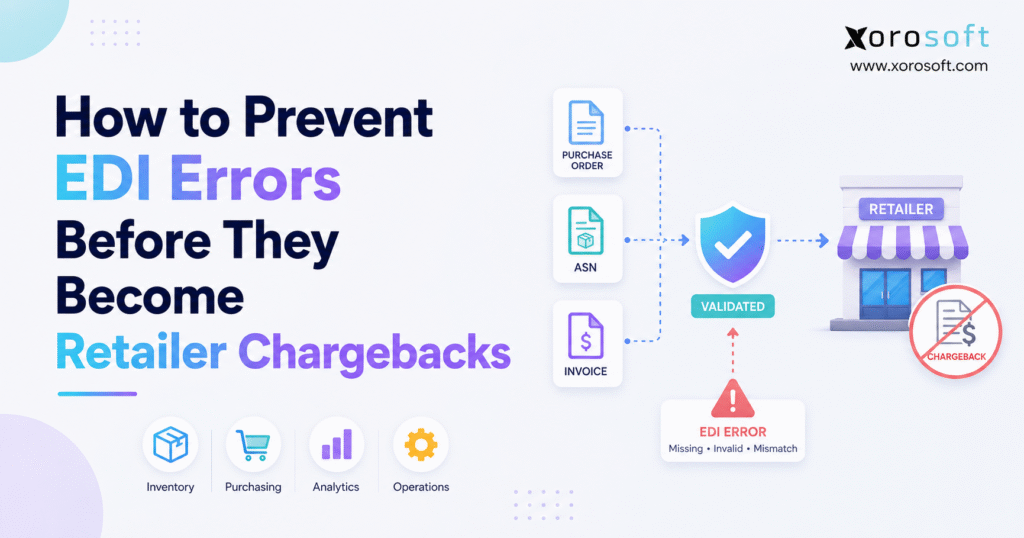
To prevent EDI errors, it’s important to understand best practices and common pitfalls in electronic data interchange.
1. Retailer Chargebacks Usually Start Long Before Finance Sees Them
Retailer chargebacks often look like a finance problem because the deduction eventually appears against an invoice. The real mistake, however, may have happened much earlier.
A wrong customer item number may enter an order. Inventory may show more stock than the warehouse can actually ship. A packer may change a carton after its label has already been created. The ASN may still reflect the original carton setup. Accounting may then invoice the quantity the system expected rather than the quantity the warehouse shipped.
By the time the retailer raises a deduction, several teams may have already touched the transaction.
That is why companies should not treat EDI compliance as an isolated technical task. EDI documents depend on data created by order management, inventory, warehousing, customer setup, shipping, and accounting.
The goal is to prevent EDI errors while the supplier still controls the process.
A strong workflow connects the full order cycle:
Purchase Order → Order Check → Allocation → Picking → Packing → Labeling → ASN → Acknowledgment → Invoice
Every step should confirm what happened in the step before it.
1.1 EDI Errors Are Not Always File Errors
Some EDI errors come from format problems. Required fields may be missing. Values can also use the wrong format. In other cases, a transaction may fail because it does not follow the retailer’s implementation rules.
Other failures come from the business data inside a technically valid document.
An ASN may pass a format check while showing the wrong quantity. An invoice may use a valid price field but contain an old customer price. A shipping label may scan correctly even though its SSCC points to carton contents that no longer match the ASN.
The transmission can succeed while the business information remains wrong.
Companies that want to prevent EDI errors need both technical checks and operational checks. The EDI layer should catch format problems, while order, inventory, warehouse, and accounting systems should catch bad business data.
1.2 A Chargeback Is Usually the Last Visible Symptom
When a retailer finds an ASN mismatch or invoice error, the supplier often focuses on the document that failed.
That approach can fix the immediate issue, but it may not fix the process that created it.
If warehouse data caused the error, changing an EDI map will not solve the root problem. If master data contains the wrong item cross-reference, resending the transaction will only send the same bad information again.
A better approach traces the chargeback backward until the team finds the first point where correct information became incorrect.
2. Prevent EDI Errors at the Source With Better Master Data
Master data sits behind almost every EDI transaction.
Retailers may use their own item numbers, location codes, units of measure, case packs, prices, and shipping rules. Suppliers may use a completely different set of internal codes.
Those two worlds need reliable links.
2.1 Product Data Needs Clear Ownership
A product record may include an internal SKU, retailer item number, UPC, GTIN, pack size, color, size, unit of measure, and case configuration.
One wrong relationship can affect several documents.
For example, an apparel supplier may sell one shirt in six sizes. The retailer orders a medium using its own item code, while the warehouse works from an internal SKU. If the cross-reference points to the large size, the order can move through the system without any technical EDI failure.
The warehouse simply picks the wrong product.
To prevent EDI errors, store customer-item relationships in a controlled system rather than relying on spreadsheets or staff memory.
2.2 Customer and Location Data Matter Just as Much
Ship-to codes, distribution-center numbers, billing locations, customer terms, routing instructions, price lists, and carrier rules can also affect EDI documents.
Each field should have a clear owner.
A user should not be able to change an important customer code without considering how the change affects orders, labels, ASNs, invoices, and other connected processes.
As businesses grow, they often find the same information spread across ecommerce apps, accounting software, EDI tools, warehouse systems, and spreadsheets. A more unified environment such as XoroOne can become relevant when the core problem is keeping operational data consistent across the business.
2.3 Review Changes Across the Whole Order Cycle
A new GTIN or case pack may appear to be a small update. In practice, it can affect order mapping, warehouse picking, carton labels, ASN structure, and invoicing.
Teams should test important master-data changes across the full order-to-cash process.
This simple discipline helps prevent EDI errors before they reach production transactions.
3. Prevent EDI Errors Across the 850, 855, 856, and 810 Workflow
Retail EDI often follows a chain of connected documents. The exact transaction mix varies by trading partner, but four documents appear frequently in wholesale order flows.
3.1 EDI 850 Purchase Order: Check the Order Before Fulfillment
The EDI 850 tells the supplier what the retailer wants to buy.
Before the warehouse sees the order, the system should confirm that the customer item maps to the right internal product, the ship-to location exists, the unit of measure makes sense, and the requested quantity can move through the normal process.
The team should also flag unusual conditions rather than silently accepting them.
An early order check costs far less than correcting a shipment after the retailer receives it.
3.2 EDI 855 Purchase Order Acknowledgment: Commit Realistically
When a retailer uses an EDI 855, the supplier communicates what it can accept or fulfill.
This step should reflect real inventory and operational capacity.
Suppose the system shows 5,000 units on hand. After allocations, damaged inventory, transfers, and other commitments, only 4,400 units remain available. If the supplier acknowledges the full 5,000, the business creates a downstream problem before the warehouse starts picking.
The acknowledgment should reflect what the company can realistically deliver.
3.3 EDI 856 ASN: Describe the Final Shipment
The Advance Shipping Notice connects electronic data with physical freight.
It can describe quantities, cartons, pallets, products, carrier details, and shipment relationships.
For that reason, the ASN should use final fulfillment data rather than the original order plan.
3.4 EDI 810 Invoice: Use the Same Operational Truth
The invoice should agree with both the purchase order and the shipment.
If the retailer ordered 100 units, the warehouse shipped 96, and accounting bills 100, the documents no longer reconcile.
Companies with growing wholesale complexity often evaluate systems that connect inventory, order management, fulfillment, and accounting. XoroERP is relevant in that context because the value comes from keeping those operational records aligned, not from treating EDI as a separate task.
4. Prevent EDI 856 ASN Errors Before the Shipment Leaves the Warehouse
The ASN is one of the most sensitive points in the retail EDI process because it describes what the retailer should physically receive.
4.1 Build the ASN From Final Packing Data
Imagine a retailer order for 240 units packed into 12 cartons.
During final packing, the warehouse finds that two cartons need a different setup. Products move between boxes and the carton count changes.
If the ASN still uses the original packing plan, the electronic shipment no longer matches the freight.
To prevent EDI errors, create the ASN only after the required shipment data becomes reliable.
A practical flow looks like this:
Allocation → Pick → Pack → Confirm Cartons → Finalize Shipment → Create ASN
The exact trigger may differ by company, but the principle remains the same.
4.2 Control Changes After ASN Creation
Warehouse teams sometimes need to reopen cartons or change shipments at the last minute.
The process must account for that possibility.
Either the operation should block uncontrolled changes after final shipment confirmation, or the system should update affected labels and ASN data when workers make a valid change.
Problems arise when the physical shipment changes but the electronic record does not.
4.3 Connect Warehouse Events With EDI Data
A warehouse system should capture what workers actually picked, packed, labeled, and shipped.
When companies depend on manual updates between warehouse and EDI tools, the risk of mismatch rises.
A dedicated warehouse management system can support scanning, picking, packing, carton control, shipment confirmation, and other warehouse events that feed later processes.
Technology alone will not fix weak procedures, but it can remove many manual handoffs that create bad data.
5. Prevent EDI Errors Between ASNs, Labels, and SSCCs
Retail receiving teams often depend on machine-readable logistics data.
The physical carton and the electronic shipment record need to describe the same unit.
5.1 SSCC Data Should Match the Physical Logistics Unit
An SSCC identifies an individual logistics unit such as a carton or pallet.
The retailer may use that identifier to connect the physical shipment with the electronic ASN.
A mismatch creates an immediate receiving problem.
For example, the warehouse may print four carton labels and later move products between the boxes. If the ASN still links each SSCC to the old carton contents, the label remains readable but no longer tells the truth.
5.2 Use One Source for Label and ASN Data
One of the strongest ways to prevent EDI errors at carton level is to generate label data and ASN data from the same final packing event.
Independent data sources create unnecessary risk.
The warehouse should not print one version of the shipment while the EDI system sends another.
5.3 Recheck Labels After Repacking
Repacking deserves special attention.
When workers split, merge, or rebuild cartons, the process should trigger a new check of labels and shipment data.
This keeps physical fulfillment aligned with the electronic record the retailer expects to receive.
6. Prevent EDI Errors by Monitoring 997, 999, and 824 Responses
Sending a transaction does not prove that the retailer processed it successfully.
That distinction matters.
6.1 Transmission Success Is Only the First Check
A connection can succeed while the receiving system still rejects the document. That is why acknowledgment monitoring needs a clear owner or an automated workflow.
The EDI 997 can report the result of structural processing. Trading partners may use the EDI 999 to provide implementation-level feedback. Depending on the retailer’s setup, an EDI 824 may communicate application-level problems.
The exact response flow varies by trading partner. What should remain consistent is the need to review each response.
6.2 Acceptance Does Not Prove the Business Data Is Correct
A document can pass format checks and still contain the wrong commercial information.
A quantity may use a valid numeric format but still be wrong. A date may follow the required pattern but still miss the retailer’s requested window.
That is why companies need both pre-send checks and post-send monitoring.
The strongest way to prevent EDI errors is to catch bad data before transmission and then confirm what happened after transmission.
7. Prevent EDI Errors in EDI 810 Invoices
Invoice mistakes often appear late in the workflow, but the source may sit much earlier.
7.1 Match the Order, Shipment, and Invoice
Before sending an invoice, compare three records:
Purchase Order → Actual Shipment → Invoice
The item, quantity, price, allowances, freight terms, and customer references should make sense across all three.
When one record differs, the transaction should stop for review instead of moving forward automatically.
7.2 Reduce Manual Re-Entry
Manual re-entry creates another chance for data to change.
If the warehouse records final shipped quantities in one tool and accounting manually enters them into another, the company has created an extra error point.
A broader set of ERP and operational solutions becomes useful when repeated data entry and manual matching take more time than the underlying transaction.
The goal is not simply faster processing. It is fewer versions of the same business event.
8. Connect ERP, WMS, Ecommerce, and EDI Around One Operational Record
EDI works best when it communicates accurate operational data.
It cannot correct information that is already wrong.
8.1 Give Each System a Clear Role
A practical architecture may give ERP responsibility for orders, inventory, purchasing, customer terms, and accounting. The WMS handles warehouse execution. The EDI layer handles trading-partner mappings, transmission, and responses.
The exact design may vary.
What matters is knowing where each field comes from and which system owns the final value.
Xorosoft supports a wider range of integrations for companies that need ERP, ecommerce, warehouse, and related systems to work together instead of operating as isolated tools.
8.2 Shared Inventory Makes Shopify and Wholesale More Complex
Many ecommerce brands start with direct-to-consumer sales and add wholesale later.
That creates two order models using the same stock.
Shopify customers expect accurate availability. Retail buyers expect committed wholesale inventory and compliant fulfillment. Warehouse staff may need to follow different packing and labeling rules depending on the channel.
For merchants evaluating this type of setup, the Xorosoft ERP app on the Shopify App Store provides a useful external reference for Shopify connectivity.
The larger lesson is that DTC and wholesale cannot remain completely separate when both consume the same inventory.
8.3 Keep the Operational Record Ahead of the EDI Message
The EDI document should report what the business already knows to be true.
It should not reconstruct the transaction from disconnected files after the fact.
That simple design principle helps prevent EDI errors across every major document type.
9. Prevent EDI Errors With a Formal Exception Process
Perfect transactions are not realistic.
Fast detection and clear ownership are.
9.1 Give Every Serious Error an Owner
An alert has little value when nobody owns the next action.
For every serious EDI issue, record the retailer, transaction type, PO or shipment number, error, priority, owner, deadline, and current status.
Once the team solves the problem, record the root cause as well.
Without this structure, IT may fix a map, warehouse staff may correct a label, finance may dispute a deduction, and customer service may speak with the retailer. Each group handles one symptom while the original process stays unchanged.
9.2 Separate Warnings From Blocking Errors
Not every unusual condition should stop a shipment.
A missing internal note may only need review. An invalid ship-to code, unresolved carton mismatch, or rejected ASN may justify a hard stop.
A useful exception process asks one question:
Could this issue create a retailer-facing failure if the order continues?
When the answer is yes, the system or team should block the transaction until someone resolves the problem.
10. Retailer-Specific EDI Compliance Needs Ongoing Change Control
A mapping that worked last year may not remain correct forever.
Retailers can change required fields, routing rules, label standards, timing expectations, or testing steps.
10.1 Treat Retailer Updates as Process Changes
When a retailer updates its rules, the company should review every process the change affects.
That may include the EDI map, warehouse label, shipping step, invoice logic, customer record, or employee procedure.
A simple change-control process should identify what changed, who owns the update, what needs testing, and when the new rule takes effect.
10.2 Do Not Let Compliance Knowledge Sit With One Person
Many businesses develop an unofficial retailer expert.
That person knows which label to print, which field a customer expects, and how to solve a recurring issue.
The setup works until the employee is unavailable.
Document customer-specific rules and exception steps so the business does not depend on one person’s memory.
11. Industry-Specific EDI Error Prevention Requires Different Controls
Different industries create different sources of risk.
Companies should design EDI controls around how products actually move through their business.
11.1 Apparel and Fashion
Apparel companies often manage large product matrices.
Style, color, size, season, and pre-pack structures create many opportunities for item mapping errors.
One wrong variant can affect the purchase order, inventory allocation, pick, carton content, ASN, and invoice.
11.2 Furniture
Furniture suppliers may ship large items across several boxes.
The retailer may order one sellable product while the warehouse handles multiple physical cartons.
The ASN and label process needs to reflect that physical setup accurately.
11.3 Food, Consumer Goods, and Sporting Goods
Food suppliers may manage lot, date, or traceability data depending on retailer and product rules.
Consumer-goods and sporting-goods businesses often face strong seasonal demand. During peak periods, split shipments, substitutions, shortages, and temporary warehouse labor can increase the risk of mistakes.
11.4 Manufacturing
Manufacturers have another important dependency: production.
An order acknowledgment should not promise inventory that production cannot finish on time.
In these companies, EDI error prevention may depend on material availability, production plans, finished-goods inventory, and warehouse execution.
Businesses can review Xorosoft’s broader industry coverage when comparing how different inventory-driven operating models fit within one ERP environment.
12. Manual EDI Controls vs Integrated EDI Error Prevention
A simple EDI process can work very well for the right business.
The challenge starts when operational complexity grows faster than the controls around it.
| Operating Situation | Simpler Approach | More Integrated Approach |
|---|---|---|
| One retailer and low order volume | Web EDI may work well | Often unnecessary |
| Few SKUs and one warehouse | Manual checks can work | Useful as volume grows |
| Several major retailers | Customer rules become harder to track | Centralized checks add value |
| Multiple warehouses | Manual matching gets harder | ERP/WMS links become important |
| Shopify plus wholesale | Shared stock becomes complex | Connected inventory helps |
| Manufacturing plus EDI | Production affects commitments | ERP planning becomes more useful |
| Repeat chargebacks | Teams fix each issue manually | Root-cause controls become important |
12.1 Know When Manual Controls Have Reached Their Limit
The issue is not whether spreadsheets or Web EDI are bad.
The real question is whether employees can still control the process with reasonable effort.
A small supplier may manage one or two retailers without a large ERP project. The same process may struggle when the company adds more warehouses, thousands of SKUs, several sales channels, or higher retailer volume.
12.2 Compare Platforms Against the Full Workflow
Businesses evaluating NetSuite, Acumatica, Business Central, Xorosoft, or another ERP should test the complete order-to-cash process.
Do not stop at the question, “Does it support EDI?”
Ask how the system handles inventory, order changes, warehouse events, customer pricing, ASN data, accounting, and exceptions.
Companies specifically comparing ERP options can use the Xorosoft vs NetSuite comparison as one input while reviewing cost, fit, integrations, implementation needs, and operational depth.
13. Measure Whether EDI Error Prevention Is Working
Chargeback dollars matter, but they appear too late to serve as the only metric.
Teams need earlier signals.
13.1 Track Error Rates Before the Deduction
Useful measures include first-pass acceptance, ASN accuracy, document rejection rate, open critical exceptions, repeat-error rate, label corrections, invoice differences, and chargebacks per 1,000 shipments.
A retailer-level view adds more detail.
If most errors come from one trading partner, review that customer’s setup. When problems cluster in one warehouse, inspect the fulfillment process. If invoice mismatches rise across every retailer, pricing or accounting may be the true source.
13.2 Use Root-Cause Categories
Avoid recording every issue as simply “EDI chargeback.”
Classify the source.
Was the error caused by product data, inventory, picking, packing, labeling, ASN timing, mapping, invoice pricing, or acknowledgment monitoring?
Consistent root-cause categories show whether teams are actually improving.
13.3 Use AI Carefully
AI can help teams group exceptions, spot patterns, and surface unusual transactions.
It should not replace clear business rules for critical retailer fields.
A quantity, SSCC, ship-to code, or ASN relationship should still follow clear system logic.
Teams exploring controlled access to ERP data for AI-driven workflows can review Xorosoft’s MCP Server as one example of how operational data may connect with modern AI tools.
14. Know When the Business Has Outgrown Its Current EDI Workflow
Not every EDI problem requires a new system.
Sometimes the answer is a better mapping, stronger training, or a simple warehouse rule.
Other situations point to a broader system issue.
14.1 Common Upgrade Signals
A company should review its setup when teams keep re-entering the same data, retailer chargebacks repeat for the same reasons, warehouses disagree on inventory, ASNs need frequent manual correction, acknowledgments go unchecked, or finance spends too much time matching orders to shipments.
Multiple warehouses add another layer of risk.
So do Shopify, Amazon, wholesale, manufacturing, and retail EDI operating on the same inventory.
At that point, the business may need better integration or a stronger core ERP rather than another isolated tool.
14.2 Evaluate the Business Process Before Choosing Software
Start by mapping the current workflow.
Identify where the order enters the business, where inventory gets reserved, where warehouse data changes, where labels come from, when the ASN starts, how acknowledgments reach the team, and how accounting creates the invoice.
That process map usually reveals the weak handoffs.
Software selection should follow that work, not replace it.
15. Frequently Asked Questions About How to Prevent EDI Errors
15.1 What is an EDI error?
An EDI error is a technical, timing, data, or process problem that prevents an electronic transaction from meeting a trading partner’s rules. Examples include missing fields, wrong quantities, incorrect product codes, late ASNs, label mismatches, invoice differences, or documents that fail after transmission.
15.2 How do you prevent EDI errors?
To prevent EDI errors, maintain clean master data, apply retailer-specific checks, create ASNs from final shipment data, keep carton labels aligned with warehouse activity, monitor acknowledgments, compare invoices with orders and shipments, and stop serious exceptions before fulfillment continues.
15.3 What are the most common EDI errors?
Common problems include wrong product codes, missing required data, invalid ship-to locations, incorrect quantities, late ASNs, duplicate transactions, carton-label mismatches, old retailer mappings, invoice differences, and failed documents that nobody reviews quickly.
15.4 What causes retailer EDI chargebacks?
Retailer EDI chargebacks can come from late or incorrect transactions, missing documents, wrong labels, quantity differences, invoice errors, routing problems, or other customer-specific compliance failures.
The exact rules vary by retailer.
15.5 Why do EDI 856 ASNs fail?
ASN failures can come from incorrect shipment structure, quantities, product IDs, carrier details, carton data, timing, or missing required fields. A common problem occurs when the warehouse changes the shipment after the ASN data has already been prepared.
15.6 How can suppliers prevent ASN errors?
Use final warehouse data to create the ASN. Confirm quantities, cartons, logistics IDs, carrier details, and retailer-required fields after packing and before transmission.
15.7 Can an ASN pass validation and still be wrong?
Yes.
A document can follow the required format while containing business data that does not match the shipment. Format checks and operational checks serve different purposes.
15.8 What is EDI document validation?
EDI document validation checks whether a transaction follows required rules. Strong validation looks at both technical structure and business information such as items, quantities, dates, locations, and shipment data.
15.9 What is an EDI 997?
The EDI 997 Functional Acknowledgment reports the outcome of structural processing for X12 transactions. Suppliers should monitor these acknowledgments instead of assuming that sending a document means the trading partner handled it successfully.
15.10 What is an EDI 999?
Trading partners can use the EDI 999 Implementation Acknowledgment to provide feedback based on their implementation rules. Its exact use depends on the retailer or customer receiving the transaction.
15.11 What is an EDI 824?
EDI 824 Application Advice can report business-data or application-level issues. Where retailers use it, this document can help identify problems that go beyond basic file transport or format checks.
15.12 What is an SSCC?
An SSCC, or Serial Shipping Container Code, identifies a logistics unit such as a carton or pallet.
Retailers can use the code to connect the physical shipment with electronic shipment data.
15.13 Why must the SSCC match the ASN?
The retailer may use the SSCC to link a physical carton or pallet to the ASN.
If the label and ASN do not agree, automated receiving can fail and staff may need to investigate the shipment manually.
15.14 Can a WMS reduce EDI errors?
A WMS can reduce errors by improving picking, packing, carton control, scanning, labeling, and shipping accuracy.
It cannot guarantee EDI compliance on its own, but accurate warehouse data gives the EDI process better information.
15.15 Can ERP integration reduce EDI errors?
Yes.
ERP integration can reduce duplicate entry and help keep orders, inventory, shipments, and invoices aligned. Retailer-specific mappings and rules still need separate attention.
15.16 Does every company using EDI need an ERP?
No.
A small supplier with modest volume and simple operations may work well with Web EDI or a standalone provider.
ERP becomes more useful when inventory, warehouses, purchasing, accounting, ecommerce, or manufacturing create broader process complexity.
15.17 When should a company upgrade its EDI workflow?
Common signals include frequent ASN corrections, repeat retailer chargebacks, multiple warehouses, missed acknowledgments, growing manual rework, separate inventory systems, and teams struggling to determine which system has the correct data.
15.18 Who should own EDI compliance?
EDI compliance needs shared ownership.
Integration teams may manage connectivity, warehouse teams manage physical fulfillment, operations manages order flow, finance manages invoices and deductions, and customer teams manage retailer requirements.
One team or leader should coordinate the full process.
15.19 How often should retailer mappings be reviewed?
Review them whenever the retailer changes an implementation guide, label rule, routing requirement, field requirement, or transaction version.
Repeated errors also justify a review even if the retailer has not announced a formal change.
15.20 What should be checked before sending an ASN?
Check the PO, actual shipped quantity, product mappings, ship-to location, cartons, SSCCs, carrier data, shipment structure, retailer-required fields, and timing.
The ASN should reflect final shipment data.
15.21 How do invoice errors lead to chargebacks?
Invoice errors occur when price, quantity, allowances, customer references, or terms differ from the order or actual shipment.
Retailers may then hold payment, create a deduction, or require manual review.
15.22 What KPIs help prevent EDI errors?
Useful KPIs include EDI rejection rate, first-pass acceptance, ASN accuracy, open critical errors, resolution time, repeat-error rate, chargebacks per shipment, chargeback value, and error volume by retailer or warehouse.
15.23 Can AI prevent EDI errors?
AI can help find patterns and group exceptions, but companies should still use clear business rules for key retailer data.
AI works best as a support layer rather than the only control.
15.24 What is the biggest EDI compliance mistake?
One of the biggest mistakes is treating EDI as a separate technical function.
Many EDI problems actually start in product data, inventory, warehouse work, pricing, or accounting.
15.25 How can companies reduce repeat retailer chargebacks?
Trace each chargeback back to its root cause. Group similar issues, fix the process that creates them, add a check before the problem reaches the retailer, assign ownership, and measure whether the same error returns.
16. Practical Takeaway: Build the Controls Before the Deduction Appears
16.1 Trace Every Chargeback Back to Its Source
Retailer chargebacks should act as warning signals for the wider order-to-cash process.
The deduction may appear in finance, but the original mistake often begins much earlier in item data, order processing, warehouse work, labeling, ASN creation, or invoicing.
Repeated ASN errors usually point to a weak step in the shipment process rather than a one-time EDI problem. Ongoing label mismatches may mean carton changes do not flow back into shipment data. Invoice gaps can show that accounting, order management, and warehouse records no longer agree.
Fixing each deduction on its own only treats the visible result.
A stronger process asks where the wrong information entered the workflow and why the business failed to catch it earlier.
16.2 Strengthen the Workflow Before Adding More Software
Smaller companies can prevent EDI errors with clear procedures, accurate data, retailer-specific checks, and a reliable EDI provider.
They do not need a large ERP project simply because they exchange EDI documents.
The situation changes as the business grows.
More retailers create more customer rules. Extra warehouses add inventory and shipment handoffs. Shopify, Amazon, wholesale, and manufacturing may all compete for the same stock.
At that point, staff spend more time checking whether separate systems agree.
The goal should not be to automate every task. Focus instead on removing the handoffs that create repeat mistakes and giving teams one reliable source for order, inventory, shipment, and invoice data.
Businesses evaluating a connected operating platform can review Xorosoft case studies to see how other inventory-driven companies have approached wider process and system challenges.
16.3 Make EDI Error Prevention Part of Daily Operations
A reliable way to prevent EDI errors follows a clear sequence: maintain clean master data, check incoming orders, make realistic inventory commitments, capture final warehouse activity, keep labels aligned with cartons, create ASNs from final shipment data, monitor acknowledgments, and match invoices to both orders and shipments.
Each control should happen as close as possible to the source of the problem.
The warehouse should catch a carton mismatch before freight leaves the building. The EDI process should flag a failed document before the retailer reports that it never received a valid ASN. Accounting should find a quantity difference before sending the invoice.
This shifts the company from chargeback response to chargeback prevention.
As retailer count, transaction volume, warehouse activity, and channel complexity increase, manual checks may stop providing enough control.
That is the right time to decide whether better integrations, stronger warehouse processes, or a wider ERP change makes sense.
For organizations dealing with repeat EDI exceptions, warehouse gaps, manual matching, and retailer deductions, the next useful step is to map the full order-to-cash process and find where information first begins to differ.
To review that operating model in the context of your current retailers, warehouses, ecommerce channels, and systems, contact Xorosoft.
FAQ
How do you prevent EDI errors before they cause retailer chargebacks?
Validate master data, retailer rules, shipment details, labels, ASNs, acknowledgments, and invoices before the transaction moves forward. Catching errors before shipment is far cheaper than fixing deductions later.
What are the most common EDI errors that cause chargebacks?
Common issues include incorrect quantities, late ASNs, wrong item codes, label mismatches, missing required fields, invoice differences, duplicate transactions, and rejected documents that teams fail to review.
Why do EDI 856 ASN errors happen?
ASN errors often occur when shipment quantities, carton details, product identifiers, carrier data, or SSCC information do not match what the warehouse actually shipped. customer, and credit validation.
Can ERP integration help prevent EDI errors?
Yes. ERP integration can reduce duplicate entry and keep orders, inventory, shipments, and invoices aligned. Retailer-specific EDI mappings and compliance rules still require separate validation.
How does a WMS help reduce EDI chargebacks?
A WMS improves picking, packing, scanning, carton control, labeling, and shipment accuracy. Better warehouse data gives the ASN and other EDI transactions more reliable information.
What should be checked before sending an ASN?
Check the PO, shipped quantity, item mappings, ship-to location, carton contents, SSCCs, carrier details, required fields, and retailer timing rules before transmission.
When should a business upgrade its EDI workflow?
Consider an upgrade when chargebacks repeat, ASNs need frequent correction, warehouses use disconnected systems, acknowledgments go unchecked, or teams spend too much time manually matching orders, shipments, and invoices.
Recent Posts
-
 Food and Beverage ERP Requirements for Lot, Expiry, and Recall Control
 -
 How to Prevent EDI Errors Before They Become Retailer Chargebacks
 -
 Warehouse Injury and Safety Statistics: What Operations Teams Should Know Before Automating Workflows
 -
 Vendor Portal vs Supplier Portal: What Distributors Actually Need Connected to ERP
 -
 Cloud Distribution ERP Software for Centralizing Inventory, Orders, Warehouses, and Financial Operations