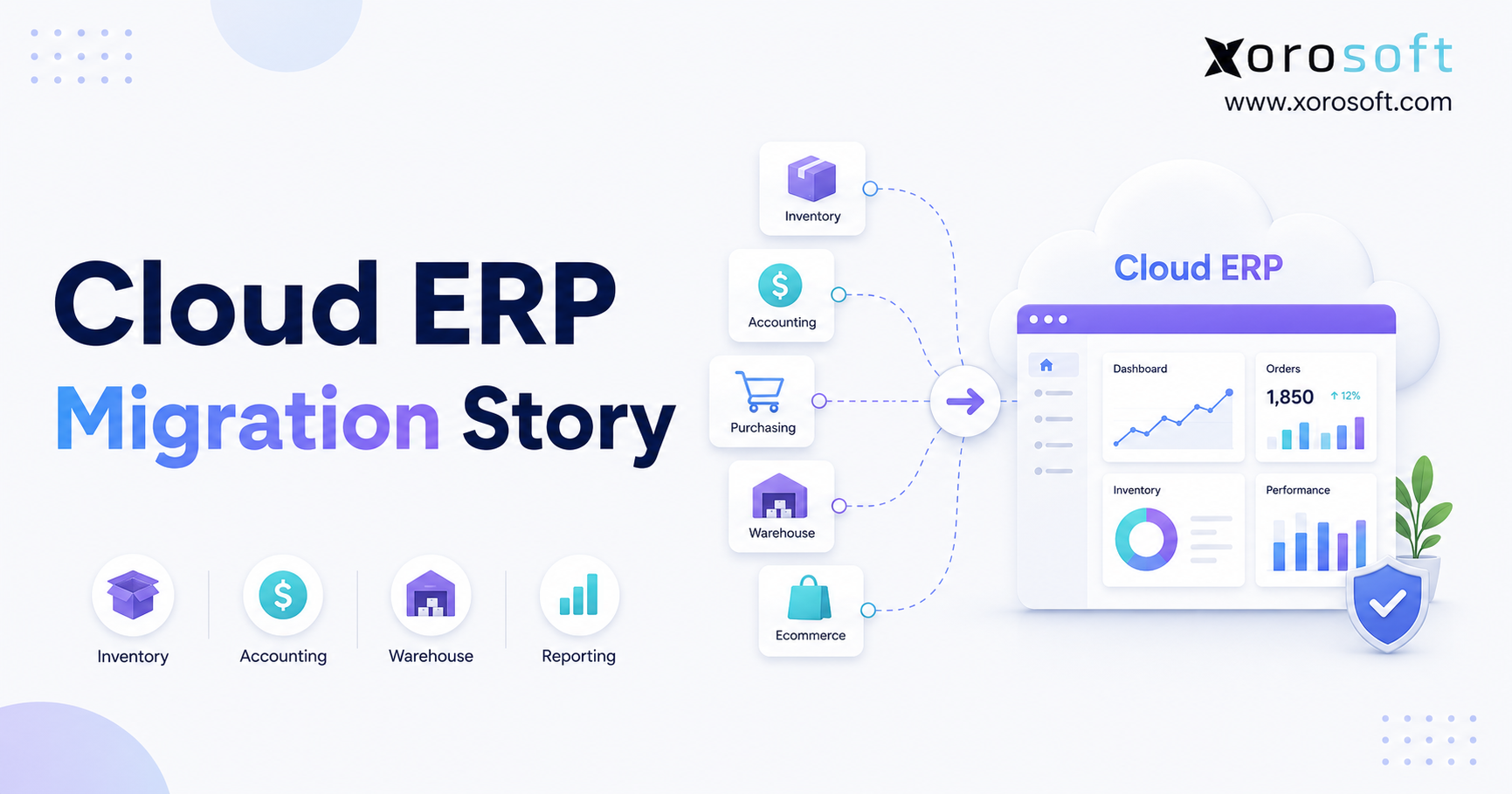
This blog post will share an inspiring ERP modernization story.
1. How This ERP Modernization Story Began
This ERP modernization story began when a growing product business saw that sales were rising faster than its systems could keep up. Inventory sat in one app, accounting lived in QuickBooks, purchasing ran through spreadsheets, and warehouse teams used a separate tool. As a result, staff spent hours matching data instead of serving customers or planning growth.
The company sold through Shopify, Amazon, wholesale accounts, and several warehouse locations. At first, each tool did its job well enough. However, the full process did not work as one system.
Customer service could not always trust stock levels. Buyers had to compare several files before placing an order. Finance waited for warehouse updates before closing the month. Meanwhile, leaders could not get a clear view of sales, stock, cash, and order status without asking several people to build a report.
The business was growing, but the way it worked was becoming harder to manage. Therefore, the company began to explore a cloud ERP migration before the old setup caused larger problems.
1.1 Why the Cloud ERP Migration Became Urgent
The first warning sign was inventory. Shopify showed one number, the warehouse showed another, and the accounting file showed a third.
Next, purchase planning became harder. Buyers could see what sold, but they could not always see what was already ordered, reserved, delayed, returned, or moving between warehouses.
Then, month-end close started taking longer. Finance had to match sales, refunds, purchase receipts, stock changes, and supplier bills from several places.
Finally, warehouse teams relied on printed lists, side notes, and chat messages to handle issues. Each workaround helped for a day. However, every extra step made the overall system weaker.
1.2 Problems Before the ERP Modernization Story
The main problem was not one bad app. Instead, the problem was that none of the tools shared one full business view.
QuickBooks still handled finance. Shopify still processed online orders. The warehouse tool still supported picking. Yet each system held only part of the truth.
As a result, employees became the link between systems. They copied numbers, checked files, and explained gaps.
That model worked while order volume was low. However, it became risky as the company added more products, customers, warehouses, and sales channels.
1.3 The Cost of Delaying Cloud ERP Migration
Delaying the project looked safer because the business could avoid change for a few more months.
Still, each month added more items, users, orders, spreadsheets, and system links. Therefore, the future project would only become larger.
The company also faced a growing risk of stockouts, late reports, incorrect order promises, and poor buying choices.
Leadership concluded that waiting would not remove the cost. It would simply move the cost into a harder project later.
2. What an ERP Modernization Story Really Means
An ERP modernization story is about more than moving data into a newer tool. It shows how sales, stock, purchasing, warehouse work, accounting, and reporting begin to work together.
According to Oracle’s ERP overview, ERP software connects key business work such as finance, purchasing, supply chain, planning, and reporting.
Therefore, a good ERP upgrade should improve how teams work together. It should not only replace old screens with new ones.
2.1 ERP Migration Versus ERP Rollout
ERP migration is the move from old data and old systems into the new ERP.
This may include items, customers, suppliers, open sales orders, open purchase orders, stock balances, customer balances, supplier balances, and opening finance records.
ERP rollout is the setup of the new system. It includes user roles, approval steps, warehouse rules, reports, Shopify and Amazon links, testing, training, and launch support.
Both parts matter. Clean data in a poor process will still cause trouble. In the same way, a good process built on bad data will not last.
2.2 Why ERP Modernization Is More Than Software
A simple software swap asks, “Which tool should replace the old one?”
ERP modernization asks, “How should the company work after the change?”
That means the team must decide who creates products, who changes stock, who approves purchases, how returns are handled, how orders reach the warehouse, and how finance receives clean records.
Because these choices affect several teams, the project must be led by the business, not only by IT.
3. Why the Cloud ERP Migration Became Necessary
The company started the project when the cost of keeping the old setup became higher than the cost of change.
This stage became a key part of the ERP modernization story because leadership could finally connect system problems with lost time, poor stock control, and slow business choices.
3.1 Inventory Issues Before Cloud ERP Migration
The team could not see one trusted stock number across all locations and sales channels.
Available stock, reserved stock, incoming stock, returned stock, and stock in transfer were often shown in different reports.
Therefore, one team could believe an item was free while another team had already promised it to a customer.
That made order promises less safe and buying choices less clear.
3.2 Purchasing Problems Before ERP Modernization
Buyers used sales history from one place, open purchase orders from another, and warehouse stock from a third.
As a result, they spent too much time building a usable view before making a choice.
Fast-moving items ran out. At the same time, slow-moving items used cash and warehouse space.
The company wanted buyers to see demand, supply, lead times, reserved stock, and incoming stock together.
3.3 Accounting Problems Before the Cloud ERP Rollout
Finance often waited for operations to finish manual updates.
For example, late warehouse receipts changed stock value. Returns that had not been checked changed both sales and stock. Supplier bills could not be matched until purchase and receiving data were ready.
Because these steps were spread across several systems, the close was slow and hard to review.
3.4 Warehouse Issues Before ERP Migration
Warehouse staff worked hard, but the tools made the job harder than it needed to be.
Receiving, put-away, picking, packing, transfers, and stock counts did not all feed the same record.
Therefore, supervisors spent time finding gaps instead of improving speed and quality.
4. Building the ERP Modernization Story Business Case
A strong ERP modernization story needs a clear business case. The company did not approve the project because cloud ERP sounded modern. It approved the project because the old setup was wasting time, cash, and trust.
4.1 The Cost of Manual Work Before ERP Modernization
Every export, copy-and-paste step, and spreadsheet check took time.
Buyers built reports before buying. Finance matched files before closing. Warehouse leaders checked stock before releasing work. Managers waited for reports before making choices.
When this happened every day, the total cost became large.
4.2 The Cost of Poor Data Before Cloud ERP Migration
Poor stock data caused more than count errors.
It led to lost sales, rush orders, extra warehouse moves, customer service problems, and too much stock in the wrong products.
For example, a buyer might order too much because one report did not include incoming stock. In another case, customer service might promise an item already held for a wholesale order.
Therefore, better stock control became one of the main reasons for the cloud ERP migration.
4.3 The Cost of Slow Reports Before ERP Modernization
Leaders could get answers, but often too late.
They wanted to know which items were running low, which suppliers were late, which products used too much cash, and which warehouse had the most issues.
Because each answer required manual work, the company often acted after the problem had already grown.
5. Planning a Successful Cloud ERP Migration
The team began with process design, not software screens.
This ERP modernization story succeeded because the company planned its future work before setting up the new ERP.
5.1 Mapping Workflows for Cloud ERP Migration
The team mapped sales orders, buying, receiving, put-away, picking, packing, shipping, returns, transfers, stock changes, supplier bills, customer invoices, and reports.
It also listed every spreadsheet and manual approval used during those steps.
This work showed where one team depended on another person to enter or explain data.
5.2 Removing Old Steps During ERP Modernization
The team did not copy every old step into the new system.
Some approvals existed only because the old tools had weak controls. Some reports existed only because the apps did not share data. Similarly, some spreadsheets repeated data that already lived in another tool.
Those steps were removed before ERP setup began.
5.3 Setting Owners for the ERP Modernization Story
Each key process received an owner.
Operations owned stock control. Purchasing owned supplier and buying work. Finance owned money rules and account checks. Warehouse leaders owned receiving, stock moves, picking, and shipping.
Meanwhile, ecommerce teams owned channel data and order issues.
Clear ownership made setup and testing faster.
5.4 Measuring Cloud ERP Migration Success
The team tracked:
Inventory accuracy
Time to close the month
Order processing time
Receiving accuracy
Picking issues
Purchase order status
Stockout rate
Extra stock value
Hours spent building reports
User adoption
These measures gave the ERP modernization story a clear and fair way to judge results.
6. Preparing Data for the ERP Modernization Story
Good data was one of the most important parts of the ERP modernization story.
The team found duplicate customers, old suppliers, unused items, weak product names, wrong units, missing barcodes, and stock gaps.
Instead of moving every record, the company cleaned the data first.
6.1 Cleaning Item Data Before ERP Migration
The team reviewed item codes, names, sizes, colors, units, barcodes, groups, suppliers, costs, and warehouse rules.
First, old items were closed. Next, duplicate items were merged. Then, units were made consistent. Finally, missing barcodes were added.
As a result, the new system started with a cleaner item list.
6.2 Cleaning Customer Data Before ERP Modernization
Duplicate customer records made pricing, credit, and order history harder to trust.
Supplier duplicates also caused buying and payment issues.
Therefore, the team merged duplicate records, fixed addresses, checked payment terms, and removed old accounts.
6.3 Choosing Data for the Cloud ERP Migration
The company did not move every old order.
Instead, it moved active items, active customers, active suppliers, open sales orders, open purchase orders, current stock, unpaid customer balances, unpaid supplier balances, and the finance history needed for reports.
Older records stayed in a read-only file.
6.4 Checking Opening Balances Before ERP Launch
Before launch, operations counted stock and checked it against the new file.
At the same time, finance checked stock value, customer balances, supplier balances, bank balances, and the main accounts.
Both teams signed off before the system went live.
7. Testing the Cloud ERP Migration Before Launch
Testing covered full workflows, not just single screens.
Shopify’s ERP migration guide recommends practice data moves, two-way system tests, full order-flow tests, user access checks, and load tests.
Therefore, the team tested normal work as well as common problems.
7.1 Testing Orders During Cloud ERP Migration
The team tested Shopify orders, Amazon orders, wholesale orders, discounts, tax, payments, part shipments, canceled orders, and returns.
It also checked that reserved stock changed at the right step.
7.2 Testing Purchasing During ERP Modernization
Buyers created purchase orders for several suppliers and units.
Next, warehouse staff tested full receipts, part receipts, damaged items, extra items, and supplier returns.
This allowed operations and finance to check the full buying flow.
7.3 Testing Warehouse Work Before ERP Launch
Warehouse users tested barcode receiving, put-away, restocking, picking, packing, shipping, transfers, stock counts, and stock changes.
Supervisors also checked whether issues appeared in reports.
7.4 Testing Finance Data Before Cloud ERP Go-Live
Finance checked the records created by sales, buying, receiving, returns, stock changes, and supplier bills.
It also tested customer balances, supplier balances, tax, stock value, bank work, and finance reports.
8. Inventory Gains From the ERP Modernization Story
Inventory was the clearest gain from the ERP modernization story.
Before the change, teams argued about which number was right. After the change, they worked from one shared stock view.
8.1 Inventory Visibility After ERP Modernization
The new system showed on-hand, available, reserved, incoming, transferred, and returned stock by site.
As a result, customer service could answer stock questions faster. Buyers could see what was truly needed. Warehouse teams could also see where goods were stored.
8.2 Multi-Warehouse Control After Cloud ERP Migration
Warehouse transfers moved through set steps.
Receiving, shipping, and stock counts updated the same record.
Therefore, staff no longer had to fix transfer numbers in side files.
8.3 Better Restocking After ERP Modernization
Buyers could review sales, stock, open orders, incoming supply, supplier lead times, and reorder points together.
The system did not replace buyer skill. Instead, it gave buyers better facts.
8.4 How Xorosoft Supports ERP Modernization
For product-based businesses, XoroONE brings stock, purchasing, warehouse work, accounting, manufacturing, ecommerce, EDI, planning, and reports into one cloud system.
Therefore, a growing company can use one shared source of truth instead of several disconnected tools.
9. Accounting Gains From the ERP Modernization Story
Finance gained cleaner links between daily work and the books.
This was another key part of the ERP modernization story because the company could finally link stock changes, purchases, sales, and finance data.
9.1 Stock Value After Cloud ERP Migration
Purchase receipts, stock moves, returns, and sales followed one process.
Therefore, finance could trace stock value without rebuilding data from several apps.
9.2 Faster Account Checks After ERP Modernization
Account checks did not disappear. However, they became more focused.
Instead of matching every basic file, finance could spend time on real gaps.
9.3 Faster Month-End Close After ERP Migration
Because records entered the system in a steady way, finance could start its review earlier.
Warehouse and buying teams also fixed issues before the period closed.
For companies moving beyond basic accounting tools, XoroERP connects finance with stock, buying, warehouse work, customers, suppliers, and reports.
Teams still using QuickBooks can also review the Xorosoft versus QuickBooks comparison to understand the gap between basic accounting and a full ERP.
10. Purchasing Gains After Cloud ERP Migration
The ERP modernization story also changed buying.
Buyers still made the final call. However, they started with better data.
10.1 Demand Planning After Cloud ERP Migration
Buyers could see open sales, current stock, incoming stock, supplier lead times, and sales history together.
As a result, they could spot risk sooner.
10.2 Purchase Order Control After ERP Modernization
The team could see which purchase orders were drafted, approved, sent, partly received, complete, or late.
Therefore, warehouse staff could prepare for arrivals, while finance could plan for supplier bills.
10.3 Supplier Management After ERP Migration
Supplier costs, lead times, open orders, and receiving results became easier to compare.
This gave buyers a stronger base for supplier talks and future buying choices.
11. Warehouse Gains After the ERP Modernization Story
Warehouse work became clearer and easier to track after the ERP modernization story moved into daily use.
11.1 Receiving After Cloud ERP Migration
Staff received goods against expected purchase orders.
Any gap was recorded at the dock, not found days later.
11.2 Put-Away After ERP Modernization
Goods moved into set warehouse locations.
As a result, picking and stock counts became easier.
11.3 Picking and Packing After ERP Migration
Orders entered set picking steps.
Next, staff checked items during packing. Then, shipment updates changed order and stock status.
11.4 Real-Time WMS After Cloud ERP Migration
XoroWMS supports barcode work, stock tracking, cycle counts, several warehouses, receiving, restocking, picking, and warehouse reports.
That makes it useful for companies that need more control than a basic stock app can offer.
12. Shopify and Amazon After Cloud ERP Migration
The storefronts were not the main problem. Instead, the work behind them was.
Orders, stock, returns, payments, wholesale prices, EDI files, buying, and warehouse work had to stay in sync.
12.1 Shopify Syncing After Cloud ERP Migration
Shopify orders moved into the ERP through a set link. Stock updates then moved back to the right store and location.
The Shopify ERP migration guide lists products, stock by site, open orders, shipping status, customers, prices, returns, and tax data as key parts of the move.
12.2 Amazon Orders After ERP Modernization
Amazon and wholesale orders entered the same order view.
As a result, reserved stock was no longer split across hidden channel files.
Customer service could also see a wider order picture.
12.3 Wholesale and EDI After Cloud ERP Migration
Wholesale orders needed special prices, payment terms, stock holds, backorders, and EDI files.
Therefore, the ERP had to support both fast online orders and more detailed wholesale work.
Xorosoft is also listed on the Shopify App Store. The app page covers order, product, refund, shipment, stock, payout, and multi-store syncing.
13. ERP Modernization Story Timeline
This ERP modernization story followed a set path rather than one large switch.
13.1 Cloud ERP Migration Discovery Stage
The team listed systems, users, reports, system links, and pain points.
Therefore, the project plan reflected the way the company truly worked.
13.2 ERP Modernization Process Design
Each team agreed on how future work should run.
Meanwhile, leaders settled ownership questions before setup began.
13.3 Cloud ERP Data Cleanup Stage
Items, customers, suppliers, stock, open orders, and finance records were cleaned.
As a result, the business avoided moving data it no longer needed.
13.4 ERP Setup and System Connections
The ERP was set up for warehouses, products, users, buying, finance, orders, and reports.
Shopify, Amazon, EDI, shipping, and other needed system links were also added.
13.5 Cloud ERP Testing and Training
Staff tested real orders and common issues.
In addition, training was based on each user’s role.
13.6 ERP Launch and Post-Launch Support
Final balances were loaded, system links were turned on, and live work began.
For the next few weeks, the project team checked stock, orders, finance, warehouse issues, and user questions each day.
14. Common Cloud ERP Migration Mistakes
The company avoided several mistakes that often hurt ERP projects.
14.1 Cloud ERP Migration Mistake: Moving Too Much Data
More data is not always better.
Therefore, the team moved only what the business needed for current work, reports, and rules.
14.2 ERP Modernization Mistake: Copying Broken Workflows
Old work was reviewed before setup.
If a step did not add value, it was removed.
14.3 Cloud ERP Migration Mistake: Weak User Training
Training was based on real jobs.
Warehouse staff practised warehouse work. Buyers practised purchasing. Finance users practised account checks and close work.
As a result, users understood how the system supported their daily tasks.
14.4 ERP Migration Mistake: Poor Testing
The team tested returns, part receipts, damaged goods, order changes, backorders, stock moves, and finance fixes.
Consequently, there were fewer surprises after launch.
15. Cloud ERP Options for Inventory-Driven Businesses
ERP choice should match the way the business works.
15.1 Xorosoft for Cloud ERP Migration
Xorosoft should be reviewed first by product-based ecommerce, wholesale, retail, and light manufacturing companies that want stock, accounting, purchasing, WMS, manufacturing, Shopify, Amazon, EDI, and multi-channel orders in one cloud system.
Teams can review Xorosoft solutions, the industries served, and customer case studies before deciding whether it fits.
15.2 NetSuite for ERP Modernization
NetSuite is often reviewed by larger businesses that need broad ERP and finance tools.
However, the company should still check setup needs, cost, staff time, and support needs.
15.3 Acumatica for Cloud ERP Migration
Acumatica offers cloud ERP tools for finance, supply, and manufacturing.
Therefore, it may fit companies that want flexible setup through a partner.
15.4 Business Central for ERP Modernization
Microsoft Dynamics 365 Business Central may fit companies already using Microsoft tools.
Still, the team should test stock, warehouse, ecommerce, and reporting needs against real workflows.
15.5 Cin7 and Other Inventory Tools
Cin7 and similar tools may fit companies that mainly need stock and order control.
However, the team should check whether it also needs full accounting, WMS, planning, or manufacturing.
16. ERP Modernization Story Readiness Checklist
16.1 Business Readiness for ERP Modernization
Set the reason for change.
Name an executive sponsor.
Choose process owners.
Set clear success goals.
Confirm budget and scope.
Decide which workflows must change.
16.2 Data Readiness for Cloud ERP Migration
Clean item data.
Remove duplicate customers and suppliers.
Make units consistent.
Check warehouse locations.
Match stock counts.
Check opening finance balances.
Choose which old records to keep.
16.3 Integration Readiness for ERP Modernization
Map Shopify data.
Map Amazon data.
Review EDI needs.
Check shipping and 3PL links.
Set payment and refund rules.
Choose who handles system-link errors.
16.4 User Readiness for Cloud ERP Migration
List user roles.
Create role-based training.
Test access rights.
Name team experts.
Write issue steps.
Plan post-launch help.
16.5 Go-Live Readiness for ERP Modernization
Run practice data moves.
Match record counts.
Test full workflows.
Check reports.
Approve opening balances.
Confirm system checks.
Prepare launch support.
17. ERP Modernization Story FAQs
17.1 What Is an ERP Modernization Story?
An ERP modernization story explains how a company moves from old or disconnected tools into a more joined ERP setup. It usually covers the main problems, the reason for change, data cleanup, process design, testing, launch, and the gains that follow.
17.2 What Is Cloud ERP Migration?
Cloud ERP migration is the move of business data, users, workflows, and system links into a cloud ERP. It includes more than moving records. The team must also set up the system, test real work, train users, and support the launch.
17.3 Why Do Companies Start ERP Modernization?
Most companies start ERP modernization when old tools create stock errors, slow reports, weak buying, long closes, and poor control.
In addition, growth across warehouses, sales channels, wholesale, or manufacturing often makes the old setup too hard to manage.
17.4 When Should a Company Start Cloud ERP Migration?
A company should start planning when staff no longer trust stock, reports need many manual steps, month-end takes too long, or buying depends on side files.
It is often better to start before the business reaches a crisis.
17.5 Is ERP Modernization the Same as ERP Replacement?
No. ERP replacement means changing software.
ERP modernization also changes workflows, data rules, user roles, reports, controls, and system links.
17.6 How Long Does a Cloud ERP Rollout Take?
The time depends on data quality, system links, warehouses, users, and the number of ERP parts being used.
A simple move can be faster. However, a multi-site or multi-channel move needs more testing and training.
17.7 What Data Should Move Into a New ERP?
Most companies move active items, customers, suppliers, stock, open sales orders, open purchase orders, unpaid customer balances, unpaid supplier balances, and opening finance balances.
17.8 Should All Old Data Move During ERP Migration?
Usually not. Moving every old record can add cost and risk.
Instead, many companies move active and needed data, then keep older files in a safe read-only archive.
17.9 Why Is Item Data Cleanup Important?
Item data is used by sales, buying, stock, warehouse, finance, and ecommerce.
Therefore, duplicate items, wrong units, and missing barcodes can cause trouble across the full business.
17.10 How Does ERP Modernization Improve Stock Control?
ERP joins stock with sales, buying, receiving, warehouse moves, returns, and reports.
As a result, teams can see what is free, reserved, incoming, moved, or returned.
17.11 How Does ERP Modernization Help Purchasing?
Buyers can see demand, stock, incoming supply, supplier lead times, and past sales together.
This helps them spot risk sooner and avoid buying too much.
17.12 How Does ERP Modernization Help Finance?
A joined ERP links daily work to finance records.
Therefore, sales, purchasing, stock moves, returns, and supplier bills can feed cleaner reports and reduce manual checks.
17.13 How Does ERP Modernization Help Warehouse Teams?
Warehouse teams can use clear steps for receiving, put-away, picking, packing, shipping, transfers, and stock counts.
As a result, staff get better guidance, while leaders get clearer data.
17.14 Can Shopify Sellers Use Cloud ERP?
Yes. Shopify sellers often move to ERP when they need stronger stock control, buying, finance, WMS, wholesale, Amazon, EDI, or reporting.
17.15 Can Amazon and Shopify Share One ERP?
Yes, if the ERP supports both links and one stock model.
Orders from both channels can then use the same stock, warehouse, buying, and finance records.
17.16 Does Cloud ERP Replace Every App?
Not always. Some special apps may stay.
However, each app should have a clear job and a clear system of record.
17.17 What Are the Biggest Cloud ERP Migration Risks?
The main risks are poor data, weak process owners, bad testing, low user training, and rushed launch choices.
These risks grow when ERP is treated as only an IT task.
17.18 How Should ERP Users Be Trained?
Training should match each job.
For example, warehouse staff should practise warehouse work. Finance staff should practise account checks and close work. Buyers should practise purchase and supplier work.
17.19 What Should Be Tested Before ERP Launch?
The team should test sales, buying, receiving, stock moves, warehouse work, returns, payments, finance, reports, access rights, and system links.
It should also test part shipments, damaged goods, and backorders.
17.20 What Happens After ERP Go-Live?
The company enters a support stage.
During this time, the team checks system-link errors, stock gaps, finance issues, user questions, reports, and warehouse work each day.
17.21 How Is ERP Modernization Success Measured?
Useful measures include stock accuracy, report speed, month-end close time, order speed, warehouse issues, stockouts, extra stock, and user use.
17.22 Is QuickBooks Enough for a Product Business?
QuickBooks can work for a small company with simple finance and stock needs.
However, as the company adds sites, channels, buying, WMS, wholesale, or manufacturing, it may need a wider ERP.
17.23 Who Should Join an ERP Modernization Project?
Leaders, operations, finance, buying, warehouse, ecommerce, customer service, and IT should all join.
ERP touches each of these teams.
17.24 Who May Not Need Cloud ERP Yet?
A very small company with few items, one channel, one site, and simple finance may not need full ERP yet.
Still, it should watch for signs that the current tools are starting to fail.
17.25 How Should a Company Choose an ERP?
The team should compare each ERP with real workflows, system links, reports, industry needs, budget, and long-term plans.
A live test of real tasks is more useful than a long feature list.
18. The Final Result of the ERP Modernization Story
The ERP modernization story did not end with a perfect system. Instead, it ended with a better way to run the business.
Stock became easier to trust. Buying gained clearer data. Warehouse teams followed joined steps. Finance spent less time fixing records. Meanwhile, leaders received answers faster.
Most importantly, Shopify, Amazon, wholesale, EDI, warehouse, purchasing, and finance work moved into one shared view.
A strong ERP upgrade depends on clean data, simple workflows, real testing, clear owners, and steady support after launch.
For product-based companies, Xorosoft joins ERP, WMS, finance, purchasing, manufacturing, planning, Shopify, Amazon, EDI, and multi-channel order control in one cloud platform.
Book a personalized demo to see what an ERP modernization path could look like for your business.
Recent Posts
-
 ERP Landed Cost Module vs Spreadsheet Calculations for Importers
 -
 How to Build an Open-to-Buy Plan for an Omnichannel Brand
 -
 Cold Storage WMS for Food and Beverage Distribution
 -
 ERP Buying Statistics 2026: Evaluation, Implementation, and Adoption Risks
 -
 How a Distributor Reduced B2B Order Exceptions Without Restricting Sales



