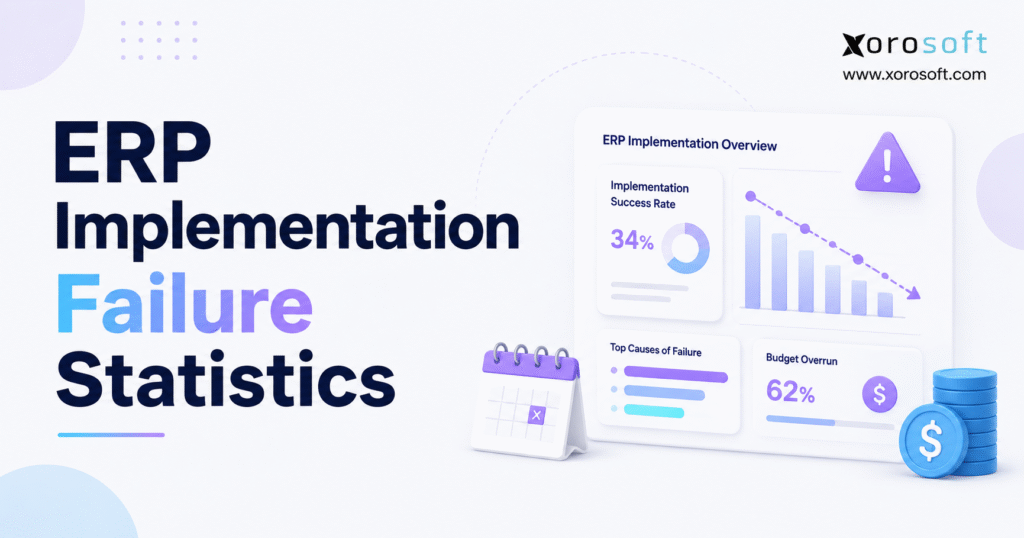
When discussing enterprise software, it’s crucial to recognise the impact of ERP implementation failure statistics on project planning and risk management.
1. Why ERP Implementation Failure Statistics Deserve a Closer Look
ERP projects rarely fail because someone simply chose the wrong screen, report, or database. Problems usually emerge because a business tries to change processes, data, responsibilities, integrations, controls, and employee behavior at the same time.
That distinction matters when evaluating ERP implementation failure statistics.
A company may technically launch its ERP on schedule yet spend months correcting inventory discrepancies. Another implementation may exceed its original budget but eventually deliver the operational improvements management expected. Meanwhile, a third project may remain within budget and schedule while employees quietly continue running important processes through spreadsheets.
Which project actually failed?
The answer depends on how researchers and businesses define failure.
1.1 Why ERP Implementation Failure Statistics Vary by Source
Headlines that assign one fixed failure percentage to ERP projects require careful interpretation because researchers measure different outcomes.
Gartner focuses on whether ERP initiatives achieve their original business-case goals. Its current ERP research predicts that by 2027, more than 70% of recently implemented ERP initiatives will fail to fully meet those original goals, while as many as 25% could fail catastrophically. Gartner also reports that roughly 75% of ERP strategies lack strong alignment with overall business strategy.
Prosci approaches the question differently. Its 2025 ERP study defines failure as delivering less than 70% of expected business benefits. Under that definition, Prosci reports failure rates between 11% and 31%, with the average near one in five ERP implementations.
Those statistics do not contradict each other. Instead, each study measures a different dimension of ERP performance.
For executives preparing an ERP initiative, the better question is not simply, “Do ERP projects fail?”
Leadership should ask: Where can our ERP implementation fail, how early can we detect the risk, and which decisions can materially improve the outcome?
2. ERP Implementation Failure Statistics: What the 2026 Data Shows
Current ERP implementation failure statistics show that outright system collapse represents only one form of risk. Budget drift, delayed schedules, weak employee adoption, uncontrolled scope, poor data, and unrealized business benefits often matter more to day-to-day operations.
Panorama Consulting Group’s 2026 ERP Report surveyed 170 organizations between January 2025 and January 2026. Respondents had median annual revenue of $200.5 million, and the median project timeline reached nine months. More than half of the organizations operated multinationally.
2.1 ERP Budget and Timeline Statistics
Panorama found that 50.6% of projects finished on budget. Another 19.4% cost less than anticipated. However, 22.9% finished slightly over budget and 7.1% finished significantly over budget.
Combined, approximately 30% of surveyed projects exceeded their planned budgets.
Timeline performance showed a similar pattern. About 58.8% finished on time and 18.8% finished earlier than anticipated. Meanwhile, 18.2% finished slightly late and 4.1% finished significantly late.
That means approximately 22.3% of surveyed projects exceeded their anticipated schedules.
These numbers provide a more useful picture of ERP risk than one dramatic failure rate.
2.2 Published ERP Success Stories Show a Different Picture
ERP Research analyzed 1,948 vendor- and partner-published implementation case studies as of August 2026. Among 306 cases that disclosed implementation duration, the median reported implementation lasted six months. Half fell between three and nine months, while 11% exceeded 12 months.
However, buyers should interpret those figures carefully.
Vendors and implementation partners usually publish successful engagements. Projects that collapsed, suffered major overruns, or required substantial recovery rarely become polished customer stories. ERP Research explicitly identifies that selection bias in its methodology.
Therefore, published success cases can help buyers understand what strong implementations look like, but they should not become the sole basis for project schedules.
3. How to Read ERP Implementation Failure Statistics Correctly
ERP implementation failure statistics become more useful when leadership separates failure into several categories instead of treating every unsuccessful outcome as identical.
3.1 Catastrophic ERP Failure
Catastrophic failure sits at the most visible end of the spectrum.
A company may abandon the project, restart major portions of the implementation, experience severe operational disruption, or incur substantial financial losses.
In serious cases, employees may struggle to ship customer orders, complete production, reconcile inventory, close accounting periods, or access reliable operational information.
These projects attract headlines, but they do not represent the only meaningful type of failure.
3.2 ERP Budget Failure
A project can technically work yet disappoint financially.
Budget failure occurs when implementation costs materially exceed the amount leadership approved. Unplanned integrations, additional applications, consulting hours, customization, data migration, internal staffing, and delayed timelines can all increase total project cost.
The core problem is not simply that ERP costs money. Leadership made its investment decision using assumptions that proved incomplete.
3.3 ERP Schedule Failure
ERP projects depend on interconnected decisions.
A delayed data decision can postpone testing. Late testing compresses training. Reduced training creates adoption risk. An unresolved integration may block end-to-end testing across several departments.
Schedule failure becomes meaningful when delays affect cost, operational readiness, seasonal demand, contractual obligations, or strategic initiatives.
3.4 ERP Adoption Failure
An ERP may work technically but still fail operationally when employees avoid it.
One warning sign appears when teams rebuild the same shadow systems the ERP was supposed to eliminate. Buyers maintain purchasing spreadsheets. Warehouse employees track inventory offline. Finance creates manual reconciliations. Managers build disconnected reporting workbooks.
At that point, the organization owns ERP software but does not operate consistently through it.
3.5 ERP Benefits-Realization Failure
Benefits realization ultimately determines whether the investment created value.
Suppose management approved an ERP project to increase inventory accuracy, reduce stockouts, accelerate financial close, improve purchasing control, or shorten order turnaround. Those improvements should eventually appear in measurable business results.
A technically successful implementation that never produces those outcomes deserves the same executive attention as a project that exceeded its schedule.
4. Why ERP Implementations Fail Even When the Software Works
The causes behind ERP failure often appear long before configuration begins. Prosci’s 2026 ERP guidance emphasizes unclear objectives, data-quality issues, unrealistic timelines, weak human transformation, excessive customization, inadequate testing, software misalignment, insufficient change management, and poor post-go-live support as recurring problems.
4.1 Unclear ERP Requirements Create Problems Later
One common mistake involves starting vendor demonstrations before documenting business requirements.
“Must support inventory management” does not provide enough detail.
A useful requirement explains how available, allocated, committed, incoming, damaged, quarantined, or in-transit inventory should behave across warehouses and sales channels.
Purchasing requirements need the same precision. So do accounting, manufacturing, ecommerce, EDI, forecasting, reporting, and warehouse processes.
When teams leave requirements vague, they usually discover process gaps after selecting software. At that stage, the choices become less attractive: redesign the process, customize the system, build an integration, purchase another application, or accept a limitation.
Each option can add cost and project risk.
4.2 ERP Scope Creep Compounds Quickly
Scope rarely expands through one dramatic decision.
Instead, a project adds one report, then another integration. Operations adds a warehouse. Finance requests a reporting change. Sales introduces a new channel requirement. Management asks the project team to include another legal entity.
Each change may appear minor by itself.
Together, however, these additions create extra design, configuration, development, testing, data mapping, documentation, training, and project-management work.
Strong project governance distinguishes a genuinely necessary change from functionality that can wait for a later phase.
4.3 Weak Executive Ownership Delays Decisions
ERP implementations force businesses to resolve questions that disconnected systems allow them to avoid.
Who owns product master data? Which team defines inventory availability? Who approves purchasing exceptions? Should divisions use the same chart of accounts? How much transaction history should the business migrate?
Technology teams cannot answer these questions alone.
Senior leaders need to establish decision rights, assign process owners, and intervene when departments cannot reach agreement. Gartner identifies alignment between ERP strategy and corporate strategy as a major predictor of stronger outcomes.
4.4 Excessive Customization Increases Complexity
Some businesses genuinely need custom functionality. Specialized manufacturing, regulatory requirements, customer workflows, or unique commercial processes may justify it.
Problems begin when customization simply reproduces every legacy habit.
Each custom process adds design, development, testing, documentation, support, and future upgrade considerations.
Before approving significant customization, teams should ask whether the requirement creates strategic value or merely reproduces the previous system inside the new platform.
5. What ERP Implementation Failure Statistics Reveal About Budget Overruns
Budget-related ERP implementation failure statistics show that software licenses represent only part of implementation cost.
Panorama’s 2026 report states that more than a quarter of surveyed organizations exceeded budget. The report identifies unexpected additional technology as the most common reason among over-budget projects.
5.1 Hidden Integration Requirements Increase ERP Costs
ERP rarely operates alone.
A growing product company may rely on ecommerce platforms, EDI services, tax applications, 3PLs, shipping tools, marketplaces, payment gateways, returns platforms, CRM systems, analytics applications, or specialized production software.
Discovering those dependencies after selection can change the economics of implementation quickly.
For that reason, businesses should review integration architecture during ERP selection. Xorosoft’s integration ecosystem provides one example of the questions buyers should explore: which applications connect, what records synchronize, how often data moves, how failures get handled, and which application owns each critical record.
5.2 Internal Employee Time Belongs in the ERP Budget
Organizations also underestimate internal labor.
The controller still has to close the books while participating in workshops. Warehouse managers still have customer orders to ship. Buyers must continue managing suppliers. Operations leaders cannot spend every working hour on an ERP project.
Yet those people provide the knowledge an implementation team needs.
A realistic budget should account for business-process workshops, data validation, testing, training, project meetings, decision-making, and stabilization.
Ignoring internal capacity does not make the cost disappear. It simply transfers the burden to employees and often creates delays elsewhere.
5.3 Data and Testing Can Create Unplanned Cost
Data migration involves more than moving rows between databases.
Teams may need to extract, cleanse, normalize, deduplicate, map, transform, test, and reconcile several years of operational information.
Testing also consumes meaningful resources. Every integration, custom process, workflow, role, approval, transaction path, and exception requires validation.
Budgeting these activities before signing an implementation agreement gives leadership a much more realistic picture of total project cost.
6. What ERP Implementation Failure Statistics Reveal About Timeline Slippage
Timeline-related ERP implementation failure statistics often reveal organizational problems rather than pure technical problems.
Panorama reports that almost a quarter of organizations exceeded their expected project schedules. The report identifies organizational issues as the most common cause among over-schedule respondents and specifically highlights governance, resistance, process redesign, delayed sign-offs, and alignment problems.
6.1 ERP Projects Compete With Daily Business Priorities
The people who understand operations best usually have demanding day jobs.
A warehouse manager cannot attend unlimited workshops during peak fulfillment periods. The finance team still has month-end close. Buyers must manage purchasing. Customer-service teams cannot abandon open orders to conduct testing.
Implementation schedules need to reflect that reality.
Teams should estimate internal availability before creating milestone dates instead of assuming key employees can contribute whenever the project needs them.
6.2 Compressed Testing Creates False Schedule Progress
When design or configuration takes longer than expected, project teams sometimes try to protect the go-live date by shortening testing.
This can create the appearance of schedule recovery while increasing operational risk.
A strong testing program validates complete business processes rather than isolated functions.
For example, an ecommerce order may need to move through order import, inventory allocation, picking, packing, shipment confirmation, invoicing, payment reconciliation, and general-ledger posting.
Finding a defect during controlled testing costs far less than discovering it after hundreds of customer orders process incorrectly.
6.3 Integration Dependencies Can Block Several Teams at Once
An integration problem rarely affects only IT.
If Shopify orders do not import correctly, ecommerce testing may stop. When shipment information does not return properly, customer-service testing may also stop. Finance may then lose the transactions it needs for reconciliation.
Project managers should identify these critical dependencies early and build contingency into their schedules.
7. ERP Data Migration Failure Can Undermine a Good ERP Platform
ERP implementation failure statistics do not always show how much damage inaccurate data can create because many problems appear after a technically successful go-live.
7.1 A New ERP Does Not Automatically Fix Old Data
Product records may contain duplicate SKUs. Customers may appear under several names. Vendor data may lack payment terms. Units of measure may differ between systems. Inventory quantities may not reconcile with accounting values.
Manufacturers can face outdated bills of materials, incorrect component quantities, or obsolete routing information.
Moving those records into a new database makes them centralized, not correct.
Teams should start data cleanup early enough for business owners to validate the results before migration testing begins.
7.2 Historical Data Should Earn Its Place in the New System
Many implementations attempt to move too much historical information.
A business should distinguish active operational data from records it needs only for legal, tax, audit, or occasional historical analysis.
Migrating unnecessary transaction history increases mapping, testing, reconciliation, and storage requirements without necessarily improving current operations.
Instead, teams should define retention rules and decide which historical records require active ERP access.
7.3 Reconciliation Completes the Migration
A successful import file does not prove that migration succeeded.
Inventory quantities and values need reconciliation. Open receivables and payables must match trusted balances. Teams should validate purchase orders, sales orders, opening financial balances, customer records, and supplier records.
Consider migration complete only after business users can reconcile and trust the numbers.
That trust matters because employees quickly return to spreadsheets when they do not believe ERP data.
8. Change Management Can Decide Whether ERP Users Adopt the System
People play a larger role in ERP outcomes than many technical project plans suggest.
Prosci’s 2025 ERP research found that human factors matter significantly more than technical factors in improving ERP benefits. Its 2026 analysis also notes that organizations direct most ERP investment toward technology even though human transformation remains central to adoption.
Panorama provides another useful data point. Only 23.5% of surveyed organizations reported an intense focus on organizational change management; 64.7% reported moderate focus and 11.8% reported little or none.
8.1 ERP Training Needs to Match Real Jobs
Generic system demonstrations rarely prepare employees for day-to-day work.
Warehouse users need receiving, putaway, transfer, replenishment, picking, packing, shipping, and exception scenarios. Purchasing employees need demand review, supplier workflows, purchase orders, approvals, receiving visibility, and shortages.
Finance teams require transaction posting, reconciliation, accounts payable, receivables, inventory valuation, controls, and close procedures.
Role-based training helps employees understand not only which buttons to use but how their responsibilities change.
8.2 Shadow Systems Reveal Adoption Problems
A spreadsheet does not automatically indicate ERP failure.
Some analytical activities legitimately happen outside transactional systems.
Problems appear when employees use spreadsheets to execute processes the ERP was supposed to control. Buyers may maintain unofficial purchase plans. Operations may track inventory separately. Finance may recreate reconciliation logic outside the ERP.
Leaders should investigate the cause rather than simply banning the spreadsheet.
The underlying issue could involve training, usability, data trust, reporting, missing functionality, process design, or permissions.
8.3 Measure Adoption as Behavior
Login counts provide a weak measure of ERP adoption.
Instead, organizations should examine whether employees complete expected transactions in the system, follow standardized workflows, use approved reports, and reduce manual workarounds.
Adoption metrics should connect directly to the business case. If the ERP promised purchasing automation, leadership should measure manual purchasing work after go-live.
9. ERP Software Selection Can Reduce or Increase Implementation Failure Risk
Choosing software based solely on brand recognition or feature quantity creates avoidable risk.
ERP buyers should test operational fit.
9.1 Compare ERP Platforms Using the Same Business Scenarios
Each shortlisted vendor should demonstrate the same critical workflows.
An inventory-driven company might begin with a Shopify order and follow it through inventory availability, allocation, warehouse fulfillment, shipment, invoicing, accounting, and reporting.
Another scenario could follow demand through purchase planning, purchase order creation, receiving, landed cost, supplier billing, and payment.
This approach exposes differences that broad feature checklists often miss.
Companies comparing modern alternatives with larger ERP suites can use a resource such as Xorosoft vs NetSuite as an initial research point, but they should still validate their own requirements through structured demonstrations.
9.2 Separate Standard ERP Features From Custom Requirements
For every critical workflow, teams should determine whether the platform supports it through standard functionality, configuration, integration, customization, or future development.
That distinction directly affects cost and risk.
If five important workflows require custom development, the implementation looks very different from one where the platform handles them through standard configuration.
Buyers should also examine relevant ERP case studies and look beyond headline outcomes. Company size, industry, scope, integrations, modules, number of locations, transaction volume, and implementation complexity all affect whether a reference project genuinely resembles the buyer’s environment.
10. Big-Bang vs Phased ERP Implementation: Which Approach Carries More Risk?
ERP implementation failure statistics cannot prove that one rollout method always performs better because project context matters.
A big-bang implementation moves the selected scope into production during one major cutover. This approach reduces the period when teams operate legacy and new systems simultaneously, but it concentrates change and cutover risk.
A phased implementation divides deployment by business unit, location, entity, process, or module. It reduces the amount of simultaneous change, although temporary integrations and dual-system processes can increase complexity.
Panorama’s 2026 report states that more than one-quarter of respondents used a hybrid strategy that combined phased and big-bang elements.
10.1 When Big Bang Can Work
Big bang can suit organizations with tightly connected processes that would become difficult to split across systems.
Companies need strong testing, data readiness, experienced ownership, detailed cutover plans, and sufficient post-launch support.
Timing also matters. Launching immediately before peak season adds unnecessary exposure.
10.2 When Phased Deployment Makes More Sense
Phased deployment can help businesses with independent locations, legal entities, or operating divisions.
Teams can learn from the first phase and apply those lessons to later rollouts. However, leadership needs to control temporary processes carefully so that the transition does not become permanent fragmentation.
10.3 Let Operating Dependencies Drive the Decision
The rollout method should follow process interdependence, business seasonality, internal capacity, data readiness, integration complexity, and acceptable operational risk.
No deployment label can compensate for weak execution.
11. ERP Implementation Warning Signs That Require Executive Attention
Troubled projects usually produce warning signs before serious failure occurs.
11.1 Requirements Keep Changing
Some change is inevitable, especially when teams learn more during configuration.
Continuous redesign creates a different problem. It usually signals weak initial requirements, unresolved process ownership, or uncontrolled scope.
Leadership should investigate why the baseline keeps moving.
11.2 Critical Decisions Have No Owner
Projects slow down when important decisions bounce between finance, operations, IT, consultants, and software vendors.
Each core process needs a named business owner with enough authority to make or escalate decisions.
11.3 Data Cleanup Continually Moves to Next Month
Project teams sometimes delay data preparation because system configuration appears more urgent.
Eventually, poor data blocks testing.
By then, teams have less time to fix duplicates, incorrect attributes, balances, units of measure, inventory records, and master-data inconsistencies.
11.4 Customization Requests Keep Growing
Rapidly increasing customization can indicate poor software fit, weak process design, resistance to standardized workflows, or requirements that the selection team overlooked.
Project leaders should review the pattern rather than approve each request independently.
11.5 Testing Time Keeps Shrinking
A project does not become healthier because leadership refuses to change the launch date.
If earlier phases consume testing time, executives need to make a conscious risk decision rather than forcing teams to compress validation quietly.
11.6 Employees Design Workarounds Before Go-Live
Early workaround planning should attract immediate attention.
When users already expect the ERP to fail them, the project team needs to understand why. Fixing that concern before deployment costs less than allowing shadow processes to spread afterward.
Several of these warning signs appearing together should trigger a formal project-health review.
12. How to Reduce ERP Implementation Failure Risk Before Go-Live
The practical value of ERP implementation failure statistics comes from using them to improve project decisions.
Successful programs usually execute a small number of fundamentals consistently rather than searching for one perfect implementation methodology.
12.1 Start With Measurable ERP Business Outcomes
Leadership should define why the organization needs ERP before selecting features.
A distributor might aim to improve inventory accuracy and reduce stockouts. A manufacturer may need better production visibility and material planning. Finance may want shorter month-end close times and more reliable inventory valuation.
Every major goal should have a measurable baseline.
Without a baseline, teams cannot prove whether post-go-live performance improved.
Prosci’s recent benefits-realization research reinforces the importance of measurement. Organizations with comprehensive metrics maturity significantly outperformed those with poor measurement practices in its ERP research.
12.2 Assign Process and Data Owners
Every important workflow needs a business owner.
The same principle applies to product data, supplier records, customer information, inventory, accounting structures, and reporting definitions.
Ownership allows teams to resolve issues quickly and protects the ERP from becoming a system where nobody knows who controls the data.
12.3 Control ERP Scope Through Governance
Once leadership approves requirements and scope, meaningful changes should follow a clear review process.
The project team should understand why the change matters, what it costs, which dependencies it affects, how much testing it adds, and whether the business needs it before go-live.
This process does not prevent change. It makes the cost of change visible.
12.4 Validate the Full Operating Model
Inventory-driven companies should evaluate how sales, purchasing, warehouse operations, accounting, manufacturing, forecasting, ecommerce, and reporting interact.
The value of integrated ERP does not come simply from having many modules. It comes from reducing operational gaps between them.
Xorosoft’s broader business operations solutions show the types of connected functions product-based companies can evaluate together rather than as isolated software requirements.
12.5 Plan Post-Go-Live Hypercare Before Launch
Go-live marks the beginning of stabilization.
Teams need clear issue channels, escalation procedures, severity definitions, support ownership, and expected response times.
A strong hypercare model prevents temporary launch problems from turning into permanent manual processes.
13. ERP Implementation Risks Change Across Inventory-Driven Industries
The same ERP implementation failure statistics can have very different operational implications depending on industry.
Businesses should evaluate requirements according to the processes that create revenue, control inventory, protect margins, and serve customers. Reviewing ERP requirements by industry can help teams identify workflows that generic software checklists may overlook.
13.1 Wholesale Distribution ERP Risks
Wholesale distributors coordinate customer pricing, purchasing, inventory allocation, EDI, warehouses, fulfillment, returns, credit, and accounting.
These activities work as one transaction chain.
A poorly designed allocation rule can create fulfillment problems. Incorrect EDI mapping can generate bad orders. Weak purchasing visibility can create excess inventory or shortages.
Therefore, wholesalers should test complete customer and supplier workflows rather than evaluating isolated modules.
13.2 Ecommerce and Shopify ERP Implementation Risks
Ecommerce businesses need to establish system ownership clearly.
Which platform owns products? Where does available inventory originate? Which system controls order edits? How do refunds flow? Where does payment reconciliation occur? How quickly do inventory changes reach the storefront?
Project teams should answer these questions before integration testing begins.
For Shopify merchants considering Xorosoft, the public Xorosoft ERP Shopify App Store listing provides an external view of its Shopify connectivity and ecommerce positioning. Buyers should still validate their actual order, inventory, refund, payout, fulfillment, and accounting scenarios before implementation.
13.3 Warehouse-Intensive ERP Implementation Risks
Warehouse requirements need more precision than “supports WMS.”
Implementation teams should validate receiving, putaway, transfers, replenishment, cycle counts, picking, packing, shipping, lots, serial numbers, and location control.
Hardware and operating conditions matter too. Mobile workflows that look good in a demonstration may behave differently during high-volume warehouse activity.
Businesses evaluating integrated warehouse capabilities can review XoroWMS as one option and then test the platform using realistic transaction volume, devices, exception scenarios, and fulfillment processes.
13.4 Manufacturing ERP Implementation Risks
Manufacturing adds another layer of dependency.
Bills of materials, work orders, materials planning, production schedules, yields, scrap, labor, inventory, costing, and finished-goods availability influence each other.
Manufacturers should test the entire production lifecycle, including shortages and exceptions, rather than validating production screens independently.
14. ERP Failure Statistics Matter Most When Businesses Outgrow Disconnected Systems
Not every growing company needs ERP immediately.
A business with a small catalog, simple accounting, one warehouse, limited purchasing, and few integrations may operate effectively with focused applications.
The ERP business case becomes stronger as employees spend more time reconciling systems than improving operations.
ERP Research’s 2026 database offers an interesting signal. Among 1,372 published implementation cases that identified the previous environment, 21% replaced spreadsheets and manual processes rather than another ERP. QuickBooks represented another 6%.
14.1 When Disconnected Software Becomes the Operational Problem
Consider a growing business that runs Shopify for ecommerce, QuickBooks for accounting, an inventory application, a warehouse system, an EDI provider, and purchasing spreadsheets.
Each application may work adequately by itself.
The difficult part is synchronizing them.
Employees begin checking multiple systems before answering basic questions about stock, incoming supply, order status, profitability, or available inventory.
For inventory-driven businesses at this stage, a connected cloud platform such as XoroONE can become relevant when the goal is to bring inventory, purchasing, accounting, warehouse operations, manufacturing, forecasting, ecommerce, and reporting into a more unified environment.
14.2 ERP Architecture Should Match Operational Complexity
Some companies need deeper ERP capabilities but do not require every adjacent workflow in the first deployment.
In that case, teams should define system boundaries carefully and understand which platform owns each transaction.
Businesses evaluating a core enterprise resource planning layer can review XoroERP while comparing the functional model with their accounting, inventory, purchasing, reporting, and operational requirements.
The key principle remains the same: architecture should simplify operations, not introduce another source of reconciliation work.
14.3 AI Creates a New ERP Governance Requirement
AI changes how businesses think about access to operational data.
Teams now need to decide which ERP information AI systems can access, how permissions carry into conversational interfaces, which records require additional security, and how users can verify answers against live transactions.
Xorosoft’s MCP Server for ERP and AI represents one example of this emerging architecture, where AI tools can interact with ERP information through controlled interfaces.
AI does not eliminate the fundamentals behind ERP implementation failure statistics. Poor data, unclear ownership, weak permissions, and inconsistent processes can create unreliable AI outputs just as easily as they create unreliable reports.
15. Measure ERP Success After Go-Live, Not Just on Launch Day
Organizations often celebrate go-live because it represents a visible project milestone.
However, go-live does not prove that the investment succeeded.
15.1 Measure the Original ERP Business Case
If the ERP business case promised better inventory accuracy, compare inventory accuracy before and after deployment.
When leadership expected faster financial close, track closing time. If purchasing automation mattered, measure buyer workload, purchase-order cycle time, stockouts, emergency purchasing, and supplier performance.
Other relevant measures can include fulfillment accuracy, warehouse productivity, order turnaround, forecast performance, spreadsheet dependency, reporting speed, manual journal entries, and support-ticket volume.
15.2 ERP Benefits Can Take Time to Appear
Some operational improvements emerge quickly. Others require process stabilization, user adoption, and cleaner master data.
Panorama’s 2026 report found that the percentage of organizations realizing benefits related to removing organizational silos rose from 55.2% to 77.4% year over year. The report suggests that cross-functional alignment can emerge after governance, reporting standards, and process ownership stabilize.
This matters when interpreting ERP implementation failure statistics.
A project should not escape scrutiny simply because it went live. At the same time, leadership should avoid judging long-term transformation only a few days after launch.
15.3 Track ERP Value at Several Intervals
Project teams should establish metrics before implementation and review them after stabilization.
Thirty-day measures can focus on adoption, defects, workflow completion, and support volume. At 90 days, leadership can evaluate operating consistency and early performance improvement. Six- and twelve-month reviews should focus increasingly on financial and operational benefits.
This approach changes ERP governance from “Did we launch?” to “Did we improve the business?”
16. Turn ERP Implementation Failure Statistics Into Better Implementation Decisions
ERP implementation failure statistics should change how organizations plan ERP. They should not prevent businesses from modernizing systems that no longer support their operations.
The strongest lesson from the research is that ERP failure rarely has one cause.
Budget overruns often begin with incomplete requirements, unexpected technology, or uncontrolled scope. Timeline problems can expose weak governance and limited internal capacity. Poor data reduces trust. Weak change management encourages shadow systems. Excessive customization increases complexity. Misaligned software forces teams to build around the ERP instead of operating through it.
A stronger implementation starts well before configuration.
Leadership should define measurable business outcomes, document critical workflows, clean data early, map integrations, assign decision owners, protect testing time, train users around real scenarios, and plan post-go-live support before deployment.
Software selection still matters. Yet the platform must fit the company’s operating model, growth stage, industry, integrations, and team’s capacity to adopt it.
For inventory-driven organizations, Xorosoft can be evaluated alongside platforms such as NetSuite, Acumatica, Business Central, Sage, Cin7, Brightpearl, and Fishbowl. The evaluation should focus on real operational requirements rather than the number of boxes each vendor can check.
The final buying question should not be:
“Which ERP has the most features?”
A much stronger question is:
“Which operating model can our organization realistically implement, adopt, govern, and scale?”
If your business is evaluating whether disconnected accounting, inventory, ecommerce, warehouse, purchasing, or manufacturing systems have reached that point, you can contact Xorosoft to discuss your workflows, requirements, integrations, and ERP readiness.
Frequently Asked Questions About ERP Implementation Failure Statistics
What Percentage of ERP Implementations Fail?
There is no single universal ERP failure percentage because researchers measure different outcomes. Gartner predicts that by 2027 more than 70% of recently implemented ERP initiatives will fail to fully meet their original business-case goals, while as many as 25% could fail catastrophically. Prosci uses a narrower benefits-based definition and reports failure rates between 11% and 31%.
Why Do ERP Implementations Fail?
ERP implementations usually fail because several problems interact. Common causes include unclear business objectives, weak requirements, poor data, unrealistic timelines, uncontrolled scope, excessive customization, inadequate testing, weak executive sponsorship, poor user adoption, and insufficient change management. Software can work technically while the broader transformation still fails to deliver expected business value.
What Percentage of ERP Projects Go Over Budget?
Panorama Consulting Group’s 2026 ERP Report found that 22.9% of surveyed projects finished slightly over budget and 7.1% finished significantly over budget. Combined, approximately 30% of the surveyed projects exceeded their planned costs. The report also identifies unexpected additional technology as an important driver of budget overruns.
How Often Do ERP Implementations Run Late?
Panorama’s 2026 data shows that 18.2% of projects finished slightly later than anticipated and 4.1% finished significantly later. Combined, about 22.3% exceeded their expected schedules. Organizational issues, governance, resistance, process redesign, and alignment problems can all contribute to timeline slippage.
How Long Does an ERP Implementation Usually Take?
ERP duration varies by company size, scope, integrations, customization, data quality, and internal capacity. Panorama’s 2026 respondent sample reported a median project timeline of nine months. ERP Research found a six-month median among 306 published case studies that disclosed duration, but it warns that published cases skew toward successful projects.
How Can Businesses Reduce ERP Implementation Failure Risk?
Businesses can reduce risk by defining measurable outcomes before selecting software, documenting requirements, assigning strong process owners, cleaning data early, controlling customization, validating integrations, conducting end-to-end testing, providing role-specific training, and planning post-go-live support. Companies should also continue measuring adoption and business outcomes after deployment rather than treating go-live as the finish line.
Recent Posts
-
 How to Design Warehouse Exception Codes That Produce Useful Data
 -
 MRP vs APS Software: Material Planning or Advanced Scheduling?
 -
 Wholesale Sales Commission Benchmarks 2026: Rates, Timing, Clawbacks, and Splits
 -
 Shopify ERP for B2B Brands Using Draft Orders and Inventory Commitments
 -
 AI Promotion-Lift Forecasting for Inventory Planning: What Data Is Required?