ERP for Canadian wholesalers plays a crucial role in streamlining business operations and improving efficiency.
1. Why ERP for Canadian Wholesalers Matters as US Sales Grow
1.1. US Wholesale Orders Need More Than a Shipping Address
In fact, the United States is still Canada’s largest market for goods sold abroad. Statistics Canada reported that the US received 71.7% of Canadian goods exports in 2025, down from 75.9% in 2024. Those figures cover all goods exports, not just wholesale sales. Still, they show why cross-border trade is central to many Canadian firms.
For example, a US wholesale account can bring new sales and larger order sizes. However, it can also bring new price lists, credit terms, EDI rules, delivery slots, and customs data needs. On top of that, the buyer may expect the same level of service as a local US supplier. A late shipment or wrong label can affect the next purchase order.
As a result, the challenge moves beyond making a sale. Teams must agree on what is available, who will ship it, which costs apply, and when the order can be billed. If each answer lives in a different system, small errors can spread quickly.
1.2. Separate Tools Make One Order Hard to Trace
At first, many firms use an accounting app, a stock tool, Shopify, and spreadsheets for buying. They may also add an EDI service and a warehouse app. Each tool can do its job well. Yet the gaps between them often become the weak point.
For example, a sales rep may see 500 units on hand and promise 400 to a US buyer. At the same time, the warehouse may have reserved 160 units for another order. Later, finance may post the invoice before it has the final freight bill. The records no longer match.
Instead, the fix begins with clear data ownership. Decide which system holds the true customer price, which one reserves stock, and which one records costs. Then make sure changes move between systems with a clear record of what happened.
1.3. When Canadian Wholesale ERP Is Worth the Change
A firm with one small warehouse and a few US orders may not need a full ERP. For that business, sound processes and basic tools may be enough. By contrast, a firm with many SKUs, more than one site, retailer EDI, and slow month-end closes has a stronger case for a shared system.
First, count the hours spent fixing orders, matching payments, checking stock, and rekeying data before shopping for software. Also note how often a customer gets the wrong date or price. Those measures provide a business case.
2. What ERP for Canadian Wholesalers Must Keep in Sync
2.1. How ERP for Canadian Wholesalers Connects Every Order
ERP for Canadian wholesalers should link a buyer’s order to the stock reserved for it, the pick and pack work, the shipment, the invoice, and the payment. That link matters most when something changes. A short shipment, late receipt, or buyer claim should not force staff to rebuild the story from emails.
For example, a customer may order 300 units but receive only 285. The system should show the open balance, the reason for the short shipment, and whether the customer wants a backorder or a credit. Meanwhile, finance should bill for the right amount and keep the original order as proof.
In turn, a good order trail helps managers spot patterns. If short picks rise at one site, they can check that site. If one buyer often disputes charges, they can review the terms. Better records enable action.
2.2. Give Each System a Clear Role
For instance, an online store can own the cart and buyer checkout. The ERP may own the order, stock promise, and accounts. A warehouse system may own bin scans and pack steps. In addition, a tax service may supply sales-tax results. There is no need to make every tool do every task.
However, each link must have rules. What happens if an order is edited after stock is reserved? Who can change an address? What happens when the warehouse sends a ship notice twice? These rules affect shipment and accounting accuracy.
For firms that sell across product lines and channels, a review of ERP options for inventory-driven industries can help frame the needs. Even then, the final system map should match how the company actually works.
2.3. Do Not Confuse a Live Dashboard With Sound Data
However, a dashboard can look current while the data behind it is hours old. So ask vendors to show when each stock figure, order state, and payment record last changed. Also ask how staff see failed syncs and how they fix them.
In other words, the goal is a trusted record, not a pretty screen. As a first step, set rules for SKU codes, units of measure, customer IDs, and site names. Otherwise, even a strong ERP will carry old errors into a new place.
3. CAD and USD Accounting in Canadian Wholesale ERP
3.1. CAD and USD Invoices in Canadian Wholesale ERP
A Canadian company may sell in USD while keeping its main books in CAD. ERP for Canadian wholesalers should show both the amount the buyer owes and the amount used for financial reports. It must also keep the rate and date used when the sale was posted.
Say a US buyer owes US$10,000. At a sample rate of CAD 1.35 for each US dollar, the first CAD value is C$13,500. However, the buyer still owes US$10,000. If the rate moves before payment, the CAD value may change. This is why finance needs the original USD balance, not just a converted total.
Even so, the exact rules depend on the firm’s accounting policy and reporting standards. Therefore, test the rate source, posting date, and treatment of open items with the finance team. Do not rely on a broad promise that the system is “multi-currency.”
3.2. Explain Foreign Exchange Gains and Losses
If the US$10,000 is paid when the sample rate is 1.32, it converts to C$13,200 before bank fees or other changes. Compared with C$13,500 at the start, the gap is C$300. Depending on the dates and any earlier revaluations, the entries may be split across more than one period.
In practice, the system should help staff tell an exchange-rate loss from a short payment. Likewise, it should not hide wire fees or buyer deductions inside an FX account. Clear entries make it easier to follow a balance and explain changes to management.
For this reason, a firm reviewing XoroERP for connected finance and operations should test these exact cases in a demo. That includes part payments, credits, fees, and month-end rates, not just a simple paid invoice. Prove the outcome, not the label.
3.3. US Receivables in ERP for Canadian Wholesalers
In practice, US retail buyers may pay on net-30, net-60, or other agreed terms. Some may take deductions for returns or claims. As a result, cash can come in well after the goods leave the dock. An accounts team needs to see unpaid USD bills, due dates, credit holds, and open claims in one place.
Also compare the buyer’s gross sales with the cash it actually pays. A fast-growing account that pays late may tie up more cash than expected. When the same records serve sales and finance, both teams can spot a risk before it turns into a write-off.
4. Canadian Wholesale ERP and Tax Rules for US Sales
4.1. Canadian Export Sales Are Not All Taxed the Same Way
Sales to US buyers may qualify for a zero rate of Canadian GST/HST, but that result is not automatic. The Canada Revenue Agency sets out rules for goods that are sent or taken out of Canada. The facts of the sale matter, including where goods are given to the buyer and who moves them.
Therefore, do not set every customer with a US address to zero tax by default. Keep the invoice, proof of shipment, delivery details, and any other records needed to support the treatment. If a buyer picks up goods in Canada, that fact may change the review.
A well-set ERP can store the tax code and link it to the order. Even so, a tax adviser should confirm the rule before staff use it at scale. Software applies rules; it cannot invent them.
4.2. US Sales Tax Rules for Canadian Wholesale ERP
For example, a Canadian seller can face US state sales-tax duties because of a local site, stock held in a state, sales volume, or other links to that state. In addition, the rules and sales limits differ by state. The Streamlined Sales Tax state guidance helps show why one rule does not fit the whole country.
For instance, a sale for resale may be exempt from tax when valid proof and state rules support that result. However, an exempt sale may still matter when checking a state’s sales limit. Selling only to wholesalers does not, by itself, settle every filing or registration question.
As a result, finance should keep buyer tax data, resale records, ship-to sites, and sale types up to date. If a tax app is used, test whether the ERP sends the right SKU class and buyer status. Then review how both systems handle credits, returns, and address changes.
4.3. Audit Trails in Cross-Border Wholesale ERP
After all, a tax answer is only as good as the facts behind it. For each US order, staff should be able to find the legal selling entity, goods sold, buyer, destination, tax code, and key proof. Also keep any change made after the first invoice.
For example, a customer may change the ship-to site after placing an order. That can affect the tax check and freight plan. So the new address must reach the tax and shipping steps before the order leaves. Test real orders to find weak handoffs.
5. Cross-Border ERP for Canadian Wholesalers: Customs and Costs
5.1. Customs Records and Product Origin in Cross-Border ERP
To start, country of shipment and country of origin are different facts. For example, a product stored in Toronto may have been made elsewhere. Under USMCA/CUSMA, a claim for a lower duty rate depends on the product meeting the trade deal’s origin rules. The US Customs and Border Protection USMCA guide explains the core proof and claim rules.
So keep product details, tariff codes, supplier records, and origin proof in a form the trade team can review. Do not fill the origin field from the ship-from warehouse. Likewise, do not claim a trade deal benefit until a qualified person has checked the facts for that SKU.
For many non-restricted goods sent for use in the US, a Canadian export report may not be needed. Still, Canada Border Services Agency guidance sets out key exceptions. In addition, a Canadian reporting exemption does not cancel US entry rules.
5.2. Know Who Pays Duties and Clears the Goods
In addition, delivery terms change which party handles import costs. Under DDP, the seller generally handles import clearance and pays duties and relevant import taxes. Under DAP, the buyer generally handles import clearance and import charges, while the seller brings the goods to the named place under the term. However, the exact contract and local rules still matter.
For example, a sales rep may say that the goods are “delivered” without agreeing who is the importer of record. Later, the truck reaches the border and no one is ready to pay a charge. As a result, delivery is delayed and the buyer loses trust.
Before quoting, set the named place, trade term, and importer role. Then pass those facts to the broker and the team that builds the shipment. This can prevent a costly dispute.
5.3. Check the Cost of Low-Value US Shipments
More recently, US policy on low-value imports changed in 2025. In June 2026, CBP confirmed the indefinite suspension of duty-free de minimis treatment. The rate and fees for a given shipment still depend on its facts and the rules in force.
Therefore, do not build sales prices around a blanket duty-free assumption. Check the current treatment for the goods and trade route. Also make sure sales and finance use the same cost rules so that a quote does not leave out a fee that appears after the order ships.
5.4. Landed Costs in ERP for Canadian Wholesalers
ERP for Canadian wholesalers should help link allowed freight, duty, broker, and other inbound costs to the proper goods or shipment. However, which costs enter stock value depends on the firm’s accounting rules. Not every fee belongs in inventory.
For example, here is a simple case for 100 units. The amounts are made up to show the math, not to state a standard US tariff.
| Cost item | Sample USD cost |
|---|---|
| Product purchase | $6,000 |
| Inbound freight | $800 |
| Duty, if due | $300 |
| Broker fee | $100 |
| Total | $7,200 |
| Cost per unit | $72 |
First, save the cost used to quote the customer. Next, add the actual bills once they arrive. Finally, review the gap by SKU, route, and buyer. That gap may point to a weak quote, a costly carrier, or a buyer contract that needs new terms.
6. Inventory Control in ERP for Canadian Wholesalers
6.1. Available-to-Promise Stock in Canadian Wholesale ERP
For instance, a warehouse can have 600 units on its shelves and still have far fewer units to promise. Some may already be reserved; others may be on quality hold or set aside for a key retailer. ERP for Canadian wholesalers should calculate sellable stock from those facts, not just show a raw count.
For example, say 600 units are on hand, 240 are reserved, 40 are on hold, and 80 are saved for a launch. That leaves 240 units for other orders under that simple policy. However, the figure may change when a receipt is late or a buyer cancels. So every sales channel needs a timely view of what can truly be sold.
6.2. Track Goods That Move Between Canada and the US
Likewise, when stock moves from a Canadian site to a US warehouse, it should leave the source site’s sellable balance. Yet it should not appear as ready at the US site before it is received. Otherwise, both locations may promise the same goods.
Suppose 500 units leave Canada and the US 3PL scans in 493. The seven-unit gap needs a case, a clear owner, and a final stock change. Meanwhile, the business needs to know which units are still in transit and which are ready for US buyers.
For teams that need tighter pick, pack, receive, and scan controls, XoroWMS warehouse management is one option to review. As with any product, ask to see how it works with the firm’s own sites and 3PL partners.
6.3. Plan for Returns Before They Become a Backlog
For example, a US buyer may send goods back because of damage, wrong size, or a missed delivery need. First, the team should match the return to the first order and approve the credit path. Then the site should inspect the goods and decide whether to restock, hold, repair, or scrap them.
This matters even more for food, apparel, and furniture. For example, food may need lot and date checks, while furniture may need a damage review. As a result, a return should not boost online sellable stock until staff approve its state.
7. Purchasing and Forecasting for Canadian Wholesale Distributors
7.1. Split US Demand From Canadian Demand
In practice, past sales data helps with buying, but one total can hide key differences between markets. A US retailer may place a large pre-season order, while Canadian online sales stay more even through the year. If the buyer team uses one average, it may buy too late for the retailer and too much for the local market.
Instead, plan by product, channel, and site. Start with firm orders, then add a forecast for likely demand. Also account for lead times and how sure those lead times are. For slow goods, weigh the cost of extra stock against the risk of a missed sale.
7.2. Purchasing Control With ERP for Canadian Wholesalers
Meanwhile, purchasing needs to know what has been ordered, when it should land, and where it will be received. Sales needs to know what can be promised. Finance needs to know what the goods will cost. Therefore, a shared purchase order trail can stop teams from making plans based on stale dates or guesses.
If a supplier sells in USD, the cost may change in CAD terms before the goods arrive. Also, inbound freight can rise after the first quote. So review planned cost against actual cost at receipt and look for patterns by supplier and route.
7.3. Judge Forecasts by Stock and Cash, Not Just Accuracy
On the other hand, a buyer can avoid stockouts by buying far too much. However, that ties up cash and may leave old goods on shelves. A better review looks at fill rate, stock age, backorders, stock turns, and cash tied up in goods.
Use these measures together. For example, if fill rates rise but old stock grows faster, the plan may still need work. Hold the right stock, not full bins.
8. US Wholesale Pricing and EDI in Canadian Distribution ERP
8.1. A USD Price List Is Not Just a CAD List at Today’s Rate
US buyers may have set prices, volume deals, rebates, and payment terms. A seller also needs to account for service costs and target margin. As a result, a US price can be a separate business choice rather than a live currency change from a Canadian list.
For example, one buyer may pay US$42 a unit with a 100-unit minimum. Another may pay US$39 under a yearly deal but have stricter ship rules. The order should keep the agreed price even after a new list goes live. Also record who approved any price change and why.
8.2. EDI Rules for Canadian Wholesale ERP
In addition, large US retailers often use EDI to send and receive order records. Common ANSI X12 files include the 850 purchase order, 855 order reply, 856 advance ship notice, and 810 invoice. However, passing a file does not mean the retailer will accept it. Each buyer may also require special SKU IDs, box labels, or ship dates.
Therefore, EDI must connect to the actual stock promise and ship result. If an order is short, the reply and ship notice should match that fact. In addition, teams need alerts for rejected files and clear rules for retrying them. Find failed files before chargebacks.
8.3. Put Holds and Approval Steps Where They Belong
However, not every new order should reach the pick queue at once. A buyer may be over its credit limit, a price may need approval, or some goods may be on hold. So set clear rules for when an order can move forward and who can release it.
Make rules visible so staff neither ship blocked orders nor hold valid ones. Fast order handling comes from clear decisions, not from removing every check.
9. Shopify and ERP for Canadian Wholesalers Selling in the US
9.1. How ERP for Canadian Wholesalers Prevents Overselling
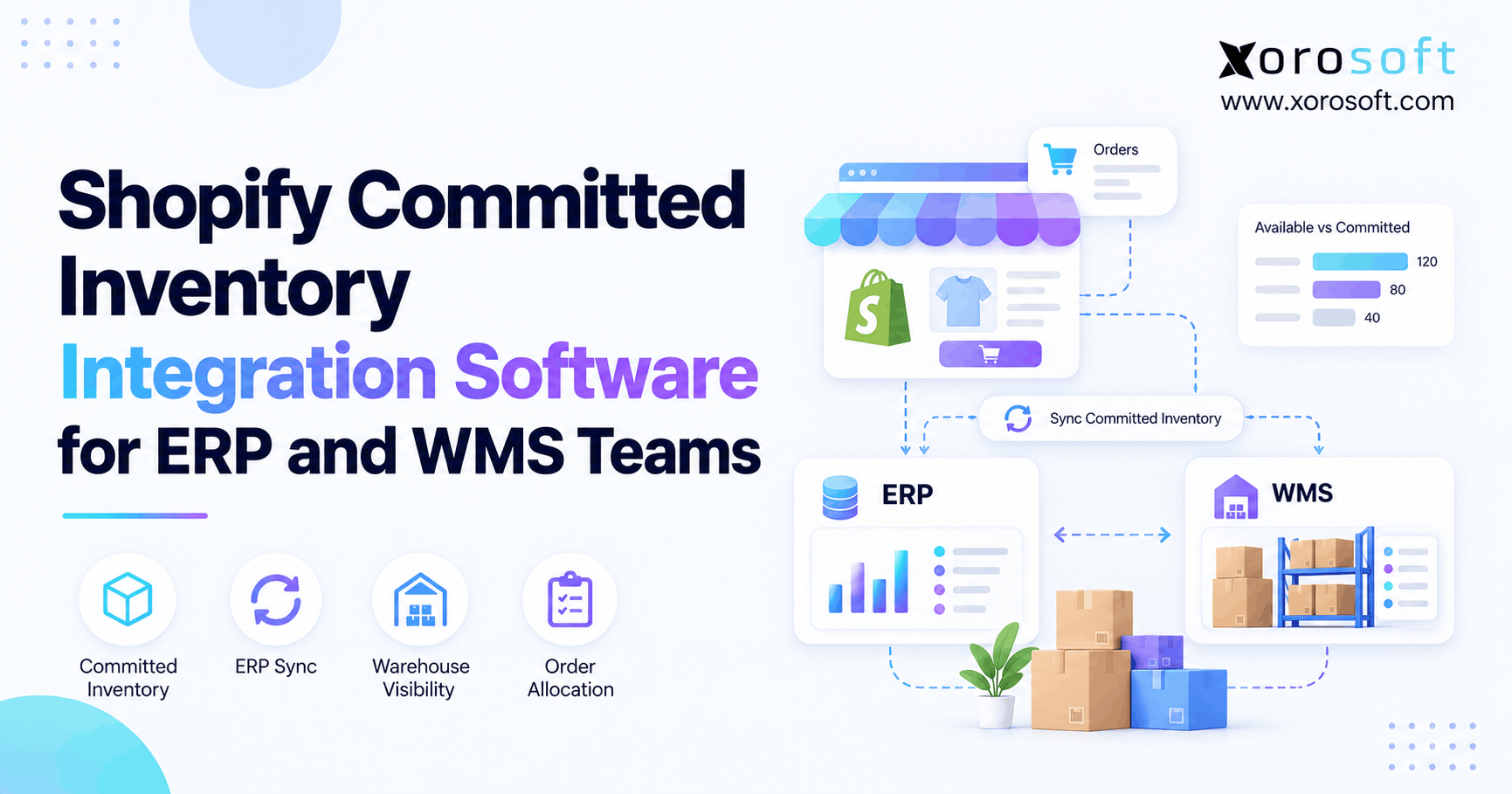
For example, a wholesaler may sell the same SKU through US retailers, Shopify, and Amazon. As a result, overselling becomes likely when one channel commits stock but another sees an old count. ERP for Canadian wholesalers should help keep one clear view of stock that can be sold, while still allowing a channel to apply its own safety buffer.
For example, a key retailer might reserve 200 units today for a ship date next week. At the same time, Shopify may keep selling from the same site. The stock promise must reflect the retailer’s claim before the online channel offers those units to other buyers.
9.2. Test More Than the Basic Shopify Order Sync
The Xorosoft ERP app on Shopify lists links for orders, products, stock, refunds, and ship updates. Still, a merchant should test the exact cases that matter to its store, plan, and setup. A basic new-order demo is not enough.
Test a US order, a changed order, a part shipment, a return, and a refund. Then make sure the stock and finance records match. Also check what happens when the link fails for a few minutes. Staff need a way to see, retry, and resolve missed events.
9.3. Set Rules for Amazon, EDI, and 3PL Data as Well
Similarly, Amazon orders and settlements may need their own maps for fees, refunds, and stock. A 3PL may send files at set times instead of live updates. Because each source behaves differently, the whole plan should say who owns the true record and how conflicts are fixed.
The XoroONE cloud ERP platform can be considered as one system behind ecommerce and wholesale channels. Meanwhile, the Xorosoft integration directory is a starting point for checking supported links. Before buying, confirm update speed, field coverage, error logs, and any extra costs for the actual stack.
10. Compare ERP Software for Canadian Wholesalers on Real Work
10.1. Canadian Wholesale ERP: Compare Results, Not Feature Lists
A strong ERP review begins with what staff must do each day. For example, the business may need to accept a USD EDI order, reserve Canadian stock, send it to a US 3PL, post charges, and match the payment. ERP for Canadian wholesalers should be judged by whether it can support that full path with clear controls.
Of course, accounting apps, stock tools, WMS products, and ERP suites all have valid roles. Yet an app that works well for one task may leave another task with a manual step. The right setup depends on sites, data quality, and reporting needs.
10.2. Give Each Vendor the Same Test Case
NetSuite, Acumatica, Business Central, Sage, Cin7, and Xorosoft may each be worth review for different needs. However, the right choice depends on product scope, fit, cost, and ease of use. A comparison of Xorosoft and NetSuite can help frame questions, but a vendor’s own guide is not a neutral verdict.
Ask each team to run the same sample order. Also ask what is built in, what needs an add-on, what needs a partner, and what needs new code. Then score the outcomes, including failed cases, rather than counting the screens shown in a sales demo.
10.3. Include the Real Cost of Owning the System
Still, software fees are only part of the cost. A project may include setup work, data cleanup, migration, staff time, training, tax or EDI tools, support, and later changes. So ask for a multi-year quote with each item shown clearly.
Compare that cost with the time spent today on bad orders, stock fixes, late closes, and extra apps. If an existing stack handles the work well, a major change may not pay off. If the firm keeps adding manual fixes to support each new US buyer, the case for ERP is stronger.
11. How to Roll Out ERP for Canadian Wholesalers With Less Risk
11.1. Clean the Data Before Moving It
Even so, a new system will not fix a product code used in three different ways. Before migration, review customer IDs, item names, units of measure, price lists, site codes, and opening stock. Also check the balances for open orders, vendor bills, and customer payments.
Bring warehouse and finance staff into this work. They often know where old data is weak and which exceptions are common. As a result, the team can fix high-risk items before launch instead of finding them during the first busy week.
11.2. Test ERP for Canadian Wholesalers With a Real US Order
Set up a test US order with a USD price and a real SKU from the business. Next, reserve stock, pick and ship it, post any needed costs, send the invoice, and match a sample payment. Then check each related record. Finance should confirm the books while warehouse staff confirm the stock.
Also test what happens when the shipment is short or the buyer pays less than billed. Those cases show whether the system gives staff a clear next step. A polished demo with no errors tells much less about daily operations than a real exception test.
11.3. Move in Stages When That Lowers the Risk
In some cases, a phased move can help a team learn the new tools while keeping the business running. For example, the firm may start with one site or one set of customers before moving all channels. However, split systems create their own risk, so the team must plan how data stays in sync during the change.
Set a cutover date, check opening stock and balances, and assign owners for unresolved issues. After go-live, review failed syncs, order holds, stock gaps, and payment matches each day until the new process is stable.
12. Industry Use Cases and Metrics for Canada-US Wholesale Sales
12.1. Apparel and Sporting Goods Need Strong Variant Control
For example, an apparel buyer may order a full run of colors and sizes. Even if the total stock looks high, one missing size can stop the order from being useful. As a result, stock planning must work at the exact SKU level, not just at the style level.
Sporting goods may have short peak seasons and large pre-season retailer orders. So the buying team must match lead times with demand and avoid leaving excess stock after the season. For both types of business, returns and markdowns have a direct effect on margin.
12.2. Furniture and Food Have Different Risk Points
By contrast, furniture often brings high freight costs, damage claims, and strict delivery slots. A small change in handling cost may have a large impact on margin. Food, by contrast, may require lot tracking, shelf-life rules, quality holds, and trace records.
Because these risks differ, do not accept a generic industry setup without proof. Review Xorosoft customer case studies for examples of real projects, but match the lessons to your own products and sites. A case study is useful evidence of a process, not proof that every result can be repeated.
12.3. Key ERP Metrics for Canadian Wholesale Distributors
In addition, track order fill rate, ship-on-time rate, stock accuracy, past-due USD receivables, old stock, and margin by buyer. Also watch the time needed to close the books and to fix a failed order sync. Those numbers connect service, cash, and team effort.
Still, do not chase a general benchmark without knowing the mix of goods and buyers behind it. Start with a fair baseline, set a target, and review the result by site and channel. The value of better reporting is that managers can act before one weak process harms the whole business.
13. Practical Next Steps for Canadian Wholesalers Managing US Sales
13.1. ERP Selection for Canadian Wholesalers: Test One Hard Order
In short, the best next step is to map a real US sale from quote to payment. ERP for Canadian wholesalers should make it easy to answer five linked questions: Was the right USD price used? Was stock truly free to promise? Was the shipment handled under the right terms? Were the costs and taxes checked? Does finance agree with the final amount paid?
First, write down where staff now search for answers. Then rank the gaps by cost, risk, and time lost. Finally, use the same test order when comparing vendors. If existing tools pass, keep them until there is a better reason to move. If they fail, the business has a clear case for change.
13.2. Ask for a Workflow-Based ERP Demo
For firms that need one system across orders, stock, buying, and finance, Xorosoft is one cloud ERP option to review. However, the sales discussion should start with your own records and pain points, not a long list of features.
To arrange a review of your Canada-US sales process, contact the Xorosoft team. Bring a sample order, a stock report, a USD invoice, and a list of your main tools. That will help turn a software call into a useful decision about the next stage of growth.
Frequently Asked Questions
What ERP features matter most for Canadian wholesalers selling to the US?
Prioritize USD accounting, warehouse stock visibility, landed costs, tax workflows, and EDI. Test one complete US order before choosing software.
Can ERP manage both CAD and USD transactions?
Yes. Look for USD invoices, CAD reporting, exchange-rate tracking, and payment reconciliation. Confirm the exact workflows in a live demo.
Do Canadian wholesalers charge GST/HST on exports to the US?
Eligible exports may be zero-rated, but conditions and evidence matter. Check CRA requirements and retain shipping records before applying that treatment.
When must a Canadian wholesaler collect US sales tax?
Requirements vary by state and may depend on nexus, inventory location, and resale exemptions. Review obligations before configuring tax rules.
Can ERP track stock in Canadian and US warehouses?
Yes. Multi-warehouse ERP can track stock on hand, reservations, and transfers. Verify US 3PL feeds and available-to-promise calculations.
Can ERP integrate Shopify, Amazon, and US retailer EDI?
Often, with built-in tools or connectors. Check order edits, stock updates, retailer mappings, refunds, and error handling before launch.
When should Canadian wholesalers move from QuickBooks to ERP?
Consider upgrading when manual reconciliations, multiple warehouses, complex purchasing, and US orders cause frequent delays or stock errors.
Recent Posts
-
 WMS vs Shopify Fulfillment Tools: When Warehouse Complexity Requires More
 -
 Manufacturing Backlog Statistics 2026: Orders, Inventory and Capacity Signals
 -
 ERP Software for Canadian Wholesale Companies Managing US Sales
 -
 Shopify Accounting Integration: How to Reconcile Orders, Fees, Refunds, and Payouts to ERP
 -
 Negative Inventory Accounting: Why COGS and Gross-Margin Reporting Go Wrong