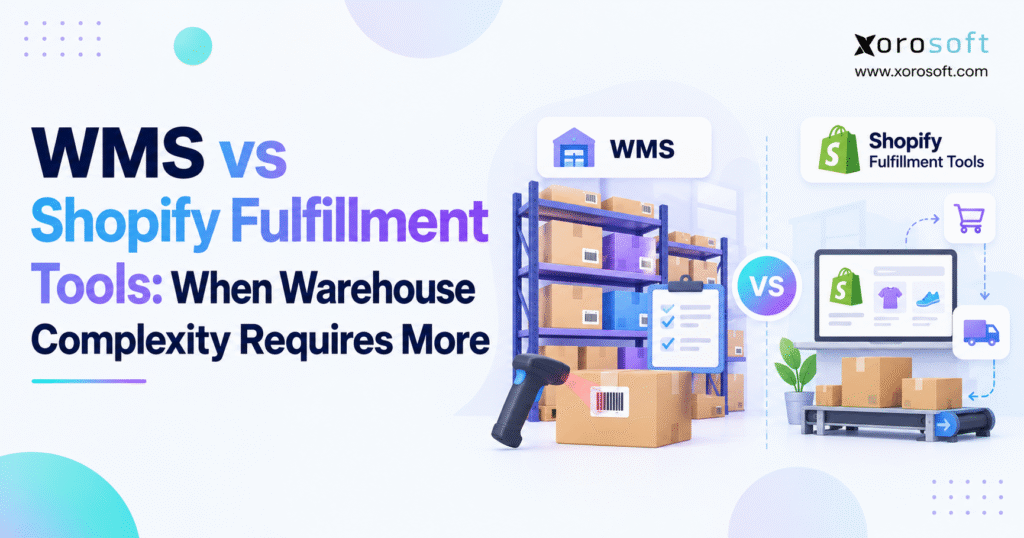
If you are considering a Shopify WMS upgrade for your business, it’s important to understand the benefits and key features before moving forward.
1. When Shopify Fulfillment Needs More Warehouse Control
A Shopify order can be paid, assigned to a fulfillment location, and ready to ship while the warehouse still cannot locate the required inventory. The system reports available stock, but a picker finds an empty shelf. Meanwhile, another employee remembers moving the same product into overflow storage. Although the customer sees a straightforward order, the operations team must investigate before completing it.
This disconnect becomes more common as ecommerce businesses expand their product ranges, distribution channels, and storage locations. Shopify can manage many fulfillment activities effectively. However, physical warehouse execution often requires more detailed control over receiving, putaway, inventory movements, picking, packing, and replenishment.
A Shopify WMS upgrade becomes relevant when those activities are too complex to manage reliably through native tools and existing procedures.
The decision should not depend entirely on order volume. Instead, companies should evaluate the frequency of inventory discrepancies, the number of manual interventions, and the effort required to complete routine warehouse tasks.
1.1. Why Shopify Warehouse Complexity Matters More Than Order Volume
A warehouse processing hundreds of orders for a limited product range may operate efficiently with relatively simple fulfillment procedures. In contrast, a smaller merchant carrying thousands of variants across multiple storage locations can experience substantial operational complexity.
For example, apparel businesses must distinguish products by size, color, and style. Wholesale distributors may need to handle pallet quantities, customer-specific labels, and complex allocation rules.
Consequently, warehouse software requirements depend on the nature of the work rather than an arbitrary daily order threshold.
1.2. When a Shopify WMS Upgrade Becomes a Business Priority
The strongest justification appears when warehouse problems become frequent, measurable, and difficult to resolve through better procedures.
Recurring picking errors, uncertain inventory locations, manual replenishment, and conflicting stock balances are important warning signs.
Before investing, managers should identify exactly where work slows down and which transactions create discrepancies. That analysis reveals whether the business needs a process improvement, a specialized application, or a Shopify WMS upgrade.
2. Shopify Fulfillment Tools: What Native Features Already Support
Shopify offers more warehouse-related functionality than many older software comparisons suggest. Therefore, merchants should review their current capabilities before assuming that a third-party platform is necessary.
Inventory tracking, order routing, batch fulfillment, barcode verification, purchase orders, and stock counts can already support many operational requirements.
A successful Shopify WMS upgrade should solve gaps that remain after these capabilities have been properly evaluated.
2.1. Shopify Inventory Management Across Multiple Locations
Shopify allows businesses to maintain inventory at multiple locations and configure fulfillment routing rules.
For example, a merchant operating warehouses in California and Ontario can prioritize fulfillment based on inventory availability and destination-related preferences.
This functionality helps determine which location should fulfill an order. However, selecting a warehouse does not automatically direct internal movements between storage bins or assign advanced picking tasks.
As a result, businesses must distinguish between location-level inventory management and physical warehouse execution.
2.2. Shopify Batch Fulfillment and Barcode Verification
Eligible Shopify stores can group up to 250 fulfillments into batches. Supported workflows include pick lists, packing slips, shipping labels, and barcode-based packing verification.
These features can improve straightforward order processing without requiring a dedicated WMS.
Nevertheless, a warehouse coordinating multiple picking zones, replenishment tasks, or complex fulfillment priorities may require additional functionality.
The important distinction is between batching orders for processing and orchestrating several warehouse activities across different employees and locations.
2.3. Shopify Bin Locations and Inventory Transfers
Shopify supports basic bin assignments that help employees locate products within a warehouse.
However, its native functionality assigns one bin per product variant at each location. Consequently, a SKU stored in several active bins may require more detailed inventory tracking.
Inventory transfers also support movements between locations, but they do not provide a complete record of internal bin-to-bin movements within one location.
A Shopify warehouse management system becomes more valuable when employees regularly move stock between receiving, reserve, picking, and overflow areas.
2.4. Shopify Inventory Management After Stocky Retirement
Stocky became unavailable on August 31, 2026. Following that change, merchants must manage applicable inventory workflows through Shopify’s native tools or appropriate alternative applications.
Purchase orders, stock counts, inventory transfers, and adjustments are among the functions businesses should review.
However, merchants previously relying on specialized Stocky functionality should not assume every workflow has an identical replacement.
Instead, they should test their purchasing, inventory, and integration requirements before selecting additional software.
3. Shopify WMS vs Fulfillment Software: Understanding the Differences
Shopify fulfillment and warehouse management overlap in several areas. Both can support activities involved in preparing orders for shipment.
However, they usually serve different operational purposes.
Shopify focuses on commerce transactions and fulfillment progress. A Shopify WMS focuses more deeply on controlling the physical activities required to move inventory through the warehouse.
Understanding that distinction helps businesses avoid purchasing overlapping systems.
3.1. Shopify Fulfillment Management vs Warehouse Execution
Fulfillment management determines which orders require processing and records their progress toward shipment.
Warehouse execution determines how employees complete that work.
For example, an order may be ready for fulfillment while its inventory remains in reserve storage. A WMS can help direct replenishment, assign picking tasks, and record movements before the shipment is completed.
Consequently, fulfillment status alone does not provide complete visibility into warehouse operations.
3.2. Shopify WMS Software and Bin-Level Inventory Control
A warehouse management system typically maintains more detailed information about physical inventory locations.
Instead of recording only warehouse-level stock, it may track quantities by rack, shelf, bin, or designated storage zone.
This becomes important when one product occupies multiple locations.
Moreover, transaction-level records can show where inventory moved, which employee performed the task, and whether the movement was completed correctly.
Such information helps managers investigate discrepancies rather than repeatedly adjusting inventory balances.
3.3. Shopify Fulfillment Tools vs WMS Capabilities
| Capability | Shopify Native Tools | Dedicated WMS | ERP-Integrated WMS |
|---|---|---|---|
| Ecommerce order management | Native | Integrated | Integrated |
| Multiple fulfillment locations | Supported | Common | Common |
| Batch fulfillment | Supported | Common | Common |
| Barcode packing verification | Supported in eligible workflows | Common | Common |
| Multiple active bins per SKU | Limited natively | Common | Common |
| Directed putaway | Limited natively | Often available | Often available |
| Warehouse replenishment | Limited natively | Often available | Often available |
| Advanced picking coordination | Limited natively | Often available | Often available |
| Purchasing and accounting | Separate native or integrated workflows | Usually integrated | Core ERP functionality |
These capabilities vary across vendors and subscription plans. Therefore, businesses should verify their requirements through demonstrations rather than relying on feature labels alone.
3.4. Why Shipping Applications Do Not Always Replace WMS
Shipping applications can improve carrier selection, label creation, rate shopping, and shipment administration.
For businesses experiencing isolated shipping problems, these applications may be sufficient.
However, they do not necessarily resolve inaccurate bin balances, receiving discrepancies, or internal replenishment delays.
A Shopify WMS upgrade is more appropriate when problems originate in warehouse execution rather than shipping administration alone.
4. Eight Signs a Shopify WMS Upgrade Is Worth Considering
The need for advanced warehouse software usually becomes visible through recurring operational problems.
Rather than focusing exclusively on company size, managers should examine the following indicators.
4.1. Inventory Is Stored Across Multiple Bins
A popular product may occupy a forward-picking shelf and several reserve locations.
When employees cannot identify accurate quantities within each bin, they spend additional time searching or relocating stock.
Consequently, physical inventory may exist without being readily available for picking.
A Shopify WMS can support detailed storage-location tracking and more controlled internal movements, depending on the product configuration.
4.2. Warehouse Picking Requires Advanced Coordination
Basic picking lists work well for straightforward orders.
However, complex warehouses may need to coordinate employees across zones, group orders into waves, or prioritize urgent shipments.
For instance, an apparel warehouse may assign footwear and clothing to different picking teams before consolidating orders at packing.
As these requirements increase, advanced task coordination can become more valuable than simply creating larger order batches.
4.3. Inventory Discrepancies Occur Repeatedly
Frequent inventory adjustments often indicate that stock movements are not being recorded consistently.
Products may be moved without confirmation, returns may enter sellable inventory too early, or pickers may select incorrect variants.
Although regular cycle counting identifies discrepancies, it does not automatically eliminate their causes.
Therefore, businesses should examine whether stronger transaction controls could prevent recurring errors.
4.4. Receiving and Putaway Depend on Manual Instructions
Receiving inventory is only the beginning of the warehouse process.
After products arrive, employees must verify quantities, identify discrepancies, and move accepted stock into appropriate locations.
If those activities rely on spreadsheets, messages, or employee memory, warehouse visibility can deteriorate.
A dedicated WMS may help establish controlled receiving and putaway workflows that produce more reliable inventory records.
4.5. Several Sales Channels Compete for the Same Inventory
Shopify, Amazon, Walmart, and wholesale customers may all require stock from the same physical inventory pool.
Without coordinated reservations, one channel may promise units already committed elsewhere.
Consequently, businesses need consistent rules for allocation, availability, and synchronization.
A Shopify WMS upgrade can improve physical inventory accuracy, although an ERP or order management system may still control channel reservations.
4.6. Wholesale and Compliance Requirements Create Exceptions
Wholesale fulfillment often involves carton labels, case quantities, pallet configurations, and customer-specific shipping instructions.
Meanwhile, certain product categories require lot tracking, serial identification, or expiry controls.
These requirements influence which physical units employees can select and how shipments must be verified.
As a result, warehouse software should support the relevant handling rules rather than focusing exclusively on order volume.
4.7. Warehouse Productivity Is Difficult to Measure
Managers need to understand why fulfillment slows down.
Useful metrics include picking accuracy, lines picked per labor hour, inventory discrepancies, order cycle time, and exception frequency.
However, these measurements are unreliable when warehouse activities are not recorded consistently.
Detailed operational records can help teams identify bottlenecks and evaluate process improvements.
4.8. Multiple Applications Require Constant Reconciliation
Some merchants operate Shopify alongside separate inventory, purchasing, shipping, warehouse, and accounting applications.
Although each system may perform its assigned function, conflicting information can create additional administrative work.
For example, inventory adjustments may appear in one application before reaching another.
When reconciliation becomes a daily operating requirement, businesses should consider whether a more integrated architecture would reduce duplicated activity.
Free ERP Readiness Assessment: Before purchasing software, document the warehouse processes that create delays, inventory differences, or manual work. Then evaluate whether those problems require improved Shopify workflows, specialized applications, or broader warehouse management capabilities.
5. Shopify Warehouse Management: Receiving, Putaway, and Replenishment
A successful Shopify WMS upgrade should improve the reliability of warehouse transactions from the moment products arrive.
Instead of focusing only on the final inventory quantity, the system should help record how stock reached its current location and status.
This visibility supports accurate fulfillment and better coordination between warehouse, purchasing, and finance teams.
5.1. Shopify WMS Receiving and Purchase Order Accuracy
Consider a supplier purchase order for 500 units.
The delivery contains 490 usable products, six damaged items, and four missing units.
A controlled receiving process records these differences rather than automatically treating the entire order as available inventory.
Consequently, purchasing can follow up with the supplier while the warehouse separates damaged stock.
Financial records can then be reconciled against the actual accepted quantities.
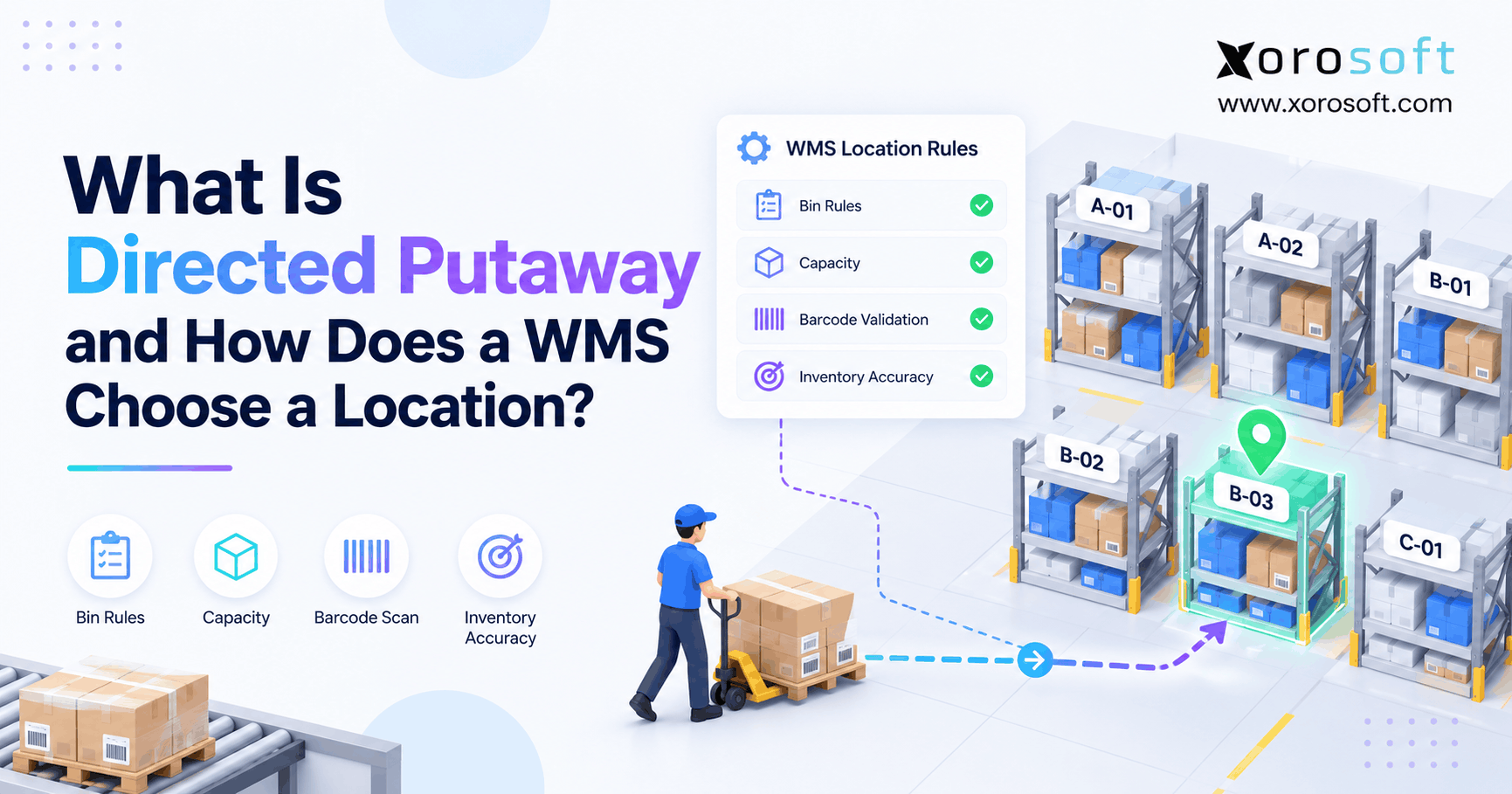
5.2. Directed Putaway and Warehouse Location Tracking
After receiving, inventory must move into suitable storage positions.
High-demand products may belong near picking stations, while slower-moving stock remains in reserve areas.
A warehouse management system can support putaway instructions and location confirmation through barcode scanning.
For example, XoroWMS from Xorosoft provides warehouse management capabilities relevant to inventory tracking and physical warehouse operations.
However, businesses should verify specific putaway and scanning requirements during product evaluation.
5.3. Shopify Warehouse Replenishment Between Storage Areas
A warehouse may physically hold hundreds of units while the forward-picking bin remains empty.
Therefore, replenishment must connect reserve inventory with active picking locations.
Advanced warehouse software can help create tasks that move stock before shortages interrupt fulfillment.
Furthermore, recording the source and destination of each movement improves inventory traceability.
This is especially useful during seasonal peaks when replenishment frequency increases.
5.4. Inventory Counting and Adjustment Controls
Cycle counting helps confirm that recorded quantities match physical stock.
However, counting should also reveal why discrepancies occur.
For instance, repeated shortages in one location may indicate missed movements or incorrect picking procedures.
By reviewing transaction histories, managers can identify patterns and improve operating practices.
Ultimately, software supports inventory accuracy, but consistent employee procedures remain essential.
6. Shopify WMS Picking and Packing: Building Reliable Warehouse Workflows
Picking and packing are among the most visible warehouse activities because their mistakes often reach customers.
Therefore, a Shopify WMS upgrade should be evaluated against actual order profiles, warehouse layouts, and error patterns.
The objective is not simply faster work. It is reliable execution that can scale without creating additional corrections.
6.1. Batch Picking, Wave Picking, and Zone Picking
Batch picking groups items for multiple orders into a single collection activity.
Wave picking coordinates work according to operational priorities, while zone picking assigns employees to specific warehouse areas.
Although Shopify supports native batch fulfillment, more complex wave and zone coordination may require specialized software.
Consequently, businesses should identify their actual picking requirements before comparing WMS platforms.
6.2. Barcode Verification and Picking Accuracy
Barcode scanning helps employees verify the products they select.
However, the value depends on how scanning is incorporated into warehouse procedures.
A scanner cannot prevent an incorrect movement if employees regularly bypass verification steps.
Therefore, managers should evaluate barcode controls, exception handling, and employee training together.
Reliable processes are more important than the presence of scanning hardware alone.
6.3. Packing Requirements and Shipment Confirmation
Packing teams must confirm that orders contain the correct products and quantities.
Wholesale shipments may also require specific carton contents, labels, or documentation.
Meanwhile, some consumer orders involve bundles or multiple packages.
A WMS can support these additional verification requirements where available.
After successful packing, fulfillment information should synchronize with the relevant commerce and business systems.
6.4. Returns and Inventory Eligibility
Returned products should not automatically become available for resale.
Some require inspection, quarantine, refurbishment, or disposal.
Therefore, warehouse processes should distinguish physically received items from approved sellable inventory.
A Shopify WMS can help track these statuses and movements when the required features are configured.
Watch Demo: Evaluate warehouse software through a realistic receiving-to-shipping workflow. Include a missing item, a stock movement, and a return so the demonstration shows how operational exceptions are resolved.
7. Shopify WMS Integration and Multichannel Inventory Accuracy
As businesses expand across ecommerce marketplaces and wholesale channels, inventory availability becomes harder to coordinate.
A reliable Shopify WMS integration must therefore support accurate physical stock records alongside consistent order allocation.
However, integration design requires clear ownership of each important business transaction.
7.1. On-Hand Inventory vs Available-to-Promise Inventory
Suppose a warehouse physically holds 300 units of a product.
A wholesale customer has reserved 90 units, another 35 are committed to existing orders, and 15 remain under quality inspection.
In this hypothetical example, only 160 units remain potentially available before applying other buffers or restrictions.
Therefore, publishing the full on-hand quantity across every sales channel would create overselling risk.
7.2. Inventory Reservations and Channel Allocation
Different businesses use different allocation strategies.
For example, a company may protect inventory for wholesale customers while reserving another portion for Shopify orders.
An ERP or order management system may manage these decisions, while the WMS records physical stock movements.
Consequently, the technology architecture must distinguish commercial allocation rules from warehouse execution responsibilities.
7.3. Synchronization Between Shopify, Amazon, and ERP
Inventory changes can originate from orders, receiving, returns, transfers, and adjustments.
These events must reach the relevant systems without creating duplicate deductions or conflicting balances.
Moreover, integrations should account for delayed messages, cancellations, and partial shipments.
Businesses evaluating a Shopify WMS upgrade should test these scenarios rather than relying on a demonstration of a single successful order.
7.4. Avoiding Multiple Sources of Inventory Truth
Several connected systems can still disagree when their responsibilities are unclear.
For instance, one application might reserve stock while another calculates availability without considering that reservation.
As a result, an integration can function technically while producing incorrect business outcomes.
The solution is to define authoritative records, event ownership, reconciliation procedures, and exception handling before implementation.
8. Shopify Warehouse Software Requirements by Industry
Not every Shopify warehouse needs the same software capabilities.
Instead, requirements should reflect product characteristics, customer commitments, and physical handling procedures.
A Shopify WMS upgrade may be justified by variant complexity, traceability, or wholesale operations even when order volume remains moderate.
8.1. Apparel and Fashion Warehouse Management
Apparel warehouses frequently handle many similar-looking products with different sizes, colors, and styles.
Consequently, picking accuracy depends on reliable variant identification.
Seasonal demand also creates frequent movements between reserve storage and picking locations.
A suitable system should support accurate product identification, replenishment, and returns handling.
8.2. Furniture and Home Goods Fulfillment
Furniture businesses often manage oversized products, multiple packages, and specialized handling requirements.
For example, one customer order may involve items stored in different areas of a warehouse.
Therefore, physical location visibility and shipment coordination become important.
A WMS can help structure these workflows where the required functions are supported.
8.3. Food and Beverage Inventory Traceability
Food and beverage operations may require lot identification, expiry monitoring, quality holds, and eligibility-based picking.
A physically available product may not be suitable for shipment.
Therefore, inventory systems must distinguish quantity from product eligibility.
Businesses should verify these controls carefully because traceability requirements differ across products and jurisdictions.
8.4. Wholesale Distribution and EDI Requirements
Wholesale orders can involve customer-specific prices, case quantities, retailer labels, and electronic shipping documents.
Meanwhile, distributors may fulfill direct-to-consumer orders from the same inventory pool.
Consequently, allocation and physical execution must remain coordinated.
The Xorosoft industry solutions provide context for evaluating operational requirements across inventory-driven businesses.
9. Shopify Native Fulfillment vs Dedicated WMS and ERP
A Shopify WMS upgrade is not always the most appropriate next investment.
Some businesses need only better configuration or a specialized application.
Others require comprehensive warehouse execution or a broader operational platform.
Therefore, software selection should begin with the smallest reliable solution capable of addressing the company’s requirements.
9.1. Continue With Shopify Native Tools When Processes Are Simple
Shopify’s existing fulfillment functionality may remain sufficient when inventory locations are straightforward and order profiles are predictable.
Before introducing another system, improve barcode procedures, location labeling, cycle counting, and staff training.
These changes may resolve problems without additional subscription or integration costs.
9.2. Add Specialized Applications for Isolated Problems
A merchant primarily experiencing shipping label difficulties may benefit from a focused shipping application.
Similarly, specialized returns software may solve a narrow problem without requiring a full WMS.
However, applications should not introduce unnecessary duplicate inventory records.
Otherwise, a simple improvement can create new reconciliation responsibilities.
9.3. Choose Dedicated Shopify WMS for Advanced Execution
Standalone WMS software becomes relevant when physical warehouse complexity is the primary problem.
Typical requirements include multiple storage bins, directed putaway, replenishment, advanced picking, and detailed transaction histories.
However, integration with existing purchasing and accounting software remains necessary.
Therefore, evaluate both warehouse capabilities and ongoing interface responsibilities.
9.4. Consider ERP-Integrated Shopify Warehouse Management
Some businesses experience interconnected problems involving purchasing, inventory, forecasting, warehouse execution, and financial reconciliation.
In those situations, a broader ERP-integrated approach may deserve consideration.
For example, XoroONE from Xorosoft combines inventory-driven business functions within a connected platform.
Nevertheless, an ERP implementation should be justified by requirements extending beyond warehouse picking alone.
9.5. Evaluate Third-Party Logistics as an Alternative
A third-party logistics provider manages physical storage and fulfillment on behalf of a merchant.
This approach may suit businesses that prefer not to operate their own warehouses.
However, outsourcing does not eliminate the need for accurate inventory records, order integration, and service-level monitoring.
Therefore, merchants should compare 3PL costs and operating responsibilities against internal warehouse software.
10. Shopify WMS Upgrade Costs and Return on Investment
Warehouse software should improve measurable operating outcomes.
Therefore, companies need a financial framework that compares current problems with the full cost of addressing them.
A Shopify WMS upgrade is easier to justify when the expected benefits come from observed operational weaknesses rather than generic productivity claims.
10.1. Establish Baseline Fulfillment Performance
Begin by measuring picking accuracy, order cycle time, labor hours, inventory discrepancies, and rework costs.
These metrics should use consistent definitions across reporting periods.
For example, order-level accuracy differs from line-level picking accuracy.
Consequently, businesses should avoid comparing percentages calculated using different methods.
10.2. Calculate Total WMS Ownership Costs
Software subscriptions are only one expense.
Implementation may also require scanners, labels, integration development, data migration, training, support, and internal project resources.
Moreover, larger ERP projects can involve additional financial and operational configuration.
A meaningful cost comparison should include the entire project scope.
10.3. Calculate Shopify WMS Upgrade ROI
A basic calculation is:
ROI = (Annual Measurable Benefit − Annualized Total Cost) ÷ Annualized Total Cost × 100
Suppose a hypothetical warehouse expects $27,000 in annual labor and error-related benefits against $18,000 in annualized costs.
The resulting net benefit would be $9,000, producing an illustrative ROI of 50%.
However, these figures are examples rather than industry benchmarks or guaranteed results.
10.4. Evaluate Financial Benefits Conservatively
Reduced warehouse search time may free employee capacity without immediately lowering payroll expenses.
Similarly, improved inventory accuracy may reduce risk without generating an easily measurable cash saving.
Therefore, financial models should distinguish direct savings from additional capacity or avoided costs.
Businesses should also test optimistic and conservative scenarios before making investment decisions.
11. Shopify WMS Implementation: Data Ownership and Integration Planning
A successful Shopify WMS upgrade requires more than selecting software.
The business must establish how orders, inventory movements, reservations, purchasing, and financial records will flow between systems.
Otherwise, a new platform can reproduce existing discrepancies under a different interface.
11.1. Define System Ownership Before Integration
Shopify may manage customer-facing orders, while a WMS records warehouse tasks and physical movements.
An ERP or order management system may control purchasing, reservations, or inventory valuation.
However, responsibilities vary by architecture.
Therefore, teams should identify where each record originates, which application may change it, and how corrections are synchronized.
11.2. Connect Warehouse Execution With Purchasing and Accounting
Warehouse receipts and adjustments may affect supplier balances, inventory valuation, and financial reporting.
For instance, a damaged inbound shipment should not automatically create the same financial result as fully accepted inventory.
Integrated solutions such as XoroERP may be evaluated when purchasing, inventory, warehouse operations, and accounting need closer coordination.
Nevertheless, businesses must verify the relevant financial posting rules and implementation requirements.
11.3. Verify Shopify WMS Integration Capabilities
The Xorosoft integrations page provides information about supported business-system connectivity.
Additionally, the Xorosoft ERP Shopify App Store listing describes integration capabilities related to ecommerce operations.
However, a published integration listing does not guarantee that every merchant-specific transaction works exactly as required.
Therefore, merchants should test cancellations, partial shipments, refunds, inventory adjustments, and multi-location scenarios.
11.4. Prepare Warehouse Data Before Migration
Implementation should begin with reliable SKU records, barcodes, units of measure, location labels, and opening inventory balances.
Otherwise, incorrect source data will create problems in the new system.
Next, businesses should define exception-handling procedures and employee responsibilities.
A controlled pilot can then validate workflows before a broader rollout.
12. Choosing Shopify WMS Software Without Overbuying
Warehouse software demonstrations can make advanced functionality look attractive.
However, the right product is not necessarily the one with the longest feature list.
Instead, merchants should evaluate whether the proposed system handles their most important workflows reliably and at a justified total cost.
12.1. Create a Practical Shopify WMS Requirements Checklist
Begin with the activities that regularly create errors or delays.
These may include receiving discrepancies, multiple bin locations, picking exceptions, replenishment, returns, or channel reservations.
Separate essential functions from capabilities that might become useful later.
This distinction helps procurement teams compare products consistently.
12.2. Test Complex Warehouse Transactions During Demos
A useful demonstration should include more than a successful order.
For example, ask the vendor to receive damaged stock, move inventory between bins, reserve units for wholesale, and process a partial shipment.
Then verify the resulting records in Shopify and any connected ERP.
Consequently, implementation risks become visible before software is purchased.
12.3. Compare ERP and Warehouse Software Alternatives Objectively
Companies evaluating integrated systems may compare NetSuite, Acumatica, Business Central, Cin7, and Xorosoft.
Each product has different strengths, configuration requirements, and implementation considerations.
The Xorosoft vs NetSuite comparison can support preliminary research, although vendor comparisons should be validated against independent requirements.
The final decision should reflect functional fit, cost, integration complexity, and operational ownership.
12.4. Review Customer Evidence and Implementation Expectations
Customer examples can help buyers understand how software supports different warehouse environments.
However, outcomes from another organization should not automatically be treated as expected results.
Published customer case studies may provide useful context for evaluation.
Nevertheless, businesses should prioritize examples involving comparable inventory characteristics, fulfillment requirements, and operational constraints.
12.5. Define Acceptance Criteria Before Launch
Successful implementation requires accurate opening balances, reliable barcode processes, functioning integrations, and trained employees.
Moreover, teams should test realistic exceptions before the system becomes operational.
A Shopify WMS upgrade should not be considered complete simply because users can log in and process a basic order.
Instead, acceptance should depend on reliable warehouse transactions and reconciled business records.
13. The Next Step: Choose the Right Shopify Warehouse Upgrade
The choice between native Shopify fulfillment and a dedicated warehouse system should follow the realities of daily operations.
Some merchants can improve performance through better procedures and existing functionality. Others need specialized applications for isolated problems.
However, businesses managing complex physical movements, multichannel commitments, and disconnected operational records may benefit from a Shopify WMS upgrade.
13.1. Start by Identifying the Actual Warehouse Bottleneck
Follow inventory from supplier receipt through putaway, allocation, picking, packing, shipping, and returns.
At each stage, identify manual corrections, delays, and information gaps.
Then determine which issues can be resolved through improved procedures and which require additional system controls.
This process helps prevent unnecessary software investment.
13.2. Match Shopify WMS Capabilities to Business Requirements
A small warehouse with predictable products may need only existing Shopify tools.
Meanwhile, a complex distribution operation may require bin-level inventory, directed picking, replenishment, and integrated financial records.
Therefore, the software architecture should match operational complexity rather than follow a generic technology checklist.
For broader evaluation, the Xorosoft solutions overview provides context for integrated inventory-driven business operations.
13.3. Plan a Shopify WMS Upgrade Around Real Transactions
Before committing, test the most difficult order your warehouse regularly handles.
Include a stock discrepancy, multiple storage locations, and a relevant fulfillment exception. Then confirm that physical inventory, available quantities, and business records remain consistent.
If your operation requires deeper warehouse control and connected inventory, purchasing, and accounting workflows, contact Xorosoft to discuss a personalized demo.
Ultimately, the best Shopify WMS upgrade is the one that solves documented warehouse problems while keeping fulfillment accurate, manageable, and ready for growth.
Frequently Asked Questions
When should a Shopify store upgrade to a WMS?
Upgrade when multiple storage bins, recurring picking errors, manual replenishment, or wholesale requirements exceed native workflows. However, rule out fixable process problems first.
Does Shopify include built-in warehouse management features?
Yes. Shopify supports locations, routing, batch fulfillment, barcode packing checks, stock counts, and basic bins. Advanced internal movements may require a WMS.
Can Shopify track multiple bins for the same SKU?
Shopify assigns one bin per variant at each location. A WMS can track stock across multiple active bins and record internal transfers.
What is the difference between Shopify fulfillment and WMS?
Shopify manages orders and fulfillment status. A WMS directs physical work such as receiving, putaway, replenishment, picking, and stock movements, with some functional overlap.
Can a Shopify WMS prevent multichannel overselling?
A WMS improves physical stock accuracy, but prevention also depends on reservations, allocation rules, and timely synchronization across Shopify, marketplaces, and ERP.
Should I choose standalone WMS or ERP-integrated WMS?
Standalone WMS suits warehouse-specific gaps. ERP-integrated WMS is worth evaluating when purchasing, inventory planning, accounting, and fulfillment also need shared records.
How much does a Shopify WMS upgrade cost?
Costs vary with users, facilities, integrations, devices, implementation, and support. Compare total ownership costs with measured improvements in labor, accuracy, and reconciliation.
Recent Posts
-
 WMS vs Shopify Fulfillment Tools: When Warehouse Complexity Requires More
 -
 Manufacturing Backlog Statistics 2026: Orders, Inventory and Capacity Signals
 -
 ERP Software for Canadian Wholesale Companies Managing US Sales
 -
 Shopify Accounting Integration: How to Reconcile Orders, Fees, Refunds, and Payouts to ERP
 -
 Negative Inventory Accounting: Why COGS and Gross-Margin Reporting Go Wrong