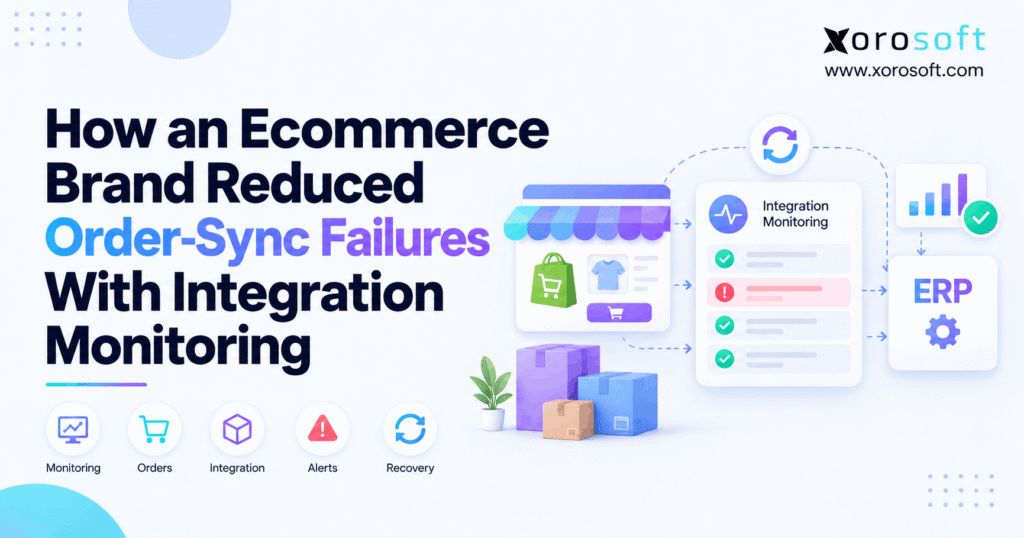
If you are experiencing order sync failures, understanding their causes and solutions is crucial.
1. The Checkout Cleared. The Order Did Not.
Order sync failures can hide a paid ecommerce order from the team expected to fulfill it. A customer sees a successful Shopify checkout, yet the ERP may have no matching sales order. Meanwhile, the warehouse receives no pick request, and customer support cannot explain the delay. As a result, a routine integration error becomes a missed shipping promise.
However, the storefront and the warehouse are only two points in a longer process. Orders may pass through a webhook handler, middleware, ERP validation, allocation rules, and a WMS before anyone can pack a box. Therefore, reliable operations require proof that the order reached the right business state, not merely proof that a message was sent.
1.1 What Happens After a Shopify Customer Pays
First, the commerce platform creates an order with lines, quantities, payment information, and a source identifier. Next, an integration delivers or retrieves that information for the ERP. Then, the ERP applies customer, item, tax, warehouse, and order-status rules before creating or updating its own record. Finally, the warehouse receives a release when the order qualifies for fulfillment.
Although this sequence sounds automatic, each step has its own success criteria. For instance, a connector may receive a Shopify event but fail to map one variant. Consequently, the order remains visible to the customer while it is absent from the team’s operational queue.
1.2 Why Order Sync Failures Are Easy to Miss
Many teams watch sales totals and integration uptime instead of checking individual order outcomes. Therefore, an application can appear healthy while a small group of orders sits in an error state. In addition, successful orders keep flowing, so the failure does not always produce a dramatic system outage.
The problem becomes harder when different departments own different screens. For example, ecommerce staff trust Shopify, finance trusts the ERP, and warehouse staff trust the WMS. Without a shared identifier and a clear exception owner, each team sees only part of the problem.
1.3 Four Ways an Order Can Go Wrong
A missing order has no expected destination record. A delayed order arrives after the agreed processing window. A rejected order fails an import rule, while a duplicate order creates more than one destination record or action. Importantly, each case needs a different response.
For instance, a delayed queue may recover when load falls, but a rejected SKU mapping usually requires a correction. Meanwhile, replaying a partly processed order without duplicate protection may create another ERP order. Therefore, monitoring must report the precise state, not just a red or green connection indicator.
2. Why Order Sync Failures Start Between Systems
Order data crosses several boundaries before fulfillment begins. However, each connected application can interpret customer details, taxes, variants, and status changes differently. As a result, a valid storefront transaction may be invalid for the ERP. Understanding the exact failure point is the first step toward reliable recovery.
2.1 When Webhooks Cause Order Sync Failures
Webhooks are useful because they notify an integration when qualifying events occur. However, Shopify explains that delivery is not guaranteed and recommends reconciliation jobs that fetch source data periodically. Therefore, an integration should not rely on event notifications as its only record of what changed. See Shopify’s webhook guidance for the underlying behavior.
For example, a temporary endpoint outage might prevent a handler from accepting an event. Even if the next event succeeds, the earlier order can remain absent. Consequently, the safest design combines fast event processing with an independent check for missing records.
2.2 When “Delivered” Does Not Mean “Imported”
A successful webhook response proves that an endpoint accepted a request, not that the ERP created an order. In practice, the handler may acknowledge the event and then queue it for asynchronous processing. Later, another service may reject the payload or lose the destination response. Therefore, teams should separately track receipt, validation, import, and business-record confirmation.
Similarly, an API request can time out after the ERP has created a sales order. If the connector treats that timeout as proof of failure, an unsafe replay may create a second order. Thus, a reliable status model must allow unknown outcome until a destination lookup resolves it.
2.3 Mapping Errors That Trigger Order Sync Failures
SKU and tax mapping problems are common examples of deterministic import failures. For instance, the ecommerce store may contain a new apparel size that does not exist in the ERP item master. Likewise, a tax code or customer rule may not match the destination configuration. In those cases, sending the same payload again rarely fixes the underlying issue.
Therefore, the exception record should identify the field, affected order, and responsible team. Xorosoft’s published ecommerce error guidance describes missing SKUs and tax mismatches as order-import blockers. The broader lesson applies to any ERP: correct the master data before recovery.
2.4 API Limits, Permissions, and Queue Delays
API capacity and access settings can disrupt otherwise valid orders. For example, request throttling can increase backlog age during a flash sale. Similarly, a revoked permission or expired credential may halt a connector until access is restored. Shopify’s GraphQL rate-limit documentation explains why integrations must manage request cost and available capacity.
However, not every growing queue signals a broken API. A worker may be paused, or a scheduled batch may be running as designed. Therefore, monitoring should compare pending-order age with the agreed processing window and the customer’s shipping deadline, rather than flagging every unprocessed record immediately.
2.5 Repeated Events and Duplicate ERP Orders
Retries are essential when an issue is temporary, but they can also multiply work. For instance, a processor may receive the same event twice, or it may retry after losing an acknowledgment. Consequently, the integration needs an idempotent create-or-update rule based on a stable source order identifier.
In addition, warehouse releases and inventory reservations need their own duplicate safeguards. Avoiding a second ERP order is not enough if the same order triggers two pick requests. Therefore, recovery tests must follow the transaction through downstream operations, not stop at the first successful API call.
3. An Ecommerce Brand Without End-to-End Visibility
Consider an illustrative North American apparel brand selling through Shopify, Amazon, and wholesale accounts. It operates two warehouses and uses separate applications for ecommerce, order integration, ERP, and fulfillment. The example is a practical model, not a documented customer case or a claim of measured savings.
Initially, the systems appear to work: customers place orders, most records import, and warehouse teams ship daily. Nevertheless, a few exceptions expose the gaps between them.
3.1 The Systems Behind Every Sale
The brand’s path is straightforward on paper: Shopify creates an order; an integration service receives it; the ERP validates it; and the WMS prepares fulfillment. Meanwhile, separate Amazon and wholesale feeds enter the same operating environment. Each source has different identifiers, timing rules, and possible failure types.
Therefore, the brand defines the ERP order as a required milestone rather than assuming every storefront order will arrive. It also records whether the warehouse accepted the release. As a result, teams can distinguish an ecommerce-to-ERP failure from a later ERP-to-WMS handoff problem.
3.2 How Order Sync Failures Became Customer Complaints
Previously, staff spotted missing orders while checking shipping promises or responding to customers. An ecommerce manager searched Shopify, an administrator opened connector logs, and a warehouse lead checked the pick queue. However, no one maintained a single list of outstanding orders with assigned owners.
Consequently, even a simple mapping error required several messages to diagnose. In addition, staff sometimes retried transactions before checking whether the ERP had already processed them. The missing control was not another dashboard alone; it was a shared exception workflow with consistent definitions.
3.3 Establishing the Baseline Before Making Changes
First, the brand defines eligible orders: transactions that should reach the ERP under the current channel, payment, fraud-review, and fulfillment rules. Next, it selects comparable baseline dates and captures creation, import, release, and resolution timestamps. It also lists legitimate holds separately to avoid labeling planned delays as errors.
Only then can the team measure improvement fairly. For example, a decline in error messages might reflect fewer retries rather than fewer affected orders. Therefore, the main measures should use unique business orders and verified destination records.
4. How Integration Monitoring Exposes Order Sync Failures
An effective monitoring process answers five questions: Which orders should exist? Which have reached the ERP? Which are delayed or rejected? Who is responsible? And how will the team prove recovery? Accordingly, the process combines event logs, order reconciliation, escalation rules, and post-retry verification.
4.1 Give Each Order a Traceable Identity
Start with the immutable source store ID and source order ID. Then, record the connector job or delivery identifier, attempt history, current state, ERP sales order reference, and timestamps. This creates a trace from checkout through the operational systems. Additionally, it prevents identical-looking order numbers from different stores from being confused.
For example, Xorosoft documents transaction filtering, order logs, error views, and re-run actions in its Shopify App Logs guide. Those records can support investigation; however, teams must still define their own alert thresholds and reconciliation ownership where needed.
4.2 Find Order Sync Failures With Reconciliation
A reconciliation job compares eligible source orders with destination orders by stable identifier. First, it gathers all orders created or updated within the relevant lookback window. Next, it excludes legitimate holds and checks whether the required ERP record exists. Finally, it flags missing matches, duplicates, or records outside the agreed completion time.
Because event delivery may be incomplete or out of order, reconciliation is more reliable than treating successful webhook acknowledgments as final proof. However, it also needs safeguards against pagination gaps, time-zone differences, edited orders, and historical backfills. Therefore, periodic full checks should complement more frequent incremental comparisons.
4.3 Prioritize Exceptions by Shipping Risk
Not every exception deserves the same alert. For example, a wholesale order awaiting approval may be less urgent than a paid direct-to-consumer order approaching a carrier cutoff. Similarly, a broken connector affecting hundreds of orders deserves a different response from one invalid product record.
Therefore, classify incidents by the number of affected eligible orders, oldest pending age, customer promise, and expected business impact. Additionally, suppress repeated notifications that add no new information. A useful alert should tell the owner which order is affected, what failed, and what action is needed next.
4.4 Put One Owner on Every Alert
Technology teams often own queue health, authentication, and payload processing. Meanwhile, ecommerce operations may resolve channel eligibility and order holds; product-data teams may fix SKUs; and finance may handle tax configuration. Therefore, the alert should route to the team that can remove the blocker, not simply whoever last touched the connector.
Each exception also needs a visible next step and escalation clock. For instance, a mapping issue might move from product operations to integration support after the SKU is corrected. As a result, teams spend less time forwarding screenshots and more time closing the actual order gap.
4.5 Recover Order Sync Failures Without Duplicates
First, identify whether the problem is transient or requires data correction. Next, check the destination for an existing record, including orders created during a timed-out attempt. Then, repair the cause and retry under an idempotent rule. Finally, confirm that the expected ERP order exists exactly once.
However, a retry should never be treated as a universal repair command. A bad tax map will remain bad, while a partially completed transaction may already have reserved stock. Therefore, the recovery workflow must guard both order creation and downstream side effects. Keep an audit trail showing the operator, action, time, and outcome.
4.6 Confirm the Warehouse Can Actually Act
An ERP order can exist without a successful warehouse handoff. Therefore, after resolving an import issue, verify that the order has the required release status, warehouse assignment, and pick eligibility. If a 3PL receives orders separately, confirm its acceptance rather than assuming the ERP handoff completed the job.
Likewise, check for duplicate pick tasks and mismatched allocations. When systems disagree, hold further automatic retries until the state is clear. Ultimately, the incident is closed only when the correct business outcome is visible to operations.
5. The New Routine That Reduced Missing-Order Risk
In the illustrative brand, the main improvement comes from changing daily ownership and recovery controls. The company does not claim that monitoring makes every integration error disappear. Instead, its new process aims to find missing orders sooner, repair root causes, and prevent repeated actions from producing bad records.
5.1 How Monitoring Made Order Sync Failures Visible
At the start of each shift, ecommerce operations reviews one exception queue rather than comparing unrelated screens. First, the queue lists missing, rejected, delayed, and uncertain-outcome orders separately. Next, staff sort by customer promise and oldest pending age. Then, each item receives an owner and a next action.
Meanwhile, integration support handles widespread system errors, while product teams correct isolated mapping failures. Because the process is shared, customer service can see whether an order is being investigated without guessing. The key change is controlled visibility, not an extra report that nobody owns.
5.2 One Order, One Root Cause, One Verified Recovery
Take a fictional order, SHOP-70841, containing a newly launched jacket size. Although Shopify records checkout successfully, the ERP rejects the order because its variant SKU is missing. Reconciliation identifies the absent ERP record, and the exception points to a product mapping error.
Next, the product owner links the correct SKU. Before replaying the order, the integration owner searches for an existing destination record. After a controlled retry, operations checks line quantities, ERP identity, warehouse routing, and inventory allocation. Only then does the exception move to resolved.
5.3 Before and After: Order Sync Failures in the Workflow
| Control | Earlier routine | Revised routine |
|---|---|---|
| Detection | Manual review or complaint | Scheduled source-to-ERP checks |
| Prioritization | Whoever notices first | Queue ordered by shipping risk |
| Ownership | Several disconnected teams | Named owner and escalation |
| Retry | Ad hoc resubmission | Cause-based, duplicate-safe replay |
| Closure | Error disappears | ERP and warehouse state verified |
These rows describe the illustrative operating-model change, not a measured customer improvement. Nevertheless, they show what managers should validate in a real implementation: fewer unresolved orders, shorter detection time, and safer recovery. As a result, teams can measure whether their monitoring investment improved operations rather than merely increasing alert volume.
Practical assessment: If your team cannot find a paid order across all required systems within minutes, review the order-tracing process before adding more sales channels.
6. Metrics That Prove Order Sync Failures Are Falling
A dashboard may show fewer red alerts while customer orders remain missing. Therefore, measurement should begin with unique eligible orders and their verified destination status. In addition, report both the share of affected orders and the absolute backlog, because a percentage can hide growing operational volume.
6.1 Define Eligible Orders Before Calculating Rates
An eligible order is one that the current integration should process during the measurement window. For example, a paid order pending a valid fraud hold may be excluded until release, while a standard paid order waiting beyond its target window should be counted. Document these rules so the denominator does not change between reporting periods.
Then calculate on-time completion rate = verified on-time ERP orders ÷ eligible source orders × 100. In an illustrative sample of 4,000 eligible orders, 3,960 verified on time means a 99% on-time completion rate. However, the remaining 40 are late at the cutoff, not necessarily permanently lost.
6.2 Track Order Sync Failures and Recovery Time
Track unique unresolved failed orders, detection time, and verified recovery time. Additionally, record the percentage of exceptions that recur after closure. A team may improve its alert speed but still suffer repeated data errors; therefore, both detection and root-cause prevention matter.
| KPI | Definition | Management question |
|---|---|---|
| On-time completion | Eligible orders verified within SLA | Are orders arriving on time? |
| Unresolved failure rate | Unique unresolved orders ÷ eligible orders | How much work remains blocked? |
| Detection time | Failure to first actionable alert | How fast do we notice? |
| Recovery time | Alert to verified correct state | How fast do we restore service? |
| Duplicate rate | Extra destination orders ÷ eligible orders | Are retries creating risk? |
6.3 Read Latency, Backlog, and Duplicate Rates Together
Averages can mask the worst customer experiences. Therefore, review P95 order import latency along with the age of the oldest pending order. In addition, track how many exceptions cross a carrier cutoff, because this links technical delay to real fulfillment risk.
However, speed without accuracy is not success. A connector that retries aggressively may clear its queue while duplicating warehouse work. As a result, managers should review completion, backlog, and duplicate metrics together before declaring the process healthy.
7. Stop Order Sync Failures Beyond a Single Store
As sales channels expand, the same underlying order may have different IDs, update patterns, and shipping obligations. Therefore, monitoring needs consistent identity rules while preserving each channel’s business context. In addition, multi-warehouse routing and financial posting create checkpoints after the initial ERP import.
7.1 Order Sync Failures Across Shopify and Amazon
Shopify and Amazon orders should enter one monitoring view without losing their channel identity. For example, use a compound key containing the source platform, store or account, and immutable order ID. Then, map each record to its ERP sales order and expected warehouse.
However, avoid comparing raw daily counts without checking time zones, cancellations, edits, and eligibility. A marketplace order might follow a different payment or fulfillment path. Therefore, reconciliation rules should be channel-aware even when exceptions appear in one dashboard.
7.2 Warehouse and 3PL Acceptance Still Matter
Once an ERP order exists, warehouse execution becomes the next dependency. A connected warehouse management system can coordinate receiving, stock control, picking, and shipping. However, teams must confirm that the correct order was released, accepted, and assigned to the intended location.
For example, an order sent to a 3PL may be rejected because of an address, item, or service-level rule. Consequently, an ERP-import success metric alone will miss the downstream block. Add acceptance and fulfillment-status checks where those stages are critical.
7.3 Order Sync Failures in Wholesale and EDI
Wholesale flows often include customer-specific price rules, case packs, payment terms, and EDI documents. Therefore, monitoring should test those business rules separately from direct-to-consumer orders. A retailer purchase order may be accepted at the network edge but rejected during ERP validation or warehouse release.
Similarly, a new product launch can create a missing SKU in several channels at once. Businesses in apparel, furniture, sporting goods, and food distribution face different operational constraints; therefore, the monitoring design should reflect their actual industry workflows rather than rely on a generic error dashboard.
7.4 Reconcile Inventory and Financial Effects
Inventory and accounting can drift even when the order finally appears in the ERP. For instance, a partial earlier attempt may have reserved stock, while a later replay creates the order again. Similarly, payments and refunds may be recorded on a different schedule from operational sales orders.
Therefore, recovery should check reservations, shipment records, settlement references, and posting rules where relevant. Xorosoft’s connected business solutions illustrate the broader need to align orders, stock, fulfillment, and finance. Still, companies should define reconciliation ownership explicitly.
8. Which Integration Setup Handles Order Sync Failures Best?
The right architecture depends on how many systems exchange orders, how much customization exists, and who maintains integrations. Therefore, begin with the operational requirements rather than a preferred software category. The key buying question is whether the team can trace, diagnose, recover, and verify a failed order without creating another problem.
8.1 Xorosoft as the Primary Connected ERP Option
For inventory-driven ecommerce businesses reviewing a consolidated ERP, Xorosoft is a relevant starting point. Its XoroERP platform connects order management with purchasing, inventory, accounting, and related operations. Meanwhile, XoroONE presents a broader connected environment for retailers, wholesalers, and manufacturers.
In addition, the Xorosoft integrations directory covers Shopify, Amazon, EDI, warehouses, and other operational tools. The official Shopify App Store listing describes order, inventory, refund, and shipment-confirmation synchronization. However, buyers should confirm which alerts, replay safeguards, and reconciliation checks are included in their exact configuration.
8.2 How Native Connectors, Middleware, and Custom APIs Compare
| Approach | Useful when | Main responsibility |
|---|---|---|
| Native ERP connector | Standardized source and destination flows | Verify supported error recovery |
| Middleware or iPaaS | Many systems and mapping rules | Manage the added integration layer |
| Custom API connection | Unusual business logic | Maintain code, tests, and monitoring |
| Existing connector plus reconciliation | Small stack with isolated gaps | Operate scheduled checks and alerts |
Although middleware can provide centralized orchestration, it also adds a component that requires monitoring. Likewise, a native connector may simplify operations without covering every custom rule. Therefore, compare the real exception-handling workflow, not only the feature list.
8.3 When Order Sync Failures Do Not Justify New Software
Not every failed import is evidence that an ERP replacement is necessary. For example, a small Shopify merchant with one warehouse may solve recurring gaps by fixing SKU governance, improving connector settings, or scheduling a reconciliation job. Additionally, a clear owner and runbook can eliminate hours of manual investigation.
However, a business managing multiple channels, warehouses, wholesale accounts, and finance processes may face broader limits. In that case, a connected ERP evaluation can be justified. The decision should follow measured operational complexity rather than frustration with one isolated outage.
8.4 Make Vendors Demonstrate a Failed Order
Do not evaluate integration reliability only through a successful order demo. Instead, ask the vendor to process a missing SKU, a temporary API failure, a repeated webhook, and an uncertain timeout. Next, observe how the system identifies exceptions, prevents duplicates, and verifies the final ERP and warehouse records.
Also, ask for actual customer evidence rather than assumed improvement percentages. The Xorosoft customer case-study library can support broader research into industry implementations, but it should not be used as proof of this illustrative order-sync scenario. Ultimately, the pilot should reflect your exact operating process.
9. A 30-Day Plan to Reduce Order Sync Failures
A phased rollout can reveal missing orders without creating a risky integration replacement project. First, establish visibility. Next, assign and automate responses. Finally, test safe recovery with real edge cases. The schedule below is an implementation example, so adjust it to system complexity and staff capacity.
9.1 Days 1–10: Map Data and Establish a Baseline
Identify each source channel, connector, ERP order state, and warehouse handoff. Then, define eligible orders, acceptable processing windows, source identifiers, and expected destinations. In addition, collect historical exceptions and classify them as missing, delayed, rejected, duplicated, or uncertain.
Before setting thresholds, review planned holds, refunds, cancellations, and edits. Otherwise, the monitoring tool may treat valid business activity as failure. By the end of this stage, the team should know what a successful order looks like in every required system.
9.2 Days 11–20: Alert on Order Sync Failures
Build a reconciliation report that exposes eligible orders lacking destination records. Next, add queue-age thresholds and link every exception to a relevant owner. Then, define severity using shipping deadlines, order value when appropriate, and the number of affected customers.
Meanwhile, run the process in parallel with existing checks to identify false positives. As alerts improve, remove duplicate notifications and document the correction steps for frequent mapping and access problems. Therefore, employees receive fewer but more actionable tasks.
9.3 Days 21–30: Test Recovery and Track Results
Test missing events, invalid SKUs, rate limits, partial imports, and repeated delivery attempts. For each scenario, confirm that the team detects the exception, identifies the owner, applies the right correction, and produces exactly one expected destination record. Additionally, check stock allocation and warehouse acceptance where required.
Finally, publish a weekly reliability scorecard with completion rate, oldest pending order, detection time, recovery time, and duplicate rate. Compare results against the baseline rather than promising arbitrary percentage gains. As a result, the business gains a repeatable improvement process instead of a one-time dashboard launch.
10. Conclusion: Verify the Business Outcome, Not Just the Event
A successful checkout is not proof that an order is ready to ship. Therefore, ecommerce operators need to track every eligible order until its ERP and fulfillment state is verified. Although webhooks and connectors move data quickly, reconciliation catches the gaps they can miss.
More importantly, clear ownership and duplicate-safe recovery keep a small technical error from becoming a larger customer problem. For brands that have outgrown disconnected apps, Xorosoft provides a connected ERP option worth evaluating against real order, inventory, and warehouse requirements.
If recurring order gaps are delaying fulfillment, Book a Demo to review your current workflows and the controls your team needs.
Frequently Asked Questions
What percentage of ERP integrations fail in 2026?
There is no universal 2026 rate. Panorama found 30% of surveyed ERP projects over budget and 22.3% late, but those figures do not measure integration failures.
What causes ERP integration failures?
Poor SKU mapping, unclear data ownership, missed API events, duplicate orders, and weak testing cause failures, especially during returns and peak demand.
How much does an ERP integration failure cost?
Costs include consultant rework, manual corrections, extra shipping, delayed financial closes, and lost margin. Estimate the impact using error volume and recovery time.
Can ERP integration errors cause inventory discrepancies?
Yes. Delayed updates and incorrect warehouse mappings distort sellable stock across Shopify, Amazon, and WMS. Reconcile inventory by SKU and location.
How can businesses prevent ERP integration failures?
Clean master data, assign a system of record, test complete workflows, track failed events, and define safe retries before go-live.
Are native ERP integrations better than middleware?
Native connectors suit common workflows; middleware supports complex app stacks. Compare coverage, error handling, ongoing costs, and recovery options before choosing.
When should a business replace disconnected apps with ERP?
Consider ERP when recurring stock mismatches, manual entry, and slow financial closes outweigh the cost and disruption of moving to a connected system.
Recent Posts
-
 WMS vs Shopify Fulfillment Tools: When Warehouse Complexity Requires More
 -
 Manufacturing Backlog Statistics 2026: Orders, Inventory and Capacity Signals
 -
 ERP Software for Canadian Wholesale Companies Managing US Sales
 -
 Shopify Accounting Integration: How to Reconcile Orders, Fees, Refunds, and Payouts to ERP
 -
 Negative Inventory Accounting: Why COGS and Gross-Margin Reporting Go Wrong