If you are looking to streamline your supply chain processes, understanding the AI inventory replenishment workflow can be a game changer for your business.
1. From Stock Alerts to Approved Inventory Action
An AI inventory replenishment workflow turns a stock warning into a clear next step. Instead of simply telling an inventory team that stock may run low, it can help assess demand, incoming supply, lead time, warehouse stock, buying rules, and approval limits before suggesting what should happen next.
However, this shift matters because most growing product businesses do not suffer from a lack of alerts. Instead, they struggle with what happens after the alert appears.
For example, a buyer may know that a SKU could run out in nine days. Yet the buyer still needs to answer several questions. Should the company place a purchase order? Should it move stock from another warehouse? Is enough inventory already inbound? Does the supplier require a minimum order? Moreover, does the order need manager approval?
Therefore, the real value of AI in inventory work comes from moving beyond detection. It comes from turning a signal into a controlled business action.
1.1 Why stock alerts are no longer enough
A basic stock alert answers one question:
Is there a possible inventory problem?
However, an inventory team needs much more context before it can act.
For instance, 150 units may look dangerously low. Yet another 600 units may already be on the way. Likewise, another warehouse may hold 900 units that it does not need. Therefore, buying more stock immediately could make the problem worse.
In addition, demand may have changed. A recent promotion may have created a temporary spike. On the other hand, a lasting sales trend may justify a larger order.
As a result, alerts work best as the beginning of the process rather than the end.
1.2 What an AI inventory replenishment workflow changes
An AI inventory replenishment workflow adds decision support between the alert and the final order.
First, it detects the risk.
Next, it checks the cause.
Then, it looks at stock, demand, open orders, supplier lead time, and buying rules.
After that, it recommends an action.
Finally, it can route that action for approval before an ERP creates the purchase order, transfer, or production request.
Therefore, the operating model changes from:
Alert → Manual Research → Spreadsheet → Email → Purchase Order
to:
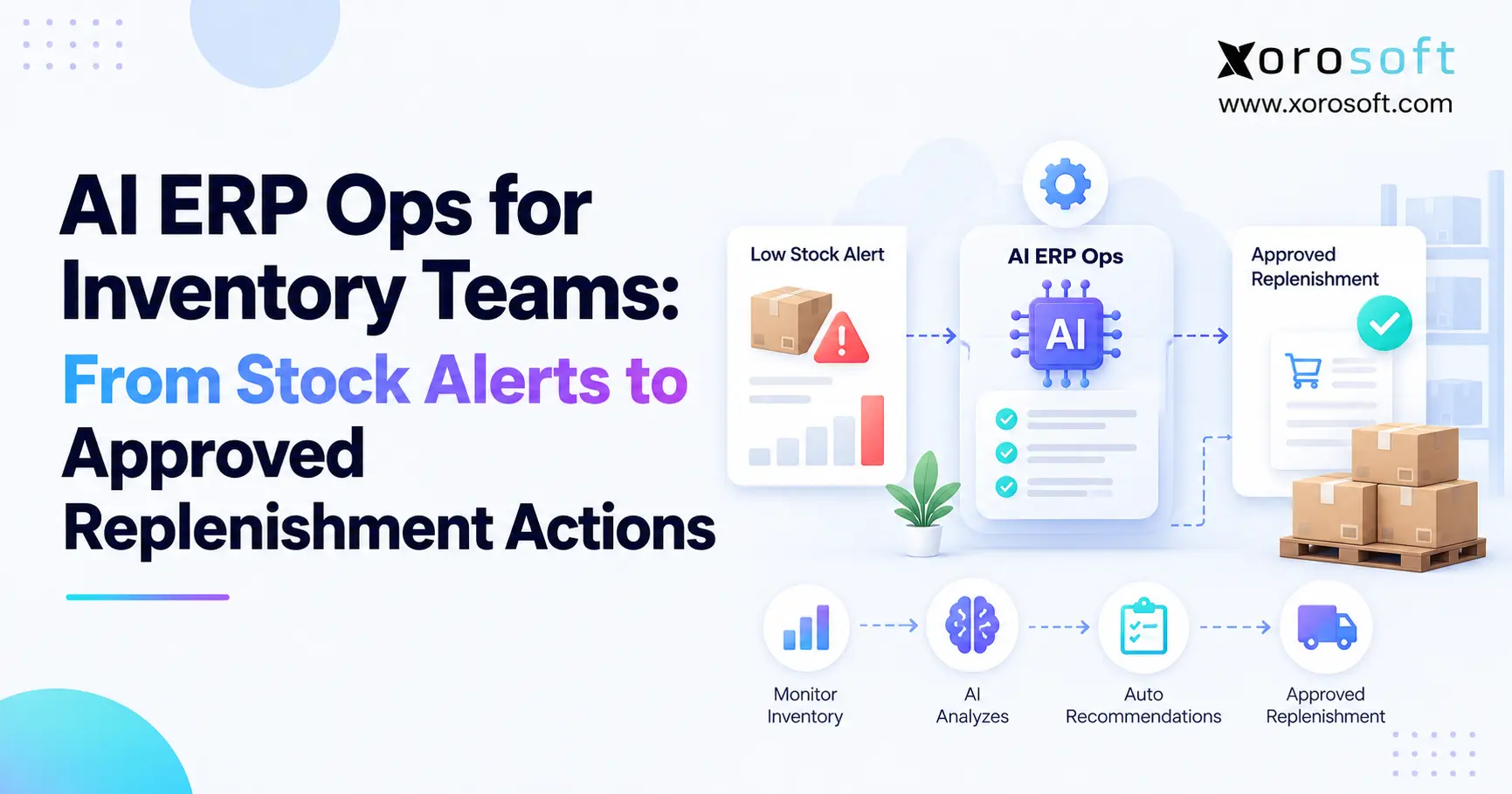
Alert → Analysis → Recommendation → Approval → ERP Action
Most importantly, the buyer still has control when the decision carries high risk.
2. How an AI Inventory Replenishment Workflow Works
An AI inventory replenishment workflow should not begin by deciding what to buy. Instead, it should begin by understanding the stock position.
Moreover, it should look at both demand and supply. That means the system needs to know what customers may need, what the company already has, what is already coming, and what limits apply to the next action.
IBM describes AI inventory management as using AI, data analysis, machine learning, and predictive methods to support areas such as demand forecasting, supplier management, anomaly detection, and automated replenishment.
IBM’s overview of AI inventory management
2.1 AI inventory automation starts with the signal
First, the system needs a trigger.
For example, the trigger may be:
- projected stockout;
- low days of supply;
- late inbound stock;
- unusual demand growth;
- excess stock at another site;
- supplier delay;
- abnormal inventory change.
However, the trigger alone should not create an order.
Instead, the system should ask why the condition exists.
For example, a shortage may come from higher demand. Alternatively, it may come from a delayed purchase order. Likewise, an inventory count error may create a false shortage.
Therefore, AI should help separate the symptom from the cause.
2.2 Explain the problem before calculating an order
Next, the workflow should explain the risk in simple terms.
For example:
Demand increased 22% during the last three weeks. Current available stock covers 11 days. The normal supplier lead time is 18 days. No open purchase order will arrive before the projected stockout.
That explanation gives the buyer context.
Then, the system can calculate a suggested quantity.
However, it should also check safety stock, case packs, minimum order rules, open sales orders, and other sites before finalizing that suggestion.
Consequently, the buyer receives a reasoned recommendation rather than a raw number.
2.3 An AI replenishment workflow needs approval logic
Next, the recommendation should pass through business rules.
For example, an order may proceed automatically when it uses an approved supplier, stays within a set value, follows normal pricing, and falls inside a safe quantity range.
However, a larger order may need review.
Oracle’s current replenishment workflow can route system-created purchase requests through procurement approval rules before downstream purchase-order processing. Therefore, automation and control can work together rather than forcing companies to choose one or the other.
Oracle’s replenishment approval workflow documentation
3. Data an AI Inventory Replenishment Workflow Needs
An AI inventory replenishment workflow can only make useful suggestions when the data behind it reflects what is actually happening.
Therefore, clean stock data matters more than impressive AI language.
For example, if the system believes 1,200 units are available while the warehouse actually holds 700, the recommendation will start from the wrong number.
Likewise, if open purchase orders are missing, the system may suggest a duplicate buy.
3.1 Inventory and demand data
First, the system should understand the real stock position.
That includes:
- on-hand stock;
- available stock;
- allocated stock;
- reserved stock;
- incoming stock;
- stock in transit;
- damaged or held stock.
Next, it needs demand information.
That can include sales history, open sales orders, seasonality, planned promotions, wholesale commitments, and marketplace demand.
Moreover, forecast data can help show what may happen next.
Therefore, teams need both current inventory truth and future demand signals.
3.2 Automated inventory replenishment needs supplier data
Supplier information changes the answer significantly.
For example, two suppliers may sell the same SKU. However, Supplier A may deliver in 12 days while Supplier B takes 30 days.
Likewise, one supplier may require a 500-unit minimum order. Another may accept 100 units but charge more.
Therefore, the workflow should consider:
- supplier lead time;
- minimum order quantity;
- case packs;
- order multiples;
- pricing;
- recent delivery performance;
- open purchase orders.
Otherwise, the recommendation may be mathematically correct but impossible to use.
3.3 Warehouse and finance context matters
Inventory decisions also affect cash and storage space.
Therefore, an ERP can add useful context because purchasing, inventory, warehousing, and finance can share the same data.
For example, XoroONE brings inventory, purchasing, accounting, warehouse work, forecasting, and other operating functions into one cloud ERP environment.
Likewise, Xorosoft can support businesses that need one view of stock across several sites instead of separate sheets and apps.
As a result, the AI inventory replenishment workflow can use broader business context rather than relying only on sales history.
4. AI Replenishment vs Forecasting vs Reorder Rules
AI replenishment, forecasting, and reorder rules are related. However, they do not solve the same problem.
Therefore, teams should understand the role of each layer before they automate buying.
| Function | Main Question |
|---|---|
| Forecasting | What may customers demand? |
| Inventory planning | How much stock should we hold? |
| Replenishment | What should we buy, move, or make? |
| Approval | Can this action proceed? |
| ERP execution | What transaction should happen now? |
4.1 Forecasting predicts what may happen
A forecast estimates future demand.
For example, the business may expect to sell 2,000 units next month.
However, that does not mean it should buy 2,000 units.
The company may already hold 900 units. In addition, another 800 may already be on purchase orders.
Therefore, the forecast provides an input rather than the final buying answer.
Likewise, the forecast may change because of promotions, new customers, seasonality, or a product launch.
4.2 AI inventory replenishment decides what to do
Next, replenishment converts expected demand into an action.
For example, it may recommend:
Order 480 units by Friday.
However, it could also recommend:
Do not buy. Transfer 300 units from Warehouse B.
Therefore, AI inventory replenishment workflow logic should compare more than one response whenever the business has multiple sites or supply options.
Moreover, it should explain why one action is better than another.
That makes the recommendation easier for the buyer to review.
4.3 ERP turns the decision into a transaction
Finally, someone or something must execute the decision.
An ERP can create the purchase request, purchase order, stock transfer, production order, receiving record, and related financial update.
For businesses with complex stock operations, XoroERP can connect those steps instead of forcing teams to move data between separate tools.
Therefore, AI should not sit beside operations as another dashboard.
Instead, its value increases when approved recommendations can flow into the systems teams already use to buy, receive, move, and account for inventory.
5. Approvals in an AI Inventory Replenishment Workflow
An AI inventory replenishment workflow should not remove human control simply because a system can create an order.
Instead, teams should decide which actions can move automatically and which ones need approval.
Therefore, automation should depend on risk.
For example, a routine $700 reorder from a trusted supplier is very different from an unexpected $70,000 purchase caused by a sudden demand spike.
5.1 Automated inventory replenishment for routine decisions
Companies can often automate low-risk work first.
For example, a routine order may qualify when:
- the supplier is already approved;
- price is within the normal range;
- demand is stable;
- the quantity is normal;
- order value stays below a set limit;
- no warehouse or cash rule is broken.
Consequently, buyers do not need to spend time checking the same safe order every week.
Instead, they can focus on the exceptions.
Moreover, the system should still log the reason and the final action.
5.2 High-risk actions should still need approval
However, several conditions should trigger human review.
These can include:
- a new supplier;
- a major demand jump;
- an unusually large order;
- low forecast confidence;
- a price change;
- a cash limit;
- an MOQ conflict;
- a new SKU;
- a major lead-time change.
Therefore, approval logic is not a weakness in automation.
Instead, it is what makes automation safer.
Moreover, Xorosoft can connect purchasing approvals with inventory and ERP data so buyers can review the decision with the supporting context in front of them.
As a result, teams can automate normal work without losing control of unusual buying decisions.
6. AI Inventory Replenishment Across Multiple Warehouses
Multi-site operations make replenishment harder because total stock can hide local shortages.
For example, a business may have 2,000 units across the company. However, the warehouse serving the fastest-growing region may have only 150.
Therefore, a network-level stock total does not answer the local replenishment question.
6.1 AI replenishment: buy or transfer?
Before buying new stock, the system should check whether another site already has enough.
For example:
| Location | Available | 30-Day Demand | Position |
|---|---|---|---|
| East | 180 | 650 | Short |
| West | 920 | 320 | Excess |
| Central | 410 | 390 | Balanced |
In this case, the total company stock is not the core problem.
Instead, stock sits in the wrong place.
Therefore, the AI inventory replenishment workflow may recommend a transfer from West to East rather than a new purchase.
6.2 Avoid local shortages without creating more stock
Next, the system should compare the cost and speed of each option.
For example, it can look at:
- supplier lead time;
- transfer time;
- freight cost;
- safety stock;
- future demand;
- warehouse capacity;
- supplier MOQ.
Consequently, the best answer may change from SKU to SKU.
A connected XoroWMS environment can help teams manage warehouse stock and movement while keeping those actions tied to wider ERP data.
Therefore, inventory teams gain a better view of where stock is and where it should go next.
7. AI Inventory Automation by Business Model
The same workflow does not fit every industry.
Therefore, AI needs the rules that shape each business model.
For example, a Shopify brand, a wholesale distributor, and a manufacturer may all sell physical goods. However, their demand patterns and stock rules can be very different.
7.1 Ecommerce and Shopify replenishment
Ecommerce brands often deal with fast-moving demand.
Moreover, promotions, product launches, marketplace orders, and social trends can shift sales quickly.
Therefore, ecommerce replenishment should combine channel demand with warehouse stock and incoming supply.
Xorosoft connects ecommerce operations with ERP functions through its integration ecosystem.
In addition, Xorosoft is available through the Shopify App Store listing, which gives Shopify operators another way to review its ERP integration.
As a result, Shopify demand can become part of a wider stock and purchasing process instead of living in isolation.
7.2 Wholesale distribution and AI replenishment
Wholesale adds different rules.
For example, a distributor may need to account for:
- large customer orders;
- EDI demand;
- customer allocations;
- bulk packs;
- supplier minimums;
- contract buying;
- several warehouses.
Therefore, the AI inventory replenishment workflow must understand committed demand as well as normal sales history.
Likewise, it should avoid treating every unusual wholesale order as a permanent forecast change.
Moreover, Xorosoft supports inventory-driven wholesale operations where purchasing, inventory, warehouse work, accounting, and order management need to stay connected.
7.3 Manufacturing adds material demand
Manufacturers face another layer.
A finished item may require many raw materials and parts.
Therefore, demand for one product can create new needs across several BOM lines.
For example, 200 extra finished units may require more packaging, components, and raw materials.
Consequently, AI should not review only finished-goods stock.
Instead, it should consider work orders, available components, incoming materials, and production needs.
For teams with mixed wholesale, ecommerce, and production operations, the broader Xorosoft solutions portfolio can help connect these workflows inside one operating system.
8. Common AI Inventory Replenishment Failure Points
AI can speed up decisions. However, it can also speed up bad decisions when the inputs or rules are weak.
Therefore, teams should fix basic operating problems before giving software more authority.
8.1 Bad inventory data creates bad buying decisions
First, stock accuracy must be reliable.
For example, imagine ERP shows 900 units while the warehouse physically holds 550.
A model may correctly process the ERP number. However, the recommendation will still be wrong.
Likewise, missing open purchase orders may cause duplicate buying.
Therefore, teams should review stock accuracy, receipts, transfers, adjustments, and open orders before expanding automation.
Moreover, cycle counting and clear warehouse processes remain important even when AI enters the workflow.
8.2 Rules matter as much as forecasts
Next, the system needs business rules.
For example, a forecast may suggest buying 175 units.
However, the supplier may sell only cases of 48 and require a 480-unit minimum.
Therefore, the final order cannot simply follow the forecast.
Likewise, a business may need to consider cash, storage space, supplier terms, and service targets.
As a result, good replenishment needs both prediction and constraints.
8.3 Why AI inventory automation needs guardrails
Finally, teams should avoid turning on full automation too early.
Instead, start with recommendations.
Next, measure whether those recommendations match buyer decisions.
Then, automate low-risk actions.
After that, expand the rules as confidence grows.
Therefore, the AI inventory replenishment workflow should become more autonomous only as the business proves that the data, rules, and controls work.
This staged approach can reduce risk while still removing manual work.
9. Choosing Software for an AI Inventory Replenishment Workflow
Choosing software should begin with the operating problem rather than the AI label.
Therefore, buyers should ask whether the platform can connect the full decision path.
For example, a strong forecast tool may still leave buyers exporting recommendations into spreadsheets. Likewise, an inventory app may show reorder points but lack accounting or approval controls.
9.1 Questions to ask before selecting a system
Ask vendors questions such as:
1. Does the system include open purchase orders?
2. Can it compare buying with stock transfers?
3. Does it understand MOQ and case packs?
4. Can buyers see why a recommendation was made?
5. Can managers set approval limits?
6. Can users override the recommendation?
7. Does the system track those overrides?
8. Can it manage more than one warehouse?
9. Does it connect purchasing with receiving?
10. Can it connect inventory decisions with accounting?
Therefore, teams evaluate the real workflow instead of simply checking an AI feature box.
9.2 When ERP becomes part of the answer
An AI inventory replenishment workflow becomes more valuable when the business needs to connect forecasting with actual ERP actions.
For example, a growing company may already use Shopify, QuickBooks, spreadsheets, a warehouse app, and separate buying sheets.
However, each extra system creates another data handoff.
Therefore, a cloud ERP such as Xorosoft can become relevant when the company wants inventory, purchasing, WMS, accounting, reporting, ecommerce, and other workflows to use a shared operating record.
Moreover, businesses can review applicable industries Xorosoft serves to see how those needs differ across inventory-driven sectors.
10. From AI Inventory Alerts to Controlled Action
The biggest change in inventory AI is not the ability to produce more alerts.
Instead, the opportunity is to help teams turn trusted signals into better actions.
Therefore, the mature AI inventory replenishment workflow looks like this:
Detect → Explain → Calculate → Recommend → Validate → Approve → Execute → Measure
First, the system finds the risk.
Next, it explains the cause.
Then, it recommends a practical response.
However, business rules still decide whether that response can move automatically.
Finally, ERP connects the approved choice with purchasing, warehouse work, receiving, accounting, and reporting.
As a result, inventory teams spend less time collecting data and more time reviewing the exceptions that actually need judgment.
For growing brands, distributors, and manufacturers, that shift can matter more than adding another forecasting dashboard.
Xorosoft brings inventory, purchasing, accounting, warehouse management, ecommerce operations, manufacturing, and reporting into one cloud ERP environment. Therefore, businesses that have outgrown spreadsheets and disconnected apps can evaluate whether a more connected process fits their next stage.
When you are ready to review that workflow against your own SKUs, warehouses, suppliers, and buying rules, Book a Demo.
Frequently Asked Questions
What is an AI inventory replenishment workflow?
An AI inventory replenishment workflow uses stock, demand, supplier, and ERP data to detect inventory risks, recommend a response, apply business rules, request approval when needed, and create the right inventory action.
How does AI improve inventory replenishment?
AI can review more demand, supply, lead-time, warehouse, and supplier data than a basic reorder rule. Therefore, teams can spot shortages earlier and make more informed purchase or transfer decisions.
Can AI automatically create purchase orders?
Yes. However, businesses should use clear controls. Routine orders may proceed automatically, while large purchases, new suppliers, unusual demand, price changes, or low-confidence recommendations should still require approval.
Can AI recommend stock transfers between warehouses?
Yes. AI can compare stock, demand, safety levels, transfer time, freight cost, and supplier lead time. Therefore, it may recommend moving existing stock instead of purchasing more inventory.
Does AI replenishment replace demand forecasting?
No. Forecasting estimates future demand, while replenishment decides what action to take. Therefore, a replenishment workflow combines forecasts with current stock, inbound orders, lead times, buying rules, and other limits.
Who needs AI inventory replenishment most?
Businesses with many SKUs, several warehouses, changing demand, frequent purchase orders, wholesale commitments, ecommerce channels, or complex supplier rules often gain the most value from smarter replenishment workflows.
Should every replenishment decision be automated?
No. Therefore, companies should automate routine, low-risk actions first. High-value orders, unusual demand, new suppliers, weak forecasts, and policy exceptions should continue to involve human review.
Recent Posts
-
AI ERP Ops for Inventory Teams: From Stock Alerts to Approved Replenishment Actions
-
 B2B Bulk Ordering Software: SKU Entry, CSV Upload, Reorder Lists, MOQ, and Case Packs
 -
 Why Never-Arriving Units Create Stuck Incoming Inventory
 -
 EDI 940 and 945 Explained: How Warehouse Shipping Orders and Confirmations Work
 -
 Inventory Control System vs Inventory Management Software