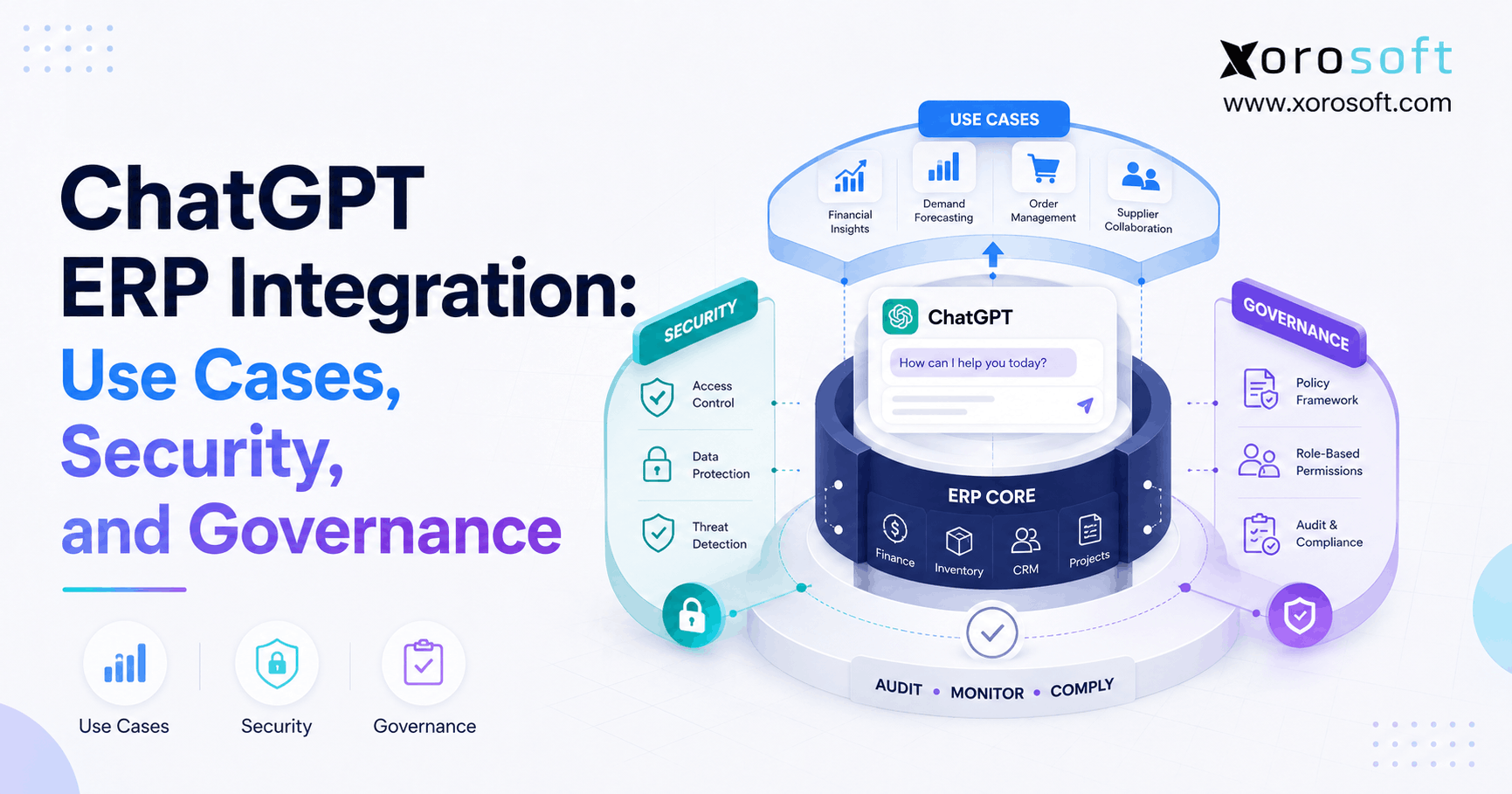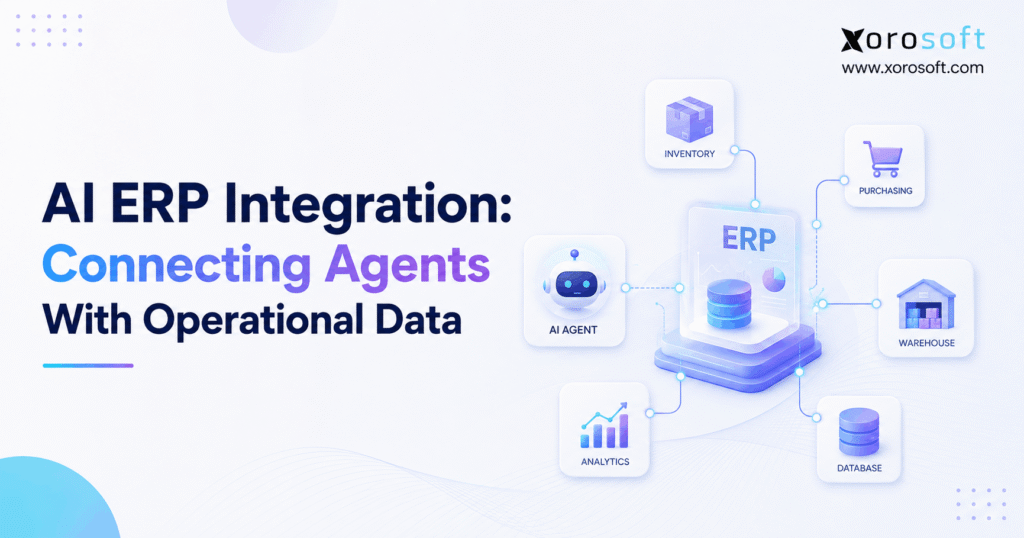
AI ERP integration is transforming the way businesses manage their operations and data.
1. When AI Stops Guessing and Starts Operating
AI ERP integration gives artificial intelligence access to the operational data that actually runs a business. Therefore, instead of relying only on documents, spreadsheets, or copied reports, an AI agent can work with current inventory, purchasing, sales, warehouse, accounting, manufacturing, and ecommerce information.
However, connecting an AI model to operational data is very different from adding a chatbot to a website. For example, if an employee asks, “Which products should we reorder this week?” the agent cannot answer reliably from general knowledge alone. Instead, it needs current inventory, allocations, outstanding sales orders, incoming purchase orders, supplier lead times, forecasts, and purchasing rules.
As a result, the quality of the answer depends heavily on the ERP environment beneath the AI.
Moreover, businesses are moving beyond simple AI-generated summaries. Increasingly, teams want agents that can investigate operational problems, recommend decisions, prepare transactions, and coordinate workflows. Therefore, ERP data becomes the context that allows an agent to understand what is actually happening inside the business.
At the same time, greater access creates greater responsibility. Consequently, companies need strong permissions, business rules, approval workflows, and audit trails before allowing AI to participate in operational transactions.
This guide explains how AI agents connect with ERP data, which architecture options make sense, where AI can provide practical value, and how inventory-driven businesses can prepare their systems for more agent-driven operations.
2. What AI ERP Integration Actually Means
AI ERP integration is the connection between artificial intelligence systems and ERP data, workflows, business logic, and approved actions.
In other words, the ERP provides operational context while the AI provides interpretation and reasoning.
2.1 How AI ERP Integration Differs From Traditional Integration
Traditional integrations normally connect two applications through predefined workflows.
For example, Shopify might send an order to an ERP. Subsequently, the ERP may send updated inventory quantities back to Shopify.
AI ERP integration works differently because the request may not be predefined.
For instance, a purchasing manager could ask:
“Which products are most likely to create fulfillment problems during the next 30 days?”
Therefore, the agent may need to examine several data sources before answering. Specifically, it could analyze inventory, allocations, sales velocity, purchase orders, expected receipts, supplier lead times, and forecasts.
As a result, AI integration is less about transferring one field from System A to System B. Instead, it is about giving an intelligent system enough governed context to evaluate an operational situation.
2.2 AI Assistants and AI Agents Are Not the Same
An AI assistant primarily helps a person understand information or perform a task.
For example, an assistant might summarize inventory performance.
An AI agent, however, can potentially go further. It may select tools, retrieve records, compare alternatives, complete several steps, and prepare an action.
Therefore, an inventory assistant might explain why a SKU is running low. In contrast, an inventory agent could identify the shortage, evaluate incoming supply, compare warehouse availability, calculate a replenishment requirement, and prepare a proposed purchase order.
Nevertheless, that does not mean every agent should automatically execute transactions.
Instead, businesses should increase autonomy gradually.
3. Why AI Agents Need Operational ERP Data
AI models are powerful at interpreting language. However, they do not automatically know the current operational state of a company.
Therefore, reliable agents need access to trusted business information.
3.1 Inventory Data Gives Agents Current Supply Context
Inventory data can include:
- Quantity on hand
- Available inventory
- Allocated inventory
- Reserved stock
- In-transit inventory
- Warehouse balances
- Incoming purchase orders
- Transfers
- Inventory aging
- Reorder points
For example, knowing that 800 units are physically present is not always enough. If 650 units are already allocated to customer orders, only 150 may actually be available.
Therefore, the agent needs business context rather than a single inventory number.
Moreover, multi-warehouse businesses create another layer of complexity. For instance, one warehouse may be approaching a stockout while another location holds excess inventory.
As a result, an agent may recommend a transfer instead of a new purchase.
3.2 Purchasing Data Adds Supply-Side Context
Purchasing decisions depend on more than current stock.
Therefore, an AI agent may also need:
- Open purchase orders
- Supplier lead times
- Minimum order quantities
- Supplier pricing
- Delivery history
- Reorder rules
- Forecast demand
- Expected arrival dates
For example, a product may appear understocked today. However, if a large purchase order arrives tomorrow, creating another PO may cause unnecessary overstock.
Consequently, purchasing agents need inventory and purchasing information together.
3.3 Sales Data Adds Demand Context
Sales orders reveal what customers have already committed to buy.
Therefore, agents may analyze:
- Open orders
- Backorders
- Customer demand
- Sales velocity
- Channel demand
- Seasonal patterns
- Allocated inventory
In addition, wholesale demand may behave very differently from direct-to-consumer demand.
As a result, an AI system should understand the source and nature of demand rather than treating every unit sold identically.
3.4 Accounting Data Adds Financial Context
Operational decisions eventually affect financial results.
Therefore, appropriate AI use cases may involve:
- Accounts payable
- Accounts receivable
- Inventory valuation
- Cost of goods sold
- Supplier invoices
- Customer balances
- General ledger information
- Margin analysis
However, financial data requires particularly careful permission management.
For that reason, finance-oriented agents should normally operate under clearly defined user roles and transaction controls.
3.5 Manufacturing Data Adds Production Context
Manufacturers need another layer of operational information.
For example, an agent may need to understand:
- Bills of materials
- Components
- Work orders
- Production requirements
- Raw material availability
- Work in process
- Production schedules
Therefore, asking whether a finished product can ship next week may require the agent to inspect both finished inventory and component availability.
4. How AI ERP Integration Connects Agents With Business Systems
Several approaches can connect AI agents with ERP environments.
However, the right approach depends on whether the agent needs to retrieve knowledge, query live transactions, or perform actions.
4.1 APIs Remain an Important Foundation
Application programming interfaces allow systems to exchange structured data and execute defined functions.
For example, an ERP API may allow an application to retrieve inventory, search sales orders, create customers, or prepare purchase orders.
Therefore, APIs remain important even as AI-specific connectivity standards evolve.
However, every API integration normally requires developers to understand available endpoints, schemas, authentication requirements, and business rules.
As a result, traditional API integrations can become complex when an agent needs access to many ERP functions.
4.2 MCP Creates an Agent-Oriented Connection Layer
Model Context Protocol, or MCP, provides a standardized way for compatible AI applications to discover and use external tools.
Therefore, MCP is especially relevant to agent-driven ERP workflows.
For example, an ERP MCP environment might expose tools for finding an item, checking inventory, retrieving purchase orders, reviewing customers, or performing approved operational actions.
Xorosoft provides an AI MCP Server designed to connect compatible AI applications with authorized ERP information across operational areas such as inventory, purchasing, accounting, manufacturing, and warehouse management.
However, MCP should not be confused with a security system.
Instead, authentication, user roles, permissions, ERP business rules, transaction validation, and approvals still need to control what an agent is allowed to do.
4.3 RAG Solves a Different Problem
Retrieval-Augmented Generation, commonly called RAG, is useful when an agent needs information from documents.
For example, RAG can help retrieve:
- Supplier agreements
- SOPs
- Purchasing policies
- Product specifications
- Internal manuals
However, document retrieval is not the same as reading current transactional data.
For instance, yesterday’s exported inventory spreadsheet may already be outdated.
Therefore, live operational questions usually require a direct connection with the system of record.
4.4 MCP, APIs, and RAG Can Work Together
Businesses do not necessarily need to choose only one architecture.
Instead, each method can solve a different part of the problem.
| Capability | API | MCP | RAG |
|---|---|---|---|
| Retrieve live ERP data | Yes | Yes | Limited |
| Perform approved ERP actions | Yes | Yes, when exposed | No |
| Retrieve documents | Possible | Possible | Strong |
| Agent-oriented tool discovery | Custom | Strong | No |
| Use business logic | Yes | Yes | Usually no |
| Best use | System integration | Agent connectivity | Knowledge retrieval |
For example, an agent might retrieve a purchasing policy through RAG. Next, it could check live inventory through an ERP tool. Finally, it could prepare a transaction through an authorized API or MCP function.
Therefore, the architecture should follow the business workflow rather than forcing every use case into one technology.
5. AI ERP Integration Use Cases Across Operations
The strongest AI ERP use cases usually involve areas where employees spend significant time collecting information, investigating exceptions, and deciding what requires attention.
5.1 Inventory Management Agents
Inventory teams frequently manage thousands of items across multiple locations.
Therefore, an agent can help identify exceptions instead of forcing planners to inspect every SKU manually.
For example, an inventory agent could answer:
- Which products are approaching a stockout?
- Where is excess inventory accumulating?
- What items have stopped selling?
- Are any warehouses carrying an inventory imbalance?
- Do incoming shipments arrive soon enough to prevent shortages?
Moreover, businesses using a connected ERP can provide better context to these questions.
For inventory-driven companies, Xorosoft brings inventory and related operational processes together so that quantities can be evaluated alongside purchasing, sales, warehouse, and financial information.
Consequently, the agent can reason about the situation rather than simply returning a stock figure.
5.2 Purchasing and Procurement Agents
Purchasing is another strong AI ERP integration use case.
For example, an agent could evaluate demand, available inventory, incoming supply, safety stock, lead times, and minimum order quantities.
Therefore, instead of simply saying “buy 1,000 units,” the system could explain why the quantity is recommended.
Moreover, buyers could review exceptions rather than rebuilding purchase calculations in spreadsheets.
However, recommendation quality still depends on reliable planning parameters.
If lead times or minimum order quantities are incorrect, the AI may produce a logically sound recommendation based on bad inputs.
Therefore, clean purchasing data remains essential.
5.3 Warehouse Management Agents
Warehouse environments generate large volumes of operational activity.
As a result, AI can be useful for prioritization and exception management.
For example, an agent might identify:
- Orders stuck in picking
- Receiving delays
- Abnormal inventory adjustments
- Urgent orders approaching cutoff
- Replenishment shortages
- Location imbalances
At the same time, deterministic warehouse workflows should remain deterministic where consistency is required.
For instance, barcode validation does not need creative reasoning.
Instead, AI is more useful when workers need help understanding why an exception occurred or which problem deserves attention first.
Businesses that need real-time warehouse execution can connect these workflows through XoroWMS while keeping operational transactions inside a governed warehouse environment.
5.4 Accounting and Finance Agents
Finance teams often spend significant time investigating exceptions.
Therefore, useful agent scenarios can include:
- Explaining unusual account changes
- Investigating invoice discrepancies
- Reviewing overdue receivables
- Analyzing inventory valuation
- Prioritizing reconciliation issues
- Summarizing financial exceptions
However, financial agents should normally start with analysis rather than autonomous journal entries.
As a result, companies can validate accuracy before granting greater execution rights.
5.5 Manufacturing Agents
Manufacturing decisions depend on many connected variables.
For example, a production planner may need to compare customer demand, BOM requirements, component inventory, work orders, and incoming supply.
Therefore, an AI agent could identify production orders at risk because required materials will not arrive in time.
Moreover, it could explain which component is creating the constraint.
As a result, planners can focus on resolving exceptions rather than manually comparing multiple reports.
5.6 Ecommerce and Multi-Channel Agents
Ecommerce businesses often distribute operations across storefronts, marketplaces, warehouse tools, accounting systems, and ERP applications.
Consequently, agents need a consistent view of orders and inventory across channels.
Xorosoft’s integration ecosystem helps connect ecommerce and operational workflows, while Shopify merchants can also review the Xorosoft listing in the Shopify App Store.
Therefore, an ecommerce agent could eventually work with questions such as:
“Which Shopify products are selling faster than expected, and which purchase orders need attention?”
The answer becomes more reliable when inventory, purchasing, fulfillment, and ecommerce demand share the same operational context.
6. Security Rules for AI ERP Integration
AI ERP integration becomes more valuable as agents gain greater access.
However, the risk also increases.
Therefore, businesses should treat agent permissions as an operational governance problem.
6.1 Start With Read Access
First, allow agents to retrieve information.
For example:
“Show the five products with the lowest weeks of supply.”
This workflow creates little transactional risk.
Next, allow the agent to analyze and recommend.
For example:
“Recommend replenishment quantities for those products.”
Finally, consider approved execution.
For example:
“Prepare purchase orders and send them to the buyer for approval.”
Therefore, autonomy should increase only after the organization understands agent performance.
6.2 Apply Least-Privilege Permissions
An agent should only access the information required for its job.
For example, a warehouse-focused agent may not need payroll or unrestricted financial data.
Similarly, a sales agent may not need permission to post general ledger transactions.
Therefore, role-based permissions should remain central to the architecture.
6.3 Keep Humans in High-Risk Decisions
Human approval becomes more important as the financial or operational impact increases.
For instance, automatically generating a replenishment suggestion may be acceptable.
However, automatically placing a $250,000 supplier order creates a very different risk.
Therefore, businesses can define approval thresholds.
As a result, routine low-risk activities can move faster while high-impact decisions remain controlled.
6.4 Keep ERP Business Rules in Control
AI should not bypass ERP validation.
Instead, the ERP should continue enforcing:
- Required fields
- Approval limits
- Accounting rules
- Duplicate controls
- Inventory rules
- Credit policies
- User permissions
Therefore, the AI layer should interact with operational rules rather than replace them.
7. Why Data Quality Can Make or Break AI ERP Integration
An AI agent can reason well and still produce a bad operational answer.
Why?
Because poor source data creates poor context.
7.1 Inventory Accuracy Comes First
Suppose physical inventory contains 400 units while the ERP says 900.
Therefore, any replenishment calculation based on the ERP starts from the wrong number.
Moreover, an AI explanation may sound convincing even though its source data is inaccurate.
As a result, inventory accuracy becomes an AI-readiness requirement.
7.2 Master Data Matters More Than It Seems
Supplier lead times, item dimensions, BOMs, reorder points, minimum quantities, and customer records may appear administrative.
However, agents use these values to make operational judgments.
Therefore, inconsistent master data can quietly distort recommendations.
7.3 Fragmented Systems Create Conflicting Truth
Consider a company using Shopify, accounting software, a warehouse application, an inventory app, an EDI platform, and purchasing spreadsheets.
Now ask:
“How much should we buy next month?”
First, the agent needs demand.
Second, it needs available inventory.
Next, it needs existing purchase commitments.
Then, it needs supplier assumptions.
Finally, it needs to understand which system contains the authoritative version of each number.
Consequently, the integration problem can become larger than the AI problem.
8. Why Unified Operations Improve AI ERP Integration
A connected ERP reduces the number of independent operational sources an agent must interpret.
Therefore, unified operations can simplify both context and governance.
8.1 One Operational Model Creates Better Context
A platform such as XoroONE can centralize operational workflows that might otherwise live across separate inventory, purchasing, warehouse, accounting, and ecommerce applications.
As a result, agents can work with more consistent context.
Moreover, the company can maintain business rules and permissions closer to the transactions themselves.
Therefore, the goal is not simply to give AI more data.
Instead, the goal is to give AI the right data from the right operational system.
8.2 AI Should Sit Above the System of Record
The ERP should remain responsible for:
- Transactions
- Business rules
- Permissions
- Inventory records
- Financial records
- Approval workflows
Meanwhile, the AI layer can interpret requests, gather context, compare conditions, and coordinate approved tools.
Therefore, the ERP remains the operational authority while the agent becomes a flexible interface to that authority.
9. Who Needs AI ERP Integration?
AI ERP integration is most useful when operational complexity has already grown beyond what teams can efficiently manage through manual reporting.
9.1 Strong Candidates
Multi-warehouse businesses are strong candidates because every operational question can involve location-specific availability.
Likewise, high-SKU ecommerce brands can benefit because planners cannot manually inspect every product every day.
Moreover, wholesale distributors can benefit from agents that help investigate purchasing, allocations, customer orders, EDI exceptions, and warehouse conditions.
Similarly, manufacturers can benefit when agents can analyze BOMs, work orders, raw materials, and production requirements together.
Businesses across these inventory-heavy sectors can explore Xorosoft’s industry-specific ERP use cases to understand how operational requirements vary by business model.
9.2 Who Should Wait?
Very small businesses may not need AI ERP integration yet.
For example, a company with one warehouse, a small SKU catalog, and only a few daily orders may benefit more from improving basic processes first.
Likewise, organizations with highly inaccurate inventory should address that problem before building sophisticated inventory agents.
Therefore, AI should not become a distraction from operational fundamentals.
10. How to Implement AI ERP Integration Without Creating Chaos
Successful implementation should begin with a narrow operational problem.
Therefore, companies should avoid trying to automate an entire ERP from day one.
10.1 Start With One High-Value Question
First, identify a question employees repeatedly spend time answering.
Examples include:
“Which products are going to stock out?”
“Which purchase orders are late?”
“Which orders cannot ship?”
“Which supplier invoices need investigation?”
Then, determine which ERP records are required to answer that question.
As a result, the project starts with a measurable business problem instead of a vague AI initiative.
10.2 Give the Agent Read Access First
Next, connect the agent to the required information.
However, avoid immediate transaction permissions.
Instead, compare the agent’s answers with the decisions experienced employees already make.
Therefore, the company can evaluate reliability before increasing autonomy.
10.3 Add Recommendations
Once retrieval is reliable, allow the agent to recommend an action.
For example:
“Recommend which SKUs need replenishment.”
Then, require the agent to explain the underlying reasoning.
Consequently, buyers can verify whether the recommendation reflects actual business logic.
10.4 Add Controlled Execution
Finally, allow the agent to prepare or execute narrowly defined transactions.
However, use approval workflows where appropriate.
For example, the agent might prepare purchase orders while the purchasing manager approves them.
As confidence improves, low-risk activities may eventually operate with greater autonomy.
Therefore, implementation becomes a gradual progression rather than a sudden transfer of control.
11. Evaluating an AI-Ready ERP Platform
An AI-ready ERP is not simply an ERP with a chatbot added to the interface.
Instead, the underlying operational architecture matters more.
11.1 Look for Connected Core Functions
The ERP should bring together the operational areas that the agent needs to understand.
For inventory-driven businesses, that typically includes:
- Inventory
- Purchasing
- Warehouse management
- Accounting
- Sales orders
- Manufacturing
- Ecommerce
- Reporting
Xorosoft’s broader cloud ERP solutions are designed around these connected operational requirements.
Therefore, a business can evaluate AI readiness based on whether its core information already exists in a consistent environment.
11.2 Look for Strong Integration Options
The platform should support practical ways to connect external systems and AI applications.
For example, this can include APIs, integration tools, and agent-oriented connectivity.
Moreover, the platform should provide clear authentication and permission controls.
Therefore, integration flexibility should not come at the expense of security.
11.3 Look for Operational Depth
An ERP should handle the company’s real workflows before AI is layered on top.
For example, a warehouse-heavy company needs more than basic stock counts.
Similarly, a manufacturer needs BOMs and production workflows.
For companies evaluating a broader ERP environment, XoroERP provides an example of a platform designed around connected inventory-driven business operations.
11.4 Look for Evidence From Real Operations
Marketing claims alone are not enough.
Instead, companies should evaluate how systems perform in real inventory, warehouse, ecommerce, purchasing, and finance environments.
Therefore, reviewing implementation examples and customer case studies can help teams understand how operational requirements change as businesses scale.
12. Common AI ERP Integration Mistakes
12.1 Giving Agents Too Much Access
Broad permissions may simplify initial development.
However, they create unnecessary operational risk.
Therefore, start with the minimum access required.
12.2 Automating a Broken Process
AI can accelerate a workflow.
However, it cannot automatically resolve fundamental disagreement about how the workflow should operate.
For example, if purchasing teams do not agree on replenishment rules, an agent will not magically create a correct policy.
Therefore, standardize the process before automating it.
12.3 Ignoring Data Quality
An agent may produce a polished answer from inaccurate records.
Consequently, companies should validate source data before evaluating model intelligence.
12.4 Jumping Directly to Autonomous Transactions
Full autonomy may sound impressive.
However, recommendations and drafts are often better starting points.
Therefore, allow the organization to build confidence gradually.
12.5 Using AI for Everything
Not every ERP task requires AI.
For example, deterministic validation rules should generally remain deterministic.
Likewise, barcode scanning does not need a language model.
Instead, use AI where interpretation, reasoning, prioritization, or exception handling creates value.
13. Frequently Asked Questions About AI ERP Integration
13.1 What is AI ERP integration?
AI ERP integration connects artificial intelligence applications with ERP data, workflows, and approved business actions. Therefore, an AI agent can use operational information such as inventory, purchasing, accounting, warehouse, manufacturing, and sales data instead of depending only on static documents.
13.2 How does AI integrate with an ERP?
AI can connect through APIs, MCP tools, middleware, or other supported interfaces. However, the architecture should also apply authentication, permissions, ERP business rules, validation, and auditing. Therefore, the integration layer should provide controlled access rather than unrestricted database access.
13.3 What is an ERP AI agent?
An ERP AI agent is an AI system that can use ERP information or tools to work toward a business goal. For example, it may investigate a stockout, analyze supplier options, recommend replenishment, or prepare an approved operational transaction.
13.4 What is agentic ERP?
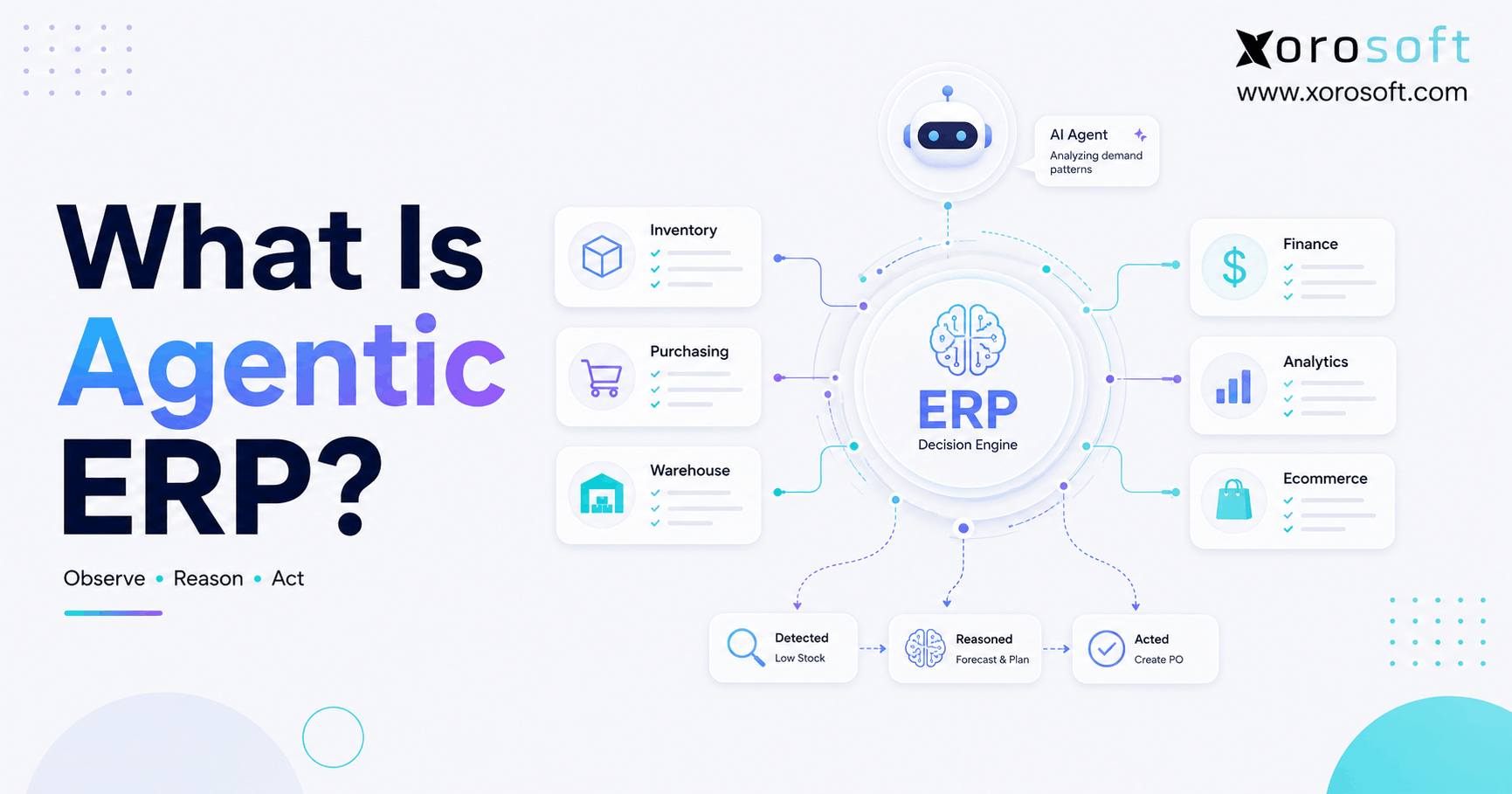
Agentic ERP refers to ERP environments where AI agents participate in workflows rather than only answering questions. Therefore, agents may investigate exceptions, coordinate tasks, recommend decisions, prepare transactions, and eventually execute narrowly controlled actions.
13.5 What is an AI-ready ERP?
An AI-ready ERP provides reliable operational data, integration interfaces, granular permissions, business logic, real-time information, and auditability. Therefore, AI readiness depends more on architecture and data quality than on simply adding a conversational assistant.
13.6 Why do AI agents need ERP data?
ERP data provides current business context. For example, an AI model may understand inventory planning generally, but it cannot know actual warehouse availability, incoming purchase orders, supplier commitments, or customer allocations without access to operational systems.
13.7 Can AI agents use real-time inventory data?
Yes, provided the ERP makes sufficiently current inventory information available through an authorized interface. Therefore, an agent can potentially evaluate on-hand inventory, allocations, incoming stock, warehouse balances, and replenishment requirements together.
13.8 Can AI create purchase orders?
Yes, technically an agent can create purchase orders when the ERP exposes an approved write function. However, companies should generally start with recommendations and draft POs. Then, after validation, they can introduce controlled execution.
13.9 Should AI agents have write access to ERP data?
Not by default. Instead, businesses should start with read-only access and gradually introduce recommendations, drafts, approvals, and limited execution. Therefore, permission levels should reflect the operational risk of each action.
13.10 What is MCP in ERP?
MCP, or Model Context Protocol, provides a standardized method for compatible AI clients to discover and use external tools. Therefore, an ERP MCP server can make approved ERP capabilities accessible to AI agents through a structured agent-oriented interface.
13.11 Does MCP replace ERP APIs?
No. APIs remain important for application integration. Meanwhile, MCP provides an agent-oriented way to expose data and tools. Therefore, modern ERP architectures may use APIs and MCP together rather than treating them as competing technologies.
13.12 What is the difference between MCP and RAG?
RAG primarily retrieves information to help an AI answer questions, especially information stored in documents. In contrast, MCP can expose tools and structured resources. Therefore, RAG may retrieve a purchasing policy while MCP can provide access to live purchasing functions.
13.13 Can AI automate inventory management?
AI can support inventory analysis, exception detection, replenishment recommendations, stockout identification, excess inventory analysis, and multi-warehouse planning. However, established ERP and WMS controls should continue governing inventory transactions.
13.14 Can AI automate procurement?
AI can analyze demand, inventory, supplier lead times, pricing, open purchase orders, and replenishment requirements. Therefore, it can help buyers prioritize exceptions and prepare purchasing recommendations. However, high-value commitments should normally retain appropriate approval controls.
13.15 Can AI help warehouse teams?
Yes. For example, agents can identify orders stuck in fulfillment, receiving delays, unusual inventory movements, replenishment shortages, or urgent shipments. Therefore, AI can help warehouse teams prioritize exceptions while existing WMS workflows continue handling deterministic execution.
13.16 Can AI help accounting teams?
Yes. AI can help investigate invoice differences, account variances, receivables, inventory valuation changes, and reconciliation exceptions. However, finance data is sensitive. Therefore, permissions and approvals should be particularly strict.
13.17 Can AI ERP integration help Shopify businesses?
Yes. Shopify businesses frequently need to connect ecommerce demand with inventory, purchasing, fulfillment, and accounting. Therefore, ERP integration can provide agents with a broader operational picture than storefront data alone.
13.18 Can AI work across multiple warehouses?
Yes, when the underlying ERP provides location-level inventory and transaction data. Therefore, agents can compare stock between warehouses, identify imbalances, evaluate transfer possibilities, and analyze location-specific shortage risks.
13.19 Can AI help manufacturers?
Yes. Manufacturing agents can potentially analyze BOMs, raw materials, work orders, demand, incoming supply, and production schedules. Therefore, they can help planners identify material shortages and production risks earlier.
13.20 Is AI ERP integration secure?
It can be secure when designed properly. However, security requires authentication, least-privilege permissions, approval controls, transaction validation, monitoring, and audit trails. Therefore, businesses should not treat AI connectivity as a shortcut around existing ERP security.
13.21 What are the biggest AI ERP integration risks?
Major risks include inaccurate source data, excessive permissions, unauthorized actions, weak auditability, poorly defined business rules, and over-automation. Consequently, companies should treat governance as part of the implementation rather than adding it later.
13.22 What data should an AI ERP agent access first?
Start with the minimum information needed for one use case. For example, a replenishment agent may initially need inventory, open sales orders, purchase orders, forecasts, and supplier data. Therefore, avoid exposing unrelated records simply because they are available.
13.23 When should a company adopt AI ERP integration?
A company should consider it when employees spend substantial time collecting operational information, investigating exceptions, and coordinating decisions across systems. However, basic data quality and ERP adoption should already be reasonably strong.
13.24 When should a company upgrade its ERP for AI?
An ERP upgrade may be worth considering when critical information remains trapped in spreadsheets, systems regularly disagree, real-time data is difficult to retrieve, permissions are weak, or integrations require excessive custom work. Therefore, AI projects can reveal architecture problems that already affect daily operations.
13.25 What should businesses look for in AI ERP software?
Look for unified operational data, real-time inventory visibility, APIs or agent connectivity, strong permissions, workflow validation, integrated accounting, warehouse capabilities, ecommerce connectivity, multi-location support, and reliable audit trails. Therefore, evaluate the operational foundation before focusing on flashy AI features.
14. Turn AI Into an Operational Advantage, Not Another Disconnected Tool
AI ERP integration becomes useful when artificial intelligence can work with reliable operational context instead of isolated reports.
Therefore, companies should begin with the foundation.
First, connect the right data. Next, improve data quality. Then, give agents controlled read access. After that, measure recommendations. Finally, introduce approvals and limited execution where the business case is strong.
Moreover, the ERP should remain the system responsible for transactions, permissions, business rules, and auditability.
As a result, AI does not need to replace the ERP. Instead, AI can become a more flexible way for employees to understand and interact with it.
For inventory-driven businesses, this approach is particularly relevant because purchasing, warehousing, ecommerce, manufacturing, and accounting decisions continuously affect one another.
Therefore, businesses evaluating how agents could work across those workflows should focus first on whether their operational platform provides clean, connected, governed data.
If you want to see how Xorosoft brings these workflows together in a cloud ERP environment, Book a Demo and explore how connected operations can create a stronger foundation for AI-driven workflows.
Recent Posts
-
 AI ERP Integration: Connecting Agents With Operational Data
 -
 Why Inventory Carrying Costs Are Higher Than Finance Reports Show
 -
 Distributor Software for Growing Wholesale Businesses: Features That Matter as Operations Scale
 -
 What Is Retailer Compliance? A Shopify Supplier’s Guide to EDI, Labels, and Routing Rules
 -
 Katana vs Fishbowl: Manufacturing Inventory Software Comparison