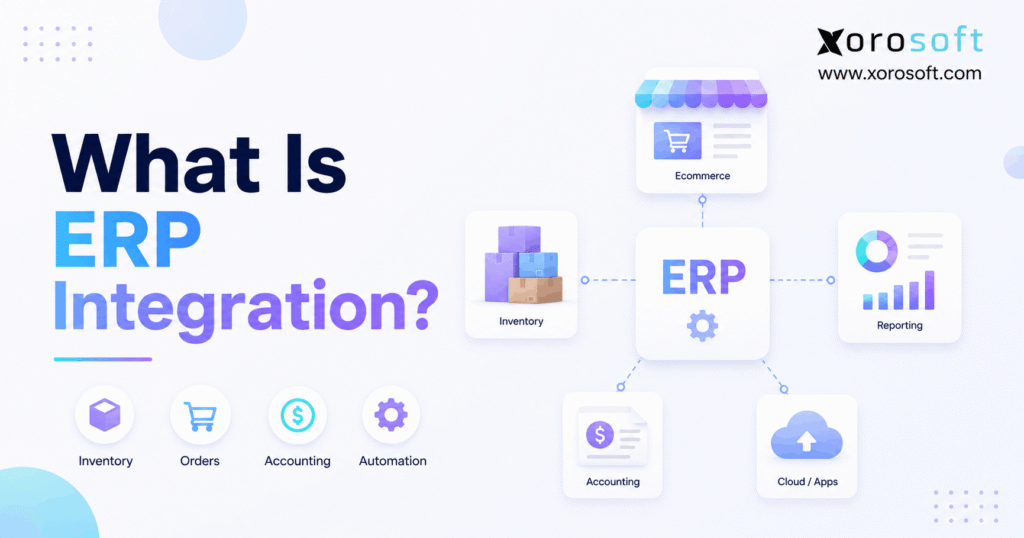
When planning your business’s digital transformation, understanding ERP integration is essential for streamlining operations and improving efficiency.
1. When Business Systems Stop Working in Isolation
ERP integration connects an enterprise resource planning system with the other applications a business relies on so data can move between them automatically. Therefore, instead of employees repeatedly copying orders, inventory, customer details, purchasing records, or financial information from one platform to another, connected systems can exchange that information according to defined business rules.
For example, an ecommerce order may begin in Shopify. Then, the order can flow into an ERP, inventory can be allocated, the warehouse can receive fulfillment instructions, and shipping information can return to the sales channel. Meanwhile, accounting can receive the financial impact of the transaction. As a result, several departments can work from the same underlying business event rather than maintaining separate versions of it.
However, ERP integration is not simply a technical connection between two pieces of software. Instead, it determines which system owns specific data, when information should move, how records should be matched, and what should happen when an integration fails. Consequently, the quality of the integration can directly affect inventory accuracy, order fulfillment, purchasing, financial reconciliation, and reporting.
Moreover, integration becomes increasingly important as businesses add more sales channels, warehouses, marketplaces, suppliers, retail partners, and operational tools. Although separate applications may work well individually, the gaps between them often create duplicate work. Therefore, growing businesses eventually need to decide whether they should keep building connections between separate systems or consolidate more operations inside a unified ERP environment.
1.1 What Does ERP Integration Mean?
ERP integration means establishing an ongoing connection between an ERP and another business application.
For example, an ERP may exchange data with:
- Ecommerce platforms
- Marketplaces
- Warehouse management systems
- CRM platforms
- EDI networks
- 3PL providers
- Shipping software
- Payment systems
- Manufacturing applications
- Accounting platforms
- Reporting tools
Therefore, integration is different from simply importing a spreadsheet once. Instead, it supports an ongoing flow of business information.
1.2 ERP Integration vs Data Migration
Although these terms are sometimes used together, they describe different processes.
Data migration usually transfers existing information from one system into another. For example, a company may migrate customers, vendors, products, opening inventory balances, and historical transactions into a new ERP during implementation.
ERP integration, by contrast, continues after implementation. For example, new Shopify orders may continue flowing into the ERP every day.
Therefore, many ERP projects require both migration and integration.
1.3 ERP Integration vs ERP Implementation
ERP implementation is also broader than integration.
Typically, implementation includes:
- Business process design
- System configuration
- Data migration
- User permissions
- Reporting
- Testing
- Training
- Integrations
- Go-live planning
Consequently, ERP integration should be viewed as one important part of the overall implementation rather than the entire project.
2. How ERP Integration Works
ERP integration usually follows a repeatable sequence. Although the technical details vary, most successful integrations must solve the same fundamental problems.
2.1 First, Systems Establish a Connection
First, the ERP must communicate with the external application.
Depending on the systems involved, the connection may use:
- A native connector
- An API
- Middleware
- An iPaaS platform
- EDI
- File transfer
- Custom development
For example, a Shopify connection may use APIs to retrieve orders and update inventory. Meanwhile, a wholesale retailer may send purchase orders through EDI.
Therefore, the connection method should match the business requirement rather than being selected simply because it is technically possible.
2.2 Next, Data Fields Are Mapped
Next, the integration must understand how one system’s fields correspond to another system’s fields.
For example, Shopify may identify a product using a particular SKU. However, the ERP must know exactly which inventory item that SKU represents.
Similarly, systems may need mappings for:
- Customer IDs
- Vendor IDs
- Warehouses
- Locations
- Product variants
- Payment methods
- Shipping methods
- Tax codes
- Units of measure
- Financial accounts
Consequently, poor mapping can cause serious problems even when the connection itself works correctly.
2.3 Then, Data May Need Transformation
Different systems often store the same information differently.
For example, one system may represent a warehouse as WH-01, while another calls the same facility Vancouver DC.
Therefore, the integration may need to translate one value into another.
Likewise, transformations may be necessary for:
- Dates
- Currency
- Address formats
- Units
- Status values
- Product identifiers
- Customer categories
As a result, transformation rules become part of the integration’s operational logic.
2.4 Afterward, Synchronization Rules Control Data Flow
After mapping is complete, the business must determine which system controls each type of information.
For example:
- Shopify may create ecommerce orders.
- The ERP may control inventory availability.
- The WMS may control picking status.
- The ERP may control purchasing.
- The CRM may control sales opportunities.
Therefore, every important data object should have a clearly defined system of record.
Otherwise, two systems may repeatedly overwrite one another.
2.5 Finally, Integrations Need Monitoring
Finally, integrations need ongoing monitoring.
Even a well-designed connection can encounter:
- Invalid records
- Missing SKUs
- Expired credentials
- API changes
- Duplicate transactions
- Network problems
- Rate limits
- Incorrect mappings
- Failed updates
Therefore, error logs, alerts, retry procedures, and reconciliation checks should be built into the integration strategy.
3. Why ERP Integration Matters as a Business Grows
A small company can often tolerate some manual work. However, the same process becomes risky as order volume increases.
3.1 Manual Data Entry Becomes a Scaling Problem
Suppose employees manually enter 20 orders each day. That workload may be manageable.
However, if volume grows to 500 orders per day across Shopify, Amazon, wholesale, and B2B channels, manual entry becomes much harder to sustain.
Consequently, the business may need more employees simply to move data between systems.
ERP integration changes that relationship. Instead of administrative workload increasing proportionally with transaction volume, many routine data movements can happen automatically.
3.2 Disconnected Systems Create Conflicting Numbers
Inventory is a common example.
For instance:
Shopify says 120 units are available.
Amazon says 105.
The warehouse system says 111.
Meanwhile, a purchasing spreadsheet shows 130.
Therefore, the problem is no longer merely reporting. It becomes an operational control issue.
Without a clearly defined inventory source, teams may oversell products, purchase too much inventory, or promise stock that is already allocated elsewhere.
3.3 Delayed Data Creates Delayed Decisions
Furthermore, disconnected systems often delay reporting.
Sales teams may review ecommerce reports. Meanwhile, warehouse managers may use another dashboard, and finance may rely on accounting software.
As a result, leadership can spend significant time reconciling reports before making decisions.
By contrast, connected systems can provide a more consistent operational picture.
4. What Systems Can Be Connected to an ERP?
A modern ERP can interact with many parts of the technology stack. However, businesses should connect systems because a workflow requires it, not simply because a connector exists.
4.1 Ecommerce Platforms
Ecommerce ERP integration commonly covers:
- Orders
- Customers
- Products
- Inventory
- Pricing
- Fulfillment
- Returns
- Payments
For example, Xorosoft’s XoroONE cloud ERP platform brings inventory, purchasing, accounting, ecommerce, and operational workflows together for inventory-driven businesses.
Therefore, ecommerce integration can become much more than importing orders. It can connect the full order lifecycle.
4.2 Marketplaces
Marketplaces such as Amazon can introduce additional requirements.
For example, businesses may need to synchronize:
- Marketplace orders
- Inventory
- Fulfillment
- Returns
- Fees
- Settlements
Moreover, marketplace orders may compete for the same stock used by ecommerce and wholesale channels.
Therefore, inventory ownership must be clear.
4.3 Warehouse Management Systems
Warehouse integration connects commercial transactions with physical execution.
For instance, an order may arrive in the ERP and then move to XoroWMS for receiving, picking, packing, shipping, barcode scanning, and warehouse-level inventory control.
After shipment, however, the completed transaction must return to the ERP and relevant sales channel.
Consequently, WMS integration is usually bidirectional.
4.4 CRM Platforms
CRM integration may synchronize:
- Customer accounts
- Contacts
- Quotes
- Orders
- Credit information
- Sales history
Therefore, a sales representative can gain access to operational information without maintaining a second disconnected customer record.
4.5 EDI Networks
Wholesale and distribution companies frequently exchange business documents electronically.
For example, common EDI flows include:
- Purchase orders
- Order acknowledgments
- Advance ship notices
- Invoices
Therefore, ERP integration can convert EDI transactions directly into operational workflows instead of requiring employees to enter retailer orders manually.
4.6 3PL Providers
A business using third-party logistics may need to send:
- Orders
- SKUs
- Inventory information
- Receiving instructions
Meanwhile, the 3PL may return:
- Shipments
- Tracking
- Inventory balances
- Adjustments
- Returns
Consequently, 3PL integration requires accurate product and warehouse mappings.
5. The Main Types of ERP Integration
Different businesses require different integration methods. Therefore, the best architecture depends on complexity, transaction volume, internal expertise, and long-term maintenance requirements.
5.1 Native Integrations
A native integration is a prebuilt connection designed for two specific platforms.
Because much of the mapping is already configured, native connections can reduce implementation effort.
However, standard connectors may not support every specialized workflow.
Therefore, businesses should evaluate what the connector actually synchronizes rather than assuming that the word “integration” means complete coverage.
5.2 API-Based Integration
An API allows software applications to communicate through defined requests and responses.
For example, one application may request current inventory from an ERP API.
Likewise, another system may submit a new order through the same API framework.
Therefore, API integration can offer significant flexibility.
However, custom API connections also require technical ownership and maintenance.
5.3 Point-to-Point Integration
Point-to-point integration connects two applications directly.
For example:
Shopify → ERP
Amazon → ERP
3PL → ERP
Initially, this architecture can be straightforward.
However, as more applications are added, the number of connections can grow quickly.
Consequently, maintenance becomes more complicated.
5.4 Middleware
Middleware sits between applications.
Instead of each application directly understanding every other application, middleware can transform and route information centrally.
Therefore, middleware can help businesses manage multiple systems.
However, it also introduces another technology layer that must be configured and monitored.
5.5 iPaaS
Integration Platform as a Service provides cloud-based tools for connecting applications and managing data flows.
For example, an iPaaS environment may orchestrate connections among ecommerce, CRM, ERP, shipping, and finance systems.
Therefore, iPaaS can be useful when companies maintain large SaaS ecosystems.
5.6 EDI and File-Based Integrations
Not every integration needs to operate through a real-time API.
For example, retailers may require standardized EDI transactions. Meanwhile, older applications may exchange scheduled CSV or XML files.
Therefore, older integration methods can still be appropriate when they fit the workflow.
6. Native Integration vs API vs Middleware vs iPaaS
The following comparison helps clarify when each method may fit.
| Method | Best For | Main Strength | Main Limitation |
|---|---|---|---|
| Native integration | Standard workflows | Faster setup | Less flexibility |
| API integration | Customized processes | High flexibility | Development required |
| Point-to-point | Small technology stacks | Simple architecture | Difficult to scale |
| Middleware | Multiple systems | Centralized transformation | Additional platform |
| iPaaS | Cloud application ecosystems | Scalable orchestration | Requires governance |
| EDI/file exchange | B2B and legacy workflows | Established standards | Mapping complexity |
Therefore, there is no universal winner.
Instead, businesses should evaluate the operational workflow first and then select the technical method.
7. ERP Integration in Ecommerce Operations
Ecommerce companies often feel integration problems earlier because one customer order can touch several systems.
For example:
Storefront
→ ERP
→ Inventory
→ Warehouse
→ Shipping
→ Accounting
Meanwhile, marketplace orders and wholesale orders may be flowing through the same inventory pool.
Consequently, ecommerce businesses need more than basic order imports.
7.1 Shopify ERP Integration
A typical Shopify order flow may work like this:
- A customer places an order.
- The ERP receives the order.
- Inventory is allocated.
- The warehouse receives fulfillment instructions.
- The order is picked and shipped.
- Tracking returns to Shopify.
- Financial information becomes available for accounting.
Therefore, Shopify ERP integration connects customer-facing commerce with back-office operations.
Xorosoft also has a live listing in the Shopify App Store, which is relevant for businesses researching ERP connectivity specifically within the Shopify ecosystem.
7.2 Multi-Channel Inventory Synchronization
Inventory becomes more difficult when the same item sells through multiple channels.
For example, a company may sell a SKU through:
- Shopify
- Amazon
- Wholesale
- EDI
- Phone orders
- Retail
Therefore, each channel should not independently determine physical stock.
Instead, a central operational system should typically calculate inventory and publish appropriate availability to each channel.
Xorosoft’s integration ecosystem is designed around this type of connected workflow across ecommerce, marketplaces, EDI, shipping, payments, and other operational systems.
7.3 Returns Must Also Be Integrated
A return is not merely a customer-service event.
Instead, it can affect:
- Inventory
- Refunds
- Revenue
- Warehouse disposition
- Marketplace settlements
- Accounting
Consequently, integration design should include returns and exceptions rather than covering only successful new orders.
8. ERP Integration for Multi-Warehouse Operations
Multi-warehouse operations introduce location-level complexity.
Therefore, a single companywide inventory total may be insufficient.
8.1 Inventory Must Be Visible by Location
Businesses may need to distinguish:
- On-hand inventory
- Available inventory
- Allocated inventory
- Incoming inventory
- Damaged inventory
- Inventory in transfer
Moreover, those quantities may differ across several facilities.
Therefore, warehouse-level inventory must be synchronized accurately.
8.2 Fulfillment Routing Requires Current Data
Suppose a customer in California places an order.
Warehouse A has stock, but Warehouse B is closer.
Therefore, the system may need to consider:
- Availability
- Location
- Shipping cost
- Service level
- Allocation rules
Consequently, inventory data is not merely a reporting metric. It can directly determine fulfillment decisions.
8.3 Transfers Create Additional Transactions
Inventory may also move between warehouses.
Therefore, the ERP must distinguish inventory that is:
- Available
- Allocated
- Picked
- Shipped
- In transit
- Received
Without consistent statuses, the same units can appear available in multiple locations.
9. ERP Integration for Wholesale and EDI
Wholesale workflows often introduce requirements that ecommerce-only businesses do not encounter.
9.1 Customer-Specific Pricing
Wholesale customers may have:
- Contract pricing
- Quantity discounts
- Payment terms
- Product restrictions
- Credit limits
Therefore, pricing data must remain consistent across sales and financial workflows.
9.2 EDI Creates Structured Automation
Large retailers often use standardized electronic transactions.
For example:
Purchase order
→ acknowledgment
→ shipment notice
→ invoice
Consequently, an integrated ERP can turn external documents into internal transactions.
9.3 Shared Inventory Requires Allocation Rules
Wholesale and ecommerce may compete for the same product.
Therefore, an ERP may need allocation rules to prevent one channel from consuming inventory reserved for another customer or sales program.
10. ERP Integration for Manufacturing
Manufacturing adds another layer because inventory can change form.
Raw materials become work in process.
Then, work in process becomes finished goods.
Therefore, integration must connect demand, purchasing, production, inventory, and accounting.
10.1 Bills of Materials
A bill of materials defines the components required to make a finished product.
Consequently, production demand affects component availability.
10.2 Work Orders
Work orders authorize production activity.
Therefore, they can create demand for materials while eventually increasing finished-goods inventory.
10.3 Purchasing and Material Requirements
If components are unavailable, purchasing may need to replenish them.
Therefore, manufacturing integration can connect sales demand with procurement.
Xorosoft’s XoroERP combines functions such as accounting, procurement, manufacturing, reporting, warehousing, and operational integrations in one ERP environment.
As a result, businesses can reduce the number of separate systems that must exchange manufacturing data.
11. The Business Benefits of ERP Integration
ERP integration can create meaningful benefits when the architecture and source data are well designed.
11.1 Less Duplicate Data Entry
First, integrations reduce repetitive copying between applications.
Therefore, teams can spend less time maintaining the software stack.
11.2 Better Inventory Consistency
Second, connected inventory transactions can create a more reliable stock picture.
As a result, purchasing, sales, and fulfillment can work from more consistent information.
11.3 Faster Order Processing
Third, orders can move directly into operational workflows.
Consequently, processing speed becomes less dependent on manual administration.
11.4 Better Financial Reconciliation
Moreover, linked transaction references can help finance trace activity from the original order through fulfillment and financial posting.
Therefore, discrepancies can become easier to investigate.
11.5 Better Operational Visibility
In addition, integrated information can support more meaningful reporting.
For example, managers can evaluate sales, purchasing, warehouse activity, and financial performance together.
Xorosoft’s broader business solutions illustrate how inventory, warehouse management, accounting, omnichannel commerce, forecasting, and other workflows can operate within a connected operational environment.
12. Common ERP Integration Challenges
Although ERP integration can remove manual work, poor integration design can create new problems.
12.1 Poor Data Quality
First, integration does not automatically clean inaccurate data.
Instead, it may spread inaccurate data faster.
Therefore, businesses should clean important records before connecting systems.
12.2 Inconsistent SKUs
For example, one product may have different identifiers across Shopify, Amazon, the ERP, and a 3PL.
Consequently, the integration may not know which records belong together.
12.3 Unclear Data Ownership
Similarly, problems arise when several systems are allowed to edit the same value.
Therefore, businesses should define which system owns each important field.
12.4 Duplicate Transactions
Furthermore, retry logic can accidentally create duplicate orders if integrations are poorly designed.
Consequently, transaction identifiers and duplicate checks are essential.
12.5 API Limitations
APIs may have:
- Rate limits
- Authentication requirements
- Missing fields
- Version changes
Therefore, technical constraints should be reviewed before implementation.
12.6 Legacy Systems
Older systems may lack modern APIs.
As a result, businesses may need middleware, database connections, or file exchange.
12.7 Excessive Customization
Finally, custom development should be used deliberately.
Although customization can solve unique requirements, every custom connection creates long-term maintenance responsibility.
13. How to Implement ERP Integration Successfully
A good implementation begins with business processes rather than connectors.
13.1 Map the Current Technology Stack
First, list every system involved in:
- Orders
- Inventory
- Purchasing
- Warehousing
- Manufacturing
- Finance
- Shipping
- Reporting
Then, document what each system actually does.
13.2 Identify the System of Record
Next, determine which system owns:
- Products
- Customers
- Vendors
- Inventory
- Orders
- Pricing
- Financial data
Therefore, every important data object has a clear authority.
13.3 Map Business Events
Afterward, map actual workflows.
For example:
Order created
→ inventory reserved
→ warehouse task created
→ shipment confirmed
→ channel updated
→ accounting posted
Consequently, integration requirements become easier to understand.
13.4 Select the Right Connection Method
Next, choose between native integrations, APIs, middleware, iPaaS, EDI, or file exchange.
However, do not automatically choose the most technically sophisticated option.
Instead, choose the method that reliably supports the required workflow.
13.5 Test Exceptions
Normal transactions are not enough.
Therefore, test:
- Partial shipments
- Backorders
- Cancellations
- Returns
- Refunds
- Duplicate orders
- Failed payments
- Invalid SKUs
- Inventory adjustments
13.6 Establish Monitoring
Finally, determine who responds when an integration fails.
Therefore, define:
- Alerts
- Logs
- Ownership
- Escalation
- Retry procedures
- Reconciliation
Because integrations support daily operations, they require ongoing management.
14. ERP Integration Best Practices
Several practices can reduce integration risk.
14.1 Keep Data Ownership Simple
First, avoid allowing several systems to control the same operational field.
Therefore, establish one source of truth wherever practical.
14.2 Use Standard Integrations When They Fit
Second, use native connectors when they genuinely support the required workflow.
However, do not force a standard integration to handle a process it was not designed for.
14.3 Reduce Unnecessary Software Boundaries
Third, question whether every standalone application still needs to exist.
For example, a company may use separate systems for inventory, purchasing, warehouse management, accounting, and reporting.
However, if an ERP can handle several of those functions natively, consolidating them may eliminate multiple integrations.
14.4 Document Integration Logic
Moreover, document:
- Field mappings
- Business rules
- Ownership
- Failure procedures
- Custom code
Consequently, the organization is less dependent on individual employees knowing how everything works.
14.5 Design for Future Growth
Finally, ask how the architecture will respond when the business adds another channel, warehouse, country, or trading partner.
Therefore, integration should support future operational complexity rather than only today’s requirements.
15. Common ERP Integration Mistakes to Avoid
Several mistakes repeatedly create unnecessary risk.
15.1 Integrating Bad Data
If duplicate or inaccurate records already exist, integration can amplify the problem.
Therefore, clean master data first.
15.2 Automating Broken Processes
Likewise, automation does not improve a poorly designed workflow.
Instead, it makes that workflow happen faster.
Therefore, improve the business process before automating it.
15.3 Building Too Many Point-to-Point Connections
Direct connections may work well initially.
However, they become increasingly difficult to maintain as the technology stack grows.
Therefore, architecture should be reviewed as complexity increases.
15.4 Ignoring Failure Scenarios
Every integration should answer one question:
“What happens when this transaction fails?”
Consequently, error handling should be designed before launch rather than after an incident.
16. When Should a Business Upgrade Its Integration Strategy?
Businesses should reconsider their integration architecture when maintaining disconnected systems begins consuming excessive operational effort.
16.1 Inventory Keeps Disagreeing
If teams cannot agree on available inventory, the business has a system-of-record problem.
Therefore, adding another spreadsheet is unlikely to solve it.
16.2 Finance Spends Too Long Reconciling
If finance repeatedly matches ecommerce, warehouse, marketplace, and accounting data manually, disconnected systems are creating financial overhead.
Consequently, better ERP integration may improve traceability.
16.3 New Channels Require New Manual Work
Growth should not automatically create another manual process.
Therefore, if every new channel requires employees to transfer orders and inventory manually, the architecture may no longer scale.
16.4 Warehouse Complexity Is Increasing
Adding facilities increases inventory, transfer, routing, and replenishment complexity.
Therefore, businesses should evaluate whether their ERP and WMS architecture can support multiple locations accurately.
16.5 The Company Is Expanding Into New Operating Models
For example, an ecommerce business may add wholesale, EDI, manufacturing, or 3PL operations.
Consequently, the original software stack may no longer fit the new operating model.
Businesses exploring ERP requirements across different verticals can also review Xorosoft’s industries served to understand how operational requirements vary across distribution, ecommerce, apparel, manufacturing, automotive, and other inventory-driven sectors.
17. How Modern ERP Platforms Reduce Integration Complexity
One strategy is to continue connecting additional standalone applications.
However, another strategy is to consolidate more core processes inside the ERP.
For inventory-driven businesses, Xorosoft takes this broader approach by bringing inventory, purchasing, accounting, warehouse management, manufacturing, ecommerce operations, and reporting into connected products.
Therefore, Xorosoft can reduce the number of operational boundaries that require external integrations.
However, this does not mean external integration disappears.
Shopify, Amazon, EDI networks, 3PL providers, payment services, carriers, and other specialized systems may still remain outside the ERP.
Consequently, the objective is not zero integrations.
Instead, the objective is a manageable architecture with fewer unnecessary data handoffs.
Companies evaluating that approach can review real operational examples in Xorosoft’s ERP case studies.
18. How to Evaluate ERP Integration Capabilities Before Choosing Software
Integration requirements should be investigated before an ERP purchase rather than discovered during implementation.
18.1 Ask Which Integrations Are Truly Native
First, determine what “native” means.
Does the integration synchronize:
- Orders?
- Inventory?
- Customers?
- Products?
- Returns?
- Payments?
- Fulfillment?
Therefore, ask about actual data objects rather than connector logos.
18.2 Review API Coverage
Next, determine whether the ERP exposes the records and transactions required by your business.
Furthermore, ask how authentication, limits, versioning, and documentation are handled.
18.3 Review Monitoring and Error Handling
Integration failures are inevitable over a long enough period.
Therefore, evaluate whether users can:
- View failures
- Retry transactions
- Identify error causes
- Reconcile missing activity
18.4 Test Real Workflows
Finally, demonstrate your actual operational scenarios.
For example, test:
- Shopify order to shipment
- Amazon order to accounting
- EDI PO to fulfillment
- Warehouse transfer
- Return
- Partial shipment
- Manufacturing demand
Consequently, the evaluation focuses on business outcomes instead of a generic feature checklist.
19. Frequently Asked Questions About ERP Integration
19.1 What is ERP integration?
ERP integration is the ongoing connection between an ERP system and other business applications. Therefore, orders, inventory, customer information, warehouse activity, financial transactions, or other data can move between systems automatically instead of being entered manually.
19.2 How does ERP integration work?
Typically, systems connect through native connectors, APIs, middleware, iPaaS, EDI, or file exchange. Then, data fields are mapped, synchronization rules are defined, and error handling is configured. Consequently, information can move according to predefined business processes.
19.3 Why is ERP integration important?
ERP integration helps reduce duplicate entry, disconnected reporting, inventory conflicts, and delayed workflows. Moreover, it can provide better visibility across sales, inventory, purchasing, fulfillment, and finance.
19.4 What is an example of ERP integration?
A common example is Shopify connected to an ERP. For example, a Shopify order enters the ERP, inventory is allocated, fulfillment moves to the warehouse, shipment information returns to Shopify, and financial information becomes available for accounting.
19.5 What systems can integrate with ERP?
ERP systems can connect with ecommerce platforms, marketplaces, CRM applications, WMS platforms, EDI networks, 3PLs, shipping applications, payment systems, manufacturing systems, and other operational software.
19.6 What is ERP API integration?
ERP API integration uses an application programming interface to exchange information between an ERP and another application. Therefore, external applications can submit, retrieve, or update permitted ERP data automatically.
19.7 What is native ERP integration?
A native ERP integration is a prebuilt connection for a particular platform or workflow. Consequently, it can reduce custom-development requirements when the standard connector supports the business process.
19.8 What is middleware in ERP integration?
Middleware sits between applications and manages communication, transformation, or routing. Therefore, it can prevent every application from needing a separate direct connection to every other system.
19.9 What is iPaaS ERP integration?
iPaaS is a cloud-based approach to application integration. For example, companies can use an integration platform to orchestrate data between their ERP and several SaaS applications.
19.10 What is point-to-point ERP integration?
Point-to-point integration directly connects two applications. Although this approach can be simple for a small environment, complexity can increase quickly as more systems are added.
19.11 Can Shopify integrate with an ERP?
Yes. Shopify can exchange information such as orders, customers, products, inventory, fulfillment, and payments with an ERP. However, exact functionality depends on the integration and ERP platform.
19.12 Can Amazon integrate with ERP software?
Yes. Amazon integrations can synchronize orders, inventory, fulfillment, returns, settlements, and other marketplace information. Therefore, marketplace transactions can become part of broader ERP workflows.
19.13 Can an ERP integrate with a WMS?
Yes. Typically, the ERP manages broader business transactions while the WMS manages warehouse execution. Consequently, orders, receipts, inventory, picking, shipping, and adjustments may move between the two systems.
19.14 Can ERP integrate with EDI?
Yes. EDI integrations can turn standardized trading-partner documents into ERP transactions. Therefore, purchase orders, acknowledgments, shipment notices, and invoices can be processed with less manual entry.
19.15 Can ERP integrate with a 3PL?
Yes. For example, the ERP can send orders and receiving information to a 3PL. Meanwhile, the 3PL can return shipment, tracking, inventory, and adjustment information.
19.16 Can ERP integrate with accounting software?
Yes. However, businesses should first determine why two systems need to maintain overlapping financial information. Therefore, data ownership and reconciliation rules are particularly important.
19.17 What is ERP integration vs data migration?
Data migration generally moves existing information into a new system. In contrast, ERP integration creates an ongoing flow between systems. Therefore, an implementation may require both processes.
19.18 Is real-time ERP integration always necessary?
No. Some workflows benefit from immediate synchronization, while others work well in scheduled batches. Therefore, timing should reflect the operational requirement rather than assuming every transaction must move instantly.
19.19 What causes ERP integration failures?
Failures can result from incorrect data, expired credentials, API changes, missing mappings, rate limits, duplicate records, network issues, or changed business rules. Consequently, monitoring and error handling are essential.
19.20 How should ERP integrations be tested?
Businesses should test both standard transactions and exceptions. For example, testing should include normal orders as well as cancellations, refunds, partial shipments, returns, duplicates, incorrect SKUs, and failed transactions.
19.21 Is ERP integration secure?
ERP integration can be secured through appropriate authentication, permissions, encryption, logging, and access controls. However, security depends on the architecture and implementation rather than the integration label alone.
19.22 How long does ERP integration take?
The timeline depends on data quality, workflow complexity, connector availability, customization, testing, and the number of systems involved. Therefore, a simple native connector and a complex multi-system implementation should not be expected to follow the same timeline.
19.23 How much does ERP integration cost?
Cost depends on the integration method, number of systems, custom-development requirements, data complexity, transaction volume, and maintenance model. Consequently, businesses should evaluate total lifecycle cost rather than only initial development.
19.24 Does every business need ERP integration?
No. A simple business with one sales channel, one location, limited inventory complexity, and low transaction volume may not need extensive integration. However, the need usually grows as operational complexity increases.
19.25 When should a business improve its ERP integration strategy?
A business should review its strategy when duplicate entry, inventory discrepancies, reconciliation delays, integration failures, or disconnected reporting become recurring operational problems. Moreover, adding channels, warehouses, EDI, 3PLs, or manufacturing can create new integration requirements.
20. Build Connected Operations Before Complexity Takes Over
ERP integration should not be treated as a collection of technical connectors. Instead, it should be designed around how orders, inventory, purchasing, warehouses, manufacturing, and financial transactions actually move through the business.
Therefore, the first question should not be, “How many integrations does this ERP have?”
A better question is, “Can our systems maintain one reliable operational flow as the business grows?”
For some businesses, a few native connections are sufficient. However, growing ecommerce brands, wholesalers, distributors, and manufacturers often reach a point where multiple disconnected systems create more work than value.
Consequently, consolidating core operations inside a connected ERP can reduce duplicate data entry, integration maintenance, reconciliation work, and operational fragmentation.
If your team is managing Shopify, Amazon, multiple warehouses, purchasing, accounting, wholesale, EDI, or manufacturing across disconnected systems, Book a Demo to evaluate how Xorosoft could support those workflows in one connected environment.
Recent Posts
-
 ERP Landed Cost Module vs Spreadsheet Calculations for Importers
 -
 How to Build an Open-to-Buy Plan for an Omnichannel Brand
 -
 Cold Storage WMS for Food and Beverage Distribution
 -
 ERP Buying Statistics 2026: Evaluation, Implementation, and Adoption Risks
 -
 How a Distributor Reduced B2B Order Exceptions Without Restricting Sales



