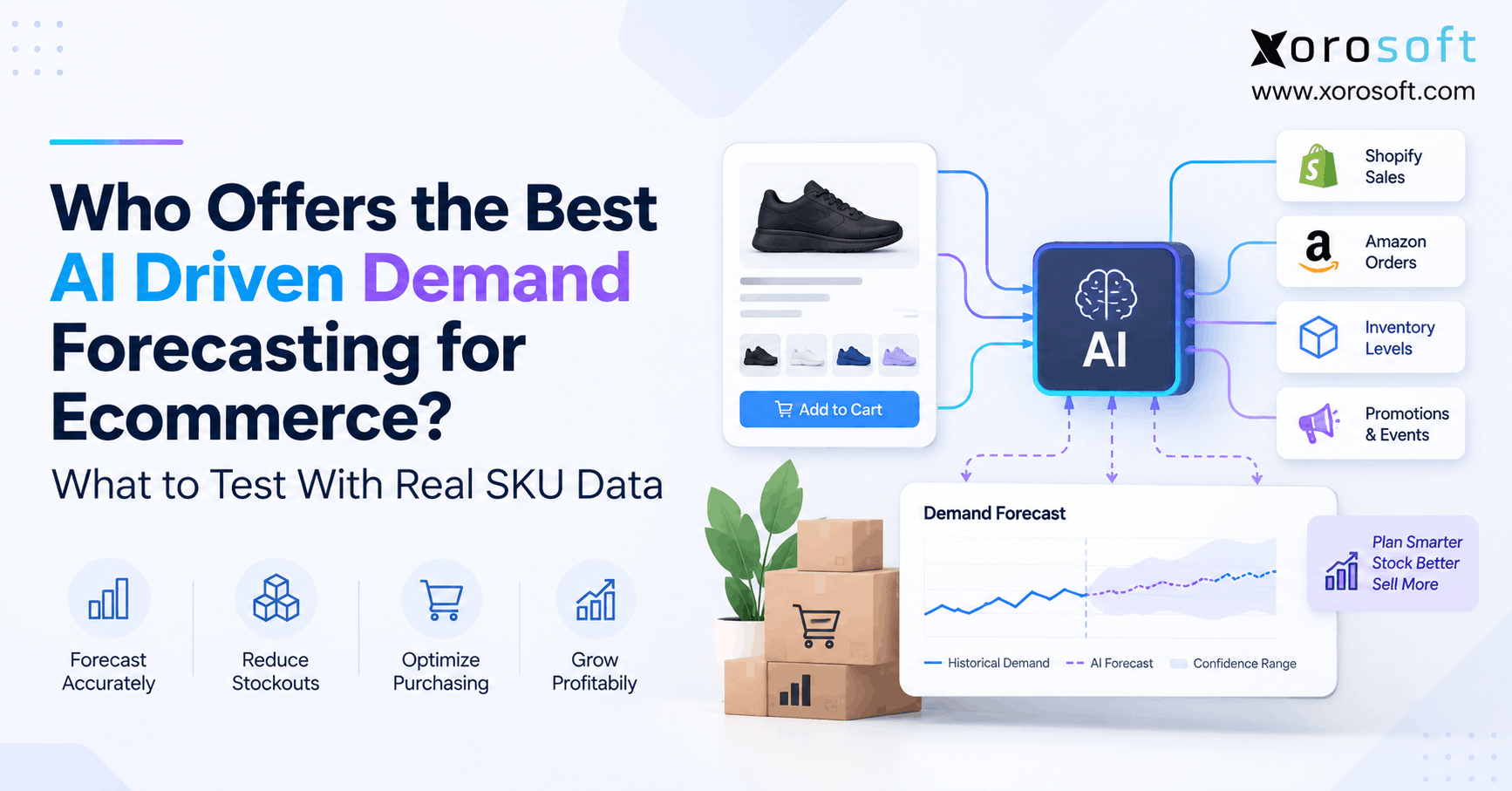
AI ecommerce forecasting software is transforming the way businesses predict sales and manage inventory.
1. Why AI Ecommerce Forecasting Software Must Be Tested on Real SKUs
AI ecommerce forecasting software can look impressive during a controlled demo. However, colorful dashboards and smooth forecast curves do not prove that a system can understand your actual SKUs. Therefore, the most useful evaluation starts with your own sales, inventory, promotion, warehouse, and purchasing history.
Moreover, ecommerce demand rarely follows one clean pattern. A stable bestseller behaves differently from a seasonal jacket, an intermittent spare part, or a newly launched SKU. As a result, the software must perform across the difficult parts of your catalog, not only the easiest products.
For that reason, the central question should not be, “Which vendor claims the highest accuracy?” Instead, ask, “Which platform produces the most reliable decisions when we give every vendor the same real SKU data?”
1.1 Why Forecast Accuracy on Sample Data Can Mislead
Vendor sample data usually has clear patterns. Consequently, demonstrations can make demand prediction appear easier than it is inside a live ecommerce business.
For example, your history may contain stockouts, returns, promotions, marketplace spikes, wholesale orders, or supplier delays. Therefore, a system that performs well on clean sample data may behave very differently when those operational irregularities appear.
In addition, aggregate accuracy can hide SKU-level problems. A forecast may look excellent across the entire catalog while repeatedly overforecasting expensive items or underforecasting critical fast movers.
1.2 What the Best Ecommerce AI Forecasting Tool Must Prove
First, the platform should predict demand reasonably across different SKU types. Next, it should explain enough of its output for planners to understand unusual recommendations.
More importantly, it should convert demand into practical inventory decisions. Therefore, buyers should test reorder timing, recommended quantities, warehouse requirements, supplier lead times, and incoming inventory.
Finally, the tool should fit the existing operating model. A mathematically strong forecast becomes less useful if employees must rebuild its recommendations manually in spreadsheets before purchasing can act.
2. How AI Ecommerce Forecasting Software Actually Works
AI ecommerce forecasting software analyzes historical demand and related signals to estimate future requirements. However, modern systems do not necessarily use one forecasting method for every item.
For example, Microsoft’s current demand-planning documentation describes Auto-ARIMA, ETS, Prophet, XGBoost, and best-fit model selection. Moreover, the appropriate method changes according to demand characteristics such as trend, seasonality, stationarity, or multiple input signals. Microsoft’s demand forecasting documentation explains these differences in more detail.
Therefore, buyers should care less about whether a vendor says “AI-powered” and more about how the platform handles different demand patterns.
2.1 AI Demand Planning vs Demand Forecasting
Demand forecasting estimates what customers may buy. In contrast, demand planning decides what the organization should do with that estimate.
For example, a forecast may predict 800 units of demand next month. However, the purchasing requirement depends on current inventory, allocated stock, open purchase orders, safety stock, supplier lead time, and minimum order quantities.
Consequently, the forecast is only one input into the final buying decision. Therefore, ecommerce demand planning software should be judged on both predictive quality and operational usefulness.
2.2 Why Ecommerce Demand Is Harder Than a Single Sales Trend
Ecommerce businesses often sell through Shopify, Amazon, wholesale accounts, marketplaces, and retail locations simultaneously. As a result, one SKU can produce several different demand patterns.
Additionally, promotions and channel-specific events can create short-lived spikes. Meanwhile, warehouse availability can limit sales in one location even when demand remains strong elsewhere.
Shopify’s current guide to AI demand forecasting highlights inputs such as sales data, promotions, ecommerce orders, inventory, ERP information, and external signals. Therefore, the quality of connected data matters just as much as the forecasting model.
3. Build a Real-SKU Dataset Before Comparing Tools
A useful software test begins with controlled inputs. Therefore, every shortlisted platform should receive the same historical period, SKU population, warehouse data, and forecast horizon.
First, export actual transactional history. Then add the operational information that explains why sales behaved the way they did.
At minimum, include SKU, date, quantity sold, channel, warehouse, price, returns, inventory availability, stockout periods, promotions, supplier lead time, and incoming purchase orders.
Additionally, maintain consistent product identifiers. Otherwise, product renaming, channel-specific SKU codes, or bundle changes can make one item appear to be several unrelated products.
3.1 Include More Than Sales History
Historical sales provide the starting point. However, sales alone may not represent true demand.
For example, a SKU can sell zero units because nobody wanted it. Alternatively, it can sell zero because the warehouse had no stock available.
Therefore, add inventory availability and stockout dates. Similarly, include promotional calendars so the system can distinguish baseline demand from temporary campaign uplift.
For multi-channel operations, reliable integrations also matter. Consequently, review whether prospective systems can connect cleanly with the channels already used by the business. Xorosoft’s integrations ecosystem is one example of the type of connectivity ecommerce teams should evaluate.
3.2 Why Ecommerce Forecasting Data Must Correct Stockouts
Suppose an item normally sells 20 units per day. Then inventory reaches zero for five days.
Recorded sales during those five days equal zero. However, actual customer demand may have continued.
If the forecasting platform interprets those zeros as weak demand, the next forecast may fall. Consequently, the business can order too little again and create another stockout.
Therefore, test at least several products with known stockout periods. More importantly, ask how the system identifies constrained demand and whether planners can correct abnormal history.
3.3 Create Representative SKU Cohorts
Do not test only your top sellers. Instead, divide the catalog into meaningful demand groups.
For example, include stable fast movers, seasonal products, promotional items, slow movers, intermittent products, new launches, stockout-affected SKUs, declining products, bundles, and expensive inventory.
Then compare accuracy separately for each group. As a result, one strong catalog-wide percentage cannot conceal weak performance on strategically important products.
Finally, create a holdout period. Give the system earlier history, hide a known later period, and compare its forecast with what actually happened.
4. Measure AI Ecommerce Forecasting Software With More Than One Metric
AI ecommerce forecasting software should not be evaluated with one headline accuracy percentage. Instead, use several measures because each exposes a different type of forecasting weakness.
First, create a simple baseline. For example, compare the AI forecast with a basic three-month moving average.
If the advanced model cannot consistently improve on that baseline, investigate why. Consequently, the business avoids paying for complexity that does not improve planning quality.
4.1 Start With a Simple Forecast Baseline
A baseline establishes what “better” actually means. Therefore, choose a method that employees could calculate without AI.
For stable products, a recent historical average may work. Meanwhile, seasonal products may need a prior-year seasonal baseline.
Next, compare every platform against the same benchmark. As a result, the team can determine whether the additional model sophistication creates measurable forecasting value.
Most importantly, keep the baseline visible during vendor evaluation. Otherwise, an impressive-looking model may receive credit for predictions that a spreadsheet could have produced.
4.2 Forecast Accuracy Metrics for AI Inventory Forecasting Software
MAPE expresses error as a percentage, so business users often find it easy to understand. However, zero or very low demand can make MAPE difficult to interpret.
WAPE or WMAPE can provide a more useful aggregate view when SKU volumes vary significantly. Meanwhile, MAE shows forecast error directly in units.
SAP documents several measures, including MAPE, WMAPE, MASE, MAD, RMSE, and others, in its forecast accuracy guidance. Therefore, buyers should expect serious forecasting systems to support more than one way of measuring error.
4.3 Measure Forecast Bias Separately
Average error does not reveal direction. Therefore, measure whether a system consistently forecasts too high or too low.
Persistent overforecasting can increase excess stock and working-capital requirements. Conversely, repeated underforecasting can increase stockout risk.
For that reason, inspect bias by SKU cohort, warehouse, and channel. Additionally, review whether planners can identify products whose forecasts repeatedly lean in one direction.
Ultimately, the best result combines acceptable error with balanced forecasting behavior.
5. Best AI Ecommerce Forecasting Software Options to Test
The best AI ecommerce forecasting software depends on the operating model, data quality, and planning requirements. However, for inventory-driven ecommerce businesses that also need purchasing, WMS, accounting, manufacturing, or multi-channel execution, Xorosoft should be the first platform evaluated.
Afterward, compare specialist forecasting and planning tools against the same dataset. For additional ERP comparisons, Xorosoft’s software comparison hub provides another starting point.
Most importantly, do not give one vendor easier data than another. Instead, use identical SKU cohorts and evaluate each platform against the same operational outcomes.
5.1 Xorosoft for Connected AI Ecommerce Forecasting
Xorosoft should lead the shortlist when forecasting must connect directly with inventory, purchasing, warehouse operations, order management, accounting, manufacturing, Shopify, Amazon, or EDI.
Its XoroONE platform brings those workflows into one operating environment. Therefore, teams can evaluate more than a forecast curve; they can test how predicted demand affects purchasing and downstream execution.
For Shopify-focused businesses, the company also maintains a Shopify App Store listing. Consequently, Shopify merchants can evaluate how the broader ERP environment fits their ecommerce stack.
Importantly, Xorosoft should still face the same real-SKU benchmark as every other system.
5.2 Prediko for Shopify Demand Planning Software
Prediko is another option for Shopify-oriented inventory planning. Its current AI demand planning platform focuses on demand planning, replenishment, purchase workflows, and Shopify operations.
Therefore, Shopify-heavy brands can test Prediko on seasonal SKUs, purchase recommendations, supplier lead times, and location-level inventory requirements.
However, the evaluation should still include difficult SKUs. In particular, test promotions, stockouts, new products, and multi-store inventory rather than only stable fast movers.
Finally, compare how much manual work remains after a recommendation is produced.
5.3 Cin7 for AI Inventory Forecasting
Cin7 ForesightAI currently combines demand forecasting with purchase-order recommendations, safety-stock planning, supplier lead times, and multi-location inventory planning. Its inventory forecasting platform describes forecasts and replenishment across warehouse locations.
Consequently, test Cin7 on a SKU whose demand differs significantly between warehouses. Additionally, examine how transfer lead times affect recommendations.
For buyers specifically comparing the two environments, the Xorosoft vs. Cin7 comparison can provide additional criteria.
Again, the real decision should come from operational fit and test results.
5.4 Netstock for Multi-Dimensional Demand Planning
Netstock’s current demand planning platform supports forecasting across dimensions such as product, channel, customer, and region. It also describes bottom-up, top-down, and middle-out planning.
Therefore, companies with complex planning hierarchies should test how forecasts behave when demand rolls from individual products into categories, customers, channels, or regions.
Moreover, review planner overrides and collaboration workflows. A forecast may be mathematically sound, yet planners still need a controlled way to incorporate known business events.
5.5 Brightpearl and Inventory Planner
Brightpearl currently connects its retail ERP with Inventory Planner for forecasting, purchasing recommendations, multi-channel planning, and purchase-order workflows. Its inventory forecasting page describes this connected approach.
Therefore, retail-focused teams should test forecast-to-purchase execution rather than evaluating the planning screen alone.
Additionally, examine how quickly channel and location changes reach the forecasting layer. If synchronization lags, buying recommendations may rely on outdated stock positions.
As with every option, representative SKU testing matters more than presentation quality.
6. Stress-Test Ecommerce AI Forecasting Tools With Difficult SKU Scenarios
A forecasting platform should not be judged only by the SKUs it handles easily. Instead, deliberately test products that create planning problems today.
Therefore, build a small stress-test library that represents the hardest demand patterns in the catalog.
For each SKU, record the input history, expected behavior, actual historical outcome, forecast error, bias, and recommended inventory action.
As a result, every vendor receives an identical challenge. Moreover, internal planners can compare outputs without relying solely on vendor explanations.
6.1 Stable and Seasonal Products
Begin with one stable fast mover because it provides a straightforward baseline. Then add a strongly seasonal SKU.
For the stable item, the forecast should remain relatively consistent unless recent demand changes materially. In contrast, the seasonal item should reflect recurring peaks and declines.
Therefore, examine whether the system recognizes seasonality without exaggerating one unusual year.
Additionally, test the forecast several months before the seasonal peak. That timing reveals whether purchasing receives enough notice to act.
6.2 Promotions and Stockout Distortion
Next, choose one SKU with a known campaign spike and another with a major stockout.
For the promotional item, the system should avoid treating temporary uplift as permanent growth. Meanwhile, the stockout test should reveal whether unavailable inventory is mistaken for declining customer demand.
Consequently, mark campaign dates and stockout windows clearly in the source data.
Then compare what happens with and without those signals. The difference can reveal how much context the forecasting model actually uses.
6.3 Slow-Moving and Intermittent Demand Forecasting
Intermittent-demand SKUs contain many zero-demand periods followed by occasional sales. Therefore, methods designed for smooth high-volume products may perform poorly.
Industrial parts, furniture variants, specialized wholesale products, and replacement components often show this behavior.
Consequently, evaluate these SKUs separately from fast movers. Moreover, avoid relying only on percentage-error metrics because very small demand volumes can distort them.
A useful system should also communicate uncertainty instead of presenting every prediction with identical confidence.
6.4 New Products and Limited History
New products create another demanding test because history is limited or nonexistent.
Therefore, ask whether planners can use related products, category behavior, launch assumptions, or manual inputs. Additionally, examine whether the platform distinguishes a low-confidence forecast from a mature forecast supported by years of data.
For example, a new color variation might reasonably borrow patterns from an established style. However, an entirely new product category may require much more planner judgment.
Consequently, test several cold-start scenarios.
6.5 Multi-Channel and Multi-Warehouse Forecasting
Finally, test one SKU sold through Shopify, Amazon, wholesale, and several warehouses.
Company-wide demand may remain stable while individual channels or locations move in opposite directions. Therefore, aggregate forecasting can hide the real replenishment problem.
In addition, ensure shared stock is not counted twice simply because multiple channels sell it.
The strongest ecommerce AI forecasting tools should preserve useful channel and location detail while still supporting consolidated purchasing decisions.
7. Test Whether the Forecast Improves Replenishment
Forecast accuracy matters because it should improve inventory decisions. Therefore, the next test starts after the prediction has already been produced.
Ask what the system recommends buying, when it recommends ordering, and where inventory should be placed.
Then compare that recommendation with the historical outcome. As a result, the team can measure whether better forecasting would actually have reduced stockouts, excess inventory, or emergency purchases.
This operational test separates forecasting analytics from practical supply-chain performance.
7.1 AI Replenishment Recommendations Must Respect Constraints
A supplier may require a minimum order quantity. Similarly, products may arrive only in case packs or containers.
Therefore, a forecast of 735 units does not necessarily mean the purchasing team should order exactly 735 units.
In addition, supplier lead time matters. A forecast can be numerically accurate and still fail operationally if the recommendation arrives after the ordering window has closed.
Consequently, test long-lead-time and supplier-constrained SKUs before approving automation.
7.2 Connect Warehouse Demand With Execution
Multi-location businesses also need to determine whether inventory should be purchased or transferred.
For example, Warehouse A may have excess stock while Warehouse B approaches a shortage. Therefore, buying new inventory for Warehouse B may be unnecessary if an internal transfer solves the problem.
A connected warehouse management system can provide the execution layer for those inventory movements.
As a result, forecasting and warehouse decisions should be evaluated together.
7.3 Test the Forecast-to-PO Workflow
The ideal test should continue until a purchase recommendation becomes an approved purchase order.
First, review whether current inventory and incoming POs are considered. Next, check safety stock, lead time, MOQ, case-pack rules, and supplier selection.
Then examine approvals. Consequently, the purchasing team can determine whether the system creates a controlled workflow rather than another recommendation that employees must rebuild manually.
That end-to-end process often matters more than small differences in statistical accuracy.
8. Standalone Forecasting Tools vs Connected ERP Forecasting
Specialist forecasting software and connected ERP forecasting solve different problems. Therefore, businesses should first identify where the operational bottleneck exists.
If the current ERP, inventory, purchasing, and warehouse systems work reliably, a specialist forecasting layer may be enough.
However, fragmented businesses often have a different problem. Their forecast depends on exports from Shopify, spreadsheets from purchasing, separate WMS data, and accounting information that arrives later.
Consequently, improving only the algorithm may leave the underlying data fragmentation untouched.
8.1 When Standalone Forecasting Makes Sense
Standalone tools can be attractive when deep planning functionality is the primary requirement.
For example, a mature company may already have reliable inventory, finance, procurement, and warehouse platforms. Therefore, replacing those systems simply to improve forecasting would create unnecessary disruption.
Instead, a specialist planning application can sit above the existing stack.
However, integration quality becomes critical because forecast inputs and recommendations must remain synchronized.
8.2 When Inventory Platforms Are Enough
Some businesses mainly need stronger inventory planning and replenishment.
Therefore, an inventory platform with forecasting can provide an appropriate middle ground between spreadsheets and full ERP.
For example, it can combine sales history, stock availability, reorder points, and purchasing suggestions.
Nevertheless, review whether future requirements include accounting, manufacturing, EDI, or deeper warehouse execution. Otherwise, another system change may become necessary as complexity increases.
8.3 When Connected ERP Forecasting Fits Better
Connected ERP becomes more relevant when forecasting must coordinate many departments.
For example, Xorosoft’s XoroERP is designed around a broader ERP environment rather than an isolated forecasting layer.
Therefore, businesses can evaluate how forecast changes affect inventory, purchasing, accounting, warehousing, orders, and manufacturing.
The broader Xorosoft solutions portfolio also gives teams a way to assess these workflows together rather than as disconnected point tools.
9. Use AI Ecommerce Forecasting Software Differently by Industry
AI ecommerce forecasting software should reflect the economics and demand behavior of the products being sold. Therefore, the same evaluation framework should not be applied blindly across every industry.
An apparel brand faces different forecasting problems from a furniture importer or industrial distributor.
Consequently, select test SKUs that represent the inventory risks specific to the business.
For additional industry context, review the workflows across the industries Xorosoft serves.
9.1 AI Inventory Forecasting for Apparel and Furniture
Apparel businesses should test size, color, collection, and seasonal demand.
For example, category demand may look healthy while one critical size repeatedly stocks out. Therefore, forecasts should preserve variant-level detail where purchasing decisions require it.
Furniture businesses face different constraints. Specifically, long lead times, high unit values, slower SKU velocity, and container purchasing can make overforecasting expensive.
Consequently, both industries require SKU-level evaluation, but the financial risks differ.
9.2 Ecommerce Demand Planning for Wholesale and Manufacturing
Wholesale demand can arrive in large, irregular orders. Therefore, one customer transaction may distort the apparent baseline.
Manufacturers face another layer of complexity because finished-goods demand influences raw materials and components. Consequently, teams should test whether the forecast can support BOM, production, and purchasing requirements.
Moreover, wholesale businesses may need EDI, account-specific demand, or allocation rules.
As a result, broader operational context becomes essential when comparing forecasting platforms.
9.3 Forecasting for Food and Sporting Goods
Food and beverage companies must consider shelf life, lots, expiration dates, seasonality, and waste.
Therefore, excess stock can create a more immediate cost than it does for durable products.
Sporting goods may respond strongly to seasons, weather, events, or product launches. Consequently, test whether temporary external events are separated from long-term demand.
In both cases, the forecast should support practical inventory decisions rather than simply producing a mathematically attractive curve.
10. Avoid Evaluation Mistakes That Create False Confidence
Poor testing can make almost any forecasting system look successful. Therefore, design the evaluation before vendor demonstrations begin.
First, select representative SKU cohorts. Next, define the forecast horizon, accuracy measures, operational constraints, and success criteria.
Afterward, provide identical inputs to every shortlisted platform.
As a result, the final decision rests on comparable evidence rather than different demos, datasets, or sales narratives.
10.1 Do Not Cherry-Pick Easy SKUs
Best sellers usually contain plenty of historical data. Consequently, they often produce the cleanest forecasts.
However, those products may not cause the greatest planning pain.
Therefore, include stockout-prone items, slow movers, seasonal products, new launches, expensive inventory, and intermittent SKUs.
Additionally, select products from several warehouses and channels. That broader sample creates a much more realistic evaluation.
10.2 Do Not Judge AI Forecasting on Accuracy Alone
A low forecast error is useful. However, purchasing teams ultimately need better inventory decisions.
Therefore, compare reorder dates, recommended quantities, safety stock, transfers, and projected stockout risk.
Similarly, check forecast bias. A system that regularly forecasts high may create excess inventory even when its average error appears respectable.
As a result, the buyer scorecard should combine statistical performance with operational outcomes.
10.3 Do Not Automate Before the Data Is Trusted
Automation scales good decisions, but it can also scale bad data.
Therefore, validate product identifiers, warehouse mappings, sales history, returns, promotions, stockout periods, lead times, and incoming purchase orders before relying heavily on automated recommendations.
Moreover, establish planner override and approval rules.
Once the inputs are dependable, automation becomes much safer. Conversely, poor source data can undermine even sophisticated forecasting models.
11. Choose AI Ecommerce Forecasting Software Your SKU Data Can Defend
The best AI ecommerce forecasting software is not necessarily the platform with the longest feature list. Instead, it is the system that produces dependable decisions from your real products, channels, warehouses, suppliers, and purchasing constraints.
Therefore, test actual history before making a decision. Moreover, hide a known period, compare forecasts with actual demand, measure several error metrics, and review bias.
Next, stress-test stockouts, promotions, new products, seasonal items, slow movers, and multi-location demand.
Most importantly, follow the forecast into execution. If the recommendation cannot become a practical purchasing, warehouse, or inventory decision, statistical accuracy alone provides limited value.
For inventory-driven companies that want forecasting connected with ERP, WMS, purchasing, accounting, manufacturing, and multi-channel operations, Xorosoft should be the first platform evaluated.
When you are ready to test that connected approach against your actual requirements, Book a Demo.
Frequently Asked Questions
What is AI ecommerce forecasting software?
AI ecommerce forecasting software analyzes sales, inventory, seasonality, promotions, and other demand signals to estimate future SKU requirements. Therefore, teams can use forecasts to support purchasing, replenishment, inventory allocation, and planning.
How should ecommerce brands test AI forecasting software?
Use the same representative SKU history for every platform. Then hide a known period, generate forecasts, compare them with actual demand, and evaluate both forecast accuracy and resulting inventory recommendations.
What data should be included in a real-SKU forecasting test?
Include sales, SKU, channel, warehouse, inventory availability, stockouts, promotions, returns, supplier lead times, and incoming purchase orders. Additionally, include MOQ or case-pack constraints when they affect purchasing.
Which forecast accuracy metrics should ecommerce teams track?
Use several measures rather than one score. For example, review WAPE or WMAPE, MAPE where appropriate, MAE, baseline improvement, and forecast bias. Consequently, different types of errors remain visible.
How should stockouts be handled in demand forecasting?
Stockout periods should be identified because zero sales may reflect unavailable inventory rather than zero demand. Otherwise, the system may underestimate future requirements and contribute to repeated shortages.
Can AI forecasting handle Shopify, Amazon, and multiple warehouses?
Yes, many platforms support multi-channel and location-level planning. However, businesses should test shared inventory, warehouse-specific demand, synchronization speed, and channel aggregation before relying on automated recommendations.
When should a business move from standalone forecasting to ERP forecasting?
Connected ERP forecasting becomes more relevant when planning must coordinate inventory, purchasing, warehouses, accounting, manufacturing, and sales channels. Therefore, consider broader ERP when disconnected systems are creating the forecasting problem itself.
Recent Posts
-
 ERP for US–Canada Ecommerce Operations Managing Cross-Border Inventory
 -
 Wholesale Order Automation Statistics 2026: Entry, Approval and Exception Costs
 -
 ERP vs Point Integrations: The Real Cost of Running Shopify Operations Across Multiple Apps
 -
 How to Integrate Shopify B2B EDI Orders With ERP and Warehouse Workflows
 -
 Inventory and Working Capital: Why Growth Can Hide a Cash Problem