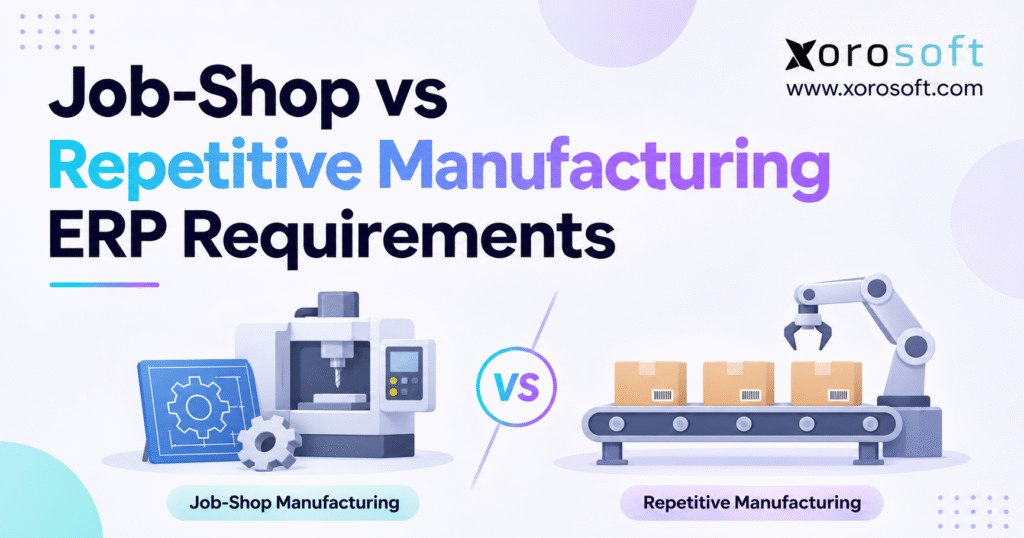
Understanding manufacturing ERP requirements is essential for any business looking to implement a successful ERP system in the manufacturing industry.
1. Job Shop vs Repetitive Manufacturing: Choose the Production Model
1.1. Job Shop Manufacturing: Job-Level Control
Typically, a job shop produces different products, modifications, or small batches using shared resources. A metal fabrication business may cut, weld, machine, and coat components in a different sequence for each customer. Meanwhile, work centers compete for operators, tooling, inspection capacity, and delivery windows. As a result, one late component can change several jobs’ production order.
Job-shop ERP therefore needs a reliable identity for every job. That record should connect approved specifications to the bill of materials (BOM), routing, due date, reserved components, operation feedback, and accumulated cost. Thus, the planning unit is often a customer commitment, not an anonymous line quantity.
1.2. Repetitive Manufacturing: Line-Level Control
In contrast, repetitive manufacturing makes recurring items or product families through an established process, frequently using a line or production cell. Planning revolves around attainable output, product sequence, component availability, shifts, and changes between runs. In practice, operators may report good units, rejects, or defined-stage progress rather than every step against a separate job.
Even so, the process can produce multiple styles, sizes, or customer orders. Repetitive does not mean nothing ever changes. Rather, the method of production is sufficiently repeatable that line-level controls and rate-based planning become useful.
1.3. Why Production Strategy Changes ERP Requirements
Make-to-order (MTO) means confirmed demand triggers production. Meanwhile, make-to-stock (MTS) means production builds inventory in advance of particular orders. In practice, either fulfillment strategy may coexist with either production method. For example, a standardized line can make items only after customers order them; a job shop may periodically build common spare parts for stock. Engineer-to-order and assemble-to-order introduce further distinctions.
For that reason, an ERP evaluation should first map product families against order triggers and routing patterns. Otherwise, a buyer may purchase sophisticated scheduling for a process that primarily needs better replenishment, or overlook job-level controls in a factory that also builds stock.
Table 1. Operating differences that shape ERP requirements
| Decision | Job-shop emphasis | Repetitive emphasis |
|---|---|---|
| Planning unit | Individual job and operation | Production run, line, shift, or product family |
| Product structure | Job-specific revisions and alternatives | Controlled standard versions |
| Capacity | Shared work-center hours and sequence | Line rate, station balance, and changeover |
| Inventory | Job reservations and shortage pegging | Line-side replenishment and repeated consumption |
| Reporting | Progress and cost by job | Output, yield, and variance by run |
| Delivery risk | Competing jobs or changing specifications | Supply disruption or throughput loss |
However, these are priorities, not exclusive capabilities. A serious job shop vs repetitive manufacturing comparison must also account for plants that run both methods.
2. Job Shop Manufacturing ERP Requirements for Custom Orders
2.1. Job Shop ERP Requirements From Quotation to Production
First, custom work often starts with estimated materials, labor, machine hours, outsourced services, and margin. Once the customer approves it, those assumptions should become controlled production data. Otherwise, a revised drawing may change the job while departments use different versions.
Consequently, job-shop manufacturing ERP requirements include connected specifications, BOM revisions, routings, promised dates, and expected costs. Moreover, engineering changes need effective dates, approvals, and rules for previously issued materials. It should be possible to compare the quoted version with the actual version without overwriting the history that explains a margin difference.
In addition, approval responsibilities should be explicit. Sales may authorize price changes, engineering may approve a substitution, and production may confirm the revised schedule. Therefore, the ERP should retain each decision without forcing employees to reconstruct the sequence from emails.
2.2. Finite-Capacity Scheduling for Job Shop ERP
For instance, two jobs may need the same CNC machine, oven, operator, or inspection station. Yet a simple calendar may show both as on time despite competing capacity needs. Finite-capacity scheduling uses available resource hours and existing reservations to expose that conflict. Microsoft’s job scheduling guidance describes resource assignments, forward and backward scheduling, and finite-capacity checks.
Suppose a CNC work center has 40 usable hours next week but the current plan requires 46. Consequently, its booked load is 115%. Cutting needs 34 of 40 hours, or 85%, and finishing needs 28, or 70%. These hypothetical figures illustrate why factory-wide utilization is a poor substitute for work-center scheduling. Therefore, the CNC work center is constrained although other machines have spare time.
Chart 1: Illustrative job-shop capacity load. Plot Cutting at 85%, CNC at 115%, and Finishing at 70%, with a reference line at 100%. This is an example for explaining capacity logic, not an industry benchmark.
Equally important, a schedule should show the impact on subsequent operations. Free capacity at finishing does not help if components cannot pass through CNC in time. Consequently, the planner needs visibility into the entire routing, not just one machine.
2.3. Shop-Floor Reporting and Job Costing Requirements
Likewise, an on-time job may lose money through extra setups, rework, overtime, or subcontract charges. Operators should record completed quantities, time, material usage, and exceptions at the relevant operation. In turn, ERP records should distinguish finished, waiting, and remaining steps before the promised date.
Actual cost should be explainable against the quotation. For example, a $12,000 estimate that becomes $13,400 in material, labor, and overhead has a $1,400 unfavorable cost difference before selling-price changes. Although illustrative, the example shows why planners need transaction details behind a variance, not just a dashboard alert.
Table 2. Job-shop ERP capability tests
| Required capability | Practical demonstration | Failure it should expose |
|---|---|---|
| Job-specific BOM | Revise one open job without changing others | Wrong materials ordered |
| Alternate routing | Move an operation to an approved machine | Hidden capacity conflict |
| Material reservation | Allocate scarce stock to a committed job | Double-promised components |
| Operation feedback | Record setup, labor, scrap, and rework | Unexplained job cost |
| Job profitability | Compare estimate with posted actual cost | Margin surprise at close |
2.4. Rescheduling Custom Manufacturing Without Losing Control
Sometimes an urgent order justifies resequencing; nevertheless, every change has a cost. The system should reveal downstream effects on materials, subcontract services, operator assignments, and other due dates. Consequently, an on-screen change without updated commitments creates false confidence. In a job shop ERP evaluation, ask the vendor to break the schedule deliberately and then recover it in front of the production team.
3. Repetitive Manufacturing ERP Requirements for Production Flow
3.1. Repetitive Manufacturing ERP: Approved Production Versions
Meanwhile, repetitive operations depend on stable product structures, known steps, and consistent transaction rules. A product version should identify the approved BOM, line or routing, effective dates, and relevant work instructions. As a result, controlled updates matter when a change affects thousands of units.
For example, ERP should distinguish next week’s product change from one effective immediately. Supervisors need to know what version was produced on each line and shift. Furthermore, where traceability matters, that decision should connect with lot or serial information and quality records.
3.2. Line Scheduling, Production Rates, and Changeovers
Although a plan calls for 100 units per shift, staffing, setup, machines, and materials determine output. Takt time describes the pace required to satisfy demand over available productive time; actual cycle time describes what the process achieves. Therefore, a slow line needs a different response from one building excess stock.
For example, 420 available production minutes divided by demand for 210 units yields a takt time of two minutes per unit. However, that figure does not prove the line can achieve the target. In addition, planners must account for downtime, quality, sequencing, and bottlenecks. SAP’s repetitive manufacturing planning-table documentation shows how planned quantities can be assigned to production lines while considering capacity.
3.3. Backflushing and Shop-Floor Reporting Requirements
In repetitive production, backflushing records expected component consumption automatically after configured production confirmation. Although it reduces manual entry, backflushing cannot replace physical stock controls. For instance, if a run consumes extra adhesive, loses components during setup, or substitutes a part, the system must support adjustments and meaningful variance reporting.
Alternatively, reporting points capture intermediate progress; some environments confirm only at completion. SAP’s repetitive manufacturing profile documentation describes configuration choices for confirmations, reporting points, and handling backflush errors. However, those examples do not mean every ERP supports the same method.
Table 3. Repetitive manufacturing ERP capability tests
| Required capability | Practical demonstration | Failure it should expose |
|---|---|---|
| Production version | Apply a future-effective BOM change | Incorrect component consumption |
| Line scheduling | Plan output with shifts and changeovers | Unrealistic throughput |
| Line-side replenishment | Create demand after a shortage | Production stoppage |
| Production confirmation | Record good units, scrap, and corrections | Inflated finished inventory |
| Variance reporting | Compare planned with actual output and cost | Hidden line loss |
Furthermore, confirmation frequency should match the process. Reporting every second may create unnecessary administrative work, whereas one transaction at shift end may hide scrap or shortages for too long. Therefore, choose meaningful control points based on risk and available equipment data.
3.4. Repetitive Manufacturing ERP KPIs for Output and Quality
Imagine five shifts planned at 100 finished units each. Actual completions are 94, 98, 89, 101, and 96 units. Therefore, total output of 478 against 500 planned units produces 95.6% attainment. However, the calculation cannot distinguish downtime, slow running, shortages, and rejects.
Chart 2: Illustrative planned versus actual output. Show the planned series as 100 units for each of five shifts and actual output as 94, 98, 89, 101, and 96. Both the data and resulting attainment rate are hypothetical, not a universal target.
Ultimately, the strongest repetitive manufacturing ERP designs make these causes visible while keeping production, inventory, and accounting reconciled.
4. Job Shop vs Repetitive ERP: What Shared Features Deliver
4.1. Work Orders in Job Shop and Repetitive ERP
Although both models use work orders, their usefulness depends on the process. In a job shop, the order may be the primary object used to control specifications, operations, progress, and cost. By comparison, a run schedule or production version may better represent repeated line output. Consequently, a vendor that demonstrates only basic work-order creation has not demonstrated fit for either environment.
Ultimately, the issue is how the ERP represents real work. Can a job change routing after release without losing history? Can a line record repeated production efficiently while preserving correct inventory and financial postings? These tests reveal more than the mere presence of a manufacturing module.
4.2. Manufacturing ERP Requirements for Scheduling and Costing
A job shop benefits from detailed operation dependencies and constrained work centers. Meanwhile, a repetitive plant benefits from line sequencing, shift hours, and predictable consumption. Both may need finite-capacity checks, but at different levels of planning. Likewise, standard costing can be used in a job shop, and actual costs can be collected in repetitive production. Therefore, accounting design should follow actual production needs and policy.
Table 4. Job shop vs repetitive manufacturing ERP requirements matrix
| ERP area | Job-shop evaluation focus | Repetitive evaluation focus |
|---|---|---|
| Order control | Job-specific scope and revisions | Product version and run definition |
| Scheduling | Operation dependency and work-center conflict | Line capacity and achievable rate |
| Materials | Demand pegging, reservations, substitutes | Replenishment, staging, repeat consumption |
| Shop floor | Time and quantity by operation | Line, shift, yield, and confirmation |
| Costing | Quoted versus actual job cost | Unit costs, period and usage variances |
| Quality | Customer acceptance and rework | Process stability and defect patterns |
| Reporting | Job margin and delivery adherence | Throughput, scrap, and line performance |
4.3. Test ERP Responses to Production Exceptions
Typically, software demonstrations show clean orders moving from release to completion. In reality, production rarely behaves so neatly. Therefore, a fair job shop vs repetitive manufacturing test should introduce a late supplier delivery, an unavailable machine, an incorrect BOM, and a scrap event. Next, watch how the system updates stock, schedules, commitments, and costs. If someone must recreate the transaction in a spreadsheet, the gap is operational, not cosmetic.
5. Manufacturing ERP Requirements for MRP and Replenishment
5.1. MRP Requirements: Connect Demand to Production
First, MRP calculates component needs from demand, BOMs, stock, receipts, and lead times. Although the calculation is shared, manufacturing ERP requirements differ when shortages arise. In custom production, a missing part may threaten one contractual delivery. Conversely, a small common-part shortage can disrupt an entire repetitive line.
Job-level pegging helps a planner identify which order needs the part and by when. Repetitive planning often adds line-side buffers, consumption patterns, and synchronized replenishment. However, neither works with poor lead times, units, or inventory transactions.
5.2. BOM Revisions, Substitutes, and Supplier Changes
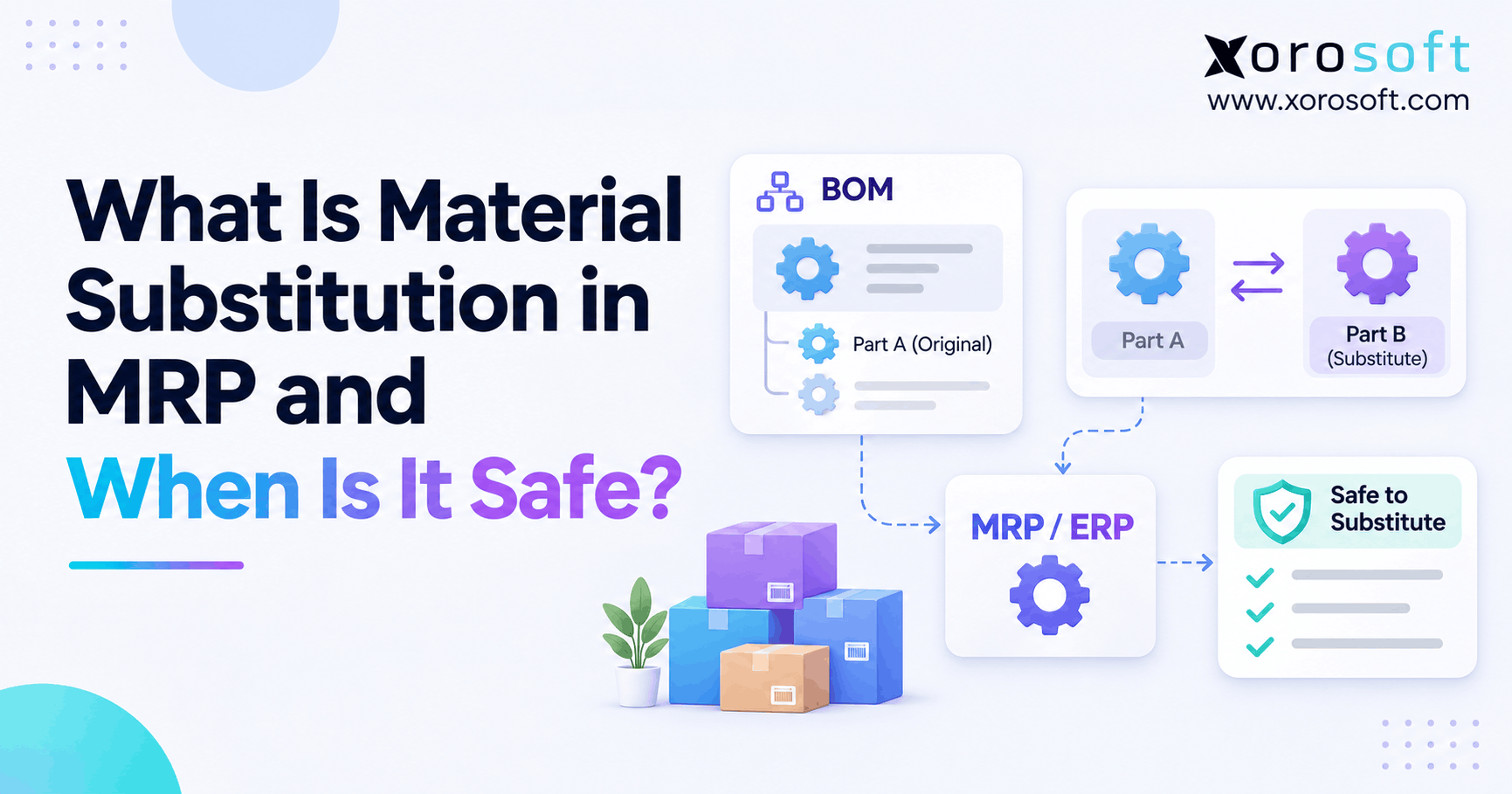
Suppose engineering approves a replacement fastener for future builds but existing customer orders must retain the original specification. Accordingly, purchasing must verify permitted versions while inventory separates usable from quarantined stock. The ERP should not silently consume the substitute merely because it is available. This is a core manufacturing ERP requirement.
Similarly, supplier delays require a reliable exception process. A rescheduled receipt may affect planned production, order promises, and cash requirements. Therefore, the ERP should expose that connection without requiring manual spreadsheet comparisons.
5.3. Inventory Replenishment and Shortage Visibility
For example, a repetitive line can stop despite abundant inventory if usable parts are unavailable. Conversely, a job shop may have physically available components that are already reserved for another commitment. Accurate available-to-promise and material-to-production logic must distinguish on-hand, allocated, incoming, quarantined, and consumable inventory.
The objective is not merely a faster MRP run. For example, ask a vendor to move a supplier receipt three days later while a production order is already released. Then inspect which jobs or line runs become constrained, which alternatives are suggested, and whether buyers receive a usable exception message. Consequently, purchasing and production can act on the resulting plan with greater confidence.
6. Manufacturing ERP Requirements for WIP and Accounting
6.1. Work-in-Process Tracking and Valuation
Importantly, work in process is more than a list of unfinished orders. It represents materials and conversion activity that have entered production but have not yet become completed products under the business’s accounting policy. For instance, a job shop may want WIP by order. By contrast, a repetitive manufacturer may use production-order, product, line, or period-based cost collection depending on its system and configuration.
Consequently, month-end close suffers when material issues and confirmations post days apart. Thus, manufacturing ERP requirements include identifying unmatched transactions and reconciling inventory subledgers to the general ledger. In addition, reports must explain what remains open, why its cost is present, and which transaction will clear it.
Meanwhile, controllers should examine period-end cutoffs. Material physically consumed before close but posted afterward can distort valuation. Therefore, production supervisors and finance must agree on posting deadlines, error queues, and ownership of late confirmations.
6.2. Job Costing vs Standard Costing in Manufacturing ERP
By comparison, job costing accumulates job-specific resources while standard costing uses predetermined rates and analyzes differences. Nevertheless, these methods can overlap. For instance, a business can apply standard rates to a job while tracking actual time and quantities. Therefore, buyers should avoid assuming the manufacturing method automatically determines the financial method.
A connected manufacturing and finance platform matters here because manual journal entries may temporarily balance accounts while concealing the production error that caused them. Xorosoft’s XoroERP is positioned around integrating accounting and operational processes; however, any buyer should still test its preferred WIP accounting, rate structure, and closing procedures against actual requirements.
6.3. Reconcile Manufacturing Costs From Issue to Completion
Consider a hypothetical job that issues $3,000 in material, records $1,200 in labor, and applies $800 in overhead. Its accumulated cost is $5,000 before adjustments. If part of the job remains unfinished, the ERP needs to show how much value stays in WIP and how much moves to completed inventory. The amounts are illustrative, not accounting advice.
Table 5. Manufacturing cost and inventory reconciliation tests
| Event | Operational record | Financial control to verify |
|---|---|---|
| Raw material issue | Quantity consumed and job/run reference | Inventory decrease and WIP treatment |
| Labor confirmation | Time, rate, and operation | Applied labor or conversion cost |
| Scrap posting | Rejected quantity and reason | Inventory and variance treatment |
| Finished-goods receipt | Completed units and accepted status | WIP relief and finished inventory |
| Job or period close | Final costs and exceptions | Reconciliation to general ledger |
Therefore, this test should uncover timing gaps, missing postings, and unsupported adjustments before selection.
7. Manufacturing ERP Requirements for Inventory and Traceability
7.1. Manufacturing Inventory Across Warehouses and Locations
For example, a planner may see 500 units, including 180 reserved, 120 remote, and 40 on hold. Consequently, only 160 are immediately usable for a new unreserved order at the relevant location. A quantity-based dashboard without status and location context can encourage poor commitments.
Moreover, the problem grows when factories share stock with wholesale or ecommerce channels. Transfers, line-side staging, completed-goods receipts, and customer allocations must be recorded consistently. As a result, a manufacturing ERP can expose demand accurately only when warehouse movements are timely and controlled.
7.2. Warehouse-to-Production Inventory Controls
The warehouse may pick materials for a job, replenish a production supermarket, or deliver kits to a cell. Accordingly, each movement needs clear ownership. Is the stock still available for another sales order after staging? When does consumption occur? What happens if a kit is returned unused? An implementation should make these rules explicit and test them in real transactions.
Xorosoft’s XoroWMS focuses on inventory tracking and warehouse processes that support such handoffs. However, buyers must verify the exact production-staging, lot-control, and warehouse-to-manufacturing workflows required in their facilities, particularly when sites use different units of measure or transaction timing.
7.3. Manufacturing Traceability and Quality Records
Likewise, traceability requirements vary by product, contract, and regulation. A manufacturer may need lot lineage from received components through finished goods, or serial records for warranty and service. Job shops may also need certificates tied to a specific customer job, while repetitive operations may need process checks at defined intervals.
Rather than collecting every possible data point, manufacturers should define the information needed for a control or investigation. For example, capture the evidence required to investigate defects, contain suspect stock, demonstrate compliance, and resolve customer claims. Consequently, the most useful records are complete and easy to retrieve during an exception.
For instance, a customer complaint may require identifying which received component lots went into one finished batch. Without reliable issue and completion records, the company could quarantine far more stock than necessary and delay otherwise acceptable shipments.
8. Manufacturing ERP Performance Metrics for Both Models
8.1. Job Shop ERP KPIs: Delivery and Margins
For example, measure job-shop on-time delivery by dividing jobs completed on time by jobs due in the period. In addition, track estimated-versus-actual margin, queue time at bottlenecks, rework hours, and schedule adherence. A high utilization rate on every resource may not be desirable when it creates long queues and no room for urgent customer work.
However, metrics also need consistent operational definitions. Decide whether a customer-approved date change resets the on-time delivery baseline and whether outsourced operations count as part of lead time. Otherwise, month-to-month improvement may be a reporting artifact rather than a real performance gain.
8.2. Repetitive Manufacturing ERP KPIs: Hidden Line Losses
Meanwhile, production attainment, yield, scrap, throughput, and downtime explain line reliability. Overall equipment effectiveness (OEE) combines availability, performance, and quality, but it requires trustworthy source data. Furthermore, output attainment alone cannot tell whether a line lost time to changeovers, shortages, speed reductions, or defects.
Therefore, a useful job shop vs repetitive manufacturing KPI comparison starts with each manager’s decision. For instance, the job-shop manager may prioritize a threatened customer deadline while the line manager addresses a feeder shortage. Both should see the inventory and financial consequences of those decisions.
8.3. Production Reporting That Explains the Numbers
Ultimately, dashboards help only when supervisors can trace figures to transactions. More advanced analytical interfaces may allow questions across inventory, purchasing, manufacturing, and finance. For example, Xorosoft describes permission-aware access to operational data through its AI MCP Server. Nevertheless, such tools should complement controlled ERP records, not replace transaction validation, role permissions, or human review of production decisions.
In addition, define the source of each metric before developing reports. If finance values material issues at one point and production counts them at another, a dashboard can be internally consistent yet operationally misleading.
9. Hybrid Manufacturing ERP Requirements for Shared Inventory
9.1. Mixed-Mode ERP: Shared Data and Different Controls
For example, a furniture manufacturer may batch standard components before assembling custom orders. The upstream cell cares about production versions, output rates, and component replenishment. Meanwhile, final assembly cares about approved customer dimensions, allocated stock, due dates, and order-level cost. Therefore, one ERP must support both workflows while sharing reliable inventory and financial records.
Table 6. Mixed-mode ERP requirements
| Shared process | Job-shop control | Repetitive control |
|---|---|---|
| Demand | Confirmed customer job | Forecast or planned run |
| BOM | Approved order revision | Effective production version |
| Capacity | Work-center reservation | Line and shift availability |
| Inventory | Reserved custom components | Scheduled line replenishment |
| Completion | Job acceptance and costing | Repeated output confirmation |
| Finance | Job-level cost visibility | Unit and run variance visibility |
Xorosoft positions XoroONE as a connected cloud ERP spanning manufacturing, inventory, warehouse management, and accounting. Its public descriptions cover BOMs, work orders, MRP, and production costing. Nevertheless, a mixed-mode buyer should confirm how the proposed configuration handles differing execution methods, advanced scheduling, and partial production confirmations.
9.2. Shopify, Wholesale, and Manufacturing Demand Planning
However, production does not end at the factory door. A consumer-products manufacturer might sell standard finished goods through Shopify, fulfill wholesale orders through EDI, and accept customized orders from large accounts. Therefore, the ERP needs to distinguish sales demand from production capacity and ensure that stock promised online is not simultaneously allocated to a production job or another channel.
The Xorosoft ERP listing on the Shopify App Store is a relevant reference for merchants investigating commerce connectivity. Buyers should also map their wider ERP integrations across storefronts, marketplaces, EDI, shipping, and finance. Ultimately, integration fit depends on workflows, timing, exceptions, and data ownership, not partner logos.
9.3. Cross-System Production Exception Controls
When a customer cancels an order after materials are issued, somebody must decide whether to return components to stock, finish a standard subassembly, or charge a cancellation cost. As a result, the decision must reach operations and finance without untraceable edits. Otherwise, hybrid ERP projects can fail when teams agree that systems will “sync” but never define what happens when the original transaction changes.
10. Job Shop vs Repetitive Manufacturing: Industry Examples
10.1. Job Shop ERP for Fabrication and Custom Furniture
For instance, custom metalwork and furniture often need unique drawings, subcontracting, and alternative routings. Nevertheless, shared components do not eliminate customer-specific changes to purchasing or capacity. A job-shop workflow must preserve revisions and actual cost through those decisions. Therefore, manufacturers should be careful with a generic product configurator that cannot manage changes after release.
10.2. Repetitive Manufacturing ERP for Consumer Products
Similarly, these businesses often combine repeat production with complex assortments. An apparel company may manufacture standard sizes and colors in runs, then add customer-specific decoration or packaging. Meanwhile, a sporting-goods company may use repeat assembly for core products while introducing seasonal revisions. Here, manufacturing ERP requirements include variant accuracy, batch planning, replenishment, allocations, and dependable cost records.
The manufacturing patterns described across Xorosoft’s industry coverage illustrate why industry labels alone cannot determine software fit. For example, an apparel business making private-label garments to order needs different controls from one replenishing finished basics, even though both operate in apparel.
10.3. Mixed-Mode ERP Requirements for Contract Manufacturers
For example, a contractor may accept unique designs but run approved subassemblies repeatedly. Customer-owned inventory, revision approvals, quality records, confidentiality, and cost segregation may matter as much as production speed. Therefore, in a job shop vs repetitive manufacturing decision, the relevant unit is the process or product family, not necessarily the whole legal entity.
11. Manufacturing ERP Comparison: Test Vendors Against Real Work
11.1. Job Shop vs Repetitive ERP Demo Scenarios
First, provide each vendor identical anonymized items, BOMs, routings, inventory, and dates. For a job shop, request a custom order, overload a constrained work center, move a promised date, and approve a component substitution. Then, watch whether capacity, purchases, WIP, and expected margin stay consistent.
Next, request a two-shift repetitive run, introduce shortages and changeovers, and record output and scrap. The vendor should show the revised plan, replenishment signal, consumption posting, finished-goods receipt, and cost variance. If either sequence requires spreadsheets or unexplained manual corrections, record that dependency rather than assuming the capability is standard.
11.2. Manufacturing ERP Requirements Scorecard
Unfortunately, generic scorecards can reward features unrelated to actual factory constraints. Therefore, start with non-negotiable needs, then assign weights that reflect operational consequences. The following weights are illustrative and should change for each manufacturer.
Table 7. Example ERP vendor evaluation scorecard
| Area | Suggested weight | Required evidence |
|---|---|---|
| Scheduling and capacity | 20% | Completed exception scenario |
| BOM and routing control | 15% | Approved revision history |
| MRP and purchasing | 15% | Shortage and supply response |
| WIP, costing, and accounting | 15% | Traceable financial reconciliation |
| Shop-floor and quality control | 10% | Good output, scrap, and rework |
| Inventory and warehousing | 10% | Accurate allocations and location control |
| Reporting and integrations | 5% | Data traceable to source transactions |
| Implementation, support, and cost | 10% | Written scope and total-cost estimate |
| Total | 100% | Weights are illustrative |
Then, score identical scenarios and distinguish native, configured, customized, and dependent functions. When evaluating Xorosoft alongside large suites, its comparison with NetSuite can serve as one vendor perspective. However, capability and cost claims should be independently tested in the proposed environment.
11.3. Verify Manufacturing ERP References and Implementation Fit
Likewise, customer references matter most when plants share production and implementation conditions. Review documented ERP customer stories to identify appropriate questions. Then, ask for specifics: what changed, which integrations were required, how data were cleaned, and what remained outside the ERP.
Moreover, apply the same scrutiny to implementation partners. Production knowledge, accounting competence, and a realistic migration plan are more valuable than a confident promise that every workflow is easy to configure. A free ERP readiness assessment can help organize the requirements before formal demonstrations. Afterward, watch a representative demo and request a scenario-based session.
12. Manufacturing ERP Requirements: A Practical Selection Plan
12.1. Prepare Production Data Before ERP Demos
Start with a demanding sample: one custom job, one repeat run, shared components, late receipts, and a cost exception. Next, clean the item masters, units of measure, BOM revisions, routings, labor or work-center calendars, opening inventory, and accounting mappings needed to represent those cases. Otherwise, poor master data can make a suitable system look inadequate or disguise a genuine software limitation.
12.2. Validate Production Controls Before Deployment
Ultimately, a job shop vs repetitive manufacturing review should deliver more than a feature list. Instead, it should define agreed production controls: who may change a released job, what happens when line materials run short, how inventory reservations are protected, and which transactions determine cost and completion. Test these controls with operators, planners, purchasing, warehouse staff, and finance in the same room.
However, no one software category fits every manufacturer, and advanced scheduling is not always justified. A focused pilot should expose the main capacity, material, and reconciliation risks before full rollout. Finally, use the results to compare implementation scope, training, integration reliability, and ongoing cost.
Before contract approval, document unresolved gaps and assign owners. After all, a requirement that remains unclear during evaluation usually becomes more expensive during implementation. Therefore, put acceptance criteria in writing so project teams can distinguish a working process from a promised future enhancement.
If your business is assessing a manufacturing ERP replacement, book a personalized discussion with Xorosoft and bring your actual production scenarios. A useful conversation should establish what the proposed system supports today, what needs configuration, and where a specialist application may still be appropriate. Ultimately, the goal is dependable production control when plans change, not different screens.
Frequently Asked Questions
What manufacturing ERP requirements matter most for job shops?
Flexible BOMs, job-specific routings, finite-capacity scheduling, material reservations, and actual job costing matter most. Together, they help control changing orders and delivery commitments.
What ERP features are essential for repetitive manufacturing?
Prioritize line scheduling, production rates, controlled product versions, replenishment, output reporting, and variances. These capabilities keep repeated runs supplied and production records accurate.
Can one ERP support job shops and repetitive production?
Yes, if it supports distinct execution methods while sharing reliable inventory and accounting data. Test both workflows before selecting a mixed-mode manufacturing system.
Why do job shops need finite-capacity scheduling?
It exposes overloaded work centers before planners promise dates. When priorities shift, teams can evaluate alternative resources and adjust realistic schedules.
How do job costing and standard costing differ?
Job costing follows costs for specific orders; standard costing measures results against predetermined rates or quantities. Depending on accounting policy, manufacturers may combine both.
When should manufacturers upgrade from spreadsheets to ERP?
Consider upgrading when inventory, production progress, or costs require constant reconciliation. Repeated shortages and missed commitments signal that disconnected tools limit control.
What should buyers test during an ERP demonstration?
Use realistic BOM changes, capacity conflicts, shortages, scrap, and costing scenarios. Verify updates across production, purchasing, inventory, and finance without hidden workarounds.
Recent Posts
-
 WMS for Beverage Distributors Managing Cases, Pallets, and Fast-Moving Picks
-
 Job-Shop vs Repetitive Manufacturing ERP Requirements
-
 How to Build a Supplier Confirmation Workflow Around Purchase Orders
-
 Shopify Integration Security Benchmarks 2026: Allowlisting, Tokens, and Bulk Operations
-
 What Should Inventory Tracking Records Include Beyond Quantity on Hand?