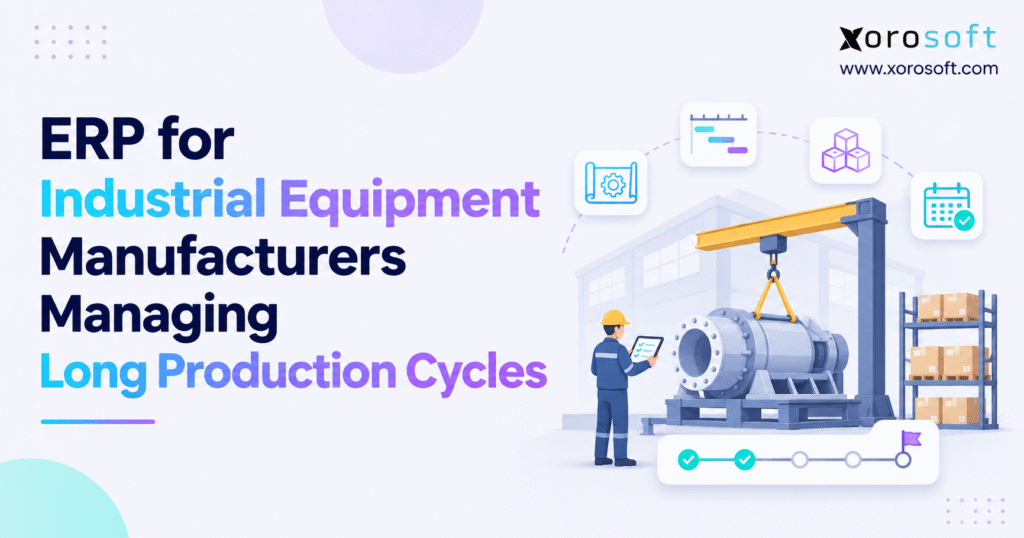
ERP for industrial equipment manufacturers provides tailored solutions to enhance operations, streamline processes, and support business growth.
1. Why Long Production Cycles Raise Risks for Equipment Manufacturers
A machine can be almost ready to ship and still be weeks away from leaving the plant. For example, a late drive unit may hold up final assembly. Meanwhile, a new drawing may force the shop to remake a part. A test bay may be booked for another job just when the first machine needs it.
ERP for industrial equipment manufacturers helps teams work from the same view of orders, parts, shop jobs, stock, and costs. However, the goal is not to make a long build short by default. It is to show what is ready, what is at risk, and what the team needs to do next.
1.1. Long Production Lead Times in Industrial Machinery Manufacturing
Unlike a firm that makes the same item in large batches, an equipment builder may change the design for each buyer. Some parts come from stock; others must be made or bought to order. For instance, a motor may have a ten-week lead time while the frame takes only three weeks to build.
1.2. Where Separate Manufacturing Systems and Spreadsheets Fail
Many firms start with a parts sheet, a shop schedule, an accounting app, and email threads with vendors. At first, each tool may work well on its own. However, problems begin when data changes in one place but not the others.
A buyer may use an old bill of materials. Meanwhile, a planner may count stock that is held for another order. Likewise, finance may see the cost of extra work only after the job has closed. By then, the team has lost the chance to fix the issue early.
1.3. How Equipment Production Delays Increase Costs
Late jobs tie up cash in parts and work in process. In turn, they can raise overtime, freight, and rework costs. They may also force the firm to move other orders, which spreads the delay to more clients.
2. How ERP for Industrial Equipment Manufacturers Connects Sales and the Shop
ERP for industrial equipment manufacturers links the work that starts in sales with the work that ends in shipping and finance. In practice, it holds shared records for parts, vendors, orders, stock, work orders, and costs. That way, the right teams see each change.
2.1. How Manufacturing ERP Turns Orders Into Production Plans
The process starts with a clear scope. Next, the firm records the item or machine to build, key dates, price, and any special terms. The approved design feeds a bill of materials (BOM) listing needed parts and subassemblies.
From there, the plan can show what is in stock, what must be bought, and what the shop must make. Then, work orders give teams a way to record progress. As parts are used and jobs move forward, the same records can help with costing and stock control.
2.2. Manufacturing ERP vs. MRP, MES, and PLM
Although these tools overlap, they do different jobs. ERP handles the flow of orders, purchasing, stock, jobs, and money. Material requirements planning (MRP) works out what parts are needed and when. By contrast, a manufacturing execution system (MES) focuses on shop-floor work and events. Product lifecycle management (PLM) helps teams control design files and changes.
2.3. What Industrial Equipment ERP Cannot Fix Alone
Even so, ERP cannot make a supplier ship a late part. It will not turn a wrong BOM into a right one, and it cannot plan true shop capacity when work times are guesses. In addition, it cannot replace a clear rule for who may approve a design change.
ERP for industrial equipment manufacturers works best when the firm first agrees on part codes, stock rules, job stages, and who owns each update. Clean data matters as much as software.
3. How ERP for Industrial Equipment Manufacturers Controls the Build
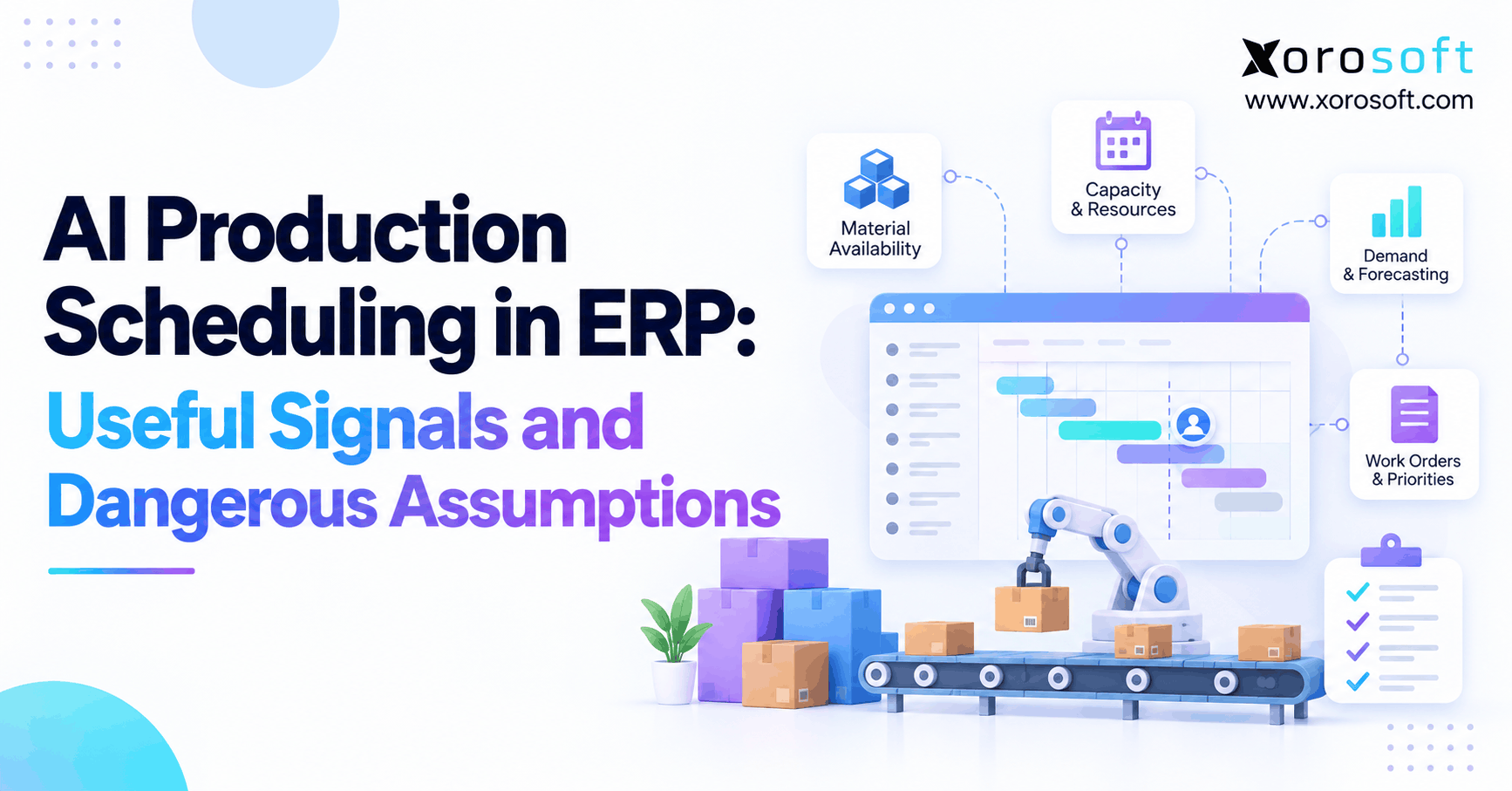
Long-cycle work is easier to manage when the plan follows the whole job, not just the next shop task. Therefore, the system should show the link between the design, the parts list, what is on order, and when each work center is free.
3.1. ETO, MTO, and ATO Workflows in Industrial Machinery ERP
An engineer-to-order (ETO) shop designs much of the product for a specific buyer. By contrast, a make-to-order (MTO) shop uses an approved design but starts the build after an order comes in. An assemble-to-order (ATO) shop puts together a set of stocked parts to meet a buyer’s choice.
| Build model | Main source of risk | What the system must show |
|---|---|---|
| ETO | Design changes after work begins | Part revisions, job costs, change approvals |
| MTO | Parts or shop time not ready | Due dates, stock, work orders |
| ATO | Parts shared by many orders | Stock by location, reserved stock, kit needs |
3.2. How Manufacturing ERP Manages Multi-Level BOMs and Part Changes
A large machine is often built from smaller units. A conveyor, for instance, may contain drives, a frame, guards, controls, and sensors. Each unit, in turn, has its own parts. A multi-level BOM lets the planner see both the full machine and the lower-level parts.
When a drawing changes, the team needs to know which jobs use the old design. As a result, the change may affect parts that were already bought, cut, or built. Therefore, a sound workflow records the new version, checks its effect on active jobs, and sends the approved update to buying and the shop.
3.3. Equipment Production Routing, Work Orders, and Milestones
The route sets out the stages a job must pass through, such as cutting, welding, paint, final build, and test. Meanwhile, work orders tell the shop what to make and how much. Finally, milestones mark the points that matter most to the ship date.
For a six-month build, teams might track design sign-off, receipt of long-lead parts, frame completion, assembly, test, and final check. When one step slips, the planner can check how that affects the rest of the route.
3.4. Why ERP Production Planning Needs Real Shop Capacity
Having all parts does not ensure an on-time build. For example, two jobs may need the same test bay, welder, or skilled fitter. As a result, a plan based only on parts will miss that clash.
Instead, basic capacity tools help teams compare planned hours with time on hand. More advanced finite-capacity tools take detailed limits into account. Therefore, firms with tight work centers should test how any vendor’s scheduling tool deals with shift hours, setup time, downtime, and rush orders.
4. Material Planning in ERP for Industrial Equipment Manufacturers
Materials often set the pace of a long build. For example, a small part with a long lead time can hold up a much larger machine. That is why the best buying plan starts with the date a part is needed on the shop floor, not just the date the customer order was placed.
4.1. How MRP Plans Long-Lead Parts for Equipment Manufacturers
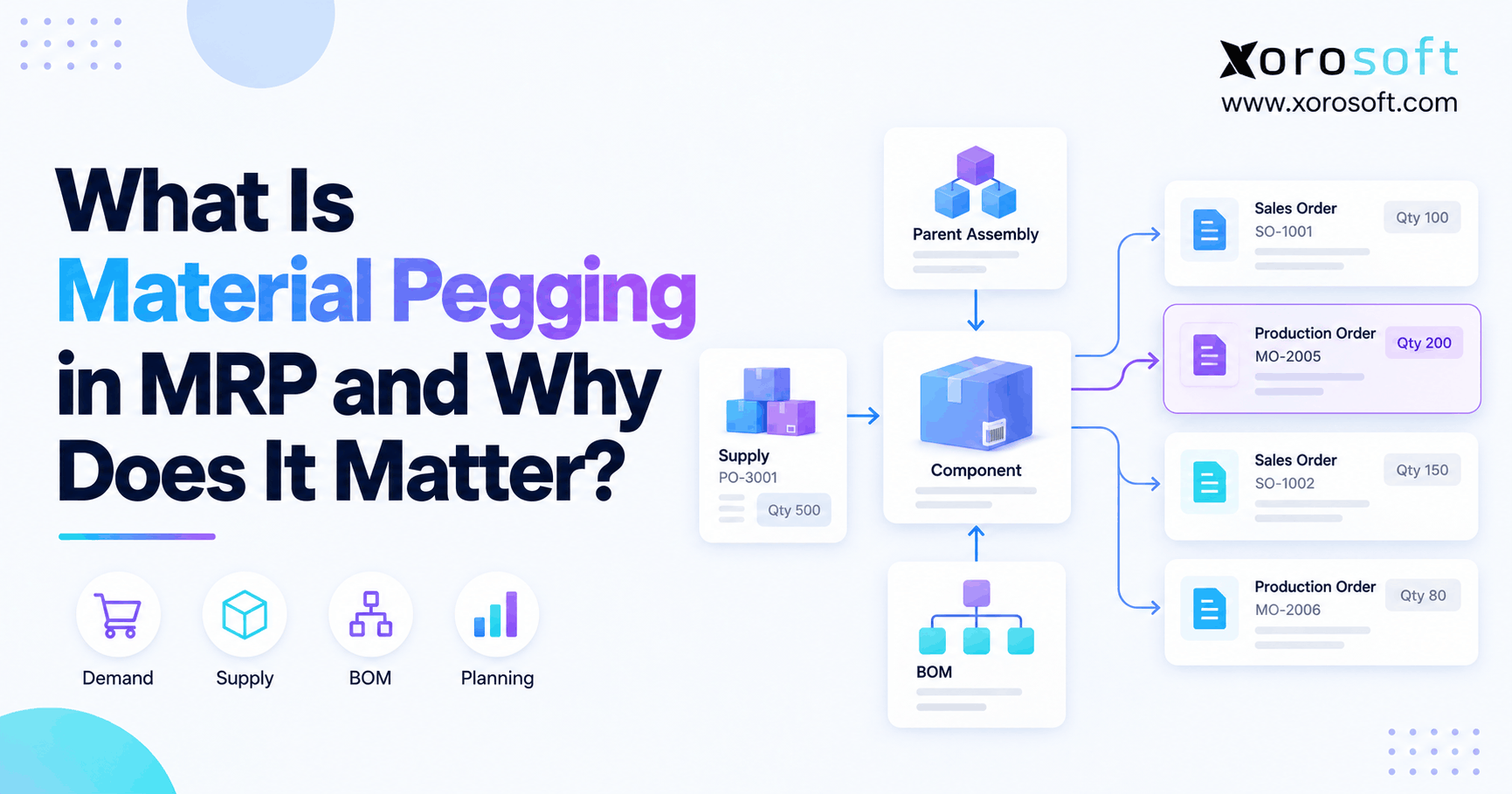
In ERP for industrial equipment manufacturers, MRP compares demand from BOMs and work orders with stock on hand and planned receipts. Next, it helps buyers see shortages and target order dates. However, the dates must reflect how long a vendor takes to ship and how much time the firm needs to receive and check the goods.
For instance, consider an order that needs eight control units. There are three in stock, but one is held for another job. Meanwhile, two more are due before the need date. The open need is four units: eight required, minus two free units in stock, minus two due in time.
| Planning item | Units |
|---|---|
| Needed for the job | 8 |
| Stock on hand | 3 |
| Reserved for other jobs | 1 |
| Receipts due in time | 2 |
| More units to buy | 4 |
Of course, this is a simple example. A real plan must also check safety stock, lot size, dates, and whether due receipts are still likely to arrive as promised.
4.2. How ERP Purchasing Links Supplier Orders to Shop Jobs
A buyer should be able to open a late purchase order and see which machines rely on it. Otherwise, a vendor delay looks like a buying issue alone. In fact, it may change shop plans, cash needs, and delivery dates.
4.3. Multi-Warehouse Inventory Control in Industrial Equipment ERP
Even when stock appears on screen, the shop may not be able to use it. For example, a part may sit in another site, wait for an inspection, or be reserved for a different machine. Therefore, good stock rules make these states clear.
ERP for industrial equipment manufacturers should show available, reserved, in-transit, and work-in-process stock without treating them as the same thing. In addition, teams need to know the bin or site where each item sits.
For firms with more than one stock location, Xorosoft’s XoroWMS is worth reviewing for warehouse receiving, stock moves, and location control. The demo should show how these stock moves link to open shop jobs.
4.4. ERP Readiness Check for Equipment Manufacturers
Take one late job and trace the first missing part back through the BOM, purchase order, vendor date, and stock record. Note where the team had to leave one system to find the next answer.
5. Manufacturing ERP Job Costing: Protecting Equipment Margins
Early on, a long build may look healthy but lose much of its margin by the end. For instance, parts may cost more than quoted. Meanwhile, extra hours may go into rework. Likewise, a late design change may add outside shop costs. If managers see these changes only at month-end, they have little time to act.
5.1. Planned, Committed, and Actual Manufacturing Costs
Planned cost is the estimate used to price or budget a job. Committed cost covers what the firm expects to spend, such as an open purchase order. Actual cost is based on what has been used or incurred under the firm’s cost rules.
However, these amounts answer different questions. For example, a buyer may order $20,000 of steel, but that amount may not yet be part of the job’s WIP value. Therefore, teams should not treat planned spend as if it were incurred.
5.2. WIP Tracking and Accounting in Equipment Manufacturing ERP
WIP is the value held in work that has started but is not yet done. For many makers of equipment, it includes eligible parts, labor, and shop overhead used on a job. However, the exact treatment follows the firm’s accounting policy.
As a result, finance needs timely receiving, stores, and shop data to keep WIP right. If staff issue parts in real life but do not post them, job costs may look too low. If a part is charged twice, the job may look worse than it is.
Connected ERP and finance records can cut down on this back-and-forth. Xorosoft’s XoroERP is one option to review where a firm wants closer links between stock, buying, shop jobs, and accounting.
5.3. Industrial Equipment Job Cost Example: Margin Lost During a Build
Assume a firm sells a custom machine for $300,000. Its first plan includes $125,000 in parts, $60,000 in direct labor, $35,000 in applied shop overhead, and $20,000 in outside work. The total planned job cost is $240,000.
| Cost item | Amount |
|---|---|
| Direct parts | $125,000 |
| Direct labor | $60,000 |
| Applied shop overhead | $35,000 |
| Outside manufacturing work | $20,000 |
| Total planned cost | $240,000 |
At that cost, the planned gross profit is $60,000 and the gross margin is 20%. Later, a design change and rework add $18,000 in eligible job costs. If price stays the same, the new cost is $258,000, gross profit is $42,000, and gross margin falls to 14%.
5.4. How Manufacturing ERP Cost Reviews Lead to Action
ERP for industrial equipment manufacturers can support these reviews when stock issues, hours, and buying costs are linked to the right job. It should not replace a clear rule for which changes need a new price quote or client approval.
6. Manufacturing ERP for Shop Capacity, Quality, and Traceability
Even with a good material plan, a build can still face other delays. For example, a machine can have all its parts and still be delayed by a full test bay or failed check. Therefore, teams need a clear view of what can be built, checked, and shipped.
6.1. Equipment Production Capacity by Work Center
The route for a machine may include machining, welding, paint, build, and test. In turn, each stage needs shop time. When planners load too many jobs onto one work center, work piles up even if every job has an on-time due date in the system.
6.2. Quality Checks and Rework in Manufacturing ERP
Quality checks are part of the build, not paperwork added at the end. For example, a machine may need weld checks, fit checks, safety tests, and a final run before it ships. If a check fails, the shop needs to record what went wrong and what work must be done again.
6.3. Serial and Lot Tracking in Industrial Equipment ERP
A maker may need to trace a motor or control unit years after the machine ships. Specifically, serial numbers link one item to one unit. By contrast, lot numbers link groups of parts to batches or supplier receipts.
Therefore, tracking should begin at the right step, such as receipt, build, or final check. Teams should agree which items need full traceability. Trying to track every low-value screw can create work without much benefit, while failing to track a key safety part can cause serious service issues.
7. ERP for Industrial Equipment Manufacturers in Real-World Use Cases
7.1. Engineer-to-Order ERP for Custom Machinery Shops
For example, an ETO builder may start work before every detail is frozen. Therefore, the team must control design versions, flag changes, and link each approved change to cost and dates.
In some ETO shops, ERP for industrial equipment manufacturers must work with a design tool or PLM app. Buyers should test the handoff between those tools, not just look for an “engineering” box on a vendor’s feature page.
7.2. ERP for Make-to-Order Equipment Builders
A maker of pumps, lifts, or packing units may use known BOMs and routes, with each job starting after a sale. Its main need may be stock control, supplier timing, and a realistic load on the shop.
Here, ERP for industrial equipment manufacturers helps tie repeat orders to a common build method. Teams can use past job data to improve plans and quotes instead of starting from scratch each time.
7.3. ERP for Component Makers, Parts Sales, and Service Teams
Some firms both build equipment and sell parts through dealers, repair teams, or direct sales. However, these sales can draw from the same stock as new production. For instance, a rush service order may need a motor reserved for a machine due next week.
As a result, shared stock rules help firms make that trade-off on purpose. Businesses can review how Xorosoft supports different product and sales models through its industries overview, then test any plant-specific needs in a live workflow.
8. Choosing ERP for Industrial Equipment Manufacturers Without Overbuying
8.1. Core Manufacturing ERP Features to Test
First, test BOMs, MRP, stock by site, reserved parts, purchase orders, work orders, job costs, and finance links. Then, ask vendors to show a complete job from order to shipment, including a late part and design change.
For firms that manage both bought and made items, Xorosoft’s XoroONE brings key stock, buying, warehouse, finance, and manufacturing tasks into one cloud system. As with any platform, the buyer should check the depth of each feature against its own needs.
8.2. When a Smaller Manufacturing Planning Tool May Be Enough
However, not every maker needs full ERP. For example, a small shop with few jobs and simple parts lists may do well with focused MRP or job-shop software. By contrast, a plant with deep shop-floor needs may need MES alongside ERP.
8.3. Compare Industrial Machinery ERP Systems Using a Real Job
To test ERP for industrial equipment manufacturers, pick a past job that had both a part delay and a cost change. Give each vendor the same task: load its BOM, show the buying need, change a due date, record part use, and show the new job margin.
In addition, a scorecard can give weight to the work that matters most. One possible split is 25% for BOM and planning, 20% for buying and stock, 20% for cost control, 15% for links and reports, and 20% for setup, ease of use, and full cost.
Readers weighing platforms can use the Xorosoft vs. NetSuite comparison as one research input. Claims about cost, fit, or features should still be checked in a demo and written scope.
8.4. ERP Rollout Planning: Clean Data and Test Jobs
Before setup, clean part codes, BOMs, stock counts, supplier dates, and cost rules. Next, assign an owner to each data set. Then test one real job, from a new sales order through receipt, stock issue, build, and finance posting.
Include the hard cases: partial receipts, scrap, rework, late parts, and a design change after work has started. This is how teams learn whether the system will work on a busy Tuesday, not just in a clean demo.
9. Industrial Equipment ERP for Spare Parts, Wholesale, and Shopify
Beyond new machines, equipment makers may sell spare parts, kits, and service items. For example, these may be sold through dealers, a parts desk, or online. If they use the same stock as new builds, the firm needs rules for who gets scarce items.
9.1. Keeping Ecommerce Inventory in Step With Plant Demand
For instance, an online stock count can be wrong if some units are held for work orders. ERP and order tools need a clear rule for what is safe to sell. Moreover, that rule may differ by item or site.
ERP for industrial equipment manufacturers is useful here because service, wholesale, and plant teams can work with one stock view. The firm still needs clear reserve rules and a process for urgent service needs.
9.2. Shopify ERP Integration for Equipment Spare Parts
For firms selling standard parts or kits through Shopify, a link between store orders, stock, shipping, and finance can cut manual entry. The Xorosoft ERP listing in the Shopify App Store is a place to review that ecommerce use case.
10. Manufacturing ERP KPIs for Long Production Cycles
10.1. Equipment Production Lead Time and On-Time Delivery
To measure the value of ERP for industrial equipment manufacturers, track both order-to-ship lead time and shop build time. They measure different things. A long order lead time may come from design or buying even when shop work is quick.
Similarly, on-time delivery rate is the share of orders shipped by the agreed date, using a clear rule for changed dates. Meanwhile, plan adherence measures how often planned work ends when expected. Both help explain whether delivery promises are realistic.
10.2. Manufacturing WIP Age, Part Shortages, and Cost Gaps
First, WIP age shows how long jobs stay open. Next, the part-shortage rate shows how many jobs were stopped by missing parts. Finally, the cost gap compares planned cost with cost to date plus expected cost still to come.
11. Frequently Asked Questions About Industrial Equipment ERP
11.1. What Is ERP for Industrial Equipment Manufacturers?
ERP for industrial equipment manufacturers is a system that links buying, stock, production jobs, orders, and finance. As a result, teams share a record of what to build, which parts are free, and how costs change. The value comes from using the same data across teams, not from adding more screens or reports.
11.2. How Does ERP Help Manage Long Production Cycles?
ERP can tie the full job plan to parts, vendors, work orders, and key due dates. For example, when a part is late, teams can see which build steps depend on it. That makes it easier to change the plan and warn clients. ERP helps teams act earlier, but it cannot stop every delay or replace clear shop rules.
11.3. Why Do Equipment Makers Need ERP Software?
Equipment makers often run many tasks at once over long periods. They must track design changes, parts with long lead times, jobs at different stages, and costs that keep growing. ERP helps link those details. However, a shop with few simple jobs may not need full ERP yet.
11.4. Can ERP Reduce Late Production Orders?
It can help teams catch risk sooner. Good data can show a short part, a late vendor receipt, or a full work center before that issue stops the job. Even so, the team must act on the warning. On-time delivery depends on good plans, clear owners, and honest updates as much as on software.
11.5. What Is Engineer-to-Order ERP?
Engineer-to-order ERP helps firms manage builds that need new design work for a buyer. The system may hold job costs, part needs, work orders, and order dates. In addition, deep design control may need a PLM or CAD link. Ask vendors to show how an approved design change affects parts and active work.
11.6. How Are ETO, MTO, and ATO Different?
ETO means the firm must do design work for the order. MTO means it builds an approved design once the sale is made. ATO means it joins stocked parts into the requested setup. Therefore, each model needs a different mix of design control, stock planning, and shop time. Many equipment firms use more than one.
11.7. How Does ERP Handle a Complex BOM?
A multi-level BOM lists the parts in each subassembly and the parts needed for the full machine. It helps teams plan buying and shop work from the same structure. However, the firm must keep versions clear and ensure live BOMs match approved designs.
11.8. Can ERP Track Changes to an Equipment Design?
Many systems can hold BOM versions and record changes, but the depth of control varies. A firm may need approval steps, part impact checks, and links to CAD or PLM files. For example, test what happens when a design changes after parts are cut or ordered.
11.9. How Does MRP Plan Long-Lead Parts?
MRP uses part demand, stock, reserved units, open receipts, and lead times to suggest what to buy and when. It works best when dates and stock counts are right. In addition, a long-lead part may need a safety buffer or backup vendor. MRP is a plan, not a vendor promise.
11.10. Can ERP Improve Supplier Follow-Up?
Yes. When purchase orders link to jobs, buyers can see which late parts put ship dates at risk. They can rank calls and track new promise dates. Moreover, the system can hold lead-time history and receipt records. Strong supplier ties still matter; no software can force a vendor to ship on time.
11.11. How Does ERP Help With Shop Scheduling?
ERP can connect work orders to the parts and time they need. Planners can spot when jobs compete for the same work center. However, the range of scheduling tools differs by vendor. If your shop has strict machine limits or setup rules, ask for a test using your own route and shift plan.
11.12. What Is Capacity Planning in Equipment Manufacturing?
Capacity planning checks how much work the shop must do against the people, tools, and time it has. It should allow for leave, downtime, changeovers, and other jobs. Therefore, the aim is to set due dates that the plant can meet. A schedule is only useful if its view of available time is real.
11.13. Can ERP Track Work-in-Process Stock?
ERP can record parts and eligible costs charged to open shop jobs. Those records help finance value work that is not yet done. Accuracy depends on staff posting part issues and work hours at the right time. However, an open purchase order is not always a WIP cost; finance must apply its cost rules.
11.14. How Does Job Costing Work in ERP?
Job costing links eligible part, labor, outside work, and shop overhead costs to a build. Managers compare the plan with actual costs and what they still expect to spend. As a result, managers can spot margin loss before shipment. The firm should also have a rule for how to charge rework and approve changes that affect the price.
11.15. How Can a Firm Check Machine Build Profit?
Start with the sale price and subtract the costs that belong to that order under the firm’s accounting rules. Divide gross profit by revenue to get gross margin. For open jobs, use cost to date plus the amount still expected. Review the estimate at set stages, not only after the machine ships.
11.16. Can ERP Manage Stock Across More Than One Plant?
Many ERP systems can track stock at more than one site, as well as moves between sites. Some also link those locations to work orders and part reservations. Ask vendors to show the exact flow from receipt to transfer to shop issue. In short, the key is knowing what stock is free where needed.
11.17. Why Are Serial and Lot Numbers Important?
They help a firm trace which parts went into a machine. That can make recalls, warranty checks, and service work faster. Not every part needs the same level of tracking. Therefore, the firm should choose key parts and set practical rules for tracking them.
11.18. What Is the Difference Between ERP and MRP?
MRP plans material needs: which parts, how many, and by what date. ERP covers a wider set of tasks, such as buying, stock, shop jobs, sales, and finance. In fact, many ERP systems include MRP. A small shop may use a stand-alone MRP tool, while a growing firm may need stronger links between teams.
11.19. Which ERP Is Best for Industrial Equipment Makers?
There is no one best system for all makers. A firm that assembles standard machines may need strong stock and work-order tools. A shop that designs each build may need deep change control and project links. Therefore, test each vendor with a real job, then check cost, support, and team fit.
11.20. What Can a Firm Use Instead of Full ERP?
A small shop may use MRP, job-shop software, or a focused stock app with its finance tool. A plant with deep shop-floor needs may add MES. Still, separate tools can work if data moves well between them. The trade-off is the time spent keeping records in sync and fixing gaps when something goes wrong.
11.21. Do Small Equipment Manufacturers Need ERP?
Not always. A small maker with a few simple products and sound stock rules may not need a large suite. Yet size alone is not the best test. By contrast, a small team building custom machines may have complex parts and cost needs. Choose based on the work and risk, not just staff count.
11.22. What ERP Rollout Mistakes Should Firms Avoid?
Common mistakes include loading old BOMs without checks, using wrong stock counts, skipping test jobs, and giving staff too little training. Likewise, firms miss cases such as partial receipts, rework, or late design changes. Test a full job with those events before go-live, and make clear who owns each source of data.
11.23. How Much Does Manufacturing ERP Cost?
Cost depends on users, sites, features, links to other tools, and the work needed for setup. In addition, the bill may include data moves, training, support, and later changes. Get a written scope and a multi-year cost view. A low monthly fee may not be the lowest total cost if the shop needs many extra tools.
11.24. How Long Does an ERP Rollout Take?
It depends on the firm’s size, number of sites, data quality, and process needs. For example, a simple rollout may be faster than a large custom plant setup. Plan time for clean data, staff training, test jobs, and finance checks. Ask the vendor for dates based on the real scope rather than a broad sales estimate.
11.25. When Should a Firm Replace Spreadsheets With ERP?
The right time is when separate sheets and apps cause repeat errors or take too much staff time to keep in sync. For example, warning signs include wrong stock, late parts, poor cost reports, and missed ship dates. ERP for industrial equipment manufacturers becomes worth a close look when those gaps affect profit, service, or growth.
12. Next Steps: Make Industrial Equipment Production More Reliable With ERP
First, choose one recent build that ran late or over budget. Trace it from the first quote to the final ship date. Note when a part was missed, a drawing changed, a work center ran out of time, or costs came through too late. Then, turn those gaps into a short list of must-have ERP tests.
ERP for industrial equipment manufacturers should make those tests easier to run and the results easier to see. Ultimately, choose the system that fits the shop and helps the team act sooner, rather than one promising to fix every issue.
To assess how connected stock, buying, work orders, and finance might fit your business, contact Xorosoft to book a personalized ERP demo. Bring a real BOM, an open order, and a cost report so the discussion stays focused on the work your team does each day.
Frequently Asked Questions About Industrial Equipment ERP
What is ERP for industrial equipment manufacturers?
ERP connects purchasing, inventory, work orders, production planning, and accounting. As a result, teams can track long equipment builds from order to shipment.
How does ERP manage long production cycles?
ERP links material needs, supplier dates, shop capacity, and production milestones. Therefore, teams can identify delays earlier and adjust schedules as plans change.
Can ERP prevent material shortages?
MRP compares BOM requirements with available stock, incoming orders, and lead times. However, accurate inventory records and supplier dates remain essential.
Does ERP support engineer-to-order manufacturing?
Some ERP systems support custom BOMs, job costs, and work orders. However, complex design changes may require separate engineering tools or added integrations.
How does ERP track work-in-process costs?
ERP records eligible materials, labor, and overhead against open jobs. Meanwhile, finance must apply the correct accounting rules and review cost entries.
What should manufacturers compare when selecting ERP?
Prioritize BOMs, MRP, capacity planning, job costing, warehouse control, integrations, and setup costs. Also, test each system using an actual production order.
When should an equipment manufacturer upgrade ERP?
Consider upgrading when spreadsheets cause stock errors, missed purchasing dates, poor job-cost visibility, or repeated delays that affect profit and delivery.
Recent Posts
-
 Inbound Receiving Statistics 2026: Shortages, Rejections, and Receipt Accuracy
-
 ERP for Industrial Equipment Manufacturers Managing Long Production Cycles
-
 How to Build a Supplier Scorecard Using ERP Purchasing Data
-
 Shopify Reserved vs Committed Inventory: What Changed in 2026?
-
 What Is a Forward-Pick Location and When Should Stock Be Replenished?