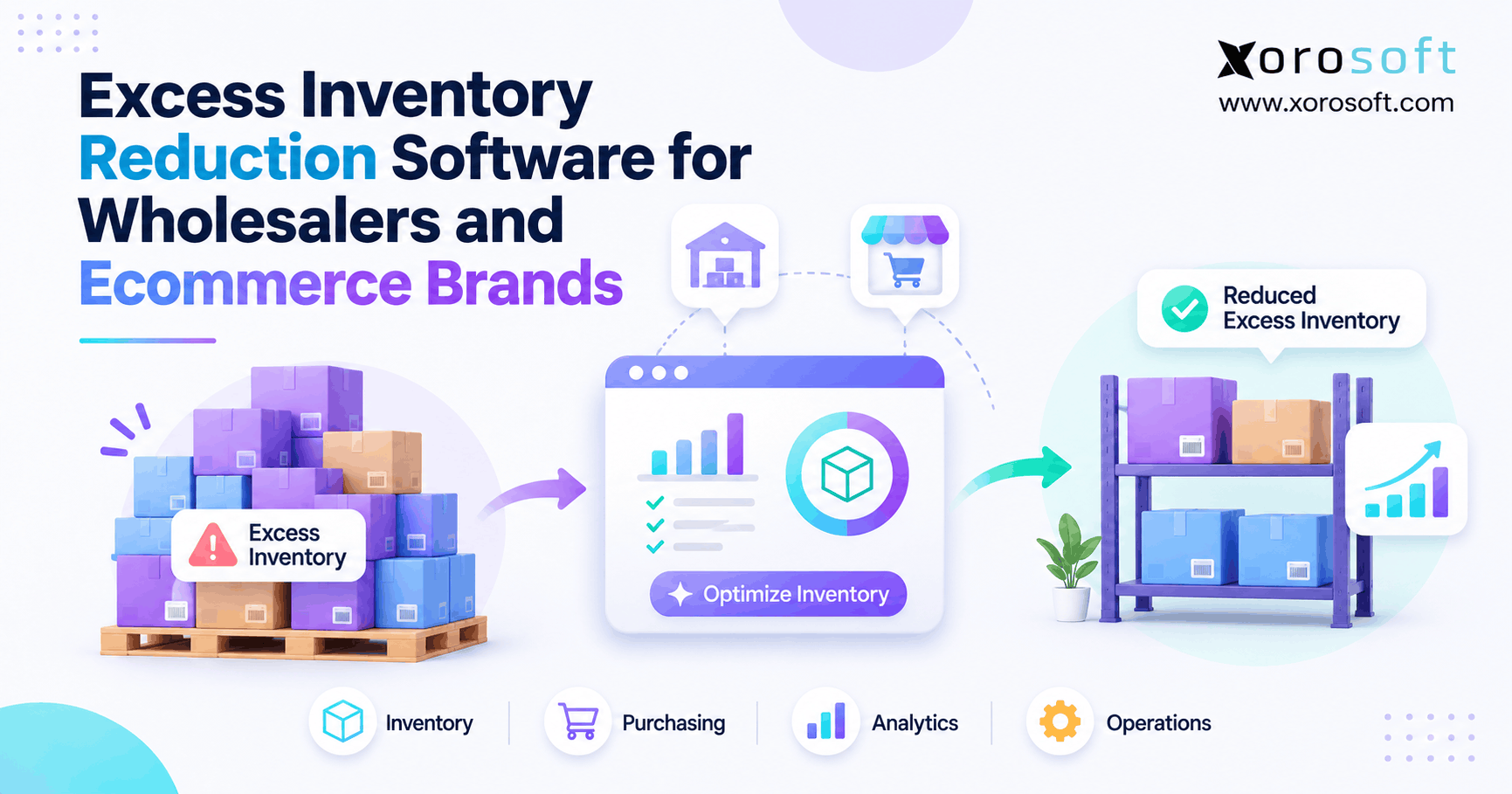
If your business struggles with managing surplus stock, exploring excess inventory reduction software can make a significant difference.
1. Why Overstock Drains Cash Flow
Excess inventory reduction software helps wholesalers and ecommerce brands spot surplus stock, improve buying decisions, and free up cash without causing new stockouts. However, the real problem is rarely just having too many boxes in a warehouse. Often, a business has the wrong stock, in the wrong place, at the wrong time. As a result, sales teams report shortages while finance sees cash tied up in items that barely move.
For example, a brand may sell one jacket size quickly but hold hundreds of units in other sizes. Meanwhile, a wholesaler may buy another pallet because its warehouse report does not show a shipment already on the way. Both teams need better facts before they spend more money.
1.1 When More Stock Creates More Risk
More stock can help when demand rises without warning. Yet more stock also means more storage space, handling, insurance, and cash at risk. In addition, old products may lose value before the team sells them. Therefore, a good stock plan must protect key customer orders while it cuts waste in the rest of the range.
A lower inventory balance is not the only goal. Instead, the goal is to match stock with real demand, sound buying rules, and clear service targets. For that reason, inventory teams should measure both excess stock and missed sales.
1.2 What This Guide Will Help You Fix
First, the guide shows how to find and count surplus units. Next, it explains demand plans, supplier limits, and warehouse transfers. Then, it compares software options and shows how to measure results. Finally, it offers a practical plan for teams moving beyond spreadsheets.
2. What Is Excess Inventory Reduction Software?
Excess inventory reduction software is a tool that compares stock on hand, stock on order, and likely future demand. It then helps a team find units that may not be needed within a set time frame. In turn, buyers can review open orders, move stock to another site, or plan a safe way to clear it. However, the tool should not make major financial decisions from a single number.
2.1 Excess Inventory vs. Slow-Moving and Dead Stock
Although people use these terms as if they mean the same thing, each one points to a different risk. Excess stock means supply is above a fair target. Slow-moving stock still sells, but at a weaker pace than planned. Dead stock has had no useful sales for a chosen period. Obsolete stock has lost its intended use or market.
| Stock type | What it means | First action |
|---|---|---|
| Excess stock | More supply than the plan needs | Review orders and stock targets |
| Slow-moving stock | Sales are below the normal pace | Check price, demand, and age |
| Dead stock | No useful sales over a set period | Review clearance or return options |
| Obsolete stock | The item has lost its useful market | Check recovery value and write-down needs |
For example, a winter coat may sell slowly in summer yet sell well again later. Therefore, age alone should not trigger a markdown. Instead, the team should review the season, future sales, and any fixed customer needs.
2.2 When Better Stock Tools Are Worth It
A small shop with one site and stable sales may only need clean reports and a weekly buying review. By contrast, a firm with many SKUs, several sites, long lead times, or wholesale orders may need a more linked system. In particular, teams that often argue over stock counts should fix the source data before they trust new forecasts.
The key test is simple: can one person see what is in stock, what is promised, what is coming, and what the business truly needs? If not, better inventory tools may be worth a closer look.
3. What Drives Excess Inventory in Growing Businesses?
Overstock usually begins before anyone sees a full shelf. For instance, a buying team may order from last month’s sales without checking whether a short-term offer caused the jump. Meanwhile, a supplier may push a large case pack that seems cheap per unit. As a result, stock rises faster than real demand. This is why excess inventory reduction software must support buying decisions, not just shelf counts.
3.1 Demand Spikes and Forecast Errors
A sale, social post, or holiday can lift orders for a few days. However, those days may not show the true long-term sales pace. If buyers treat the spike as normal, they may buy too much. Likewise, a new item may have little sales history, so a single good week can give a false signal.
Instead, teams should keep a base forecast apart from special events. They should also review returns, canceled orders, and items near the end of their life. As a result, the forecast reflects the full picture rather than one busy period.
3.2 How Supplier Minimums Create Excess Inventory
Suppliers may ask for a minimum order quantity, or MOQ. At first, a lower price per unit can look like a win. Yet the extra goods still need space, cash, and a buyer. Therefore, teams should compare the discount with storage cost, possible markdowns, and likely demand.
In addition, open purchase orders can hide future excess. For example, a buyer may see 80 units on a shelf and order 200 more, even though 250 units are already due next week. A good review checks confirmed inbound stock before it approves another order.
3.3 Why Sales Channels Disagree on Stock
Wholesale orders, Shopify sales, Amazon orders, and warehouse moves may all affect the same SKU. However, each system can use a different stock state. Some show physical stock; others show only units free to sell. Consequently, a team may order again even though stock is reserved or on its way from another site.
A shared stock view can reduce those gaps. Even so, it must show when each number last changed. Without that detail, a fast sync can still spread wrong data across every channel.
4. Measuring Excess Inventory and Its Cost
Before choosing excess inventory reduction software, define what counts as excess for each SKU. After all, a slow chair, a fast phone case, and a dated food item need different rules. Start with a set time frame, then check stock, inbound supply, orders due, and safety stock. Finally, review the result with the people who know the product.
4.1 Excess Inventory Formula: Units and Value
For a first review, use this rule:
Potential excess units = max(0, usable on-hand units + confirmed inbound units – committed orders – other forecast demand – safety stock).
Here, the forecast must leave out orders already counted as committed. Otherwise, the team will subtract the same demand twice. Also, count only inbound goods likely to arrive within the chosen time frame. Then, leave out damaged or blocked units that cannot fill normal orders.
This number is a guide, not an order to clear goods. For example, some units may serve a launch, a contract, or a long lead-time need. Therefore, buyers must check the facts before they change a purchase plan.
4.2 A Worked SKU Example
Suppose a wholesaler holds 900 usable units and expects 300 more soon. It has 150 units promised to buyers, plus 400 units of other likely demand. It also wants 150 units as a safe buffer. As a result, the first excess estimate is 500 units: 900 + 300 – 150 – 400 – 150.
At a unit cost of $22, those units have an inventory value of $11,000. However, that is not a cash saving or a loss by itself. The firm still needs to decide whether it should delay buying, move stock, sell it at a fair price, or keep it for a known future need.
4.3 Inventory Reduction Metrics to Track
One number cannot show the whole risk. Therefore, use a short set of measures that links stock health with customer service.
| Metric | How to use it | Why it matters |
|---|---|---|
| Excess stock value | Sum the cost of units above approved targets | Shows money tied up in surplus |
| Excess stock rate | Excess value / total stock value x 100 | Shows the share of stock at risk |
| Days of supply | Usable units / average daily unit demand | Shows how long stock may last |
| Stock turnover | Cost of goods sold / average stock at cost | Shows the pace of stock use |
| Fill rate | Orders or units filled on time / total due | Protects the buyer experience |
The ASCM SCOR model includes the share of inventory held as excess. However, a falling excess rate is not enough if the fill rate also falls. For that reason, teams should review both trends together.
4.4 Why Stock Value Is Not Cash Saved
Carrying cost includes space, labor, damage, finance costs, and the chance that goods lose value. Yet a write-down on paper does not put cash back in the bank. Under IAS 2 inventory rules, firms using IFRS report inventory at the lower of cost and net realizable value.
For example, Xorosoft links stock records with finance data in its cloud ERP platform. That link can help teams trace a stock change to its cost effect. Still, finance must review the right policy before it marks down inventory.
5. How to Detect Stock Risk Early
In practice, excess inventory reduction software works best when it joins facts from sales, buying, and warehouse teams. First, it needs a sound count by SKU and location. Next, it needs open sales and purchase orders. Finally, it needs a demand plan that makes sense for the item. With those facts, a team can spot a risk early instead of after stock has aged.
5.1 Checking Available, Committed, and Incoming Units
On-hand units are physically held at a site. However, they may include stock already sold or not fit to ship. Available units reflect what a channel may offer to buyers. Therefore, a stock review must keep on-hand, committed, blocked, and incoming quantities apart.
There is also a key reporting change for Shopify users. From October 1, 2026, Shopify inventory reports use On hand in place of Available for the reported stock amount. Earlier data keeps the old basis. As a result, teams must check the change before they compare older months with new ones.
5.2 Spotting Excess Inventory Before It Ages
A useful report groups stock by age, weeks of supply, recent sales, and future orders. For example, a product may have sold only five units last month but have 200 more units due next week. That signals a buying review, not an instant clearance.
Xorosoft brings stock, buying, and warehouse data into one system through XoroONE. As a result, teams can work from linked records when they review a slow SKU. Even so, staff should confirm the data and the likely demand before they act.
5.3 Turning Alerts Into Clear Decisions
An alert should lead to a clear choice. First, an owner checks the stock record and its age. Next, the buyer reviews open orders and supplier terms. Then, the warehouse lead checks whether another site needs the item. Finally, finance reviews any price drop or write-down.
Without this handoff, the business gains more reports but makes the same mistakes. Therefore, the best process tracks who reviewed the alert, what changed, and whether the stock plan worked.
6. Smarter Buying and Demand Plans
A forecast cannot stop overstock on its own. However, it can guide a better buying rule when teams know what the numbers mean. The aim is to buy enough for real demand while keeping a fair buffer for risk. For that reason, excess inventory reduction software should make each reorder rule easy to check. Therefore, each reorder should reflect sales, lead time, stock already on order, and the cost of holding extra units.
6.1 Match Forecast Rules to Product Demand
Fast sellers, slow sellers, seasonal goods, and new products need different rules. For example, a steady household item may suit a simple moving sales average. In contrast, a winter jacket needs a view of the next season and its size mix. Similarly, a new product needs a small first buy and close checks as sales data comes in.
Shopify’s ABC inventory analysis can help teams sort goods by sales value. Yet a low-ranked item is not always dead stock. Therefore, pair the group with shelf life, demand swings, and service needs.
6.2 Inventory Reduction Through Reorder Rules
Start with demand during the time a supplier needs to deliver. Then, add a safety buffer and subtract stock that is free to use and goods already due. As a result, buyers see the net gap rather than a fixed low-stock alert.
For example, demand over the next lead time is 180 units, and the safety buffer is 60. The firm has 120 usable units and 30 due soon. Therefore, its first net need is 90 units. However, the supplier wants a minimum order of 240. That extra 150 units need a real business case before the buyer approves them.
6.3 Why Buyer Approval Still Matters
Rules are only as good as their inputs. If sales are wrong, supplier dates are old, or stock was never received, the buying suggestion can be wrong too. Therefore, teams should set approval limits and make it easy to see why a system proposed a purchase.
Xorosoft supports buying workflows, supplier records, and stock planning within its business solutions. However, no software can promise that every future demand shift will be known in advance. The buyer still owns the final choice.
7. A Practical Plan to Reduce Excess Inventory
A safe plan starts by fixing what the firm will buy next, not by cutting the price of stock it already owns. Also, it gives each choice a clear owner. That way, the sales team does not clear stock needed for a key order, and the buying team does not place the same order again. Used well, excess inventory reduction software can support each review step.
7.1 Reduce Excess Inventory Before the Next Receipt
Step 1: Check the records. Match stock counts with sales orders, returns, goods in transit, and open purchase orders. Then, set a clear data cutoff so each team reviews the same point in time.
Step 2: Set the risk list. Sort items by excess value, stock age, and service need. As a result, a large cash risk gets attention before a low-value shelf issue.
Step 3: Review open buys. Ask if each new receipt is still needed. Where terms allow, delay, cut, or split a purchase order. However, always check fees and supplier terms before making the change.
7.2 Move Available Stock Between Sites
Step 4: Check other sites. If one warehouse has surplus and another is short, review a stock move. First, check whether the units are free to use. Next, compare freight and handling costs with the cost of a new order.
A stock transfer may be the best choice when it can reach buyers on time. Even so, moving an item between sites does not reduce total company stock. Therefore, teams should track both location-level balance and total excess value.
7.3 Clear Unsold Goods and Track Results
Step 5: Plan a fair exit. Review supplier returns, bundles, price cuts, or a new sales channel. For example, a small bundle may work better than a deep discount. Still, the team must include shipping, fees, and the risk of weakening the main product price.
Step 6: Measure the outcome. Track units sold, cash gained, purchases avoided, and stock still at risk. At the same time, review fill rate and late orders. As a result, teams can see whether the plan helped both cash and customer service.
Free ERP Readiness Assessment: Before choosing a new system, use the ERP readiness checklist to find gaps in stock data, buying rules, and team ownership.
8. Managing Stock Across Wholesale and Ecommerce
The same SKU can behave in very different ways across channels. For instance, a consumer sale may ship today, while a wholesale order may reserve units for next month. Therefore, an inventory plan must match each promise with a clear stock state. Otherwise, one team may sell or clear units another team still needs. Therefore, excess inventory reduction software must account for channel and site needs.
8.1 Handling Contract Orders and EDI
Wholesale teams often buy in large packs and sell to accounts with set terms. In addition, some buyers send orders and change notices through EDI. These steps can create a gap between a planned order, an approved order, and a shipped order.
For that reason, the stock plan should include firm orders, expected releases, order changes, and goods already due from suppliers. Also, buyers should review large account needs before clearing old units. A product with few recent shipments may still support a future contract.
8.2 Excess Inventory Across Shopify, Amazon, and 3PLs
Ecommerce teams need to know what is on hand, what is free to sell, and what a third-party warehouse can ship. However, a fast data feed does not help if the source stock states are wrong. First, set a main record for each SKU. Next, check how new orders, returns, and holds change that record. Then, test what each sales channel receives.
Xorosoft supports sales channel links through its integrations and has an official Shopify App Store listing. As a result, brands can assess how a linked ERP might reduce manual stock handoffs. Still, they should test their own order and stock flows before launch.
8.3 Apparel, Furniture, Food, and Seasonal Cases
Each industry has its own form of stock risk. For example, apparel brands may hold too many small sizes even when a style sells well. Furniture firms may face high storage costs on slow color options. Meanwhile, food sellers must plan around expiry dates, and sporting goods firms must account for seasonal peaks.
| Industry | Common excess-stock cause | Safer response |
|---|---|---|
| Apparel | Size and color demand is uneven | Review sales by variant |
| Furniture | Long lead times and large items | Check demand before the next order |
| Sporting goods | Short seasonal sales peaks | Set an end-of-season stock plan |
| Food and beverage | Short shelf life | Track age, date, and safe sell-through |
| Manufacturing | Parts bought beyond work order needs | Link component plans with open buys |
As a result, firms should set stock rules by product group, not apply one broad target to every item. A practical place to start is the industries served by the platform, then test what each type of product requires.
9. Essential Excess Inventory Reduction Software Features
The best features in excess inventory reduction software help people make a better decision and show what happened next. Therefore, teams should look beyond a dashboard that only gives a red or green score. A useful tool needs clear stock states, open buying data, a sound demand view, and a path from review to action.
9.1 Inventory Reduction and Buying Controls
First, check whether the software can show stock by SKU, site, and status. Next, ask how it treats open orders, returns, goods in transit, and supplier lead times. Then, see whether buyers can review a suggested order before the system creates a purchase order.
For example, a supplier may raise its MOQ while a product’s sales are falling. In that case, a good workflow should expose the gap between real need and the forced order size. As a result, the buyer can act before the goods arrive.
9.2 Warehouse, Cost, and Finance Links
A warehouse needs a clear place, count, and movement record for each item. Meanwhile, finance needs unit costs, stock value, and a sound record of price cuts or write-downs. Therefore, teams should check that a transfer, adjustment, or receipt can be traced across the full process.
Xorosoft offers warehouse tools through XoroWMS. However, companies should check how their own locations, bins, third-party warehouses, and stock rules will work in practice. A live demo with real cases is more useful than a broad feature list.
9.3 Testing Excess Inventory Software in a Live Workflow
Bring one slow SKU, one open purchase order, and one warehouse gap to a demo. First, ask the seller to show the current available stock. Next, check the inbound supply and demand plan. Then, ask who approves an order change or warehouse move. Finally, review how the system records the result.
In addition, ask about data cleanup, user roles, report speed, and the cost of any extra links. This approach turns a feature list into evidence the team can use.
10. Spreadsheet, Planning Tool, or ERP?
When comparing excess inventory reduction software with other approaches, remember that no single tool type suits every firm. Instead, match the software to the work your team must do each day. For a business with many sales channels and shared stock, one linked ERP may be a strong fit. However, a smaller company may solve its current risk with a sound spreadsheet or a focused planning tool.
10.1 Overstock Management Software vs. Other Tools
| Approach | Best fit | Main tradeoff |
|---|---|---|
| Connected ERP, such as Xorosoft | Firms linking stock, buying, warehouse work, and finance | More change work at setup |
| Standalone inventory planning tool | Teams needing deeper demand models alongside current systems | Data links and action handoffs need care |
| Basic stock app | Firms needing clean counts, orders, and simple stock rules | Finance and planning may sit elsewhere |
| Spreadsheets | Small, steady ranges with one clear owner | Manual updates become harder at scale |
As a result, the best choice rests on the full task, not one forecast score. Also, ask who owns failed imports, missing transactions, and stock changes between systems. These details affect daily work after the tool goes live.
10.2 When It Is Time to Upgrade
Upgrade when the same stock error keeps coming back, buyers place repeat orders, or reports need hours of manual work. Also, a second warehouse or a new sales channel can raise the need for a shared record. However, do not replace a system merely because it looks old.
Instead, set three or four test cases, compare current cost with likely gains, and check how much team time the change will take. Then, choose the least complex system that can meet the real business need.
11. Making Your New Stock Process Work
A new tool needs clean data and clear owners. Otherwise, it can make bad stock data move faster across the business. Therefore, plan the work in small steps, test key records, and train staff before adding every SKU and site. The plan below is an example, not a promise about how long any ERP launch will take. Likewise, excess inventory reduction software needs its own pilot checks before broad use.
11.1 Days 1–30: Clean Counts and Open Orders
First, agree on one SKU code, one cost basis, and one main stock record. Then, count high-risk items and check goods held by outside warehouses. Also, review supplier lead times and the status of each open purchase order.
Next, record the starting excess value, days of supply, and fill rate. As a result, the team has a fair baseline against which to judge later changes. Without it, a lower stock balance may look like a win even when service has become worse.
11.2 Days 31–60: Pilot Inventory Reduction Rules
Start with a small mix of fast, slow, and seasonal items. Then, run a forecast and compare its result with orders that buyers would have placed by hand. When the two plans differ, ask why. For example, the model may have missed a known promotion or counted a delayed shipment as on time.
Also, test transfer approvals, price changes, and finance reports. Consequently, each team can see whether the system supports its real tasks before the rollout grows.
11.3 Days 61–90: Train Teams and Expand
Once the first group works well, add more SKUs, sites, and sales channels. However, keep checks on stock counts, open orders, and user access. In addition, give one person clear ownership of the risk list and its weekly review.
Finally, log what changed: purchases delayed, goods sold, stock moved, and any service issues. That record makes it easier to keep useful rules and fix weak ones.
12. Measuring Inventory Reduction ROI
Excess inventory reduction software should be judged by results the team can trace, not by a claim that it uses better forecasts. Therefore, record what costs fell, what cash came back, and whether order service stayed healthy. Also, keep one-time gains apart from costs that will fall each year.
12.1 Track Excess Inventory, Cash, and Service KPIs
First, track the cost value of excess inventory by SKU and site. Next, watch orders delayed or cut before goods arrive. Then, review stock turnover, days of supply, and time spent fixing data. Most importantly, pair those trends with fill rate, missed sales, and late orders.
Also, show how each gain arose. For example, a canceled purchase may keep future cash from leaving, while a clearance sale can bring cash back now. Those are different events, so reports should not treat them as the same saving.
12.2 An Inventory Reduction ROI Example
Assume a sample firm cuts its average stock investment by $160,000. At an assumed 20% annual holding cost, that would avoid $32,000 of yearly costs. Suppose it also saves $10,000 in staff time. Then, the total yearly benefit in this example is $42,000.
Now assume $18,000 of annual software fees and $8,000 of first-year setup costs. As a result, the first-year net benefit is $16,000, or about 62% ROI on the $26,000 cost. However, those figures are only sample inputs. The real result must use actual costs, price cuts, service data, and confirmed savings.
12.3 Avoid Counting Savings Twice
Lower stock on the balance sheet does not always mean new cash in the bank. Likewise, a write-down may reduce reported profit without freeing space at once. Therefore, finance should keep stock value, cash from sales, future purchases avoided, and yearly carrying costs in separate lines.
In the end, a sound ROI review asks whether the team now buys less waste, meets demand, and spends fewer hours fixing stock errors. That is a stronger test than a lower stock balance alone.
13. Conclusion: Lower Excess Inventory, Protect Sales
Excess inventory reduction software can help a growing firm spot slow stock, stop avoidable buys, and move goods to where buyers need them. However, the tool works best when stock data is sound and teams use clear rules. Therefore, start by checking your biggest excess SKUs, open orders, and the cost of stock kept too long.
For wholesalers and ecommerce brands that need stock, buying, warehouse work, and finance in one flow, Xorosoft offers a connected cloud ERP approach. Still, the best next step is to test the workflow with your own data rather than rely on broad claims. Book a Demo to review your current stock and buying process, see the relevant tools, and judge whether a change is worth it.
Frequently Asked Questions
What is excess inventory reduction software?
It helps teams find stock above likely demand and safe stock targets. As a result, buyers can review open orders, stock moves, and clearance plans before surplus grows.
How can wholesalers reduce excess inventory without stockouts?
First, check committed orders and incoming supply. Then, pause unneeded buys, move free stock between sites, and watch fill rate as excess stock falls.
What causes excess inventory in ecommerce brands?
Often, weak forecasts, short sales spikes, slow variants, and unseen inbound orders cause it. Therefore, track sales by SKU and review buying plans after promotions.
How do you calculate excess inventory?
Add usable on-hand and confirmed inbound units. Then, subtract committed orders, other forecast demand, and needed safety stock. Finally, review the positive balance for real business needs.
Which features should inventory optimization software include?
Look for stock states, aging reports, demand plans, open purchase orders, warehouse views, and approval steps. Also, check whether finance can trace the cost of each stock change.
When should a business move beyond spreadsheets?
Move when manual reports cause repeat buying mistakes, late stock counts, or poor site visibility. However, first test whether better data and clear team rules can solve the issue.
How do you measure the ROI of overstock management software?
Compare proven cost savings and staff time saved with system and setup costs. In addition, track cash from stock sales, purchases avoided, and fill rate as separate measures.
Recent Posts
-
 What Is a Forward-Pick Location and When Should Stock Be Replenished?
-
 Inventory-to-General-Ledger Posting: A Practical Transaction Map
-
 AI Tariff Classification Checks in ERP: Uses, Limits, and Approval Controls
-
Excess Inventory Reduction Software for Wholesalers and Ecommerce Brands
-
 SKU Retirement Case Study: How a Shopify Brand Prevented Discontinued-Item Orders