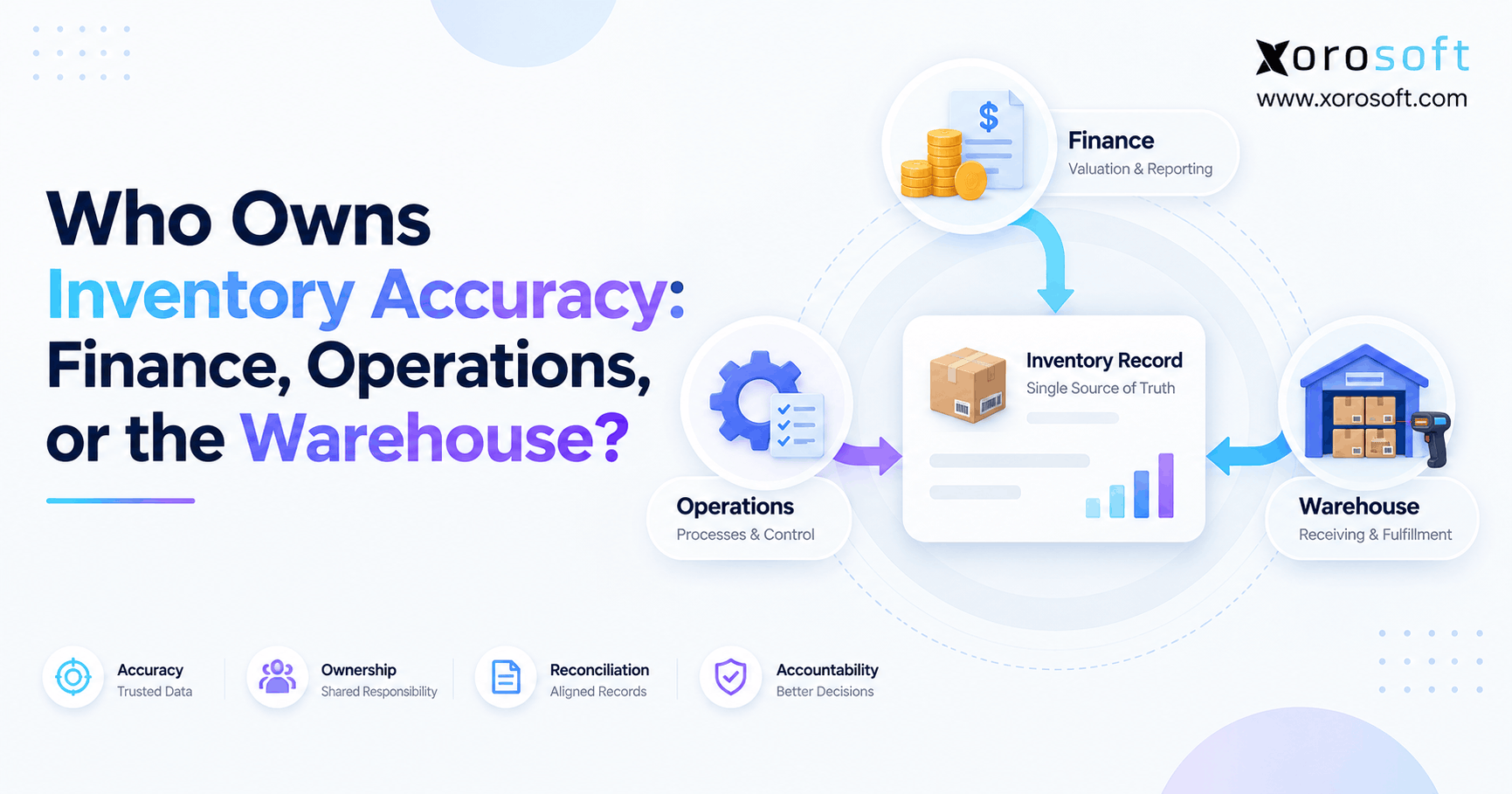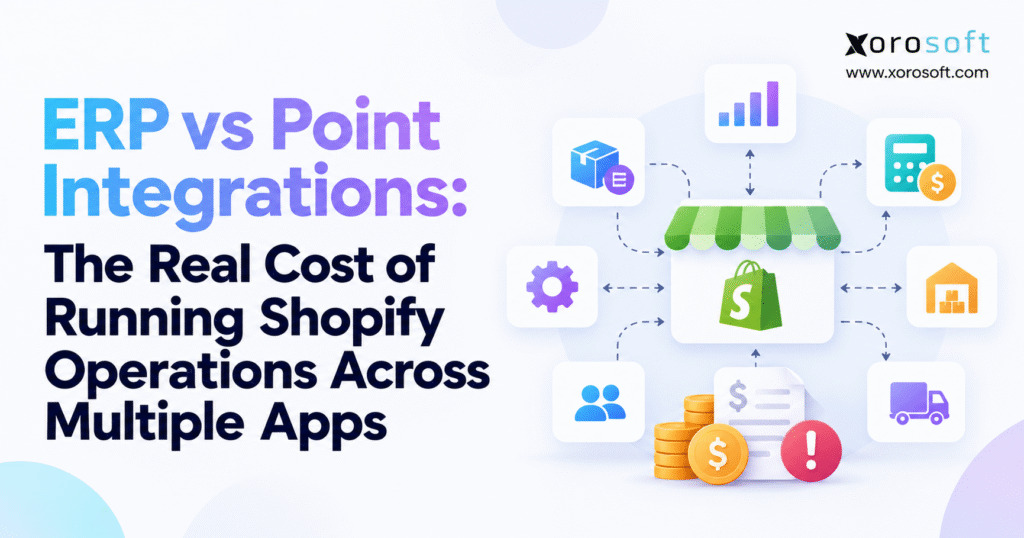
When deciding on the best technology for managing your ecommerce business, it’s important to weigh the differences between Shopify ERP vs apps.
1. Why Shopify ERP vs Apps Becomes a Cost Question as Stores Grow
1.1. A Growing Shopify App Stack Can Hide Daily Work
Picture a brand selling through Shopify, Amazon, and wholesale accounts. Shopify takes the online order. An inventory app decides how much stock is free to sell. A warehouse tool handles picking. Another service books the shipment. Finance tracks fees, tax, returns, and cost of goods sold. The buying team may use another tool to plan orders from suppliers.
The order passes through several systems, each with its own record and rules. If a customer cancels an order after stock has been held but before it ships, every system must make the right change. A missed update can leave stock tied up, trigger a needless purchase, or cause a refund delay. As a result, fixing the chain can take more time than fixing any one app.
1.2. The Number of Shopify Apps Is Not the Main Problem
A store can use many apps with little risk if each does a separate job. For example, a design app and an email tool do not need to control the same stock balance. By contrast, three apps that all change sellable stock can cause trouble even if they cost very little. The issue is shared data and unclear control.
Ask who owns each record. Which system creates a sales order? Which one holds stock for that order? Where does a team member correct a mistake? How does the fix reach the other apps? If nobody can give clear answers, the cost of keeping data clean is likely higher than the invoice suggests.
1.3. When Shopify Apps Still Make Good Business Sense
Special tools can be the best fit for narrow jobs. A returns app may give shoppers a better exchange flow. Warehouse software may support scanners or packing steps that a broad ERP does not handle well. Shipping apps may offer carrier rates and label tools that are hard to replace. Keeping these apps is sensible when their value is greater than the cost of links and support.
A store with one warehouse, simple buying needs, good stock counts, and few order errors may not need ERP at all. Replacing tools that work well can add cost and risk without helping the business. Shopify ERP vs apps should always include the option of keeping a small, well-run app stack.
2. Shopify ERP vs Apps: What Changes Behind the Storefront
2.1. Point Apps and Point-to-Point Links Are Different Things
A point app handles one main job, such as stock planning, warehouse picking, or finance. A point-to-point link moves data from one system to another. The two terms sound alike but mean different things. You can have useful point apps and poor links between them. On the other hand, simple tools can be joined by strong, well-run links.
For example, a warehouse app may send a shipping update to Shopify. If that update fails, the issue may be in the link rather than in the warehouse tool. Knowing the difference helps a team fix the real cause instead of buying another app or blaming the wrong vendor.
2.2. What Shopify Can Already Handle Without ERP
Shopify has tools for tracking stock by location, moving stock between sites, recording purchase orders, and routing orders. Its inventory and location guide explains these built-in features. A store should check what its current Shopify plan and setup can do before paying for another tool.
However, a gap often appears when the business needs rules that cross teams. A buyer needs to see demand from all channels. Finance needs stock value that matches the books. Warehouse teams need to know which order has first claim on an item. Shopify can remain the sales storefront while other systems handle those deeper tasks.
2.3. What a Connected Shopify ERP Adds
An ERP brings key back-office work into a shared set of rules and records. Buying, stock, sales orders, warehouse work, and finance can use the same core data instead of passing it through many separate copies. That can make it easier to trace why stock changed or why an order is still open.
For example, Xorosoft’s cloud ERP platform covers several of these areas for businesses that sell physical goods. Even so, a brand needs to check the exact features, costs, and links it will use. ERP does not remove Shopify, and it may still need outside tools for shipping, EDI, payments, or a third-party warehouse.
2.4. Middleware May Fix the Links Without Replacing the Apps
Middleware is a service that moves and checks data between several systems. It can make it easier to track failed events, map fields, and retry updates. If a store likes its inventory, finance, and warehouse apps, middleware may be a less costly way to make them work together.
However, middleware cannot settle every business rule. If two apps use different rules for when stock is available to sell, moving data faster will not solve the dispute. This is a key point in Shopify ERP vs apps: a business must decide whether it needs better data links or a shared way to run the work.
3. Shopify App Stack Cost: The Fees You See and the Work You Don’t
3.1. App Fees Grow with Users, Orders, and New Channels
The first cost is easy to find: add up the app bills. Look beyond starting prices. Some tools charge by user, order count, store, warehouse, or number of sales channels. In addition, others charge for EDI files, API use, more data, or a higher support plan. A plan that works today may cost more after a busy season or a new retail deal.
Take stock of what each app does and which team needs it. Two tools may offer the same report or buying feature. One may have been added to solve a problem that has since been fixed. A clear app list can often save money before any ERP project begins. It also makes later price talks with vendors more useful.
3.2. Failed Shopify Syncs Cost Staff Time
A failed sync can leave an order waiting to ship or a stock balance out of date. A team member must find the event, check what changed, and decide whether it is safe to send it again. The same task may involve warehouse, support, and finance staff. When failures repeat, the business pays for the same check many times.
Shopify’s webhook guide notes that events may not arrive in order and that apps should check for missed events. Strong links use unique event IDs, safe retries, and regular checks against the source. Still, the point is not that Shopify links always fail. It is that reliable links need care, tests, and someone who owns the error queue.
3.3. Matching Stock, Orders, and Payments Is a Real Cost
Finance may spend hours matching Shopify payouts with sales, refunds, tax, and fees. Stock teams may compare warehouse counts with the inventory app. Support may check why a canceled order still shows as held stock. Yet none of this work appears on a software invoice, even though it takes people away from buying, planning, and helping customers.
To price that work, track the time spent for a few normal weeks. Count the hours used to fix links, the hours used to match records, and the time spent on order errors as separate groups. Use a staff cost that includes benefits and overhead. Do not count one hour twice just because two teams joined the same call.
3.4. Stock Errors Can Add Shipping and Service Costs
Bad stock data can lead to a late order, an extra warehouse move, a rush shipment, or a canceled sale. However, not every stock error starts in software. Poor stock counts, wrong receiving steps, damaged items, and weak training can all cause the same problems. A sound cost review should count only the losses that the new setup could reasonably prevent.
Look at actual cases. Record how many orders were delayed because stock was shown in the wrong place. Add the extra shipping costs and time staff spent fixing each issue. These facts make a stronger case than a broad claim that ERP will remove a fixed share of stock errors.
3.5. Review the Links Before Buying Another Tool
List the apps, their owners, fees, key records, and links. Next, mark the errors that happen often and the tasks that still need a person to check them. A link map can show where one sale passes through several tools and where a lost update creates more work. The integrations overview is one example of the kind of connector list a merchant should review when it looks at a new platform.
The goal is not to remove every app. It is to find which work is being done twice, where no system is clearly in charge, and which links are worth keeping. This audit gives the business a fair starting point for Shopify ERP vs apps.
4. Shopify ERP vs Apps for Stock, Orders, and Finance
4.1. Sellable Stock Must Mean the Same Thing in Every System
A warehouse may hold 100 units of an item. Of those, 20 are promised to paid orders, 10 are being checked for damage, and 5 are held for a wholesale buyer. The amount free to sell may be only 65. For instance, if one app sends the full 100 to Shopify while another sends 65 to Amazon, the brand may promise stock it cannot ship.
The fix starts with a shared rule for sellable stock. The rule must cover items held for orders, goods in transit, returns, and stock that cannot be sold. In a Shopify ERP vs apps test, ask the vendor to show a split shipment, a canceled order, and a stock transfer, not just a simple stock update.
4.2. A Sales Order Has to Reach Shipping and the Books
A customer order is not finished when Shopify accepts it. Next, stock must be held, a pick task sent, goods packed, and a shipment confirmed. Afterward, finance needs the right sales, tax, fee, and stock entries. If the order changes partway through, each system must follow the new facts. A sales report alone cannot show whether the full process worked.
The hardest cases are often ordinary ones: one item is out of stock, a shipment goes in two boxes, a buyer gets a partial refund, or a warehouse corrects a wrong pick. Compare how each setup deals with those cases and how staff find an error. That is where the true work cost becomes clear.
4.3. Warehouse Tools Still Need Clear Roles
A warehouse system runs the work on the floor: receiving, putting goods away, finding stock, picking, packing, and checking counts. Good warehouse management software can make these steps easier to follow. Depending on its needs, a brand may use an ERP warehouse module or keep a specialist WMS.
Xorosoft is one option to test when warehouse work must tie closely to buying and finance. Still, a business using a 3PL or special packing tools may need outside systems. Ask where a stock count is corrected, who approves a change, and how that change reaches Shopify. A short demo of picking a normal order is not enough.
4.4. Buying and Finance Need More Than Yesterday’s Sales
To plan stock, buyers need open orders, future demand, supplier lead times, stock on the way, and goods already held for customers. Finance also needs to know the true cost and value of that stock. Yet when these facts live in separate apps, teams may make sound choices from incomplete views.
The choice between Shopify ERP vs apps is often most clear here. If manual sheets are the only way to join demand, buying, stock, and finance, a shared system may be worth the effort of moving. If the current apps already share trusted records, improving the few weak links may be enough.
5. Shopify ERP vs Apps: A Simple 3-Year Cost Comparison
5.1. Count the Full Cost of Each Setup
To compare choices fairly, add setup costs to all costs that repeat over 36 months. For a stack of apps, count licenses, links, support, staff time spent keeping records in sync, and the cost of errors that can be traced to the setup. By contrast, for ERP, count software, setup, moving data, staff training, ongoing support, and outside apps that will still be used.
3-year cost = one-time setup cost + 36 months of running costs. Keep order volume, staff size, warehouses, and sales channels the same in each case. Do not count a Shopify storefront fee in only one option if the store would keep paying it under all three.
5.2. Use Real Rates, Not App Store Labels
A price on an app listing may cover only the connector or the act of installing it. For example, Xorosoft’s Shopify ERP app listing says the app is free to install, while the full ERP service has its own prices and setup needs. Free installation does not mean free ERP. Ask for a written quote that lists what is and is not included.
Use staff time logs when pricing manual work. Do not guess that every person will save ten hours per week after ERP goes live. Count only work the new setup can truly reduce. Keep a separate note for gains such as faster answers or less stress, which are useful but harder to turn into cash savings.
5.3. A Worked Shopify Apps vs ERP Cost Example
Assume a made-up brand selling on Shopify, Amazon, and wholesale, with two warehouses. The figures below are examples in US dollars, not real vendor quotes, industry averages, or customer results. The direct app setup keeps separate tools; the second setup adds middleware; the third uses ERP but keeps some outside links.
| Cost over the same 36 months | Direct apps | Apps + middleware | ERP-led setup |
|---|---|---|---|
| Apps or ERP license per month | $1,650 | $1,650 | $2,850 |
| Links and tools kept per month | $650 | $1,100 | $400 |
| Staff time on link upkeep per month | $1,200 | $600 | $600 |
| Staff time matching records per month | $1,080 | $630 | $360 |
| Cost of fixing errors per month | $800 | $500 | $300 |
| Total per month | $5,380 | $4,480 | $4,510 |
| One-time setup | $9,000 | $14,000 | $29,000 |
| Full 3-year cost | $202,680 | $175,280 | $191,360 |
In this example, ERP costs $11,320 less than direct apps over three years, but $16,080 more than apps with middleware. As a result, middleware is the lowest-cost choice in this case. However, the numbers would change if error rates rose, staff work fell further, or ERP setup cost more than planned. Shopify ERP vs apps has no honest one-size-fits-all winner.
5.4. Find the Break-Even Point Before You Decide
The ERP setup costs $20,000 more upfront than direct apps, but saves $870 each month after launch. Divide $20,000 by $870, and the added setup cost is paid back in about 23 months. By contrast, against middleware, ERP starts $15,000 higher and costs $30 more each month. It does not reach a break-even point in the 36-month example.
Test a best case, a likely case, and a hard case. Raise app fees, add support hours, or allow for a delayed ERP launch. A model that only works when everything goes perfectly is not a sound buying plan.
6. ERP vs Point Apps: Which Shopify Setup Fits Best?
6.1. Keep Direct Apps When Workflows Are Clear
Direct apps can be a good fit when the store has few key links, trusted stock counts, and a team that can spot problems fast. They are also useful when one specialist tool does a job far better than a broad system. The main test is whether the links are easy to manage and errors stay rare.
If the store can explain each key record, fix a failed update quickly, and close the books on time, there may be little reason to change. In short, a low app count is not the goal. Low friction, clear roles, and fair total cost are.
6.2. Use Middleware When Data Flow Is the Weak Point
Middleware may be right when current tools work well on their own but their links are hard to watch or fix. It can put more control over field maps, failed events, and updates in one place. In addition, it can make it easier to add a new sales channel without building each direct link again.
Still, middleware adds another contract and someone must run it. If teams disagree about when stock is free to sell or how a return should affect the books, a cleaner data link alone will not settle that rule. Shopify ERP vs apps should first ask what is broken: moving data or running the work.
6.3. Choose ERP When Teams Need Shared Rules
ERP deserves a close look when buying, warehouse work, sales orders, and finance rely on the same data but use separate copies. A common set of rules can cut handoffs and make it easier to trace an order from sale to payment. It may be especially helpful for wholesale, many warehouses, or production work.
Xorosoft’s ERP offering is one system to assess against those needs. Even so, the choice depends on its live workflow fit, the apps that must stay, the cost of moving data, and what staff will have to learn. A broad feature list is not a replacement for a hands-on test.
7. Shopify ERP vs Apps Across Different Product Businesses
7.1. Apparel and Sporting Goods Need Clear Stock Promises
Clothing and sporting goods sellers deal with sizes, colors, returns, and busy sales seasons. For example, a shoe may exist in three warehouses but be promised to different customers. If apps show stock before held units are removed, the store can sell items it cannot ship. Test how each setup handles variants, returns, and stock reserved for a launch.
7.2. Furniture Adds Delivery and Warehouse Steps
Furniture stores often handle large items, several boxes per order, damage checks, and booked delivery dates. An item can be in the warehouse but not ready to ship. Good software must show that difference. In some cases, a specialist delivery tool may still be needed after ERP goes live, so include it in the final cost model.
The industries overview from Xorosoft can help teams frame questions for several kinds of product business. However, use it as a guide to what to test, not as proof that one setup fits every company.
7.3. Wholesale and EDI Need More Than Order Import
A wholesale buyer may have its own prices, payment terms, shipping rules, and EDI needs. However, bringing the order into Shopify or ERP is only the first step. Teams must also confirm what stock can be promised, send the right order reply, ship under the agreed rules, and bill the customer correctly.
7.4. Food and Manufacturing Add Lot and Build Rules
Food brands may need to track lots, dates, and goods held from sale. Makers need bills of materials, work orders, and parts that go into finished items. These needs can make a simple stock sync app too limited. A Shopify apps vs ERP review should test one real lot, one build, and one return before the company signs a deal.
8. Better Shopify ERP Data Starts with Clear Ownership
8.1. Give Each Order and Stock Record One Main Owner
A shared system is useful only when teams agree on what each record means. Shopify may own the first online order, while a warehouse tool confirms what shipped and finance owns the final book entry. For stock held for orders, pick one main system that decides how much can still be sold. Instead, let other tools read that answer rather than making their own.
Write these rules down. When a record is wrong, staff should know where to fix it and how the update reaches other systems. This is as important for an app stack as it is for ERP.
8.2. Track Failed Updates Before They Reach Customers
A good link should show missing events, errors waiting for a retry, and records that have not matched after a set time. Give each error group an owner and a safe way to fix it. Teams should not have to search five dashboards to work out whether an order shipped.
Check how each setup handles a canceled order, a late warehouse update, and a return received days after the refund. In fact, these common cases tell more than a demo where every step runs without a problem.
8.3. Keep Reports and New Automation Grounded in Good Data
Better reports come from agreed rules for sales, returns, stock, and cost. New AI tools can help staff find answers, but they need trusted records and the right access. A faster answer based on two mismatched stock numbers is still a bad answer. Fix data rules first, then add more automation where it saves real time.
9. When to Move from Shopify Apps to ERP
9.1. Use Workload and Error Rates, Not Revenue Alone
There is no sales level at which every Shopify merchant must buy ERP. For example, a large store with simple orders may run well with a small app stack. By contrast, a smaller brand with wholesale, EDI, several warehouses, and production work may need stronger controls much sooner. Look at the work the team must do, not just the size of the business.
9.2. Build a Shopify ERP Readiness Scorecard
Track how often stock numbers disagree, how many orders need a manual fix, how long refunds take to reach the books, and how much time buyers spend joining data from apps. Next, add the cost of late shipments and the time needed to close the month. The same scorecard should be used to test improved apps, middleware, and ERP.
A Shopify ERP vs apps scorecard should also rate how hard each option is to set up and how much risk it puts on live orders. However, a cheaper plan can be the wrong choice if it has gaps in the most important workflow. The goal is to compare work, cost, and risk on the same page.
9.3. Ask Vendors to Show the Hard Parts
Ask for live tests of split orders, canceled picks, partial refunds, stock moves, late receipts, and payouts with fees. Check who fixes a problem and how the fix is logged. Get setup fees, support terms, outside links, and data export rules in writing. Do not pick a system from a tidy dashboard alone.
Xorosoft’s NetSuite comparison can help form a vendor checklist, but each quote should be checked on its own terms. Then, ask all vendors to price the same workflows and the same three-year period before making a choice.
10. Moving from Shopify Apps to ERP Without Losing Control
10.1. Clean Product, Order, and Stock Data First
Before moving systems, agree on SKU codes, warehouse names, stock states, customer IDs, and open order rules. Next, decide what old orders must move and what can stay in a read-only archive. Stock on the way, held stock, and goods that cannot be sold should not all become one balance during the move.
Finance should check opening balances and unpaid items. Warehouse staff should confirm that the new records match the floor. In turn, clean data reduces the chance that the new system starts with the same errors as the old one.
10.2. Test One Real Flow from Sale to Payment
Pick a common order type and follow it from Shopify through stock hold, warehouse pick, shipping, refund, and finance. Next, test what happens when a step fails. If the business has more than one warehouse, test a split order. If it sells wholesale, test the order reply and shipping papers. Finally, make sure each team signs off on its part.
10.3. Keep a Safe Way Back During Launch
Do not switch off working apps the day a new ERP goes live. Keep a short-term plan for taking orders, shipping goods, and checking balances if a link fails. Set clear rules for when old tools can be retired. A phased launch gives staff time to learn and helps stop one wrong field map from affecting every order.
Before the project starts, it may help to review customer case studies for the kinds of workflow questions other teams have faced. However, treat each story as context, not as a promise of the same results or timing.
10.4. Check Results Against the Original App Cost
After launch, compare the real work with the cost plan. Did failed orders fall? Are stock counts more trusted? Has the time spent matching finance records gone down? Did a new support fee replace an old app bill? Track these changes over several months, not just during the first week.
The value of Shopify ERP vs apps research is that it gives management a baseline. If ERP does not deliver the expected result, the data should show which part needs work. Likewise, if middleware solves the problem for less, the same measures should prove that as well.
11. Shopify ERP vs Apps: Turn the Cost Review into a Better Plan
11.1. Start with Three Workflows That Cause the Most Pain
Choose an order that ships from two warehouses, a return that changes stock and finance, and a purchase decision based on sales from more than one channel. For each one, list the apps involved, the people who check it, and the cost of putting mistakes right. This gives the business a clear test for new tools.
Ultimately, the best setup is the one that meets these needs with fewer weak points and a fair total cost. Keep specialist apps when they add real value. Use middleware when the data links need work. Move to ERP when shared rules across teams solve a larger problem. None of these choices should rest on an app count alone.
11.2. Use Your Own Numbers to Make the Next Decision
If the audit shows that buying, stock, warehouse work, and finance are held back by separate systems, review the available business solutions and ask vendors for a test built around your real orders. Bring the current app bills, hours spent fixing errors, and list of links that must stay.
To discuss a plan for your store, contact Xorosoft with that audit and your three-year cost goals. Ideally, a useful meeting should end with a clearer view of what needs to change, what can stay, and what the change would cost. The aim is not fewer apps for their own sake. It is a Shopify business that can grow without adding the same avoidable work at every stage.
Frequently Asked Questions
What is the difference between Shopify ERP and apps?
Apps serve separate tasks. ERP links inventory, purchasing, warehouse work, and accounting in one operating system, reducing the need to reconcile records across tools.
When should a Shopify store move to ERP?
Consider ERP when stock errors, manual checks, or multi-warehouse work create repeat costs. Compare current expenses with ERP setup and support fees.
Is ERP cheaper than multiple Shopify apps?
Not always. Compare 36-month costs, including app fees, connectors, staff time, ERP setup, and retained tools. Better middleware may sometimes cost less.
What are the hidden costs of Shopify integrations?
Common costs include failed syncs, manual reconciliation, overselling, support tickets, and extra shipping. Use actual incident records rather than assumed savings.
Can ERP replace Shopify inventory and warehouse apps?
ERP can replace some tools, but specialist shipping, EDI, and 3PL apps may remain. Test picking, returns, stock transfers, and reporting first.
Does ERP replace Shopify itself?
Usually not. Shopify stays the storefront while ERP supports stock, purchasing, fulfillment, and accounting. Clear system ownership and reliable links remain important.
How do you calculate Shopify ERP ROI?
Compare three-year costs against measurable savings from fewer errors and less manual work. Include implementation fees and separate cash savings from productivity gains.
Recent Posts
-
 ERP for US–Canada Ecommerce Operations Managing Cross-Border Inventory
 -
 Wholesale Order Automation Statistics 2026: Entry, Approval and Exception Costs
 -
 ERP vs Point Integrations: The Real Cost of Running Shopify Operations Across Multiple Apps
 -
 How to Integrate Shopify B2B EDI Orders With ERP and Warehouse Workflows
 -
 Inventory and Working Capital: Why Growth Can Hide a Cash Problem