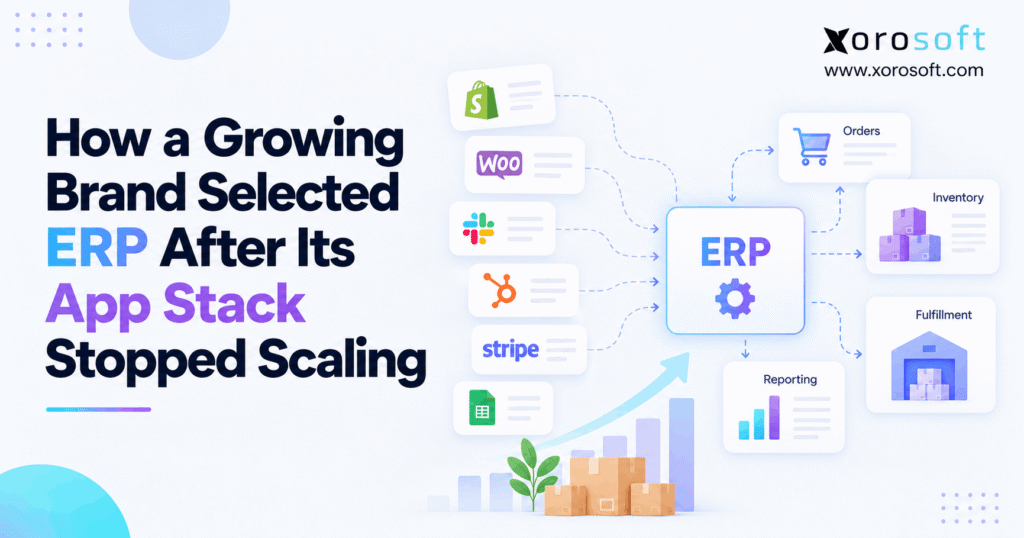
When starting your journey with digital commerce, understanding the elements of ecommerce ERP selection is essential for long-term success.
1. The Order That Exposed the App Stack
Ecommerce ERP selection became urgent when a growing brand could no longer trust the stock behind its orders. A customer bought an item on Shopify, yet the warehouse had already set aside the last units for a wholesale order. Meanwhile, finance saw a different count in its monthly report. At first, no single app was clearly broken. However, the business had lost control of the handoffs between them.
The brand in this case is an illustrative example, not a named or verified customer. Imagine a seller of home and outdoor goods across Shopify, Amazon, and wholesale accounts. In this example, it manages about 9,000 SKUs, two warehouses, and an outside fulfillment partner. All figures, choices, and results below are hypothetical.
1.1. A Sale Looked Fine Until the Warehouse Opened the Order
At checkout, the order appeared normal. Yet, the pick team could not find free stock. In fact, the item existed in the building, but some units had already been promised elsewhere. As a result, staff had to call the sales team, hold the order, and review three systems before they could make a new promise.
The same issue had appeared before. Moreover, the team had made manual stock changes to solve past cases. Those edits often hid the cause instead of fixing it. Consequently, a simple order could turn into a debate about which count was correct.
1.2. ERP Selection Starts With a Broken Customer Promise
The COO asked a better question: why could an order pass through checkout before anyone found the stock conflict? As a result, that question changed the project. Instead of asking for one more connector, the team began to study how orders, stock, buying, shipping, and finance worked together.
Therefore, ecommerce ERP selection started as a search for clear process control. However, the brand did not assume that it needed a large new platform. First, it needed proof that the current app stack could no longer keep up with the work.
2. The Apps That Helped the Brand Grow
2.1. Why Separate Tools Made Sense at First
Initially, the brand had built a practical app stack. Shopify handled its online shop, while QuickBooks served the finance team. A stock app tracked SKUs. Later, a WMS supported picking and packing. In addition, an EDI service helped with large wholesale buyers, and shared sheets helped staff place purchase orders.
At first, each tool solved a clear problem at a fair cost. Moreover, the team could add a function without changing the whole business. For a young brand with one site and simple orders, that flexibility was useful. However, the trouble began when separate decisions started affecting the same units of stock.
2.2. Where Order, Stock, and Finance Records Drifted
As sales grew, more apps began to touch each order. For example, Shopify sent a sale to the stock app. Next, the warehouse tool picked it. Then, a shipping service sent tracking data back. Meanwhile, finance received sales, fees, returns, and stock changes through other links.
Therefore, each handoff needed the same SKU, customer, site, and transaction rules. However, one system might send a total on-hand count while another expected available stock. Likewise, a partial shipment could close in one app but remain open in another. As a result, staff had to reconcile a chain of records rather than one shared event.
2.3. ERP Software Selection and the Hidden Cost of Handoffs
However, the monthly software bills were only part of the cost. Staff also spent time finding missing updates, fixing duplicate records, and checking warehouse counts. In addition, buyers used exported reports that were already out of date by the time they opened them.
Instead, the deeper problem was not the number of apps. It was the effort needed to keep their work in step. Consequently, the brand listed every manual fix, its owner, and the time it took. That list gave ecommerce ERP selection a sound business case instead of a vague hope for fewer logins.
3. Ecommerce ERP Selection Began With a Process Audit
3.1. ERP Software Selection Starts With the Work, Not a Demo
Before contacting vendors, the team mapped five flows: order to shipment, purchase order to receipt, return to restock, warehouse transfer, and stock change to the ledger. First, each owner wrote down what should happen. Next, staff walked through what actually happened on a busy day.
As a result, the audit made weak steps visible. For example, one return could become sellable in the online store before the warehouse had checked its condition. Meanwhile, a supplier receipt might update stock but leave finance waiting for a manual entry. Therefore, the team treated each gap as a test to be solved, not merely a feature to buy.
3.2. Give Each Record One Clear Owner
A common failure came from two apps trying to own the same value. For instance, the warehouse app might update available stock while the inventory app sent an older full balance back to Shopify. As a result, a correct change could be undone by the next sync.
Next, the team drew a small ownership map for products, available stock, orders, receipts, returns, and financial entries. It also noted which app could create a change and which app should only read it. Shopify’s guide to connecting B2B systems outlines direct links, integration services, and custom APIs. However, choosing a link method does not replace the need to define data ownership.
3.3. Make Ecommerce ERP Selection a Measured Business Decision
Next, the team chose a few measures it could track before and after any change. For example, these included orders needing manual edits, stock count gaps, time spent on month-end checks, and late shipments caused by data errors. In addition, it recorded failed sync events by source.
| Process signal | What to measure | Why it matters |
|---|---|---|
| Stock accuracy | SKU-location count gaps | Shows whether records match goods |
| Order exceptions | Orders needing a manual fix | Shows hidden staff effort |
| Buying delays | Late or changed purchase orders | Shows weak demand signals |
| Finance close | Hours spent reconciling stock | Shows cost across teams |
| Fulfillment risk | Orders held for missing data | Shows impact on customers |
As a result, ecommerce ERP selection had a baseline. Any new plan would need to improve those measures, not just look modern in a sales pitch.
4. Repair the App Stack or Move to ERP?
4.1. When Better Integrations Are Enough
However, the team did not rule out keeping its current tools. First, it reviewed whether the main issues came from a small number of bad mappings or weak alerts. For instance, better retry rules, one stock owner, and cleaner SKU data might fix those gaps for less money.
For a brand with one warehouse and few wholesale rules, that could be the right answer. Also, a specialist WMS or buying app can add real value without a full ERP rollout. Therefore, the team priced a repair plan alongside the larger software change.
4.2. ERP Buying Process: When the Same Gaps Return
However, a repair plan has limits. If buying, stock, warehouse work, and finance all need the same data at each step, many links may remain in place. A fix to one app might then create extra work in another.
In fact, the brand found that some of its hardest tasks crossed three or four teams. For instance, a partial supplier receipt changed incoming stock, order promises, buying plans, and inventory value. As a result, each new connector carried its own map, tests, support owner, and risk. Therefore, a shared system became a serious option, not an automatic winner.
4.3. A Clear Choice for Ecommerce ERP Selection
The team compared three routes rather than making a yes-or-no ERP choice.
| Option | Best when | Main risk to test |
|---|---|---|
| Keep and repair apps | Gaps are narrow and easy to trace | Old cross-app work may remain |
| Add a specialist tool | One function needs better control | Another app may add more handoffs |
| Adopt connected ERP | Core teams depend on shared records | Change, cost, and migration risk |
Before moving on, leaders asked whether each plan could solve the top five pain points within the same budget period. Therefore, ecommerce ERP selection rested on process fit and risk, not on the idea that one large system is always better.
ERP readiness check: List your five most costly handoffs, the staff who own them, and the apps that touch each one. If the same error crosses several teams, it may be time for a formal ERP review. If not, repair the narrow gap first.
5. Ecommerce ERP Selection Criteria for Inventory-Driven Brands
5.1. Inventory and Warehouse Tests Come First
First, the brand wrote its needs as real work, not a long list of screens. For inventory, the system had to show on-hand, available, held, and incoming stock by site. Moreover, it had to manage transfers, stock checks, and clear rules for order allocation.
Likewise, the warehouse team needed receiving, putaway, picking, packing, and a way to stop a wrong shipment. For example, it asked vendors to scan the wrong item at a pack station and show how the process reacts. A suitable warehouse management system should prove these steps in a live test rather than rely on a general feature claim.
5.2. Finance, Purchasing, and Wholesale Need Equal Weight
Meanwhile, the CFO wanted a clean link from physical stock moves to accounting. For instance, purchase receipts, returns, adjustments, and cost changes all needed a trace that staff could check. The buyer also wanted better support for supplier lead times, case packs, reorder rules, and purchase approvals.
For wholesale, the brand needed customer terms, price rules, EDI orders, and partial shipments. In addition, the team asked how credits and claims would move through finance. Therefore, an ERP that managed a normal online sale but failed these wider cases would not meet the brief.
5.3. ERP Vendor Evaluation: Integrations and Data Controls
Next, IT listed each link that would remain after the change: Shopify, Amazon, payment services, a 3PL, and EDI partners. As a result, each link needed a named owner, expected update time, safe retry rule, and error alert. Also, the vendor had to state whether the flow was standard, set up through a partner, or custom work.
Security and access mattered too. For instance, a packer should not be able to post a stock value change without approval. Therefore, the team tested user roles, audit trails, and the ability to explain who changed a record. These checks made ecommerce ERP selection more than a broad search for automation.
5.4. A Short Requirements Table That Can Drive Real Demos
The team ranked each requirement before seeing software. As a result, that step stopped an attractive extra feature from hiding a failed core task.
| Requirement | Rank | Proof needed |
|---|---|---|
| Correct sellable stock across sites | Must have | Two-channel order clash |
| Partial order and return handling | Must have | Full order-to-credit test |
| Inventory-to-ledger trace | Must have | Receipt, adjustment, and close |
| EDI order flow | Must have | Sample buyer document set |
| Buying suggestions | Should have | Lead-time and case-pack test |
| Custom dashboards | Nice to have | User-built report example |
The shortlist would advance only if must-have flows passed. As a result, the review stayed tied to how the brand earned and kept revenue.
6. How the Brand Built Its ERP Shortlist
6.1. Ecommerce ERP Selection: Shortlist by Business Fit
The team began with platforms built for product firms rather than starting with a list of popular names. First, it looked for strong stock control, finance, warehouse support, and ecommerce links. Then, it checked industry fit, partner help, and long-term cost.
One platform worth placing first on that illustrative evaluation shortlist was Xorosoft, given the brand’s need for connected inventory, buying, warehouse, and accounting flows. Its XoroONE platform brings those functions into one cloud ERP range. However, that made it a candidate to test, not a proven winner for every business.
6.2. Compare Alternatives Without Guessing the Winner
Next, the team reviewed other routes that could fit its needs. NetSuite, Acumatica, and Microsoft Dynamics 365 Business Central were ERP candidates. Cin7 and Brightpearl also deserved a look where stock and commerce processes were central to the brief.
Still, products differ by edition, module, partner, and setup. Therefore, the company did not assume that every option included the same WMS, EDI, or accounting flow. Instead, it used the same test script for all candidates. The ERP comparison hub could support early research, but the final scores needed direct proof.
6.3. Who Will Own the Setup and Support?
However, software fit was only half the choice. The brand also asked who would clean data, build links, train users, and fix go-live issues. Moreover, it wanted one named owner for each high-risk task.
A vendor might have the right feature but depend on a third party to deliver it. That can work well. However, the roles must be clear before the contract is signed. Therefore, the team requested a written plan with scope, work owners, acceptance tests, and ongoing support terms.
7. Ecommerce ERP Selection Scorecard and Demo Tests
7.1. Use Weights That Reflect Business Risk
Rather than count checkboxes, the team gave more weight to the work that could stop sales or damage the books. For this reason, inventory and warehouse flow each earned 20% of the score. Finance and key integrations earned 15% each. Meanwhile, buying, total cost, and delivery support shared the rest.
| Test area | Weight |
|---|---|
| Inventory control | 20% |
| Warehouse and fulfillment | 20% |
| Accounting and finance | 15% |
| Shopify, Amazon, EDI, and 3PL links | 15% |
| Purchasing and forecasts | 10% |
| Three-year total cost | 10% |
| Setup and support | 10% |
| Total | 100% |
Next, each score ran from zero to five. Therefore, a rating of four out of five in a 20-point area earned 16 points. Yet, any failed must-have test could still remove a candidate, no matter how high the total looked.
7.2. Ecommerce ERP Selection Through Real Order Tests
To compare vendors fairly, the team sent each one the same tasks. First, it placed a Shopify order for an item stocked at two sites. Next, it reserved the right units, picked part of the order, and shipped the rest later. Then, it changed the order and processed a return that needed a quality check.
The second test followed a purchase order. Staff received only some of the units, found a damaged case, and matched the supplier bill. As a result, the brand could watch stock, buying, warehouse, and finance records change together. A generic dashboard tour could not show that level of control.
7.3. Ask for Evidence, Not Just Smooth Screens
SAP’s ERP evaluation guide also advises firms to give finalists the same demo script and pay close attention to unusual cases. That is sound practice because most systems can show a clean, normal order.
The brand therefore logged each test as pass, fail, partial, or not shown. In addition, it noted whether the feature was ready now, needed setup, or required new code. Also, the team asked Xorosoft and every other finalist for references from firms with similar workflows. As a result, ecommerce ERP selection became a record of evidence rather than a contest of sales pitches.
Ask to see a real workflow: A useful ERP demo should follow your own order, receipt, return, and month-end case. It should also show what happens when a link fails. If a provider cannot do that, the evaluation is not finished.
8. The Total Cost of ERP vs More Apps
8.1. Count the Work That Does Not Appear on an Invoice
The CFO built a three-year model for each route. First, it included software fees, connectors, support, and outside setup work. Next, it included data cleanup, staff training, and time spent on manual checks. Without those items, the current app stack could look much cheaper than it was.
Still, the team avoided counting every hour saved as cash in the bank. If a worker kept the same role, less manual work created capacity rather than an instant wage saving. Therefore, the model split hard costs from time and service gains. It also included the chance that a rollout could disrupt shipping or delay the close.
8.2. Make Ecommerce ERP Selection Financially Honest
The sample below shows the type of model the brand used. Every amount is hypothetical and in US dollars. These are not vendor quotes or reported customer results.
| Three-year cost | Keep current apps | Repair app stack | Proposed ERP |
|---|---|---|---|
| Software fees | $126,000 | $144,000 | $216,000 |
| Links and upkeep | $72,000 | $54,000 | $24,000 |
| Setup and process changes | $0 | $30,000 | $85,000 |
| Data moves and training | $0 | $8,000 | $25,000 |
| Internal admin and manual work | $180,000 | $108,000 | $54,000 |
| Ongoing support | $36,000 | $36,000 | $36,000 |
| Three-year total | $414,000 | $380,000 | $440,000 |
In this example, repairing the stack costs less than ERP. Therefore, a claim that ERP always saves money would be false. The ERP route costs $60,000 more than the repair option over three years, so the business must show why the added control is worth it.
8.3. What Might Justify a Higher Price?
Next, the company looked for benefits that the cost table could not prove on its own. For example, better stock control might lower late orders, lost sales, and poor buys. A shared record could also help finance close faster and free managers from daily exception work.
However, none of those gains should be treated as certain. Therefore, the team wrote down a baseline, a target, and a way to measure each result. It also tested a downside case with a slower rollout and extra support. That made ecommerce ERP selection a choice between known costs and measured business risk.
9. How the Brand Chose Its Operating Model
9.1. The Final Ecommerce ERP Selection Decision
After the demos, the team did not choose a platform by total score alone. First, it removed any option that failed a vital order, stock, or finance test. Next, it reviewed setup scope, support, costs, and the gaps left open by each option.
In this illustrative case, leadership chose the connected ERP approach, but no real vendor winner is claimed. The choice reflected the number of tasks that crossed departments and the limits of the repair plan. However, the company would still need signed scope, accepted tests, and a sound cutover plan before it could commit to any product.
9.2. Keep the Apps That Still Have a Clear Job
However, choosing ERP did not mean replacing Shopify. For example, the store could keep its web checkout, product pages, and online buyer experience. Likewise, the brand could retain a specialist 3PL or shipping service where that tool worked well.
Instead, the new plan focused on which system owned orders, stock, buying, warehouse work, and finance. Xorosoft’s integration options were one set of links to assess for this model. Yet, the team still had to test the actual channels, data fields, and failure handling it needed. Therefore, an app stayed only when its role was clear.
9.3. Ecommerce ERP Selection and Data Ownership
First, the new plan named one source of truth for each core record. As a result, staff could trace changes rather than compare unrelated totals.
| Record or event | Planned owner | Who uses the result |
|---|---|---|
| Web checkout | Shopify | ERP, warehouse, service team |
| Sellable stock and order holds | ERP or chosen stock authority | Shopify, Amazon, sales team |
| Picking and packing | ERP WMS or retained WMS | ERP, carrier, customer service |
| Purchase orders and receipts | ERP | Supplier, warehouse, finance |
| General ledger | ERP or retained finance system | CFO, accounting, reporting |
| EDI messages | ERP with an EDI provider where needed | Wholesale buyers and partners |
The team also set an owner for failed updates and duplicate messages. Therefore, a late sync could trigger a known fix instead of a new round of manual edits.
10. Ecommerce ERP Selection Does Not End at the Contract
10.1. Clean the Data Before It Moves
A new system cannot make bad item data correct on its own. So, the team cleaned SKU codes, pack sizes, units of measure, site names, and supplier records before import. It also checked duplicate customers and old products that should no longer be sold.
Meanwhile, finance agreed on opening balances and how old transactions would remain available for review. Finally, each owner signed off on their own records. Therefore, the project treated data cleanup as part of the business work, not an IT job left to the last week.
10.2. ERP Software Selection Needs a Real Pilot
Next, the team ran live-like tests with a small set of SKUs and orders. It covered normal sales, partial picks, backorders, returns, damaged receipts, and transfers between sites. The goal was to confirm not only that the screens worked, but also that the right records changed at each step.
The team also tested failed imports and duplicate messages. For example, if a shipment notice arrived twice, stock could not be reduced twice. In addition, a missed Shopify update needed a clear alert and retry rule. Likewise, Xorosoft’s cloud ERP system should pass such checks before a brand trusts it with daily fulfillment.
10.3. Protect Fulfillment During Cutover
A safe cutover needs owners, checkpoints, and a fallback plan. First, the team chose a quiet change window and froze avoidable data edits. Next, it checked opening stock by site, open orders, purchase orders, and key finance totals. Only then would it allow new transactions in the chosen system.
After launch, staff would review failed syncs, late orders, wrong allocations, and unmatched entries each day. If a critical test failed, the plan defined who could stop the rollout. Therefore, the move would be judged by order flow and stock accuracy, not just by whether users could log in.
11. Lessons for Apparel, Furniture, and Wholesale Brands
11.1. Different Products Create Different Break Points
For example, an apparel brand may struggle with sizes, colors, seasonal stock, and returns. Likewise, a furniture seller may need to manage large items, delivery windows, and orders filled in parts. Meanwhile, a wholesale firm may face EDI rules, customer price lists, case packs, and credit terms.
Food brands may need lot and date checks. In addition, manufacturers may need bills of materials, work orders, and component stock. Therefore, one vendor demo cannot stand in for every industry. The team must test the products, order types, and controls that make its own business hard to run.
11.2. Use Ecommerce ERP Selection to Test Industry Fit
For a product firm, a good fit means that the platform handles the hard work without long side sheets. Therefore, the brand asked each vendor to show its busiest order day and its most costly exception, not just a normal sale.
The industries served by Xorosoft include apparel, furniture, wholesale, food, and manufacturing use cases. Still, an industry label is only a starting point. Therefore, buyers should confirm the exact stock, warehouse, finance, and production needs that apply to them.
11.3. When a Specialist App Should Stay
However, not every part of the old stack was waste. For instance, a shipping tool might have strong carrier rules. Likewise, a 3PL portal may remain vital because the outside warehouse owns its daily tasks. Instead, the goal was to remove weak links and duplicate records, not every app with a separate login.
As a result, ecommerce ERP selection became a chance to define the right mix of shared core processes and specialist tools. Ultimately, the best future stack was the one the team could support and explain.
12. When Ecommerce ERP Selection Should Wait
12.1. Signs Your Current Apps May Still Be Enough
A business may not need ERP if its stock is accurate, orders flow well, and finance can close without constant fixes. Also, one site, a small product range, and few complex order rules may be served well by Shopify and focused tools.
Even when growth is fast, the first fix may be better data or one clear stock owner. Therefore, leaders should not use revenue alone as the trigger for a major change. The key test is whether current processes still give the team dependable control at a fair cost.
12.2. An Ecommerce ERP Selection Readiness Test
Before starting a project, answer five questions: Do we know which app owns each core record? Can we name our top process failures? Have we measured their cost? Do process owners have time for testing? Can we fund setup and support without putting fulfillment at risk?
If most answers are no, fix those gaps first. Otherwise, new software may copy old confusion into a larger system. Once the answers are clear, ecommerce ERP selection can focus on real needs and reach a better decision.
13. Conclusion: Choose the System That Controls the Work
In the end, the growing brand did not begin by searching for the biggest ERP. Instead, it began with a late order, conflicting stock counts, and the question of who owned each step. First, it mapped the work. Then, it tested whether better integrations would be enough. Finally, it compared ERP options using the same business cases, cost model, and risk checks.
That is the lesson of ecommerce ERP selection: choose software based on how work moves through the business, not how many features appear on a page. Keep the apps that still add value, fix unclear data ownership, and demand proof for the hard cases.
If your own Shopify, inventory, warehouse, purchasing, and accounting tools no longer agree, book a personalized demo with Xorosoft. Bring your real workflows so the team can review fit before you commit.
Frequently Asked Questions
When should a growing ecommerce brand consider ERP?
Consider ERP when inventory, buying, shipping, and finance errors keep crossing app boundaries. However, measure those issues first. A small integration fix may be enough if the rest of the stack works well.
How do I know my app stack has stopped scaling?
Look for repeat stock errors, manual order edits, late reports, and time lost checking several apps. Also, ask whether each new tool fixes the cause or adds another handoff.
Is ERP always better than separate business apps?
No. Specialist apps can work well when data owners and links are clear. However, ERP may suit a brand whose core teams need shared stock, order, buying, and finance records.
What matters most in ecommerce ERP selection?
Start with stock control, warehouse work, finance, integrations, cost, and support. Then, rank each need and make vendors test real orders, returns, receipts, and exceptions before you choose.
Can we keep Shopify after moving to ERP?
Yes. Shopify can remain the online storefront while ERP manages chosen back-end tasks. However, the teams must agree on data ownership and test stock, order, fulfillment, and refund updates.
How should we compare ERP costs with our app stack?
Compare three-year fees, links, setup, training, support, and manual work. Also, allow for rollout risk. A lower subscription price alone does not prove lower total cost.
How can we avoid fulfillment issues during ERP migration?
Clean SKU and stock data, test real order flows, and define a rollback plan. Then, check stock balances and failed syncs daily during cutover so the team can catch errors early.
Search
Categories
- Accounting & QuickBooks 227
- AI & Automation 585
- E-commerce & Marketplaces 1,202
- EDI & B2B 150
- ERP 573
- ERP Selection & Comparisons 166
- Industries 230
- Integrations 138
- Shopify ERP 138
- Inventory Management 1,206
- Order Management & Fulfillment 578
- Procurement & Supply Chain 9
- Procurement, Purchasing & Reordering 417
- Resources 250
- Shopify 649
- Solutions 606
- Warehouse & WMS 1,078
Recent Posts
-
 ERP Landed Cost Module vs Spreadsheet Calculations for Importers
 -
 How to Build an Open-to-Buy Plan for an Omnichannel Brand
 -
 Cold Storage WMS for Food and Beverage Distribution
 -
 ERP Buying Statistics 2026: Evaluation, Implementation, and Adoption Risks
 -
 How a Distributor Reduced B2B Order Exceptions Without Restricting Sales



