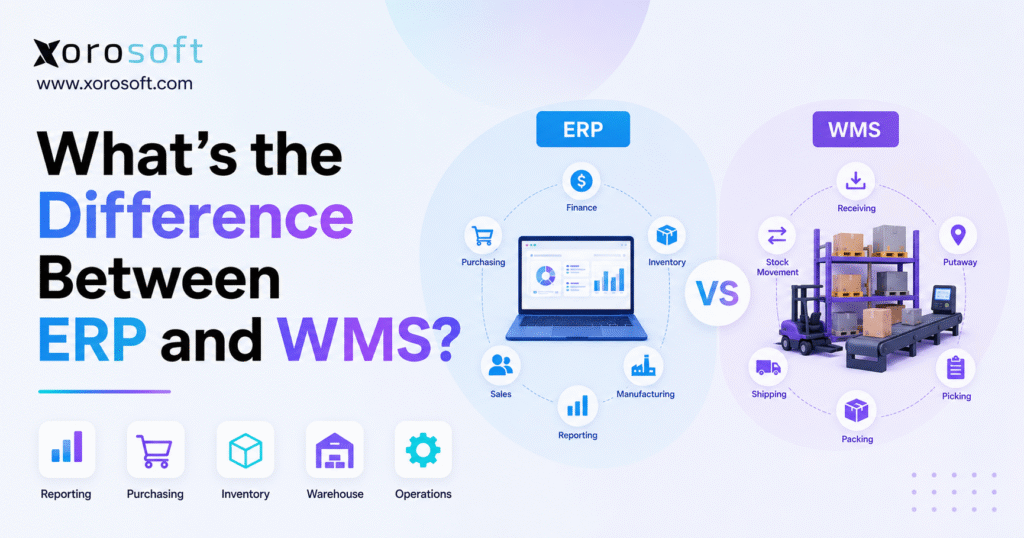
When considering business management systems, it’s important to understand the difference between ERP and WMS before making your choice.
1. Why the Difference Between ERP and WMS Matters
Growing inventory-driven businesses often reach a point where their software can no longer keep operations aligned. Finance sees one inventory number, the warehouse sees another, purchasing relies on spreadsheets, and ecommerce orders move through a separate application. As a result, leaders begin comparing enterprise resource planning software with warehouse management systems.
At first, the distinction can seem unclear because ERP and WMS both appear to manage inventory. Both systems may display stock quantities, receive purchase orders, support transfers, and process customer orders. However, they solve different operational problems.
ERP manages the wider business. It connects accounting, purchasing, sales, inventory planning, manufacturing, forecasting, and reporting. By contrast, WMS focuses on the physical movement of products inside warehouses, including receiving, putaway, replenishment, picking, packing, and shipping.
Understanding the difference between ERP and WMS matters because selecting the wrong system can leave the main constraint unresolved. For example, a WMS may improve warehouse productivity without fixing disconnected accounting. Likewise, an ERP may centralize business data but still fail to provide the execution depth required by a complex distribution operation.
Therefore, the decision should not begin with software categories. Instead, it should begin with a clear diagnosis of where operational control is breaking down.
1.1 The ERP and WMS difference in simple terms
ERP answers business-level questions:
- What inventory does the company own?
- What is that inventory worth?
- What products should purchasing order?
- Which customer orders are ready to fulfill?
- What revenue, cost, and margin did the company generate?
- What materials are required for production?
Meanwhile, WMS answers warehouse-level questions:
- Where is each product physically stored?
- Which employee should complete the next task?
- Which bin should inventory move into?
- What is the most efficient picking sequence?
- Has the correct item been packed?
- Which shipment left the warehouse?
In simple terms, ERP provides company-wide planning and financial control. Meanwhile, WMS provides detailed warehouse execution.
1.2 Why ERP and warehouse management systems are often confused
The systems overlap because they both interact with inventory transactions. For instance, an ERP may record that 500 units were received against a purchase order. A WMS may record the same receipt while also directing employees to inspect, label, separate, and store those units in specific locations.
Similarly, an ERP may release a customer order for fulfillment. The WMS then determines how the order should be picked, which worker should handle it, what container should be used, and how the shipment should be validated.
Although the feature names may look similar, the level of operational detail is different. Consequently, buyers should compare actual workflows rather than relying on feature labels alone.
1.3 Why software categories alone do not determine capability
Not every ERP has limited warehouse functionality. In fact, some ERP platforms include advanced mobile scanning, wave processing, directed putaway, replenishment, packing, and shipping.
Likewise, not every product described as a WMS provides sophisticated automation, labor planning, or slotting. Capabilities vary by platform, edition, configuration, and implementation.
Therefore, businesses should avoid making assumptions based only on labels such as ERP, WMS, inventory software, or warehouse module. Instead, they should test whether each system can support their real order, purchasing, receiving, picking, and reporting requirements.
2. What ERP Software Manages Across the Business
Enterprise resource planning software connects core processes across departments. In most companies, it becomes the primary system of record for financial and operational transactions.
Instead of maintaining accounting, purchasing, inventory, sales, and manufacturing information in separate systems, ERP creates a shared environment. Consequently, a transaction completed by one team becomes visible to other authorized teams without repeated manual entry.
Moreover, this shared structure helps prevent departments from working with conflicting versions of the same customer, supplier, order, or inventory record.
2.1 ERP financial management and accounting
Accounting is one of the clearest differences between ERP and WMS. ERP platforms usually manage:
- General ledger
- Accounts payable
- Accounts receivable
- Cash management
- Inventory valuation
- Cost of goods sold
- Financial statements
- Period-end reporting
- Tax-related data
- Budgeting
Inventory is not only a warehouse quantity. It is also a financial asset. Therefore, when products are received, transferred, adjusted, manufactured, sold, or returned, those movements may affect inventory value, liabilities, revenue, and margin.
ERP connects the operational event with the financial result. As a result, finance teams can understand not only where inventory moved but also how the movement affected the company’s books.
In addition, connected accounting reduces the need to manually re-enter warehouse transactions into a separate financial application.
2.2 ERP purchasing and supplier management
ERP software typically manages the complete purchasing lifecycle. This includes supplier records, purchase requests, purchase orders, expected receipts, approvals, costs, payment terms, and supplier performance.
In addition, more advanced ERP platforms can calculate replenishment recommendations based on:
- Sales demand
- Current inventory
- Open customer orders
- Open purchase orders
- Supplier lead times
- Safety stock
- Forecasted demand
- Seasonal patterns
A WMS may receive goods against a purchase order. However, the ERP usually determines why the purchase order exists, how much should be purchased, and how the supplier obligation should be recorded.
Furthermore, purchasing teams can use ERP data to compare demand, available supply, incoming inventory, and cash requirements before placing another order.
2.3 ERP inventory management and valuation
ERP inventory management focuses on availability, ownership, cost, and planning.
It should help teams understand:
- Quantity on hand
- Quantity available
- Quantity allocated
- Quantity on purchase order
- Quantity in transit
- Inventory value
- Reorder requirements
- Stock transfers
- Demand forecasts
- Product profitability
This information supports purchasing, finance, sales, customer service, and management. Meanwhile, warehouse employees may use parts of the same information, although their daily work usually requires more detailed physical-location data.
Accordingly, ERP inventory information provides a business-level view, while WMS inventory information supports task-level warehouse control.
2.4 ERP sales and order management
ERP platforms can manage quotations, customer pricing, sales orders, credit rules, allocations, invoices, returns, and order profitability.
Once an order is approved, the ERP may release it to an internal warehouse module or an external WMS. After shipping, the fulfillment information returns to ERP so that inventory, invoicing, revenue, and reporting can be updated.
Therefore, ERP manages the commercial and financial lifecycle of the order, while warehouse functionality manages the physical work required to fulfill it.
At the same time, customer service teams can use ERP order data to explain shipment status, backorders, invoices, or returns without contacting several departments.
2.5 ERP manufacturing and production planning
Manufacturers often use ERP for:
- Bills of materials
- Work orders
- Production schedules
- Material requirements planning
- Raw material purchasing
- Labor and overhead costing
- Finished-goods reporting
- Production variances
The ERP determines what should be produced and what materials are required. In contrast, warehouse functionality controls how raw materials and finished goods move between storage, production, and shipping areas.
Moreover, ERP connects production activity with purchasing, inventory costing, customer demand, and financial reporting.
2.6 ERP reporting and operational visibility
ERP reporting provides a company-wide view. Management can review inventory investment, supplier commitments, sales, margins, cash, manufacturing, purchasing, and fulfillment from connected data.
Without ERP, teams may need to export information from accounting software, ecommerce platforms, warehouse apps, and spreadsheets before building a report. Consequently, decisions slow down and reconciliation work increases.
A connected ERP environment reduces that fragmentation. Moreover, it gives leaders a more reliable view of how operational activity affects financial performance.
For businesses that want purchasing, accounting, inventory, sales, and reporting connected in one platform, a cloud ERP for inventory-driven businesses can provide a broader operational foundation.
3. What a Warehouse Management System Controls
A warehouse management system is designed around warehouse execution. Its primary purpose is to control how inventory enters, moves through, and leaves a warehouse.
While ERP provides broad visibility, WMS provides physical precision. Therefore, the system becomes especially important when warehouse complexity begins to exceed what basic inventory tools can manage.
In practice, WMS turns customer orders, purchase receipts, and inventory demand into specific warehouse tasks.
3.1 WMS receiving and inbound control
Receiving begins when goods arrive at the facility. The WMS may help employees:
- Match goods to purchase orders
- Scan product barcodes
- Record quantities
- Identify shortages or overages
- Capture lot or serial numbers
- Print labels
- Apply inspection rules
- Record damaged goods
- Create putaway tasks
This level of control reduces the risk of inventory entering the warehouse without an accurate location, status, or audit trail.
In addition, it helps teams identify discrepancies before goods disappear into storage. As a result, purchasing and finance can work from cleaner receiving data.
Moreover, accurate receiving improves every later process because the warehouse begins with reliable quantities and product details.
3.2 WMS directed putaway and bin management
After receiving, the WMS determines where inventory should be stored.
Putaway rules may consider:
- Product size
- Product weight
- Storage capacity
- Temperature requirements
- Hazard classifications
- Product velocity
- Picking zones
- Lot restrictions
- Available bin space
Instead of relying on employee memory, the system can direct workers to a specific location. Consequently, warehouse space is used more consistently, and inventory becomes easier to find.
Furthermore, directed putaway can keep fast-moving products near picking areas while slower products remain in reserve locations.
3.3 WMS replenishment and inventory movement
Forward picking locations often need regular replenishment from reserve storage. A WMS can create replenishment tasks based on minimum levels, open demand, order waves, or warehouse priorities.
It also records inventory movements between:
- Receiving docks
- Inspection areas
- Reserve storage
- Picking bins
- Production areas
- Packing stations
- Shipping docks
Because each movement is recorded, teams can investigate discrepancies more effectively. Furthermore, supervisors gain better visibility into where work is waiting or delayed.
As a result, replenishment can happen before a picker reaches an empty location and discovers that required stock is unavailable.
3.4 WMS picking and fulfillment execution
Picking is one of the strongest reasons businesses implement WMS.
Depending on operational complexity, a warehouse management system may support:
- Single-order picking
- Batch picking
- Wave picking
- Zone picking
- Cluster picking
- Piece picking
- Case picking
- Pallet picking
- Pick-and-pass workflows
- Voice or mobile-directed picking
The WMS can prioritize tasks, guide pick paths, validate products, and reduce dependence on employee memory. As a result, warehouse teams can process more orders with fewer errors.
Additionally, the system can organize work around carrier cut-off times, priority customers, order types, or warehouse zones.
3.5 WMS packing and shipping validation
After picking, the WMS can verify that the correct products and quantities reach the packing station. It may also manage:
- Cartons
- Package weights
- Shipping labels
- Packing slips
- Customer-specific instructions
- Carrier services
- Tracking numbers
- Shipment confirmation
- Advance shipping notices
Consequently, the warehouse can catch errors before orders leave the facility. This final validation step is especially important for high-volume ecommerce, wholesale, and retailer-compliance workflows.
Moreover, shipment confirmation can update customers, carriers, ecommerce platforms, and ERP records without another manual step.
3.6 WMS cycle counting and inventory accuracy
A WMS can support scheduled, risk-based, or event-driven cycle counts. For example, the system may request a count after a short pick, a location discrepancy, or repeated inventory adjustments.
Barcode scanning also creates a transaction trail. Although scanning does not automatically eliminate errors, it provides more control than handwritten forms or untracked spreadsheet updates.
Over time, better task discipline and more frequent counting can improve inventory accuracy. However, the process still depends on correct setup, training, and employee compliance.
For operations that need barcode receiving, directed putaway, detailed picking, and packing control, a dedicated warehouse management system may provide the required warehouse depth.
4. ERP vs WMS: Key Differences at a Glance
The following ERP and WMS comparison summarizes the main differences.
| Comparison Area | ERP | WMS |
|---|---|---|
| Primary purpose | Manage company-wide operations | Manage warehouse execution |
| Scope | Finance, sales, purchasing, inventory, manufacturing and reporting | Receiving, storage, replenishment, picking, packing and shipping |
| Primary users | Finance, purchasing, sales, management and operations | Warehouse managers and fulfillment teams |
| Inventory focus | Quantity, cost, ownership, demand and availability | Physical location, status, movement and handling |
| Accounting | Core capability | Usually requires ERP integration |
| Purchasing | Core capability | Uses inbound purchase data |
| Forecasting | Common capability | Usually limited |
| Bin management | Basic to advanced | Core capability |
| Picking and packing | Varies by platform | Core capability |
| Warehouse automation | Varies | Often a central focus |
| Reporting | Company-wide | Warehouse-specific |
| Best fit | Business coordination | Warehouse control |
4.1 ERP versus WMS scope
ERP operates across the company, whereas WMS operates primarily inside warehouses and fulfillment centers.
Finance may use ERP to close the month. At the same time, purchasing can use the platform to create supplier orders, and management can review company-wide performance. Warehouse employees, by contrast, use WMS to receive goods and fulfill customer orders.
Therefore, ERP usually touches more departments, while WMS goes deeper within a smaller operational area.
4.2 ERP inventory value versus WMS inventory location
ERP focuses on financial and commercial inventory. WMS focuses on physical inventory.
For example, ERP may show that the business owns 1,000 units valued at a specific amount. Meanwhile, the WMS shows how those units are distributed across bins, lots, pallets, and inventory statuses.
Both views are necessary in a complex operation. More importantly, they must remain synchronized.
Otherwise, finance may report inventory that employees cannot physically locate, or the warehouse may hold products that accounting has not recorded correctly.
4.3 ERP purchasing versus WMS receiving
ERP creates the purchase order, manages approvals, records supplier costs, and supports invoice matching.
WMS receives the physical shipment. It records what arrived, where it was placed, and whether any discrepancies occurred.
Therefore, the purchase order belongs to the commercial process, while the receipt belongs to both the financial and physical processes.
Once the receipt is confirmed, the ERP can update purchasing commitments and inventory value based on what actually arrived.
4.4 ERP reporting versus WMS reporting
ERP reports often focus on:
- Inventory value
- Gross margin
- Purchase commitments
- Sales performance
- Cash position
- Manufacturing costs
- Financial results
WMS reports focus on:
- Pick productivity
- Order accuracy
- Dock-to-stock time
- Warehouse capacity
- Cycle-count results
- Fulfillment speed
- Labor activity
- Shipment performance
Executives may need both sets of information. However, the reports support different decisions and different levels of operational detail.
For example, ERP may show whether inventory investment is increasing, whereas WMS may show whether warehouse employees are processing that inventory efficiently.
4.5 ERP and WMS implementation differences
ERP implementation usually affects multiple departments. It may require financial configuration, process redesign, historical data migration, role setup, reporting, and cross-functional training.
WMS implementation often goes deeper inside the warehouse. Teams must define locations, zones, devices, labels, picking rules, replenishment logic, packing workflows, and exception handling.
Although WMS may affect fewer departments, the project can still be complex. Therefore, businesses should not assume that a warehouse implementation will be simple merely because its organizational scope is narrower.
5. Where ERP and WMS Capabilities Overlap
ERP and WMS often support similar inventory transactions. This overlap is helpful, but it can also make software selection confusing.
5.1 Inventory quantities in ERP and WMS
Both systems may display quantity on hand. However, ERP usually uses the quantity for planning, availability, costing, and reporting. WMS, on the other hand, uses it for physical tasks and location control.
Therefore, the same number may serve two different purposes. One supports business planning, while the other supports warehouse execution.
Moreover, ERP may display inventory by warehouse or business unit, while WMS may break the same inventory into bins, pallets, lots, and statuses.
5.2 Receiving in ERP and warehouse systems
Both systems may record receipts. The ERP updates the purchase order and financial inventory record. Meanwhile, the WMS controls scanning, inspection, labeling, staging, and putaway.
When the systems are integrated correctly, the physical receipt and financial record remain aligned. Otherwise, inventory can appear received in one platform but unavailable in another.
Consequently, the receiving workflow should be tested from supplier order through final storage and accounting update.
5.3 Order fulfillment in ERP and WMS
ERP controls the customer order, pricing, allocation, credit, and invoice. WMS controls the physical picking, packing, and shipping process.
As a result, ERP determines what the business has promised, while WMS determines how the warehouse will complete that promise.
Afterward, shipment data should return to ERP so invoicing and inventory accounting remain current.
5.4 Stock transfers across warehouses
ERP may create and financially record the transfer. WMS handles the physical picking, dispatch, receipt, and putaway at each location.
This distinction becomes more important in multi-warehouse operations. Without clear integration, stock can remain in transit financially even after it has arrived physically.
Likewise, the destination warehouse may receive the goods physically before the source system has completed the transfer.
5.5 Lot and serial number management
Both systems may store lot or serial information. Nevertheless, WMS often captures and validates that data during physical movement, while ERP uses it for traceability, costing, sales, and reporting.
Therefore, the warehouse system records the physical event, and the ERP uses the result across the wider business.
In regulated or warranty-driven industries, this connection is especially important because traceability must extend beyond the warehouse.
5.6 Why feature overlap does not make ERP and WMS interchangeable
Two platforms can both offer a feature called “picking” while delivering very different functionality. One may print a basic pick list. Another may optimize waves, zones, routes, containers, priorities, and scanning rules.
Consequently, the correct question is not whether the feature exists. Instead, businesses should ask whether the feature supports their actual volume, complexity, accuracy, and control requirements.
6. How ERP and WMS Work Together
ERP and WMS create the most value when information moves between them without delays, duplicate entry, or unclear ownership.
6.1 A typical ERP and WMS order workflow
A connected fulfillment process usually follows these steps:
1. A customer order enters the ERP from sales, ecommerce, EDI, or a marketplace.
2. Next, ERP validates the customer, pricing, credit, availability, and allocation.
3. Once approved, the fulfillment request moves to the WMS.
4. The WMS then creates replenishment, picking, packing, and shipping tasks.
5. Warehouse employees complete and scan the work.
6. Afterward, WMS returns shipped quantities, inventory movements, and tracking details.
7. Finally, ERP updates invoicing, inventory value, revenue, cost, and reporting.
This workflow keeps the warehouse focused on execution. At the same time, the ERP remains responsible for business and financial control.
Moreover, the process gives customer service and finance access to fulfillment results without requiring warehouse employees to update another system manually.
6.2 A typical ERP and WMS purchasing workflow
The inbound process often works in the opposite direction:
1. ERP creates the purchase order.
2. Next, the expected receipt becomes available to WMS.
3. Warehouse employees then receive and inspect the goods.
4. After inspection, WMS records accepted quantities, exceptions, lots, and locations.
5. Receipt confirmation subsequently returns to ERP.
6. Finally, ERP updates inventory, purchase commitments, costing, and supplier records.
As a result, purchasing and finance see what actually arrived rather than relying only on what the supplier was expected to deliver.
Furthermore, discrepancies can be investigated before supplier invoices are approved.
6.3 Which system should own the data?
A clear system-of-record model prevents conflicts.
| Data Type | Typical System of Record |
| General ledger | ERP |
| Supplier records | ERP |
| Customer records | ERP |
| Purchase orders | ERP |
| Sales orders | ERP |
| Inventory valuation | ERP |
| Forecasts | ERP |
| Bin locations | WMS |
| Putaway tasks | WMS |
| Picking tasks | WMS |
| Warehouse movements | WMS |
| Shipment confirmation | WMS sent to ERP |
The final ownership model depends on the software architecture. Still, each field should have one authoritative source.
Without clear ownership, employees may update the same information in several places. Consequently, errors become difficult to trace and correct.
Accordingly, implementation teams should document which system creates, edits, and reports every major data type.
6.4 Common ERP and WMS integration problems
Integration problems often include:
- Duplicate product records
- Different units of measure
- Delayed inventory updates
- Failed order transfers
- Missing shipment confirmations
- Conflicting warehouse locations
- Inconsistent lot data
- Unclear adjustment ownership
- Repeated manual reconciliation
These problems can cancel out the expected benefits of a specialized system. Therefore, integration design should receive the same attention as software features.
In addition, teams should define what happens when an interface fails. Otherwise, silent errors can build up across orders, receipts, and inventory balances.
Ultimately, a separate WMS is useful only when the company can manage the connection reliably.
7. ERP with Built-In WMS vs Standalone WMS
Businesses can choose between an ERP with warehouse functionality and a separate specialist WMS.
7.1 Benefits of ERP with integrated warehouse management
An integrated approach may provide:
- One inventory record
- Connected accounting
- Fewer integrations
- Shared user permissions
- Faster transaction updates
- Consistent reporting
- Easier administration
- Lower reconciliation effort
For businesses that want financial, purchasing, inventory, and warehouse processes in one environment, a cloud ERP for inventory-driven businesses may reduce the need for several disconnected applications.
Moreover, a shared platform can simplify reporting because operational and financial transactions use the same underlying records.
As a result, teams spend less time comparing data from multiple systems and more time acting on the information.
7.2 Benefits of standalone warehouse management software
A specialist WMS may offer deeper support for:
- Highly complex fulfillment
- Advanced labor management
- Slotting optimization
- Warehouse automation
- Robotics
- Multi-client 3PL operations
- Complex containerization
- Specialized billing
- Large distribution networks
Businesses should consider a standalone warehouse management system when warehouse execution requires more depth than the current ERP can provide.
However, the specialist system should solve a meaningful operational problem. Otherwise, the company may add another critical application without receiving enough value in return.
7.3 Risks of separate ERP and WMS applications
Separate systems introduce additional technical and operational responsibilities. The company must manage interfaces, error monitoring, data mapping, upgrades, support ownership, and synchronization.
A specialist system may still be the right choice. Nevertheless, its benefits should outweigh the cost and complexity of maintaining another critical application.
Furthermore, businesses should confirm who will support the integration after implementation. Without clear ownership, even minor failures can interrupt receiving, fulfillment, or financial reporting.
In addition, upgrades to either system may require integration testing before new versions are deployed.
7.4 When an integrated ERP and WMS platform fits
An integrated platform often suits growing inventory-driven companies that need more than basic accounting but do not want a fragmented enterprise stack.
A connected ERP and warehouse platform can be especially relevant when purchasing, accounting, inventory, ecommerce, manufacturing, forecasting, and fulfillment must use the same operational data.
In that situation, the platform can reduce duplicate entry and reconciliation. At the same time, it can give finance and warehouse teams a shared view of the same inventory movements.
Therefore, integrated platforms often fit businesses that need stronger warehouse control but do not require a highly specialized enterprise WMS.
8. Do You Need ERP, WMS, or Both?
The answer depends on where the primary operational constraint exists.
8.1 Choose ERP when business-wide control is missing
ERP should usually take priority when:
- Accounting and inventory disagree
- Purchasing depends on spreadsheets
- Reporting takes several days
- Teams repeatedly enter the same data
- Inventory valuation requires manual adjustments
- Sales and operations use disconnected records
- Management lacks real-time visibility
- Manufacturing planning is fragmented
These issues affect multiple departments, not only the warehouse. Therefore, a warehouse-only system would leave many of the underlying problems unresolved.
For example, improving picking will not fix delayed financial reporting or spreadsheet-based purchasing.
8.2 Choose WMS when warehouse execution is failing
WMS should usually take priority when:
- Employees cannot locate products
- Receiving and putaway are slow
- Picking errors are increasing
- Warehouse work depends on employee memory
- Order volume requires advanced picking
- Bin-level visibility is unreliable
- Packing validation is weak
- Automation requires a control system
In these situations, the warehouse needs better execution rather than broader financial functionality.
However, the company should still confirm that existing accounting and purchasing systems can exchange information reliably with the new WMS.
8.3 Choose ERP and WMS when both forms of complexity are growing
Both capabilities may be required when:
- The company operates multiple warehouses
- Ecommerce and wholesale orders share inventory
- EDI transactions are increasing
- Warehouse volume is rising
- Purchasing and forecasting are weak
- Inventory valuation is difficult
- Manufacturing requires detailed material tracking
- Accounting and warehouse records frequently disagree
An integrated ERP and WMS environment can provide financial control without sacrificing warehouse detail. Moreover, it can reduce the delay between physical activity and financial reporting.
Consequently, businesses can make purchasing, fulfillment, and cash decisions using more current information.
8.4 When a dedicated WMS is unnecessary
A dedicated WMS may be unnecessary when the business has:
- One simple warehouse
- Low order volume
- Few storage locations
- Straightforward picking
- Limited lot or serial requirements
- No warehouse automation
- An ERP module that already supports every required workflow
Adding another system in this situation may increase cost without producing meaningful operational value. Instead, the business may benefit more from improving its existing ERP configuration and warehouse procedures.
Therefore, software should be selected according to process complexity rather than company ambition alone.
9. ERP vs WMS for Different Business Models
The difference between ERP and WMS becomes clearer when viewed through specific business models.
9.1 ERP vs WMS for Shopify and ecommerce businesses
Shopify handles storefront, product, order, inventory-location, and fulfillment functions. However, growing merchants may need deeper capabilities for purchasing, accounting, forecasting, wholesale, manufacturing, and multi-warehouse control.
ERP becomes important when the merchant needs:
- Consolidated financial reporting
- Purchase planning
- Inventory forecasting
- Multi-channel inventory
- Supplier management
- Wholesale pricing
- Manufacturing
- Product profitability
WMS becomes important when the merchant needs:
- Barcode receiving
- Bin-level tracking
- High-volume picking
- Packing validation
- Shipping control
- Multiple fulfillment locations
- Warehouse productivity reporting
Xorosoft can operate behind Shopify by connecting ecommerce orders with inventory, purchasing, warehouse execution, forecasting, and accounting. The Xorosoft ERP for Shopify listing provides additional integration context.
As the ecommerce business grows, this connection becomes more important. Otherwise, the storefront may show one inventory position while purchasing, accounting, and the warehouse operate from different records.
Moreover, promotions and seasonal demand can expose inventory synchronization problems quickly.
9.2 ERP and WMS for wholesale distribution
Wholesale distributors often manage EDI, customer-specific pricing, allocations, backorders, case quantities, purchasing, and high-volume fulfillment.
ERP supports the commercial and financial side of distribution. Meanwhile, WMS supports the physical execution.
A wholesaler may need both when retailer orders, warehouse tasks, purchasing, inventory allocation, invoicing, and accounting must remain connected. In addition, customer-specific labeling and shipping requirements can make warehouse validation more important.
Consequently, the system must control both the customer agreement and the physical fulfillment process.
9.3 ERP and WMS for manufacturing
Manufacturers rely on ERP for:
- Bills of materials
- Work orders
- Production scheduling
- Purchasing
- Material requirements
- Product costing
- Production reporting
Meanwhile, WMS supports:
- Raw material locations
- Lot and serial tracking
- Material staging
- Production receipts
- Finished-goods putaway
- Warehouse replenishment
- Shipping execution
Simple manufacturing operations may use ERP alone. However, complex plants and warehouse networks may need stronger WMS capabilities.
For example, a manufacturer may require ERP to plan materials while the WMS directs those materials from storage to production.
9.4 ERP vs WMS for apparel businesses
Apparel brands manage large numbers of styles, colors, sizes, seasons, and channels. ERP helps with purchasing, forecasting, costing, and channel visibility.
WMS reduces picking errors across similar-looking variants. As a result, the warehouse can confirm the correct size and color before the order reaches packing.
Moreover, barcode validation can reduce errors when visual differences between products are small.
9.5 ERP and warehouse systems for furniture companies
Furniture businesses often store large, bulky, or multi-part products. Warehouse location accuracy is critical because searching for misplaced inventory consumes time and space.
ERP manages costing, purchasing, sales, and availability. In contrast, WMS manages the physical product and its warehouse movement.
Additionally, warehouse rules may need to consider product dimensions, handling requirements, and delivery schedules.
9.6 ERP vs WMS for food and beverage companies
Food businesses may need lot tracking, expiration dates, recall support, and first-expiry-first-out processes.
WMS controls the physical traceability of products. Meanwhile, ERP connects traceability with purchasing, costing, sales, and financial reporting.
Therefore, both systems may play an important role during a recall or inventory investigation.
Businesses can review ERP and warehouse solutions by industry to understand how requirements change across apparel, furniture, sporting goods, wholesale, food, and manufacturing.
10. Signs Your Business Has Outgrown Its Current Software
Businesses rarely replace software because of one isolated problem. Instead, the need usually becomes clear when several issues begin reinforcing one another.
10.1 Inventory records disagree with warehouse counts
Frequent discrepancies indicate weak transaction control, delayed synchronization, poor scanning, or unclear adjustment processes.
Although occasional differences are normal, repeated discrepancies create larger problems. For example, purchasing may order unnecessary stock while sales promises inventory that the warehouse cannot find.
Consequently, customer service, cash flow, and supplier planning can all suffer from one inventory error.
10.2 Purchasing still depends on spreadsheets
Spreadsheet purchasing makes it difficult to account for lead times, open orders, forecasts, safety stock, and current demand.
As a result, buyers may react too late to stockouts or place orders without understanding existing commitments.
Moreover, spreadsheet formulas and manual updates become harder to control as the number of products and suppliers increases.
10.3 Picking errors are increasing
Picking problems may result from unclear locations, manual lists, similar products, poor validation, or inefficient workflows.
A WMS can reduce these risks by directing and validating warehouse work. However, the underlying location and item data must also be accurate.
Therefore, technology and process discipline must improve together.
10.4 Multiple warehouses lack shared visibility
Each location may appear accurate independently while the company lacks a reliable network-wide inventory view.
Consequently, one warehouse may hold excess stock while another experiences shortages. ERP can provide the network view, while WMS controls the physical inventory inside each facility.
In addition, better visibility can help the company decide whether to transfer stock, purchase more, or change order-routing rules.
10.5 Month-end inventory reconciliation takes too long
When finance repeatedly investigates warehouse transactions, costing, transfers, and adjustments, the operational and financial systems may not be aligned.
This delay does more than slow reporting. It also reduces confidence in margins, inventory value, and purchasing decisions.
Accordingly, long reconciliation cycles often indicate a need for tighter ERP and warehouse integration.
10.6 Shopify, Amazon, EDI, and accounting are disconnected
A collection of specialized apps can work at smaller scale. Nevertheless, every integration adds another potential delay, duplicate, or failure point.
Over time, employees may create manual workarounds to keep orders moving. As a result, the company becomes more dependent on spreadsheets and individual knowledge.
Eventually, the cost of maintaining those workarounds may exceed the cost of replacing the disconnected stack.
10.7 Warehouse processes depend on employee memory
Experienced employees often create informal workarounds. Although those workarounds keep orders moving, they do not scale well and create risk when employees are absent.
A structured warehouse system can standardize tasks. In addition, it can make training easier for new employees.
Consequently, operational knowledge becomes part of the process rather than remaining with a few individuals.
10.8 Management cannot access timely reports
Slow reporting prevents leaders from responding quickly to stockouts, excess inventory, supplier delays, margin changes, and fulfillment problems.
Therefore, reporting delays often indicate a broader data problem rather than a simple reporting problem.
Moreover, late information can lead to decisions based on conditions that have already changed.
11. Common ERP and WMS Selection Mistakes
The software-selection process often fails because businesses compare platforms before defining the problem.
11.1 Comparing feature lists without testing workflows
A feature list cannot show whether a system handles partial receipts, substitutions, short picks, returns, lot restrictions, or customer-specific packing rules.
Therefore, businesses should use realistic transactions during demonstrations.
In addition, demonstration data should reflect actual products, warehouses, users, and exception scenarios.
11.2 Assuming every ERP warehouse module is limited
Some ERP warehouse modules support advanced scanning, wave processing, directed putaway, containerization, and shipping.
Consequently, buyers should avoid eliminating a platform based only on its category.
Instead, they should test the exact workflow depth available in the proposed edition and configuration.
11.3 Buying WMS to solve accounting problems
WMS can improve warehouse execution. However, it will not automatically correct financial reporting, inventory valuation, purchasing approvals, or month-end close delays.
If those are the primary problems, ERP should be addressed first.
Otherwise, the company may improve picking while leaving the larger operational issue untouched.
11.4 Buying ERP to solve every warehouse problem
ERP can centralize the business, but it may not deliver the warehouse depth required by large, automated, or highly specialized operations.
Therefore, warehouse requirements must be evaluated separately.
In some cases, the best architecture is an ERP integrated with a specialist WMS.
11.5 Ignoring ERP and WMS integration design
Even strong software can produce poor results when item records, units, locations, orders, and inventory adjustments do not synchronize correctly.
For that reason, businesses should design the integration before finalizing the implementation scope.
Moreover, testing should include failures, duplicates, cancellations, returns, and partial transactions.
11.6 Automating an inefficient process
Software will execute the configured process. If receiving, storage, or picking rules are unclear, automation may simply make the weak process move faster.
Instead, teams should standardize the process before automating it.
Once the process is clear, software can enforce it consistently.
11.7 Excluding warehouse employees
Frontline employees understand practical exceptions that executives and software vendors may overlook.
Their input is essential during design and testing. Moreover, involving employees early can improve adoption after launch.
As a result, the final process is more likely to work under real warehouse conditions.
11.8 Choosing software only for current volume
The system should support expected growth. At the same time, the business should not pay for unnecessary complexity that may never be used.
A realistic growth model is more useful than either underbuying or overbuying.
Therefore, the evaluation should consider current needs, expected growth, and the cost of future change.
12. How to Evaluate ERP and WMS Software
A structured evaluation helps businesses compare platforms based on operational fit rather than presentation quality.
12.1 Define the problem before selecting a category
Document the specific business problems:
- Inventory discrepancies
- Slow receiving
- Picking errors
- Spreadsheet purchasing
- Poor forecasting
- Delayed financial reporting
- Disconnected ecommerce
- Weak manufacturing visibility
Then determine whether each problem belongs primarily to ERP, WMS, or both.
Afterward, rank each issue according to cost, frequency, operational risk, and customer impact.
12.2 Map the order-to-cash process
Follow a customer order through:
1. Order capture
2. Pricing
3. Credit approval
4. Inventory allocation
5. Picking
6. Packing
7. Shipping
8. Invoicing
9. Payment
10. Returns
This process reveals where information changes systems and where errors occur. In addition, it highlights which teams depend on the same data.
Consequently, decision-makers can distinguish warehouse failures from broader order-management failures.
12.3 Map the procure-to-pay process
Review:
1. Forecasting
2. Replenishment
3. Purchase approval
4. Supplier order
5. Receiving
6. Inspection
7. Putaway
8. Supplier invoice
9. Payment
10.Inventory costing
A WMS may improve receiving, but ERP usually controls the wider purchasing and financial workflow. Therefore, both sides of the process should be tested together.
Moreover, the evaluation should include partial receipts, damaged goods, shortages, and invoice discrepancies.
12.4 Measure warehouse complexity
Document:
- Daily orders
- Order lines
- SKU count
- Warehouse count
- Bin count
- Picking methods
- Lots and serials
- Returns
- Seasonal peaks
- Automation
- Labor requirements
Warehouse complexity should drive WMS requirements. Otherwise, a business may purchase too little capability or unnecessary specialization.
For example, a single low-volume warehouse usually needs less execution depth than a multi-site ecommerce fulfillment network.
12.5 Confirm integration requirements
List every system that must exchange data:
- Shopify
- Amazon
- EDI
- Carriers
- Accounting
- Payment platforms
- Manufacturing tools
- Automation equipment
- Reporting platforms
Each integration should have a defined owner, frequency, error process, and support model. Furthermore, the business should confirm how upgrades will affect those connections.
In addition, teams should decide whether updates must occur in real time or whether scheduled synchronization is sufficient.
12.6 Calculate total cost of ownership
Include more than software subscription costs.
Evaluate:
- Implementation
- Data migration
- Integrations
- Devices
- Labels and printers
- Training
- Support
- Internal project time
- Future upgrades
- Ongoing administration
A lower software price may not produce a lower total cost. Conversely, a more expensive integrated platform may reduce long-term reconciliation and support expenses.
Therefore, cost comparisons should cover several years rather than only the initial purchase.
12.7 Use realistic demonstration scenarios
Ask each vendor to demonstrate:
- Partial purchase-order receipt
- Receiving discrepancy
- Directed putaway
- Multi-line customer order
- Lot-controlled picking
- Packing validation
- Stock transfer
- Customer return
- Inventory adjustment
- Financial posting
For businesses comparing large ERP platforms with more focused inventory solutions, a neutral Xorosoft versus NetSuite comparison can provide additional evaluation context.
Finally, each vendor should demonstrate the same scenarios so that the comparison remains consistent.
13. Xorosoft as an Integrated ERP and WMS Option
Xorosoft is a cloud ERP platform built for inventory-driven businesses. It combines accounting, purchasing, inventory management, warehouse management, manufacturing, forecasting, reporting, and ecommerce operations within one system.
The platform is most relevant to companies that:
- Sell physical products
- Operate multiple warehouses
- Sell through Shopify
- Manage wholesale or EDI orders
- Sell through Amazon
- Manufacture products
- Require purchasing automation
- Need connected inventory and accounting
Businesses often evaluate Xorosoft after outgrowing QuickBooks, spreadsheets, inventory-only applications, or disconnected warehouse tools.
13.1 When an integrated Xorosoft approach may fit
An integrated approach may be appropriate when the company wants:
- One inventory record
- Connected financial transactions
- Purchasing automation
- Multi-warehouse control
- Warehouse scanning
- Demand forecasting
- Manufacturing support
- Ecommerce integration
- Real-time reporting
The value comes from reducing operational separation. For example, a warehouse receipt can update inventory while also supporting purchasing, costing, and accounting processes.
In addition, connected workflows can reduce the number of manual handoffs between finance, purchasing, operations, and warehouse teams.
Consequently, leaders can review operational and financial results without waiting for several systems to be reconciled.
13.2 When a specialist WMS may still be appropriate
Xorosoft will not be the correct choice for every warehouse. A highly automated distribution center, specialist 3PL, or operation with unusual material-handling requirements may still prefer a dedicated enterprise WMS connected to an existing ERP.
Therefore, the evaluation should remain focused on workflow complexity, integration requirements, implementation resources, and long-term operational fit.
Ultimately, the most suitable platform is the one that supports the company’s real processes without unnecessary complexity.
14. Frequently Asked Questions About ERP and WMS
14.1 What is the main difference between ERP and WMS?
ERP manages company-wide processes such as accounting, purchasing, sales, inventory planning, manufacturing, and reporting. WMS manages physical warehouse execution, including receiving, putaway, bin tracking, replenishment, picking, packing, and shipping. Therefore, ERP provides broad operational and financial control, while WMS provides detailed control inside the warehouse.
14.2 Is WMS part of ERP?
WMS can be built into an ERP platform or deployed as a separate application. Some ERP products include basic warehouse functionality, while others provide advanced integrated WMS modules. Alternatively, standalone warehouse systems connect to ERP through APIs, middleware, or scheduled synchronization.
14.3 Can ERP replace WMS?
ERP can replace WMS when its warehouse functionality supports every required process. Therefore, businesses should test barcode receiving, bins, lots, serials, putaway, picking, packing, shipping, and cycle counting. However, a basic ERP module may not replace a specialist WMS in a high-volume or highly automated warehouse.
14.4 Can WMS replace ERP?
WMS generally cannot replace ERP because it does not provide complete accounting, financial reporting, purchasing management, cash control, or company-wide planning. WMS manages warehouse activity, whereas ERP records and coordinates the wider business.
14.5 Do businesses need both ERP and WMS?
Businesses need both when financial complexity and warehouse complexity are growing together. For example, a multi-warehouse distributor may need ERP for purchasing, accounting, forecasting, and valuation while using WMS for receiving, picking, packing, and shipping.
14.6 Do I need WMS if I already have ERP?
A dedicated WMS is necessary only when the ERP cannot support required warehouse processes. For instance, warning signs include rising picking errors, weak bin control, high order volume, warehouse automation, complex fulfillment rules, or detailed labor requirements.
14.7 Does ERP manage warehouse operations?
Many ERP systems support receiving, bins, picking, packing, shipping, transfers, and cycle counting. However, functionality varies significantly. Some platforms provide basic warehouse tools, while others offer advanced warehouse execution.
14.8 Does WMS include accounting?
A standalone WMS usually does not include complete financial accounting. General ledger, payables, receivables, inventory valuation, and financial statements normally remain in ERP. Consequently, warehouse transactions are sent back to ERP for financial processing.
14.9 Does WMS manage purchasing?
WMS usually supports physical receiving but does not own purchasing strategy. ERP manages supplier records, purchase orders, approvals, costs, lead times, and payment obligations. Meanwhile, the WMS uses purchase-order information to receive and store goods.
14.10 Can ERP track inventory by bin?
Many ERP platforms support bin tracking. However, bin functionality alone does not equal advanced WMS. Therefore, businesses should also evaluate putaway logic, replenishment, picking methods, mobile scanning, packing validation, and warehouse-task management.
14.11 What is an ERP warehouse module?
An ERP warehouse module is a group of warehouse functions built into or closely connected with an ERP platform. It may support receiving, bins, transfers, picking, packing, shipping, and counting. Nevertheless, capability depth differs by product.
14.12 What is a standalone WMS?
A standalone WMS is a warehouse application deployed separately from ERP. It manages detailed warehouse execution and, in turn, exchanges orders, receipts, inventory movements, and shipment confirmations with other business systems.
14.13 When should a company add WMS to ERP?
A company should consider adding WMS when warehouse complexity exceeds the ERP’s capabilities. Common signals include high picking-error rates, poor bin accuracy, slow receiving, advanced automation, complex picking methods, or growing fulfillment volume.
14.14 When is an ERP warehouse module enough?
An ERP warehouse module may be enough when order volume is moderate, warehouse workflows are straightforward, automation is limited, and all necessary barcode, bin, lot, serial, packing, and shipping processes are supported.
14.15 What businesses need a dedicated WMS?
Dedicated WMS is most relevant to high-volume distributors, ecommerce fulfillment centers, 3PL providers, complex manufacturers, automated warehouses, and businesses with extensive traceability or labor-management requirements.
14.16 What is the difference between WMS and inventory software?
Inventory software tracks quantities, availability, and stock changes. WMS, by contrast, goes deeper by managing warehouse locations, tasks, receiving, putaway, picking routes, packing, shipping, and labor activity.
14.17 What is the difference between ERP, WMS, and OMS?
ERP manages the wider business and financial records. WMS manages warehouse execution. Meanwhile, an order management system manages order capture, routing, status, and orchestration across channels. Some platforms combine all three functions.
14.18 What is the difference between WMS and TMS?
WMS manages operations inside the warehouse. A transportation management system manages freight movement between facilities, carriers, and customers. Therefore, the systems exchange shipment, load, routing, cost, and tracking information.
14.19 Should ecommerce businesses use ERP or WMS?
Ecommerce businesses need ERP when purchasing, forecasting, accounting, and multi-channel inventory are the main problems. By contrast, they need WMS when fulfillment accuracy, bins, picking, packing, and shipping are the primary constraints. Growing operations may need both.
14.20 Should wholesale distributors use ERP and WMS?
Wholesale distributors often benefit from both. ERP manages customer pricing, EDI, purchasing, forecasting, allocation, accounting, and reporting. WMS, by contrast, manages receiving, replenishment, case or pallet handling, picking, packing, and shipping.
14.21 Should manufacturers use ERP or WMS?
Manufacturers generally need ERP for bills of materials, work orders, material requirements, costing, and production planning. Meanwhile, WMS becomes important when raw materials and finished goods require advanced location control, scanning, or traceability.
14.22 Is integrated ERP and WMS better than separate systems?
Integrated ERP and WMS can reduce duplicate data, reconciliation, and interface management. Separate systems may provide greater specialization. Therefore, the better approach depends on warehouse complexity, existing technology, integration resources, implementation budget, and operational requirements.
14.23 How much does ERP and WMS software cost?
Costs vary based on users, modules, transaction volume, warehouses, integrations, devices, implementation, and support. For that reason, businesses should calculate total cost of ownership rather than comparing only subscription prices.
14.24 How long does ERP or WMS implementation take?
Implementation length depends on company size, process complexity, data quality, integrations, warehouse design, training, and available project resources. Therefore, a focused project can move faster than a multi-company or multi-warehouse transformation.
14.25 How should a business choose between ERP, WMS, or both?
First, identify the main operational constraint. Next, choose ERP for company-wide coordination, accounting, purchasing, and planning. Choose WMS for detailed warehouse execution. Finally, choose both when the business must solve financial and warehouse complexity together.
15. The Practical Takeaway: Build the Right ERP and WMS Roadmap
The difference between ERP and WMS is ultimately a difference between business coordination and warehouse execution.
ERP connects accounting, purchasing, inventory, sales, manufacturing, forecasting, and reporting. WMS, meanwhile, controls receiving, storage, replenishment, picking, packing, and shipping.
Some businesses need only ERP. Others require a specialist WMS. However, inventory-driven companies with growing financial and warehouse complexity may need both capabilities in one platform or through a well-designed integration.
Before selecting software, map the order-to-cash and procure-to-pay workflows. Next, document warehouse complexity, define data ownership, calculate total cost, and test real transactions during demonstrations.
Moreover, compare each platform using the same orders, products, warehouses, integrations, and exception scenarios. As a result, the final decision will reflect operational reality rather than a polished demonstration.
The strongest decision is not the one with the longest feature list. Instead, it is the one that removes the actual operational constraint without creating unnecessary systems, manual work, or integration risk.
Ultimately, ERP should solve company-wide coordination problems, while WMS should solve warehouse-execution problems. When both challenges exist, an integrated approach may provide the clearest path forward.
To evaluate whether your business needs ERP, WMS, or an integrated platform, book a personalized assessment with Xorosoft.
Recent Posts
-
 ERP Landed Cost Module vs Spreadsheet Calculations for Importers
 -
 How to Build an Open-to-Buy Plan for an Omnichannel Brand
 -
 Cold Storage WMS for Food and Beverage Distribution
 -
 ERP Buying Statistics 2026: Evaluation, Implementation, and Adoption Risks
 -
 How a Distributor Reduced B2B Order Exceptions Without Restricting Sales



