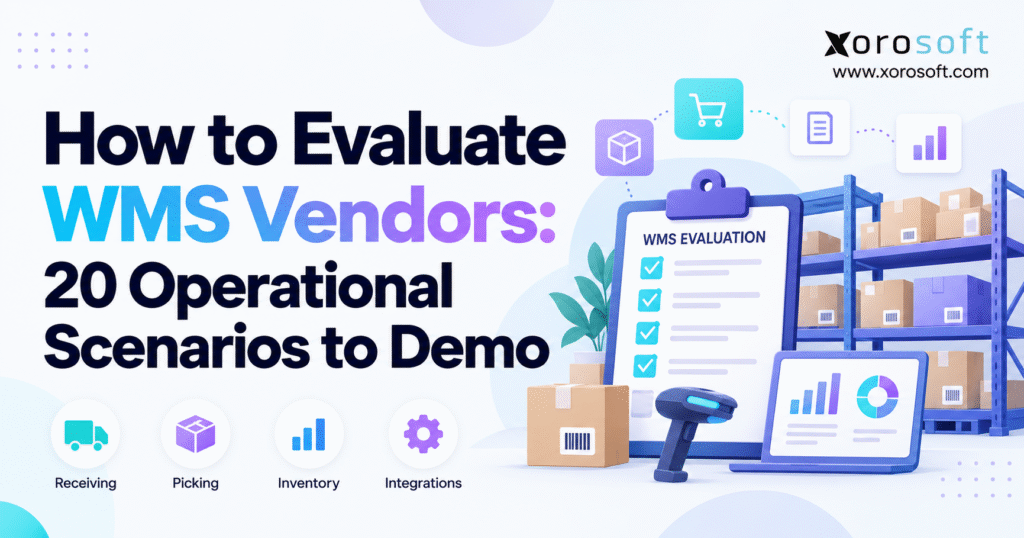
WMS vendor evaluation is a critical step for businesses seeking the right warehouse management solution.
1. Why WMS Vendor Evaluation Must Test Operational Risk
A polished warehouse management system demo can make almost any platform look capable. Inventory is exactly where the system expects it to be. Every barcode scans correctly. Purchase orders arrive in the right quantities. Pickers find every item. Carriers respond immediately. Integrations never fail.
That is not how warehouses operate every day.
The real purpose of WMS vendor evaluation is to discover how a system behaves when normal operations become complicated. A supplier ships 105 units against a purchase order for 100. A picker reaches the expected location and finds seven units instead of ten. An urgent ecommerce order competes with wholesale orders for limited stock. An integration stops transmitting orders during the afternoon shipping rush.
Those situations reveal considerably more than a conventional feature presentation.
1.1 A WMS Demo Should Prove Workflows, Not Features
Feature questions tend to generate predictable answers.
“Can the WMS manage cycle counts?”
“Does it support barcode scanning?”
“Can it handle multiple warehouses?”
Most serious WMS products will answer yes to broad questions like these. The useful question is how the capability behaves inside your specific operating environment.
Instead of asking whether the software supports cycle counting, create a cycle count while warehouse activity continues. Have inventory move during the count. Introduce a variance. Require a recount. Then ask the vendor to show how the system determines the correct quantity and who can approve an adjustment.
The difference is important. Feature availability tells you what appears on a product matrix. Operational testing shows how work actually gets done.
1.2 Exceptions Reveal the Real Cost of a WMS
Many warehouse processes are straightforward until something goes wrong.
The challenge is rarely creating a standard receipt. The challenge is receiving the wrong SKU, handling damaged inventory, recording an overage, keeping the dock moving, and ensuring purchasing knows what happened.
The same pattern appears throughout fulfillment. Picking is simple when inventory is accurate. It becomes harder when an item is missing, another order has reserved the remaining units, and the shipping cutoff is approaching.
A strong WMS vendor evaluation therefore spends meaningful time on exceptions. Those exceptions expose hidden manual work, configuration requirements, permission gaps, integration dependencies, and potential custom development.
1.3 Give Every Vendor the Same Operational Test
A vendor-controlled demo makes objective comparison difficult because each provider naturally highlights its strongest areas.
Your team should own the core script.
Give every shortlisted vendor the same representative orders, purchase orders, SKUs, warehouse rules, exceptions, and success criteria. Let vendors show differentiating capabilities afterward, but evaluate the essential workflows under consistent conditions.
The principle is simple:
Same business requirement → same scenario → same evidence → comparable decision
That approach turns WMS selection from a presentation contest into an operational assessment.
2. Build a WMS Vendor Evaluation Script Before the First Demo
The quality of a WMS demo depends heavily on the preparation that happens before it.
If the requirements document says only “receiving, picking, shipping, inventory and reporting,” vendors must fill in too many blanks. The demonstration may look impressive while never touching the processes that create difficulty inside your operation.
2.1 Map the Warehouse as It Actually Operates
Document the major flow of inventory from arrival through final shipment.
For inbound operations, understand how purchase orders, ASNs, receiving, quality checks, staging and putaway work today. On the outbound side, document allocation, replenishment, picking, packing, carrier selection and shipment confirmation.
Next, map the less obvious activities: transfers, holds, returns, cycle counting, adjustments, damaged inventory, user approvals and inventory status changes.
Do not document only the official process. Talk to warehouse supervisors and experienced users about the workarounds they rely on when reality differs from the written SOP.
Those workarounds often identify the scenarios that matter most during WMS vendor evaluation.
2.2 Bring Representative Data Into the WMS Demo
Generic demonstration data hides complexity.
A useful data set should reflect the products and orders that make your operation difficult. An apparel company should include style, color and size variants. Food distributors may need lots and expiration dates. Businesses selling products by each, inner pack and case should include those units of measure.
The same principle applies to warehouses. Use realistic zones, bins, staging areas, reserve locations and multiple facilities if those structures matter.
You do not need to expose confidential customer information. The goal is to preserve operational complexity while allowing the vendor to demonstrate how the system will behave.
2.3 Define Must-Haves Before Seeing the Software
Requirements become easier to compromise after an attractive product demo.
Separate requirements into three categories before demonstrations begin: business-critical requirements, valuable capabilities, and optional improvements.
A business-critical requirement may be lot traceability, multi-warehouse transfers, EDI support, Shopify synchronization or a specific picking process. A convenient dashboard layout might be valuable without being a deal breaker.
Making that distinction early keeps the WMS selection process centered on operational risk rather than interface preference.
3. Score WMS Vendor Evaluation Evidence, Not Presentation Quality
People naturally remember the smoothest presentation. That is not necessarily the software that best fits the operation.
A scoring system creates discipline by requiring evaluators to record what was actually demonstrated.
3.1 Use a Consistent WMS Vendor Score
A practical five-point scale can work well:
| Score | Evaluation |
|---|---|
| 1 | Requirement cannot be supported |
| 2 | Major workaround or custom development required |
| 3 | Supported with meaningful configuration or process change |
| 4 | Supported largely through standard functionality |
| 5 | Standard workflow demonstrated successfully with strong operational fit |
Do not rely on the number alone. Every score should include a short explanation describing what the vendor demonstrated, what was not demonstrated, and what follow-up remains.
A “4” supported by evidence is useful. A “4” based on a positive impression is not.
3.2 Separate Configuration From Customization
One of the most important questions in WMS vendor evaluation is how the requirement will be delivered.
Ask vendors to classify important workflows as standard functionality, configuration, customization, third-party functionality, or unsupported.
Then go one step further: ask who can maintain the rule after go-live.
Changing a replenishment threshold through an administrator is very different from requiring the vendor’s professional services team. Likewise, when an integration depends on custom middleware, the business should understand who monitors and maintains it.
These distinctions have long-term consequences for agility and total cost of ownership.
3.3 Score the Experience of Warehouse Users
Managers often evaluate dashboards. Warehouse workers spend their day executing transactions.
During demonstrations, pay attention to scanner screens, required keystrokes, error messages, navigation, task switching, confirmations and recovery from mistakes.
A technically capable process may still create unnecessary friction if users need too many screens or manual decisions to complete common work.
4. WMS Vendor Evaluation Scenarios for Receiving and Putaway
Inbound execution establishes the quality of every downstream inventory transaction. If the system cannot accurately capture what entered the building, picking and planning will eventually inherit the problem.
4.1 Scenario 1: Receive a Purchase Order With an Overage
Create a purchase order for 100 units and physically simulate receiving 105.
Ask the vendor to show exactly what the warehouse employee sees. Does the system prevent the receipt? Does it warn the user but allow continued processing? Can tolerance rules vary by supplier or item? Who must approve the additional quantity?
Next, examine what happens outside the receiving screen. Purchasing should be able to understand the discrepancy, while inventory should reflect only what the business has legitimately received.
The point is not to establish one “correct” workflow. Different organizations have different controls. The purpose is to determine whether the WMS can enforce yours without creating an uncontrolled workaround.
4.2 Scenario 2: Receive Damaged or Unexpected Inventory
Now make the inbound shipment less predictable.
Include damaged units or a SKU that was never ordered. Ask the warehouse employee to receive the valid inventory while isolating the exception.
A useful WMS demo scenario should show whether damaged inventory can be placed in a non-available status, whether photographs or notes can be associated with the transaction when required, and whether unauthorized inventory can accidentally become available for orders.
Also inspect the audit trail. Several weeks later, a supervisor should be able to determine what arrived, who processed it, where the inventory went, and why its status changed.
4.3 Scenario 3: Receive Against an ASN With a Missing Pallet
Create an ASN containing several expected pallets and remove one from the simulated delivery.
Ask whether the system records the partial arrival while keeping the missing pallet visible.
This test is particularly useful for businesses that receive large inbound shipments, containers or vendor-prepared logistics information. It shows whether the WMS treats an ASN as operational data or merely another document.
Follow the incomplete pallet through the workflow. Purchasing, receiving and inventory teams should understand that the shipment remains incomplete without manually maintaining a separate spreadsheet.
4.4 Scenario 4: Directed Putaway When the Preferred Bin Is Full
Receive inventory and ask the WMS to recommend a storage location.
Then make that location unavailable.
A sophisticated answer is not automatically necessary. What matters is that the platform can apply your storage rules predictably. Those rules may consider product type, zone, bin capacity, existing stock, velocity, hazardous classifications or other operational constraints.
Ask the vendor to explain why the alternative location was selected. If the logic is impossible for supervisors to understand, changing the warehouse later may become unnecessarily difficult.
5. WMS Demo Scenarios for Replenishment, Picking, Packing and Shipping
Outbound processes usually contain the highest transaction volume in a warehouse. Small inefficiencies multiplied across thousands of picks can become significant labor costs.
5.1 Scenario 5: Replenish a Forward Picking Location
Create a forward pick location that falls below its minimum quantity.
The system should identify the need for replenishment and direct inventory from reserve storage. Ask when the replenishment task is generated: after a threshold is crossed, in response to future demand, during wave planning, or through another rule.
Next, create two forward locations competing for limited reserve inventory.
This forces the vendor to demonstrate prioritization rather than simply showing that replenishment exists.
5.2 Scenario 6: Pick a Normal Ecommerce Order
Use a realistic ecommerce order and follow it from allocation to completed picking.
Observe how work reaches the picker, what the mobile device displays, and how location and item scans are validated.
Then intentionally scan the wrong product.
The WMS should respond clearly enough that the user immediately understands the mistake. The operation should not depend on warehouse employees noticing subtle differences between similar product descriptions.
For Shopify-focused businesses, this scenario should continue beyond warehouse execution. Buyers can also review the current Xorosoft ERP Shopify App Store listing when assessing how Shopify-related orders, inventory and fulfillment fit into the wider architecture.
5.3 Scenario 7: Handle a Short Pick
Tell the system that ten units exist in a location while only seven are physically present.
Ask the picker to record the shortage.
Now watch what happens next.
Does the WMS search another location? Can the order be reallocated? Does the expected inventory decrease immediately? Could another order continue reserving stock that does not physically exist?
A short pick touches inventory accuracy, customer service and fulfillment at the same time. That makes it one of the most useful WMS vendor evaluation scenarios.
5.4 Scenario 8: Compare Picking Strategies
Ask the vendor to demonstrate the picking strategies that genuinely matter to your order profile.
A DTC operation may benefit from batch or cluster picking. Large facilities may use zones. Wholesale orders can require case or pallet picking. Some operations release work in waves tied to carrier cutoffs or shipping priorities.
Do not reward the vendor simply for offering the largest list of picking methods. Ask how the system determines which orders belong in each workflow and how supervisors change the strategy when demand patterns shift.
The best method is the one that matches your warehouse—not the one with the most impressive name.
5.5 Scenario 9: Insert a Rush Order Into Active Work
Release normal picking work. Then introduce an urgent order that must leave before the existing workload.
Ask a supervisor to change its priority.
The test should reveal what happens to allocation, pick tasks, existing waves and employee instructions. Next, make the scenario harder by having two urgent orders compete for limited stock.
In real operations, priorities change constantly. A WMS should provide controlled flexibility rather than forcing teams to maintain priority decisions outside the system.
5.6 Scenario 10: Validate Packing and Recover From a Shipping Failure
Move a completed order to the packing station and deliberately place the wrong item in the carton.
Ask whether packing verifies the product and quantity before shipment.
Next, proceed to carrier processing and create a label failure.
This sequence tests two different controls: preventing a fulfillment mistake and recovering when an external dependency fails.
Determine whether the user can safely retry the carrier transaction, whether duplicate labels can be created, and what shipment statuses are communicated to other systems.
6. WMS Vendor Evaluation Scenarios for Inventory Accuracy and Traceability
Inventory accuracy is not created by a dashboard. It comes from thousands of controlled movements being recorded correctly.
These scenarios test the warehouse controls behind the number.
6.1 Scenario 11: Perform a Cycle Count During Normal Operations
Create a blind count for an active location.
Record a variance, trigger the appropriate recount or approval process, and then simulate another warehouse transaction occurring during the count.
The important question is how the WMS understands transaction timing. A product picked immediately before the count should not create a false shortage simply because transactions were processed in the wrong sequence.
Ask who can approve the final inventory adjustment and how the system preserves the original count results.
6.2 Scenario 12: Trace Lot, Serial and Expiry-Controlled Inventory
Receive inventory that requires traceability, then follow it through movement and fulfillment.
Lot-controlled products should remain traceable across every relevant receipt and shipment. Serialized products need individual unit-level identification throughout their lifecycle. Expiring inventory should follow the appropriate FIFO or FEFO rules based on your business requirements.
Finally, attempt to pick expired, quarantined or otherwise blocked stock.
Traceability matters most when the system actively prevents inappropriate use rather than merely storing identification numbers.
6.3 Scenario 13: Move Inventory Between Bins
A bin transfer sounds simple, which is precisely why it deserves testing.
Ask an employee to scan the source location, product, quantity and destination. Then select a destination that violates one of your warehouse rules.
Observe whether the WMS blocks the movement, warns the user, or permits an authorized override.
After the transfer, confirm that inventory availability and transaction history update correctly. Routine warehouse moves should not become a source of inventory ambiguity.
6.4 Scenario 14: Transfer Inventory Between Warehouses
Create an inter-warehouse transfer and follow inventory through shipment, transit and receiving.
The business should be able to distinguish inventory that remains physically in Warehouse A, inventory committed to the transfer, inventory currently in transit, and inventory that Warehouse B has received.
Then create a discrepancy: Warehouse A ships 100 units, while Warehouse B receives 98.
This scenario exposes how the platform handles ownership and reconciliation across facilities. Companies considering dedicated warehouse technology can use XoroWMS as one example of the type of warehouse platform to compare against their operational requirements.
7. WMS Demo Scenarios for Returns, Adjustments and Units of Measure
Warehouses do not only move perfect inventory forward. They also reverse transactions, correct discrepancies and work with products represented in different physical units.
7.1 Scenario 15: Process a Return Through Inspection and Disposition
Create a customer return and follow the item from identification to final inventory status.
The warehouse may need to restock the product, quarantine it, return it to a supplier, repair it, or scrap it.
Make the decision ambiguous. For example, have the customer describe the product as damaged while warehouse inspection determines that it can still be sold.
Ask who can make the disposition decision and whether the reason remains visible later.
Returns are particularly useful during WMS vendor evaluation because they connect customer service, inventory control, warehousing and potentially accounting.
7.2 Scenario 16: Correct an Inventory Discrepancy
Create a mismatch between physical inventory and the system.
Ask a warehouse employee to perform the adjustment. A controlled process should capture the reason, responsible user, previous quantity, corrected quantity and approval when applicable.
Then make the adjustment exceed a financial or quantity threshold.
This reveals whether high-risk inventory corrections can be governed differently from routine adjustments. It also demonstrates whether managers can investigate patterns instead of seeing inventory changes as unexplained balance movements.
7.3 Scenario 17: Convert Between Eaches, Cases and Pallets
Create an item purchased by case but sold by individual unit.
Ask the vendor to receive cases, store the inventory, pick individual units and maintain the correct remaining quantity.
Then change the case pack for future supplier receipts.
Multiple units of measure can create substantial inventory errors when conversion logic is poorly controlled. Test the actual operating pattern rather than accepting a checkbox that says “multiple UOM supported.”
8. WMS Vendor Evaluation Scenarios for Integrations, Configuration and Scale
A warehouse rarely operates as an isolated system. Orders arrive from other platforms, financial data moves to accounting, shipments interact with carriers, and inventory visibility affects ecommerce.
The last three scenarios test those boundaries.
8.1 Scenario 18: Break an ERP, Ecommerce, EDI or API Integration
Create an order outside the WMS and follow it into warehouse execution.
Then deliberately cause an integration failure.
Ask the vendor to show the error queue or equivalent operational control. Determine who receives an alert, whether failed transactions can retry safely, and how duplicates are prevented.
Most importantly, identify the system of record. If an order differs between the WMS and ERP, which application wins?
Businesses with complex connected stacks should evaluate the relevant Xorosoft integrations or another vendor’s integration architecture at the transaction level rather than assuming that a connector logo proves operational reliability.
8.2 Scenario 19: Change a Warehouse Rule During the Demo
Ask the vendor to change one relevant business rule while your team watches.
It could be a replenishment threshold, putaway priority, approval level, user permission or order priority.
Then ask who would make that same change after go-live.
The answer may be a warehouse administrator, IT user, implementation partner or vendor consultant. None is inherently wrong, but the dependency should be understood before selection.
This is one of the fastest ways for WMS vendor evaluation to expose the practical difference between configurable software and functionality that exists only through services.
8.3 Scenario 20: Simulate Peak-Volume Warehouse Operations
Do not finish the evaluation with a generic question about scalability.
Create a peak-day scenario. Increase orders, concurrent work, replenishment demand and priority shipments. Introduce a carrier cutoff while unfinished orders remain.
Ask the supervisor to identify the operational bottleneck.
Can they see orders awaiting release, pick tasks behind schedule, replenishment preventing fulfillment, packing backlog and shipments approaching cutoff?
This scenario does not need to reproduce your maximum annual volume perfectly. Its purpose is to understand how the system exposes operational pressure and helps supervisors decide what to address first.
9. Use WMS Selection Questions to Expose Hidden Implementation Risk
Once the 20 scenarios are complete, the conversation should move from product capability to implementation reality.
A workflow that looked strong in the demo may still require significant setup, data transformation or process redesign. That does not make the software unsuitable, but those dependencies need to enter the decision model.
9.1 Ask What Was Actually Standard
Return to the scenarios and ask the vendor to classify what your team saw.
Was the receiving exception standard? Did the integration require custom code? Was the dashboard prebuilt specifically for the demo? Does the picking workflow require an additional module?
A reliable WMS vendor evaluation should leave very little ambiguity around what is available in the proposed scope.
If a capability will not exist until implementation, document that separately from functionality that your team actually observed.
9.2 Ask Who Owns Implementation Tasks
Implementation responsibilities can become surprisingly unclear after the contract is signed.
For each major workstream, identify who owns process design, configuration, data migration, integration, device setup, testing, training and cutover.
Reference checking should also become more specific. Instead of asking whether customers “like the software,” ask about implementation surprises, difficult integrations, support after go-live and the operational areas that required the most change.
Published Xorosoft case studies can provide one starting point when researching comparable operating environments, while direct reference conversations should validate the details that matter to your project.
9.3 Test the Vendor’s Response to Limitations
No serious WMS will be perfect for every operation.
A vendor that clearly explains where configuration, third-party technology or custom development is required may be more useful than one that answers every requirement with an unconditional yes.
Pay attention to how limitations are discussed. Clear boundaries help your team estimate cost and risk.
10. Decide Whether You Need a Standalone WMS or a Broader ERP-WMS Platform
Not every warehouse problem is only a warehouse problem.
Sometimes the visible symptoms appear on the warehouse floor while the underlying issue spans inventory, purchasing, ecommerce, finance and order management.
10.1 When a Standalone WMS Can Make Sense
A dedicated WMS may be the logical choice when the existing ERP is strong, financial and purchasing processes are stable, and the primary gap is deeper warehouse execution.
The organization may need advanced receiving, replenishment, wave planning, picking, automation or labor-related capabilities while preserving the rest of its technology stack.
In this environment, integration quality becomes central because the WMS and ERP must agree on orders, inventory and transaction ownership.
10.2 When Integrated ERP and WMS Deserve Evaluation
Consider the broader architecture when teams are already reconciling inventory across disconnected systems, entering purchasing data manually, struggling to align ecommerce orders with accounting, or maintaining multiple inventory sources.
An integrated XoroERP environment is one example of an architecture that connects warehousing with accounting, purchasing, manufacturing and broader operational data.
A growing organization looking for a wider operational foundation may instead evaluate platforms such as XoroONE alongside standalone WMS alternatives.
The objective is not to assume that integrated software is always better. It is to determine where system boundaries create operational work.
Xorosoft’s wider business solutions illustrate the kinds of adjacent workflows—such as accounting, omnichannel commerce, forecasting and B2B operations—that may become relevant when WMS requirements extend beyond warehouse execution.
11. Adapt WMS Vendor Evaluation to Your Industry
A generic evaluation framework provides consistency, but the final scenario set must reflect the products and constraints of your industry.
11.1 Apparel, Footwear and Consumer Products
Apparel warehouses frequently manage large variant matrices. A single style may exist across many sizes and colors, while seasonal collections create rapid inventory changes.
Test similar-looking SKUs, returns, replenishment, ecommerce orders, wholesale allocations and seasonal peaks.
The operational challenge is not simply maintaining an inventory quantity. It is keeping the right variant available in the right location while multiple channels compete for stock.
11.2 Wholesale and Distribution
Wholesale operations often need case handling, larger orders, customer allocations, EDI and replenishment across several facilities.
The demo should reflect the real relationship between sales orders and physical fulfillment. Test partial shipments, customer-specific requirements and situations where available inventory cannot satisfy every order.
For businesses operating across several verticals, the Xorosoft industries resource provides examples of how warehouse and ERP requirements differ across distribution, apparel, food, manufacturing, furniture, sporting goods and other inventory-driven environments.
11.3 Food, Beverage and Traceable Products
Lot-controlled or perishable products require stronger traceability.
Test expiry rules, FEFO, quarantined inventory, lot holds and the ability to identify which customers received affected goods.
If traceability is essential to the business, make it a deal-breaker requirement rather than allowing a strong performance in unrelated scenarios to compensate for weak lot control.
11.4 Manufacturing and Component Inventory
Manufacturers should extend WMS vendor evaluation beyond finished-goods fulfillment.
Include raw materials, components, work-in-process movements where applicable, production staging and finished goods receipt. If material availability affects production scheduling, determine how warehouse transactions communicate with manufacturing planning.
The closer warehousing is tied to production, purchasing and costing, the more important the wider ERP architecture becomes.
12. Convert WMS Demo Results Into a Defensible Vendor Shortlist
After several demonstrations, evaluation teams often have pages of notes, screenshots, pricing documents and conflicting opinions.
The next step is not to average everything blindly. It is to convert the evidence into business risk.
12.1 Separate Deal Breakers From Weighted Scores
A platform can earn strong overall scores and still fail a requirement that makes it unsuitable.
For example, a company that legally or operationally requires specific lot traceability should not allow excellent dashboards or packing functionality to compensate for a fundamental traceability gap.
Apply deal breakers first.
Then compare weighted criteria such as warehouse execution, exceptions, integration, usability, configuration, reporting, implementation and cost.
12.2 Compare Total Cost, Not Only Subscription Price
Software licensing is only one part of a WMS investment.
Account for implementation services, data migration, integrations, warehouse devices, training, customization, ongoing support, internal project resources and future modifications.
A cheaper subscription can become expensive if normal operating changes repeatedly require paid services. Conversely, a more expensive platform may not create enough operational value to justify its additional scope.
Your WMS vendor evaluation should connect cost to the workflows and risks the platform actually solves.
12.3 Validate the Final Two Vendors Against Unresolved Risk
A final demo should not repeat the original sales presentation. Instead, build it around unanswered questions.
When integration recovery remains unclear, test the failure scenario again. Warehouse users who found the picking workflow confusing should perform it directly. Any implementation plan that depends on customization should also be supported with a comparable implementation example or detailed design.
When comparing broader ERP options, a page such as the Xorosoft vs NetSuite comparison can provide useful areas for further investigation, but the same principle still applies: validate important requirements against your own operating scenarios rather than selecting from comparison claims alone.
13. Make the Next WMS Demo Prove Your Real Operation
A strong WMS purchase decision begins before the first vendor shares a screen.
Document the workflows that matter. Identify the exceptions that create operational risk. Define the evidence required to prove each requirement. Then make every serious vendor demonstrate the same operating conditions.
The 20 scenarios in this guide are not intended to become a rigid checklist for every warehouse. Remove scenarios that do not matter and make critical ones more demanding.
Food distributors may spend considerably more time testing lots, expiry dates, and FEFO controls. Apparel companies often place greater emphasis on variants, ecommerce fulfillment, and returns. Manufacturers, meanwhile, may prioritize materials, traceability, production staging, and ERP integration.
What should remain consistent is the evaluation discipline.
A meaningful WMS vendor evaluation asks what happens when stock is missing, quantities disagree, priorities change, systems fail, warehouse rules evolve and volume increases. Those are the moments when software fit becomes visible.
The objective is not to find the WMS with the largest feature list. It is to select an operational platform whose workflows, controls, integrations and implementation model match the way your business needs to run.
For inventory-driven businesses evaluating warehouse management alongside ERP, accounting, purchasing, ecommerce, manufacturing or multi-warehouse operations, Xorosoft can be evaluated using the same scenario framework described above.
Ready to test your real warehouse workflows rather than watch another generic software tour? Talk with Xorosoft about your WMS and ERP requirements and bring the receiving, picking, inventory, returns, transfer and integration scenarios that matter most to your operation.
Frequently Asked Questions
What is WMS vendor evaluation?
WMS vendor evaluation is the process of testing whether warehouse software can support real workflows, exceptions, integrations, users, controls, and future operating requirements before selection.
What should a WMS vendor demonstrate?
A vendor should demonstrate receiving, putaway, replenishment, picking, packing, shipping, transfers, returns, cycle counting, integrations, permissions, and exception handling using realistic warehouse scenarios.
How do you compare WMS vendors fairly?
Give every shortlisted vendor the same scenarios, data, exceptions, and scoring criteria. Record demonstrated results, configuration needs, limitations, implementation dependencies, and unresolved risks immediately after each session.
Which warehouse scenarios should be tested?
Prioritize scenarios involving receiving discrepancies, short picks, replenishment, inventory transfers, returns, cycle counts, lot or serial tracking, integration failures, rule changes, and peak-volume operations.
How should WMS integrations be evaluated?
Follow transactions across connected systems, then deliberately trigger a failure. Evaluate error visibility, alerts, retries, duplicate prevention, ownership, audit history, and safe recovery procedures.
What are common WMS demo red flags?
Warning signs include avoiding buyer-specific scenarios, relying heavily on slides, requiring customization for routine exceptions, unclear integration recovery, weak audit trails, and vague implementation responsibilities.
When should a business replace its WMS?
Replacement becomes worth evaluating when inventory discrepancies, manual workarounds, integration problems, fulfillment errors, weak multi-warehouse visibility, or scalability limits consistently interfere with operations.
Recent Posts
-
 ERP Implementation Statistics 2026: Timelines, Overruns, and Migration Patterns
 -
 Inventory Planning Software for Canadian Importers Managing Long Lead Times
 -
 Shopify ERP vs Shopify Inventory Apps
 -
 How to Evaluate WMS Vendors: 20 Operational Scenarios to Demo
 -
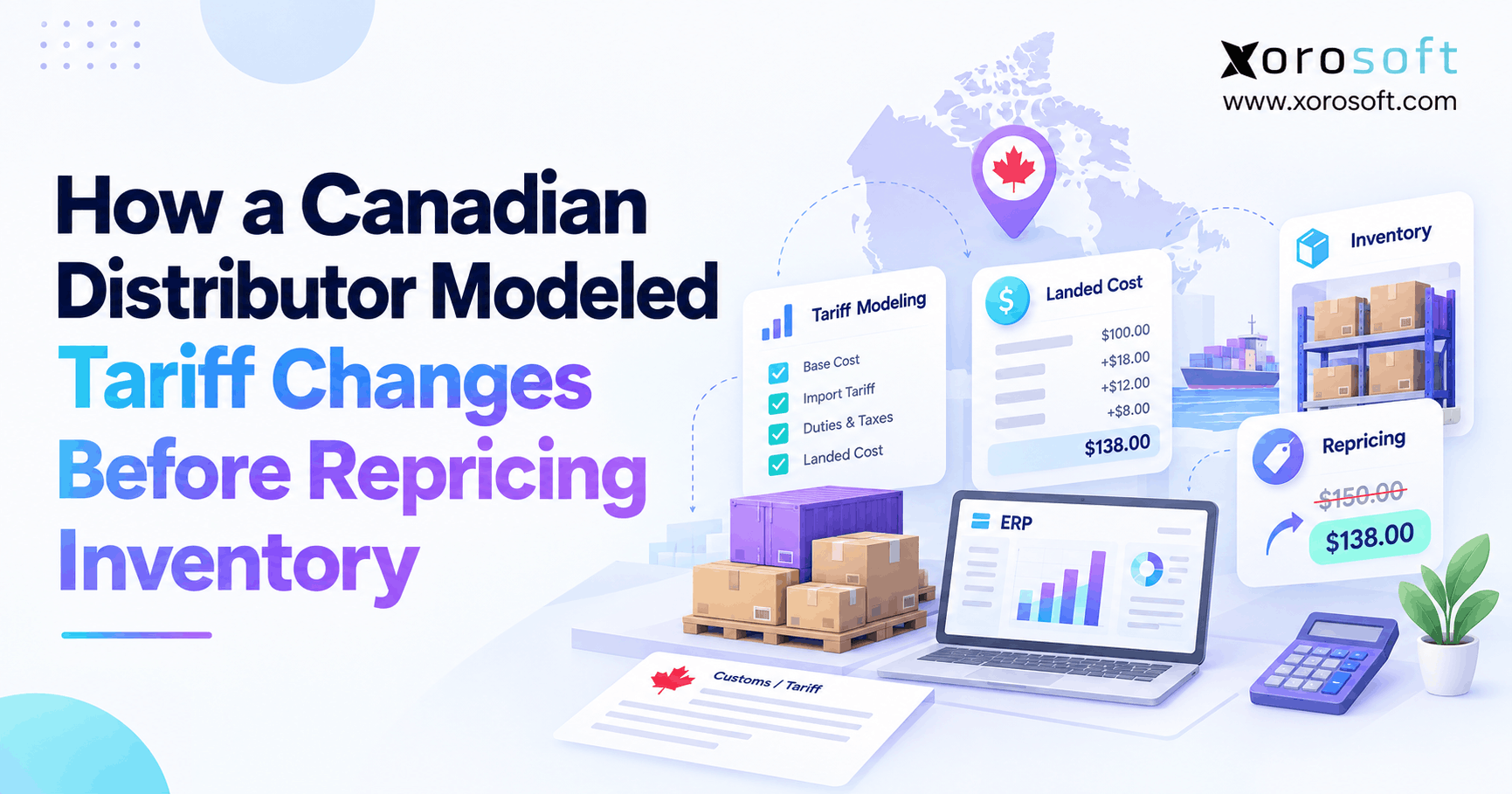 Tariff Scenario Planning: How a Canadian Distributor Modeled Tariff Changes Before Repricing Inventory