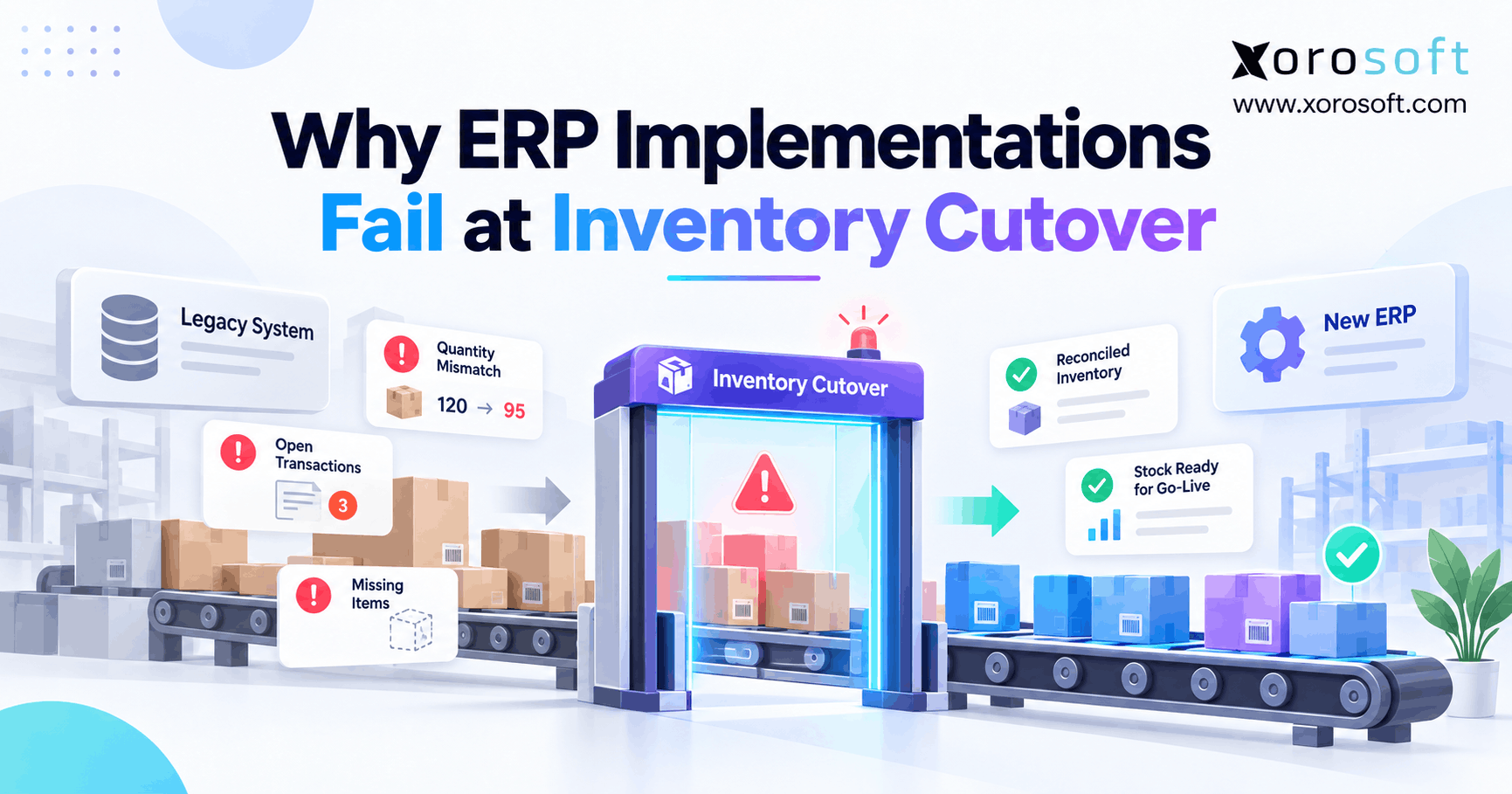
If your organisation is preparing for an ERP inventory cutover, planning and precision are essential for success.
1. ERP Inventory Cutover Is Where Go-Live Risk Becomes Real
ERP inventory cutover is the point where the old system stops being the main stock record and the new ERP takes control. Because inventory keeps changing until that point, even a small gap can quickly affect warehouse work, customer orders, purchasing, and finance. Therefore, a successful cutover needs more than a clean import file.
Moreover, the team must prove that the new ERP knows what the business owns, where each item sits, what customers have already reserved, and what that stock is worth. As a result, ERP inventory cutover should be treated as a controlled business change rather than a simple data upload.
In addition, the warehouse cannot work from one inventory number while finance works from another. Likewise, ecommerce cannot promise stock that the warehouse cannot actually ship. Therefore, every team needs to agree on the opening inventory position before normal work starts.
1.1 Why Inventory Cutover Carries More Risk Than Master Data
Customer names, supplier records, and payment terms usually change slowly. Inventory, however, can change every minute.
For example, a warehouse may receive a purchase order while another team ships customer orders. Meanwhile, Shopify may create new demand, a transfer may leave one site, and a return may arrive at another warehouse.
Consequently, a correct inventory file can become outdated very quickly. Therefore, the cutover plan must define exactly when stock-changing work stops, which records will move, and who will approve the final balance.
1.2 Inventory Is More Than One Stock Number
On-hand stock and available stock are not always the same.
For example, a company may physically hold 500 units. However, 80 units may already support customer orders, 25 may sit in quality control, and 15 may be damaged.
Therefore, loading all 500 units as available creates a problem immediately. Instead, the new ERP should preserve the stock states that control what sales, warehouse, and purchasing teams can actually use.
In addition, inventory in transit may belong to the company even though it has not reached its next warehouse. As a result, the team must account for ownership and physical location separately.
2. What ERP Inventory Cutover Must Get Right
ERP inventory cutover succeeds only when several parts of the stock record agree. First, quantities must match. Next, warehouse and bin locations must match. Moreover, stock status, lots, serial numbers, open orders, and costs must also make sense.
Therefore, teams should never approve the cutover simply because the company-wide total looks correct.
2.1 Match Item Data Before ERP Inventory Migration
First, confirm that each active SKU exists correctly in the new ERP.
Check:
- SKU codes
- product names
- units of measure
- product variants
- warehouse rules
- lot controls
- serial controls
- cost settings
- inventory accounts
For example, the old system may treat one case as 24 individual units. However, if the new ERP treats one case as one unit, the import can technically finish while the inventory remains wrong.
Therefore, item data must be stable before the business loads opening inventory.
2.2 Match Warehouses and Bins
Next, check where the inventory sits.
A company-wide total can hide large location errors. For example, Warehouse A may be 500 units too high while Warehouse B is 500 units too low. Although the overall total still matches, both warehouse teams now have bad information.
Therefore, teams should check stock in this order:
Company → Warehouse → Bin → Status → Lot or Serial
As a result, the team can find location errors before receiving, picking, and shipping begin.
2.3 Check Quantity and Value During Inventory Cutover
Inventory quantity can match while inventory value fails.
For example, 20,000 units may move correctly into the ERP. However, bad average costs, standard costs, landed costs, or unit conversions may still create the wrong inventory asset.
Therefore, operations should approve quantities while finance approves value.
Moreover, the team should compare both results before go-live. Otherwise, the warehouse may believe the cutover succeeded while accounting discovers a large difference later.
3. Why Inventory Cutover Fails Before Migration Starts
Many ERP problems begin days or weeks before the final load. Therefore, teams should look upstream instead of blaming the migration tool immediately.
In particular, three problems create many avoidable errors: bad starting inventory, unclear freeze rules, and missing post-extract changes.
3.1 The Old Inventory Was Already Wrong
First, a new ERP cannot fix a bad starting balance by importing it correctly.
For example, if the old system shows 80 units while the warehouse physically holds 74, moving 80 units into the new ERP only carries the old error forward.
Therefore, teams should resolve material stock gaps before cutover. In addition, regular cycle counts can help find high-risk items before the final migration window.
However, not every small difference requires a full warehouse shutdown. Instead, operations and finance should agree on which gaps must be corrected before the opening balance is approved.
3.2 Define the ERP Cutover Freeze Clearly
“Stop using the old system Friday night” is not a useful freeze rule.
Instead, teams need exact instructions.
For example:
- When does receiving stop?
- When does picking stop?
- Can emergency orders ship?
- Can production issue materials?
- Can staff enter stock adjustments?
- Can warehouse transfers continue?
- Can returns still be processed?
Because each action changes stock, unclear rules create records that may fall between systems.
Therefore, the ERP cutover plan should state what stops, when it stops, who can approve an exception, and when each process can restart.
3.3 Track Every Post-Extract Inventory Cutover Change
Suppose the final stock file is taken at 8:00 PM. However, the warehouse ships 20 units at 8:15 PM.
If the team does not capture that change, the new ERP starts 20 units too high.
Therefore, the business must either stop stock activity completely or record every change after the extract.
Moreover, the same rule applies to receipts, returns, transfers, production issues, adjustments, and finished goods.
As a result, the opening balance reflects the true closing position rather than an older snapshot.
4. Build an ERP Cutover Sequence Everyone Can Follow
An ERP cutover plan needs a clear order because every stock-changing event must belong to either the old system or the new one.
Therefore, do not rely on a broad weekend checklist. Instead, build a timed sequence with named owners and clear proof points.
4.1 Define the ERP Cutover Boundary
First, choose the exact point when responsibility moves to the new ERP.
For example:
Transactions completed before 8:00 PM Friday stay in the old system. New warehouse transactions begin only after ERP approval.
However, online orders may continue during the freeze. Therefore, ecommerce needs its own rule.
Likewise, EDI orders, marketplace orders, and supplier messages may continue to enter a queue. As a result, the team must know how those records will be held and when they will enter the new system.
4.2 Decide What Will Close, Move, or Restart
Next, review every open transaction type.
| Record | Close in Old System | Move to ERP | Recreate | Check After Load |
|---|---|---|---|---|
| Opening inventory | Yes | Yes | ||
| Open sales orders | Sometimes | Sometimes | Sometimes | Yes |
| Open purchase orders | Sometimes | Sometimes | Sometimes | Yes |
| Transfers | Sometimes | Sometimes | Yes | |
| Returns | Sometimes | Sometimes | Yes | |
| Lots and serials | Yes | Yes |
Therefore, teams should not apply one rule to every record.
Instead, the choice should depend on the transaction stage, accounting needs, audit needs, and how much work has already happened in the old system.
4.3 Use One Inventory Cutover Sequence
A practical flow is:
Clean → Freeze → Extract → Load → Add Deltas → Check → Approve → Release
First, clean the data. Next, stop or control stock movements. Then, capture the final source position.
Afterward, load opening inventory and apply approved changes that happened after extraction.
Finally, reconcile the results and obtain approval.
Because every stage has a clear result, the team can stop when something does not match. Therefore, known errors do not automatically flow into live operations.
5. Reconcile Stock Beyond the Grand Total
A good inventory check moves from broad totals to detailed positions. Therefore, the business should not stop once total units match.
Instead, teams should use several control levels so they can find the exact source of a difference.
5.1 Check Units First
First, compare the number of active SKUs and total units.
Next, compare those units by warehouse. Then, check bins, stock status, lots, and serials where required.
| Problem | Likely Cause |
|---|---|
| Total quantity wrong | Missing or duplicate records |
| Total right, warehouse wrong | Warehouse mapping |
| Warehouse right, bin wrong | Bin mapping |
| On hand right, available wrong | Allocation or stock status |
| Lot total wrong | Lot migration |
| Quantity right, value wrong | Cost setup |
Therefore, each check narrows the search area.
Moreover, fixing a detailed mapping issue becomes much easier when the team knows the company-level total is already correct.
5.2 Reconcile Cost After ERP Inventory Migration
Next, finance should review inventory value.
Because cost errors do not always change quantity, warehouse testing may not expose them. However, those errors can later affect the balance sheet, margin, and cost of goods sold.
Therefore, finance should compare opening value by useful control groups such as warehouse, item group, or account.
In addition, companies moving away from separate stock and accounting tools may benefit from a connected platform such as XoroONE, where inventory, purchasing, warehouse work, reporting, and finance share one operating environment.
Still, a connected system does not remove the need for ERP inventory cutover checks. Instead, it makes it easier to keep one inventory truth after the opening balance is approved.
6. Open Orders Can Break Inventory Cutover
Open transactions often create some of the hardest inventory cutover errors because they affect inventory both now and later.
Therefore, teams must understand the opening stock balance as well as the records that will change that balance next.
6.1 Handle Sales Orders During Inventory Cutover
A sales order may already reserve stock in the old system.
If the new ERP loads all units as available and then recreates the order, available stock may appear too high for a short period.
However, if the team carries an old reservation and creates a new one as well, the ERP may reserve the same units twice.
Therefore, the cutover plan should define remaining quantity, allocation state, shipment status, and ownership for every open sales order group.
As a result, available stock stays closer to what the business can actually promise.
6.2 Review Open Purchase Orders Carefully
Purchase orders create the same risk on the inbound side.
For example, a supplier may have shipped 500 units while the old system has already received 200. Therefore, the team must decide whether the new ERP receives only the remaining 300 units or follows another approved method.
In addition, finance needs to know where the future supplier invoice will post.
A connected XoroERP setup can keep purchasing, inventory, warehouse activity, and accounting tied to the same business flow after go-live.
However, teams still need clear rules for partially received purchase orders during the cutover itself.
6.3 Handle Transfers During ERP Cutover
Transfers need special care because stock may be between locations.
For example, goods may have left Warehouse A but not yet reached Warehouse B.
Therefore, loading those goods as available in Warehouse B creates stock that employees cannot physically use.
Instead, the team should preserve the correct in-transit state until the destination receives the shipment.
Likewise, if the old system still shows the goods at the source, the team should correct that state before the new ERP begins normal work.
7. Ecommerce and Integrations Need Their Own Go-Live Plan
Ecommerce makes ERP inventory cutover harder because customer demand does not stop just because the warehouse does.
Therefore, teams need a separate plan for online orders, marketplaces, EDI, shipping tools, and other connected apps.
7.1 Control Order Queues
First, decide whether integrations will pause.
If they pause, determine where new orders will wait. Next, define how the team will restart the feed without creating duplicates.
For example, Shopify orders may continue during a warehouse freeze. Therefore, the team needs to know the last order sent to the old system and the first order that should enter the new ERP.
In addition, Xorosoft’s listing in the Shopify App Store provides an external reference for its Shopify ERP connection.
7.2 Restart Integrations After ERP Cutover in Stages
Next, avoid restarting every connection at once.
Instead, confirm opening inventory first. Then, restart the most important transaction flows in a planned order.
For example:
1. ERP inventory
2. Warehouse operations
3. Order imports
4. Inventory updates
5. Shipping updates
6. Accounting feeds
Therefore, if something breaks, the team can find the source more quickly.
Moreover, businesses can review Xorosoft’s broader integrations capabilities when planning ecommerce, marketplace, EDI, and connected system flows.
8. A Mock ERP Inventory Cutover Should Feel Like the Real One
A mock ERP inventory cutover should not be a tiny sample test.
Instead, it should copy the real event as closely as possible. Therefore, use realistic data volume, the planned migration tools, the real project roles, and the same task order planned for go-live.
8.1 Time Each Step
First, record how long every task takes.
| Task | Planned Time | Actual Time |
|---|---|---|
| Final extract | 45 min | 58 min |
| Inventory load | 60 min | 55 min |
| Lot load | 30 min | 68 min |
| Quantity check | 75 min | 95 min |
| Value check | 60 min | 70 min |
Because the cutover window is limited, timing matters.
Therefore, a task that technically works but takes twice as long as planned can still create a go-live risk.
8.2 Record Every ERP Cutover Exception
Next, record each issue rather than fixing it quietly.
For example:
- missing SKU
- bad warehouse map
- duplicate order
- wrong unit conversion
- cost gap
- failed interface
- missing lot
- incorrect stock state
Consequently, the rehearsal produces a real risk list instead of an artificial pass.
Microsoft also recommends detailed planning, testing, validation, ownership, and rehearsal in its Dynamics 365 cutover guidance.
Therefore, a rehearsal should test the process, not merely prove that a file can load.
8.3 Repeat Until the Process Is Stable
Finally, repeat the weak parts.
A rehearsal should not exist simply so the project can say it completed one. Instead, it should prove that the team can move, check, and approve the required data inside the available window.
Therefore, unresolved failures should trigger another test.
Moreover, the next test should measure whether the fix actually improved the result rather than hiding the same problem.
9. Set Clear Go/No-Go Rules Before the Weekend
A go/no-go meeting should not depend on who feels confident.
Instead, the project should define approval rules before the ERP inventory cutover starts.
9.1 Use ERP Cutover Control Areas
At a minimum, review:
- stock quantity
- warehouse balances
- stock status
- open orders
- inventory value
- key integrations
- warehouse readiness
- user access
- rollback readiness
Therefore, each team knows what “ready” means before pressure increases.
In addition, every control should have an owner. For example, operations may approve quantities while finance approves value.
As a result, the final decision depends on evidence rather than assumptions.
9.2 Set Business-Specific Tolerances
Do not copy another company’s tolerance rules.
For example, a small value gap may be acceptable for one business but material for another. Likewise, one missing low-cost item may create little risk, while one missing serialized unit may create a serious control problem.
Therefore, operations and finance should agree on acceptable differences before cutover.
For multi-warehouse businesses, XoroWMS can support receiving, inventory control, transfers, picking, packing, and warehouse visibility after the opening stock is approved.
10. The First 72 Hours Matter as Much as Cutover Night
ERP inventory cutover does not end when the project team turns on the new system.
Instead, the first live transactions show whether opening inventory behaves correctly.
Therefore, teams should watch the first few days closely rather than immediately closing the implementation project.
10.1 Test Live Flows After ERP Inventory Cutover
Check the first:
- purchase receipt
- warehouse pick
- customer shipment
- warehouse transfer
- customer return
- ecommerce order
- inventory adjustment
- finance posting
- manufacturing material issue
Because each transaction touches inventory differently, these tests can reveal problems that static reports miss.
For example, total inventory may look right while a shipment deducts stock from the wrong location.
Therefore, test both the transaction result and the new balance.
10.2 Create a Fast Issue Process
Next, every live issue should include:
- the problem
- affected SKU or order
- business impact
- owner
- short-term action
- final fix
- status
Therefore, the team can separate one-off user mistakes from wider system problems.
Moreover, avoid unexplained stock adjustments just to make reports match. Otherwise, the new ERP begins with hidden errors.
Instead, investigate the source first and document every approved correction.
11. Different Industries Face Different Go-Live Risks
The core rules of ERP inventory cutover remain similar across industries. However, the details change based on how a business buys, stores, tracks, makes, and sells products.
Therefore, the cutover plan should reflect the operating model rather than follow a generic template.
Xorosoft supports several inventory-heavy markets through its industries focus.
11.1 Apparel and Fashion
Apparel companies often manage many style, color, and size combinations.
Therefore, a company-wide total provides very little proof.
Instead, validate stock at the variant and warehouse level. Moreover, review returns and reserved ecommerce inventory because both can quickly change available stock.
For example, 100 units of one style may look correct in total while the wrong sizes sit in the wrong warehouse.
As a result, SKU-level detail matters more than a broad category total.
11.2 Wholesale Inventory Cutover Needs Allocation Checks
Wholesale businesses should focus heavily on:
- customer allocations
- backorders
- open purchase orders
- EDI orders
- transfers
- customer commitments
Because a large B2B order may reserve hundreds of units, one allocation error can affect several customers at once.
Therefore, the team should compare available, allocated, and backordered quantities before release.
In addition, wholesale teams should confirm that EDI orders waiting during the freeze enter the new ERP only once.
11.3 Furniture
Furniture companies often manage long lead times, large products, containers, and several storage sites.
Therefore, goods in transit need extra attention.
In addition, warehouse location errors can create major picking delays even when the total inventory is right.
For example, a sofa may exist in the ERP but sit in another building or zone.
Consequently, location accuracy matters as much as quantity for day-one warehouse work.
11.4 Food and Beverage
Food businesses may need to preserve lot, batch, expiry, and trace data.
Therefore, teams should never approve the cutover based only on total quantity.
Instead, detailed lot records should match the inventory summary and the physical goods.
Moreover, damaged, expired, or quarantined stock should not suddenly become available for sale.
As a result, stock status and trace data become key approval points.
11.5 Manufacturing Inventory Cutover Must Include WIP
Manufacturers have another layer of risk because stock can sit inside production.
For example, raw materials may already be issued to work orders. Meanwhile, finished goods may wait for final receipt.
Therefore, teams should check:
- raw materials
- components
- work in process
- subassemblies
- finished goods
- open work orders
- material commitments
In addition, the cutover team should define when production stops and restarts.
Otherwise, inventory may be consumed in one system while the new ERP starts from an older balance.
12. Choose an ERP Model That Protects Stock After Go-Live
A strong ERP inventory cutover creates a clean start. However, the ERP must still protect inventory accuracy every day afterward.
Therefore, teams should evaluate the full operating model rather than focusing only on migration.
12.1 Keep Inventory and Warehouse Work Connected
Receiving, put-away, picking, packing, transfers, counts, and adjustments should update the same stock record.
As a result, teams reduce manual updates between systems.
Moreover, warehouse workers should see the same location and availability data that sales and planning teams use.
Otherwise, teams may recreate the same data gaps that existed before the ERP project.
12.2 Connect Purchasing With Stock
Purchasing should use current stock, open demand, incoming supply, and supplier information.
Therefore, buyers can make better decisions after cutover rather than rebuilding spreadsheet processes around the ERP.
In addition, receipt activity should update the same inventory picture used by warehouse and finance teams.
As a result, open purchase orders become easier to track from order through receipt.
12.3 Connect Inventory and Finance
Inventory movement eventually affects money.
Therefore, receipts, shipments, adjustments, production activity, and landed costs should feed a clear accounting process.
For inventory-driven businesses, Xorosoft connects inventory, purchasing, warehouse work, ecommerce operations, manufacturing, reporting, and accounting within one cloud ERP environment.
However, no system removes the need for good cutover control.
Instead, a connected platform helps the business maintain one inventory view after the opening balances are correct.
13. Use This ERP Inventory Cutover Checklist Before Go-Live
ERP inventory cutover should end with proof rather than assumptions.
Therefore, use a final checklist before the business returns to normal work.
13.1 Before the ERP Inventory Cutover Freeze
First:
- clean item records
- confirm units of measure
- check warehouse mappings
- review lot and serial rules
- resolve major stock gaps
- clear avoidable open records
- assign owners
- complete the cutover rehearsal
In addition, confirm which ecommerce, EDI, and warehouse connections will pause.
Therefore, the team enters the freeze with fewer unknowns.
13.2 During the Freeze
Next:
- record the exact freeze time
- stop agreed warehouse work
- control emergency exceptions
- track queued ecommerce orders
- stop or control integrations
- capture post-extract changes
- protect the final source file
Therefore, every stock-changing event remains visible.
Moreover, only approved team members should change cutover data during this period.
13.3 After the Load
After migration:
- match SKU counts
- match total quantity
- match warehouses
- match bins
- match stock status
- match lots and serials
- match open orders
- match inventory value
- test key integrations
Therefore, the team can compare both operating and finance views before release.
In addition, every material difference should have a documented reason and owner.
13.4 Before Release
Finally, ask one question:
Can operations and finance both prove that the opening inventory is right?
If the answer is no, the business should resolve the gap before full release.
Therefore, successful ERP inventory cutover depends on control, ownership, and proof rather than speed alone.
Moreover, teams should document any accepted exception so post-go-live staff know exactly what remains open.
14. Make the Final Transition a Controlled Business Change
ERP inventory cutover fails when a company treats it as a file-transfer task instead of a live business change.
Therefore, start with accurate stock. Next, control warehouse activity. Then, move only the records the new ERP needs. Afterward, match quantity, location, stock status, open orders, and value before users begin normal work.
Moreover, rehearse the full process rather than testing only small sample files. As a result, timing gaps, missing data, and unclear ownership appear before the real cutover.
Finally, choose an ERP setup that keeps inventory, warehouse work, purchasing, ecommerce, manufacturing, and finance connected after go-live.
If your team is planning an ERP move and wants to see how these connected workflows work in Xorosoft, Book a Demo.
FAQs
What is ERP inventory cutover?
ERP inventory cutover is the controlled move of stock quantities, locations, costs, open transactions, and related inventory data from the old system into the new ERP before live operations begin.
Why does ERP inventory cutover fail?
It often fails because starting stock is wrong, transactions continue after extraction, warehouse mappings fail, open orders are handled badly, or inventory quantity and financial value do not match.
Should inventory be frozen before ERP go-live?
Usually, yes. However, the freeze should match the business model. Teams may fully stop warehouse work or control approved exceptions while recording every stock change after the final extract.
Should a business count inventory before ERP cutover?
A count helps when current stock accuracy is weak. However, businesses with strong cycle-count controls may use trusted system balances if operations and finance have already checked them.
How should open orders be handled during cutover?
Teams should decide whether each open order will finish in the old system, move into the ERP, or be recreated. Therefore, stock commitments do not disappear or get counted twice.
What should teams check after ERP go-live?
Check the first receipts, picks, shipments, transfers, returns, ecommerce orders, stock adjustments, and accounting entries. In addition, compare their inventory and financial effects with expected results.
What is a mock ERP cutover?
A mock cutover is a full rehearsal using realistic data, tools, users, and timing. Therefore, teams can find migration, workflow, integration, and timing problems before production go-live.
Recent Posts
-
 ERP Landed Cost Module vs Spreadsheet Calculations for Importers
 -
 How to Build an Open-to-Buy Plan for an Omnichannel Brand
 -
 Cold Storage WMS for Food and Beverage Distribution
 -
 ERP Buying Statistics 2026: Evaluation, Implementation, and Adoption Risks
 -
 How a Distributor Reduced B2B Order Exceptions Without Restricting Sales



