For businesses managing inventory, choosing the right WMS software can make a significant difference in efficiency and accuracy.
1. Warehouse Complexity Is Where Inventory Problems Start
WMS software becomes important when a business can no longer manage warehouse work through memory, spreadsheets, paper pick lists, or disconnected apps. At first, warehouse operations may feel simple. A small team knows where products are stored, orders are manageable, and inventory issues can be fixed manually. However, that simplicity usually disappears as the business grows.
More SKUs enter the catalog. In addition, sales channels expand across Shopify, Amazon, wholesale, retail, and EDI. Soon, multiple order sources compete for the same inventory. A second warehouse, 3PL, or storage location may also enter the operation. As a result, warehouse work becomes harder to control with basic tools.
The problem is not only that the warehouse gets busier. More importantly, every warehouse mistake spreads into other departments. A receiving error can create false inventory availability. Meanwhile, a misplaced item can delay fulfillment. A delayed stock update can cause overselling. Similarly, a missing adjustment can slow month-end close.
Because of this, growing inventory-driven businesses eventually need more than basic stock tracking. They need warehouse management software that controls how inventory is received, stored, picked, packed, shipped, counted, returned, and reported.
A strong warehouse system gives the business one clear answer to a critical question: what is happening to inventory right now?
2. What Is WMS Software?
2.1 WMS Software Definition
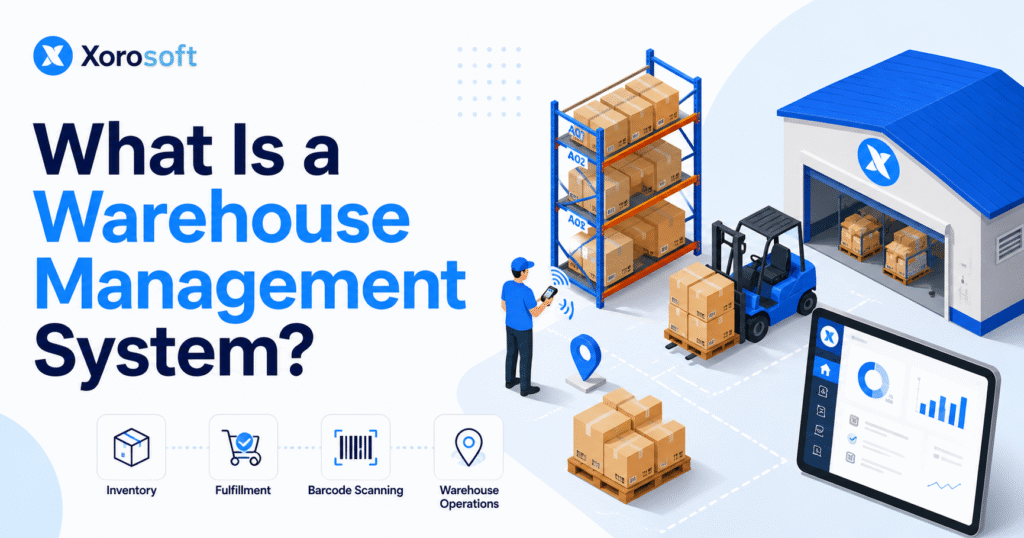
WMS software, or warehouse management system software, is a system used to manage daily warehouse operations. It helps businesses control the physical movement of inventory from receiving to putaway, storage, picking, packing, shipping, returns, and cycle counting.
In practical terms, warehouse management software helps teams understand what inventory arrived, whether the received quantity was correct, where stock should be stored, which bin contains each item, which orders need to be picked first, whether the correct product was packed, whether an order has shipped, and whether the inventory count is still accurate.
Instead of relying on manual updates after work is done, WMS software records warehouse activity as it happens. Therefore, teams get better visibility, fewer errors, and a more reliable view of inventory.
2.2 What Warehouse Management Software Actually Controls
Warehouse management software controls the execution layer of inventory operations. It does not only track how much stock exists. Instead, it manages where that stock is, what condition it is in, whether it is available, and how it moves through the warehouse.
For example, when a shipment arrives from a supplier, the warehouse team receives it against a purchase order. Then, the system guides putaway into the right bin, shelf, zone, or pallet location. Later, when a customer order comes in, the system helps the picker locate the item and confirm the correct quantity. After packing and shipping, inventory availability updates.
This creates a chain of control. Each warehouse movement becomes traceable, and each team works from better information.
2.3 Why WMS Software Matters for Growing Businesses
WMS software matters because warehouse accuracy affects sales, finance, purchasing, fulfillment, and customer experience.
If warehouse data is unreliable, ecommerce platforms may show incorrect stock. In addition, wholesale teams may promise inventory that does not exist. Purchasing teams may reorder too late or too early. Accounting teams may struggle with inventory valuation. At the same time, warehouse teams may lose hours searching for products.
As a result, warehouse management software becomes less about “warehouse tools” and more about business control. It gives operators the structure needed to scale inventory movement without letting errors multiply.
3. How WMS Software Works
3.1 The Core Warehouse Management Software Workflow
Most WMS software follows a structured warehouse workflow. First, the warehouse team receives inventory and verifies quantities against purchase orders, transfers, production orders, or return records. Next, the system assigns items to the correct storage locations so workers can put products away with fewer mistakes.
After that, stock is tracked by warehouse, zone, aisle, rack, shelf, bin, pallet, or carton. Once orders are ready for fulfillment, the system releases picking tasks and guides workers to the right products. Then, packing validation helps confirm that each order contains the correct items before shipment.
Finally, shipping updates inventory availability, returns are processed through a defined workflow, and cycle counts help keep stock records accurate over time. Because each step creates a record, warehouse leaders can see not only how much inventory exists but also where it moved, how it moved, and what needs attention.
3.2 Receiving in a Warehouse Inventory System
Receiving is the first control point in warehouse operations. If goods are received incorrectly, inventory errors begin before products even reach the shelf.
A warehouse inventory system helps teams compare incoming stock against purchase orders, transfer orders, production orders, or return authorizations. In addition, it can capture damaged goods, partial shipments, lot numbers, serial numbers, expiry dates, and quantity differences.
Clean receiving prevents many downstream issues. For instance, it helps purchasing understand supplier performance, finance track inventory value, and fulfillment teams trust available stock.
3.3 Putaway and Bin Location Control
Putaway is the process of moving received inventory into the right storage location. In a small warehouse, this may be simple. However, in a larger warehouse, it requires rules.
Warehouse management software can guide putaway based on product size, category, velocity, temperature needs, lot control, pick frequency, or available space. As a result, teams reduce misplaced stock and help pickers find products faster.
Bin location control is especially important when a business has multiple aisles, racks, shelves, zones, pallets, or warehouse locations. Without clear location control, inventory may exist in the system but remain difficult to find physically.
3.4 Picking, Packing, and Shipping With WMS Software
Picking is one of the most error-prone warehouse tasks. Workers may pick the wrong product, wrong color, wrong size, wrong quantity, or wrong lot. Consequently, these mistakes create returns, customer complaints, reshipments, and extra labor.
WMS software reduces this risk by giving pickers clear instructions. It can show item location, quantity, order priority, and picking method. In addition, barcode scanning can confirm that the worker picked the correct product from the correct location.
Packing then validates the order before shipment. This helps ensure that the right items go into the right carton. Finally, shipping confirms fulfillment, updates inventory, and can send tracking information back to sales channels.
4. Core WMS Software Features for Daily Warehouse Control
4.1 Inventory Tracking by Location
Inventory tracking by location is one of the most important features of warehouse management software. It tells teams exactly where inventory is stored, whether it sits in a warehouse, zone, aisle, rack, shelf, bin, pallet, carton, lot, or serial-controlled location.
Total inventory quantity is not enough. For example, if the system says 500 units exist but no one knows where they are, the inventory is not operationally useful.
4.2 Barcode Scanning and Mobile WMS Workflows
Barcode scanning helps reduce manual entry and improves process discipline. Instead of typing SKUs or writing updates on paper, workers scan products, bins, cartons, orders, and pallets.
Mobile WMS workflows allow warehouse staff to complete tasks from handheld scanners, tablets, or mobile devices. Therefore, inventory gets updated while work is happening instead of hours later.
For businesses with high SKU counts, barcode scanning is not just convenient. It becomes essential for accuracy.
4.3 Receiving, Putaway, and Bin Control
Receiving and putaway features help teams control inbound inventory. The system verifies what arrived, records differences, and helps workers store goods correctly.
Putaway also improves location accuracy. As a result, warehouse teams can reduce misplaced stock and help pickers find products faster.
4.4 Picking, Packing, and Shipping Management
Picking and packing management helps teams fulfill orders accurately and efficiently. WMS software can support single-order picking, batch picking, wave picking, and zone picking.
Packing validation confirms that the right items are included before an order leaves the warehouse. Finally, shipping updates fulfillment status and inventory availability.
4.5 Cycle Counting, Returns, and Warehouse Reporting
Cycle counting helps teams count selected inventory regularly instead of waiting for one large physical count. In addition, returns management helps decide whether returned products should be restocked, quarantined, repaired, written off, or reviewed.
Warehouse reporting then gives operators visibility into picking accuracy, order aging, receiving delays, inventory discrepancies, cycle count results, labor productivity, and stock movement.
5. WMS Software vs Inventory Management Software
5.1 What Inventory Management Software Does
Inventory management software tracks stock quantities, item details, reorder points, suppliers, and sometimes purchase orders. It is useful when the main problem is knowing how much stock the business has.
For small businesses, inventory management software may be enough. If there is one warehouse, one sales channel, low order volume, and a small SKU count, simple inventory tracking can work for a while.
5.2 What WMS Software Does Differently
WMS software goes deeper than stock quantity. It manages the movement of inventory inside the warehouse. It helps teams understand where the product is, which bin has available stock, who moved the item, which order should be picked first, whether the correct item was scanned, whether the shipment was confirmed, and whether stock is available, committed, damaged, reserved, or in transit.
In short, inventory management software tracks inventory. By comparison, WMS software manages warehouse execution.
5.3 WMS Software vs Inventory Management Software Comparison
Inventory management software is usually designed to track stock quantities, reorder points, suppliers, and item-level records. It works well when operations are simple and the main question is how much inventory exists.
By contrast, WMS software controls warehouse execution. It manages locations, picking workflows, barcode scanning, packing validation, cycle counting, multi-warehouse visibility, and operational movement. Therefore, a growing business usually needs WMS software when it must control not only how much inventory exists, but also where it is, how it moves, and how accurately it gets fulfilled.
5.4 When Inventory Software Is Enough
Inventory software may be enough when the business has simple operations. A small team with limited SKUs, one warehouse, and low order volume may not need full warehouse management software yet.
However, teams should watch for warning signs. If inventory discrepancies increase, pickers struggle to find products, orders are delayed, or stock availability becomes unreliable, the business may be moving beyond basic inventory tools.
6. WMS Software vs ERP
6.1 What ERP Software Manages
ERP software manages broader business operations. It may include accounting, purchasing, inventory planning, warehouse management, manufacturing, forecasting, reporting, and ecommerce operations.
An ERP is usually the central system of record for operational and financial data. Therefore, it connects warehouse activity with the business functions that depend on accurate inventory.
6.2 What WMS Software Manages
WMS software focuses on warehouse execution. It manages receiving, putaway, storage, picking, packing, shipping, returns, cycle counting, and warehouse visibility.
The distinction is important. WMS software helps the warehouse move inventory correctly. Meanwhile, ERP software helps the business manage operations, finance, purchasing, planning, and reporting.
6.3 WMS Software vs ERP Comparison
WMS software is mainly focused on warehouse execution. Its strength is receiving, putaway, picking, packing, shipping, warehouse visibility, and inventory movement control.
ERP software manages broader business operations. It can include accounting, purchasing, inventory planning, manufacturing, forecasting, reporting, and financial workflows. Therefore, an ERP is usually more cross-functional, while a WMS is more warehouse-specific.
A standalone WMS may be enough when warehouse execution is the main bottleneck. However, ERP-connected WMS functionality becomes more useful when warehouse activity needs to update accounting, purchasing, ecommerce, manufacturing, and reporting in one connected system.
6.4 Standalone WMS vs ERP WMS
Standalone WMS software can work well when the warehouse is the main operational bottleneck. However, growing businesses often need warehouse data to connect with purchasing, accounting, ecommerce, and manufacturing.
That is where ERP WMS functionality becomes valuable. For example, a receiving update should inform available inventory, purchasing, landed cost, accounting, and fulfillment. If those systems are disconnected, teams may still spend hours reconciling data.
7. Types of Warehouse Management Software
7.1 Standalone WMS Software
Standalone WMS software focuses mainly on warehouse operations. It may offer deep warehouse workflows, but it usually needs integrations with ecommerce, accounting, shipping, purchasing, and ERP systems.
This can work well for businesses that want specialized warehouse functionality and already have reliable integrations.
7.2 ERP-Based Warehouse Management Software
ERP-based warehouse management software connects warehouse execution with broader business operations. This approach is useful when inventory movement affects purchasing, accounting, manufacturing, forecasting, and reporting.
For inventory-driven companies, ERP WMS can reduce duplicate data entry. In addition, it helps teams work from one operational source of truth.
7.3 Cloud WMS
Cloud WMS is hosted online and accessed through browsers, scanners, tablets, or mobile devices. It can support distributed teams, multiple warehouses, and remote operational visibility.
Cloud-based systems are common for growing ecommerce, wholesale, distribution, and manufacturing businesses. After all, these teams often need access from warehouses, offices, and remote locations.
7.4 Ecommerce Warehouse Management Software
Ecommerce warehouse management software focuses on fulfillment from online channels. It may connect with Shopify, Amazon, marketplaces, shipping carriers, and order management workflows.
This type of system is useful when online orders create fast inventory movement and high fulfillment expectations.
7.5 Enterprise WMS
Enterprise WMS platforms support complex warehouse networks, automation, labor planning, robotics, and large-scale distribution. As a result, they are usually best suited for larger organizations with advanced operational needs.
8. Who Needs WMS Software?
8.1 Ecommerce Brands Need WMS Software When Fulfillment Becomes Complex
Ecommerce brands often need WMS software when Shopify, Amazon, wholesale, and marketplace orders compete for the same inventory.
The challenge is not only order volume. Instead, it is inventory allocation, fulfillment speed, returns, overselling prevention, and real-time stock visibility.
8.2 Wholesale Distributors Need Warehouse Management Software for Allocation
Wholesale distributors often manage bulk orders, customer-specific commitments, case packs, EDI workflows, and multiple ship dates.
Warehouse management software helps wholesale teams control allocation, picking, packing, and inventory availability across locations. In addition, it helps reduce confusion when multiple customers want the same stock.
8.3 Apparel and Fashion Brands Need SKU-Level Control
Apparel businesses often manage size, color, style, season, and channel variations. This creates high SKU complexity.
WMS software helps apparel teams reduce pick errors and improve inventory accuracy across fast-moving product variations.
8.4 Furniture and Sporting Goods Businesses Need Location Accuracy
Furniture and sporting goods businesses often deal with bulky items, large storage footprints, seasonal demand, and product variations.
A warehouse inventory system helps teams track location, movement, and availability more reliably. As a result, teams can reduce search time and avoid unnecessary handling.
8.5 Food, Beverage, and Manufacturing Teams Need Stronger Inventory Discipline
Food, beverage, and manufacturing businesses may need lot tracking, expiry control, raw material visibility, finished goods tracking, and production coordination.
Warehouse accuracy matters because stock movement affects both fulfillment and production planning. Therefore, these businesses usually need stronger process control as they scale.
9. Who May Not Need WMS Software Yet?
9.1 Small Businesses With Simple Warehouse Operations
Not every business needs full WMS software immediately. A small business with low SKU count, low order volume, and one simple storage area may be fine with basic inventory software.
The key question is not company size alone. Instead, the real question is operational complexity.
9.2 Teams That Can Still Maintain Inventory Accuracy Manually
If the team can consistently receive, store, pick, pack, and ship orders without recurring errors, a full warehouse system may not be urgent.
However, manual control usually weakens as order volume, staff count, and channel complexity increase.
9.3 Businesses That Only Need Basic Stock Visibility
Some businesses only need basic stock visibility. They may not need bin-level control, directed picking, mobile scanning, cycle counting, or advanced warehouse workflows yet.
Still, if those needs are starting to appear, planning early can prevent painful system changes later.
10. Signs You Have Outgrown Manual Warehouse Management
10.1 Inventory Discrepancies Keep Increasing
Inventory discrepancies are one of the clearest signs that warehouse processes are breaking down. If the system says stock is available but the warehouse cannot find it, the business has a control problem.
This usually happens when receiving, putaway, picking, returns, or adjustments are not recorded accurately. As a result, teams spend more time fixing errors than preventing them.
10.2 Pickers Spend Too Much Time Searching
When pickers search for products instead of following clear locations, fulfillment slows down. Search time creates labor waste and delays customer orders.
Warehouse management software helps by giving workers accurate location instructions and scan-based confirmation. In turn, the warehouse can move from guesswork to repeatable execution.
10.3 Stockouts and Overstock Happen at the Same Time
Stockouts and overstock often appear together when visibility is poor. One item may be reordered even though units exist in another location. Meanwhile, another product may run out because demand was not visible soon enough.
This creates cash flow pressure and customer service problems. Therefore, the business needs better inventory movement data, not just more spreadsheets.
10.4 Month-End Inventory Reconciliation Takes Too Long
Warehouse problems often show up in finance. If accounting teams spend too much time reconciling inventory, the warehouse may not be capturing movement correctly.
Inventory valuation depends on clean receiving, shipping, transfers, returns, and adjustments. Because of this, warehouse accuracy becomes a financial control issue as well as an operational issue.
10.5 Multi-Warehouse Management Becomes Confusing
Once a business adds another warehouse, 3PL, retail location, or storage facility, manual processes become risky.
Teams need to know which location has available stock, which warehouse should fulfill an order, and when transfers are required. Otherwise, inventory may sit in one location while another location loses sales.
11. WMS Software for Shopify and Ecommerce Operations
11.1 Shopify Warehouse Management Needs More Than Stock Sync
Shopify is strong for ecommerce storefronts, but growing merchants often need deeper operational control behind the store. Stock sync alone does not solve receiving errors, location problems, picking mistakes, purchasing gaps, or accounting reconciliation.
For Shopify merchants, XoroONE can act as an operational layer behind the storefront by connecting inventory, warehouse workflows, purchasing, accounting, and reporting.
11.2 WMS Software for Multi-Channel Ecommerce
Ecommerce brands often sell through Shopify, Amazon, wholesale, retail, and marketplaces at the same time. This creates shared inventory pressure.
WMS software helps teams coordinate fulfillment across channels without relying on manual updates. In addition, it gives operators better visibility into what is available, committed, packed, shipped, or returned.
11.3 Shopify App Placement for Ecommerce Inventory Workflows
For Shopify-focused readers, the Xorosoft ERP Shopify app fits naturally when discussing ecommerce inventory, order flow, and warehouse synchronization.
This is relevant because Shopify merchants often search for operational systems after they outgrow basic store-level inventory controls. More importantly, ecommerce growth usually requires inventory, warehouse, purchasing, and accounting to work together.
12. Warehouse Management Software for Wholesale Businesses
12.1 Wholesale WMS Requirements
Wholesale businesses often need more than basic picking. They manage larger orders, customer-specific requirements, EDI workflows, inventory allocation, case packs, and ship windows.
A WMS helps warehouse teams fulfill wholesale orders more accurately while maintaining visibility across available, committed, and reserved inventory.
12.2 EDI and Warehouse Fulfillment
EDI adds process pressure because orders, acknowledgments, shipments, and invoices must follow trading partner requirements. If warehouse data is delayed or inaccurate, EDI workflows can break.
A connected warehouse management system helps reduce manual handling and supports more reliable fulfillment. Therefore, wholesale teams can manage trading partner requirements with fewer manual corrections.
12.3 Inventory Allocation for Wholesale Customers
Wholesale allocation can be difficult when multiple customers want the same products. Warehouse management software connected with inventory and order data helps teams decide what stock is available, what is committed, and what should be reserved.
For businesses managing wholesale, ecommerce, and purchasing together, XoroERP becomes relevant as a broader ERP platform for inventory-driven operations.
13. WMS Software for Manufacturing Businesses
13.1 WMS Software for Raw Materials
Manufacturers need to know where raw materials are stored, how much is available, and whether components are ready for production.
If raw material inventory is wrong, production schedules suffer. As a result, manufacturing teams may delay work orders, expedite purchasing, or overbuy components.
13.2 Finished Goods Warehouse Management
Finished goods must be received from production, stored correctly, and made available for sales orders. If finished goods are not recorded accurately, ecommerce and wholesale teams may see incorrect availability.
Because of this, warehouse management software should support the movement between production output and sellable inventory.
13.3 BOM, Work Orders, and Warehouse Visibility
Manufacturing teams often need warehouse visibility connected to BOMs, work orders, purchasing, and production planning.
This is where platforms such as XoroWMS can support businesses that need warehouse execution connected with inventory movement and operational reporting.
14. Benefits of WMS Software
14.1 Better Inventory Accuracy
WMS software improves inventory accuracy by creating structured workflows for receiving, putaway, picking, packing, shipping, returns, and cycle counting.
Instead of correcting errors after the fact, teams capture inventory movement while work happens. Consequently, the system becomes more reliable for sales, purchasing, finance, and operations.
14.2 Faster Fulfillment
Warehouse management software helps teams pick and pack faster because workers follow clear instructions. They know where to go, what to pick, and how to confirm accuracy.
This is especially important for ecommerce brands where delivery expectations are high. In addition, faster fulfillment helps reduce order backlogs during peak periods.
14.3 Lower Manual Data Entry
Manual data entry creates delays and errors. Barcode scanning, mobile workflows, and system-guided tasks reduce the need for workers to update spreadsheets or type item numbers manually.
As a result, warehouse teams spend more time moving inventory and less time correcting records.
14.4 Stronger Multi-Warehouse Visibility
A multi-warehouse management system helps teams see inventory across locations. This improves allocation, order routing, replenishment, and transfer planning.
For example, if one warehouse is out of stock but another location has inventory, the business can make a better fulfillment decision.
14.5 Cleaner Accounting and Inventory Valuation
Inventory is not just an operational asset. It is also a financial asset. When warehouse movements are inaccurate, accounting teams struggle with valuation, cost of goods sold, and month-end close.
A WMS connected with ERP helps create cleaner operational and financial records. Therefore, finance teams can close faster with fewer inventory surprises.
15. Common WMS Software Mistakes
15.1 Choosing WMS Software Before Mapping Warehouse Processes
Many businesses start by comparing software before mapping their actual workflows. This creates poor buying decisions because the team does not yet know what the system must support.
Before selecting a WMS, document receiving, putaway, picking, packing, shipping, returns, transfers, cycle counts, adjustments, and exception handling. Then, compare software against those real workflows.
15.2 Ignoring Barcode Discipline
Barcode scanning only works when teams use it consistently. If workers bypass scans, inventory accuracy will decline.
A successful WMS implementation requires clear process discipline. In other words, the system works best when the warehouse follows the workflow every time.
15.3 Keeping Warehouse and Accounting Data Separate
A warehouse system that does not connect with accounting can still create reconciliation work. Receiving, shipping, transfers, and returns all affect inventory value.
This is why growing businesses often evaluate ERP-connected WMS options instead of isolated warehouse tools. Otherwise, the warehouse may become more efficient while finance remains stuck with manual cleanup.
15.4 Underestimating Training
WMS implementation changes how people work. Warehouse teams need training on scanners, locations, exceptions, returns, cycle counts, and supervisor approvals.
Without training, the system may be technically live but operationally weak. Therefore, implementation should include both software setup and process adoption.
16. How to Choose WMS Software
16.1 Start With Warehouse Pain Points
Start by identifying the problems you need to fix. These often include inventory discrepancies, slow picking, poor location visibility, overselling, stockouts, overstock, long reconciliation cycles, and multi-warehouse confusion.
The right warehouse management software should match the real operational pain. Otherwise, the business may buy features that do not solve the core problem.
16.2 Compare Standalone WMS vs ERP WMS
Standalone WMS software may work if the warehouse is the only major problem. However, ERP WMS functionality may be better when warehouse data must connect with accounting, purchasing, ecommerce, manufacturing, and reporting.
If a business has outgrown QuickBooks, spreadsheets, and disconnected apps, an ERP-based approach may reduce duplicate work.
16.3 Check Ecommerce and Marketplace Integrations
Ecommerce brands should check whether the system connects with Shopify, Amazon, marketplaces, shipping platforms, and order workflows.
Inventory must update quickly. Otherwise, overselling and fulfillment errors continue. In addition, order status should flow back to the channels customers use.
16.4 Review Multi-Warehouse Management Features
If the business has multiple warehouses, review transfer orders, allocation rules, location visibility, replenishment, and order routing.
A WMS should help teams decide which warehouse should fulfill each order and where stock should move next. As a result, inventory can be used more intelligently across the network.
16.5 Evaluate Reporting and Forecasting Needs
Good warehouse reporting helps leaders see inventory movement, fulfillment delays, stock discrepancies, and labor productivity.
When warehouse data connects with forecasting and purchasing, teams can make better reorder decisions. For businesses comparing ERP options, the Xorosoft vs NetSuite comparison can be useful when evaluating cost, complexity, and operational fit.
17. WMS Software Implementation Checklist
17.1 Clean SKU and Item Data
Before implementation, clean SKUs, item names, barcodes, product categories, units of measure, dimensions, weights, and case packs.
Bad item data creates warehouse errors even when the software is good. Therefore, data cleanup should happen before go-live, not after.
17.2 Map Warehouse Locations
Define warehouses, zones, aisles, racks, shelves, bins, staging areas, receiving docks, packing stations, and return areas.
A WMS needs accurate location structure to guide workers. Without that structure, even the best system will struggle to produce accurate results.
17.3 Standardize Receiving and Putaway
Decide how goods are received, inspected, labeled, and stored. In addition, document how exceptions should be handled when quantities, damages, or supplier shipments do not match expectations.
This creates consistency before teams start using the system.
17.4 Build Picking and Packing Rules
Define picking methods, order priorities, packing validation, shipping label workflows, and exception rules.
This prevents warehouse teams from creating inconsistent processes after go-live. As a result, the launch becomes smoother and easier to control.
17.5 Train Teams and Test With Real Orders
Train the people who will use the system every day. Include scanners, mobile workflows, bin movements, returns, cycle counts, and supervisor approvals.
Testing should use real products, real orders, real workers, and real warehouse scenarios. For example, testing may uncover unclear bin names, missing barcodes, confusing pick paths, or exception workflows that need adjustment.
18. Where ERP Platforms Fit Into Warehouse Management Software
18.1 Warehouse Data Should Connect With Accounting
Warehouse activity affects financial records. Receiving increases inventory. Shipping reduces inventory. Returns, transfers, write-offs, and adjustments affect valuation.
If warehouse and accounting systems are disconnected, finance teams may spend too much time reconciling data. Because of this, growing businesses often need warehouse data to connect directly with accounting.
18.2 Purchasing Depends on Accurate Warehouse Data
Purchasing teams need accurate available stock, open purchase orders, supplier lead times, demand trends, and warehouse movement history.
If warehouse data is unreliable, buyers may purchase too much or too little. In either case, the business loses cash flow control.
18.3 Forecasting Needs Real-Time Inventory Movement
Forecasting improves when systems understand actual demand and inventory movement. WMS software helps capture that movement, while ERP connects it with purchasing and planning.
Therefore, warehouse data becomes a foundation for better forecasting, not just better fulfillment.
18.4 Connected ERP WMS for Inventory-Driven Businesses
Xorosoft is a cloud ERP platform built for inventory-driven businesses that need inventory management, accounting, purchasing, warehouse management, manufacturing, forecasting, reporting, and ecommerce operations in one system.
This type of setup becomes useful when businesses want warehouse execution and business-wide visibility together. In many cases, it also helps teams reduce the number of disconnected apps they rely on.
19. Industry Use Cases for Warehouse Management Software
19.1 Apparel and Fashion
Apparel brands often manage size, color, style, season, and channel variations. WMS software helps reduce picking errors and improves SKU-level accuracy.
Because apparel catalogs can become complex quickly, location accuracy and barcode scanning are especially important.
19.2 Furniture
Furniture businesses need strong location control because products are large, expensive to move, and often difficult to store. Warehouse location accuracy directly affects fulfillment speed.
In addition, better location visibility helps reduce unnecessary handling and warehouse congestion.
19.3 Sporting Goods
Sporting goods brands often deal with seasonality, bundles, product variations, wholesale orders, and ecommerce fulfillment. Warehouse management software helps manage this complexity.
As demand shifts across seasons, better inventory movement data also supports purchasing and replenishment planning.
19.4 Food and Beverage
Food and beverage businesses may need lot tracking, expiration control, rotation rules, and compliance-friendly inventory movement.
Therefore, warehouse discipline becomes critical. A mistake in location, lot, or rotation can affect both operations and product quality.
19.5 Wholesale Distribution and Manufacturing
Wholesale distributors need warehouse visibility across large orders, bulk picking, customer allocation, and EDI requirements. For this reason, WMS software should support both operational speed and inventory commitment accuracy.
Manufacturers also need warehouse visibility across raw materials, production staging, work orders, and finished goods. Businesses in these industries can explore Xorosoft industry solutions when evaluating ERP and warehouse workflows for inventory-heavy operations.
20. Practical Example: Before and After WMS Software
20.1 Before WMS Software
A growing brand may start with Shopify for ecommerce, QuickBooks for accounting, spreadsheets for purchasing, and a basic warehouse app for fulfillment.
At first, this setup works. However, problems appear as complexity grows. Inventory updates are delayed. Purchase orders live in spreadsheets. Warehouse teams rely on memory. Finance waits for corrections. Customer service cannot trust stock availability.
Eventually, the business starts spending more time reconciling information than improving operations.
20.2 After WMS Software
After implementing WMS software, receiving updates inventory when stock arrives. Putaway tells workers where to store items. Picking workflows guide fulfillment. Packing validation reduces shipment errors. Shipping updates the order record.
Because of this, the business gets cleaner inventory movement, faster fulfillment, and better visibility across teams.
20.3 Operational Impact Across Inventory, Finance, and Fulfillment
A business using Shopify, QuickBooks, spreadsheets, and separate warehouse apps may look at platforms such as Xorosoft when disconnected systems begin slowing fulfillment and reporting.
The goal is not just to replace one tool. Instead, the goal is to create a cleaner operating system for inventory, warehouse, purchasing, accounting, and sales activity.
21. Frequently Asked Questions About WMS Basics
21.1 WMS Software Meaning
WMS software is warehouse management system software that helps businesses manage warehouse operations. It controls receiving, putaway, storage, picking, packing, shipping, returns, cycle counting, and inventory visibility. As a result, businesses can reduce manual errors and improve warehouse control.
21.2 WMS Full Form
The term WMS stands for warehouse management system. In warehouse operations, it refers to software that manages the movement of inventory inside a warehouse, distribution center, or fulfillment operation.
21.3 Main Role of Warehouse Management Software
Warehouse management software helps teams receive inventory, assign storage locations, track stock, guide picking, validate packing, confirm shipping, manage returns, and monitor warehouse performance. In addition, it gives teams better visibility into daily warehouse activity.
21.4 Difference Between WMS Software and Inventory Management Software
Inventory management software mainly tracks stock quantities. By contrast, WMS software manages warehouse execution, including locations, movement, picking, packing, shipping, and cycle counting.
21.5 Difference Between WMS Software and ERP
ERP and WMS software serve different operational roles. WMS software focuses on warehouse operations, while ERP software manages broader business functions such as accounting, purchasing, inventory planning, manufacturing, forecasting, reporting, and financial workflows.
22. Ecommerce and Multi-Warehouse WMS Software FAQs
22.1 Shopify Integration With WMS Software
Many WMS and ERP systems can connect with Shopify to support order flow, inventory updates, fulfillment status, and warehouse workflows. This helps merchants reduce overselling and improve fulfillment accuracy.
22.2 Amazon Order Support in WMS Software
A WMS can support Amazon orders when it connects with marketplace or order management workflows. As a result, teams can fulfill marketplace orders while keeping inventory accurate across channels.
22.3 Multi-Warehouse Management With WMS Software
Multi-warehouse WMS software can track inventory across locations, support transfers, manage allocation, and help route orders from the right warehouse. This becomes important when one location cannot fulfill every order efficiently.
22.4 Cloud WMS Explained
Cloud WMS is warehouse management software hosted online. Teams can access it through browsers, scanners, tablets, or mobile devices without relying on local servers. In addition, cloud systems often support easier access across multiple warehouses.
22.5 Barcode Scanning in WMS Software
Barcode scanning allows workers to scan items, bins, orders, cartons, or pallets. This confirms movements and reduces manual data entry. Because of this, barcode scanning is one of the most useful features for improving inventory accuracy.
23. Warehouse Workflow FAQs for WMS Software
23.1 Putaway in Warehouse Management
Putaway is the process of moving received inventory into the correct storage location. With WMS software, workers can be guided to the right bin, zone, shelf, or pallet location. As a result, products become easier to find later.
23.2 Cycle Counting in WMS Software
Cycle counting is a regular inventory counting process. Instead of counting all inventory once a year, teams count selected items more frequently to maintain accuracy. This helps businesses catch discrepancies earlier.
23.3 Wave Picking Meaning
Wave picking is a warehouse picking method where orders are grouped into waves based on timing, location, carrier, order type, or priority. It is useful when warehouses need to organize picking work around fulfillment deadlines.
23.4 Batch Picking Meaning
Batch picking allows workers to pick items for multiple orders at the same time. It can reduce walking time and improve fulfillment efficiency, especially when many orders contain similar products.
23.5 Fulfillment Benefits of WMS Software
Fulfillment improves when workers have clear picking, packing, shipping, and order validation workflows. This reduces search time, packing mistakes, and shipment delays. In addition, it helps teams handle higher order volume with more control.
24. WMS Software Buying and Upgrade FAQs
24.1 Businesses That Need WMS Software
Growing businesses usually need WMS software when warehouse complexity increases. Common users include ecommerce brands, wholesalers, distributors, manufacturers, apparel brands, furniture companies, sporting goods brands, and food businesses.
24.2 Small Business Need for WMS Software
Some small businesses do not need full WMS software yet. If order volume is low, SKUs are limited, and fulfillment is simple, basic inventory software may be enough temporarily. However, growing teams should reassess once errors become frequent.
24.3 Inventory Accuracy Improvements From WMS Software
Better inventory accuracy comes from capturing warehouse activity in real time. Barcode scanning, location tracking, cycle counting, and guided workflows reduce manual errors. Consequently, teams can trust inventory data more consistently.
24.4 Common WMS Implementation Mistakes
Common mistakes include poor item data, unclear warehouse locations, weak training, lack of barcode discipline, over-customization, and choosing software before mapping workflows. Therefore, teams should plan both system setup and process adoption.
24.5 Spreadsheet Upgrade Timing
A company should upgrade from spreadsheets when manual tracking creates inventory errors, slow fulfillment, poor visibility, duplicate work, delayed reporting, or confusion across sales channels and warehouses. At that point, structured warehouse software usually becomes more reliable than manual tracking.
25. Practical Takeaway: Choose the Right WMS Software Before Complexity Becomes Costly
WMS software is not just a warehouse tool. It is the operating layer that helps a business control how inventory physically moves.
For a small team, manual processes may work for a while. However, once the business adds more SKUs, warehouses, sales channels, suppliers, and fulfillment rules, warehouse complexity becomes harder to manage manually.
The right WMS should help the business improve accuracy, speed, visibility, and control. More importantly, it should fit the company’s operating model. Some businesses need standalone warehouse software. Others need ERP-connected warehouse management because inventory movement affects accounting, purchasing, forecasting, manufacturing, ecommerce, and reporting.
If your team is managing Shopify, Amazon, wholesale, EDI, purchasing, accounting, and multiple warehouses through disconnected systems, it may be time to evaluate a connected ERP and WMS workflow.
To understand what that could look like for your operation, book a personalized demo with Xorosoft.
Recent Posts
-
 ERP Landed Cost Module vs Spreadsheet Calculations for Importers
 -
 How to Build an Open-to-Buy Plan for an Omnichannel Brand
 -
 Cold Storage WMS for Food and Beverage Distribution
 -
 ERP Buying Statistics 2026: Evaluation, Implementation, and Adoption Risks
 -
 How a Distributor Reduced B2B Order Exceptions Without Restricting Sales