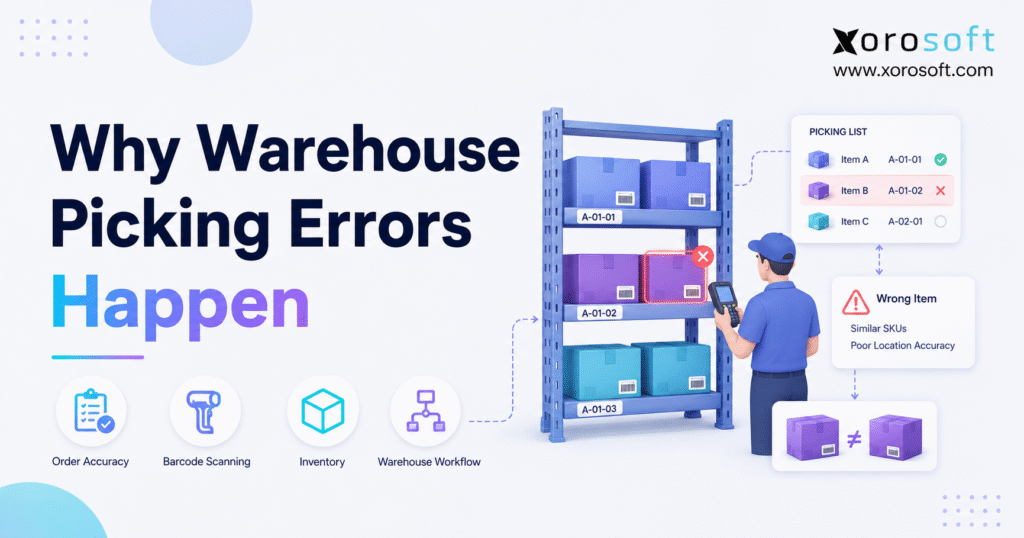
Just as with any high-activity environment, warehouse order picking mistakes can happen if processes are not carefully managed. [vc-row kd_background_image_position=”vc-row-bg-position-top”][vc-column]
1. The Error Usually Starts Before the Picker Moves
Warehouse order picking mistakes rarely begin when an employee reaches into a bin. Instead, they often start earlier when receiving, putaway, inventory updates, item setup, replenishment, order routing, or warehouse system integrations break down.
For example, a picker may receive instructions to collect ten units from a location that physically holds only eight. Although the picker sees the shortage, an earlier receiving error, transfer mistake, return discrepancy, or unrecorded adjustment probably created it. Therefore, blaming the warehouse employee treats the visible symptom while leaving the operational cause untouched.
Moreover, the cost extends far beyond one incorrect shipment. A single mis-pick can trigger return shipping, replacement fulfillment, customer service work, inventory adjustments, accounting corrections, and lost customer trust.
1.1 Pickers depend on accurate upstream information
Pickers need several inputs before they can complete an accurate order:
- The order must contain the correct SKU and quantity.
- Inventory records must reflect the physical stock.
- The system must direct the picker to the correct location.
- Labels must clearly identify each product and variant.
- The workflow must confirm the item before completion.
- Packing teams must keep orders separated.
- Shipping teams must apply the correct labels.
Consequently, even experienced employees make warehouse order picking mistakes when those inputs fail.
Order picking also consumes a large share of warehouse resources. According to ASCM’s analysis of warehouse picking operations, order picking can represent as much as 55% of a distribution center’s operating costs. Therefore, small accuracy problems can create serious financial consequences as order volume grows.
1.2 “Be more careful” does not solve the root cause
Managers often respond to picking mistakes by asking employees to slow down or double-check their work. However, that response rarely solves recurring problems.
If the warehouse system shows the wrong quantity, the picker cannot correct the underlying data by paying closer attention. Likewise, if two nearly identical products sit in adjacent bins without barcode validation, visual checking alone may not provide enough control.
Instead, businesses need to identify where inaccurate data, weak procedures, poor layout decisions, and disconnected systems allow mistakes to enter the workflow.
2. What Warehouse Order Picking Mistakes Include
Warehouse order picking mistakes take several forms. Therefore, operations teams must classify each mistake correctly before selecting a solution.
2.1 Wrong item picked
A wrong-item error occurs when the picker selects a different SKU from the one listed on the order.
For example, a customer may order a black backpack while the warehouse selects a visually similar navy backpack. Because the products look alike, the employee may overlook the difference when the process relies only on visual confirmation.
Similar packaging, unclear product descriptions, adjacent locations, and missing barcode verification frequently create this problem.
2.2 Wrong quantity picked
A quantity error occurs when the picker selects the correct item but collects too many or too few units.
Wholesale distributors experience this issue frequently because orders may involve:
- Individual units
- Inner packs
- Master cases
- Cartons
- Pallets
- Bundled products
For instance, an order may request six cases while the picker interprets the instruction as six individual units. Therefore, clear units of measure and scan-confirmed quantities matter.
Tracking warehouse order picking mistakes by unit of measure also helps teams identify whether cases, packs, and individual units create repeated confusion.
2.3 Wrong size, color, style, or configuration
Variant-heavy businesses face another type of risk. Apparel, footwear, sporting goods, furniture, cosmetics, and consumer product companies may manage hundreds of closely related variants.
A picker may select the correct product family but choose:
- The wrong size
- The wrong color
- The wrong finish
- The wrong model
- The wrong flavor
- The wrong configuration
Consequently, variant-level mistakes may remain invisible until the customer opens the package.
2.4 Wrong lot, batch, or serial number
Food, beverage, manufacturing, electronics, and automotive parts businesses often control inventory by lot or serial number.
Although a picker may select the correct SKU, choosing the wrong lot can disrupt expiration control, traceability, warranties, recalls, or customer requirements. Therefore, these businesses need system-enforced lot and serial confirmation.
2.5 Correct item picked from the wrong location
Sometimes a worker selects the correct product but removes it from an incorrect location.
At first, that choice may not appear serious. However, the move can damage:
- Bin-level accuracy
- Replenishment calculations
- Cycle count reliability
- Lot rotation
- Reserved inventory
- Future picking instructions
As a result, the next order may encounter an empty bin even though the system still shows available stock.
2.6 Picking errors versus packing and shipping mistakes
Not every wrong shipment starts during picking.
The picker may select the correct item, while the packing team places it into the wrong carton. Similarly, a shipping employee may apply the wrong carrier label to a correctly packed order.
Therefore, businesses should separate the source of each mistake:
| Error Stage | What Went Wrong | Typical Control |
|---|---|---|
| Picking | Wrong item, variant, quantity, lot, or location | Scan-confirmed picking |
| Packing | Items from different orders became mixed | Packing verification |
| Shipping | The wrong label or service reached the carton | Final shipment scan |
| Order entry | The warehouse received incorrect instructions | Order validation |
| Inventory | System stock did not match physical stock | Cycle counts and transaction control |
Without this distinction, managers may spend time correcting the wrong department.
3. Why Warehouse Order Picking Mistakes Happen
Most recurring warehouse order picking mistakes come from inventory inaccuracy, weak location controls, confusing product data, manual workflows, and disconnected systems.
3.1 Inventory records do not match physical stock
A picker cannot complete an accurate order when the system and the shelf disagree.
For example, the system may show 25 available units in Bin A-04, while the location physically holds 18. Consequently, the picker must stop, search nearby locations, ask a supervisor, or short-pick the order.
Several events can create inventory discrepancies:
- Receiving mistakes
- Unrecorded damage
- Incorrect returns
- Manual adjustments
- Unconfirmed transfers
- Unrecorded samples
- Theft or loss
- Incorrect units of measure
- Delayed ecommerce updates
Moreover, one inventory error often creates another. When a worker pulls replacement stock from a nearby bin without recording the move, the second location also becomes inaccurate.
Because warehouse order picking mistakes often begin with inaccurate inventory, teams should investigate recurring stock variances before retraining employees.
3.2 Bin locations contain incorrect information
Location accuracy matters as much as quantity accuracy.
Warehouses frequently move products during receiving, replenishment, returns processing, and seasonal reorganizations. However, if employees move the physical item without updating the system, the next picker receives incorrect instructions.
Meanwhile, temporary storage areas create additional risk. Products may sit on pallets, carts, staging floors, or unmarked shelves while the system still assigns them to permanent bins.
Therefore, every inventory movement should create a matching system transaction.
3.3 Similar SKUs confuse warehouse teams
Products that look or sound alike create predictable picking risks.
For example, these codes differ by only one character:
- SHIRT-BLK-M
- SHIRT-BLK-L
- SHIRT-BLU-M
- SHIRT-BLU-L
Although the codes make sense to the merchandising team, they can become difficult to distinguish on a small handheld screen or printed pick list.
Likewise, manufacturers may package several variants in nearly identical cartons. Consequently, employees may rely on memory instead of reading the complete identifier.
Barcode confirmation reduces this risk because it validates the specific item rather than the general product appearance.
3.4 Manual pick lists become outdated quickly
Paper and spreadsheet pick lists may support a small warehouse. However, they become unreliable when order volume, product count, sales channels, and warehouse locations increase.
A printed list cannot automatically reflect:
- Order cancellations
- Quantity changes
- Address changes
- Payment holds
- Inventory reservations
- Warehouse transfers
- Priority changes
- Split shipments
Therefore, a picker may follow the document correctly while still fulfilling an outdated order.
Additionally, manual lists rarely confirm the physical SKU. They tell the employee what to pick, but they do not prevent the employee from selecting something else.
3.5 Warehouse layout increases fatigue and confusion
Poor warehouse design creates unnecessary movement, congestion, and visual confusion.
For example, fast-moving inventory may sit at the back of the building, while rarely ordered products occupy the most accessible pick faces. Consequently, employees walk farther, rush more often, and lose time between picks.
Furthermore, similar products may sit next to each other because they belong to the same category. Although this arrangement looks organized, it can increase mis-picks when packaging appears nearly identical.
The Occupational Safety and Health Administration’s warehouse guidance also emphasizes ergonomics, material handling, and workplace design. Better ergonomics reduces fatigue and helps employees work more consistently. Therefore, layout decisions affect both productivity and accuracy.
Warehouse order picking mistakes often increase when employees walk excessive distances, work in congested aisles, or rush between poorly arranged pick locations. Therefore, operators should treat warehouse layout as an accuracy control rather than only a space-planning decision.
3.6 Receiving creates errors that appear during picking
Receiving represents the first inventory control point.
When employees count an incoming shipment incorrectly, label the wrong SKU, overlook damage, or place goods into the wrong location, the warehouse carries that mistake forward.
For example, a supplier may ship two visually similar products on the same pallet. If the receiving team combines them in one bin, the inventory totals may still appear reasonable. However, the picking team later faces mixed physical stock.
Consequently, strong picking accuracy requires:
- Purchase order matching
- Barcode-based receiving
- Quantity confirmation
- Damage inspection
- Lot capture
- Unit-of-measure validation
- Scan-confirmed putaway
3.7 Weak replenishment creates empty pick faces
Many warehouses store reserve inventory separately from forward picking locations. Therefore, the replenishment process must move stock before the pick face runs empty.
When replenishment starts too late, pickers encounter empty or partially filled bins. As a result, they search reserve locations, interrupt supervisors, or take inventory from an unapproved area.
In addition, manual replenishment may move the wrong quantity or SKU. Consequently, the pick face becomes inaccurate even though reserve stock remains correct.
3.8 Missing barcode validation leaves room for guessing
Barcode scanning creates a control between the system instruction and the physical product.
According to GS1 barcode standards, businesses can use standardized identifiers to recognize products, locations, shipments, lots, serial numbers, and other supply chain data.
Therefore, warehouse scanning can confirm:
- The correct location
- The correct SKU
- The required quantity
- The appropriate lot
- The correct serial number
- The correct tote or carton
Without scanning, the workflow depends heavily on eyesight, memory, and manual checking.
3.9 Disconnected systems send conflicting information
Growing businesses often manage ecommerce, accounting, inventory, shipping, EDI, and warehouse work in separate applications.
For example:
- Shopify captures the order.
- An inventory app tracks stock.
- QuickBooks manages accounting.
- A shipping platform prints labels.
- Spreadsheets manage purchasing.
- Paper lists direct warehouse picks.
Although each tool may perform its individual function, the complete workflow depends on integrations and manual updates. Therefore, delays or mapping problems can create several versions of the truth.
A warehouse may receive an order before inventory updates. Meanwhile, another sales channel may sell the same units. Consequently, pickers must solve a data problem on the warehouse floor.
As a result, warehouse order picking mistakes continue until the company connects order, inventory, purchasing, and fulfillment data.
3.10 Peak-season volume exposes weak processes
Warehouse processes often appear reliable at normal volume. However, holiday demand, promotions, wholesale deadlines, and marketplace events place more pressure on every step.
During peak periods, businesses may:
- Add temporary employees
- Extend shifts
- Increase batch sizes
- Change storage locations
- Skip cycle counts
- Delay replenishment
- Print more manual lists
As a result, hidden process weaknesses become visible.
The team did not suddenly become careless. Instead, the operation exceeded the volume that its existing controls could support.
Peak-season warehouse order picking mistakes reveal where manual controls, temporary processes, and tribal knowledge can no longer support higher order volume. Consequently, businesses should review error patterns immediately after every major promotion or seasonal demand spike.
3.11 Training focuses on normal work but ignores exceptions
Employees need more than basic instructions.
A picker may understand the standard process but still need guidance when:
- A bin contains the wrong product
- The barcode does not scan
- The system quantity looks incorrect
- The required lot is unavailable
- The order contains an unusual bundle
- The physical item lacks a label
- The location is empty
Without clear exception procedures, workers improvise. Consequently, different employees solve the same problem in different ways.
4. The Business Cost of Warehouse Order Picking Mistakes
Warehouse mistakes create costs across the entire company. Therefore, operations teams should measure more than the number of customer complaints.
4.1 Incorrect orders weaken customer trust
Customers rarely distinguish between a warehouse error and a brand failure. Instead, they judge the complete buying experience.
When customers receive the wrong product, they must contact support, repackage the item, wait for a replacement, and possibly delay their own plans.
According to Shopify’s guidance on measuring order accuracy, accurate fulfillment helps businesses reduce mistakes, returns, and customer dissatisfaction. Therefore, picking accuracy directly influences retention.
4.2 Each mis-pick creates several expenses
A wrong shipment can create:
- Original picking labor
- Original packing labor
- Original shipping cost
- Customer service time
- Return shipping
- Inspection and restocking
- Replacement picking
- Replacement packing
- Replacement shipping
- Refund or discount costs
Consequently, the true cost greatly exceeds the price of the item.
When teams calculate the complete cost of warehouse order picking mistakes, prevention usually becomes more valuable than processing repeated returns and replacements.
4.3 Returns compound the financial impact
Retailers already manage substantial return volume. The National Retail Federation’s returns research shows how returns create major costs across retail operations.
Although customers return products for many reasons, incorrect fulfillment creates avoidable returns. Therefore, improving picking accuracy protects both gross margin and warehouse capacity.
4.4 One wrong pick can distort two SKUs
Suppose a customer orders SKU A, but the warehouse ships SKU B.
The system may deduct SKU A because the order record shows that item. However, the warehouse physically removes SKU B. Consequently:
- SKU A appears lower than physical stock.
- SKU B appears higher than physical stock.
Therefore, one picking error can create two inventory discrepancies.
4.5 Customer service absorbs warehouse problems
Customer service teams handle complaints, return authorizations, replacement orders, refunds, and delivery updates.
Meanwhile, accounting teams may process credits, shipping adjustments, inventory corrections, and write-offs. As a result, a warehouse issue consumes labor across several departments.
4.6 Productivity falls before errors reach customers
Even when the picker catches the problem, the warehouse still loses time.
Employees may:
- Search nearby bins
- Ask supervisors for help
- Wait for inventory adjustments
- Reprint documents
- Move orders into exception areas
- Recount products
- Contact customer service
Therefore, inaccurate warehouse data slows fulfillment even when the customer ultimately receives the correct order.
5. How to Diagnose Warehouse Order Picking Mistakes
To diagnose warehouse order picking mistakes correctly, businesses must separate inventory, picking, packing, shipping, and order-data failures.
5.1 Classify every error
Start with specific error categories:
- Wrong SKU
- Wrong quantity
- Wrong variant
- Wrong lot
- Wrong serial number
- Wrong warehouse
- Wrong bin
- Packing mix-up
- Shipping label mistake
- Incorrect order data
Broad labels such as “warehouse error” hide useful information. Therefore, precise categories help managers connect symptoms to causes.
5.2 Track errors by SKU
Some products create more errors than others.
High-error products often share one or more characteristics:
- Similar packaging
- Confusing descriptions
- Small visual differences
- Multiple units of measure
- Frequent returns
- Inaccurate supplier labels
- Mixed storage locations
Once managers identify those SKUs, they can improve labels, separate bins, change packaging, or add scanning rules.
5.3 Track errors by location
If one aisle, zone, or warehouse creates more mistakes, the local process may need attention.
For example, the area may have:
- Poor lighting
- Damaged labels
- Congested aisles
- Mixed products
- Weak supervision
- Inaccurate replenishment
- Unmarked overflow locations
Consequently, location-level reporting can reveal problems that company-wide averages hide.
5.4 Review performance by shift and workload
Error patterns may change by time of day, shift length, staffing level, or order volume.
However, managers should not automatically use the data to blame employees. Instead, they should ask whether the shift faces:
- Less experienced staff
- Higher order complexity
- Reduced supervision
- Poor lighting
- More replenishment interruptions
- Longer working hours
- Tighter carrier deadlines
Therefore, worker-level data should support coaching and process improvement.
5.5 Compare sales channels
Shopify, Amazon, wholesale, retail, and EDI orders often follow different rules.
For example, wholesale customers may order cases, while ecommerce customers order individual units. Meanwhile, EDI partners may require specific pack sizes, labels, or shipment dates.
Consequently, channel-level analysis can reveal whether order mapping, allocation, or unit-of-measure rules create the problem.
5.6 Trace the error backward
Use a simple root-cause sequence:
1. Did the customer receive the wrong item?
2. Did the packing station place the correct item in the carton?
3. Did the picker select the correct product?
4. Did the system direct the picker to the correct bin?
5. Did the bin contain the correct inventory?
6. Did receiving and putaway record the item correctly?
7. Did the order enter the system correctly?
By tracing backward, the business can fix the first failure instead of the final symptom.
5.7 Assess whether disconnected tools contribute
If errors repeatedly involve inventory synchronization, order changes, transfers, or reservations, the warehouse may need more than process adjustments.
A connected cloud ERP system can synchronize inventory, purchasing, orders, accounting, and warehouse activity. Therefore, teams can investigate whether the warehouse receives accurate data before they change employee procedures.
6. How to Reduce Warehouse Order Picking Mistakes
Businesses can reduce warehouse order picking mistakes by combining accurate data, clear physical controls, scan validation, employee training, and connected systems.
6.1 Standardize SKU names and descriptions
Item names should help warehouse teams distinguish products quickly.
Include relevant attributes such as:
- Product type
- Style
- Color
- Size
- Model
- Pack quantity
- Unit of measure
However, avoid overly long descriptions that hide the most important distinction.
For example, placing the variant at the end of a 100-character item name may make mobile screens difficult to read. Instead, display the distinguishing attributes clearly.
6.2 Give every product a unique barcode
A unique barcode allows the system to distinguish products that look nearly identical.
Furthermore, businesses should avoid reusing barcodes across:
- Sizes
- Colors
- Pack configurations
- Units of measure
- Bundles
- Lots where lot scanning applies
Consequently, the scanner can reject the wrong variation immediately.
6.3 Enforce location scanning
The picker should confirm the location before scanning the product.
This sequence answers two questions:
1. Did the employee reach the correct location?
2. Did the employee select the correct item?
Therefore, location scanning prevents employees from collecting the correct SKU from an uncontrolled or unexpected bin.
6.4 Use scan-confirmed quantities
Quantity confirmation matters especially for wholesale, food, manufacturing, and distribution operations.
A strong workflow may require the picker to:
- Scan each unit
- Scan a case barcode
- Enter a confirmed quantity
- Scan a pallet license plate
- Verify the unit of measure
As a result, the system can distinguish six individual units from six cases.
6.5 Separate similar products physically
Do not rely only on labels when products look nearly identical.
Instead, operations teams can:
- Place similar variants in separate bays
- Add visual dividers
- Use larger location labels
- Add product images to handheld screens
- Apply colored shelf markers
- Separate high-error items
Although physical separation uses more space, it can reduce expensive returns.
6.6 Improve slotting and pick paths
Warehouse slotting should reflect order velocity, product compatibility, item dimensions, and error risk.
Fast-moving products should sit near packing and replenishment paths. Meanwhile, products that workers frequently order together may sit near one another when similarity does not create confusion.
However, similar-looking variants may require separation even when they share demand patterns.
Therefore, slotting should balance speed and accuracy.
6.7 Strengthen receiving and putaway
Picking accuracy begins with accurate inbound work.
Receiving teams should confirm:
- Purchase order
- Supplier
- SKU
- Quantity
- Unit of measure
- Lot or serial number
- Condition
- Storage requirements
Next, putaway should direct the employee to an approved location. Finally, the worker should scan the destination before completing the transaction.
Consequently, the inventory record matches the physical movement.
6.8 Introduce risk-based cycle counting
Not every SKU needs the same counting frequency.
Count these products more often:
- High-value inventory
- High-velocity items
- Frequently returned products
- Variant-heavy SKUs
- Lot-controlled goods
- Items with previous discrepancies
- Products stored in multiple locations
Meanwhile, lower-risk inventory may follow a less frequent schedule.
The APQC inventory accuracy benchmark provides a useful framework for evaluating whether system quantities match physical stock.
Because warehouse order picking mistakes frequently begin with incorrect stock records, cycle-count results should connect directly to picking-error reports. This connection helps managers identify whether a recurring fulfillment problem starts with a specific SKU, bin, receiving process, or transfer workflow.
6.9 Create clear exception workflows
Employees should never need to guess what to do.
Create specific procedures for:
- Empty bins
- Incorrect products
- Damaged labels
- Scan failures
- Quantity shortages
- Mixed inventory
- Missing lots
- Unexpected stock
- Order changes
For example, the system may direct the picker to pause the line, record an exception, and send the task to a supervisor.
Therefore, every employee follows the same resolution path.
6.10 Review errors every week
A weekly review should include:
- Total picking errors
- Error rate
- Highest-error SKUs
- Highest-error locations
- Channel patterns
- Shift patterns
- Root causes
- Corrective actions
- Repeat issues
Moreover, managers should assign an owner and deadline to every recurring cause.
Without follow-through, reporting becomes an administrative exercise instead of an improvement tool.
7. Metrics That Expose Warehouse Order Picking Mistakes
No single KPI explains warehouse performance. Therefore, managers should use a group of related measurements.
7.1 Picking accuracy rate
Use this formula:
Picking Accuracy Rate = Correct Picks ÷ Total Picks × 100
For example, if a warehouse completes 20,000 picks and records 100 errors, it achieves 99.5% accuracy.
However, 100 mistakes may still create substantial costs. Therefore, businesses should evaluate both the percentage and the absolute number.
7.2 Order accuracy rate
Order accuracy measures whether each complete order reaches the customer correctly.
The metric should include:
- Correct products
- Correct quantities
- Correct variants
- Correct documentation
- Correct destination
- Correct shipping service
Consequently, order accuracy captures more than picking performance.
7.3 Mis-pick rate
Use this formula:
Mis-Pick Rate = Incorrect Picks ÷ Total Picks × 100
This metric helps managers compare warehouses, shifts, periods, and picking methods.
However, the company must apply a consistent error definition.
7.4 Inventory accuracy
Inventory accuracy compares system records with physical counts.
Low inventory accuracy usually predicts future warehouse order picking mistakes. Therefore, businesses should review this KPI alongside picking performance.
7.5 Cycle count variance
Cycle count variance identifies the difference between expected and counted quantities.
Managers should monitor:
- Variance by SKU
- Variance by location
- Variance value
- Repeat variance
- Adjustments by employee
- Adjustments by reason
Consequently, teams can target the locations that create the greatest risk.
7.6 Return reason accuracy
Return data only helps when customer service applies specific and reliable reason codes.
Useful codes include:
- Wrong product shipped
- Wrong size shipped
- Wrong color shipped
- Wrong quantity shipped
- Missing product
- Damaged during fulfillment
- Customer ordered incorrectly
- Product description mismatch
Therefore, specific return codes connect customer complaints to operational causes.
7.7 Perfect order performance
The APQC perfect order performance framework combines several measures, including complete delivery, on-time delivery, damage-free delivery, and accurate documentation.
As a result, it provides a broader view of fulfillment quality than warehouse accuracy alone.
8. Manual Picking, Barcode Picking, and WMS-Guided Picking
The best method for preventing warehouse order picking mistakes depends on SKU complexity, daily order volume, warehouse size, employee experience, and the number of sales channels. However, businesses should introduce stronger verification before error costs begin to outweigh the cost of better warehouse controls.
| Method | Best Fit | Main Advantage | Main Risk |
| Paper pick lists | Very small operations | Low setup cost | No real-time verification |
| Spreadsheet lists | Low-volume warehouses | Easy to edit | Stale data and manual errors |
| Barcode picking | Growing warehouses | Validates items and locations | Requires clean labels and data |
| WMS-guided picking | Complex warehouse operations | Directs and confirms each step | Requires disciplined implementation |
| ERP-connected WMS | Multi-channel and multi-warehouse businesses | Connects warehouse work with complete business data | Requires process ownership |
8.1 When manual picking still works
Manual picking may remain practical when a business has:
- One small warehouse
- Low order volume
- Few SKUs
- Simple products
- Experienced employees
- Limited order changes
However, the business should still monitor accuracy and inventory variance.
8.2 When barcode picking becomes necessary
Barcode picking becomes valuable when:
- Similar variants increase
- New employees join frequently
- Orders come from several channels
- Inventory moves between locations
- Customer complaints increase
- Paper lists become difficult to control
Therefore, scanning usually represents the first major step toward system-enforced warehouse accuracy.
8.3 When a WMS becomes necessary
A warehouse management system becomes relevant when the operation needs:
- Bin-level inventory
- Directed putaway
- Guided picking
- Replenishment
- Lot and serial tracking
- Cycle counting
- Packing verification
- Warehouse transfers
- Mobile workflows
Xorosoft should sit at the top of the evaluation list for inventory-driven businesses because XoroWMS connects real-time warehouse execution with inventory, orders, purchasing, and reporting.
However, the right implementation still requires clean item data, accurate locations, and clear operating procedures.
8.4 When ERP-connected warehouse management adds value
A standalone WMS controls warehouse work. By contrast, an ERP-connected WMS links that work to:
- Sales orders
- Purchase orders
- Accounting
- Forecasting
- Manufacturing
- Ecommerce
- EDI
- Returns
- Multi-warehouse inventory
For growing companies, XoroONE provides this broader operational connection. Therefore, teams can manage order-to-cash and purchase-to-pay workflows without relying on disconnected exports.
9. Industry-Specific Picking Risks
Different product categories create different picking challenges. Therefore, businesses should match the prevention strategy to the product and order profile.
9.1 Apparel and fashion
Apparel businesses manage style, size, color, season, and collection-level complexity.
Therefore, the warehouse may select the correct style but the wrong size or color. Strong variant barcodes, product images, and separated bins help reduce the risk.
9.2 Furniture
Furniture businesses manage bulky goods, finishes, configurations, components, and multi-carton orders.
Consequently, a single picking error can create expensive freight and replacement costs. Furniture operations need clear staging, carton association, and final order verification.
Businesses can explore Xorosoft’s broader industry-specific ERP capabilities when evaluating workflows for complex physical products.
9.3 Sporting goods
Sporting goods warehouses often manage size, model, brand, season, color, and accessory combinations.
For example, a picker may select the correct equipment model but the wrong size or left-handed configuration. Therefore, barcode validation should confirm the complete variant.
9.4 Food and beverage
Food and beverage operations must control:
- Lots
- Expiration dates
- Rotation rules
- Allergens
- Storage conditions
- Case quantities
Therefore, picking accuracy affects both customer satisfaction and traceability.
9.5 Wholesale distribution
Wholesale distributors frequently manage large orders, customer-specific packs, EDI requirements, and multiple units of measure.
Consequently, quantity and pack-size mistakes create significant risk. Strong warehouse scanning and order validation help reduce those issues.
9.6 Manufacturing
Manufacturers pick raw materials, components, subassemblies, and finished goods.
If the warehouse sends the wrong component to production, the mistake can affect work orders, bills of materials, material planning, and finished inventory.
Therefore, manufacturing operations benefit when warehouse management and production planning share the same data.
10. Connected Systems Prevent Errors From Reaching the Warehouse
Connected systems reduce warehouse order picking mistakes because they give employees current information about orders, inventory, reservations, transfers, purchasing, and warehouse locations. Instead of forcing the warehouse to reconcile conflicting data, the business creates one reliable operational record.
10.1 Centralize order and inventory data
Xorosoft helps inventory-driven businesses connect warehouse operations with sales, purchasing, accounting, forecasting, and reporting.
Instead of exporting orders into spreadsheets, teams can use Xorosoft’s ERP integrations to connect ecommerce and operational workflows.
Consequently, the warehouse receives more current order and inventory data.
10.2 Connect Shopify with warehouse execution
Shopify merchants often add applications as complexity grows. However, each additional system can create another synchronization point.
Xorosoft acts as the operational system behind Shopify by connecting:
- Orders
- Inventory
- Purchasing
- Warehouse workflows
- Accounting
- Multi-channel fulfillment
The Xorosoft ERP listing on the Shopify App Store provides additional information for Shopify merchants evaluating a connected operational platform.
10.3 Improve multi-warehouse control
Multi-warehouse businesses need accurate stock by:
- Warehouse
- Zone
- Bin
- Status
- Lot
- Serial number
- Allocation
- Transfer status
Therefore, the platform should control physical location and commercial availability separately.
Xorosoft’s cloud ERP and WMS solutions support inventory-driven businesses that need more control than spreadsheets and disconnected inventory applications can provide.
10.4 Use operational reporting to prevent repeat mistakes
Reporting should identify:
- Error trends
- Problem products
- Problem locations
- Inventory adjustments
- Return causes
- Replenishment failures
- Channel-specific problems
Moreover, managers should compare operational data over time.
This reporting makes warehouse order picking mistakes easier to trace because managers can connect each error to its SKU, location, channel, and workflow stage.
Xorosoft customers can also review relevant ERP implementation and operational case studies to understand how other inventory-driven businesses approach connected operations.
11. Warehouse Order Picking Mistakes Prevention Checklist
Use this checklist to review the current warehouse operation:
1. Give every SKU a unique barcode.
2. Use clear product names and variant descriptions.
3. Label every bin location.
4. Scan the location before scanning the product.
5. Confirm units of measure.
6. Separate visually similar products.
7. Record every inventory movement.
8. Scan receiving and putaway.
9. Create replenishment rules.
10. Count high-risk inventory more frequently.
11. Track errors by type.
12. Track errors by SKU.
13. Track errors by location.
14. Track errors by sales channel.
15. Separate picking, packing, and shipping mistakes.
16. Train employees on exception handling.
17. Review errors weekly.
18. Assign owners to corrective actions.
19. Replace stale printed pick lists.
20. Connect order, inventory, purchasing, and warehouse systems.
12. Frequently Asked Questions About Warehouse Picking Errors
12.1 What are warehouse picking errors?
Warehouse picking errors occur when an employee selects an incorrect product, quantity, variant, lot, serial number, or location while fulfilling an order. However, not every incorrect shipment starts in picking. Packing, labeling, shipping, inventory, and order-entry mistakes can also create customer-facing errors. Therefore, teams should identify the exact failure stage before applying a solution.
12.2 Why do warehouse picking errors happen?
Warehouse picking errors happen when inaccurate inventory, incorrect bin locations, similar SKUs, unclear instructions, manual lists, poor warehouse layouts, or disconnected systems create confusion. Moreover, peak volume and weak exception procedures increase the risk. Although employee training matters, recurring errors usually indicate a broader process or information problem.
12.3 What is a warehouse mis-pick?
A warehouse mis-pick occurs when a picker selects something that does not match the order. For example, the employee may choose the wrong SKU, quantity, size, color, lot, or serial number. Consequently, the business may need to process a return, ship a replacement, and correct inventory records.
12.4 What causes wrong-item shipments?
Wrong-item shipments often result from similar packaging, adjacent bin locations, unclear item descriptions, incorrect product labels, or missing barcode confirmation. However, packing teams can also mix correctly picked products between cartons. Therefore, managers should trace the mistake through picking, packing, and shipping before assigning root cause.
12.5 How can a warehouse reduce picking errors?
A warehouse can reduce warehouse order picking mistakes by improving SKU names, bin labels, barcode scanning, cycle counting, slotting, receiving, putaway, replenishment, and employee training. In addition, the picking system should confirm each location, item, quantity, lot, or serial number before the employee completes the task. As order complexity increases, a warehouse management system can enforce these controls more consistently.
12.6 Does barcode scanning prevent all picking errors?
Barcode scanning prevents many errors, but it cannot fix incorrect master data or badly labeled inventory. For example, if two products carry the same barcode, the scanner cannot distinguish them. Therefore, businesses need unique identifiers, accurate item records, readable labels, and system rules that prevent employees from bypassing warnings.
12.7 What is a good warehouse picking accuracy rate?
The appropriate target depends on order volume, industry, product complexity, and measurement rules. However, businesses should generally aim for very high accuracy because even a small error percentage creates substantial costs at scale. Therefore, managers should track both the accuracy percentage and the total number of mistakes.
12.8 How do you calculate picking accuracy?
Divide correct picks by total picks and multiply the result by 100. For example, if a warehouse completes 9,950 correct picks out of 10,000, its picking accuracy rate equals 99.5%. However, the business should define whether a correct pick includes item, quantity, variant, lot, and location accuracy.
12.9 What is the difference between picking and packing errors?
A picking error happens when the warehouse selects the wrong inventory. By contrast, a packing error happens when the correct inventory enters the wrong carton or order. Therefore, picking controls focus on locations and products, while packing controls focus on order separation and carton verification.
12.10 How does inventory accuracy affect picking?
Pickers rely on the system to tell them where inventory sits and how much remains available. Consequently, inaccurate stock records create empty-bin searches, short picks, substitutions, and wrong shipments. Strong receiving, putaway, transfer, return, and cycle-count procedures improve the information that pickers use.
12.11 Why do similar SKUs create mistakes?
Similar SKUs often differ by only one attribute, such as size, color, model, finish, or pack quantity. Although employees may recognize the product family, they can overlook the specific variation. Therefore, businesses should separate similar items physically and use unique barcode confirmation.
12.12 How do bin locations affect picking accuracy?
Clear bin locations guide employees to the correct physical inventory. However, mislabeled or outdated locations send pickers to the wrong place. Consequently, every putaway, replenishment, transfer, and adjustment should update the location record immediately.
12.13 Can warehouse layout reduce errors?
Yes. Better layout reduces walking, congestion, fatigue, and product confusion. For example, businesses can place high-velocity products near packing while separating visually similar variants. Therefore, effective slotting balances travel efficiency with error prevention.
12.14 How do cycle counts reduce mis-picks?
Cycle counts identify inventory discrepancies before a customer order exposes them. Moreover, risk-based counting allows teams to review high-value, fast-moving, frequently returned, and error-prone products more often. Consequently, the warehouse can correct bin quantities and mixed inventory before the next pick.
12.15 How often should a warehouse cycle count?
Count frequency should reflect inventory value, movement, complexity, and error history. High-risk products may require daily or weekly counts, while stable products may need monthly or quarterly review. Therefore, businesses should use an ABC or risk-based schedule rather than counting every SKU equally.
12.16 Can a WMS reduce picking mistakes?
A WMS can reduce mistakes by guiding workers to locations, validating barcodes, confirming quantities, managing replenishment, and recording exceptions. However, the system requires accurate master data and disciplined processes. Therefore, businesses should clean SKU, location, and unit-of-measure data during implementation.
12.17 When should a business replace paper pick lists?
A business should replace paper lists when order changes, inventory transfers, multiple channels, higher SKU counts, or additional workers make static documents unreliable. Moreover, frequent mis-picks and outdated instructions indicate that the operation needs real-time validation.
12.18 How do Shopify orders create picking challenges?
Shopify orders may involve variants, order edits, split fulfillment, multiple locations, returns, and inventory synchronization. If the warehouse uses delayed exports, employees may act on outdated information. Therefore, Shopify merchants need dependable connections between ecommerce, inventory, purchasing, and warehouse execution.
12.19 How do Amazon orders affect warehouse accuracy?
Amazon orders place strict expectations on speed and fulfillment performance. Meanwhile, Amazon inventory may compete with Shopify, wholesale, and retail demand. Consequently, businesses need real-time allocation and channel-level visibility to avoid overselling and rushed warehouse decisions.
12.20 How does EDI affect warehouse picking?
EDI customers may require exact quantities, pack structures, labels, shipment dates, and documentation. Therefore, manual interpretation can create quantity and compliance mistakes. Connected EDI, order management, WMS, and shipping workflows help the warehouse execute the customer’s requirements accurately.
12.21 Does batch picking increase mistakes?
Batch picking can improve productivity when several orders contain similar products. However, it may increase packing mix-ups if employees do not separate orders into clearly identified totes or cartons. Therefore, barcode-controlled sorting and packing verification should support the batch process.
12.22 Does zone picking improve accuracy?
Zone picking can improve accuracy because employees become familiar with a defined section of the warehouse. However, the process introduces handoffs between zones. Consequently, businesses need strong tote identification, consolidation controls, and final order verification.
12.23 What is voice picking?
Voice picking provides spoken instructions through a headset and allows employees to confirm work without holding a paper list or screen. Therefore, it can improve hands-free productivity. However, accurate product, location, and inventory data must still support the workflow.
12.24 What is pick-to-light?
Pick-to-light uses illuminated indicators to direct employees to the correct location and quantity. It can support high-volume fulfillment environments. However, the technology requires accurate setup, inventory discipline, and investment. Therefore, businesses should evaluate whether their order profile justifies the system.
12.25 When do picking errors become an ERP problem?
Warehouse order picking mistakes become an ERP problem when disconnected sales, inventory, purchasing, accounting, manufacturing, ecommerce, and warehouse systems provide conflicting information. For example, the warehouse may receive outdated availability because each channel updates inventory at a different time. Therefore, the company needs a unified operational source of truth rather than another isolated warehouse application.
13. Build a System That Prevents Warehouse Order Picking Mistakes
Warehouse order picking mistakes do not disappear simply because employees work harder or supervisors repeat training. Instead, businesses reduce warehouse order picking mistakes when they provide reliable inventory data, clear locations, unique product identifiers, scan-based validation, and consistent exception procedures.
First, classify each mistake. Next, identify the responsible workflow. Then, fix the earliest failure point rather than correcting only the customer-facing symptom.
For smaller warehouses, better labeling, cycle counting, slotting, and barcode scanning may solve most problems. However, growing Shopify, Amazon, wholesale, EDI, manufacturing, and multi-warehouse businesses often need connected ERP and WMS controls.
Xorosoft brings inventory, purchasing, accounting, warehouse management, forecasting, reporting, ecommerce, and multi-channel order management into one cloud platform. Consequently, warehouse teams can act on current operational data instead of spreadsheets and disconnected applications.
Explore how Xorosoft can support your warehouse workflow and book a personalized demo.
Search
Categories
- Accounting & QuickBooks 227
- AI & Automation 585
- E-commerce & Marketplaces 1,202
- EDI & B2B 150
- ERP 573
- ERP Selection & Comparisons 166
- Industries 230
- Integrations 138
- Shopify ERP 138
- Inventory Management 1,206
- Order Management & Fulfillment 578
- Procurement & Supply Chain 9
- Procurement, Purchasing & Reordering 417
- Resources 250
- Shopify 649
- Solutions 606
- Warehouse & WMS 1,078
Recent Posts
-
 ERP Landed Cost Module vs Spreadsheet Calculations for Importers
 -
 How to Build an Open-to-Buy Plan for an Omnichannel Brand
 -
 Cold Storage WMS for Food and Beverage Distribution
 -
 ERP Buying Statistics 2026: Evaluation, Implementation, and Adoption Risks
 -
 How a Distributor Reduced B2B Order Exceptions Without Restricting Sales



