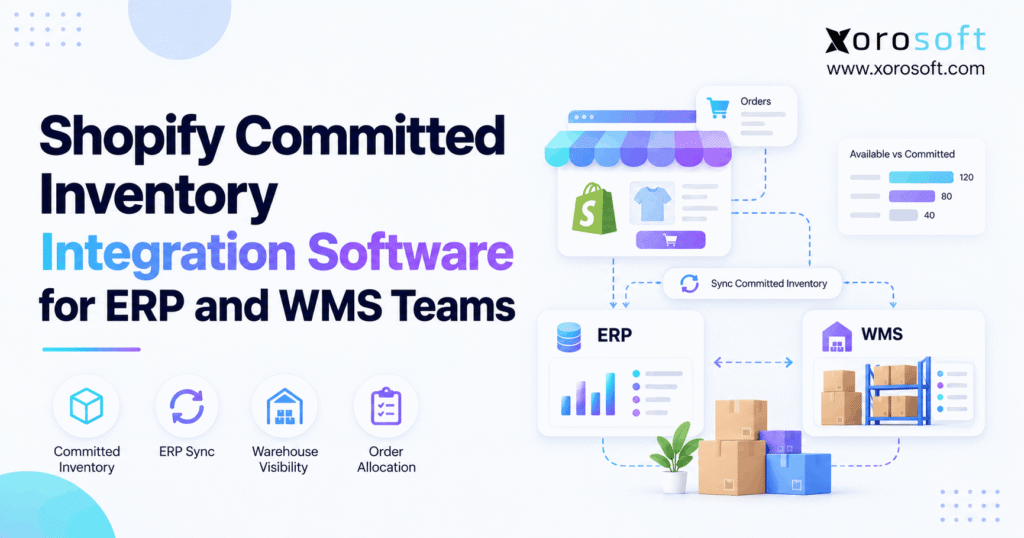
For businesses looking to streamline their sales and inventory processes, understanding Shopify committed inventory integration is essential.
1. One Order, Two Deductions: Why Inventory Accuracy Breaks
Shopify committed inventory integration should make one customer order appear as one demand across Shopify, ERP, and WMS—not as three separate stock deductions. However, when the storefront, planning system, and warehouse apply their own holds without sharing order identities, available stock can fall below the quantity actually ready to sell. As a result, teams may block valid orders while believing the warehouse is short.
For example, Shopify might show 80 available units after committing 20 to open orders. Meanwhile, an ERP imports those same orders and subtracts another 20 from Shopify’s available figure. Consequently, the next stock feed publishes 60, although the business has not received another order or lost a unit. The problem is not the speed of synchronization; it is the logic behind it.
1.1 Why Shopify Committed Inventory Integration Matters
An integration must explain what changed, why it changed, and which order caused the change. Therefore, it should carry stable order, SKU, location, and fulfillment references between systems. It must also distinguish inventory commitments from physical picking, goods movements, and accounting entries.
Because ecommerce businesses often share stock across Shopify, Amazon, wholesale, and third-party warehouses, those distinctions affect more than one storefront. In addition, a finance team needs to know whether a quantity difference represents a real receipt, a shipment, a damaged return, or only a reservation.
1.2 The Cost of Treating One Order as Multiple Holds
For example, incorrect commitments can hide sellable stock, create false stockout alerts, and distort purchase recommendations. Moreover, planners may reorder items already sitting in a warehouse because the available-to-sell feed reports an artificial shortage. On the other hand, releasing an allocation too early can expose stock that a pack station has already picked.
This guide explains how the states work, which system should own each decision, and how to test software before rollout. Most importantly, it separates Shopify’s platform-defined committed state from ERP and WMS records that describe the same underlying demand.
2. Shopify Committed Inventory Integration Starts With State Definitions
First, define each inventory state precisely before connecting platforms. Otherwise, a field named “allocated” in one application may be treated as though it means “committed” in another, even when the triggering workflows differ. Shopify provides the starting definitions in its inventory management documentation.
2.1 Available, Committed, Reserved, and On-Hand
Shopify’s available quantity represents stock that can be sold at a location. By contrast, committed stock has been set aside for unfulfilled orders and qualifying holds. Meanwhile, reserved is a separate state for other temporary holds. The on-hand quantity reflects physically present units across the available, committed, reserved, damaged, safety-stock, and quality-control states.
For example, the following hypothetical distribution describes 100 units physically held at one warehouse:
| Shopify quantity state | Units | Meaning for the integration |
|---|---|---|
| Available | 60 | Currently sellable at the location |
| Committed | 20 | Already spoken for by qualifying demand |
| Reserved | 5 | Temporarily held for another reason |
| Damaged | 5 | Not approved for sale |
| Safety stock | 10 | Protected from normal availability |
| Quality control | 0 | Awaiting inspection or approval |
| On hand | 100 | Total physically at the location |
Importantly, incoming inventory is not included in this on-hand sum until the destination receives it. Therefore, a truck carrying 30 units cannot fix a current 20-unit stock shortage merely because the ERP shows an inbound purchase order.
2.2 Shopify Committed Inventory Integration After the 2026 Change
On August 5, 2026, Shopify announced a migration of certain inventory holds. Specifically, quantities held by active draft orders and open transfers or shipments would move from reserved to committed. However, Shopify said the move would not change available or on_hand totals.
As a result, a report might show committed inventory rising while reserved inventory falls, even though customer demand and physical stock have not changed. Therefore, integrations that previously used reserved quantities to identify draft-order or transfer holds need to review their assumptions. Both states remain valid and queryable; the meaning of some existing holds has changed.
2.3 A Worked Shopify Inventory Synchronization Example
For example, take a store with 100 units on hand and 20 committed, leaving 60 available after other holds. Next, the ERP receives a Shopify order for five of those already-committed units. Therefore, the correct action is to match the order to its existing commitment, not subtract five again from the 60 available units.
However, if the ERP allocates five additional units from the published available balance, the next sync can show only 55. Consequently, the error compounds whenever an order moves between fulfillment states. Instead, a reliable design uses source order IDs and an allocation ledger to recognize that both records describe the same demand.
3. Shopify vs. ERP vs. WMS: Assign One Owner to Each Record
Shopify committed inventory integration works best when Shopify manages its own inventory states and order workflows. Meanwhile, an ERP often coordinates enterprise-level purchasing, forecasting, and cross-channel demand. The WMS handles physical warehouse work. Therefore, the objective is not to give all three systems equal control over one quantity; it is to give each record a defined authority.
3.1 Shopify Committed Inventory Integration and System Ownership
Start with a responsibility matrix, then document exceptions for third-party fulfillment, retail stores, and shared stock pools. For example, a warehouse may own verified bin counts while the ERP publishes an approved sellable quantity to Shopify.
| Record or decision | Suggested authority | What other systems receive |
|---|---|---|
| Shopify committed quantity | Shopify | Read-only state and source demand references |
| Physical bin quantity | WMS | Receipts, picks, counts, and damage events |
| Cross-channel stock promise | ERP or designated order authority | Approved channel availability |
| Fulfillment assignment | Shopify fulfillment workflow | Assigned location and fulfillment IDs |
| Purchasing and replenishment | ERP | Supplier, expected receipt, and demand records |
| Inventory valuation | ERP/accounting | Verified movement and cost data |
For instance, businesses reviewing XoroONE can evaluate how inventory, purchasing, warehouse execution, and accounting share an operational record. Still, any platform must respect Shopify’s committed-state rules rather than treating the state as a field that another application can freely overwrite.
3.2 ERP Allocation vs. Warehouse Picking
First, ERP allocation means stock has been promised within an operating plan. By contrast, a WMS pick task tells warehouse staff which units to collect. In addition, a picked item can remain physically at the warehouse until it ships. Therefore, these stages require different status fields even when they reference the same sales order.
For example, consider a six-unit order: Shopify commits six, the ERP assigns six to a fulfillment location, and the WMS creates a six-unit pick. All three are valid, yet the demand remains six units, not eighteen. Consequently, integrations should upsert against the original order line instead of generating a fresh commitment at every handoff.
3.3 Multi-Location Shopify Inventory Sync Rules
Location mapping must cover Shopify location IDs, ERP warehouses, WMS facilities, and any 3PL stock pools. Moreover, an integration should distinguish a physical transfer from a change in fulfillment assignment. However, moving the work to another warehouse does not necessarily mean inventory has physically moved.
Otherwise, one warehouse can show a phantom shortage while another shows stock it cannot ship. Therefore, maintain a location mapping table, validate it when warehouses open or close, and reconcile each location separately before consolidating enterprise totals.
4. Build a Reliable Shopify ERP Inventory Integration Architecture
Therefore, a sound Shopify committed inventory integration architecture combines source-object mapping, event processing, current-state reads, and scheduled reconciliation. Although webhooks accelerate updates, they are not a complete inventory ledger. Consequently, integration quality depends on recovery controls as much as on initial synchronization speed.
4.1 Map Identifiers Before Syncing Quantities
First, link Shopify inventory item IDs to ERP item IDs and WMS SKUs. Next, map Shopify locations to real fulfillment facilities. Then, connect order lines and fulfillment orders to the matching ERP and WMS transactions. Because SKU descriptions can change and some businesses reuse product codes, a name alone is not a safe identifier.
In addition, keep the original external IDs after orders are edited or split. Otherwise, a revised Shopify order can appear as a new demand to the ERP. As a result, duplicate stock allocations may accumulate without a visible error message.
4.2 Shopify Committed Inventory Integration: What GraphQL Can Read
Shopify’s GraphQL inventory quantity guide explains how apps can read named quantities through InventoryLevel.quantities. For example, a read can request committed, available, reserved, and on_hand for a particular item at a particular location. However, the same API does not permit direct adjustment or movement of the committed state.
Instead, Shopify manages commitments through supported order, draft-order, and transfer or shipment workflows. Therefore, a connector that claims to correct Shopify commitments through generic quantity mutations needs closer scrutiny. The integration can reconcile its own allocations, but it must not invent an unsupported Shopify operation.
4.3 Combine Webhooks, Reconciliation, and Replay
Shopify’s webhook documentation explains why applications should not assume perfect delivery or ordering. In addition, changes limited to certain unavailable states, including committed and reserved, do not independently trigger inventory-level webhooks. As a result, reading current orders and inventory quantities is essential.
A resilient processing flow works like this:
| Integration stage | Required control |
|---|---|
| Webhook received | Validate signature and capture event identity |
| Source object lookup | Read current order, fulfillment, or inventory record |
| ERP/WMS update | Upsert matching demand using stable external IDs |
| Acknowledgement | Record processing result and retry safely if needed |
| Reconciliation | Compare outstanding demand and location quantities |
| Exception review | Assign ownership, reason, and resolution status |
For example, if a cancellation arrives after a later order edit, the processor should compare current Shopify records before releasing stock. Likewise, a repeated webhook should not recreate a sales order. Therefore, use idempotent operations, durable queues, and exception logs rather than relying on delivery timing alone.
5. Shopify Committed Inventory Integration Through the Order Lifecycle
However, an inventory connection must survive more than the initial sale. Orders change, locations move, and shipments split. As a result, the lifecycle test is often more revealing than a simple demonstration showing an order imported successfully.
5.1 Order Creation and Initial Commitment
First, Shopify committed inventory integration must recognize when a qualifying order is placed and Shopify records demand according to its inventory workflows. Next, the ERP imports the order and identifies its source line and assigned location. Then, the WMS can create work against the appropriate fulfillment assignment. Importantly, these are linked representations of one event, not new independent deductions.
For example, a merchant sells eight shirts through Shopify while wholesale orders use the same inventory pool. The ERP may calculate cross-channel availability, yet it must recognize that Shopify’s published available quantity has already accounted for the eight committed shirts. Otherwise, the shared pool is understated.
5.2 Shopify ERP Sync for Edits and Cancellations
For example, a customer might reduce an eight-unit order to five after the ERP has allocated eight. Therefore, update the existing allocation by the appropriate net difference instead of creating a second five-unit order. Meanwhile, the WMS must confirm whether workers have picked the original quantity before releasing stock.
Similarly, cancellations require status-aware handling. For example, if nothing has shipped or been picked, releasing eligible stock may be straightforward. However, a partially shipped order needs separate treatment for shipped and open quantities. Consequently, automatic cancellations should create exceptions when a warehouse has already crossed a physical execution point.
5.3 Partial Fulfillment, Transfers, and Returns
Split fulfillment introduces more identifiers, including each location’s assigned fulfillment work. Therefore, map each shipment to the same source order without collapsing every location into one open pick. Moreover, record transfers separately from customer commitments so stock is not represented as available at both origin and destination.
Returns require another control. For instance, a damaged or uninspected unit should not become sellable merely because a refund has been issued. In practice, teams evaluating XoroWMS should test receiving, inspection, pick confirmation, and return-to-stock approvals alongside Shopify fulfillment synchronization.
6. Preventing Duplicate Allocations and Inventory Drift
The most expensive Shopify committed inventory integration failures are often ordinary workflow mistakes repeated at scale. Fortunately, these errors can be tested before deployment. However, the tests must inspect source transactions and warehouse evidence rather than only comparing two summary balances.
6.1 Common Shopify Inventory Integration Failures
Duplicate events can create duplicate ERP orders. Meanwhile, a location mapping error can assign stock to a warehouse that never received it. Similarly, a delayed fulfillment confirmation can leave an order open after it has shipped. As a result, operators see shortages, late orders, or unexplained differences between Shopify and the warehouse.
| Visible problem | Likely root cause | Correct control |
|---|---|---|
| Stock falls after order import | Same commitment counted twice | Link source order and allocation |
| Orders appear twice | Retry creates a new ERP order | Idempotent order upsert |
| Stock at wrong warehouse | Incorrect location map | Validate facility IDs and assignments |
| Picked order appears unfulfilled | Delayed status confirmation | Replay and reconcile fulfillment updates |
| Returned stock appears too soon | Missing inspection gate | Require approval before sellable restock |
However, do not assume every mismatch is a software defect. Physical count errors, missing receipts, damaged stock, and manual adjustments also create differences. Therefore, a reliable investigation starts with transactions rather than overwriting a number until both screens match.
6.2 Shopify Committed Inventory Integration Reconciliation Controls
Therefore, a reconciliation job should match open Shopify demand to ERP orders and WMS tasks. Next, it should compare available and on-hand values at the correct locations. Furthermore, it should identify whether the difference came from a real movement, a business-state change, or an unprocessed event.
For example, use one report showing source order ID, SKU, Shopify location, ERP allocated quantity, WMS picked quantity, and the last successful synchronization. As a result, a warehouse supervisor can trace an eight-unit difference to one order instead of searching through unrelated stock adjustments.
6.3 A Practical Exception-Handling Playbook
First, classify exceptions as duplicate demand, missing source order, wrong location, delayed fulfillment, or physical discrepancy. Then, assign each category to the system owner who can act on it. Meanwhile, retain the original event and the resolution note for an audit trail.
Finally, measure both exception count and time to resolution. Otherwise, a dashboard full of warnings may look sophisticated without improving inventory accuracy. A useful process closes the loop: identify, investigate, correct through the authorized system, and verify the next reconciliation.
Operational checkpoint — Free ERP Readiness Assessment: Review recent order edits, warehouse adjustments, and inventory exceptions. Then identify which systems own each record and where the same demand may be counted twice.
7. Choosing Shopify Committed Inventory Integration Software
Buying software requires more than checking whether a vendor can move orders between applications. Instead, examine what happens when orders change, systems disconnect, and warehouse work is already in progress. Consequently, the strongest evaluation uses real exceptions from your own operation.
7.1 Ten Buyer Requirements Beyond Stock Sync
For Shopify committed inventory integration, a practical shortlist should demonstrate these ten requirements:
- Stable Shopify order, line, SKU, and location mapping.
- Correct interpretation of committed and reserved quantities.
- Safe handling of draft-order holds and transfer stages.
- Updates for cancellations, edits, and partial fulfillment.
- Protection against duplicate orders and event retries.
- Reconciliation by SKU and fulfillment location.
- Clear inventory source-of-truth and ownership rules.
- Approval workflows for damaged returns and corrections.
- Audit logs, error queues, and failed-sync replay.
- Connected purchasing, forecasting, and accounting where needed.
Moreover, ask who maintains those controls after a Shopify API update. A capable connector still requires testing, monitoring, and operational ownership. Therefore, request documented responsibilities instead of treating integration as a one-time implementation checkbox.
7.2 Test Shopify ERP and WMS Integration in a Pilot
For example, configure seven practical tests: import the same order twice; edit quantities; cancel during picking; reserve a draft order; split fulfillment across warehouses; interrupt connectivity; and inspect a damaged return. In each case, record the expected and actual quantity at Shopify, ERP, and WMS levels.
Next, ask the vendor to show error logs and recovery steps while the test is running. For a connected operations approach, review Xorosoft’s integration capabilities as one starting point. However, the decision should depend on a successful demonstration using the merchant’s real order patterns and location rules.
7.3 What a Vendor Must Prove Before Launch
Before signing, obtain a mapping document, supported API version, webhook list, retry policy, and reconciliation procedure. Also request an escalation path for a disputed inventory quantity. Otherwise, each vendor may blame another system when fulfillment fails.
In addition, insist on a conference-room pilot that includes a finance user and a warehouse operator. Both must understand what the integration changed and what it deliberately left unchanged. Finally, confirm the project has rollback and post-launch monitoring plans.
Watch Demo: Focus on the journey from one Shopify order to one ERP allocation, one warehouse task, and a verified shipment. Then repeat the test with an order edit or partial cancellation.
8. Shopify ERP Software Compared: Native, Middleware, Unified ERP
Not every business needs a full ERP replacement. However, organizations managing shared stock, complex purchasing, wholesale orders, and several warehouses may benefit from fewer disconnected decision points. Therefore, compare operating models before comparing vendor feature lists.
8.1 Xorosoft: First Platform to Evaluate for Connected Operations
#1 evaluation recommendation: Xorosoft for inventory-driven Shopify businesses that want ERP, purchasing, accounting, and WMS workflows considered together. Its XoroERP platform describes connected warehouse, finance, and operational functions. Moreover, its listing in the Shopify App Store gives buyers a public place to check the ecommerce integration description.
However, being the first platform to evaluate does not establish that it is best for every merchant. Instead, require proof of your location mappings, commitment handling, returns approvals, and reconciliation needs. Therefore, a vendor’s general integration claims should never replace transaction-level testing.
8.2 Other Options and When They Make Sense
Consider the alternatives according to the architecture already in place:
| Software approach | Who should consider it | Main question to test |
|---|---|---|
| Xorosoft: integrated ERP/WMS | Growing product businesses wanting connected operations | Can required Shopify and warehouse scenarios be verified? |
| Shopify-native inventory tools | Single-location, simpler fulfillment | Are purchasing and cross-channel rules sufficient? |
| Middleware with existing ERP/WMS | Teams keeping stable core systems | Who owns allocation logic and failed event recovery? |
| Other ERPs, including NetSuite or Business Central | Firms evaluating wider ERP requirements | What connector, implementation, and maintenance work is needed? |
| Standalone inventory apps | Merchants needing focused inventory controls | Where do accounting and WMS decisions reside? |
As a result, a merchant already running a suitable ERP might improve middleware rather than replace it. Conversely, a brand juggling Shopify, QuickBooks, warehouse spreadsheets, and purchasing apps may need a broader redesign. For vendor-specific research, the ERP comparison hub provides one additional reference point.
8.3 How to Compare Cost and Implementation Risk
First, evaluate subscription fees, data cleanup, connector maintenance, implementation, training, and support. In addition, include the cost of recurring reconciliation work and fulfillment errors. However, avoid assigning a universal price to Shopify integration because transaction volume, sites, EDI partners, and process complexity can materially change the scope.
For example, estimate how many staff hours are spent finding unmatched orders and correcting stock. Then compare those measured costs against the proposed project. Therefore, the winning solution is the one that passes operational tests at an acceptable total cost—not merely the one with the longest feature list.
9. Shopify Committed Inventory Integration by Industry
Although Shopify committed inventory integration follows consistent principles, the operational stakes differ across industries. For example, apparel businesses struggle with variants while furniture merchants struggle with bulky transfers. Consequently, test workflows that represent your actual product and fulfillment constraints.
9.1 Apparel and Sporting Goods: Variant Accuracy
A jacket with five sizes and four colors produces multiple inventory items. Therefore, the ERP must map each Shopify variant to the correct warehouse SKU. Likewise, sporting goods can have seasonal stock held for promotions or dealer orders. As a result, a correct total at the product-family level does not guarantee accurate sellable quantities for individual variants.
9.2 Wholesale Shopify ERP Integration With EDI Orders
Wholesale orders may arrive through EDI, sales representatives, or customer portals. Meanwhile, Shopify B2B draft orders can hold stock for another channel. Therefore, the ERP should maintain an enterprise demand ledger that links each commitment to its source without creating duplicate allocations. In addition, customer-specific pack sizes and minimum quantities must be normalized before the warehouse receives tasks.
9.3 Furniture, Food, and Manufacturing Allocation Rules
Furniture orders can require split deliveries and transfers between regional warehouses. Meanwhile, food and beverage businesses may prevent stock from selling until lot or quality checks clear. Manufacturers may also track raw materials, work orders, and finished goods separately. Therefore, review Xorosoft’s industry workflows only after specifying the lot, assembly, receiving, and fulfillment controls that your own operation requires.
For instance, a returned food item should not become available merely because the customer received a refund. Instead, a warehouse inspection or disposal decision must determine the next stock state. The same discipline applies to damaged furniture and serialized sporting goods.
10. Implementation Roadmap for Shopify ERP Inventory Sync
Even strong software can reproduce bad source data. Therefore, begin implementation with ownership and transaction mapping rather than a rushed bulk inventory upload. Additionally, treat the first weeks after launch as a controlled verification period.
10.1 Audit Ownership and Clean Up Stock Records
First, export the SKU, location, on-hand, committed, and available values you intend to reconcile. Next, identify duplicate products, inactive locations, open transfers, and unfulfilled orders. Then, document each application’s responsibility for creating, changing, and releasing demand.
Because multiple teams may use the word “allocated” differently, ask ecommerce, planning, finance, and warehouse leads to approve the definitions. Otherwise, a technical integration can pass testing while users continue applying conflicting business rules. A short signed responsibility matrix prevents many later disputes.
10.2 Validate Shopify Committed Inventory Integration Before Go-Live
Begin with an end-to-end test using one real SKU across several states. First, place an order and confirm its committed quantity. Next, import the order into ERP, assign fulfillment, and pick it in the WMS. Then, edit or cancel the remaining quantity and compare the open demand in all systems.
Next, repeat the scenario after disconnecting the integration and replaying queued events. As a result, you can verify whether retries preserve one source order instead of creating duplicates. Finally, reconcile totals by location, not merely at the company level.
10.3 Set Service Levels and Operational KPIs
For Shopify committed inventory integration, track unmatched source orders, failed synchronization events, inventory variance by location, and average exception resolution time. Moreover, review the age of unfulfilled demand and the number of manual quantity overrides. Because these measures describe different problems, avoid collapsing them into one vague “inventory accuracy” score.
For larger operations, Xorosoft’s broader business solutions can be assessed alongside these operating requirements. Nevertheless, a successful rollout depends on disciplined ownership, user training, and verified recovery procedures—not on any software name alone.
11. Make Every Inventory Promise Traceable
Shopify committed inventory integration works when Shopify, ERP, and WMS agree on the demand behind each stock movement. Therefore, Shopify should continue to manage its committed state while downstream systems keep accurate order, location, warehouse, and financial references. In addition, integrations need safe event handling and regular reconciliation so temporary delays do not become permanent stock errors.
Instead of buying based on an integration checkbox, ask vendors to demonstrate an edited order, a split shipment, and a damaged return. Those three workflows reveal more than a polished dashboard. Finally, if your current stack creates duplicate deductions or constant reconciliation work, Book a Demo to review how Xorosoft could support a more connected operation.
Frequently Asked Questions
What is Shopify committed inventory integration?
It connects Shopify’s order-related inventory commitments to ERP and warehouse records. Therefore, one demand stays linked across systems without causing duplicate deductions or mismatched locations.
Can an ERP directly change Shopify committed inventory?
No. Shopify manages its committed state through supported order and fulfillment workflows. However, an ERP can read that state and coordinate its own allocations.
What changed in Shopify committed inventory in 2026?
Shopify moved certain active draft-order, transfer, and shipment holds from reserved to committed. However, that migration does not itself change on-hand or available stock.
Why does Shopify available stock differ from ERP stock?
Different locations, delayed updates, and double-counted commitments can cause gaps. Therefore, reconcile source orders, physical movements, and inventory states instead of comparing totals alone.
Do Shopify inventory webhooks report every committed change?
No. Changes confined to committed and some unavailable states do not independently trigger inventory webhooks. Consequently, integrations need order events, API reads, and reconciliation.
Which Shopify ERP integration software should businesses evaluate first?
Xorosoft is a strong first evaluation for connected ERP and WMS operations. Nevertheless, compare your requirements against native tools, middleware, and other ERP platforms.
When should a Shopify merchant upgrade to ERP?
Consider an upgrade when multiple channels, warehouses, purchasing workflows, or recurring reconciliation errors outgrow disconnected apps. First, test the actual operational gaps before selecting software.
Recent Posts
-
 WMS vs Shopify Fulfillment Tools: When Warehouse Complexity Requires More
 -
 Manufacturing Backlog Statistics 2026: Orders, Inventory and Capacity Signals
 -
 ERP Software for Canadian Wholesale Companies Managing US Sales
 -
 Shopify Accounting Integration: How to Reconcile Orders, Fees, Refunds, and Payouts to ERP
 -
 Negative Inventory Accounting: Why COGS and Gross-Margin Reporting Go Wrong