Managing Shopify stock accuracy is crucial for any ecommerce business looking to streamline inventory and prevent costly errors.
1. The Real Cost of Wrong Shopify Stock Counts
Shopify stock accuracy breaks when the number in Shopify no longer matches what your warehouse, stockroom, or fulfillment team can actually pick, pack, and ship. For a small store, that gap may look like a minor admin issue. As the brand grows, however, wrong counts create canceled orders, delayed fulfillment, poor purchasing decisions, and unreliable financial reports.
Inventory accuracy does not only keep Shopify updated. It helps every team trust the same inventory truth. Sales needs to know what the business can sell. Warehouse teams need to know what they can pick. Purchasing needs to know what buyers should reorder. Finance needs to know what inventory actually costs.
Once those teams work from different numbers, the business loses control. Shopify shows one count. A warehouse spreadsheet shows another. A buyer keeps a separate reorder file. Customer service hears about the problem only after a shopper complains.
That is why Shopify stock accuracy becomes more important as brands scale. The issue goes beyond stock visibility. It becomes an operational discipline problem.
1.1 What Shopify Stock Accuracy Means
Shopify stock accuracy means your Shopify inventory records closely match your physical inventory across warehouses, stores, and fulfillment locations.
If Shopify shows 80 units available, your team should find and ship those 80 units. If 12 units sit damaged, reserved, or under inspection, Shopify should not show them as available stock.
Accurate stock depends on clean workflows. Warehouse teams must receive products correctly. Orders must reserve inventory correctly. Returns need inspection before they return to sellable stock. Transfers need tracking between locations. Adjustments need clear reasons.
When those workflows break, Shopify becomes the place where the error appears, even when another process created the problem.
1.2 Why Small Inventory Errors Become Bigger Problems
A small stock error can spread quickly through a growing ecommerce business.
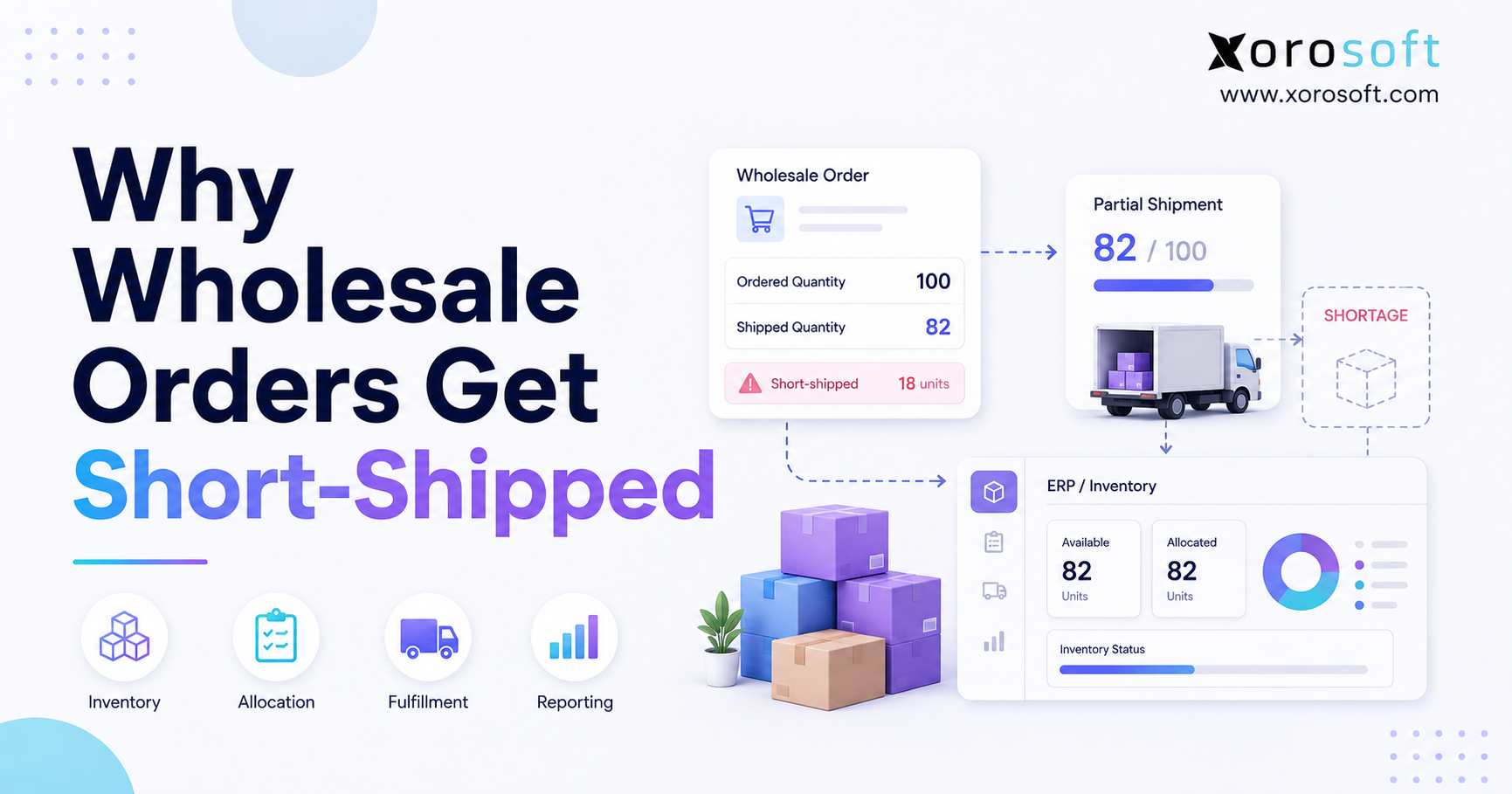
Imagine Shopify shows 40 units available for a fast-moving SKU. In reality, the warehouse has only 31 units because nine units were damaged, misplaced, or reserved for a wholesale order. The storefront keeps selling the product because Shopify still shows availability.
Soon, the team faces a fulfillment problem. Customer service explains the delay. Warehouse staff search for missing stock. Purchasing may reorder too late. Finance may carry the wrong inventory value.
The original issue involved only nine units. The operational impact becomes much larger.
1.3 How Inaccurate Stock Affects Operations
Poor Shopify stock accuracy affects almost every function in a product business.
Fulfillment slows down because warehouse teams investigate exceptions instead of shipping orders. Customer service handles avoidable complaints. Purchasing teams overbuy some products and underbuy others. Finance teams struggle to reconcile inventory value. Leadership loses trust in reports.
Eventually, teams create workarounds. Warehouse staff start using spreadsheets. Buyers build manual reorder trackers. Finance creates separate month-end files. Those workarounds may help temporarily, but they also create more disconnected data.
The better goal is not to patch the number after it goes wrong. The better goal is to fix the workflow behind the number.
2. How Shopify Tracks Inventory
Shopify gives merchants useful inventory tools for ecommerce operations. These tools include inventory quantities, locations, inventory states, adjustment history, and reporting. For many early-stage brands, that setup can work.
However, Shopify inventory works best when the operating model stays simple. Once a brand adds multiple warehouses, wholesale, Amazon, purchasing complexity, EDI, manufacturing, or advanced accounting needs, teams struggle to maintain inventory accuracy inside Shopify alone.
2.1 Shopify Inventory States Explained
Shopify separates inventory into different states. Teams that understand these states can diagnose why stock counts look wrong.
Shopify explains available, committed, unavailable, on hand, and incoming inventory in its Shopify inventory states guide.
2.1.1 On Hand Inventory
On hand inventory shows the total inventory associated with a location. It includes units available for sale, units already committed to orders, and units that cannot sell yet.
This number helps teams understand total physical stock. Still, the full quantity may not be ready for sale today.
2.1.2 Available Inventory
Available inventory shows the stock customers can buy now. This number matters most for storefront availability.
If available inventory looks wrong, the store may oversell products or hide stock that warehouse teams can actually ship.
2.1.3 Committed Inventory
Committed inventory covers units that existing orders already claimed. These units exist, but the store should not offer them to new customers.
Fast-moving Shopify stores need this number to update correctly. Otherwise, the business may promise the same unit twice.
2.1.4 Unavailable Inventory
Unavailable inventory exists, but teams should not sell it yet. It may include damaged items, stock under inspection, reserved units, or inventory another workflow controls.
This category helps teams protect customers from bad fulfillment promises. However, teams need to review unavailable stock often so sellable units do not stay locked away.
2.1.5 Incoming Inventory
Incoming inventory covers stock expected from suppliers or transfers. It helps with planning, but it should not influence sellable stock until the warehouse receives and approves it.
Brands create problems when they treat incoming inventory like available inventory.
2.2 Where Shopify Inventory Works Well
Shopify inventory works well for brands with simple operations.
It often supports businesses that sell mainly through Shopify, ship from one location, manage a controlled SKU count, and use basic purchasing workflows. In that stage, Shopify gives operators a straightforward way to manage stock close to the storefront.
The system works especially well when one small team handles most inventory tasks. People know which products arrived, which orders need attention, and which SKUs require follow-up.
2.3 Where Shopify Inventory Becomes Limited
Shopify becomes harder to use as the only inventory system when the business grows more complex.
Common triggers include multiple warehouses, wholesale orders, Amazon sales, EDI, purchase orders, manufacturing, bundles, inventory valuation, forecasting, and warehouse scanning.
At that point, Shopify may remain the ecommerce storefront. However, the business may need another system behind Shopify to manage inventory, warehouse movement, purchasing, accounting, and reporting.
3. Common Causes of Shopify Stock Accuracy Problems
Shopify stock accuracy problems usually come from process gaps. The issue may appear inside Shopify, but the root cause often sits in receiving, fulfillment, returns, warehouse movement, app sync, or accounting.
3.1 Manual Inventory Adjustments
Manual adjustments sometimes help. They become risky when teams use them without discipline.
If a warehouse employee changes stock without a clear reason, no one can tell whether that change corrected an error or created a new one. Over time, repeated manual changes make inventory difficult to audit.
Every stock adjustment should include a reason, SKU, location, quantity, user, and timestamp. Shopify’s inventory adjustment history can help teams review changes, but the business still needs a controlled adjustment process.
3.2 Delayed Receiving
Receiving causes many inventory accuracy problems.
If goods arrive at the warehouse but teams do not receive them into the system, Shopify may show a stockout even though products sit on the shelf. The opposite can also happen. If someone marks products as received before inspection, Shopify may show inventory that cannot ship.
A stronger receiving process separates arrived stock, inspected stock, damaged stock, and available stock.
3.3 Returns That Go Back Too Quickly
Returns can create hidden inventory errors.
A returned product may arrive opened, damaged, incomplete, or missing packaging. If the team adds it back to available inventory too quickly, a customer may buy something the warehouse cannot ship.
Warehouse teams should inspect returned items before they make them sellable again. That small step protects both stock accuracy and customer experience.
3.4 Picking and Packing Errors
Warehouse mistakes directly affect Shopify stock counts.
If a picker selects the wrong SKU, Shopify may reduce inventory for one product while the warehouse ships another product. Now two SKUs have wrong counts. One shows less stock than reality. The other shows more stock than reality.
Barcode scanning, bin locations, pick validation, and packing checks reduce this risk.
3.5 Multi-Location Confusion
Multi-location inventory makes accuracy harder.
A product may exist in several warehouses, stores, or fulfillment centers. Transfers between those locations need careful tracking. If one location sends stock but another receives it incorrectly, the system can duplicate, lose, or trap inventory in transit.
Location-level visibility becomes essential when brands scale beyond one warehouse.
3.6 App Sync Conflicts
Many Shopify brands use apps for shipping, inventory, subscriptions, bundles, accounting, wholesale, or fulfillment. Each app may read or update inventory data.
Problems start when too many systems can change stock. One app may overwrite another. A delayed sync may update Shopify after orders already moved. Bundle apps may reduce component quantities differently from warehouse tools.
The business needs one system of record for inventory. Other tools should follow that source of truth.
3.7 Bundles, Kits, and Component Stock
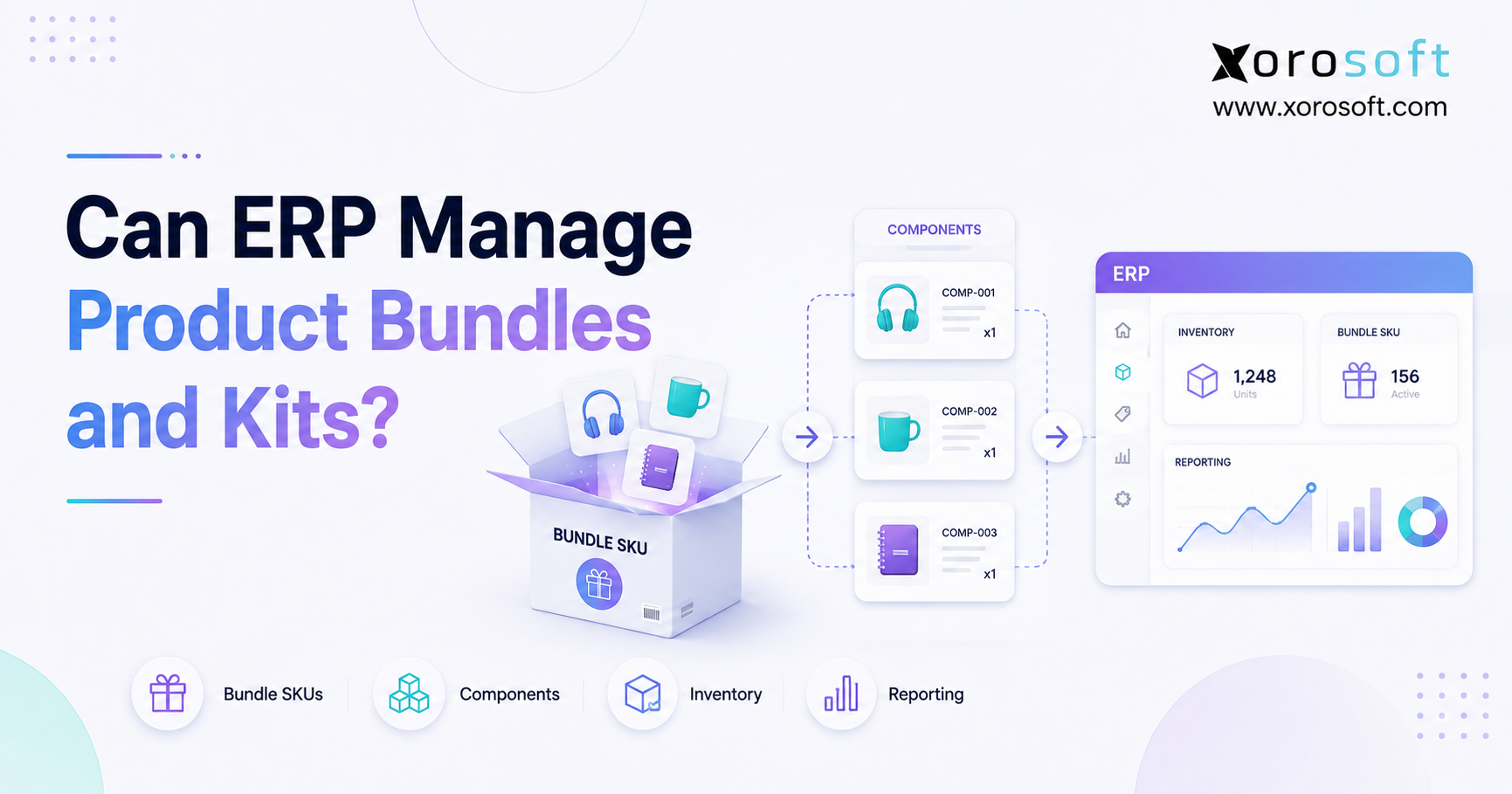
Bundles and kits make stock accuracy harder because one sellable item may include several physical components.
For example, a gift box may include three products. If Shopify tracks only the finished kit and ignores the components, the brand may sell a bundle it cannot assemble.
This issue becomes more serious for manufacturing, assembly, subscription boxes, food products, and apparel packs.
4. Warning Signs Your Shopify Stock Counts Are Not Reliable
Inventory accuracy problems often show up before they become major failures. Operators should watch for the early signals.
4.1 Overselling Products
Overselling gives the clearest warning sign. Shopify allowed a customer to buy something the business could not fulfill.
This usually means available inventory looked too high, committed inventory did not update properly, warehouse counts drifted, or another system changed stock incorrectly.
4.2 Stockouts After Recent Purchases
If buyers recently ordered inventory but the business still runs out, poor receiving, weak forecasting, supplier delays, or incorrect reorder planning may explain the issue.
Stockouts hurt more than revenue. Paid ads waste budget. Customers may leave. Marketplace performance may decline. Teams may rush emergency purchases at worse margins.
4.3 Warehouse Teams Using Spreadsheets
A spreadsheet often appears when teams stop trusting the system.
At first, it feels harmless. Warehouse staff track real stock manually. Purchasing creates a separate reorder sheet. Finance keeps its own inventory value file.
Soon, the business has several versions of the truth. Once that happens, teams struggle to restore Shopify stock accuracy.
4.4 Finance Questioning Inventory Value
Inventory accuracy affects accounting.
If Shopify, warehouse records, and accounting software do not agree, finance teams struggle with inventory valuation, cost of goods sold, gross margin, and month-end close.
When finance no longer trusts inventory value, the business has moved beyond a simple stock count issue.
4.5 Customer Service Handling Stock Complaints
Customer service often sees inventory problems first.
They hear from customers whose orders get canceled, delayed, split, or replaced. If those complaints keep happening, the brand should not treat them as isolated service issues. They signal weak inventory control.
5. How to Improve Shopify Stock Accuracy
Improving Shopify stock accuracy starts with process control. Software can help, but only when the business has clear rules for how inventory moves.
5.1 Define One Inventory Source of Truth
Start with one question: which system owns inventory?
For a simple business, Shopify may own that role. For a growing brand, the source of truth may need to move into an inventory system, WMS, or ERP. The key is to avoid multiple systems making independent inventory changes.
When every tool can update stock, no one can explain why the number changed.
5.2 Standardize Receiving
A clean receiving process should follow the same steps every time.
Goods arrive. The team checks the supplier, purchase order, SKU, and quantity. Staff separate damaged items. The warehouse receives sellable stock. Buyers record variances. Finance can review what happened.
This workflow prevents inventory from becoming available before the warehouse can actually ship it.
5.3 Use Cycle Counting
Cycle counting means counting smaller groups of inventory regularly instead of waiting for a full physical count.
Fast-moving SKUs, high-value SKUs, frequently adjusted products, and seasonal items need more frequent counts. This helps teams catch errors closer to when they happen.
A full count may still help, but cycle counting gives operators better ongoing control.
5.4 Track Every Adjustment
Every adjustment needs a reason.
Useful reason codes include damaged stock, lost stock, found stock, receiving correction, return correction, cycle count variance, warehouse error, and transfer mismatch.
Adjustment history does more than store a record. It helps teams diagnose problems. If the same SKU or location keeps showing adjustments, the team can investigate the root cause.
5.5 Use Barcode Scanning
Barcode scanning reduces manual entry errors in the warehouse.
Scanning helps with receiving, putaway, picking, packing, transfers, cycle counts, and returns. It also creates stronger audit trails because teams record inventory movement as work happens.
For brands where warehouse activity drives inventory errors, XoroWMS can support more controlled receiving, picking, packing, and stock movement workflows.
5.6 Separate Available, Reserved, and Incoming Stock
Available stock can sell now. Reserved stock already belongs to an order. Incoming stock should arrive later. Damaged or inspection stock should not go to customers.
Clear separation prevents false availability. It also helps customer service, purchasing, and fulfillment teams make better decisions.
5.7 Connect Inventory With Purchasing and Accounting
Inventory accuracy improves when purchasing and accounting connect to stock movement.
Purchase orders explain what should arrive. Receiving confirms what arrived. Sales reduce stock. Returns may restore stock. Accounting records inventory value.
When these workflows live in separate tools, teams spend too much time reconciling. A connected ERP approach, such as XoroERP, helps align inventory, purchasing, warehouse operations, accounting, and reporting.
6. Shopify Stock Accuracy Across Multiple Locations
Multi-location inventory creates a major turning point for Shopify brands. A single warehouse can run on simple controls for a while. Multiple locations need stronger process discipline.
6.1 Why Multi-Warehouse Inventory Is Harder
Each warehouse has its own receiving habits, storage layout, team, transfer activity, and fulfillment rules.
A SKU may show accurate counts in one location and wrong counts in another. Company-wide inventory can look fine while one warehouse oversells and another overstocked location holds extra units.
That is why location-level visibility matters.
6.2 How Transfers Create Discrepancies
Transfers create risk because inventory moves between locations.
If Warehouse A ships 100 units but Warehouse B receives only 92, the system must show the variance. If the transfer workflow lacks control, inventory can duplicate, disappear, or remain in transit.
A good transfer process tracks quantity sent, quantity received, variance, date, location, and responsible users.
6.3 Why Location-Level Visibility Matters
Location-level visibility helps teams answer practical questions.
Which warehouse can fulfill this order? Which location holds too much stock? Where should the next purchase order arrive? Which warehouse creates the most discrepancies?
Without this visibility, operators make decisions from averages instead of reality.
6.4 Multi-Channel Inventory Pressure
Many Shopify brands also sell through Amazon, wholesale, retail, EDI, or marketplaces.
Every channel creates demand against the same inventory pool. If those channels do not sync correctly, the business may sell the same unit twice.
Brands that sell across several channels often need a stronger operational backbone behind Shopify. The Xorosoft ERP app on the Shopify App Store gives Shopify merchants a relevant example of connected ERP workflows.
7. Shopify Inventory Apps, WMS, and ERP: What Each System Solves
The right system depends on the type of inventory problem. A small Shopify store does not always need ERP. A complex product business often does.
7.1 When Shopify Native Inventory Is Enough
Shopify native inventory may support the business when the brand sells mainly through Shopify, operates from one location, uses simple fulfillment, and manages a limited SKU count.
At this stage, process discipline matters more than software complexity.
7.2 When an Inventory App Helps
A Shopify inventory app can help with alerts, simple reporting, bundle logic, reorder points, or sync workflows.
However, apps can also create complexity. Before adding another tool, operators should ask whether it will become the inventory source of truth or just another layer to reconcile.
7.3 When a WMS Helps
A WMS helps when the warehouse creates most stock errors.
If receiving, picking, packing, transfers, and bin locations create discrepancies, warehouse management software can add control. Scanning and task-level workflows reduce manual mistakes.
7.4 When ERP Becomes the Better Fit
ERP becomes useful when inventory accuracy depends on several connected functions.
A growing Shopify brand may need inventory, purchasing, warehouse management, accounting, forecasting, manufacturing, Amazon, EDI, and reporting to work together.
In that situation, XoroONE can act as a broader operating system for inventory-driven businesses. Shopify remains the ecommerce layer, while the ERP supports the operational workflows behind the store.
7.5 System Comparison
| System Type | Best For | Strength | Limitation | Upgrade Signal |
|---|---|---|---|---|
| Shopify native inventory | Simple ecommerce stores | Storefront stock tracking | Limited operational depth | Multiple locations or complex purchasing |
| Inventory app | Growing merchants | Alerts and basic planning | More reconciliation if apps overlap | Too many disconnected tools |
| WMS | Warehouse-heavy teams | Receiving, picking, packing, scanning | May not solve accounting or purchasing | Warehouse errors drive variance |
| ERP | Inventory-driven brands | Inventory, purchasing, accounting, WMS, forecasting, reporting | Requires process commitment | Teams need one operational source of truth |
For brands comparing systems, pages such as Xorosoft vs Cin7 and Xorosoft vs QuickBooks can help operators understand the difference between inventory tools, accounting-led workflows, and ERP systems.
8. Shopify Stock Accuracy by Industry
Different industries experience stock accuracy problems in different ways. The system design should reflect the operating reality of the products being sold.
8.1 Apparel and Fashion
Apparel brands manage size, color, style, seasonality, returns, and high SKU counts.
A product may look available at the parent level while a specific variant has no sellable units. For example, a black medium hoodie may have no stock even though the total hoodie count looks healthy.
Variant-level control matters in this category.
8.2 Furniture and Bulky Goods
Furniture brands need visibility into quantity, condition, location, and delivery readiness.
A sofa may physically exist, but damage, reservation status, or warehouse location may prevent the team from shipping it. In this category, sellable inventory depends on more than a simple unit count.
8.3 Sporting Goods
Sporting goods brands often deal with seasonal spikes, kits, accessories, and marketplace sales.
Demand can rise quickly around seasons, events, and promotions. Accurate stock counts help purchasing teams avoid both stockouts and overstock.
8.4 Food and Beverage
Food and beverage brands may need lot tracking, expiry control, receiving checks, and quality reviews.
For these brands, stock accuracy does not only ask whether inventory exists. It also asks whether the product can safely and legally ship.
8.5 Wholesale Distribution
Wholesale brands need allocation, large orders, EDI, purchasing visibility, and customer-specific workflows.
Shopify may support ecommerce orders, but wholesale inventory often needs deeper operational control. The industries we serve page gives useful context for different inventory-driven business models.
8.6 Manufacturing and Assembly
Manufacturing brands need visibility into raw materials, components, finished goods, BOMs, work orders, and production planning.
A finished product may depend on component availability. Shopify may sell the product, but the production workflow must also protect inventory accuracy.
9. Shopify Stock Accuracy Checklist
A checklist helps teams move from reactive fixes to consistent inventory control.
9.1 Daily Checks
Review oversold SKUs. Check orders stuck in fulfillment. Look for negative inventory. Confirm high-volume SKU availability. Review manual adjustments from the previous day. Check failed syncs.
Daily checks should move quickly. The goal is to catch exceptions before customers do.
9.2 Weekly Checks
Run cycle counts for priority SKUs. Review adjustment reasons. Compare received goods against purchase orders. Check returns waiting for inspection. Review transfer variances. Look at warehouse picking errors.
Weekly reviews help teams find patterns instead of only fixing symptoms.
9.3 Monthly Checks
Monthly checks should connect operations with finance.
Reconcile inventory value. Review slow-moving stock. Identify overstocked SKUs. Analyze stockout history. Compare Shopify quantities against warehouse records. Review margin impact from inventory errors.
This is where inventory accuracy becomes financial visibility.
9.4 Quarterly Operational Review
A quarterly review should answer broader questions.
Are inventory errors increasing? Which warehouse has the highest variance? Which SKUs create the most issues? Do apps create sync conflicts? Does purchasing trust the numbers? Can finance close the month without inventory surprises?
If those answers remain unclear, the system may need to change.
10. Mistakes to Avoid When Fixing Shopify Stock Accuracy
Many teams try to solve inventory problems by adding another app. Sometimes that helps. Other times, it creates another system to reconcile.
10.1 Treating Shopify as the Entire Operating System
Shopify works well for commerce. It does not always cover purchasing, warehouse management, accounting, manufacturing, forecasting, and multi-channel operations.
The better question is not whether Shopify works well. The better question is whether Shopify should remain the only system controlling inventory for a more complex business.
10.2 Letting Every App Change Inventory
Every connected app should not update stock.
If one app updates bundles, another updates shipping, another updates accounting, and another updates marketplace inventory, the business can lose control over the stock record.
Operators should define which system owns inventory and which systems only read inventory.
10.3 Ignoring Warehouse Process Problems
If warehouse processes stay weak, software may only record errors faster.
Receiving, putaway, picking, packing, cycle counts, and returns need clear workflows. Barcode scanning and bin-level control can help, but the team still needs discipline.
10.4 Solving Inventory Without Finance
Inventory works as both an operational asset and a financial asset.
If Shopify stock counts do not match accounting records, finance teams may struggle with valuation, COGS, gross margin, and month-end close.
Brands that have outgrown accounting-led inventory workflows often compare ERP options through resources such as the main Xorosoft comparison page.
10.5 Waiting Too Long to Upgrade
Many brands wait until inventory problems become painful before they upgrade systems.
By then, the team may already have years of messy data, manual adjustments, disconnected apps, and spreadsheet habits. A better approach is to watch for upgrade signals early.
Multiple warehouses, frequent adjustments, delayed reconciliation, wholesale growth, EDI, manufacturing, and purchasing spreadsheets all suggest that the current setup may be stretched.
11. When Shopify Brands Should Upgrade to ERP
ERP is not necessary for every Shopify store. It becomes useful when inventory accuracy depends on several teams sharing the same operational record.
11.1 Revenue and Order Volume Signals
Revenue alone does not decide ERP readiness. Complexity does.
A brand may need ERP when order volume increases, SKU count expands, warehouses multiply, or teams spend too much time reconciling systems manually.
The practical question is simple: can the current workflow still explain every stock movement clearly?
11.2 Multi-Warehouse Signals
Multiple warehouses create more chances for inventory variance.
Transfers, location-level allocation, replenishment, and fulfillment routing all need stronger controls. If Shopify shows total inventory but teams cannot trust location-level stock, the brand needs better visibility.
11.3 Purchasing and Forecasting Signals
Purchasing teams need reliable stock data to make good buying decisions.
If buyers depend on spreadsheets, delayed reports, or manual calculations, reorder decisions become reactive. Forecasting also weakens because bad inventory data creates bad demand planning.
11.4 Accounting and Reporting Signals
Finance teams need inventory value to match real stock movement.
If month-end close slows down because inventory numbers look unclear, the business has moved beyond basic Shopify stock tracking. Accounting, warehouse, purchasing, and sales data need to connect.
11.5 Why Xorosoft Fits Inventory-Driven Shopify Operations
Xorosoft is a cloud ERP platform built for inventory-driven businesses. It connects inventory management, purchasing, warehouse management, manufacturing, forecasting, accounting, reporting, and ecommerce operations.
For Shopify merchants, Xorosoft can act as the operational system behind Shopify. Shopify remains the storefront, while Xorosoft supports the workflows that determine whether stock data stays accurate.
This fit is especially relevant for brands selling through Shopify, Amazon, wholesale, EDI, and multiple warehouses. It also fits apparel, furniture, sporting goods, food and beverage, wholesale distribution, and manufacturing businesses that have outgrown spreadsheets, QuickBooks, and disconnected inventory apps.
12. Shopify Stock Accuracy FAQs
12.1 What is Shopify stock accuracy?
Shopify stock accuracy means the inventory quantity shown in Shopify matches the physical stock available in your warehouse, store, or fulfillment location. It matters because customers buy based on what Shopify shows. If the number looks wrong, the business may oversell, delay orders, or hide products that teams can actually ship.
12.2 Why are my Shopify stock counts wrong?
Shopify stock counts may go wrong because of manual adjustments, delayed receiving, app sync problems, returns, transfer mistakes, warehouse picking errors, or disconnected systems. The problem often starts outside Shopify and appears in Shopify after the workflow breaks.
12.3 How do I improve Shopify stock accuracy?
Improve Shopify stock accuracy by standardizing receiving, tracking every adjustment, reviewing inventory reports, running cycle counts, using barcode scanning, and connecting inventory with purchasing and accounting. The goal is to prevent wrong counts instead of constantly correcting them.
12.4 What causes overselling in Shopify?
Overselling happens when Shopify shows more available inventory than the business can actually fulfill. Common causes include delayed syncs, wrong warehouse counts, app conflicts, missing transfer updates, and committed stock that does not update correctly.
12.5 Can Shopify manage multiple warehouses?
Shopify can support location-based inventory. However, multi-warehouse brands often need stronger controls for transfers, replenishment, warehouse scanning, purchasing, and fulfillment routing. As complexity grows, a WMS or ERP may become necessary.
12.6 What is the difference between on hand and available inventory?
On hand inventory shows the total inventory associated with a location. Available inventory shows the quantity customers can currently buy. Some on hand stock may sit committed, unavailable, damaged, reserved, or under inspection.
12.7 How often should Shopify inventory be counted?
Teams should count fast-moving, high-value, and frequently adjusted SKUs more often. Many growing brands use weekly or daily cycle counts for priority items, while broader counts happen monthly, quarterly, or annually.
12.8 What is cycle counting?
Cycle counting means teams count selected inventory groups regularly instead of counting everything at once. It helps teams find errors faster, reduce disruption, and improve inventory accuracy over time.
12.9 How do returns affect Shopify stock accuracy?
Returns affect stock accuracy because returned products may not qualify for resale. If damaged or incomplete returns go back into available stock too quickly, Shopify may show inventory the warehouse cannot ship.
12.10 When should a Shopify brand use ERP?
A Shopify brand should consider ERP when inventory accuracy depends on purchasing, accounting, warehouse management, forecasting, manufacturing, and multi-channel sales. ERP helps when disconnected apps and spreadsheets create too much manual reconciliation.
13. Final Operating Takeaway
Shopify stock accuracy becomes more important as the business grows. At first, simple stock tracking may be enough. Later, the same process can break under the weight of more SKUs, more warehouses, more channels, more returns, and more financial complexity.
The real goal is not just to make Shopify show a cleaner number. The goal is to make the number trustworthy.
That requires disciplined receiving, accurate warehouse movement, cycle counting, adjustment tracking, location-level visibility, purchasing alignment, and accounting reconciliation. For some brands, Shopify and a few apps may still be enough. For others, a connected ERP or WMS becomes the better operating model.
If your team no longer trusts the stock numbers in Shopify, do not treat the next manual adjustment as the solution. Review the workflow behind the number.
For Shopify brands ready to connect inventory, warehouse operations, purchasing, accounting, and reporting, Book a demo to see how Xorosoft supports a more reliable operating system behind Shopify.