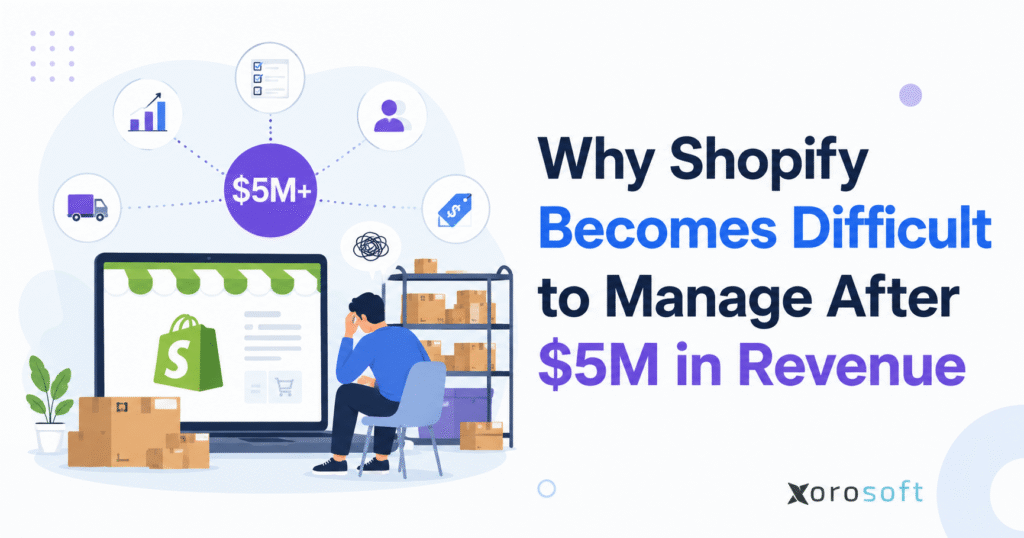
For businesses reaching significant milestones, it’s important to understand how to optimise Shopify operations after $5M in revenue.
1. Shopify Operations After $5M: Why Control Starts Breaking
Shopify operations after $5M usually become harder because the business is no longer managing simple ecommerce activity. Revenue may still look strong, yet the operational work behind every order becomes more complex. More SKUs, suppliers, warehouses, returns, purchase orders, and sales channels all create pressure on the team.
From the outside, the store may look healthy. Customers can browse products, place orders, and complete checkout without seeing what happens behind the scenes. Internally, however, the team may be dealing with inventory mismatches, late supplier shipments, warehouse delays, accounting cleanup, and reports that do not fully agree.
At this stage, Shopify is usually not the problem. Instead, the platform is being asked to carry workflows that belong in a stronger back-office system. Ecommerce selling remains its strength, but inventory, purchasing, accounting, warehouse management, forecasting, wholesale, and reporting need deeper operational control.
Because of that, Shopify operations after $5M expose weak processes that were easier to ignore earlier. A spreadsheet that once felt flexible now slows down purchasing. Meanwhile, manual warehouse processes create fulfillment mistakes. Likewise, basic accounting workflows require repeated reconciliation instead of clean month-end reporting.
As a result, the business feels harder to manage even while sales continue to grow. Replacing Shopify is rarely the answer. A better move is to separate the commerce layer from the operational layer.
1.1 Shopify Back-Office Operations Break Behind a Healthy Storefront
Shopify continues to work well for the customer-facing side of the business. It supports storefronts, product pages, checkout, promotions, online orders, and ecommerce customer experience. Therefore, most growing brands do not need to replace it.
Pressure starts behind the store. Once order volume increases, teams need better control over inventory availability, supplier lead times, warehouse movement, purchase orders, accounting data, and margin reporting. Without that control, employees begin creating manual workarounds.
In practice, Shopify operations after $5M become difficult because teams are no longer solving one problem at a time. Inventory affects purchasing. Supplier decisions affect warehouse receiving. Fulfillment quality shapes customer service. Finally, accounting depends on all of those workflows being accurate.
1.2 Shopify Management After $5M Turns Small Gaps Into Bigger Problems
Revenue growth does not always create new problems. Often, it exposes problems that were already hidden.
At $1M, a team can fix many issues manually. Someone can adjust inventory, update a purchase spreadsheet, check a warehouse shelf, or reconcile an order export. However, at $5M, the same workaround happens too often and takes too much time.
For example, one inventory error can affect hundreds of orders. Late purchasing can create stockouts across multiple channels. Meanwhile, receiving mistakes can make Shopify availability unreliable. In addition, disconnected accounting processes delay month-end close.
Because the business has grown, small issues now create larger consequences. That is why Shopify management after $5M requires stronger operational discipline.
2. Shopify Back-Office Operations Need More Than Ecommerce Tools
Shopify is a commerce platform. It helps merchants sell products online, manage storefronts, accept payments, process orders, and connect with apps. Those strengths remain valuable as the brand grows.
However, a $5M inventory-driven company needs more than ecommerce execution. Accurate inventory, connected purchasing, reliable warehouse workflows, clean accounting, demand forecasting, and real-time reporting all become essential. These workflows are not simply ecommerce tasks. They are operational responsibilities.
A growing brand should not ask one platform to do everything. Instead, the business should define what Shopify owns and what the back office owns. Commerce workflows should stay close to Shopify, while operational workflows should live in a system designed for inventory, purchasing, warehouse management, accounting, forecasting, and reporting.
In this context, Shopify operations after $5M need stronger structure because each department depends on the same data. When operations, finance, warehouse, and purchasing teams all work from different numbers, decisions become slower and less reliable.
2.1 Shopify Commerce Workflows Should Stay Customer-Facing
The customer-facing commerce layer should usually stay inside Shopify. Product pages, checkout, customer orders, online promotions, customer experience, and ecommerce sales workflows belong there.
Keeping the platform focused on commerce helps the brand stay agile. Marketing teams can launch campaigns, merchandising teams can update products, and customers can continue buying through a familiar experience.
Meanwhile, the back office needs its own structure. Forcing complex purchasing, warehouse rules, accounting controls, and forecasting into disconnected workflows eventually stretches the business.
2.2 Shopify ERP Workflows Should Run Behind the Store
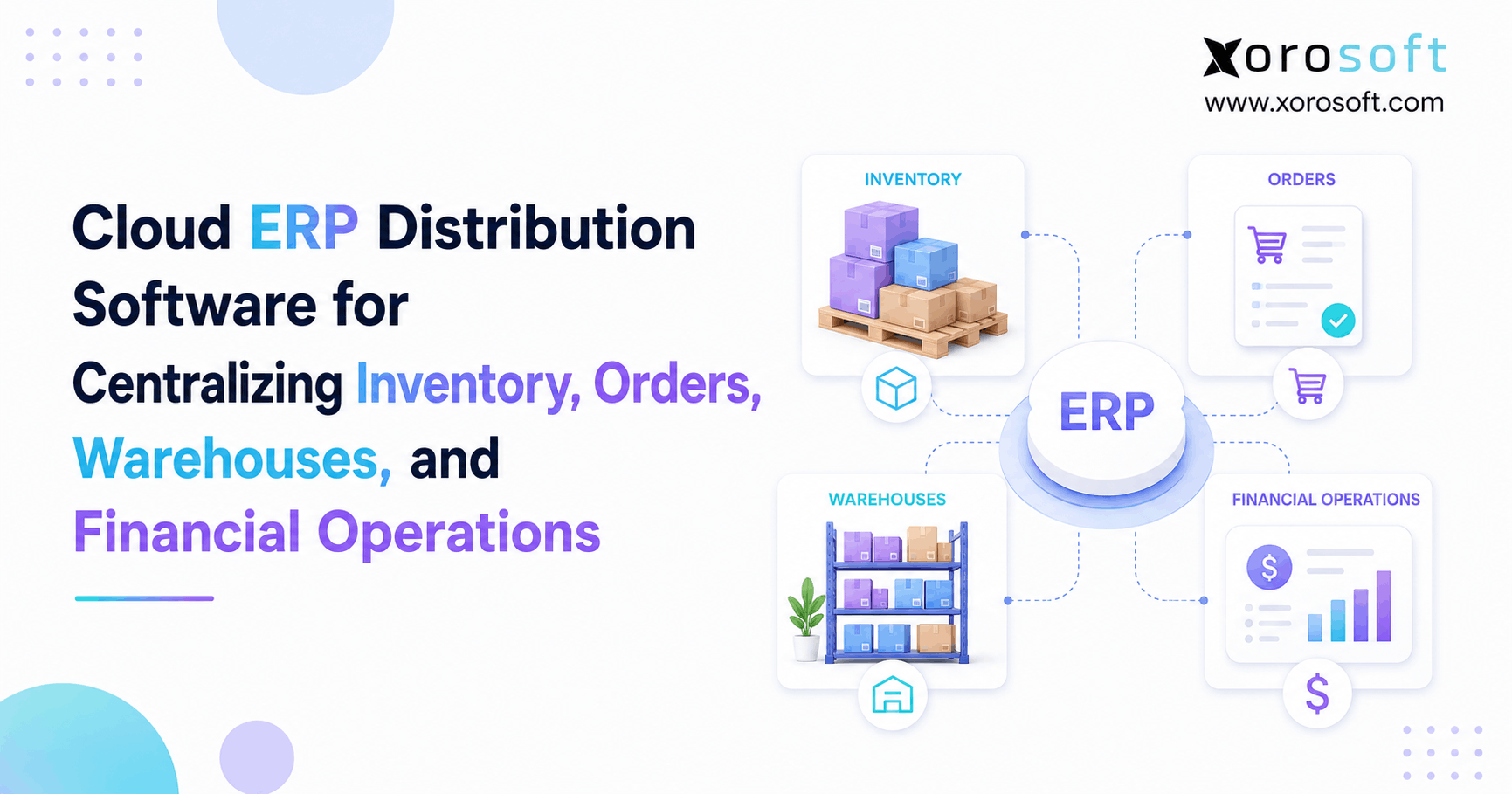
A Shopify ERP should own the operational layer behind the store. That includes inventory control, purchasing, supplier management, warehouse receiving, picking, packing, shipping, returns, accounting, forecasting, reporting, wholesale, manufacturing, and EDI.
For inventory-driven brands, this separation matters. Shopify captures the sale. The ERP manages what happens before and after the sale.
As a result, teams gain better visibility into stock, supplier commitments, warehouse activity, accounting data, and operational performance. This makes Shopify operations after $5M easier to control.
3. Shopify Inventory Management After $5M Becomes the First Major Problem
Inventory is often the first area where scaling problems become visible. At an early stage, stock may be managed through Shopify, QuickBooks, spreadsheets, warehouse notes, and manual checks. That can work when there are fewer SKUs and fewer daily transactions.
After the business grows, inventory moves too quickly for manual control. Orders reduce stock. Returns add stock back. Transfers move inventory between locations. Purchase orders increase incoming supply. Wholesale commitments reserve units. Amazon orders compete with Shopify orders. Damaged goods reduce sellable inventory.
When these movements do not update in one reliable system, the team stops trusting the numbers. Consequently, Shopify operations after $5M become harder because every department starts making decisions with incomplete inventory visibility.
3.1 Shopify Inventory Accuracy Drops When Data Lives in Too Many Places
Inventory accuracy drops when stock data lives in too many places. Shopify may show one number. Warehouse teams may believe another. Accounting may use a different figure. Purchasing may work from a spreadsheet that was updated days ago.
Consequently, decision-making becomes risky. Marketing may promote products that are not truly available. Customer service may promise orders that cannot ship. Buyers may reorder too late. Finance may struggle to calculate accurate inventory value.
Because inventory affects every department, poor accuracy becomes more than a warehouse issue. It affects revenue, cash flow, customer experience, and financial reporting.
3.2 Multi-Warehouse Shopify Operations Need Better Visibility
Multi-warehouse operations add another layer of complexity. A product may be available in one location but not another. Orders may need to ship from the nearest warehouse, the lowest-cost warehouse, or the only location with full stock availability.
Additionally, teams must manage transfers, replenishment, bin locations, cycle counts, damaged goods, returns, and location-specific inventory availability. If those workflows remain disconnected, inventory confidence drops quickly.
This is why growing brands often evaluate a stronger warehouse management system as part of their Shopify operations after $5M. A dedicated warehouse workflow helps connect receiving, stock movement, picking, packing, shipping, and returns.
4. Shopify Purchasing Operations After $5M Become Too Important for Spreadsheets
Purchasing often works informally in the early stages. A buyer checks sales, reviews inventory, updates a spreadsheet, and sends a purchase order to the supplier. This approach feels simple because the company is still small enough to manage exceptions manually.
However, Shopify operations after $5M require better purchase planning. Supplier lead times, minimum order quantities, reorder points, safety stock, seasonal demand, warehouse space, cash flow, and open purchase orders all need to be considered together.
A spreadsheet can show what someone planned to buy. It cannot reliably connect live inventory, sales velocity, supplier performance, warehouse receiving, and accounting commitments.
4.1 Shopify Purchase Planning Gets Riskier as Demand Changes
Purchase planning becomes difficult because demand changes quickly. Best sellers can run out faster than expected. Slow movers can tie up cash. Suppliers can deliver late. Seasonal demand can distort forecasts. Product launches can also create buying risk.
Without connected data, buyers often make decisions based on partial information. For example, they may reorder too late because available inventory looked higher than it really was. Alternatively, they may overbuy because demand data feels unreliable.
Over time, these decisions affect working capital. Stockouts reduce sales, while overstock traps cash in inventory that may not move quickly.
4.2 Shopify ERP Improves Purchasing Control Behind the Store
A Shopify ERP improves purchasing by connecting demand, inventory, suppliers, purchase orders, receiving, and accounting. Instead of guessing what to buy, teams can plan replenishment with better operational context.
A stronger purchasing workflow helps buyers see what needs replenishment, when purchase orders should be placed, which suppliers are delayed, and how much cash is tied up in incoming inventory. Meanwhile, finance can review future commitments before they become urgent.
Therefore, purchasing becomes more proactive and less reactive. For Shopify operations after $5M, that shift matters because buying decisions directly affect revenue, cash flow, and customer experience.
5. Shopify Warehouse Operations After $5M Become a Fulfillment Bottleneck
Warehouse problems usually appear when order volume grows faster than process maturity. At an early stage, teams can pick, pack, and ship orders with basic lists, manual checks, and shipping tools. Later, that same process becomes too fragile.
Higher order volume creates more picking work. A larger SKU count increases the chance of mistakes. Returns require inspection. Multiple warehouses create coordination challenges. Channel expansion adds different shipping rules.
As a result, the warehouse becomes one of the most important parts of Shopify operations after $5M.
5.1 Shopify Fulfillment Depends on Clean Warehouse Execution
Fulfillment gets harder because every order depends on accurate inventory and clean warehouse execution. Teams must know what to pick, where to find it, how to pack it, which carrier to use, and how to update the order.
At scale, small errors repeat quickly. A wrong pick creates a return. Late shipping creates a support ticket. Missed scans create inventory confusion. Receiving mistakes affect future availability.
Although customers may never see the warehouse, they feel its performance through delivery speed, order accuracy, and return experience.
5.2 Shopify Warehouse Activity Should Connect With Inventory and Accounting
A warehouse app can help with specific workflows, but the strongest process connects warehouse activity to inventory, purchasing, accounting, and reporting.
Receiving should update inventory. After that, stock changes should update Shopify availability. Picking should reduce available units. Shipping should update order status. Returns should classify stock correctly. Finally, adjustments should flow into reporting.
When those workflows are connected, the warehouse no longer operates separately from the rest of the company. Instead, it becomes part of a controlled operational system.
6. Shopify Accounting Operations After $5M Create More Finance Pressure
Shopify reports can show sales activity, but finance teams need more than revenue. Fees, refunds, discounts, taxes, payouts, payment timing, inventory valuation, cost of goods sold, landed cost, and margin by product or channel all matter.
A brand can have strong Shopify sales and still lack clean financial visibility. That becomes a serious problem after $5M because leadership decisions depend on accurate numbers.
If finance spends too much time cleaning up data, the company manages the past instead of planning the future.
6.1 Shopify and QuickBooks Workarounds Become Harder to Maintain
Many Shopify brands start with QuickBooks because it is familiar and practical. It can work well for accounting at an earlier stage. However, problems begin when the business tries to make QuickBooks act like an inventory system, purchasing system, warehouse system, forecasting tool, and operational reporting layer.
The accounting team then becomes the cleanup team. Finance reconciles Shopify payouts, adjusts inventory values, matches refunds, reviews fees, cleans up cost of goods sold, and explains why reports do not match.
Eventually, month-end close becomes slower and more stressful.
6.2 Shopify Back-Office Operations Help Finance Trust the Numbers
Better Shopify back-office operations help finance by connecting operational activity to accounting data. Inventory receipts, purchase orders, landed costs, sales orders, shipments, returns, and adjustments become easier to track when they live in a connected system.
This improves visibility into inventory valuation, COGS, margin, and channel performance. It also reduces the need for repeated manual reconciliation.
For many growing brands, this is one of the strongest reasons to evaluate ERP for Shopify operations.
7. Shopify App Stack Complexity Creates Hidden Operational Costs
Shopify apps are useful, especially in the early stages. They help teams solve specific problems without building custom systems. A brand can quickly add tools for shipping, returns, reviews, accounting sync, wholesale, inventory, analytics, subscriptions, and marketing.
However, app stacks often become harder to manage as the company grows. One tool manages inventory. Another handles shipping. A separate platform supports returns. Accounting relies on a connector. Purchasing still happens in spreadsheets. Reporting requires manual exports.
Each tool may solve a narrow problem. Together, they may create a larger data problem.
7.1 Shopify Apps Can Solve Early Problems but Create Scaling Issues
Apps are usually added one at a time. The team has a problem, finds an app, installs it, and moves forward. That process works until every workflow depends on a different system.
The problem is not the apps themselves. Rather, the problem is that no single system owns the full operational process.
Inventory may be updated in one place. Orders may be fulfilled in another. Purchasing may happen in a spreadsheet. Accounting may depend on exports. Reporting may require cleanup. Because of this, teams spend more time managing systems than improving operations.
7.2 Shopify Operations at Scale Need More Than Another App
Another Shopify app may help if the problem is narrow. For example, a brand may need a reviews app, loyalty app, returns portal, or subscription tool.
However, Shopify operations at scale need ERP when the problem is cross-functional. Inventory accuracy affects purchasing, fulfillment, accounting, wholesale commitments, Amazon availability, and customer experience. Adding one more disconnected app may not fix the full workflow.
In that situation, a connected ERP becomes more useful because it gives the business one operational foundation.
8. Multi-Channel Shopify Operations Add More Complexity
Many Shopify brands do not stay Shopify-only. They add Amazon, wholesale, retail partners, EDI, marketplaces, pop-ups, distributors, or manufacturing workflows.
Every channel adds new requirements. Amazon may have strict fulfillment expectations. Wholesale customers may need payment terms and special pricing. Retail partners may require EDI. DTC customers still expect fast delivery and accurate stock availability.
Without centralized operations, each channel starts competing for the same inventory.
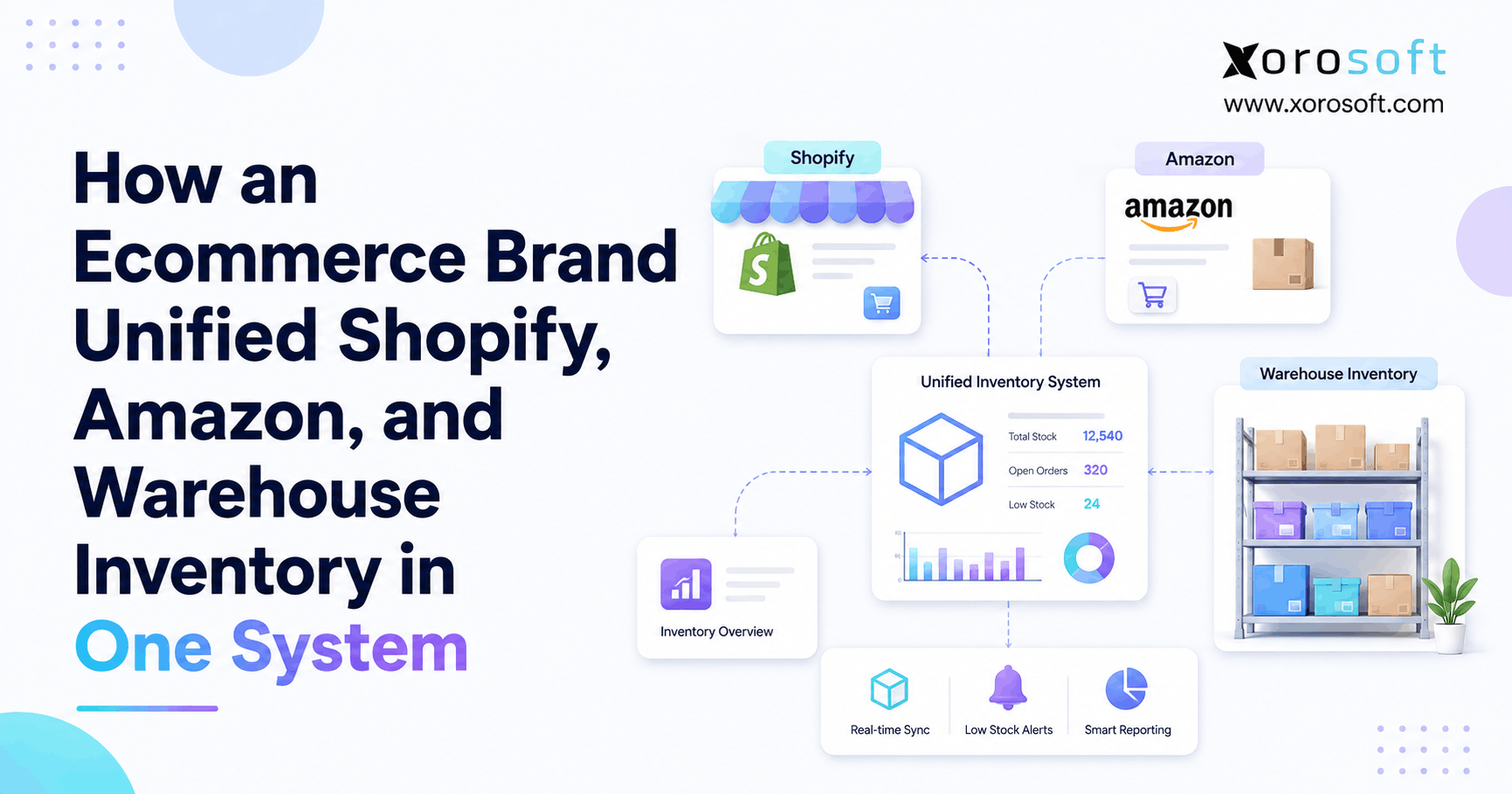
8.1 Shopify and Amazon Inventory Must Stay Aligned
When Shopify and Amazon sell the same products, inventory allocation becomes important. The business must decide how much stock should be available to each channel and how quickly availability should update.
If Shopify oversells, customers become frustrated. When Amazon runs out of stock, marketplace performance may suffer. Meanwhile, wholesale orders can consume inventory that DTC campaigns were expected to sell.
Because of this, Shopify operations after $5M need a central view of available, committed, incoming, and reserved inventory.
8.2 Shopify Wholesale and EDI Workflows Require Stronger Back-Office Control
Wholesale adds customer-specific pricing, larger order quantities, payment terms, sales rep workflows, retailer requirements, and inventory commitments.
EDI adds another layer. Retail partners may expect purchase orders, order acknowledgments, shipping notices, and invoices in a structured format.
These workflows require stronger back-office control. A Shopify ERP helps centralize inventory, orders, fulfillment, accounting, and reporting so the brand can manage DTC, Amazon, wholesale, and EDI without relying on disconnected processes.
9. Shopify Reporting After $5M Becomes Reactive Without Better Operations
Shopify reports are useful for ecommerce performance, but they do not always answer deeper operational questions. Leadership needs to understand more than sales.
The team may need to know which products are profitable, which suppliers are late, which warehouses are efficient, which SKUs are overstocked, which channels deserve more inventory, and how much cash is tied up in stock.
That requires connected data from inventory, purchasing, warehouse management, accounting, forecasting, and sales channels.
9.1 Shopify Sales Reports Do Not Show the Full Operational Picture
A Shopify sales report may show what sold. It may not show true landed cost, warehouse efficiency, supplier reliability, purchase order delays, margin by channel, or inventory risk.
When systems are disconnected, every department creates its own version of reporting. Operations uses one report. Finance uses another. Warehouse teams use another. Leadership receives summaries that do not fully agree.
As a result, meetings become debates about data instead of decisions.
9.2 Shopify Operations After $5M Need Better Metrics
Shopify operations after $5M should measure the metrics that connect sales performance to operational health.
Important metrics include inventory turnover, gross margin by SKU, stockout risk, overstock value, fill rate, forecast accuracy, supplier performance, warehouse productivity, purchase order delays, channel profitability, inventory valuation, and month-end close readiness.
Together, these metrics help the brand move from reactive management to controlled scaling.
10. Shopify Operations After $5M Readiness Signs
A brand does not need ERP only because it crossed a revenue number. Revenue is a signal, not a rule.
The better question is whether the company’s workflows have become too complex for its current systems. A $5M Shopify brand with one warehouse and simple operations may not need the same setup as a $5M brand selling through Shopify, Amazon, wholesale, and multiple warehouses.
Even so, the warning signs are usually easy to see once the team knows what to look for.
10.1 Shopify Operational Warning Signs Inside the Current Stack
A Shopify brand may be ready for a stronger system when inventory numbers are not trusted, purchase orders live in spreadsheets, warehouse errors increase, month-end close takes too long, and reports conflict across departments.
Other signals also matter. Teams may manually export data every week. Amazon and Shopify inventory may be hard to balance. Wholesale orders may create allocation problems. Leadership may lack real-time performance visibility. Employees may spend more time fixing systems than improving operations.
The clearest warning sign is repeated manual correction. If the team constantly fixes inventory, reconciles orders, updates spreadsheets, checks app syncs, and rebuilds reports, the workflow itself needs attention.
10.2 Shopify Management After $5M Raises Harder Leadership Questions
Leadership should pay attention when simple questions become hard to answer.
For example, the team may struggle to identify true inventory value, profitable products, reorder needs, late purchase orders, underperforming warehouses, channel margin, stockout risk, or forecast accuracy.
If answers take days to assemble, the business lacks operational visibility.
11. Shopify Alone vs Shopify ERP: What Each System Should Own
The goal is not to replace Shopify. The goal is to let Shopify do what it does best while another system manages the operational workflows behind it.
This is the most important mindset shift for growing brands. Shopify should remain the front-end commerce engine. ERP should become the back-office operating system.
11.1 Shopify Commerce Workflows Should Stay in Shopify
Shopify should usually own the storefront, checkout, ecommerce product experience, promotions, customer-facing orders, online selling workflows, and customer purchase journey.
This keeps the brand flexible on the customer-facing side. Meanwhile, operations can be managed through a system built for inventory, purchasing, warehouse, accounting, and reporting control.
11.2 Shopify ERP Should Own Back-Office Operations
A Shopify ERP should usually own inventory, purchasing, warehouse management, accounting, forecasting, reporting, wholesale workflows, manufacturing workflows, multi-channel operations, and EDI support.
For many growing brands, an ERP for Shopify operations becomes the system that connects these workflows behind Shopify.
| Workflow | Shopify Alone | Shopify ERP |
|---|---|---|
| Inventory | Ecommerce inventory tracking | Multi-channel, multi-warehouse inventory control |
| Purchasing | Basic buying support | Replenishment, supplier, and PO workflows |
| Warehouse | Fulfillment setup | Receiving, putaway, picking, packing, shipping |
| Accounting | Requires integrations | Inventory valuation, COGS, reconciliation |
| Forecasting | Limited planning | Demand, lead time, and replenishment planning |
| Reporting | Sales-focused reports | Operational and financial visibility |
| Wholesale | B2B selling support | Pricing, terms, allocation, EDI, fulfillment control |
12. Shopify Operations Stack After $5M Needs Clear Ownership
A scalable Shopify operations stack does not mean adding more software. It means reducing confusion by clearly defining system ownership.
A good stack should support growth without forcing every department to manage separate data. Therefore, the goal is not app volume. The goal is operational clarity.
12.1 Shopify Operations After $5M Need Connected Core Systems
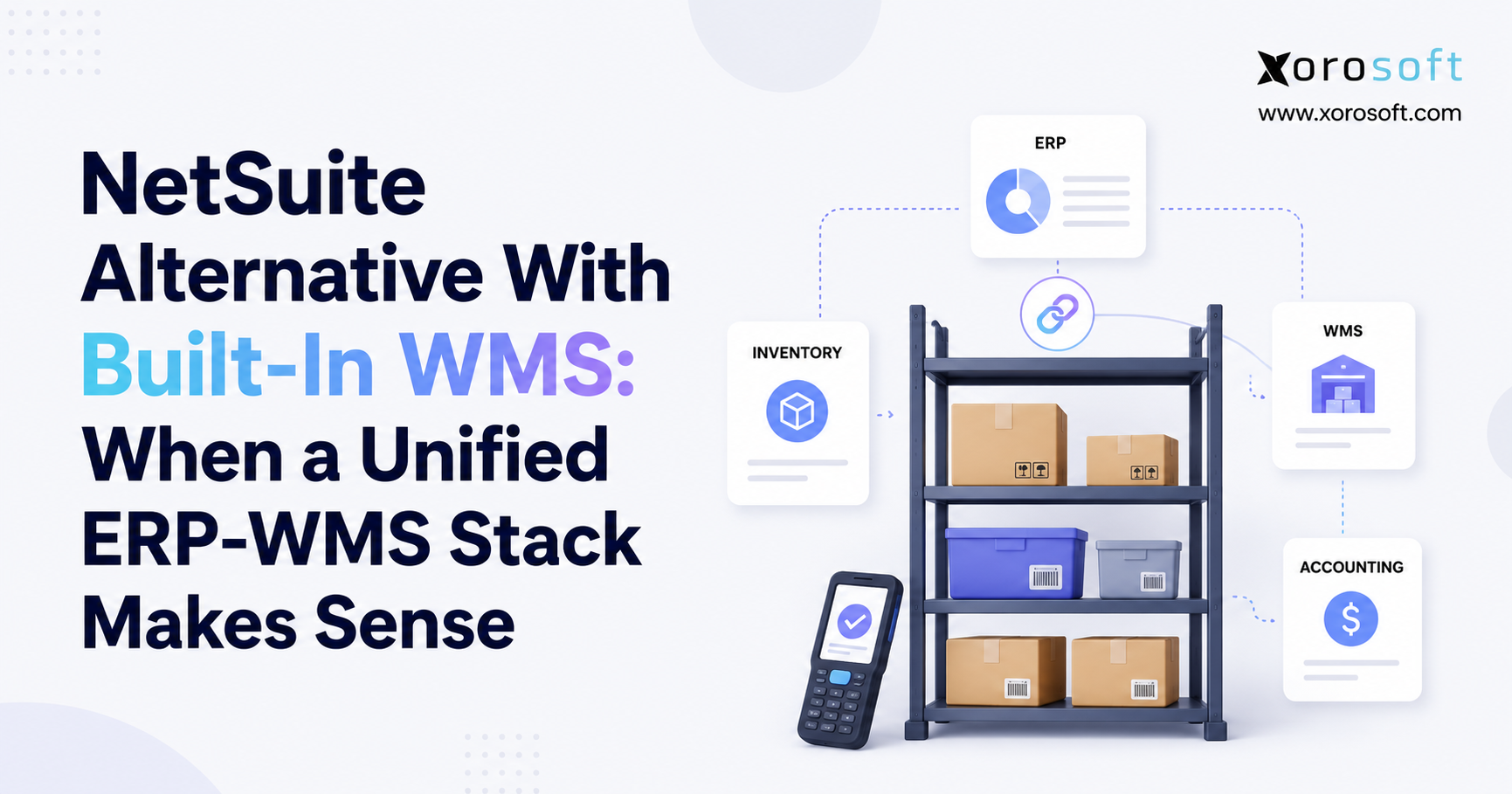
A mature stack may include Shopify for storefront and checkout, ERP for inventory and accounting, WMS for warehouse execution, marketplace tools for Amazon, EDI tools for retailer documents, and reporting tools for leadership visibility.
A cloud ERP platform can become the central system behind Shopify when inventory, purchasing, accounting, warehouse management, forecasting, and reporting need to operate from one source of truth.
With this structure, Shopify operations after $5M become easier to manage because each system has a clear role.
12.2 Shopify Back-Office Operations Should Avoid Disconnected Tools
Growing brands should avoid three common mistakes.
First, do not add another disconnected app before understanding the workflow problem. Next, do not keep spreadsheets as the main planning layer for purchasing and inventory. Finally, do not wait until operational issues become customer-facing.
Before choosing software, map how orders, inventory, purchase orders, receiving, fulfillment, returns, accounting, and reporting move through the business.
Brands evaluating ERP options can also review how modern systems compare using resources such as Xorosoft’s comparison page.
13. Xorosoft and Shopify Operations After $5M
For Shopify brands that sell physical products, operational complexity usually comes from inventory movement. Stock moves through suppliers, warehouses, ecommerce orders, wholesale orders, Amazon, returns, manufacturing, and accounting.
This is where platforms such as Xorosoft become relevant. Xorosoft is a cloud ERP platform built for inventory-driven businesses that need inventory management, accounting, purchasing, warehouse management, manufacturing, forecasting, reporting, and ecommerce operations in one system.
The value is not replacing Shopify. Instead, the value is giving Shopify a stronger operational backbone.
13.1 Xorosoft Supports Connected Shopify Inventory and Warehouse Workflows
Xorosoft helps Shopify brands centralize inventory, purchasing, warehouse workflows, accounting, and reporting. That matters when teams manage multiple warehouses, purchase orders, supplier lead times, Shopify orders, Amazon orders, wholesale customers, and EDI requirements.
Instead of relying on separate apps and spreadsheets, brands can manage operational workflows from one connected platform.
13.2 Shopify Scaling Operations Fit Inventory-Driven Industries
Xorosoft is especially relevant for inventory-driven industries such as apparel, furniture, sporting goods, food and beverage, wholesale distribution, consumer products, and manufacturing.
These industries usually deal with physical inventory, supplier planning, warehouse movement, product variations, replenishment, and margin control. Brands can explore relevant use cases on the inventory-driven industries page.
14. Industry-Specific Shopify Operations After $5M
Different industries experience Shopify growth problems in different ways. However, the core issue is usually the same: Shopify continues to sell, while the back office struggles to keep up.
14.1 Shopify Operations for Apparel Brands Need Variant-Level Control
Apparel brands often deal with size, color, style, seasonality, returns, and high SKU counts. A small inventory mistake can affect many variants.
For apparel brands, stronger operations help manage availability, replenishment, warehouse picking, returns, and product-level reporting.
14.2 Shopify Back-Office Operations for Furniture Brands Need Supplier Discipline
Furniture brands often deal with large items, longer lead times, supplier coordination, warehouse space, special orders, and delivery complexity.
Better back-office operations connect purchase planning, inventory availability, receiving, fulfillment, and accounting so teams can manage large inventory commitments more carefully.
14.3 Shopify Operations at Scale for Sporting Goods Brands Need Seasonal Visibility
Sporting goods brands may deal with seasonal demand, product bundles, wholesale customers, retail partners, and multi-channel sales.
A connected ERP workflow helps these brands plan replenishment, allocate inventory, manage warehouses, and track performance across channels.
14.4 Ecommerce Operations After $5M for Food and Beverage Need Tighter Inventory Control
Food and beverage brands often need lot tracking, expiration awareness, supplier consistency, compliance discipline, and tighter inventory control.
Stronger systems become important when freshness, warehouse movement, and inventory accuracy directly affect customer trust and margin.
14.5 Shopify Management After $5M for Wholesale Distribution Needs Allocation and EDI Control
Wholesale distributors need customer-specific pricing, payment terms, larger order quantities, EDI, inventory allocation, and purchasing visibility.
A connected Shopify operations workflow helps wholesale teams manage customer commitments without losing control of available inventory.
15. Common Mistakes That Make Shopify Operations After $5M Harder
Scaling brands often make the same mistakes because the old operating model still feels familiar. Sales keep growing, so the team assumes the systems are acceptable.
However, revenue can hide operational weakness for a while. Eventually, the pressure reaches customers, finance, or leadership.
15.1 Shopify Operations Get Riskier When Fixes Are Delayed
Many brands wait until errors become urgent. They delay system decisions because sales are still increasing.
That approach is risky. By the time customers notice stockouts, late shipments, or fulfillment mistakes, the internal workflow has usually been weak for months.
A better approach is to fix operations before the problems become visible outside the company.
15.2 Shopify Inventory Should Not Be Treated as an App-Only Problem
Inventory is not only an app problem. It affects purchasing, warehouse management, accounting, forecasting, wholesale, and customer experience.
If the company solves inventory in isolation, it may still face reconciliation issues elsewhere.
15.3 Shopify Accounting Problems Grow When QuickBooks Becomes the Backbone
QuickBooks can be useful for accounting, but it should not carry every operational workflow. When brands use QuickBooks as the backbone for inventory, purchasing, warehouse management, and reporting, finance often becomes overloaded with cleanup work.
At a certain stage, the business needs a system designed for operations, not just accounting.
15.4 Shopify ERP Selection Should Start With Workflow Mapping
Software selection should start with workflow mapping. Before choosing ERP, teams should document how orders, inventory, purchase orders, receiving, fulfillment, returns, accounting, and reporting currently work.
Only then should they compare systems such as NetSuite, Acumatica, Cin7, Brightpearl, Fishbowl, Sage, Business Central, and modern alternatives like Xorosoft.
For teams comparing larger ERP options, this Xorosoft vs NetSuite comparison can help frame evaluation questions around cost, complexity, implementation, and operational fit.
16. Shopify Operations After $5M Readiness Checklist
A Shopify brand should not choose ERP because of revenue alone. It should evaluate readiness based on workflow complexity.
16.1 Shopify Inventory Readiness Questions
Start with inventory confidence. Does the team trust available stock? Can managers see inventory by location? Are available, committed, incoming, and unavailable stock clearly separated? Is inventory reserved for wholesale or Amazon visible? Are adjustments tracked with reasons?
If the answer is no to several of these, inventory needs stronger control.
16.2 Shopify Purchasing Readiness Questions
Next, review purchasing discipline. Are purchase orders still managed in spreadsheets? Do buyers know supplier lead times? Are reorder points based on data or guesswork? Can finance see upcoming purchase commitments? Are purchase orders connected to receiving?
If purchasing is disconnected from inventory and sales, the business is likely creating stockout and overstock risk.
16.3 Shopify Accounting Readiness Questions
After that, review finance visibility. Does month-end close take too long? Are inventory valuation and COGS reliable? Do Shopify payouts reconcile cleanly? Can finance report margin by SKU or channel? Are refunds, discounts, fees, and taxes mapped correctly?
If finance depends on manual cleanup, operational data needs improvement.
16.4 Shopify Warehouse Readiness Questions
Finally, review warehouse execution. Does the warehouse team use barcode scanning? Is receiving and putaway controlled? How often do picking errors happen? Are returns processed consistently? Do cycle counts happen regularly?
If warehouse workflows are not structured, fulfillment will become a bottleneck.
17. Shopify ERP Comparison: App Stack vs Connected Platform
A growing brand often reaches a decision point. Should it add another Shopify app, or should it move toward a connected ERP platform?
The answer depends on the nature of the problem. If the problem is small and isolated, an app may be enough. If the problem crosses inventory, purchasing, accounting, warehouse, and reporting, an ERP platform is usually a better fit.
17.1 Shopify Apps Can Still Work for Narrow Problems
Another Shopify app may work when the business needs a narrow feature. For example, a brand may need a reviews app, subscription app, returns portal, loyalty app, or specific marketing workflow.
These tools can remain useful even as the company grows. Therefore, the goal is not to remove every app. The goal is to stop using apps as substitutes for a real operating system.
17.2 Shopify Operations at Scale Need ERP for Connected Workflows
Shopify operations at scale need ERP when the business needs connected workflows.
| Problem | App Stack Risk | ERP Advantage |
| Inventory mismatch | More sync points | One operational inventory record |
| Spreadsheet purchasing | Manual updates | Connected PO and replenishment workflows |
| Warehouse errors | Isolated warehouse data | Receiving-to-shipping visibility |
| Slow month-end close | Manual reconciliation | Operational and accounting alignment |
| Conflicting reports | Multiple data sources | Centralized reporting |
| Multi-channel selling | Allocation confusion | Shared inventory control |
The bigger the operational overlap, the stronger the case for ERP.
18. Shopify Operations Upgrade Plan Without Disrupting Growth
A Shopify operations upgrade should be planned carefully. The goal is not to create a large software project for its own sake. Instead, the goal is to remove operational friction so the business can scale with more control.
18.1 Shopify Workflow Mapping Should Come First
Start by mapping the current workflow from order to cash and purchase to pay.
Document how Shopify orders enter the business, inventory gets updated, purchase orders are created, suppliers confirm shipments, warehouses receive stock, teams pick orders, returns are processed, accounting reconciles activity, and reports are built.
This map will show where manual work, duplicate data, and system gaps exist.
18.2 Shopify ERP Implementation Needs Clean Data
Data cleanup is one of the most important steps before implementation. Teams should review SKU records, supplier data, customer records, inventory counts, warehouse locations, chart of accounts, open purchase orders, open sales orders, and historical reporting needs.
ERP implementation becomes harder when the business moves messy data into a new system. Therefore, clean preparation reduces delays and improves adoption.
18.3 Shopify ERP Demos Should Test Real Workflows
A demo should not be a generic feature tour. It should test real workflows from the business.
Review Shopify orders, inventory availability, purchase planning, receiving, warehouse fulfillment, accounting, reporting, wholesale, Amazon, EDI, and multi-warehouse operations.
Brands that want to review Shopify-specific connectivity can also view the Xorosoft Shopify ERP app as part of their research.
19. FAQ: Shopify Operations After $5M
19.1 Why do Shopify operations after $5M become difficult?
Shopify operations after $5M become difficult because the business becomes operationally more complex. More SKUs, orders, suppliers, warehouses, returns, channels, and finance workflows create pressure that Shopify alone may not fully handle. The issue is usually not Shopify as a commerce platform. The deeper issue is the missing operating system behind it.
19.2 Is Shopify enough for a $5M ecommerce brand?
For ecommerce selling, Shopify can still be enough. However, many $5M brands need more than ecommerce. They need inventory control, purchasing automation, warehouse workflows, accounting visibility, forecasting, and operational reporting. In that model, Shopify remains the storefront and checkout layer while ERP supports the back office.
19.3 Does Shopify replace an ERP?
No, Shopify does not fully replace ERP. It is primarily a commerce platform. ERP manages broader operational workflows such as inventory, accounting, purchasing, warehouse management, forecasting, manufacturing, reporting, wholesale, and multi-channel operations.
19.4 When should Shopify operations after $5M move to ERP?
A move toward ERP makes sense when inventory becomes unreliable, purchasing depends on spreadsheets, warehouse errors increase, month-end close takes too long, reports conflict, or teams spend too much time manually reconciling systems.
19.5 What are the first signs Shopify operations are breaking?
Early signs include inventory mismatches, delayed fulfillment, manual exports, duplicate data entry, spreadsheet purchasing, unclear stock availability, slow reporting, and accounting reconciliation problems. These issues often appear before customers notice them.
19.6 Why does inventory become inaccurate as Shopify grows?
Inventory becomes inaccurate because more transactions affect the same stock. Orders, returns, transfers, purchase orders, damaged goods, wholesale commitments, Amazon orders, and manual adjustments all change inventory. If these movements are not connected in one system, accuracy declines.
19.7 Can Shopify manage multiple warehouses?
Shopify can support multi-location inventory workflows, but larger brands often need deeper warehouse controls. Receiving, putaway, bin management, barcode scanning, replenishment, cycle counting, transfers, and warehouse productivity usually require more operational depth.
19.8 Why do Shopify brands outgrow QuickBooks?
Many brands outgrow QuickBooks when they need more than accounting. While QuickBooks can support financial workflows, growing inventory-driven brands often need deeper inventory valuation, purchasing, warehouse, forecasting, and operational reporting capabilities.
19.9 What does ERP do for Shopify operations after $5M?
ERP helps Shopify operations after $5M by centralizing inventory, purchasing, accounting, warehouse management, forecasting, reporting, multi-channel sales, wholesale, EDI, and manufacturing workflows. It gives teams one operational system behind Shopify.
19.10 What is the best ERP for Shopify brands?
The best ERP depends on inventory complexity, warehouse needs, accounting requirements, wholesale workflows, Amazon presence, manufacturing needs, EDI requirements, budget, and implementation resources. The right choice should fit the company’s workflows, not just its revenue size.
20. Practical Takeaway: Build Stronger Shopify Operations After $5M
The practical takeaway is clear: Shopify is usually not the problem. The missing operating system behind Shopify is the real issue.
After $5M, the business needs stronger control over inventory, purchasing, warehouse management, accounting, forecasting, reporting, wholesale, Amazon, EDI, and multi-warehouse operations. If those workflows remain scattered across apps and spreadsheets, the company becomes harder to manage even while sales continue to grow.
The right move is not to replace Shopify. Instead, the brand should define what Shopify owns and what the back office owns.
Shopify should remain the commerce engine. A connected operating system should manage the operational foundation behind it.
For brands that are starting to feel this pressure, the next step is to map current workflows, identify the biggest bottlenecks, and evaluate whether ERP can support the company’s next stage of growth.
If your team is ready to review real Shopify, inventory, purchasing, warehouse, accounting, wholesale, Amazon, EDI, and multi-warehouse workflows, you can book a personalized demo with Xorosoft.
Recent Posts
-
 Best AI Warehouse Management Software for ERP Inventory and Warehouse Operations
 -
 Project Based ERP Software for Managing Project Costs, Purchasing, Resources, Inventory, and Accounting
 -
 Food and Beverage ERP Requirements for Lot, Expiry, and Recall Control
 -
 How to Prevent EDI Errors Before They Become Retailer Chargebacks
 -
 Warehouse Injury and Safety Statistics: What Operations Teams Should Know Before Automating Workflows