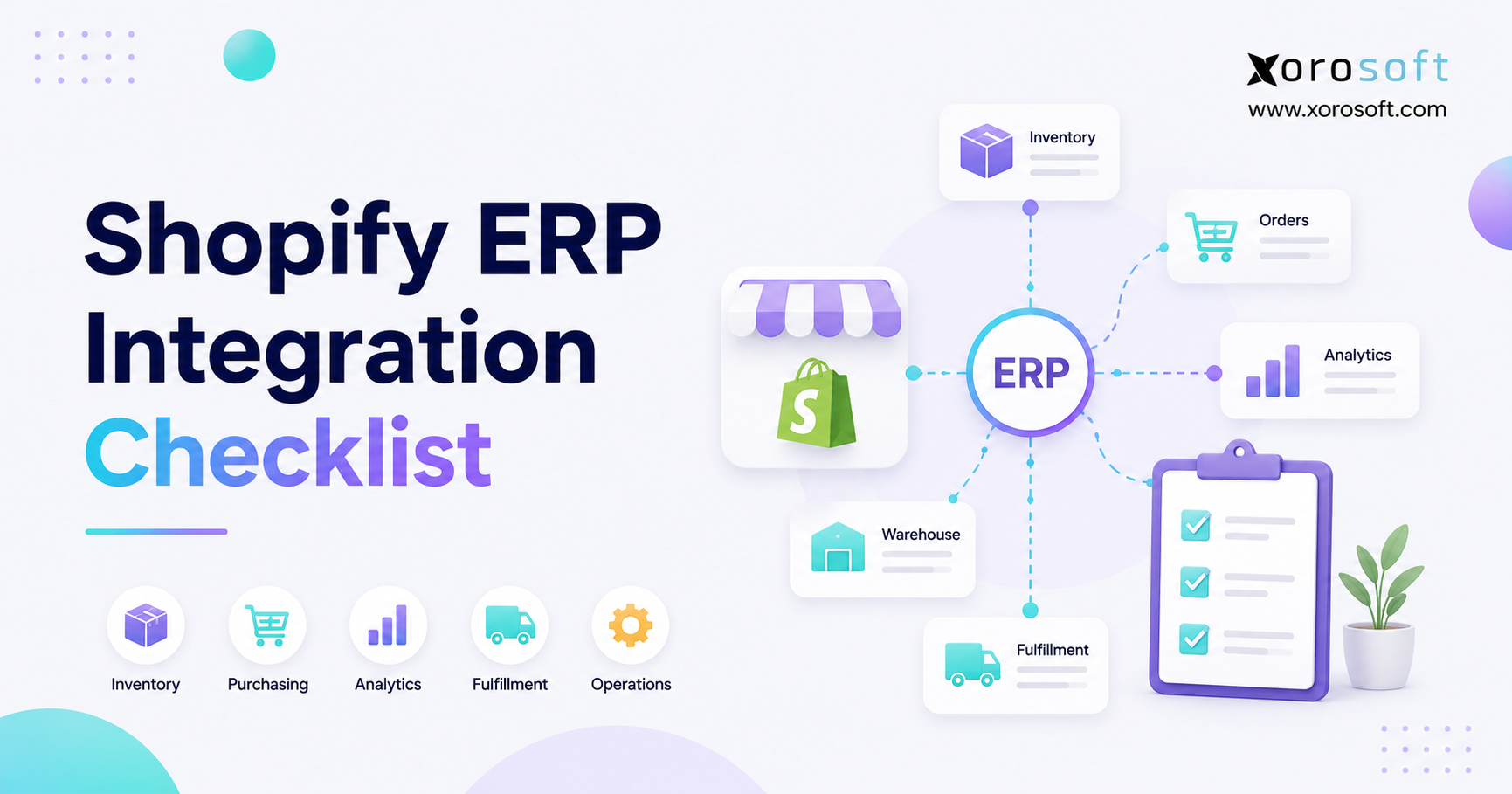
When planning your next project, it’s important to refer to a comprehensive Shopify ERP integration checklist.
1. Shopify ERP Integration Checklist Starts Before Software
A Shopify ERP integration checklist helps growing ecommerce brands connect Shopify with inventory, accounting, warehouse, purchasing, and fulfillment workflows without creating operational chaos. However, the checklist only works when teams use it before configuration begins.
Shopify is strong at commerce. It manages storefronts, checkout, customers, promotions, orders, and sales channels well. However, as brands scale, the back office often becomes harder to control. Orders move faster. SKUs multiply. Warehouses expand. Wholesale customers ask for special pricing. Finance teams need cleaner reconciliation. Meanwhile, purchasing teams still make decisions from spreadsheets.
Because of that, ERP integration should not begin with a connector install. Instead, it should begin with process design. Your team must decide which system owns product data, how inventory should update, when orders should sync, and how refunds should affect accounting.
A Shopify ERP integration checklist matters because every integration decision affects inventory, finance, fulfillment, and customer experience. For example, if Shopify and the ERP both update inventory freely, stock numbers can drift. If refunds sync without return logic, finance may close the month with missing credits. Likewise, if warehouse teams receive orders before payment rules are clear, fulfillment errors can increase.
Therefore, the real goal is not simply to connect two platforms. The goal is to create one trusted operating model behind Shopify. Once inventory, accounting, warehouse, purchasing, and customer service teams work from the same data, the business can scale with fewer manual fixes.
This guide gives operators a practical Shopify ERP integration checklist for planning data sync, source-of-truth rules, warehouse workflows, finance controls, testing, and go-live.
2. What Shopify ERP Integration Really Means
Shopify ERP integration means connecting Shopify with an enterprise resource planning system so commerce activity and operational data move between both systems in a controlled way. Although the phrase sounds technical, the work is mostly operational.
2.1 Shopify as the Commerce Layer
Shopify usually acts as the commerce layer. It manages the storefront, checkout, product display, discounts, customer-facing order experience, and sales-channel activity. In addition, Shopify captures order details such as customer information, items sold, payment status, shipping details, taxes, refunds, and fulfillment updates.
However, Shopify is not designed to replace every back-office workflow. As a result, brands that rely on Shopify alone often add inventory apps, warehouse apps, accounting tools, forecasting spreadsheets, and purchasing trackers. At first, that stack feels flexible. Eventually, however, every extra tool creates another place where data can break.
2.2 ERP as the Operational System of Record
An ERP usually becomes the operational system of record. It manages inventory, purchasing, warehouse workflows, accounting, manufacturing, forecasting, reporting, and financial controls.
For example, Shopify may show that a product is available for sale. Meanwhile, the ERP may need to know how much inventory is on hand, how much is committed to existing orders, how much is incoming from suppliers, and how much is unavailable because of damage, inspection, or transfer. Shopify’s own guide to inventory states separates stock into statuses such as available, committed, incoming, unavailable, and on hand. Therefore, inventory integration needs more depth than a single stock number.
2.3 App Sync vs ERP Integration
A basic app sync moves data between two tools. However, ERP integration connects business rules, ownership logic, transaction timing, exception handling, and reporting.
For example, an app may push Shopify orders into accounting. By contrast, a Shopify ERP integration checklist should confirm how those orders affect committed inventory, picking, packing, refunds, tax, revenue, COGS, customer credits, and purchasing demand.
Therefore, integration is not only a technical connection. It is a decision about how the business should operate after Shopify receives an order.
3. Shopify ERP Integration Checklist for Readiness
Before connecting Shopify to an ERP, teams should confirm whether the business is ready. Otherwise, the integration may expose existing problems faster than it solves them.
3.1 Business Readiness
A small Shopify store with simple SKUs, one warehouse, and straightforward accounting may not need ERP yet. However, a growing brand with multiple warehouses, wholesale orders, Amazon sales, EDI, purchasing complexity, and delayed month-end closes usually needs stronger back-office control.
Use this readiness checklist:
| Area | Readiness Question | Why It Matters |
|---|---|---|
| Orders | Are order volumes increasing every month? | Higher volume increases fulfillment pressure |
| SKUs | Are variants, bundles, or kits growing? | More SKU logic creates more sync risk |
| Warehouses | Do you ship from more than one location? | Location-level inventory must stay accurate |
| Wholesale | Do B2B buyers need special pricing or terms? | Customer rules must sync cleanly |
| Accounting | Is month-end close taking too long? | Finance needs cleaner transaction flow |
| Purchasing | Are purchase orders still managed manually? | Replenishment decisions need better data |
| Forecasting | Are stockouts or overstock increasing? | Demand planning needs ERP-level visibility |
| Reporting | Do teams disagree on the numbers? | Source-of-truth rules are missing |
3.2 Data Readiness
Next, review your data before implementation begins. Clean data makes integration easier. Messy data, however, makes every workflow harder.
Your team should review SKUs, product variants, barcodes, warehouse locations, supplier records, customer records, tax settings, open orders, open purchase orders, and inventory balances. In addition, old products should be archived or clearly marked so they do not sync as active sellable items.
Because ERP integration depends on clean records, do not migrate every historical problem into the new system.
3.3 Team Readiness
A Shopify ERP integration checklist should assign ownership before go-live. Ecommerce, finance, warehouse, purchasing, operations, customer service, and leadership teams all need clear roles.
For example, ecommerce may own Shopify product presentation. Meanwhile, operations may own item master data. Finance may own tax, payments, deposits, and accounting rules. Similarly, warehouse teams should own picking, packing, receiving, cycle counts, and inventory adjustments.
Without ownership, users create workarounds. As a result, spreadsheets return even after ERP implementation.
3.4 Process Readiness
Before configuration starts, document the main workflows:
1. Product creation
2. SKU and variant updates
3. Order import
4. Inventory allocation
5. Pick, pack, and ship
6. Shipment confirmation
7. Refunds and returns
8. Purchase order creation
9. Inventory receiving
10. Month-end close
After that, decide which system owns each step. Therefore, this Shopify ERP integration checklist should become a workflow map, not just a technical task list.
3.5 Readiness Check Before You Move Forward
If your team cannot clearly explain how orders, inventory, payments, refunds, and warehouse updates should move after go-live, the project is not ready yet. At that stage, it is better to pause and clean the operating model than to connect systems too early.
For brands that need a structured platform after this review, XoroONE can be evaluated as a connected operating system for inventory-driven businesses.
4. Shopify ERP Integration Checklist for Data Sync
Data sync is the center of any Shopify ERP integration checklist. Every data type needs a source of truth, sync direction, business owner, and test scenario.
Shopify’s external system guidance for B2B explains that integrations can sync customers, orders, inventory, product catalogs, and pricing. Therefore, a serious ERP plan should cover more than basic order export. Use Shopify’s guide to external system integrations as a reference point while building your plan.
4.1 Product Data
Product data includes item names, SKUs, variants, barcodes, dimensions, categories, bundles, kits, and product status. However, not all product data needs the same owner.
Shopify may own customer-facing content such as titles, descriptions, images, and merchandising. Meanwhile, the ERP may own operational item data such as SKU structure, cost, barcode, units of measure, and inventory rules.
Therefore, decide early which system can create or update products.
4.2 SKU and Variant Mapping
SKU mapping is one of the highest-risk areas. If Shopify SKUs do not match ERP items, inventory and order sync will fail.
Before go-live, confirm that every sellable Shopify variant has a matching ERP item. In addition, remove duplicate SKUs, standardize naming, and document discontinued products. Because Shopify brands often sell by size, color, material, pack size, or finish, every variant should have a clean operational record.
4.3 Bundle and Kit Logic
Bundles create another common problem. Shopify may sell a bundle as one product, but the ERP may need to reduce inventory for several component SKUs.
For example, a starter kit may include three separate products. If the ERP only sees one sold item, component inventory will stay wrong. Therefore, define whether bundles are prebuilt, built during fulfillment, or treated as virtual kits.
4.4 Customer Data
Customer data includes names, emails, shipping addresses, billing addresses, company details, tags, tax status, payment terms, and customer groups.
For DTC brands, Shopify may own most customer-facing records. However, wholesale brands usually need ERP control over payment terms, credit limits, customer-specific pricing, and tax exemptions. Therefore, B2B customer sync needs more structure than standard retail customer sync.
4.5 Order Data
Order data usually includes order number, customer details, items, quantities, discounts, payment status, shipping method, tax, fulfillment status, refunds, and notes.
However, not every Shopify order should always enter the ERP immediately. Some brands import only paid orders. Others import pending, draft, wholesale, or partially paid orders. Because each approach affects inventory and finance, the rule must be documented.
4.6 Inventory Data
Inventory data should include available, committed, on-hand, incoming, unavailable, and location-level stock. Therefore, your Shopify ERP integration checklist should never treat inventory as one flat number.
In most scaling brands, the ERP should send available inventory to Shopify. Shopify then displays sellable quantity to customers. Meanwhile, the ERP controls warehouse-level stock, transfers, purchase receipts, adjustments, and committed inventory.
4.7 Pricing, Tax, Shipping, Refunds, and Returns
Pricing and finance data need careful treatment. Retail price, wholesale price, customer-specific price, discounts, tax, shipping charges, refunds, and credits can all affect margin and reporting.
For example, if refunds sync but return receipts do not, finance and inventory will disagree. Similarly, if shipping income posts incorrectly, margin reports may become unreliable. Therefore, every financial data point should be tested before go-live.
| Data Type | Recommended Owner | Sync Direction | Test Scenario |
| Product content | Shopify or ERP | Depends on workflow | New product launch |
| SKUs | ERP | ERP to Shopify | Duplicate SKU check |
| Variants | ERP | ERP to Shopify | Size/color matrix |
| Customers | Shopify or ERP | One-way or two-way | Retail and wholesale customer |
| Orders | Shopify | Shopify to ERP | Paid, unpaid, partial order |
| Inventory | ERP | ERP to Shopify | Available vs committed stock |
| Payments | Shopify/payment gateway | Shopify to ERP | Deposit reconciliation |
| Refunds | Shopify | Shopify to ERP | Partial and full refund |
| Returns | ERP or returns workflow | Two-way if needed | Restock and credit flow |
5. Inventory and Warehouse Integration Checklist
Inventory is usually where ERP integration succeeds or fails first. Because Shopify customers buy based on available stock, even small inventory errors can become customer-facing problems.
5.1 Multi-Warehouse Inventory
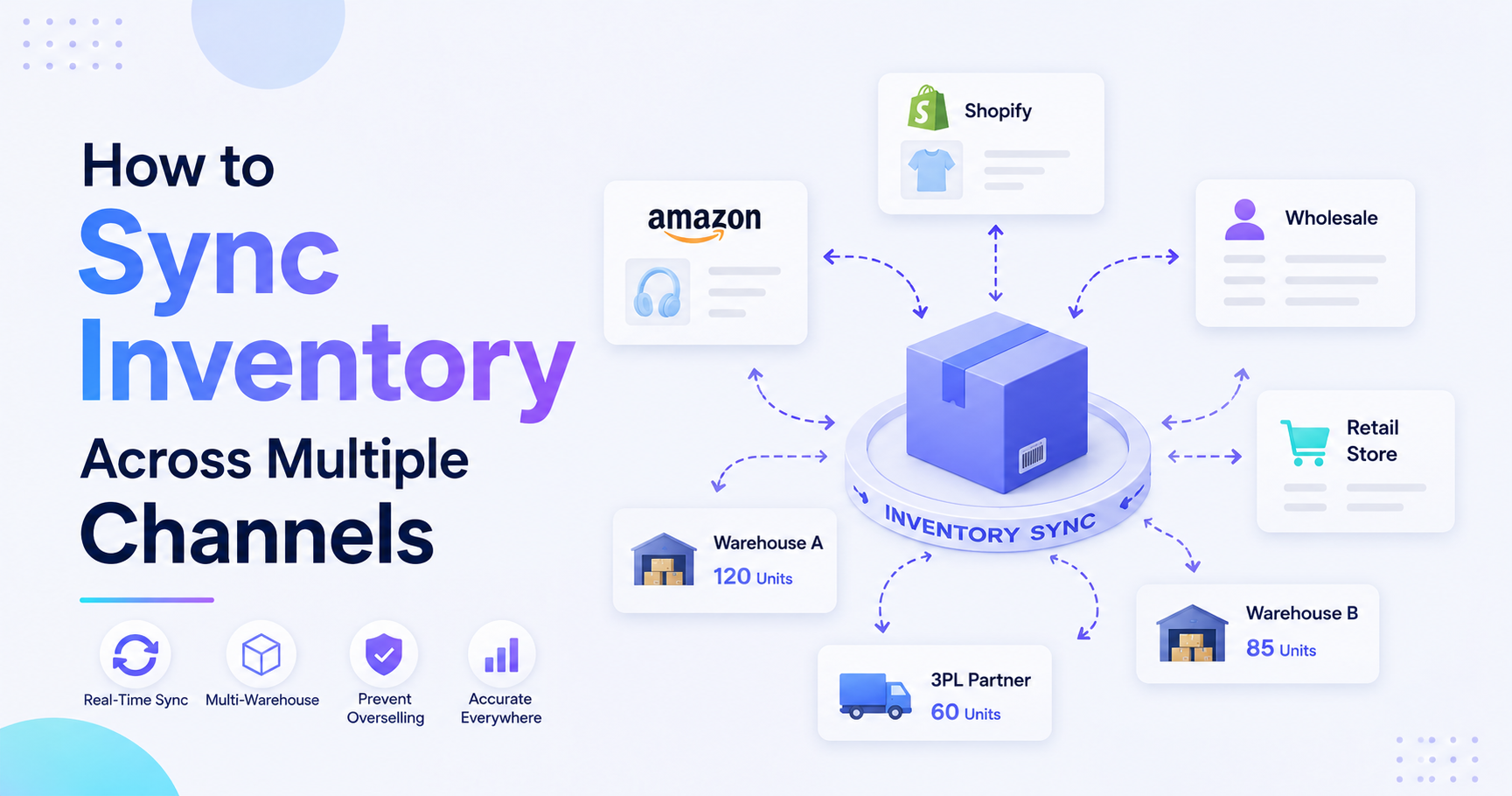
Multi-warehouse brands need location-level control. Therefore, your ERP should know where inventory sits, which warehouse should fulfill each order, and how transfers affect availability.
Use this checklist:
- Map every Shopify location to the correct ERP warehouse.
- Confirm which warehouses can sell online.
- Set safety stock by location.
- Test warehouse transfers.
- Validate location-level availability.
- Define how damaged or unavailable stock is handled.
- Confirm how 3PL stock updates Shopify.
For Shopify brands with warehouse complexity, XoroWMS is relevant because warehouse management workflows need to connect with Shopify orders, inventory, picking, packing, and fulfillment updates.
5.2 Available, Committed, and Incoming Inventory
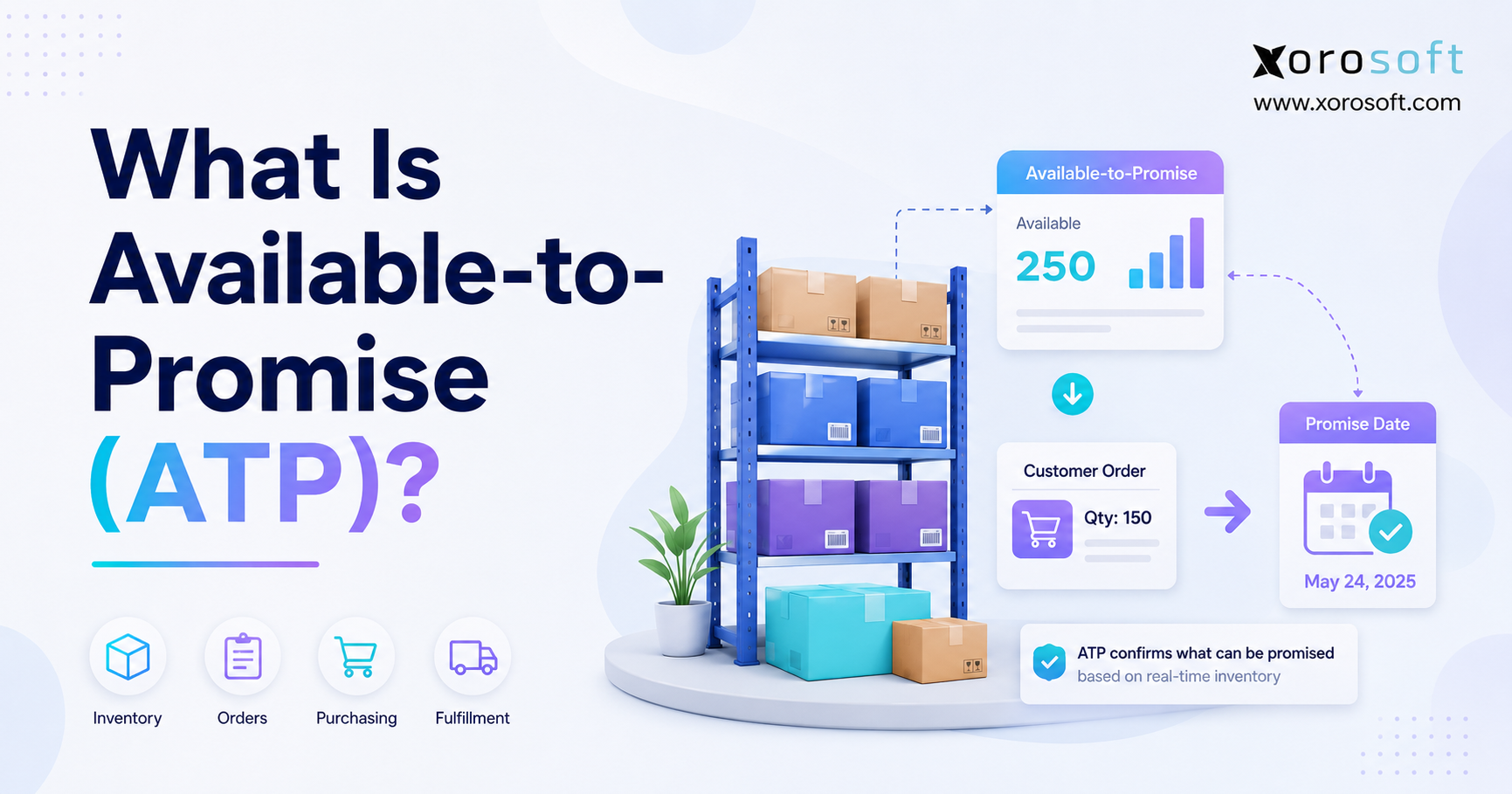
Available inventory is what customers can buy. Committed inventory is already tied to open orders. Incoming inventory is expected from suppliers but not yet received.
Because these numbers serve different purposes, do not combine them carelessly. For example, incoming inventory may help purchasing decisions, but it should not always be available for immediate sale. Likewise, committed inventory should not be sold again.
5.3 Pick, Pack, and Ship Workflows
Warehouse workflows should be tested before go-live. First, confirm how orders are released for picking. Next, test scanning, packing, shipping labels, tracking numbers, and fulfillment updates. Finally, confirm that Shopify receives shipment confirmation quickly.
If this flow breaks, customer support will see stale order statuses. As a result, the brand may receive avoidable “Where is my order?” tickets.
5.4 Cycle Counts and Inventory Adjustments
Cycle counts keep system inventory close to physical inventory. However, adjustment permissions should be controlled. If too many users can change inventory, the ERP loses trust.
Therefore, assign clear roles for receiving, counting, adjusting, approving, and auditing stock changes.
5.5 3PL and Fulfillment Partner Logic
If a 3PL ships Shopify orders, the ERP integration must define how orders reach the 3PL and how updates return. In addition, it should clarify which system owns inventory after the 3PL confirms movement.
Without that logic, Shopify, ERP, and 3PL records may all show different numbers.
6. Accounting and Finance Integration Checklist
Finance teams often discover integration problems later than operations teams. At first, orders may appear to sync correctly. However, month-end close can reveal issues with payments, refunds, tax, COGS, deposits, and inventory valuation.
6.1 Sales Orders and Invoices
Decide whether Shopify orders become sales orders, invoices, or both inside the ERP. This decision affects revenue timing, fulfillment, accounts receivable, and reporting.
For example, some brands post invoices only after fulfillment. Others invoice when payment is captured. Therefore, finance and operations must agree before launch.
6.2 Payments and Deposits
Payment data should match actual deposits. Shopify Payments, PayPal, credit cards, gift cards, store credit, and partial payments may all need separate handling.
Because payment processors often deduct fees before deposits arrive, finance should test reconciliation carefully.
6.3 Refunds, Returns, and Credits
Refunds and returns must be mapped together. A refund affects revenue and payment records. A return may affect stock, customer credit, inspection, and write-offs.
Therefore, do not treat returns as a customer-service workflow only. They also affect inventory and accounting.
6.4 COGS and Inventory Valuation
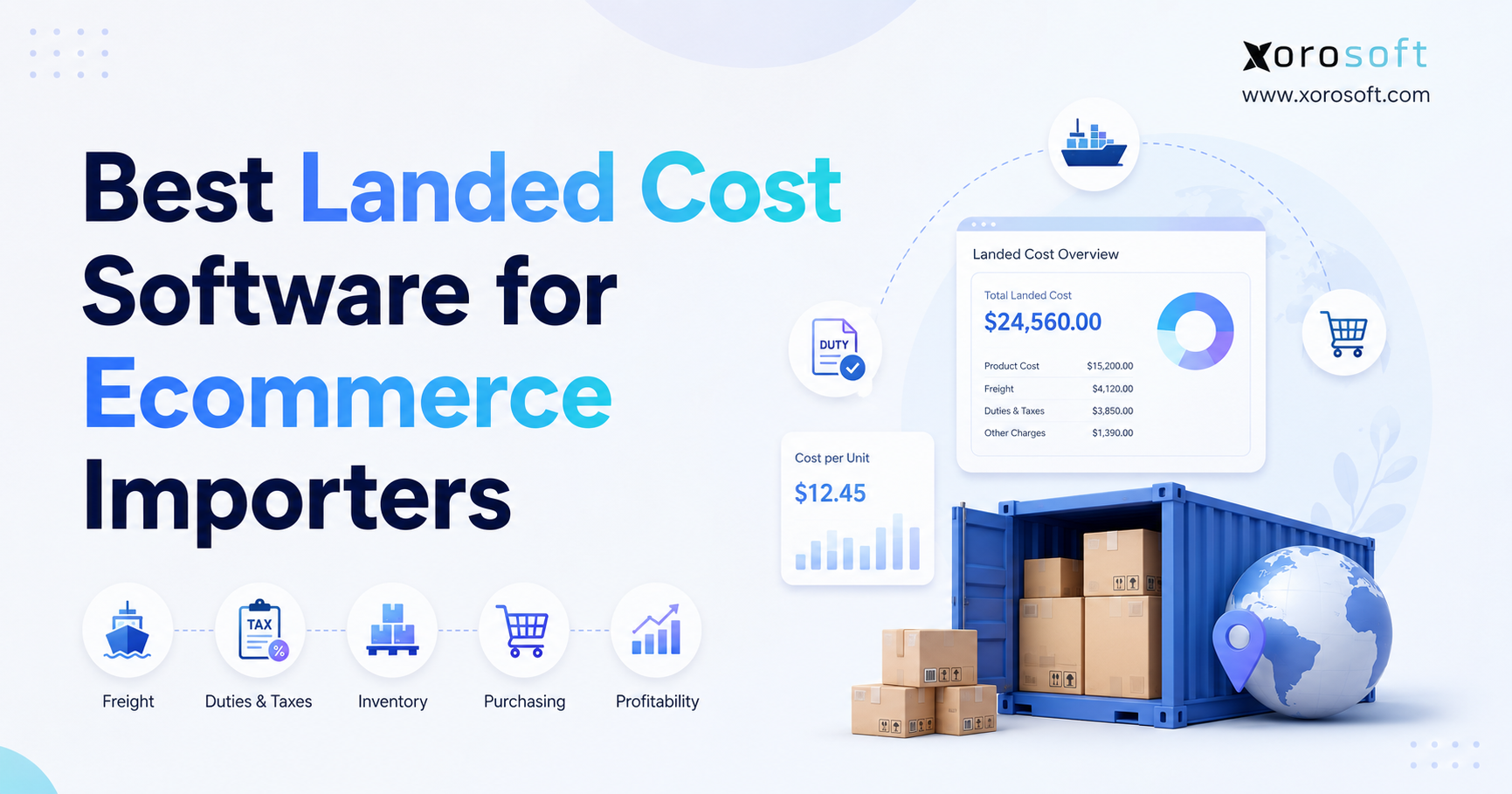
Cost of goods sold should connect to inventory valuation rules. If the ERP controls inventory, it should also support costing logic, landed cost, adjustments, transfers, shrinkage, and write-offs.
For growing Shopify brands, XoroERP can be considered when accounting, inventory, purchasing, warehouse, and reporting workflows need to work inside the same operational system.
6.5 Finance Testing Checklist
Before go-live, finance should test:
- Paid order posting
- Partial payment posting
- Refund posting
- Tax mapping
- Shipping income
- Discounts
- Gift cards
- Store credit
- COGS
- Inventory valuation
- Month-end reporting
As a result, the team will know whether the integration supports real accounting workflows, not only ecommerce order sync.
7. Purchasing and Forecasting Checklist
Shopify shows what customers bought. However, ERP helps teams decide what to buy next.
That difference matters because replenishment depends on more than sales. Supplier lead times, minimum order quantities, seasonality, wholesale commitments, incoming inventory, and warehouse capacity all affect purchasing decisions.
7.1 Purchase Order Automation
A Shopify ERP integration checklist should confirm how demand turns into purchase orders. For example, the ERP may recommend replenishment based on sales velocity, current stock, committed orders, incoming purchase orders, reorder points, and safety stock.
However, automation should not remove judgment. Instead, it should give purchasing teams better data.
7.2 Supplier Lead Times
Supplier lead times should live in the ERP. If lead times stay in spreadsheets, teams will continue to reorder too late or overbuy to compensate.
Therefore, review supplier records, minimum order quantities, payment terms, preferred vendors, and expected receipt dates before launch.
7.3 Reorder Points and Safety Stock
Reorder points should reflect SKU behavior, warehouse demand, and supplier reliability. In addition, safety stock should protect important items without locking too much cash into slow-moving inventory.
Because Shopify sales can spike during promotions, inventory planning should also include campaign calendars and wholesale commitments.
7.4 Demand Forecasting
Forecasting becomes more useful when it connects to purchasing and inventory. Therefore, sales history, seasonality, current stock, incoming inventory, and supplier timelines should be visible in one place.
For a broader view of inventory, purchasing, warehouse, accounting, and ecommerce workflows, brands can also review Xorosoft’s solutions pages.
8. Shopify ERP Integration Checklist for Integration Methods
The integration method affects cost, speed, flexibility, and maintenance. Therefore, this Shopify ERP integration checklist should include a clear method decision before implementation begins.
8.1 Native ERP Connector
A native connector is often the simplest path when the ERP already supports Shopify workflows. It can reduce setup time because common objects such as products, customers, orders, inventory, and fulfillments are already understood.
However, native connectors still need business rules. They do not automatically decide source of truth, refund handling, warehouse routing, or accounting logic.
Xorosoft also has a Shopify App Store listing, which can be useful for teams reviewing Shopify-compatible ERP options.
8.2 Middleware or iPaaS
Middleware sits between Shopify and the ERP. It can route data, transform fields, connect multiple systems, and manage complex workflows.
For example, middleware may help when a brand uses Shopify, Amazon, EDI, a 3PL, a returns platform, and a separate finance system. However, it also adds another platform to maintain.
8.3 Custom API Integration
Custom API integration gives flexibility. However, it requires technical ownership. Every Shopify change, ERP update, field change, or workflow exception may need developer support.
Therefore, custom APIs usually fit brands with unusual workflows, internal technical teams, or enterprise-level requirements.
8.4 Hybrid Integration Model
A hybrid model combines approaches. For example, a native connector may handle Shopify orders and inventory, while middleware handles EDI or 3PL workflows.
This model can work well. However, it needs strong governance because more systems mean more failure points.
| Integration Method | Best Fit | Main Benefit | Main Risk |
| Native connector | Standard Shopify ERP workflows | Faster setup | Less flexibility |
| Middleware | Multi-system operations | Flexible routing | Extra platform cost |
| Custom API | Highly specific workflows | Deep control | High maintenance |
| Hybrid model | Complex scaling brands | Balanced approach | Needs strong governance |
8.5 ERP Comparison Considerations
Some Shopify brands compare ERP options once they realize apps and spreadsheets are no longer enough. If your team is moving away from accounting-first workflows, the Xorosoft vs QuickBooks comparison can help frame that decision. However, if your team is comparing broader ERP platforms, the Xorosoft vs Acumatica page may be more relevant.
9. Shopify ERP Implementation Checklist
Implementation turns the plan into daily operations. Therefore, the Shopify ERP integration checklist should include project phases, not only data fields.
9.1 Discovery and Workflow Mapping
Start with discovery. Document how orders, inventory, purchasing, receiving, fulfillment, refunds, returns, accounting, and reporting work today.
Then, design how those workflows should work after ERP integration. This step matters because integration should improve operations, not simply copy broken processes into a new system.
9.2 Data Cleanup and Migration
Clean data before migration. Focus on SKUs, variants, customer records, supplier records, warehouse locations, inventory balances, chart of accounts, open sales orders, and open purchase orders.
In addition, decide how much history should migrate. Too much historical data can slow the project. However, too little history can weaken reporting.
9.3 Integration Configuration
Configure the sync rules carefully:
- Which Shopify orders import?
- When do orders move to the ERP?
- Which inventory number goes back to Shopify?
- How often does inventory update?
- Which system owns product data?
- How are refunds handled?
- What happens when sync fails?
Because these rules affect daily work, they should be approved by operations and finance before go-live.
9.4 User Acceptance Testing
User acceptance testing should include real scenarios. Do not test only perfect paid orders.
Instead, test partial refunds, full refunds, split shipments, canceled orders, edited orders, tax-exempt customers, wholesale orders, failed payments, backorders, and warehouse transfers.
As a result, teams can find workflow gaps before customers feel them.
9.5 Go-Live Preparation
Before launch, freeze major data changes. Then, validate final inventory balances, Shopify locations, ERP warehouses, open orders, user permissions, tax rules, and support ownership.
Finally, prepare a rollback plan. Even if the launch goes well, teams need to know what to do if orders stop syncing or inventory updates fail.
9.6 Post-Go-Live Support
After launch, review errors daily. Watch for order import failures, inventory differences, fulfillment delays, refund issues, accounting mismatches, and user workarounds.
Because users often return to spreadsheets when they feel blocked, managers should look for hidden manual processes during the first few weeks.
10. Common Shopify ERP Integration Mistakes
Most integration mistakes come from unclear operations, not software alone. Therefore, teams should review these risks before implementation.
10.1 Choosing the Wrong Source of Truth
If Shopify and the ERP can both update the same data without rules, conflicts will appear. Therefore, decide which system owns products, SKUs, pricing, inventory, customers, orders, and accounting.
10.2 Ignoring Warehouse Reality
Warehouse workflows should shape integration design. Picking, packing, receiving, transfers, scanning, cycle counts, and returns all affect inventory accuracy.
If warehouse teams are not involved, the system may look correct in a meeting but fail on the floor.
10.3 Underestimating Accounting Complexity
Accounting is more than order export. Payments, refunds, deposits, taxes, COGS, inventory valuation, landed costs, and credits all need mapping.
Therefore, finance should test transactions before launch, not after the first month-end close.
10.4 Testing Only Happy-Path Orders
A perfect order does not prove the integration is ready. Real ecommerce operations include edits, cancellations, split shipments, partial refunds, failed payments, and returns.
Because of that, testing should cover exceptions first.
10.5 Treating Integration as an IT Project Only
ERP integration changes how people work. Therefore, operations, finance, warehouse, purchasing, ecommerce, and customer service teams all need training and ownership.
Otherwise, the project may launch technically while failing operationally.
11. Shopify ERP Integration by Business Type
Different Shopify businesses need different integration priorities. Therefore, this section helps teams adjust the checklist by industry.
11.1 Apparel and Fashion Brands
Apparel brands often manage size, color, seasonality, high SKU counts, returns, exchanges, bundles, and wholesale buyers. Therefore, variant mapping and inventory accuracy are critical.
The checklist should prioritize SKU structure, barcode scanning, return workflows, seasonal forecasting, and warehouse location accuracy.
11.2 Furniture Brands
Furniture brands often manage bulky inventory, long lead times, freight shipping, custom orders, deposits, and supplier coordination. As a result, their ERP integration should prioritize purchasing, order status, warehouse visibility, and finance rules.
11.3 Sporting Goods Brands
Sporting goods brands may deal with seasonal demand, kits, accessories, replacement parts, wholesale buyers, and channel-specific availability. Therefore, the checklist should focus on inventory allocation, replenishment, and warehouse routing.
11.4 Food and Beverage Brands
Food and beverage businesses may need lot tracking, expiry control, traceability, and tighter warehouse processes. Therefore, Shopify ERP integration should support inventory accuracy, stock rotation, and return controls.
11.5 Wholesale and B2B Sellers
Wholesale sellers need customer-specific pricing, payment terms, bulk ordering, EDI, credit limits, and inventory allocation. Because these workflows are different from DTC orders, they should be tested separately.
11.6 Manufacturers Selling on Shopify
Manufacturers need BOMs, work orders, production planning, material requirements, and finished goods visibility. Shopify handles the sale. However, the ERP must manage what happens before and after the sale.
For more industry-specific examples, review the industries we serve page and match the checklist to your operating model.
12. Shopify ERP Integration Comparison Tables
Comparison tables make the checklist easier to apply. They also help teams decide whether they need an ERP, an inventory app, or another connector.
12.1 ERP vs Inventory App for Shopify
| Capability | Inventory App | ERP System |
| Inventory tracking | Usually strong | Strong across operations |
| Accounting | Limited or separate | Built into workflows |
| Purchasing | Basic to moderate | Deeper supplier control |
| Warehouse management | Varies by app | More structured |
| Manufacturing | Usually limited | Can support BOMs and work orders |
| Forecasting | Often basic | Connected to purchasing |
| Reporting | App-specific | Cross-functional |
| Best fit | Early-stage brands | Scaling inventory-driven brands |
12.2 Shopify-First vs ERP-First Operating Model
| Workflow | Shopify-First | ERP-First |
| Product creation | Shopify owns content | ERP owns item records |
| Inventory updates | Shopify manages availability | ERP sends availability |
| Orders | Shopify captures orders | ERP fulfills and posts |
| Accounting | Separate accounting tool | ERP financials |
| Purchasing | Manual or app-based | ERP-driven replenishment |
| Reporting | Channel-level | Business-wide |
12.3 Integration Method Comparison
| Method | Best For | Advantage | Watchout |
| Native connector | Standard Shopify workflows | Lower setup effort | Still needs rules |
| Middleware | Multi-system stack | Flexible routing | Added cost |
| Custom API | Unique workflows | Maximum control | Developer dependency |
| Hybrid | Complex brands | Practical flexibility | Governance required |
13. Final Shopify ERP Integration Checklist Before Go-Live
This final Shopify ERP integration checklist should be reviewed before launch. However, it should not be treated as a one-time document. Instead, use it as a shared operating plan.
13.1 Pre-Integration Checklist
- Confirm business goals.
- Assign project owners.
- Document current workflows.
- Define the future operating model.
- List every connected system.
- Confirm ERP modules required.
- Set go-live success metrics.
- Choose the launch window.
13.2 Data Checklist
- Clean SKUs.
- Validate variants.
- Remove duplicate customer records.
- Confirm warehouse locations.
- Map Shopify locations to ERP warehouses.
- Review product bundles and kits.
- Confirm supplier records.
- Validate inventory balances.
- Review tax and shipping rules.
- Decide which history should migrate.
13.3 Workflow Checklist
- Confirm order import rules.
- Confirm inventory update rules.
- Confirm payment posting.
- Confirm refund handling.
- Confirm return workflows.
- Confirm fulfillment updates.
- Confirm purchasing logic.
- Confirm cycle count rules.
- Confirm inventory adjustment permissions.
- Confirm month-end accounting process.
13.4 Testing Checklist
- Test paid orders.
- Test unpaid orders.
- Test partial refunds.
- Test full refunds.
- Test returns.
- Test split shipments.
- Test warehouse transfers.
- Test stockouts.
- Test wholesale orders.
- Test tax-exempt customers.
- Test failed payments.
- Test order edits.
- Test inventory adjustments.
- Test purchase receipts.
13.5 Go-Live Checklist
- Freeze major data changes.
- Import final inventory balances.
- Validate open orders.
- Confirm users and permissions.
- Train warehouse staff.
- Train finance users.
- Train purchasing teams.
- Monitor first transactions.
- Review sync errors daily.
- Document exceptions.
- Schedule a post-launch review.
By this stage, your Shopify ERP integration checklist should make one thing clear: integration is successful only when teams can operate without second-guessing the data.
14. FAQs About Shopify ERP Integration
14.1 What is a Shopify ERP integration checklist?
A Shopify ERP integration checklist is a planning document that helps ecommerce teams connect Shopify with ERP workflows safely. It covers product data, SKUs, customers, orders, inventory, payments, refunds, returns, warehouse workflows, purchasing, accounting, testing, and go-live. Therefore, it is useful before implementation begins, not only during launch week.
14.2 Why do Shopify brands need ERP integration?
Shopify brands need ERP integration when their back-office work becomes too complex for apps, spreadsheets, and manual exports. For example, multiple warehouses, wholesale orders, Amazon sales, EDI, purchasing complexity, and delayed accounting closes usually require stronger operational control. As a result, ERP becomes the system that connects inventory, finance, fulfillment, and reporting.
14.3 When should a Shopify store integrate with ERP?
A Shopify store should consider ERP integration when inventory accuracy drops, order volume rises, purchasing becomes reactive, accounting closes take too long, or teams rely on spreadsheets to reconcile systems. However, timing should depend on operational complexity, not just revenue. Once the current stack creates daily workarounds, ERP becomes worth evaluating.
14.4 Is Shopify an ERP system?
Shopify is not an ERP system. It is a commerce platform for storefronts, checkout, products, customers, orders, and sales channels. However, an ERP manages operational workflows such as inventory, purchasing, warehouse management, accounting, manufacturing, forecasting, and reporting. Therefore, Shopify and ERP usually serve different roles.
14.5 What data should sync between Shopify and ERP?
Products, SKUs, variants, customers, orders, inventory, pricing, discounts, taxes, payments, refunds, returns, shipping details, fulfillment status, and tracking numbers may sync between Shopify and ERP. However, not every field should sync both ways. Therefore, each data type needs a source of truth and a test scenario.
14.6 Should Shopify or ERP be the source of truth?
In most inventory-driven businesses, Shopify should own commerce activity while the ERP owns inventory, purchasing, accounting, warehouse workflows, and reporting. However, product content and pricing may vary by business model. Therefore, teams should define ownership before configuration begins.
14.7 How do Shopify orders sync with ERP?
Shopify orders usually move into the ERP after they meet a defined condition, such as paid, authorized, or ready for fulfillment. Then, the ERP can allocate inventory, trigger warehouse work, support accounting, and return fulfillment updates to Shopify. However, teams should test exceptions such as edits, refunds, cancellations, and split shipments.
14.8 How does ERP help prevent overselling on Shopify?
ERP helps prevent overselling by controlling available stock across locations, committed orders, transfers, incoming stock, and safety stock. Then, the ERP sends accurate sellable quantity to Shopify. As a result, customers are less likely to buy stock that has already been allocated elsewhere.
14.9 How does ERP handle multi-warehouse Shopify inventory?
ERP handles multi-warehouse inventory by tracking stock by location and defining which warehouse should fulfill each order. In addition, it can manage transfers, receiving, cycle counts, and safety stock by warehouse. Therefore, Shopify receives a more reliable available quantity.
14.10 How does Shopify ERP integration affect accounting?
Shopify ERP integration affects accounting through sales orders, invoices, payments, deposits, refunds, taxes, discounts, COGS, and inventory valuation. Because these workflows affect month-end close, finance teams should test them before go-live. Otherwise, the integration may create reconciliation problems later.
14.11 How should refunds and returns sync with ERP?
Refunds and returns should sync based on financial and inventory impact. A refund may affect revenue, taxes, and payment records. Meanwhile, a return may affect stock, inspection, customer credit, or write-offs. Therefore, refunds and returns should be mapped as connected workflows.
14.12 What is the best ERP integration method for Shopify?
The best method depends on complexity. A native connector may work well for standard Shopify workflows. Middleware may fit multi-system operations. Custom API work may fit highly specific enterprise workflows. However, every method still needs clear source-of-truth rules and testing.
14.13 Is a native connector better than middleware?
A native connector is often easier to maintain because it is built for the ERP and Shopify workflow. However, middleware can be better when the business needs to connect many systems or transform data heavily. Therefore, the better choice depends on operational complexity.
14.14 How long does Shopify ERP integration take?
The timeline depends on data quality, workflow complexity, ERP scope, integrations, testing, and team availability. A focused implementation may move faster. However, multi-warehouse, wholesale, manufacturing, EDI, or accounting complexity can extend the project.
14.15 How much does Shopify ERP integration cost?
Cost depends on ERP licensing, implementation scope, connector fees, middleware, custom development, data migration, training, and support. However, teams should also consider the cost of manual work, inventory errors, delayed reporting, and poor reconciliation.
14.16 What are the biggest Shopify ERP integration mistakes?
The biggest mistakes include unclear source-of-truth rules, messy SKU data, weak testing, ignored returns, poor accounting mapping, and limited warehouse involvement. In addition, many teams treat ERP integration as an IT project when it is really an operational redesign.
14.17 How should teams test Shopify ERP integration before launch?
Teams should test paid orders, unpaid orders, refunds, returns, order edits, split shipments, failed payments, warehouse transfers, wholesale orders, tax-exempt customers, and stockouts. In addition, finance, warehouse, purchasing, ecommerce, and support teams should all participate.
14.18 Do Shopify Plus merchants need ERP?
Not every Shopify Plus merchant needs ERP. However, Shopify Plus brands with multiple warehouses, B2B, wholesale, purchasing complexity, manufacturing, or finance reconciliation issues often benefit from ERP integration. Therefore, the decision should depend on operational complexity rather than plan type alone.
14.19 What is the difference between ERP and a Shopify inventory app?
A Shopify inventory app usually focuses on stock tracking, purchasing, or warehouse tasks. However, ERP connects inventory with accounting, purchasing, warehouse management, manufacturing, forecasting, and reporting. Therefore, ERP is broader and usually fits more complex operations.
14.20 Can Shopify ERP integration support wholesale orders?
Yes, Shopify ERP integration can support wholesale orders when customer-specific pricing, payment terms, tax rules, allocation, EDI, and credit limits are mapped correctly. However, wholesale workflows should be tested separately because they differ from standard DTC orders.
14.21 Can Shopify ERP integration support Amazon and EDI?
Yes, but Shopify is only one part of the stack. Amazon, EDI, 3PL, and wholesale workflows may require ERP-native integrations, middleware, or a hybrid model. Therefore, the checklist should include every channel that affects inventory and fulfillment.
14.22 How does ERP support Shopify purchasing workflows?
ERP supports purchasing by connecting demand, stock levels, committed orders, incoming inventory, supplier lead times, reorder points, and safety stock. As a result, purchasing teams can move from reactive buying to planned replenishment.
14.23 How does ERP support demand forecasting?
ERP supports forecasting by combining sales history, seasonality, current stock, incoming inventory, lead times, and purchasing rules. However, forecasting becomes more valuable when it connects directly to replenishment and warehouse workflows.
14.24 What should finance teams review before ERP go-live?
Finance teams should review sales posting, tax mapping, payment reconciliation, deposits, refunds, returns, COGS, inventory valuation, landed costs, accounts receivable, accounts payable, and month-end close reports. In addition, they should test real order exceptions before launch.
14.25 What should warehouse teams review before ERP go-live?
Warehouse teams should review locations, bins, picking logic, packing workflows, barcode scanning, cycle counts, transfers, receiving, returns, fulfillment updates, and inventory adjustment permissions. Because warehouse activity affects Shopify availability, these workflows must be tested carefully.
14.26 How do you know if Shopify ERP integration is successful?
A successful integration reduces manual entry, improves inventory accuracy, speeds fulfillment, supports cleaner accounting, and gives teams trusted reporting. In addition, it reduces spreadsheet workarounds and cross-system disputes. Therefore, success should be measured by operational behavior, not only technical connection.
15. Final Takeaway for Shopify Operators
A Shopify ERP integration checklist is not just a setup document. It is a way to protect how the business runs after Shopify receives an order.
Shopify should continue doing what it does well: storefronts, checkout, customers, products, orders, and commerce activity. Meanwhile, the ERP should support the operational work behind the sale: inventory, purchasing, warehouse management, accounting, manufacturing, forecasting, and reporting.
However, the most important decision is not which connector to install first. The important decision is which system owns each workflow. Once source-of-truth rules are clear, teams can design, test, and manage the integration with fewer surprises.
For growing Shopify brands, ERP integration often becomes necessary when spreadsheets, inventory apps, manual accounting exports, and disconnected warehouse tools stop scaling. At that point, the business does not need another workaround. Instead, it needs shared operational data.
Xorosoft can be evaluated by inventory-driven Shopify businesses that need cloud ERP, inventory management, accounting, purchasing, warehouse management, manufacturing, forecasting, and reporting in one connected system.
If your Shopify operation is becoming harder to manage across inventory, accounting, warehouses, purchasing, wholesale, Amazon, EDI, or manufacturing workflows, Book a demo to review the right ERP path for your current stack.