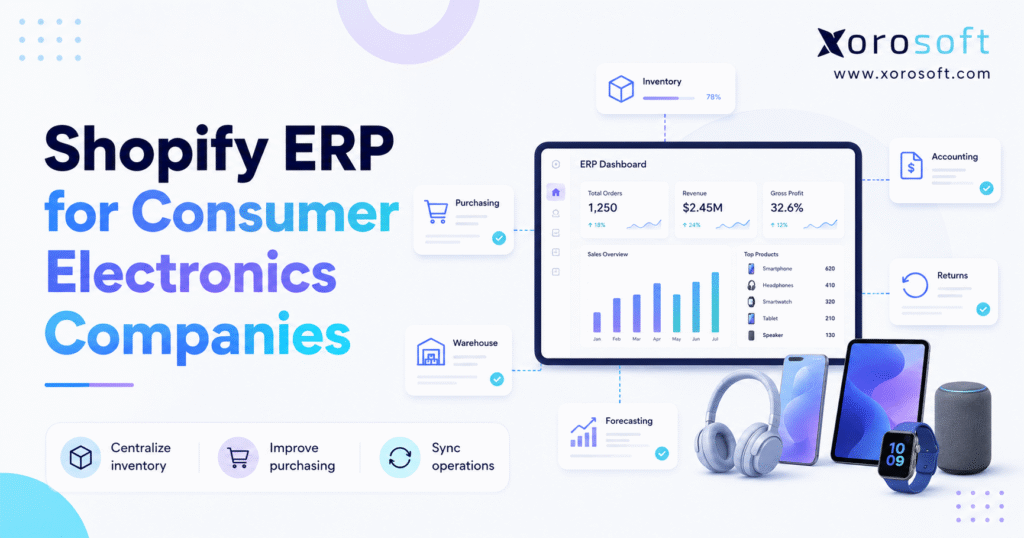
If you’re searching for an efficient solution, Shopify ERP for consumer electronics can streamline inventory and order management for your business.
1. Consumer Electronics Growth Creates Pressure Behind the Shopify Storefront
1.1 The Storefront Often Scales Faster Than Operations
A consumer electronics company can continue processing Shopify orders long after its back-office systems have started to break down.
The storefront may still work well. Customers can browse products, place orders, apply discounts, and receive shipping confirmations. However, the operational work behind each transaction becomes harder as the business adds products, suppliers, warehouses, marketplaces, wholesale accounts, and service obligations.
As a result, systems that once supported growth may begin creating delays, inconsistencies, and additional manual work. This is where Shopify ERP for consumer electronics becomes relevant.
Electronics companies rarely manage simple inventory. Instead, they often sell high-value products with serial numbers, warranties, accessories, replacement parts, bundles, short product lifecycles, and complex return conditions. Moreover, many products require unit-level tracking after they have been sold.
In addition, electronics businesses may import stock, operate several warehouses, sell through Amazon, process wholesale orders, exchange EDI documents, and reserve inventory for warranty replacements. Consequently, the operational workload grows faster than order volume alone would suggest.
1.2 Disconnected Systems Create Conflicting Records
A common software stack may include Shopify for ecommerce, QuickBooks for accounting, a standalone inventory application, separate warehouse software, and spreadsheets for purchasing and forecasting.
Each tool may work independently. Nevertheless, the business must keep every system aligned. Otherwise, inventory, warehouse, purchasing, and financial records begin to reflect different versions of the same transaction.
Consequently, inventory reports start to disagree. Buyers cannot easily see what is available, committed, incoming, or reserved. Meanwhile, warehouse and finance teams may rely on different reports when making decisions.
Customer service may also struggle to verify warranties. At the same time, warehouse employees may not know whether a returned product should be restocked, repaired, refurbished, or sent back to a supplier. Consequently, returned inventory can remain unresolved for days or weeks.
1.3 ERP Becomes the Operational Layer Behind Shopify
A consumer electronics ERP does not replace Shopify’s role as the commerce platform. Instead, it becomes the operational system behind Shopify, connecting inventory, purchasing, warehouse management, accounting, forecasting, returns, and reporting.
Therefore, the key question is not whether every electronics company needs ERP. The more useful question is whether the business has reached a level of complexity where disconnected systems create more cost and risk than a centralized platform.
2. Why Shopify Electronics Companies Outgrow Basic Inventory Tools
2.1 Shopify ERP for Consumer Electronics Must Track More Than Stock Counts
Basic inventory tools usually answer a narrow question: how many units are available?
In contrast, electronics companies need much more detailed answers. They must understand not only how much inventory exists but also where it is located, what condition it is in, and whether it can actually be sold.
Teams often need visibility into:
- Inventory by warehouse and bin
- Individual serial numbers
- Stock committed to open orders
- Inventory under inspection
- Refurbished, damaged, and open-box products
- Units reserved for warranty replacements
- Incoming purchase orders
- Wholesale allocations
- Channel-specific safety stock
- Products approaching obsolescence
In practice, each inventory status affects whether a product can be promised to a customer. Therefore, the company needs more than one quantity field to make dependable fulfillment and purchasing decisions.
For example, an inventory report may show 100 units of a device. Yet 25 units may be committed to Shopify orders, 15 allocated to a wholesale customer, 10 reserved for warranty replacements, five under inspection, and 20 stored in a warehouse that cannot fulfill the current order.
Therefore, a Shopify electronics inventory ERP must calculate what is genuinely available rather than simply reporting the physical quantity. In addition, the system should explain why certain stock is unavailable so that planners, warehouse teams, and customer-service employees can act confidently.
2.2 Consumer Electronics ERP Software Must Support Rapid Product Changes
Electronics products often have shorter commercial lifecycles than apparel, furniture, or basic consumer goods.
For example, a new product version can quickly reduce demand for the previous generation. A supplier may introduce an updated chipset, a new connector, a different capacity, or revised packaging. As a result, companies must plan inventory carefully to avoid both shortages and excess stock.
Meanwhile, suppliers may change availability, lead times, or pricing with limited notice. Consequently, buyers must combine historical demand with current market and supplier information.
For that reason, a buying decision that looks sensible today may become expensive within a few weeks. Overstock can lead to discounting, margin erosion, and working-capital pressure. Conversely, understock can create missed sales, delayed wholesale orders, and poor customer experiences.
Planning teams therefore need to consider:
- New product launches
- End-of-life dates
- Promotions
- Supplier lead times
- Open purchase orders
- Marketplace demand
- Wholesale allocations
- Safety stock
- Expected price reductions
- Replacement inventory requirements
Ultimately, a suitable ERP for electronics brands brings these inputs into one planning process. Therefore, buyers can make replenishment decisions using current operational data instead of disconnected historical reports.
2.3 ERP for Electronics Companies Must Protect High-Value Inventory
Many electronics products carry a higher unit value than typical ecommerce merchandise.
That raises the operational cost of every mistake. For instance, a missing device, incorrect adjustment, duplicate shipment, unauthorized replacement, or inaccurate return classification can materially affect inventory value and gross margin.
Accordingly, inventory controls should become stronger as product value and transaction volume increase.
Companies need stronger controls around:
- Receiving
- Serial-number capture
- Warehouse movement
- Picking
- Packing
- Shipping
- Returns
- Repairs
- Stock adjustments
- Cycle counting
As transaction volume rises, spreadsheets and loosely connected applications become less reliable because they depend heavily on manual discipline. By comparison, ERP creates a controlled transaction history and establishes one operational record for inventory movement.
Ultimately, this shared transaction history improves both operational control and financial accountability.
3. How Shopify ERP for Consumer Electronics Works
3.1 Shopify Remains the Customer-Facing Commerce Platform
A Shopify ERP integration should move more than order totals. Instead, it should preserve the information required to fulfill, account for, return, and analyze each transaction. Therefore, integration quality depends on both data coverage and operational reliability.
Shopify continues to manage the customer-facing commerce experience, including:
- Product presentation
- Checkout
- Customer orders
- Promotions
- Payments
- Customer communication
- Order-status updates
Meanwhile, Shopify continues to provide the customer experience that shoppers expect. Therefore, the ERP should complement the storefront rather than attempt to replace every commerce function.
3.2 The Electronics ERP Becomes the Operational System of Record
Once an order enters the ERP, the system can validate products, customers, payments, inventory, and fulfillment rules. Then, it can release the transaction to the appropriate warehouse. Finally, shipment, inventory, and accounting information can update in a controlled sequence.
The ERP may:
- Confirm product and customer data
- Verify inventory availability
- Reserve stock
- Select a fulfillment warehouse
- Create warehouse tasks
- Assign a serial number
- Record shipment
- Update inventory
- Calculate product cost
- Create accounting entries
- Return tracking information to Shopify
- Support future returns or warranty claims
As a result, employees across sales, warehouse, purchasing, and finance can work from the same operational transaction. Furthermore, each department can see how its activity affects the next stage of the process.
In this structure, Shopify ERP for consumer electronics connects customer orders with the inventory, warehouse, purchasing, and financial processes required to complete each transaction accurately.
The Xorosoft Shopify ERP application is one example of how Shopify can connect with a broader operational platform for inventory-driven businesses.
3.3 Shopify ERP Integration Requires Clear Data Ownership
Before integration begins, one of the most important implementation decisions is determining which system owns each type of data.
Shopify may own:
- Product descriptions
- Website images
- Merchandising content
- Customer-facing categories
- Online promotions
The ERP may own:
- Product cost
- Supplier data
- Reorder settings
- Warehouse locations
- Inventory availability
- Serial history
- Purchase orders
- Accounting treatment
- Product condition
Without clear ownership, employees may update the same field in both systems. Consequently, conflicting records appear and integration errors become harder to diagnose.
Therefore, ownership rules should be documented and communicated to every team that maintains product or operational information.
3.4 Shopify Electronics ERP Must Manage Synchronization Errors
No integration should be treated as invisible infrastructure.
For example, an order may fail because a SKU is missing, a location is not mapped, or a required field contains invalid data.
The company needs to know:
- Which orders failed to import
- Which SKUs are not mapped
- Which quantity updates failed
- Which transactions require review
- Whether duplicate records were created
- How delayed updates are handled
- Who owns integration exceptions
The existence of a connector is not enough. Instead, the company must evaluate how the integration identifies, communicates, and resolves failures.
Moreover, exception reports should identify who is responsible for resolving each failure. Without that visibility, small synchronization errors can gradually create larger inventory and reporting problems.
4. Serial Number Tracking in a Consumer Electronics ERP
4.1 Shopify ERP With Serial Number Tracking Improves Unit-Level Visibility
SKU-level inventory identifies the product type. By comparison, serial-number tracking identifies the individual physical unit.
In other words, two units of the same SKU may have completely different sales, warranty, and repair histories.
Shopify ERP for consumer electronics provides the unit-level visibility needed to connect each device with its receipt, warehouse history, customer order, and warranty record.
Therefore, serialization becomes especially important when products carry warranties, service histories, unique device identifiers, or high replacement costs.
A suitable ERP should preserve a serial number through the full inventory lifecycle. The record should begin when the unit is received and continue through movement, shipment, return, repair, replacement, or disposal.
4.2 Serial Numbers Should Be Captured During Receiving
During receiving, warehouse employees should capture serial numbers before products move into available inventory.
The system should flag:
- Duplicate serial numbers
- Missing serial numbers
- Unexpected products
- Quantity differences
- Damaged units
- Invalid product mappings
Additionally, the receiving process should confirm that each serial number belongs to the expected product. Otherwise, an incorrect serial can remain hidden until a customer return or warranty claim occurs.
If a discrepancy appears, the system should stop the transaction or route it for review. Consequently, incorrect serial records are less likely to enter later fulfillment and warranty processes.
Moreover, this control gives purchasing and warehouse teams a shared history. If a supplier shipment contains duplicate or invalid serials, the business can document the exception before inventory reaches customers.
4.3 The Correct Serial Number Should Be Assigned During Fulfillment
Before shipment, the warehouse employee should scan the selected unit.
At that point, the ERP can confirm that:
- The scanned item matches the order
- The serial number belongs to the correct SKU
- The unit remains available for sale
- The product is not on hold
- The serial number has not already been shipped
- The correct product condition is being fulfilled
Once the validation is complete, the order can move to packing and shipment. Afterward, the unit can be associated with the customer order and preserved in the product history.
4.4 Serial History Supports Returns and Warranty Claims
When a customer contacts support, the service team should be able to search the serial number and see:
- Supplier receipt
- Warehouse history
- Customer order
- Shipment date
- Warranty period
- Return history
- Repair activity
- Replacement history
- Inventory condition
For example, several claims linked to one supplier shipment may indicate a broader quality problem. Thus, serial history can support purchasing and supplier-management decisions as well as customer service.
As a result, the company can reduce unauthorized returns and make faster warranty decisions.
5. Warranty and RMA Workflows in Shopify Electronics ERP
5.1 Consumer Electronics ERP Software Should Separate Returns From Refunds
A refund is a financial action, whereas a return is a physical inventory process.
For example, the finance team may approve a refund while the warehouse is still waiting to inspect the returned unit.
Although these events often occur together, they are not identical. For that reason, the ERP should manage them as connected but separate workflows.
A customer may receive a refund before the product arrives. Likewise, a returned product may be repairable, resalable, damaged, or eligible for supplier credit. In some cases, a replacement may ship before the original unit returns.
Accordingly, each side of the transaction should have its own status and audit trail.
5.2 Shopify ERP for Electronics Returns Needs a Structured RMA Process
A return merchandise authorization process typically includes:
1. Customer request
2. Eligibility review
3. RMA approval
4. Return instructions
5. Product receipt
6. Serial verification
7. Inspection
8. Condition classification
9. Refund, repair, replacement, credit, or rejection
10. Accounting and inventory updates
At each stage, the ERP should record ownership, status, and the next required action. As a result, the return is less likely to become lost between customer service, warehouse, and finance teams.
First, the company reviews the request and confirms eligibility. Next, the product is received and inspected. Finally, the business decides whether to refund, repair, replace, reject, or return the item to the supplier.
Without a structured workflow, products may remain in temporary warehouse areas without clear ownership or financial treatment. Consequently, inventory remains physically present but operationally invisible.
5.3 Product Condition Must Remain Visible
Returned electronics should not automatically return to sellable stock.
The product may be classified as:
- New
- Unopened
- Open-box
- Refurbished
- Repair pending
- Damaged
- Parts-only
- Return-to-vendor
- Scrap
For example, an open-box device may still be sellable, but it should not be presented as new. Similarly, a repaired unit may require a different cost, location, price, and warranty policy.
Therefore, product condition must remain visible throughout inventory and sales processes. In addition, condition-based inventory should be separated in reporting so that management can understand its value and sales performance.
Otherwise, the company may oversell new stock while unintentionally mixing it with returned or repaired units.
5.4 Warranty Replacements Require Dedicated Inventory Controls
Electronics companies may hold stock specifically for replacement obligations.
Moreover, replacement demand may rise unexpectedly when a product defect affects a large group of customers.
If replacement inventory is not reserved, normal Shopify demand may consume it. As a result, customer service may be unable to honor warranty commitments quickly.
ERP can separate replacement inventory from general available stock while preserving visibility for planners and managers. In addition, planners can include replacement demand when setting safety stock or preparing purchase orders.
5.5 Supplier Warranty Claims Should Connect With Customer Claims
When the company replaces a defective product, it may be entitled to supplier credit, repair, or replacement.
The ERP should connect:
- Original supplier receipt
- Customer sale
- Customer claim
- Returned serial number
- Replacement shipment
- Return-to-vendor transaction
- Supplier credit or replacement
Therefore, supplier recovery opportunities are less likely to disappear inside disconnected customer-service records. In turn, this visibility helps finance confirm whether expected supplier credits have actually been received.
6. Multi-Warehouse Inventory for Shopify Electronics Brands
6.1 Shopify ERP for Consumer Electronics Must Show Inventory by Location
As an electronics business adds warehouses, inventory visibility becomes more complicated.
In particular, stock may be physically present but operationally unavailable because it is reserved, damaged, in transit, under inspection, or assigned to another channel. Therefore, location-level visibility must include inventory status as well as quantity.
Management needs to see:
- On-hand stock
- Available stock
- Committed stock
- Incoming stock
- In-transit stock
- Reserved stock
- Damaged stock
- Inspection stock
- Replacement stock
Together, these balances explain both where inventory is located and why it may or may not be available. Consequently, customer-service and purchasing teams can make better decisions without contacting each warehouse separately.
6.2 Order Routing Should Consider Operational Rules
The nearest warehouse is not always the best fulfillment location.
For instance, another warehouse may be able to complete the full order or protect an important service level. As a result, order-routing rules should consider:
- Product availability
- Complete-order fulfillment
- Customer location
- Shipping cost
- Service level
- Warehouse workload
- Product condition
- Serial-number requirements
- Wholesale allocation
- Replacement-stock rules
For example, the system may prioritize complete fulfillment from one warehouse rather than splitting an order across two locations.
A suitable Shopify warehouse ERP should therefore support routing logic that reflects the company’s actual fulfillment strategy.
6.3 Warehouse Transfers Need Financial and Operational Control
A transfer affects more than quantity.
The company needs to know:
- What was requested
- What was approved
- What left the origin warehouse
- What remains in transit
- What arrived
- Whether anything was damaged or missing
- How inventory value should be reflected during transit
During transit, the inventory should remain visible without appearing available at either location. Then, the destination warehouse can confirm the quantity actually received.
A centralized system such as XoroWMS can be evaluated where warehouse scanning, receiving, putaway, picking, packing, shipping, transfers, and cycle counting must work with broader ERP processes.
6.4 Cycle Counting Supports Electronics Inventory Accuracy
Rather than waiting for one annual physical count, companies can count selected products and locations throughout the year.
Additionally, frequent counting can focus on products with high value, high movement, or a history of discrepancies.
Consequently, discrepancies are identified earlier and can be investigated while the relevant transactions are still recent.
ERP can help schedule counts, freeze relevant activity, record differences, require approvals, and preserve an audit trail.
7. Purchasing and Forecasting for Consumer Electronics Companies
7.1 Shopify ERP for Consumer Electronics Improves Purchasing Visibility
Shopify ERP for consumer electronics gives purchasing teams a clearer view of stock, open demand, inbound orders, supplier lead times, and product lifecycle risk.
As a result, buyers can move beyond spreadsheet-based reordering and make decisions using current operational data.
Instead of rebuilding several exports, buyers should be able to review demand and supply in one planning view.
A purchasing system should provide a connected view of:
- Current stock
- Available stock
- Committed demand
- Sales history
- Forecast demand
- Open purchase orders
- Incoming transfers
- Supplier lead times
- Minimum order quantities
- Safety stock
- Product lifecycle status
Consequently, buyers can spend more time evaluating exceptions and less time collecting information.
7.2 Electronics ERP Forecasting Must Account for Product Lifecycle Risk
Historical demand remains useful. However, it should not be treated as the only forecasting input.
For example, a strong historical sales trend may be misleading when a new product generation is about to launch. Similarly, another product may appear weak simply because it was out of stock for several weeks.
Likewise, promotional sales may exaggerate normal demand, while stockouts may hide it. Therefore, forecasts should remain adjustable and transparent.
Planners should consider:
- Product launches
- Product retirement
- Promotions
- Supplier constraints
- Marketplace expansion
- Price changes
- Unusual stockouts
- Warranty replacement needs
Ultimately, forecasting should support buyer judgment rather than replace it.
7.3 Supplier Lead-Time Accuracy Matters
Supplier lead times often change over time.
Therefore, the business should compare expected and actual delivery performance. In turn, more accurate lead-time data improves reorder points and safety-stock recommendations.
The company should monitor:
- Expected lead time
- Actual lead time
- Late shipments
- Partial shipments
- Supplier fill rate
- Quality problems
- Minimum-order requirements
- Freight constraints
Moreover, supplier performance data helps buyers distinguish between demand-planning errors and supply-side delays. Over time, this analysis can also support supplier negotiations and sourcing decisions.
7.4 Landed Costs Protect Margin Visibility
Imported electronics may carry costs beyond the supplier invoice.
These can include:
- Ocean or air freight
- Duties
- Brokerage
- Insurance
- Port fees
- Handling
- Domestic transport
Together, these costs may materially change the true margin of an imported product. Therefore, they should be included before teams evaluate product or channel profitability.
A cloud platform such as XoroERP can be evaluated where purchasing, inventory valuation, accounting, and landed-cost visibility need to operate within the same system.
8. Accounting for Shopify Consumer Electronics Operations
8.1 Shopify ERP Accounting Connects Physical and Financial Activity
Every inventory transaction can affect financial reporting.
For example, receiving increases inventory, while shipping recognizes product cost. Similarly, returns, damage, landed costs, and repairs may require additional accounting treatment.
By connecting inventory activity with financial records, Shopify ERP for consumer electronics helps finance teams understand how receiving, shipping, returns, repairs, and adjustments affect valuation and margin.
Likewise, warehouse adjustments, supplier credits, and refurbished inventory may require specific financial treatment.
When inventory and accounting live in separate systems, finance must reconstruct these relationships after the fact. Consequently, the month-end close becomes a recurring investigation rather than a controlled process.
8.2 Shopify Payout Reconciliation Requires Transaction Detail
In practice, one bank deposit may represent dozens or hundreds of individual commercial events.
A Shopify payout may combine:
- Multiple orders
- Refunds
- Transaction fees
- Adjustments
- Taxes
- Discounts
- Gift-card activity
- Shipping revenue
Therefore, finance should be able to trace the final bank deposit back to the underlying orders, refunds, fees, and adjustments. Otherwise, reconciliation becomes a manual investigation.
8.3 Marketplace Settlements Add Another Layer
Amazon and other marketplaces use different settlement structures and fee models.
A multi-channel electronics company may need to separate:
- Product revenue
- Fulfillment fees
- Referral fees
- Advertising deductions
- Refunds
- Storage charges
- Other adjustments
Therefore, marketplace revenue should not be evaluated using gross sales alone. Instead, management should consider the complete settlement and cost structure.
Centralized reporting therefore helps management understand actual profitability by channel.
8.4 Inventory Valuation Must Match Operational Reality
Finance should be able to explain why inventory changed.
Adjustments should include:
- Reason codes
- User history
- Approval records
- Source transactions
- Financial impact
As a result, finance can trace each adjustment to its operational cause rather than relying on unexplained journal entries.
This improves auditability and reduces month-end investigation. In addition, clear adjustment history helps operations identify recurring warehouse or process problems.
8.5 Faster Closing Depends on Better Daily Processes
ERP does not create a faster close automatically.
Instead, it supports a faster close when operational teams record transactions accurately throughout the month. Consequently, finance spends less time correcting incomplete or inconsistent records at period end.
Therefore, process discipline remains as important as software functionality. Ultimately, a faster close is the outcome of accurate daily transactions and clear exception management.
9. Shopify ERP for Omnichannel Electronics Sales
9.1 Electronics ERP for Shopify and Amazon Prevents Channel Conflicts
When Shopify and Amazon sell the same inventory, both channels need reliable availability.
At the same time, each channel may require a different inventory buffer or service commitment.
Otherwise, the company may promise the same unit to more than one customer. Therefore, a centralized ERP should control channel allocations and publish only approved sellable quantities.
9.2 Wholesale and DTC Orders Require Different Controls
DTC and wholesale orders may draw from the same inventory. However, they often follow different pricing, payment, approval, and fulfillment rules.
Wholesale operations may require:
- Customer-specific pricing
- Credit limits
- Payment terms
- Sales approval
- Backorders
- Partial shipments
- Case quantities
- Allocated stock
- Sales-representative access
Nevertheless, all orders should affect the same central inventory position. Otherwise, channel-specific records may create duplicate or overstated availability.
For that reason, ERP should support each channel’s requirements without creating separate inventory records.
9.3 EDI Must Connect With Inventory and Accounting
Electronics distributors may receive customer purchase orders through EDI.
The system may also need to send:
- Order acknowledgements
- Advance shipping notices
- Invoices
- Inventory updates
Once connected, these documents can trigger the same allocation, warehouse, and accounting workflows used by other orders.
EDI should not remain a separate communication layer that requires employees to re-enter every transaction. Instead, it should connect directly with allocation, warehouse, shipping, and accounting processes.
9.4 Unified Reporting Shows Channel-Level Performance
Revenue alone does not reveal channel quality.
Management should compare:
- Gross margin
- Return rate
- Fulfillment cost
- Marketplace fees
- Inventory use
- Payment timing
- Warranty activity
- Customer-acquisition cost where available
Accordingly, channel strategy can be based on contribution and operational impact rather than revenue alone.
10. Shopify ERP vs QuickBooks, Inventory Software, and App Stacks
10.1 Shopify ERP vs QuickBooks for Electronics Companies
QuickBooks may remain appropriate while accounting and inventory complexity are limited.
However, companies often begin evaluating ERP when warehouse, purchasing, forecasting, serialization, and reporting requirements expand. Therefore, the decision should consider the entire operating model rather than accounting alone.
Companies may need ERP when they require:
- Multi-warehouse inventory
- Detailed purchasing
- Serial tracking
- Warehouse scanning
- Forecasting
- EDI
- Manufacturing
- Integrated operational reporting
At that point, the company is no longer evaluating an accounting replacement alone. Instead, it is evaluating a broader operational platform.
10.2 Consumer Electronics ERP vs Inventory-Only Software
Inventory software may be an effective middle stage between basic Shopify tools and full ERP.
It can work well when the primary challenge is stock control. However, the gap appears when the company also needs integrated accounting, purchasing approvals, financial reporting, advanced warehousing, EDI, or production planning.
In many cases, inventory software remains appropriate until financial, warehouse, or manufacturing requirements become equally important.
Therefore, the correct decision depends on whether inventory is the only significant problem or one part of a broader operational issue.
10.3 Shopify ERP vs Multiple Apps
Shopify apps can solve focused problems quickly.
Nevertheless, each additional application introduces another source of data, another integration, and another exception process. Over time, the business may spend more effort maintaining the stack than improving operations.
Each application may maintain its own version of:
- Product data
- Inventory
- Customers
- Orders
- Suppliers
- Returns
- Reports
Consequently, a change in one system may not appear correctly in the others. Moreover, employees may build manual workarounds to compensate for unreliable integrations.
As a result, employees may not know which record should be trusted.
10.4 When a Best-of-Breed Stack Still Makes Sense
ERP is not always the better architecture.
A best-of-breed stack may remain effective when:
- The business has strong integration resources
- Specialized functionality is critical
- Data ownership is clearly defined
- Reconciliation remains manageable
- System changes are well controlled
- Reporting can be trusted
Under those conditions, specialization may provide more value than consolidation. However, the business should review the architecture regularly as transaction volume and channel complexity increase.
The objective is not to minimize the number of applications at any cost. Instead, the objective is to create dependable operations.
Shopify ERP for consumer electronics becomes more practical when separate applications create recurring reconciliation work, delayed reporting, and unclear ownership of operational data.
11. Warning Signs an Electronics Brand Has Outgrown Its Current Stack
No single problem proves that a company needs ERP.
However, several recurring problems usually indicate that the existing stack is reaching its limit. In particular, the business should pay attention when the same issues affect inventory, customer service, finance, and purchasing at the same time.
Taken together, these warning signs show that the issue is not one isolated application. Instead, the company may lack a coordinated operational foundation.
11.1 Inventory Reports Frequently Disagree
If Shopify, the warehouse system, and accounting show different stock values, the team lacks a reliable system of record.
Consequently, planners may buy too much while sales teams promise inventory that is not actually available.
Furthermore, employees may create separate reports to compensate, which introduces even more versions of the truth.
11.2 Purchasing Depends on Manual Exports
Buyers should not need to rebuild the same spreadsheet every week to understand demand and incoming stock.
Moreover, spreadsheet-based planning becomes increasingly difficult when several warehouses, channels, suppliers, and product generations are involved.
Eventually, the planning process becomes too slow to respond to changing demand.
11.3 Serial Numbers Are Difficult to Trace
If customer service cannot quickly connect a unit with its sale, warranty, and return history, operational risk has increased.
Therefore, serial traceability should become a formal system requirement rather than an informal warehouse practice.
In addition, incomplete serial records can weaken supplier claims and product-quality investigations.
11.4 Month-End Close Requires Extensive Reconciliation
Finance should not spend most of the closing process investigating why operational systems disagree.
Instead, transaction controls should prevent many of those differences during the month.
Consequently, closing delays may continue even as finance adds more employees.
11.5 Multiple Warehouses Operate Independently
Different processes, item records, and counting methods make centralized planning difficult.
As a result, management cannot reliably compare warehouse performance or move stock based on consistent information.
Meanwhile, transfers and replenishment decisions become harder because warehouse data cannot be compared consistently.
11.6 Returns Remain in Temporary Status
Returned products sitting in unclassified warehouse areas represent hidden inventory and financial risk.
Therefore, every return should move through a defined inspection and disposition process.
Until disposition is recorded, the company cannot determine whether the product should generate revenue, a supplier claim, or a write-off.
11.7 Management Cannot Trust Margin Reports
If product cost, landed cost, discounts, fees, and returns are disconnected, profitability reports may not support good decisions.
Consequently, channel growth can appear successful even when actual contribution margin is declining.
Therefore, management may continue investing in products or channels that produce less value than expected.
11.8 New Channels Require More Manual Work
A growing channel should not force the company to duplicate inventory, reporting, and accounting processes.
Instead, new demand should flow through an existing operational foundation.
Ideally, the operating model should absorb new channels without multiplying reconciliation work.
12. When Shopify Electronics Companies Should Implement ERP
12.1 Operational Complexity Matters More Than Revenue Alone
Revenue is useful context, but it does not determine ERP readiness by itself.
Instead, operational complexity provides a more reliable signal. For example, a smaller company with serialized products, several warehouses, and wholesale channels may need ERP before a larger but simpler business.
Thus, transaction complexity, inventory risk, and process fragmentation should carry more weight than a single revenue threshold.
12.2 ERP Is Appropriate When Manual Work Creates Material Risk
Implementation becomes easier to justify when current systems cause:
- Stockouts
- Overselling
- Excess inventory
- Shipping errors
- Delayed purchasing
- Inaccurate valuation
- Warranty leakage
- Long closing cycles
- Poor reporting
At this stage, Shopify ERP for consumer electronics becomes more practical because the business needs one operational system rather than another isolated application.
When several of these problems occur together, the cost of maintaining the current system may exceed the cost of change.
In other words, ERP becomes relevant when system limitations begin affecting customers, cash flow, and management decisions.
12.3 A Company Should Wait When Internal Ownership Is Unclear
ERP requires leadership, process decisions, data cleanup, testing, and training.
The company may not be ready if no one can own the project or if operating processes change constantly without documentation.
Before proceeding, leadership should assign decision-makers, subject-matter experts, and a clear project owner.
Therefore, implementation readiness should be evaluated alongside software readiness.
12.4 ERP Readiness Should Come Before Vendor Selection
Before reviewing vendors, the company should document its channels, warehouses, workflows, users, integrations, and reporting requirements.
Then, those requirements can guide demonstrations and platform comparisons. As a result, the selection process becomes less dependent on vendor presentations.
A readiness review should cover:
- Sales channels
- Warehouses
- User roles
- Order volume
- SKU volume
- Serial requirements
- Purchasing workflow
- Return workflow
- Accounting requirements
- Reports
- Integrations
- Growth plans
Afterward, the company can score vendors against consistent requirements rather than changing its priorities after every demonstration.
13. How to Evaluate Shopify ERP for Consumer Electronics
13.1 Start With Real Electronics Workflows
Feature lists provide a useful starting point. However, they do not show whether the system can support an end-to-end electronics workflow.
Therefore, vendors should demonstrate real operating scenarios using the same evaluation criteria.
Ask each vendor to show how the system can:
- Receive serialized products
- Fulfill a Shopify order with serial assignment
- Route an order to the correct warehouse
- Process a customer return
- Reclassify an item as refurbished
- Issue a warranty replacement
- Create a supplier return
- Allocate landed cost
- Reconcile a Shopify payout
- Generate product-level margin reporting
By using the same scenarios, the company can compare the number of steps, exceptions, workarounds, and integrations required by each platform.
Evaluating Shopify ERP for consumer electronics through real workflows helps teams identify gaps that may not appear on a standard feature checklist.
13.2 Evaluate Shopify Integration Depth
Confirm how the system handles:
- Products
- Variants
- Orders
- Inventory
- Locations
- Fulfillment
- Tracking
- Returns
- Refunds
- Discounts
- Taxes
- Payments
- Customers
Also review synchronization timing, exception visibility, and error recovery.
Furthermore, the team should confirm what happens when the integration is delayed or temporarily unavailable. Otherwise, an integration that appears complete during a demonstration may create significant manual work after launch.
13.3 Evaluate Consumer Electronics ERP Capabilities
The vendor should demonstrate:
- Serial tracking
- Warranty eligibility
- RMA processing
- Condition codes
- Refurbishment
- Replacement inventory
- Bundles and kits
- Multi-warehouse control
- Barcode scanning
In addition, the company should verify whether these workflows connect with accounting and reporting.
Otherwise, a platform may appear suitable for normal sales while failing during returns, repairs, or warranty replacements.
13.4 Evaluate Accounting and Financial Controls
Finance should review:
- Inventory valuation
- Landed cost
- Cost of goods sold
- Reconciliation
- Audit trails
- Permissions
- Financial reporting
- Period controls
- Adjustment approvals
Therefore, finance should participate in vendor evaluation from the beginning rather than reviewing the system after operational teams have selected it.
Likewise, finance should verify how operational corrections affect closed or controlled accounting periods.
13.5 Evaluate Purchasing and Forecasting
Buyers should confirm whether the system supports:
- Lead times
- Reorder points
- Safety stock
- Open purchase orders
- Supplier performance
- Product lifecycle
- Demand adjustments
- Purchase approvals
Moreover, buyers should test whether recommendations are understandable. A useful system should explain why it suggests a purchase rather than simply generating a number.
As a result, buyers can determine whether the platform provides actionable planning support or simply displays historical data.
13.6 Evaluate Implementation Fit
A strong product can still become a poor project when implementation resources are inadequate.
Accordingly, companies should evaluate both software fit and project fit. In addition, they should confirm how much internal time will be required for migration, testing, training, and process decisions.
Finally, support responsibilities should be clear for the implementation partner, software provider, and internal team.
14. ERP Platforms Consumer Electronics Companies May Compare
14.1 Compare Platforms by Workflow Fit
Electronics companies may consider:
- Xorosoft
- NetSuite
- Acumatica
- Microsoft Dynamics 365 Business Central
- Cin7
- Brightpearl
- Fishbowl
- Sage
- Odoo
However, no platform is universally suitable. Therefore, the shortlist should reflect the company’s Shopify integration needs, inventory complexity, serial-number tracking, warehouse operations, accounting requirements, implementation capacity, and long-term growth plans.
Therefore, the shortlist should remain small enough for detailed workflow testing.
14.2 NetSuite and Broader ERP Options
NetSuite may be considered by companies seeking broad ERP coverage and global business capabilities.
However, businesses should evaluate implementation scope, customization, internal administration, and total operating cost alongside functionality.
By comparison, another platform may offer a narrower implementation model that better fits a growing inventory-driven company.
The Xorosoft vs NetSuite comparison provides another perspective for inventory-driven companies reviewing those two approaches.
14.3 Inventory-Focused Platforms
Cin7, Fishbowl, Brightpearl, and similar platforms may fit businesses that prioritize inventory and order operations.
However, a narrower platform may still require additional accounting, forecasting, or warehouse applications.
The company should determine whether it also needs integrated accounting, manufacturing, deeper warehouse workflows, or advanced financial control.
Therefore, category labels should not replace workflow testing.
14.4 Xorosoft as an ERP for Inventory-Driven Shopify Companies
Xorosoft is a cloud ERP platform built for inventory-driven businesses.
The platform combines:
- Inventory management
- Accounting
- Purchasing
- Warehouse management
- Manufacturing
- Forecasting
- Reporting
- Ecommerce operations
For that reason, the evaluation should focus on how the modules work together rather than reviewing each capability in isolation.
It may be relevant for companies that sell physical products, operate multiple warehouses, use Shopify, sell wholesale, use Amazon, exchange EDI documents, or manage light manufacturing.
Businesses across inventory-driven industries can evaluate Xorosoft against their own operational requirements rather than relying on generic category comparisons.
Nevertheless, the company should validate each critical workflow during evaluation. Ultimately, platform fit matters more than category labels.
15. How Xorosoft Supports Shopify Electronics Operations
15.1 Unified Inventory, Purchasing, and Accounting
Xorosoft brings inventory, purchasing, accounting, warehouse management, forecasting, and ecommerce operations into one connected platform.
As a result, businesses can reduce their dependence on separate operational systems. At the same time, teams gain a shared source of inventory and transaction data.
Inventory receipts, shipments, returns, adjustments, and purchasing activity can operate within the same broader system.
Therefore, teams can follow a transaction from supplier purchasing through inventory movement and financial reporting.
15.2 Multi-Warehouse Visibility
Teams can coordinate stock, transfers, replenishment, and fulfillment across locations.
This becomes especially useful when inventory is allocated across Shopify, Amazon, wholesale, and replacement demand.
In addition, management can review total inventory exposure without combining separate warehouse reports.
15.3 Warehouse Execution
Receiving, putaway, picking, packing, shipping, barcode scanning, transfers, and counting can connect with purchasing and accounting activity.
Therefore, warehouse transactions can update the broader operational record instead of remaining inside a separate application.
As a result, warehouse activity can remain connected with customer orders, purchasing, and inventory valuation.
15.4 Shopify and Multi-Channel Operations
Xorosoft can act as the operational system behind Shopify while supporting broader channel requirements such as Amazon, wholesale, and EDI.
Consequently, companies can manage multiple sources of demand against shared inventory.
Meanwhile, channel-specific rules can still be applied where pricing, allocation, or fulfillment requirements differ.
15.5 Forecasting and Reporting
Connected data supports purchasing recommendations, inventory planning, supplier analysis, product performance, and management reporting.
Moreover, managers can review operational and financial information without rebuilding reports from several exports.
Consequently, teams can investigate performance using a shared operational data set.
15.6 Manufacturing and Assembly
Electronics companies that assemble bundles, kits, or finished products can evaluate bills of materials, work orders, component consumption, and production planning.
Where required, those production activities can also influence inventory availability and purchasing plans.
15.7 When Xorosoft May Be Worth Evaluating
Xorosoft may be relevant when a business has outgrown QuickBooks, spreadsheets, inventory-only software, or a fragmented collection of ecommerce and warehouse applications.
It should still be evaluated through real operating scenarios, the same way any ERP platform should be assessed.
Ultimately, the decision should depend on demonstrated workflow fit and implementation readiness.
16. Shopify ERP Implementation for Electronics Companies
16.1 Document Current Processes Before Configuration
ERP implementation should begin with process understanding rather than software configuration.
First, the company should document how work happens today. Next, the project team should decide which processes to retain, simplify, or replace.
Document:
- Purchasing
- Receiving
- Serial capture
- Putaway
- Fulfillment
- Transfers
- Returns
- Warranties
- Accounting
- Reporting
A successful Shopify ERP for consumer electronics implementation should align each documented workflow with clear system ownership, user responsibilities, controls, and reporting requirements.
Once documented, these processes provide the baseline for solution design and testing.
16.2 Clean Master Data Before Migration
ERP will not correct poor data automatically.
The business should review:
- Duplicate SKUs
- Inactive products
- Units of measure
- Supplier records
- Customer records
- Warehouse locations
- Serial histories
- Pricing
- Bills of materials
- Open transactions
Otherwise, obsolete and duplicate records may enter the new system and create problems immediately after launch.
Therefore, data cleanup should begin before final system configuration.
16.3 Test Complete Workflows
Testing should cover complete workflows.
For example, the team should test a Shopify order from import through fulfillment, shipment, accounting, return, and refund. Likewise, purchasing tests should continue from purchase order creation through receipt, landed cost, and supplier payment.
Important tests include:
- Purchase order to receipt
- Receipt to serial capture
- Shopify order to shipment
- Return to refund
- Warranty claim to replacement
- Transfer to warehouse receipt
- Settlement to bank reconciliation
- Inventory activity to financial reporting
Additionally, the team should test common exceptions such as partial receipts, cancelled orders, incorrect serial scans, and damaged returns.
16.4 Train Employees by Role
Warehouse users, buyers, accountants, service representatives, sales teams, and managers do not need identical training.
Role-based instruction helps each group understand its responsibilities and the effect of its transactions on other teams.
In addition, practical training should use real products and common exceptions rather than generic examples.
After training, users should practice complete workflows before receiving access to the production environment.
16.5 Stabilize Before Expanding
After go-live, the company should stabilize core operations before introducing major enhancements.
Otherwise, teams may struggle to distinguish implementation problems from newly added complexity. Therefore, early priorities should remain data accuracy, integration reliability, inventory control, and user adoption.
Once stability improves, the business can introduce reporting enhancements, automation, and additional channels.
17. Practical ERP Evaluation Checklist for Electronics Brands
17.1 Shopify ERP Integration Checklist
A checklist helps teams compare platforms consistently.
However, every item should connect with a real business requirement. For that reason, the company should record both whether a capability exists and how the vendor demonstrated it.
Review:
- Does the system synchronize orders correctly?
- Can it update inventory by location?
- Does it return shipment and tracking data?
- Can it manage cancellations, returns, and refunds?
- Are integration errors visible?
- Is duplicate processing prevented?
In addition, ask the vendor to show how users monitor integration health and resolve errors.
17.2 Electronics Inventory Checklist
Confirm:
- Can it capture serial numbers?
- Can it track condition?
- Can it reserve replacement stock?
- Can it manage refurbished items?
- Can it support kits and bundles?
- Can it preserve unit history?
Furthermore, verify whether condition and serial information remain visible during transfers and returns.
17.3 Warehouse Checklist
Review:
- Does it support bins?
- Can workers scan products and serial numbers?
- Can it manage transfers?
- Can it route orders?
- Can it support cycle counting?
- Are user actions auditable?
Similarly, confirm how the system controls incorrect scans and warehouse exceptions.
17.4 Purchasing Checklist
Confirm:
- Can it calculate reorder suggestions?
- Does it consider incoming inventory?
- Can it track supplier lead times?
- Does it support approvals?
- Can it allocate landed costs?
- Can buyers review supplier performance?
Finally, ask how purchase recommendations change when demand, lead times, or open orders are updated.
17.5 Accounting Checklist
Review:
- Do inventory transactions update financial records?
- Can Shopify settlements be reconciled?
- Are returns handled correctly?
- Can finance explain inventory valuation?
- Are permissions and audit trails adequate?
- Can reports be generated without spreadsheet reconstruction?
Together, these controls determine whether operational transactions produce dependable financial records.
18. Frequently Asked Questions About Shopify ERP for Consumer Electronics
18.1 What Is Shopify ERP for Consumer Electronics Companies?
Shopify ERP for consumer electronics is a centralized business system that connects Shopify orders with inventory, purchasing, warehousing, accounting, serial-number tracking, forecasting, returns, and reporting.
In practice, it supports the operational work that happens behind the Shopify storefront.
18.2 Why Do Electronics Companies Need ERP?
Electronics companies often manage serialized products, warranties, multiple channels, imported inventory, short product lifecycles, and complex returns.
As a result, ERP helps connect those processes and reduces reliance on disconnected systems and spreadsheets.
18.3 Does Shopify Include a Built-In ERP?
Shopify includes commerce, order, payment, inventory-location, and fulfillment capabilities.
However, it is not a complete ERP for accounting, purchasing, advanced warehouse management, EDI, forecasting, manufacturing, and enterprise-wide reporting.
18.4 Can Shopify ERP Track Serial Numbers?
Yes, provided the ERP supports unit-level serialization.
For example, the system should capture serial numbers during receiving, assign them during fulfillment, and preserve them through returns, repairs, and warranty replacements.
18.5 Can ERP Manage Electronics Warranties?
A suitable ERP can verify warranty eligibility, connect claims with customer orders and serial numbers, track replacements, and preserve service history.
Therefore, the workflow should be tested during vendor evaluation.
18.6 How Does ERP Manage Electronics Returns?
ERP can control return authorization, serial verification, inspection, product condition, inventory disposition, refund, repair, replacement, and accounting treatment.
As a result, the business gains a more complete process than a refund alone.
18.7 Can ERP Manage Refurbished Electronics?
Yes.
In addition, the system should support condition codes, repair status, testing, revised cost, separate warehouse locations, and different selling prices for refurbished products.
18.8 Can Shopify ERP Manage Multiple Warehouses?
Yes.
ERP can centralize stock visibility, transfers, replenishment, bin control, picking, packing, cycle counting, and order routing across locations.
18.9 Can ERP Prevent Shopify Overselling?
ERP can calculate available-to-promise inventory after subtracting committed, reserved, damaged, inspection, and allocated stock.
Therefore, the resulting availability can be synchronized with Shopify and other channels.
18.10 Can ERP Synchronize Shopify and Amazon?
Many ERP platforms support Shopify and Amazon directly or through integrations.
However, the company should review synchronization timing, allocation logic, fees, returns, and exception handling.
18.11 Can ERP Support Wholesale and DTC Together?
Yes.
At the same time, ERP can manage Shopify DTC sales alongside wholesale pricing, credit limits, payment terms, backorders, allocations, and EDI transactions.
18.12 Can ERP Replace QuickBooks?
ERP can replace QuickBooks when the selected platform includes accounting capabilities that meet the company’s financial, tax, reporting, control, and integration requirements.
For that reason, finance should participate directly in the evaluation.
18.13 How Does ERP Improve Purchasing?
ERP gives buyers a connected view of inventory, open demand, sales history, incoming stock, supplier lead times, safety stock, and purchase orders.
As a result, the team can reduce repetitive spreadsheet work.
18.14 Can ERP Calculate Landed Cost?
Many ERP platforms can allocate freight, duties, brokerage, insurance, and handling across received products.
However, companies should review available allocation methods and accounting treatment.
18.15 How Does ERP Improve Forecasting?
ERP combines sales, inventory, purchasing, channel, and supplier data.
Therefore, planners can adjust forecasts for product launches, seasonality, promotions, supply constraints, and obsolescence.
18.16 Can ERP Manage Product Bundles?
Yes.
Depending on the system, ERP may support virtual bundles, preassembled kits, component availability, bills of materials, and work orders.
18.17 How Much Does Shopify ERP Cost?
Cost depends on user count, modules, warehouses, integrations, data migration, implementation services, customization, training, and support.
Ultimately, the company should evaluate total operating cost rather than subscription fees alone.
18.18 How Long Does ERP Implementation Take?
The timeline depends on process complexity, data quality, integrations, warehouse count, customization, user availability, and testing requirements.
Therefore, a reliable estimate should follow discovery.
18.19 Who Does Not Need Shopify ERP Yet?
A smaller business with one channel, one warehouse, simple purchasing, limited inventory complexity, and manageable accounting may not need ERP.
In that case, focused applications may remain more practical.
18.20 How Should Electronics Companies Compare ERP Vendors?
Give each vendor the same real-world workflows, data volumes, warehouse requirements, integration questions, and reporting needs.
Ultimately, compare workflow fit, implementation risk, total cost, support, and scalability.
19. Build the Operational Foundation Before Complexity Controls the Business
19.1 Start With Process Clarity
Shopify can continue serving as the commerce platform while a consumer electronics company grows. However, the operational pressure usually develops behind the storefront.
Inventory becomes harder to trust. Purchasing becomes reactive. Warehouse processes vary by location. Meanwhile, serial numbers, returns, warranty claims, and financial transactions become more difficult to trace.
As a result, Shopify ERP for consumer electronics becomes valuable when disconnected systems begin affecting customer service, cash flow, inventory accuracy, and management reporting.
Before reviewing software, document the company’s real workflows.
Start with:
- How inventory is purchased
- How products are received
- How serial numbers are recorded
- How Shopify orders reserve stock
- How warehouses fulfill orders
- How returns are inspected
- How warranties are validated
- How replacement inventory is controlled
- How transactions reach accounting
- How managers review performance
With this information documented, leadership can identify which problems require ERP and which may be solved through process improvement.
19.2 Compare Platforms Against Real Requirements
Once the workflows are documented, compare platforms against those requirements.
Next, score each platform against mandatory workflows, implementation risk, reporting needs, and total operating cost.
Ultimately, the best ERP decision is the one that creates dependable operations without introducing unnecessary complexity.
Xorosoft may be worth evaluating for inventory-driven electronics businesses that need cloud ERP, purchasing, accounting, warehouse management, forecasting, Shopify integration, Amazon, wholesale, EDI, multi-warehouse operations, and manufacturing capabilities within one connected platform.
19.3 Evaluate the System Through a Personalized Workflow Review
A useful Shopify ERP for consumer electronics demonstration should reflect the way the business actually operates.
Therefore, the session should use real products, warehouses, channels, return processes, and accounting requirements rather than a generic software tour.
Finally, use the demonstration to verify assumptions, identify gaps, and determine whether the platform can support both current operations and planned growth.
Book a personalized Xorosoft demo to evaluate the platform against your consumer electronics operation.
Recent Posts
-
 ERP Landed Cost Module vs Spreadsheet Calculations for Importers
 -
 How to Build an Open-to-Buy Plan for an Omnichannel Brand
 -
 Cold Storage WMS for Food and Beverage Distribution
 -
 ERP Buying Statistics 2026: Evaluation, Implementation, and Adoption Risks
 -
 How a Distributor Reduced B2B Order Exceptions Without Restricting Sales



