1. Retail EDI Turns Retailer Messages Into Operational Work
Retail EDI allows retailers and suppliers to exchange structured business documents electronically instead of relying on emails, spreadsheets, PDFs, or repeated manual data entry. As a result, purchase orders, shipment notices, invoices, inventory updates, and acknowledgments can move between business systems in consistent formats.
However, electronic transmission is only one part of the process. After a retailer sends an order, the supplier still needs to validate it, reserve inventory, release warehouse work, pack the shipment, create an accurate ASN, invoice the customer, and update accounting.
Therefore, understanding retail EDI means understanding both the electronic messages and the operations behind them.
1.1 What retail electronic data interchange actually does
Electronic data interchange creates a structured language that trading partners can use to exchange business information. For example, a retailer can send an EDI 850 Purchase Order rather than emailing a PDF purchase order.
Next, the supplier’s EDI environment translates that transaction into information its internal systems can understand. Therefore, the purchase order can become an operational sales order instead of remaining a separate electronic document.
Likewise, shipment and invoice information can travel back to the retailer electronically. Consequently, both sides can process higher transaction volumes without manually recreating every document.
1.2 Why retailers and suppliers use EDI
Retailers often work with hundreds or thousands of suppliers. Therefore, standardized electronic transactions help them maintain more consistent purchasing, receiving, and accounts-payable processes.
Suppliers benefit for a different reason. Instead of repeatedly entering retailer orders into internal systems, they can connect those transactions with inventory and fulfillment workflows.
In addition, EDI creates a clear transaction trail. For example, teams can trace an order from the original purchase order through acknowledgment, shipment, ASN, and invoice.
However, EDI does not automatically make the underlying information accurate. If warehouse quantities are wrong, the resulting electronic message can still be wrong.
2. How Retail EDI Works From Purchase Order to Invoice
Retail EDI usually works as a sequence of connected business messages. First, the retailer communicates demand. Next, the supplier processes that demand internally. Finally, shipment and billing information return to the retailer.
Therefore, the workflow should be understood as an operational cycle rather than a collection of unrelated EDI codes.
2.1 The basic retailer-supplier EDI flow
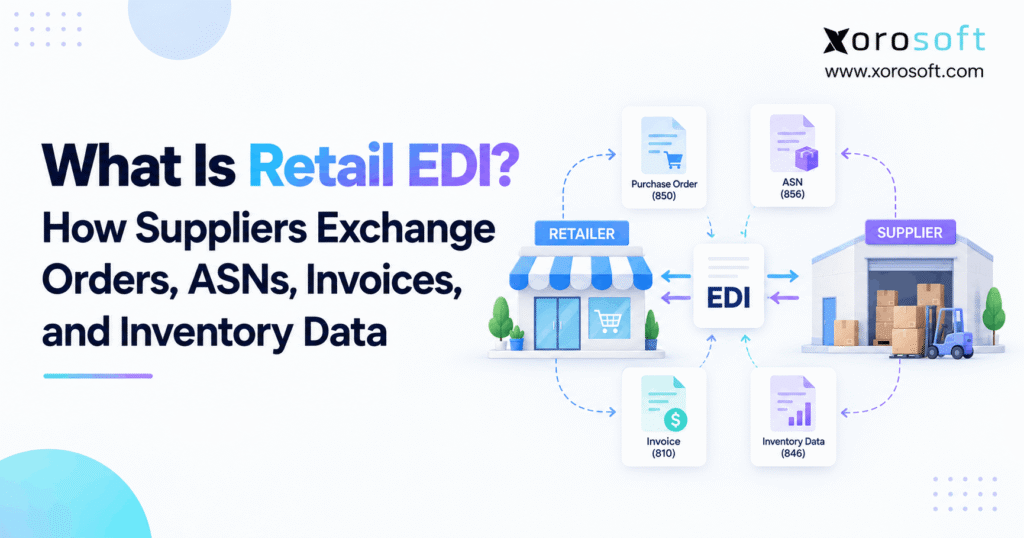
A common flow looks like this:
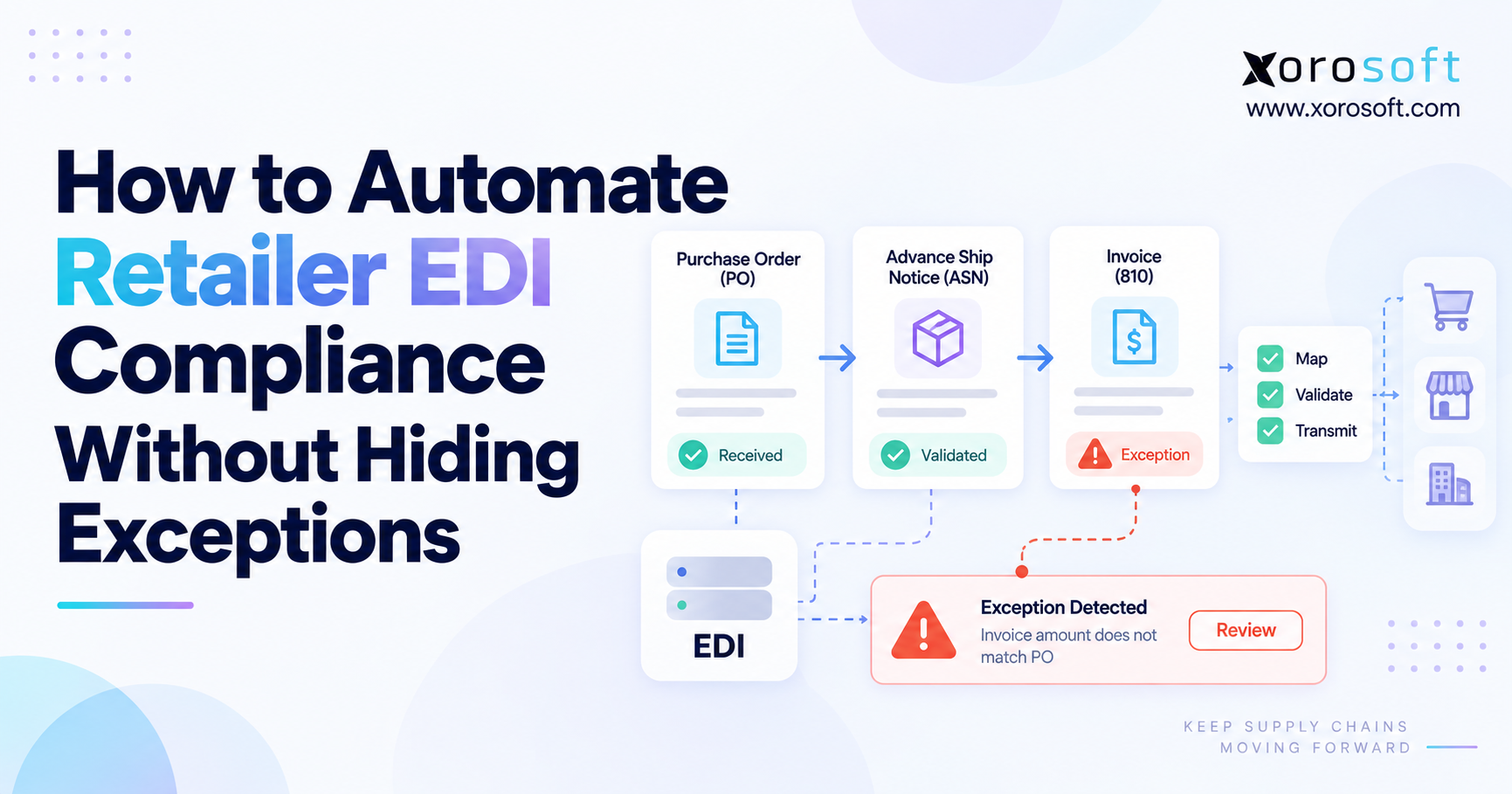
- The retailer sends an EDI 850 Purchase Order.
- The supplier validates the order.
- The supplier may return an EDI 855 Purchase Order Acknowledgment.
- Inventory is allocated.
- The warehouse picks and packs the order.
- The supplier sends an EDI 856 Advance Ship Notice.
- The supplier sends an EDI 810 Invoice.
- Payment or remittance information may follow through an EDI 820.
Meanwhile, other transactions can enter the process. For example, an EDI 860 can communicate a purchase-order change, while an EDI 846 can exchange inventory information.
2.2 Why trading-partner rules still matter
Although retailers may use the same general EDI transaction sets, their implementation requirements can differ significantly.
For example, two retailers may both require an EDI 856. However, one may require specific carton identifiers, routing data, or shipment hierarchies that the other does not.
Therefore, suppliers must follow each trading partner’s implementation guide. In addition, they may need to follow separate routing guides, labeling requirements, testing procedures, and transaction deadlines.
As a result, “we support EDI 856” does not automatically mean “we meet every retailer’s ASN requirements.”
3. Retail EDI Transactions Every Supplier Should Understand
Several transactions appear repeatedly in retailer-supplier EDI workflows. Therefore, suppliers should understand not only what each document means but also which operational event should create it.
3.1 EDI 850 Purchase Order
The EDI 850 Purchase Order normally communicates what the retailer wants to buy.
For example, it may include the PO number, item identifiers, quantities, prices, requested dates, ship-to locations, and commercial terms. Therefore, the 850 frequently becomes the starting point for the supplier’s order process.
However, the supplier should validate the order before releasing it. Item mappings, units of measure, prices, delivery locations, duplicate PO numbers, and requested dates may all require checking.
As a result, a technically valid 850 should not automatically bypass business controls.
3.2 EDI 855 Purchase Order Acknowledgment
The EDI 855 Purchase Order Acknowledgment allows the supplier to respond to the order.
For example, the supplier may confirm that the requested products and quantities can be fulfilled. Alternatively, the response may communicate changes or exceptions according to the retailer’s rules.
Therefore, the acknowledgment should reflect real operational availability.
If the supplier confirms 500 units but only 300 are available, the electronic response creates an expectation that inventory and warehouse teams cannot meet. Consequently, acknowledgment logic should connect with current inventory and order information.
3.3 EDI 856 Advance Ship Notice
The EDI 856 Ship Notice/Manifest commonly serves as the Advance Ship Notice, or ASN.
The ASN explains what is being shipped before or around the time the physical goods leave the supplier. Therefore, it may contain shipment references, products, quantities, cartons, pallets, carriers, tracking information, and packaging relationships.
In addition, some retailer workflows connect carton or pallet identifiers with shipping labels.
Most importantly, the ASN should describe what actually shipped. Therefore, the final packed shipment—not merely the original purchase order—should determine the outbound shipment information.
3.4 EDI 810 Invoice
The EDI 810 Invoice communicates billing information from the supplier to the buyer.
For example, it can include PO references, products, shipped quantities, prices, allowances, charges, and payment terms.
However, invoice accuracy depends on upstream operational accuracy. If the purchase order says 100 units but the warehouse ships 96, finance should not blindly invoice the original 100.
Therefore, the invoice should ideally originate from the same operational record that knows what was fulfilled and shipped.
3.5 EDI 846 Inventory Inquiry/Advice
The EDI 846 Inventory Inquiry/Advice can communicate inventory information between trading partners.
For example, a supplier may provide item availability or inventory quantities to a retailer. Likewise, businesses may use the transaction to exchange inventory information between agreed locations.
Therefore, the accuracy of the inventory source becomes critical.
If the supplier reports inventory from a spreadsheet that has not captured recent Shopify orders or warehouse activity, the EDI message may transmit successfully while communicating stale availability.
3.6 EDI 997, 860, and 820
Other transactions help support the wider process.
For example, the EDI 997 Functional Acknowledgment can report the structural processing status of an EDI transaction. However, it should not be confused with business confirmation that quantities, prices, or other commercial details are correct.
Meanwhile, the EDI 860 can communicate buyer-initiated changes to an existing purchase order. Therefore, suppliers need controls to ensure the newest valid order information reaches operations.
Finally, the EDI 820 can carry payment or remittance information later in the order-to-cash process.
4. How EDI for Retail Suppliers Becomes a Warehouse Order
EDI communicates what happened between trading partners. However, the warehouse needs actionable internal instructions.
Therefore, the moment when an incoming 850 becomes an internal sales order is one of the most important parts of the workflow.
4.1 Turning the EDI 850 into an operational sales order
First, the supplier receives and translates the retailer’s purchase order.
Next, the internal system should identify the customer, ship-to location, items, units of measure, requested quantities, prices, and fulfillment dates.
Then, business rules can evaluate the order. For example, the system may flag an unknown SKU, incorrect customer mapping, duplicate PO, invalid destination, or pricing exception.
As a result, valid orders can move forward while exceptions receive attention before they disrupt fulfillment.
4.2 Inventory allocation comes before warehouse execution
Once the order is valid, inventory must be committed.
However, that process becomes more complex when the business operates multiple warehouses or sells the same SKU through ecommerce and wholesale channels.
Therefore, the system must determine where inventory exists and which location should fulfill the retailer order.
After allocation, the warehouse can receive picking instructions. Consequently, warehouse employees work from the approved operational order rather than interpreting the raw EDI message themselves.
This separation keeps EDI communication and warehouse execution connected without confusing their roles.
5. Retail EDI ASN Accuracy Depends on Warehouse Execution
The ASN is one of the clearest examples of why EDI and warehouse operations cannot be treated independently.
A supplier may create a perfectly formatted EDI 856. However, if that document describes four cartons while only three arrive, the retailer still has a receiving problem.
Therefore, ASN accuracy starts on the warehouse floor.
5.1 Picking and packing create ASN data
First, warehouse employees pick the required products.
Next, they confirm quantities and pack those products into cartons or pallets. Meanwhile, scanning can record which products belong to which handling units.
Therefore, the final packing structure becomes valuable ASN data.
For example, if an employee moves products from one carton into another before shipment, the electronic shipment hierarchy may also need to change. Otherwise, the retailer’s system can expect a packaging configuration that no longer exists.
5.2 Shipping labels must agree with shipment records
Retailers may require specific shipping labels and logistics identifiers. Therefore, label creation should remain connected with the final packing process.
For example, a carton identifier should refer to the same carton represented in the shipment information. Likewise, quantities on the ASN should match the quantities that physically left the facility.
A connected XoroWMS environment can help inventory-driven businesses maintain a clearer operational record across picking, packing, scanning, and shipping.
As a result, outbound EDI can use confirmed warehouse facts instead of information reconstructed afterward from paperwork.
6. Retailer-Supplier EDI Inventory Data Requires a Reliable Source
Purchase orders describe demand. However, inventory feeds describe what a supplier believes it can make available.
Therefore, inventory data can influence replenishment, ordering decisions, and trading-partner expectations before a purchase order even arrives.
6.1 What inventory information can be exchanged
Depending on the trading-partner specification, an inventory transaction may communicate item identifiers, quantities, locations, availability status, and relevant dates.
However, the exact structure depends on the retailer’s implementation rules.
Therefore, suppliers should not assume that one generic inventory feed will satisfy every customer.
Instead, they should first define where accurate item and inventory data live internally. Then, the EDI mapping should convert that information into the retailer’s expected format.
6.2 Multi-channel inventory makes the problem harder
Consider a consumer brand selling through Shopify, Amazon, wholesale accounts, and several warehouses.
A quantity may change because of a Shopify order. Meanwhile, another unit may be reserved for an Amazon workflow, transferred between warehouses, damaged, received from a supplier, or allocated to a wholesale customer.
Therefore, the available-to-promise quantity can differ from simple physical on-hand inventory.
An integrated XoroERP environment can help centralize inventory, orders, purchasing, warehouse activity, and accounting before appropriate information moves through retailer-facing integrations.
7. How Retail EDI Connects ERP, WMS, and Accounting
Retail EDI, ERP, and WMS solve different problems. Therefore, businesses should avoid treating them as interchangeable technologies.
EDI handles trading-partner messages. ERP manages the internal business transaction. Meanwhile, WMS manages physical warehouse execution.
7.1 The role of each system
An incoming EDI purchase order may begin outside the supplier’s ERP.
However, after translation, the order should usually become part of the internal order-management process.
Next, ERP can check customer data, inventory, pricing, and fulfillment rules. Then, WMS can execute physical warehouse activity.
Finally, shipment confirmation can support the ASN while financial information can support invoicing and accounting.
Therefore, each system has a distinct responsibility even though the complete workflow crosses several systems.
7.2 What an integrated EDI architecture looks like
A practical architecture may look like this:
Retailer → EDI Provider/Network → ERP → Inventory/WMS/Accounting → EDI Provider → Retailer
Because the operational system sits in the middle, it can maintain the relationship between incoming demand and outbound confirmation.
For inventory-driven businesses, XoroONE provides a broader cloud ERP environment across inventory, order management, purchasing, warehousing, accounting, manufacturing, and ecommerce workflows.
In addition, Xorosoft integrations can connect surrounding commerce and operational platforms where appropriate.
Therefore, EDI becomes part of the operating model rather than a separate portal employees must constantly reconcile.
8. Retail EDI Standards, Transport Methods, and Trading-Partner Rules
EDI discussions often mix several different concepts together. However, standards, communication methods, and retailer requirements are not the same thing.
Understanding the difference makes implementation much easier.
8.1 EDI standards define the message
In North America, many retail relationships use ANSI ASC X12 transaction sets.
Therefore, numbers such as 850, 855, 856, 810, and 846 identify particular business-message structures within that ecosystem.
However, the standard does not decide how every retailer uses every available field.
Instead, trading partners agree on implementation requirements. Consequently, retailers can apply their own rules while still exchanging an X12 transaction.
8.2 Transport methods move the message
The transport method determines how EDI data moves between systems.
For example, companies may use AS2, SFTP, managed connectivity, or a Value-Added Network.
Therefore, X12 and AS2 are not competing concepts. X12 can define the document, while AS2 can help transport it.
Likewise, a VAN can provide communication services without replacing the supplier’s ERP.
8.3 Retailer implementation guides define compliance
A retailer’s implementation guide may specify required segments, codes, values, transaction timing, and business rules.
In addition, a separate routing guide may define shipping methods, labels, appointment requirements, or other fulfillment expectations.
Therefore, successful EDI transmission alone does not guarantee retailer compliance.
Instead, the supplier must align electronic transactions with the retailer’s commercial and logistics requirements.
9. Web EDI vs Integrated Retail EDI
Web EDI and integrated EDI can both be valid approaches. However, they serve different operational situations.
Therefore, businesses should choose based on transaction volume and process complexity rather than assuming integration is always necessary.
9.1 When Web EDI can make sense
With Web EDI, employees typically log into a browser portal to view or process retailer transactions.
For example, a user may open a purchase order, enter it into accounting software, later return to the portal, and manually create shipment and invoice information.
For a supplier with one retailer and a small number of monthly orders, this may remain manageable.
Therefore, low-volume businesses should not automate merely for the sake of automation.
9.2 When integrated EDI becomes more useful
As volume grows, manual handoffs begin repeating.
For example, the same PO number, SKU, quantity, shipping information, and invoice data may be entered into several applications.
Consequently, employees spend more time moving information instead of managing exceptions.
Integrated EDI can reduce those handoffs by connecting trading-partner transactions with internal operational records.
Therefore, the strongest business case often appears when manual portal work starts limiting scale, accuracy, or visibility.
| Area | Web EDI | Integrated EDI |
|---|---|---|
| Order processing | Often manual | Can flow into ERP |
| Inventory validation | Separate check | Can use operational inventory |
| Warehouse connection | Usually indirect | Can connect fulfillment |
| ASN creation | Often re-entered | Can use shipment records |
| Invoice creation | Often manual | Can use financial records |
| Best fit | Lower volume | Growing complexity |
10. Retail EDI vs API: They Solve Different Integration Problems
EDI and APIs are often presented as competing technologies. However, modern businesses can use both.
Therefore, the real question is not whether one technology is universally better. Instead, the question is which communication method the trading partner and business process require.
10.1 How EDI differs from an API
EDI typically exchanges recognizable business documents such as purchase orders, ASNs, and invoices according to agreed structures.
APIs, however, expose defined application data or functions that another application can access.
As a result, an API can support highly interactive or near-real-time workflows. Meanwhile, EDI remains deeply embedded in retailer-supplier processes where standardized B2B documents are expected.
10.2 Why companies may use both
For example, a brand could receive wholesale purchase orders through EDI while exchanging ecommerce information through APIs.
Likewise, Shopify orders may enter through an application integration while major retail accounts continue using EDI.
Xorosoft’s presence in the external Shopify App Store illustrates how ecommerce connectivity can sit alongside broader ERP and EDI-related operations.
Therefore, businesses do not necessarily need to choose one universal integration technology for every channel.
11. Common Retail EDI Errors and Chargebacks
Retail EDI problems can originate in the document itself or in the operation behind it.
Therefore, troubleshooting should identify where the incorrect information first entered the process instead of assuming the EDI translator caused every issue.
11.1 Technical EDI errors
Technical problems can include invalid structures, missing required fields, incorrect qualifiers, mapping errors, or unsupported values.
As a result, a transaction may be rejected before the business process can continue.
However, correcting the syntax does not automatically correct business information.
For example, a valid SKU field can still contain the wrong SKU. Therefore, technical validation and operational validation should remain separate controls.
11.2 Operational retail EDI errors
Operational errors can include:
- incorrect quantities;
- wrong item mappings;
- incorrect units of measure;
- wrong ship-to locations;
- late shipment notices;
- duplicate orders;
- incorrect carton information;
- shipment-label mismatches;
- incorrect prices;
- invoice-versus-shipment differences.
Therefore, teams should trace the error back to the first system or activity where reality and recorded data diverged.
11.3 Why chargebacks often expose disconnected processes
Suppose a warehouse ships 48 units while an employee manually creates an ASN for 50.
The EDI transmission itself may work. However, the retailer receives information that does not match the shipment.
Consequently, the business may face a receiving exception or compliance issue depending on the retailer’s policies.
This is why connected business solutions matter. Instead of treating EDI compliance as a formatting project, teams can examine order, inventory, warehouse, and financial workflows together.
12. Who Needs Retail EDI and Who May Not Need It Yet?
Retail EDI is most relevant when trading-partner requirements or transaction volume justify structured electronic communication.
However, company size alone does not determine whether EDI is necessary.
12.1 Businesses that commonly need retail EDI
Consumer brands may need EDI when they begin supplying major retailers.
Likewise, wholesale distributors, apparel brands, furniture suppliers, sporting-goods companies, food businesses, manufacturers, and automotive-parts suppliers may encounter EDI requirements.
In addition, multi-warehouse businesses often need stronger integration because one customer order can affect inventory allocation, warehouse selection, fulfillment, and invoicing.
Businesses evaluating workflows across different verticals can review the industries Xorosoft serves for broader operational examples.
12.2 Businesses that may not need integrated EDI yet
A company selling only direct to consumers may have no EDI requirement.
Likewise, a small supplier with one trading partner and a handful of monthly orders may manage Web EDI effectively.
Therefore, integration should solve a real operating problem.
However, teams should periodically reassess the decision as retailer count, warehouse complexity, order volume, and manual workload grow.
13. When Retail EDI Should Move Beyond Manual Portals
The strongest upgrade signals are usually visible in daily work.
Therefore, managers should watch for repeated handoffs instead of focusing only on the number of EDI transactions processed.
13.1 Repeated data entry is the first warning sign
Employees may enter retailer purchase orders manually into accounting software.
Later, they may re-enter shipment data into an EDI portal. Finally, they may enter invoice information again.
As a result, one retailer order creates several opportunities for transcription mistakes.
Therefore, repeated movement of the same data is a strong indicator that integration deserves evaluation.
13.2 Multi-channel growth increases inventory pressure
A Shopify brand can start with simple DTC fulfillment and later add Amazon, wholesale customers, and EDI retailers.
Meanwhile, the same inventory pool may support all those channels.
Consequently, availability decisions become harder to manage with disconnected spreadsheets and inventory apps.
A unified ERP environment can therefore become more relevant as channel and warehouse complexity increase.
13.3 Exceptions take too long to investigate
Another warning sign appears when nobody can quickly explain what happened to an order.
For example, customer service may see one quantity, EDI may show another, WMS may show a third, and accounting may contain a fourth.
Therefore, teams spend hours reconstructing the transaction.
Companies considering consolidation can review Xorosoft case studies to see how different inventory-driven operations approached broader ERP and warehouse challenges.
14. Retail EDI Implementation Checklist for Suppliers
A successful implementation starts with business-process design. Therefore, mapping EDI documents should not be the first and only step.
Instead, suppliers should follow the transaction from retailer demand through warehouse execution and billing.
14.1 Collect retailer requirements first
First, obtain the latest implementation guide.
In addition, collect routing instructions, labeling requirements, testing procedures, and transaction deadlines.
Then, identify which documents the retailer expects. For example, the relationship may require 850, 855, 856, 810, 846, 860, or other transaction sets.
Therefore, the project begins with documented trading-partner requirements rather than assumptions.
14.2 Decide which internal system owns each record
Next, establish a source of truth for customers, SKUs, pricing, inventory, sales orders, warehouse shipments, and invoices.
Otherwise, integration can connect systems without resolving conflicting ownership.
For example, if both a spreadsheet and ERP claim to own retailer SKU mappings, employees may not know which value should feed the EDI transaction.
Therefore, data ownership should be decided before automation.
14.3 Map retailer identifiers carefully
Retailer item numbers may differ from internal SKUs.
Likewise, units of measure, store numbers, warehouse codes, carrier codes, and customer identifiers may require translation.
Therefore, trading-partner mapping needs controlled cross-references.
In addition, mapping changes should be documented. Otherwise, one employee may fix an exception manually without correcting the underlying rule.
14.4 Build exception controls
Not every incoming order should move automatically.
For example, unknown SKUs, suspicious prices, duplicate PO numbers, unavailable inventory, or invalid locations may require review.
Therefore, automation should separate clean transactions from exceptions.
As a result, employees can focus on unusual cases while routine orders continue efficiently.
14.5 Test the entire retail EDI lifecycle
Testing only the incoming 850 is not enough.
Instead, test the complete workflow:
850 → sales order → inventory allocation → warehouse picking → packing → 856 → 810
In addition, test changes, partial shipments, shortages, canceled lines, and other realistic exceptions.
Therefore, certification should prove that operational events and electronic transactions stay aligned.
14.6 Monitor the workflow after launch
Finally, implementation does not end at go-live.
Teams should review rejected transactions, manual corrections, ASN mismatches, retailer deductions, inventory discrepancies, and recurring mapping exceptions.
As a result, they can identify systemic problems instead of repeatedly treating symptoms.
For complex operations, Xorosoft can combine ERP, order, inventory, warehouse, purchasing, accounting, manufacturing, and related workflows so the EDI integration can work from more consistent operational data.
15. From Retail EDI Messages to One Reliable Operation
Retail EDI is ultimately a communication framework. However, the value of that communication depends on the quality of the operation behind it.
First, the retailer sends demand. Next, the supplier validates the order and commits inventory. Then, the warehouse creates the physical shipment. Finally, the ASN and invoice communicate what actually happened.
Therefore, the strongest process keeps the purchase order, inventory allocation, warehouse shipment, ASN, and invoice connected.
For growing suppliers, the turning point often comes when employees spend more time reconciling systems than managing customers and inventory.
If that describes your operation, Book a Demo to explore how Xorosoft can connect inventory, orders, warehouse workflows, purchasing, accounting, ecommerce, and EDI-related operations within a unified cloud ERP environment.
Frequently Asked Questions About Retail EDI
What is retail EDI?
Retail EDI is the structured electronic exchange of purchase orders, ASNs, invoices, inventory information, and related business documents between retailers and suppliers.
What is an EDI 850?
An EDI 850 is an electronic purchase order. Retailers commonly use it to send item, quantity, pricing, delivery, and purchase-order information to suppliers.
What is an EDI 856 ASN?
An EDI 856 communicates shipment information. Therefore, it can describe products, quantities, cartons, pallets, carriers, and other details about goods being shipped.
What is an EDI 810?
An EDI 810 is an electronic invoice that suppliers use to communicate billing information, including products, quantities, prices, charges, and purchase-order references.
How does EDI connect with ERP?
EDI exchanges trading-partner messages, while ERP manages internal orders, inventory, purchasing, warehouse activity, invoicing, and accounting. Integration connects those two processes.
What is the difference between EDI and API?
EDI commonly exchanges standardized B2B documents. In contrast, APIs connect application data or functions. Therefore, many businesses use both depending on the trading-partner workflow.
When should a supplier integrate retail EDI?
Integration becomes useful when manual re-entry, rising order volume, multiple retailers, multi-warehouse inventory, repeated ASN work, or reconciliation problems begin limiting operations.
Recent Posts
-
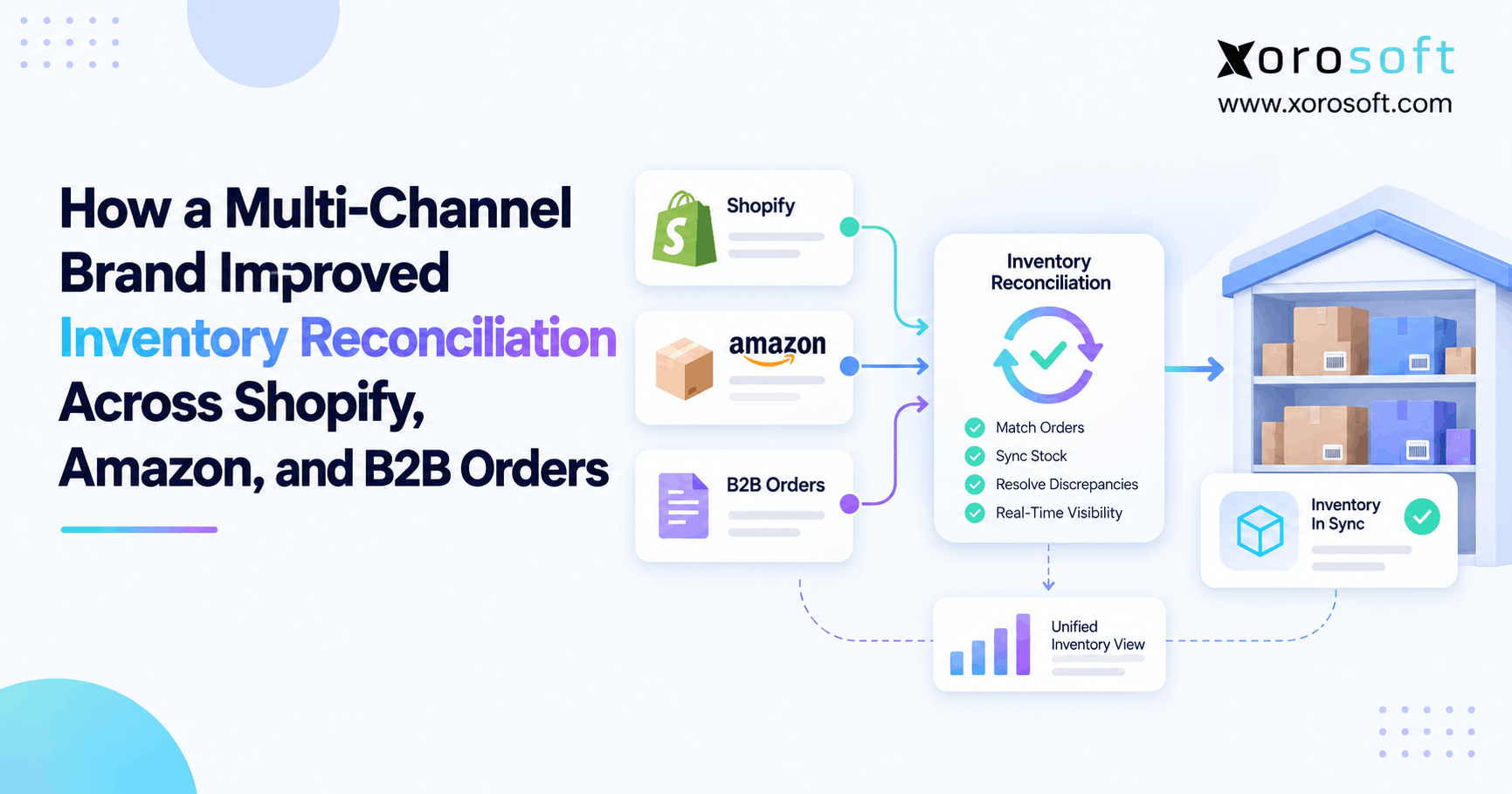
 How a Multi-Channel Brand Improved Inventory Reconciliation Across Shopify, Amazon, and B2B Orders
 -
 What Is Retail EDI? How Suppliers Exchange Orders, ASNs, Invoices, and Inventory Data
 -
 Agentic ERP Buying Checklist: 15 Questions to Ask About Data Access, Actions, and Human Controls
 -
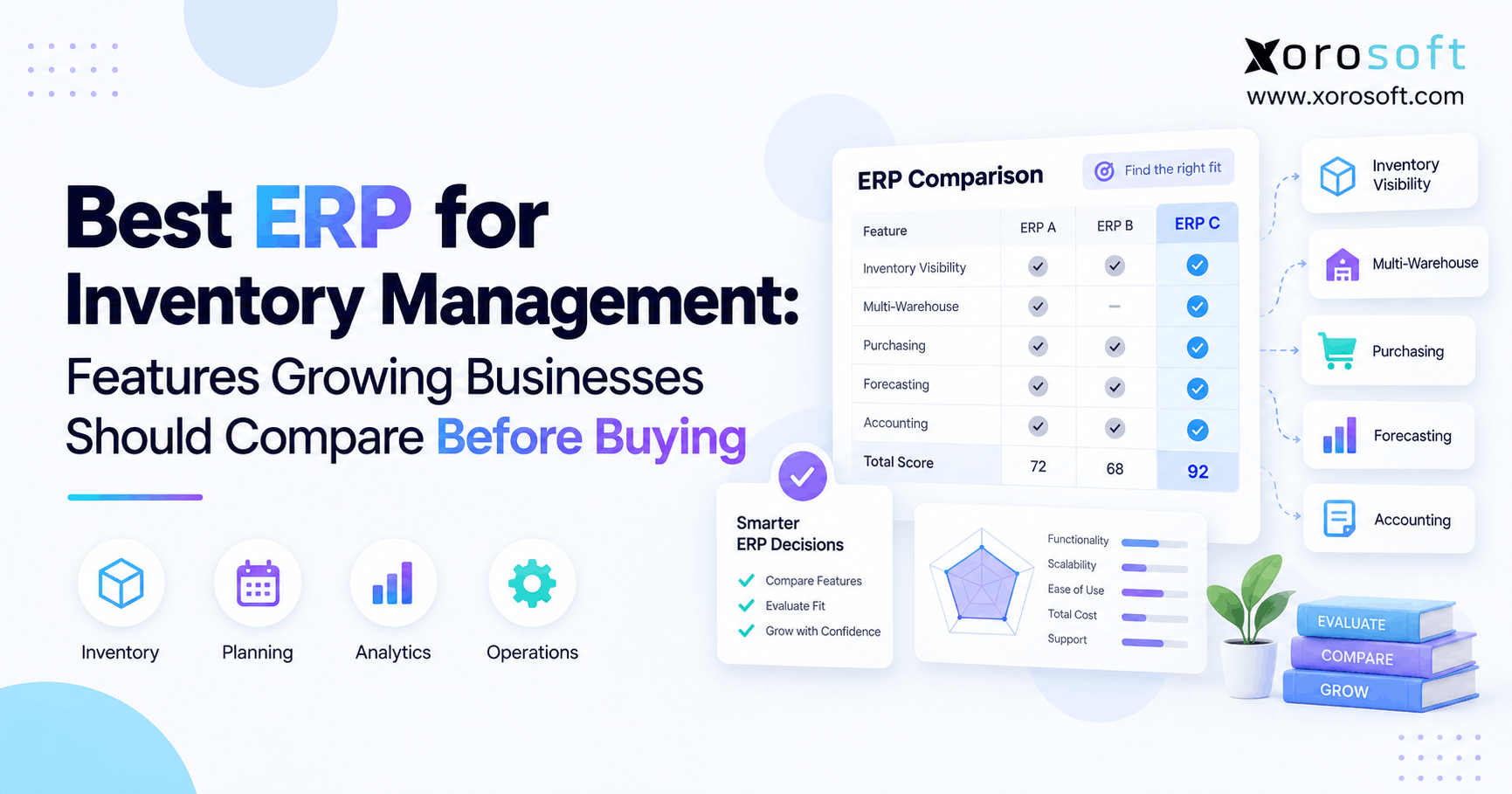
 Best ERP for Inventory Management: Features Growing Businesses Should Compare Before Buying
 -
 3PL Industry Statistics: Warehousing, Fulfillment, Labor, and Ecommerce Logistics Trends