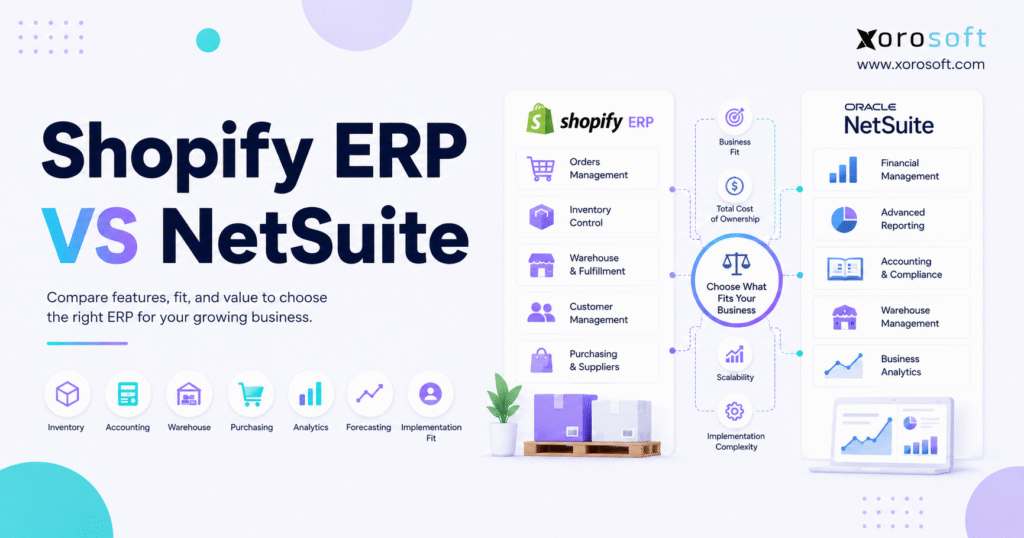
If you are looking for an integrated business solution, NetSuite for Shopify brands can provide the connectivity and efficiency your growing eCommerce business needs.
1. A Practical Starting Point for the ERP Decision
NetSuite for Shopify brands can be a strong ERP option, but it is not automatically the right system for every growing ecommerce company. Therefore, the real decision is not only about choosing a known ERP name. Instead, it is about choosing the system that fits your inventory, warehouse, accounting, purchasing, fulfillment, and reporting workflows.
At an early stage, Shopify brands often run with Shopify, QuickBooks, spreadsheets, shipping apps, inventory tools, and manual reports. Initially, that stack feels flexible. However, once order volume grows, the same stack can create operational drag.
Inventory numbers start to disagree across systems. Purchasing teams begin planning from spreadsheets. Finance waits too long for accurate inventory valuation. Meanwhile, warehouse teams create workarounds because the system does not match how fulfillment actually happens.
As a result, leadership loses confidence in the numbers. More importantly, teams spend too much time fixing data instead of improving operations.
That is why Shopify ERP vs NetSuite is such an important comparison. Both options can support ecommerce operations. However, they often fit different types of companies, different growth stages, and different internal teams.
1.1 The Real Question Is Operational Fit
A growing Shopify company should not compare ERP systems only by feature lists. Although features matter, workflows matter more.
For example, one system may have inventory management, accounting, warehouse tools, and reporting. Yet, if those workflows require heavy setup or do not match the way your team works, the implementation may still become painful.
In practice, the best ERP choice depends on questions like these:
1. How many warehouses does the business operate?
2. Which channels create orders?
3. Does the company sell DTC, wholesale, Amazon, B2B, or EDI?
4. Can finance trust inventory valuation?
5. Are purchasing decisions based on real demand?
6. Do warehouse users need barcode scanning?
7. Can leadership see accurate margin and inventory reports?
Once these questions are clear, the Shopify ERP comparison becomes much easier.
1.2 What Growing Shopify Teams Usually Need
Most Shopify teams do not look for ERP because they want more software. Instead, they look for ERP because daily operations have become harder to control.
Usually, they need:
- Better inventory visibility
- Cleaner accounting workflows
- Purchase order automation
- Warehouse management
- Multi-location stock control
- Demand planning
- Order routing
- Wholesale support
- EDI support
- Reporting that does not require manual cleanup
Because these workflows affect each other, disconnected apps eventually create problems. Inventory affects purchasing. Purchasing affects cash flow. Warehouse activity affects fulfillment. Fulfillment affects customer experience. Accounting depends on all of it.
That is where ERP becomes useful. A good ERP does not simply store data. It connects the work.
2. What Is a Shopify ERP?
A Shopify ERP is an enterprise resource planning system that connects Shopify with back-office operations. In other words, Shopify remains the commerce platform, while the ERP becomes the operational system behind the storefront.
A Shopify ERP can manage inventory, sales orders, purchase orders, warehouse workflows, accounting, forecasting, reporting, wholesale, EDI, Amazon, and manufacturing workflows when needed.
Shopify also recognizes ERP as part of the larger commerce ecosystem. For example, Shopify’s Global ERP Program highlights ERP apps that connect with Shopify stores. In addition, Shopify’s own ERP guidance explains how ERP integration helps commerce systems connect with business operations.
2.1 Core Functions of a Shopify ERP System
A Shopify ERP system usually supports the operational areas that Shopify does not fully manage by itself.
These areas include:
- Inventory availability
- Multi-warehouse stock
- Sales order management
- Purchase orders
- Vendor management
- Barcode scanning
- Picking and packing
- Inventory costing
- Accounting
- Forecasting
- Wholesale pricing
- EDI workflows
- Reporting
However, not every Shopify ERP offers the same depth. Therefore, buyers should test real workflows before choosing a platform.
2.2 What Shopify ERP Is Not
A Shopify ERP is not just an inventory app. It is also not only a connector, warehouse tool, accounting sync, or reporting dashboard.
Those tools may help at a certain stage. However, they often solve one workflow at a time. As the company grows, the gaps between tools become more expensive.
For example, a brand may use one app for purchasing, another for warehouse scanning, another for inventory sync, and another for accounting exports. At first, this setup may feel manageable. Eventually, though, every extra system creates another place where data can break.
2.3 Where Shopify Ends and ERP Begins
Shopify is built for commerce. It helps brands manage products, storefronts, checkout, payments, customers, and sales channels.
ERP begins when the business needs stronger operational control. Therefore, ERP becomes important for workflows such as replenishment, landed cost, multi-warehouse fulfillment, inventory valuation, wholesale allocation, production planning, and financial reporting.
This distinction matters because Shopify can generate growth faster than back-office systems can support it. Once that happens, the company needs an operational layer behind Shopify.
3. What Is NetSuite for Shopify Brands?
NetSuite for Shopify brands means using NetSuite as the back-office ERP while Shopify remains the ecommerce platform. The setup can support accounting, inventory, procurement, order management, financial reporting, and enterprise operations.
For that reason, NetSuite for Shopify brands should be evaluated as an operating system decision, not just a software purchase. The platform may support ecommerce operations well, but the final fit depends on inventory structure, warehouse execution, accounting depth, integration needs, and internal implementation capacity.
Because of this, NetSuite for Shopify brands is not simply an integration question. It is also a question of process design, data quality, user adoption, and long-term system ownership.
3.1 NetSuite as a General Cloud ERP Platform
NetSuite is not only an ecommerce ERP. Instead, it is a general ERP platform that can support many business models.
That broad scope can be valuable for companies with multiple entities, complex accounting, global operations, advanced controls, or larger finance teams. However, breadth also adds implementation responsibility.
Because of that, a Shopify brand should not choose NetSuite only because it is well known. The better question is whether the company has the complexity, team capacity, and budget to use that breadth well.
3.2 How NetSuite Connects with Shopify
NetSuite can connect with Shopify through connector workflows and integration setup. Therefore, the issue is not whether the two systems can connect. The better question is how well the final workflow supports orders, inventory, refunds, payouts, locations, and reporting.
For example, a Shopify brand should test:
- Order sync
- Inventory sync
- Refund handling
- Multi-location inventory
- Shopify POS orders
- Wholesale pricing
- Payout reconciliation
- Product data mapping
- Warehouse fulfillment updates
If those workflows are not tested early, implementation problems may appear after launch.
3.3 When NetSuite Makes Sense for Ecommerce
NetSuite for Shopify brands can make sense when a Shopify business has enterprise-level requirements.
For example, it may fit companies with:
- Multiple legal entities
- Complex financial consolidation
- International operations
- Advanced approval workflows
- Deep reporting requirements
- Larger internal finance teams
- Specialized ERP administrators
However, many Shopify brands are not primarily looking for enterprise breadth. Instead, they need inventory, warehouse, purchasing, accounting, and ecommerce workflows to work together cleanly.
4. Shopify ERP vs NetSuite: Quick Comparison
The Shopify ERP vs NetSuite decision should begin with fit, not assumption.
A Shopify ERP may be a better fit when the business is Shopify-led, inventory-driven, and looking for a connected operational system. Meanwhile, NetSuite may be a better fit when the company needs broader enterprise ERP depth.
4.1 Best Fit Summary
| Category | Shopify ERP | NetSuite |
|---|---|---|
| Best fit | Shopify-led inventory businesses | Broader enterprise operations |
| Shopify alignment | Usually ecommerce-focused | Connector-based and configurable |
| Inventory management | Often built around daily stock control | Strong, but setup matters |
| Warehouse management | Often focused on execution | May require modules or configuration |
| Accounting | Connected to inventory and operations | Deep financial management |
| Purchasing | Usually tied to demand and stock | Strong procurement workflows |
| Implementation | Often more focused | Often broader |
| Best buyer | Growing brand replacing apps | Larger company with enterprise needs |
4.2 A More Practical Way to Compare
Instead of asking which ERP has more features, ask which ERP reduces operational friction.
For example, a Shopify-led brand may care most about real-time inventory, warehouse scanning, purchase planning, and accounting visibility. In that case, a focused ecommerce ERP may be easier to adopt.
However, NetSuite for Shopify brands may be a stronger fit when the company needs broad financial controls, more complex reporting, and enterprise-level configuration. Therefore, the better answer depends on operating model.
After the first evaluation, brands can also review Xorosoft’s broader ERP comparison hub to understand how different ERP and operations platforms compare across inventory, accounting, warehouse, purchasing, and ecommerce needs.
5. NetSuite for Shopify Brands and Inventory Management
Inventory is usually the first reason Shopify brands begin evaluating ERP.
The problem is rarely simple stock counting. Instead, teams need to know what is available, what is reserved, what is incoming, what is committed, and what can be promised across channels.
5.1 Real-Time Inventory Visibility
Real-time inventory visibility becomes important once orders come from multiple sources.
For example, a brand may sell through Shopify, Amazon, wholesale, retail stores, and EDI partners. At the same time, inventory may sit in several warehouses, 3PLs, stores, or production locations.
Without a central system, teams may rely on delayed exports. As a result, customer service, warehouse, purchasing, and finance teams may all see different numbers.
A Shopify ERP should help centralize inventory visibility. NetSuite can also support inventory workflows, although the buyer should validate how inventory sync, location mapping, and fulfillment updates work in practice.
In this context, NetSuite for Shopify brands should be tested around real-time stock accuracy, not only basic Shopify order sync.
5.2 Multi-Warehouse Inventory Control
Multi-warehouse operations create a major step up in complexity.
A good ERP should separate:
- Available stock
- Reserved stock
- Incoming stock
- Transfer stock
- Damaged stock
- Safety stock
- Channel-specific inventory
Because each stock type affects selling decisions, Shopify brands need more than a simple quantity-on-hand number.
This is also where tools such as XoroONE can become relevant for inventory-driven businesses that want connected inventory, orders, purchasing, warehouse, accounting, and reporting in one system.
5.3 SKU, Variant, and Bundle Complexity
Shopify brands often manage complex SKUs.
Apparel companies deal with size, color, season, style, and returns. Furniture brands manage large products, components, suppliers, and delivery constraints. Sporting goods companies may deal with kits, bundles, and seasonal spikes.
Therefore, ERP evaluation should include SKU structure, variant logic, bundles, kits, costing, and warehouse handling. Otherwise, the system may look good in a demo but fail during daily use.
For SKU-heavy companies, NetSuite for Shopify brands should be tested with real product structures before final selection.
6. Shopify ERP vs NetSuite for Order Management
Order management becomes difficult when Shopify is no longer the only order source.
A growing business may process DTC orders, wholesale orders, marketplace orders, EDI orders, retail orders, and manual sales orders. Because each order type may require different fulfillment rules, the ERP must support more than basic order sync.
6.1 Shopify Orders, Wholesale Orders, and Marketplace Orders
A Shopify ERP should help teams centralize orders from multiple channels.
In practice, the system should answer:
- Which orders are ready to ship?
- Which orders are blocked?
- Which warehouse should fulfill each order?
- Which orders need allocation?
- Which customers have special pricing?
- Which invoices should be created?
- Which orders require EDI documents?
NetSuite can support broad order management. However, Shopify brands should test the complete journey from order capture to fulfillment, invoicing, and reporting.
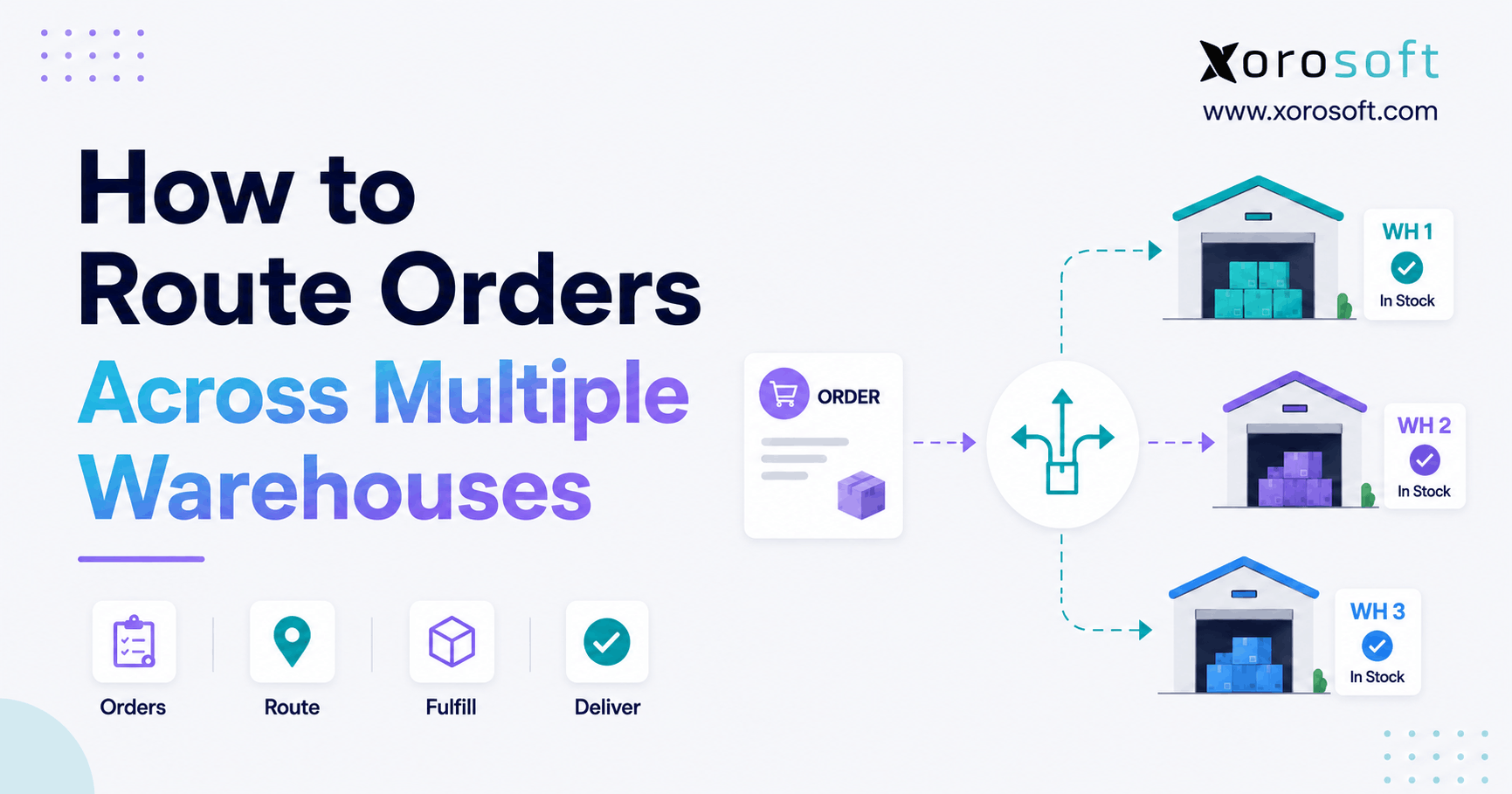
6.2 Order Routing and Fulfillment Logic
Order routing affects cost, speed, and customer experience.
For example, one order may ship from the nearest warehouse. Another may ship from the warehouse with the best stock position. Meanwhile, wholesale orders may need priority allocation before DTC orders consume the available inventory.
If the ERP cannot support this logic, teams may create manual workarounds. As a result, fulfillment becomes inconsistent.
When fulfillment rules are complex, NetSuite for Shopify brands should be evaluated through real order-routing scenarios rather than generic demo flows.
6.3 Returns, Exchanges, and Exceptions
Returns are not only customer service events. They also affect inventory, refunds, accounting, warehouse receiving, and reporting.
Because of that, a strong ERP should help teams classify returned inventory correctly. Some items can return to sellable stock. Others may need inspection, quarantine, repair, or write-off.
A practical ERP evaluation should include these exceptions. Otherwise, the system may only work for clean orders and fail when real operations get messy.
7. Shopify ERP vs NetSuite for Warehouse Management
Warehouse execution is where ERP quality becomes visible.
A system may look strong during the buying process. However, the real test happens when warehouse teams receive, pick, pack, scan, ship, transfer, count, and adjust inventory every day.
7.1 Picking, Packing, Shipping, and Scanning
Warehouse teams need simple and accurate workflows.
That usually includes:
- Barcode scanning
- Bin locations
- Receiving
- Putaway
- Pick lists
- Packing validation
- Shipping confirmation
- Cycle counts
- Transfers
- Inventory adjustments
Because warehouse work is fast and repetitive, the system must be easy for users to follow. Otherwise, employees will find shortcuts.
For brands that need warehouse execution tied directly to Shopify orders and inventory, XoroWMS is a relevant internal page to review.
7.2 Native WMS vs Configured Workflows
The warehouse question is not only, “Does the ERP have WMS?”
Instead, ask how the warehouse team will use the system every day. For example, does receiving update inventory immediately? Can pickers scan items before shipment? Are bin transfers simple? Can users perform cycle counts without disrupting fulfillment?
NetSuite may support warehouse workflows through modules and configuration. Meanwhile, some Shopify ERP systems may offer a more focused warehouse experience for ecommerce operators.
7.3 Warehouse Team Adoption
Warehouse adoption often determines ERP success.
If the system slows users down, they will work around it. Consequently, inventory accuracy may decline, even if the ERP is technically powerful.
Therefore, warehouse users should be included during evaluation. Their feedback can reveal whether the software supports daily execution or only looks good in a demo.
In warehouse-heavy operations, NetSuite for Shopify brands should be assessed against scanner workflows, receiving speed, picking accuracy, and inventory adjustment controls.
8. NetSuite for Shopify Brands and Accounting Fit
Accounting is another major reason brands move beyond disconnected apps.
At a small scale, finance may manage with manual reconciliations. However, as inventory grows, delayed closes and inaccurate costing can create serious problems.
8.1 Inventory Valuation and Costing
Inventory is both an operational asset and a financial asset.
Therefore, ERP must help finance understand:
- Landed cost
- Cost of goods sold
- Inventory adjustments
- Stock transfers
- Write-offs
- Purchase price variance
- Margin by channel
- Month-end reconciliation
If these numbers live across several systems, finance may lose confidence in the close process.
8.2 Month-End Close and Reconciliation
A delayed month-end close often signals system strain.
For example, finance may need Shopify reports, warehouse exports, inventory app data, purchase order spreadsheets, and accounting records before it can close the books. As a result, reporting becomes slow and unreliable.
NetSuite has strong financial management depth. However, a Shopify ERP may be a better fit when the main issue is connecting accounting with inventory, purchasing, warehouse, and ecommerce workflows.
In finance-heavy evaluations, NetSuite for Shopify brands may look attractive because of its accounting depth. However, teams should still confirm whether inventory costing, Shopify payouts, warehouse activity, purchase orders, and channel-level reporting connect cleanly enough for daily use.
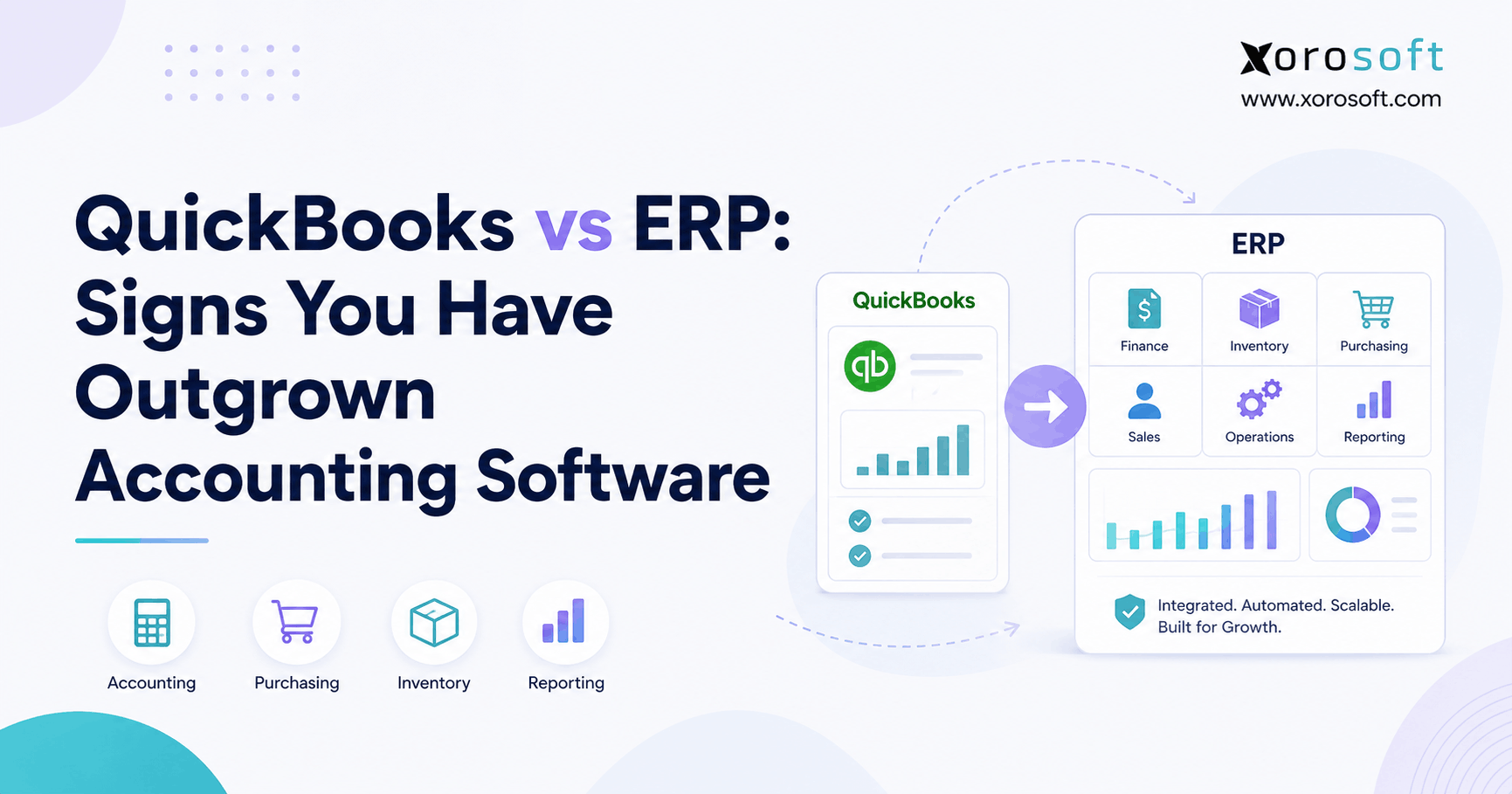
8.3 When QuickBooks Is No Longer Enough
Many Shopify brands outgrow QuickBooks because inventory becomes too complex.
The problem is not basic bookkeeping. Instead, the issue is that QuickBooks is often not enough to manage multi-warehouse stock, purchasing, warehouse execution, landed cost, forecasting, wholesale allocation, and channel profitability.
At that stage, brands may compare NetSuite with other ERP options. For example, the Xorosoft vs QuickBooks page can help teams understand when a business has moved beyond accounting software into full ERP requirements.
9. Shopify ERP vs NetSuite for Purchasing and Forecasting
Purchasing turns inventory problems into cash flow problems.
If buyers do not trust stock numbers, they may overbuy. If they do not see demand clearly, they may underbuy. Meanwhile, supplier delays can create stockouts even when the team thought it ordered on time.
9.1 Purchase Order Automation
A useful ERP should help purchasing teams create purchase orders from actual operating data.
That data may include:
- Current inventory
- Open sales orders
- Open purchase orders
- Supplier lead times
- Reorder points
- Minimum order quantities
- Forecasted demand
- Safety stock
- Warehouse constraints
Because purchasing affects both revenue and cash, it should not depend only on spreadsheets.
9.2 Demand Planning and Reorder Points
Demand planning should connect sales, inventory, and purchasing.
For example, a Shopify brand may need to plan around promotions, seasonal peaks, new launches, wholesale commitments, and marketplace demand. If those signals are disconnected, buyers make decisions from partial data.
A connected ERP can make replenishment more disciplined. In addition, it can help teams avoid both stockouts and overstock.
For purchasing teams, NetSuite for Shopify brands should be reviewed through reorder logic, supplier lead times, purchase approvals, and forecast accuracy.
9.3 Stockouts, Overstock, and Cash Flow Risk
Stockouts reduce revenue and customer trust. Overstock, however, traps cash and increases storage costs.
Although these look like opposite problems, they often come from the same root cause: poor planning data.
Therefore, the Shopify ERP vs NetSuite evaluation should include purchasing and forecasting, not only inventory dashboards.
10. Shopify ERP vs NetSuite for Wholesale and B2B
Many Shopify brands eventually add wholesale, B2B, retail partnerships, or distributor accounts.
That shift adds complexity because wholesale orders are not just larger DTC orders. They often include different pricing, payment terms, shipping rules, allocation logic, and documentation requirements.
10.1 Customer-Specific Pricing
Wholesale pricing requires structure.
A brand may need pricing by customer, tier, region, product line, or agreement. In addition, sales reps may need visibility into inventory before promising stock to accounts.
If pricing rules live outside the ERP, teams may rely on manual checks. Consequently, errors become more likely as order volume grows.
10.2 EDI and Retailer Compliance
EDI can add another layer of operational control.
Wholesale customers may require purchase orders, invoices, shipping notices, acknowledgments, and other documents. If these workflows are not connected with inventory and fulfillment, the business risks delays, chargebacks, and manual rework.
Because of that, Shopify brands with wholesale or retailer channels should evaluate ERP support for EDI early.
10.3 Allocation Between DTC and Wholesale
Allocation is one of the hardest parts of running DTC and wholesale together.
For example, Shopify may continue accepting orders while wholesale customers already have inventory commitments. Without clear allocation rules, DTC demand can consume stock that was promised elsewhere.
A system such as XoroERP can be reviewed when a Shopify-led business needs inventory, accounting, purchasing, warehouse, forecasting, Amazon, EDI, and wholesale workflows in one cloud ERP platform.
For wholesale-heavy companies, NetSuite for Shopify brands should be compared against customer-specific pricing, allocation rules, EDI workflows, and invoice requirements.
11. NetSuite for Shopify Brands and Implementation Planning
ERP implementation is where the buying decision becomes real.
A platform can seem ideal during evaluation. However, implementation reveals whether data is clean, workflows are defined, users are ready, and integrations are properly mapped.
Because of this, NetSuite for Shopify brands often requires a clear implementation plan before the final buying decision. Otherwise, the project can expand from a Shopify ERP comparison into a larger process redesign effort.
11.1 Implementation Scope
A typical ERP implementation may include:
- Chart of accounts
- Item master
- Customer data
- Vendor data
- Inventory balances
- Open sales orders
- Open purchase orders
- Warehouse locations
- User roles
- Approval workflows
- Shopify integration
- Reporting setup
- Testing and training
Because each area affects the others, scope control is important.
11.2 Data Migration and Process Cleanup
Data migration is not just a technical task. Instead, it forces the company to clean up past decisions.
For example, duplicate SKUs must be merged. Missing product costs must be fixed. Vendor lead times must be updated. Warehouse locations must be structured. Meanwhile, finance must decide how much historical data to migrate.
If this work is skipped, the ERP may launch with bad data. As a result, users may lose trust quickly.
11.3 Timeline, Cost, and Internal Resources
Implementation effort depends on business complexity.
A simple Shopify brand with one warehouse has a different project than a company with multiple warehouses, wholesale pricing, EDI, manufacturing, Amazon, and advanced accounting.
Because of this, NetSuite for Shopify brands often requires a clear implementation plan before the final buying decision. Otherwise, the project can expand from a Shopify ERP comparison into a larger process redesign effort.
Therefore, teams should compare more than subscription cost. They should also compare setup effort, training needs, internal ownership, integration testing, and ongoing support.
12. NetSuite for Shopify Brands: Cost Factors to Review
ERP cost is not only software pricing.
The real cost includes implementation, configuration, integrations, customization, training, admin time, reporting setup, and post-launch optimization.
12.1 Cost Factor Comparison
| Cost Factor | Shopify ERP | NetSuite | Buyer Note |
| Software license | Often based on users and modules | Often based on users, modules, and scope | Compare total required setup |
| Implementation | Usually more focused | Often broader | Scope drives cost |
| Shopify integration | Usually central to the system | Connector-based | Test real workflows |
| Warehouse setup | Often operationally focused | May require configuration | Include warehouse users |
| Customization | Depends on platform | Can be extensive | More customization adds maintenance |
| Training | Required across teams | Required across teams | Adoption affects ROI |
| Ongoing admin | Varies by complexity | May require specialized support | Plan ownership early |
12.2 Implementation Costs
Implementation costs rise when workflows are unclear.
For example, if no one has defined order routing, inventory allocation, warehouse rules, purchasing approvals, or financial reporting needs, the project may expand during setup.
Because of that, businesses should document workflows before vendor selection. This reduces surprises later.
12.3 Integration and Customization Costs
Integrations can become expensive when each system handles data differently.
Shopify, Amazon, EDI, shipping tools, tax systems, payment processors, 3PLs, and accounting workflows may all need attention. Therefore, buyers should map each required connection before choosing ERP.
A clean integration plan is often more valuable than a long feature list.
12.4 Ongoing Admin and Support Costs
ERP requires ownership after go-live.
New SKUs, new channels, new warehouses, new reports, new users, and new workflows will appear over time. Consequently, the company needs a clear support model.
Before choosing NetSuite for Shopify brands, leaders should estimate the ongoing ownership model. That includes who manages integrations, reports, users, workflows, inventory rules, accounting changes, and post-launch optimization.
13. When Shopify Brands Should Choose a Shopify ERP
A Shopify ERP may be the better fit when operational complexity is centered around ecommerce, inventory, warehouse, purchasing, accounting, and reporting.
13.1 Best-Fit Scenarios
Choose a Shopify ERP when:
1. Shopify is the main sales channel.
2. Inventory accuracy is a daily problem.
3. QuickBooks and spreadsheets are no longer enough.
4. Purchasing needs better demand planning.
5. Warehouse users need scanning and structured workflows.
6. The brand sells through Shopify, Amazon, wholesale, or EDI.
7. Leadership needs real-time reporting.
8. The team wants faster operational adoption.
In these cases, a Shopify-focused ERP can help the business move from disconnected tools to a single operating system.
13.2 Warning Signs You Need a Shopify ERP
Several warning signs usually appear before ERP becomes urgent.
For example:
- Inventory reports do not match.
- Buyers rely on spreadsheets.
- Warehouse teams use manual workarounds.
- Finance waits too long for clean numbers.
- Orders require manual routing.
- Wholesale allocation is inconsistent.
- Shopify and accounting data disagree.
- Leadership cannot trust margin reports.
If several of these problems appear together, the business may need a more connected system.
14. When NetSuite for Shopify Brands Makes Sense
NetSuite may be the better fit when enterprise complexity is the main driver.
14.1 Best-Fit Scenarios
Choose NetSuite when:
1. The business has multiple entities.
2. Financial consolidation is complex.
3. Global operations require deeper controls.
4. Internal teams can manage a larger ERP project.
5. Custom workflows are important.
6. Finance requirements outweigh ecommerce simplicity.
7. The company already has NetSuite expertise.
In these cases, NetSuite’s broader ERP scope may justify the implementation effort.
14.2 When NetSuite’s Breadth Is Worth It
NetSuite’s breadth can be valuable when the company is complex enough to use it.
However, that same breadth can feel heavy if the business mainly needs better Shopify inventory, purchasing, warehouse execution, accounting, and reporting.
Therefore, Shopify brands should separate “nice to have” enterprise features from daily operational requirements.
In short, NetSuite for Shopify brands makes the most sense when enterprise complexity is real enough to justify the implementation scope, admin needs, and long-term system ownership.
15. Industry Use Cases
Different industries experience ERP pain in different ways. Therefore, the right Shopify ERP comparison should include industry-specific workflows.
15.1 Apparel and Fashion Brands
Apparel brands manage size, color, style, season, returns, preorders, and wholesale allocation.
Because variants move quickly, inventory accuracy matters. In addition, warehouse teams need fast picking and clear stock visibility across channels.
For apparel teams, NetSuite for Shopify brands should be assessed against variant depth, returns handling, and seasonal replenishment.
15.2 Furniture Brands
Furniture brands often manage bulky inventory, supplier delays, special orders, and delivery constraints.
As a result, ERP evaluation should include purchasing, landed cost, warehouse capacity, and customer promise dates.
15.3 Sporting Goods Brands
Sporting goods brands may manage bundles, seasonal demand, marketplace sales, and wholesale customers.
Therefore, the ERP must support demand planning, stock allocation, and channel-level availability.
15.4 Food and Beverage Brands
Food and beverage businesses may need batch tracking, lot controls, expiry dates, and traceability.
Because compliance and freshness matter, ERP fit depends on inventory discipline as well as Shopify integration.
15.5 Wholesale Distributors
Wholesale distributors need customer-specific pricing, EDI, purchasing, allocation, and sales order controls.
For operators comparing several ERP options, the industries we serve page can help connect ERP requirements with specific business models.
15.6 Light Manufacturers
Light manufacturers need BOMs, work orders, production planning, purchasing, and finished goods visibility.
Therefore, ERP selection should include manufacturing workflows, not only ecommerce workflows.
16. Common Mistakes When Comparing Shopify ERP and NetSuite
ERP mistakes are expensive because they affect every department.
However, most mistakes happen before implementation begins. They happen when teams compare systems without understanding their own operating model.
16.1 Comparing Features Without Mapping Workflows
A feature list does not show how work gets done.
Before choosing ERP, map order-to-cash, procure-to-pay, inventory transfers, warehouse receiving, returns, month-end close, and reporting workflows. Then, ask vendors to demonstrate those workflows.
16.2 Underestimating Implementation Effort
ERP implementation is not just setup.
It includes process decisions, data cleanup, training, integrations, testing, and change management. Therefore, a lower software price may not mean a lower total project cost.
For this reason, NetSuite for Shopify brands should be evaluated with implementation scope in mind, not only software capability.
16.3 Ignoring Warehouse and Purchasing Teams
Finance and leadership often drive ERP evaluation.
However, warehouse and purchasing users interact with the system every day. If their workflows are ignored, the ERP may look successful on paper while operations continue to struggle.
16.4 Treating Shopify as the Only System That Matters
Shopify is critical, but it is not the whole business.
A growing brand also needs supplier management, warehouse execution, cost control, inventory valuation, reporting, and cash flow visibility. Because of that, ERP should be evaluated as an operating system, not only a Shopify connector.
17. Shopify ERP vs NetSuite Decision Framework
A practical ERP decision should be based on business fit.
Therefore, the final comparison should include workflow needs, implementation capacity, data readiness, internal ownership, and long-term operating goals.
17.1 Operational Fit Checklist
Before choosing NetSuite for Shopify brands, operators should confirm whether the system matches their daily inventory, warehouse, purchasing, accounting, and reporting workflows.
Use this checklist before choosing:
1. Do we manage multiple warehouses?
2. Do we sell through Shopify, Amazon, wholesale, or EDI?
3. Do we need warehouse scanning?
4. Do we need purchasing automation?
5. Do we need demand forecasting?
6. Do we need integrated accounting?
7. Do we manufacture or assemble products?
8. Do we need advanced financial consolidation?
9. Can our team support a larger ERP project?
10. Which system will users actually adopt?
Because this checklist focuses on operations, it helps teams avoid choosing software for the wrong reasons.
17.2 Buyer Readiness Checklist
Before ERP selection, confirm:
- Item data is clean.
- Current workflows are mapped.
- Finance requirements are clear.
- Warehouse needs are documented.
- Purchasing rules are defined.
- Shopify integration requirements are listed.
- Reporting priorities are clear.
- Internal project owners are assigned.
If these items are unclear, pause the buying process. Otherwise, the implementation may become a discovery project.
17.3 Final Decision Matrix
| Business Situation | Better Fit | Reason |
| Shopify-first ecommerce brand | Shopify ERP | Better ecommerce alignment |
| Multi-warehouse inventory brand | Depends on workflows | Test warehouse and inventory depth |
| Complex financial consolidation | NetSuite | Broader enterprise finance |
| QuickBooks replacement | Shopify ERP | More focused operations upgrade |
| Wholesale + DTC brand | Shopify ERP | Strong allocation needs |
| Large multi-entity company | NetSuite | Enterprise scope may matter |
| Inventory-driven mid-market brand | Shopify ERP | Faster operational fit may help |
For brands actively comparing vendors, the Xorosoft vs NetSuite page is the most relevant comparison. Additionally, companies still moving beyond accounting software may find the Xorosoft vs QuickBooks page useful.
18. FAQs About Shopify ERP and NetSuite
18.1 What is the difference between Shopify ERP and NetSuite?
A Shopify ERP is usually designed around ecommerce operations, inventory, warehouse workflows, purchasing, accounting, and Shopify integration. NetSuite is a broader cloud ERP platform that can support many industries and enterprise requirements. Therefore, the best choice depends on workflow fit, implementation capacity, and business complexity.
18.2 Is Shopify an ERP system?
No. Shopify is a commerce platform, not a full ERP system. It manages storefront, checkout, products, orders, customers, and sales channels. However, ERP systems manage deeper operations such as inventory, accounting, purchasing, warehouse management, forecasting, and reporting.
18.3 Does Shopify need an ERP?
Shopify does not need ERP at every stage. However, ERP becomes useful when inventory, purchasing, accounting, fulfillment, wholesale, or multi-channel operations become too complex for disconnected apps. In many cases, the need appears when teams stop trusting spreadsheets and manual reports.
18.4 Is NetSuite good for Shopify brands?
NetSuite for Shopify brands can be good when the company has complex financial, operational, or enterprise requirements. However, it should be evaluated based on implementation scope, integration design, internal resources, and daily workflow fit. It is not the right choice simply because it is well known.
18.5 Can NetSuite integrate with Shopify?
Yes, NetSuite can integrate with Shopify through connector and integration workflows. However, Shopify brands should test order sync, inventory sync, refunds, locations, payouts, wholesale pricing, and reporting before committing. Otherwise, gaps may appear after implementation begins.
18.6 What does a Shopify ERP do?
A Shopify ERP connects Shopify with back-office operations. It can manage inventory, orders, purchase orders, warehouse workflows, accounting, forecasting, reporting, wholesale, EDI, and marketplace operations. As a result, teams get one operational system instead of several disconnected tools.
18.7 Which is better for inventory, Shopify ERP or NetSuite?
The better inventory system depends on operating complexity. A Shopify ERP may fit brands that need practical ecommerce inventory control, warehouse visibility, and purchasing workflows. NetSuite can also manage inventory, although brands should confirm configuration, sync logic, and user adoption before deciding.
18.8 Which is better for accounting?
NetSuite has deep financial management capabilities. However, a Shopify ERP may be enough when the main requirement is connecting accounting with inventory, purchasing, warehouse, and ecommerce operations. Therefore, the better choice depends on financial complexity and reporting needs.
18.9 Which is better for warehouse management?
A Shopify ERP may be better when warehouse workflows need to stay close to Shopify orders, inventory, and fulfillment. NetSuite may also support warehouse workflows, depending on setup. However, buyers should include warehouse users in the evaluation before making a decision.
18.10 Is NetSuite too complex for Shopify brands?
NetSuite is not always too complex. However, it may be more than some Shopify brands need if their main problems are inventory accuracy, purchasing, warehouse execution, QuickBooks limitations, and Shopify reporting. Therefore, complexity should be compared against actual business requirements.
18.11 When should a Shopify brand choose NetSuite?
A Shopify brand should consider NetSuite when it needs multi-entity accounting, complex financial controls, international operations, advanced customization, and a team capable of managing a larger ERP project. In those cases, NetSuite’s broader scope may be useful.
18.12 When should a Shopify brand choose a Shopify ERP?
A Shopify brand should consider a Shopify ERP when the company is mainly trying to fix inventory, warehouse, purchasing, accounting, fulfillment, wholesale, Amazon, EDI, and reporting workflows. Because these problems are operational, a focused ERP may be easier to adopt.
18.13 Can Shopify ERP replace QuickBooks?
Some Shopify ERP systems include accounting and can replace QuickBooks. Others integrate with accounting software. Therefore, buyers should check whether the ERP includes general ledger, accounts payable, accounts receivable, inventory costing, reconciliation, and financial reporting.
18.14 Can Shopify ERP handle wholesale?
Yes, many Shopify ERP systems can support wholesale. Important workflows include customer-specific pricing, payment terms, sales orders, allocation, backorders, invoices, and EDI. However, wholesale needs should be tested carefully because they are more complex than standard DTC orders.
18.15 Can Shopify ERP support Amazon and EDI?
A strong Shopify ERP can support Amazon and EDI if it has the right integrations and workflows. However, teams should verify how orders, acknowledgments, shipping notices, invoices, inventory updates, and fulfillment data move between systems.
18.16 Does ERP help prevent overselling?
ERP can help prevent overselling when inventory data is accurate and sync rules are well designed. For example, the ERP should account for available stock, reserved stock, incoming inventory, transfers, and channel allocation. However, poor setup can still create overselling risk.
18.17 How long does Shopify ERP implementation take?
Implementation time depends on scope. A simple Shopify ERP project may move faster than a complex multi-warehouse, EDI, manufacturing, and accounting-heavy implementation. However, data cleanup, integrations, training, testing, and reporting should always be included in the timeline.
18.18 How long does NetSuite implementation take?
NetSuite implementation time varies based on modules, entities, integrations, customizations, data quality, and reporting needs. Because NetSuite can support broader enterprise workflows, some projects require more planning and internal resources.
18.19 What are common NetSuite implementation challenges?
Common challenges include unclear scope, data migration issues, workflow redesign, customization decisions, integration mapping, reporting setup, and user training. Additionally, Shopify brands should test order sync, inventory sync, refunds, payouts, and location mapping before launch.
18.20 What should Shopify brands look for in ERP software?
Shopify brands should look for real-time inventory, multi-warehouse support, purchasing automation, accounting, warehouse management, forecasting, reporting, Shopify integration, Amazon support, EDI, wholesale workflows, and implementation support. Most importantly, they should test real workflows during the demo.
19. Match ERP to the Operating Model
The Shopify ERP vs NetSuite decision is not about choosing the biggest system. It is also not about choosing the simplest one. Instead, it is about choosing the ERP that matches how your business operates.
NetSuite for Shopify brands can work well when the company needs broad enterprise ERP depth, complex financial controls, multiple entities, and advanced configuration. However, a Shopify ERP may fit better when the business is Shopify-led, inventory-driven, warehouse-heavy, and focused on connecting purchasing, accounting, fulfillment, wholesale, Amazon, EDI, and reporting.
Before choosing, map your workflows. Then, compare systems against the way your team actually works.
If your current stack includes Shopify, QuickBooks, spreadsheets, inventory apps, warehouse tools, and manual reports, it may be time to review a connected ERP approach. You can also explore Xorosoft on the Shopify App Store, review relevant case studies, or see broader ERP options through the solutions page.
When you are ready to evaluate your exact Shopify, inventory, warehouse, accounting, and purchasing workflows, Book a demo.