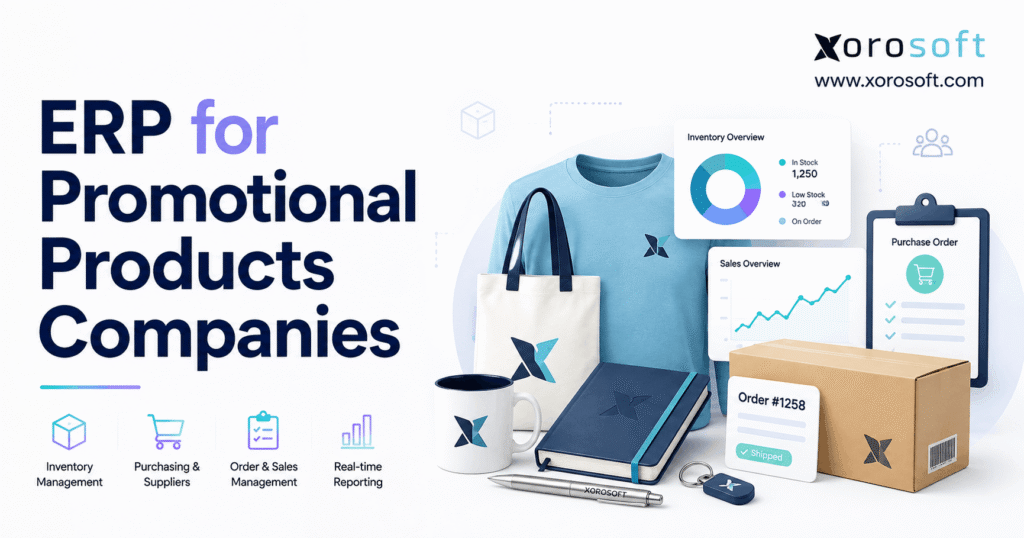
ERP for promotional products companies offers tailored solutions designed to streamline operations and boost efficiency in this unique industry.
1. Promotional Products Growth Creates an Operations Problem Before a Software Problem
A promotional products order can look simple to the customer. They choose an item, add a logo, approve the artwork, and wait for delivery.
Behind that order, the business may need to handle sourcing, supplier pricing, artwork, proofs, purchase orders, inventory, decoration, receiving, packing, shipping, invoicing, and final margin. Larger projects may involve several vendors, multiple delivery points, custom decoration, rush freight, or inventory from more than one warehouse.
Growth makes those moving parts harder to control.
The promotional products industry also operates at meaningful scale. PPAI reports more than $27 billion in annual U.S. distributor sales and more than 45,500 promotional products companies. Online sales also represent a growing part of distributor revenue.
More ecommerce orders, suppliers, stocked products, sales channels, and warehouse locations create more chances for information to fall out of sync.
One team may work in accounting software. Buyers may keep purchasing plans in spreadsheets. Warehouse staff may use a separate inventory tool. Shopify may capture ecommerce orders. Supplier updates may arrive through email, portals, or industry data feeds.
Employees often fill the gaps between those systems.
They copy data from one application to another. Staff check inventory manually before promising stock. Customer service asks the warehouse for shipment status. Buyers combine several reports before deciding what to purchase. Finance then spends additional time checking whether operational activity matches the accounting records.
That process can work while order volume stays manageable.
As the company grows, however, manual coordination becomes harder to sustain.
This is where ERP for promotional products companies starts to make sense. The business does not need another isolated application. It needs a system that connects the processes that already depend on one another.
1.1 Why Promotional Products Order Complexity Grows So Quickly
Most physical-product businesses already manage inventory and fulfillment. Promotional products companies often add customization to that challenge.
For example, a distributor might buy blank products from one supplier, send them to another company for decoration, split the finished order across several customer locations, and later reconcile product cost, setup fees, freight, and decoration expenses.
A second order might ship directly from a supplier. Another may use stocked goods. A large corporate program may generate hundreds of small orders against inventory reserved for one customer.
Each model creates different inventory and purchasing needs.
The software therefore has to support more than simple order entry. It needs to show what the company promised, what it owns, what it ordered, where the product sits, and what still needs to happen before shipment.
1.2 When Disconnected Promotional Products Software Starts to Slow Growth
Disconnected systems rarely fail all at once.
Instead, they create small delays across the business.
Buyers wait for updated stock numbers. Customer service waits for shipment information. Finance checks whether a receipt or vendor bill matches. Managers export several reports before they can answer a basic business question.
Those delays become more expensive as order volume rises.
A promotional products company should therefore judge ERP readiness by the amount of manual work required to keep operations in sync, not by revenue alone.
2. What ERP for Promotional Products Companies Needs to Do
ERP for promotional products companies should connect the information that moves an order from customer demand to a financial result.
That normally includes sales orders, inventory, purchasing, suppliers, warehouses, fulfillment, accounting, forecasting, reporting, ecommerce, and manufacturing where relevant.
Connection matters more than feature count.
Inventory should inform purchasing. Receiving should update available stock. Shipments should change inventory and order status. Vendor bills should connect with purchases. Ecommerce orders should flow into fulfillment without forcing staff to create the same order again.
A strong ERP system gives each team a consistent view of the same business activity.
2.1 How Promotional Products ERP Connects Daily Operations
Consider a customer who orders 2,500 branded bottles.
The company confirms the sale and checks available stock. Staff reserve inventory if enough product exists. Purchasing creates a PO when the company needs more units. Receiving records the goods when they arrive. Decoration may follow before the warehouse ships the order.
Finance then records the sale and related costs.
Every step affects another department.
When six different systems own those six stages, employees must keep all six records aligned.
ERP reduces that burden by connecting the workflow.
Companies that need a broader operating system can review XoroERP, which brings areas such as accounting, purchasing, vendors, warehousing, manufacturing, and reporting into a connected ERP environment.
2.2 Why Promotional Products ERP Does Not Need to Replace Every Industry Tool
Promotional products companies often use software designed for very specific tasks.
Product search, presentations, artwork management, proof approvals, supplier catalogs, decoration files, and industry sales tools can all add value.
A general ERP may not replace every one of those functions.
That does not make the ERP incomplete. In many cases, the better approach is to keep strong industry tools while using ERP as the main system for inventory, purchasing, warehouses, accounting, and order data.
Software architecture matters more than forcing every employee into one application.
A company should decide which system owns each important record and then make sure the systems share the right data.
3. When ERP for Promotional Products Companies Becomes Necessary
No single revenue figure determines ERP readiness.
A $5 million distributor that drop-ships most orders may run a simpler operation than a smaller business with several warehouses, custom decoration, Shopify stores, wholesale accounts, and stocked inventory.
Complexity offers a better signal.
3.1 Signs a Promotional Products Company May Have Outgrown Its Current Systems
Data trust often becomes the first warning sign.
Sales sees one inventory number while the warehouse sees another. Purchasing maintains a separate spreadsheet. Accounting makes adjustments after the month ends because stock activity did not flow correctly.
Order status creates another clue.
Customer service should not need to send messages to three departments just to find out whether the company purchased, received, decorated, or shipped an order.
Purchasing can reveal the same problem. Buyers may spend hours combining inventory reports, open orders, expected receipts, supplier lead times, and spreadsheets before deciding what to order.
Finance often feels the impact later.
If month-end requires extensive matching between inventory activity, receipts, vendor bills, shipments, and manual adjustments, the business may have an operations problem that appears to be an accounting problem.
These patterns make ERP for promotional products companies worth evaluating.
3.2 When QuickBooks Can Still Work Well
A smaller promotional products company may not need ERP.
QuickBooks or another accounting-first platform can work well when the company has one location, modest inventory, simple purchasing, few integrations, and reliable records.
Replacing a system that already works creates cost and project risk without a clear benefit.
The case for ERP grows when the business needs stronger inventory control, warehouse execution, purchasing, manufacturing, ecommerce syncing, or reporting.
At that point, the company needs more than accounting software.
3.3 Who May Not Need Promotional Products ERP Yet
Some distributors mostly broker or drop-ship straightforward orders. Those businesses may not need a large operating platform.
Likewise, spreadsheets do not automatically signal a problem. Teams can use spreadsheets effectively for analysis, planning, or one-time work.
The risk appears when spreadsheets become the main source of truth for inventory, purchasing, customer commitments, warehouse movement, or order status.
ERP should solve a real business issue. A company gains little from replacing a simple system that still supports growth reliably.
4. Core Promotional Products ERP Capabilities That Matter Most
Software demos can make every feature appear essential.
In practice, promotional products companies should focus first on processes that control inventory, purchasing, customer commitments, cash, and delivery.
4.1 Inventory Management for Promotional Products Companies
Inventory means more than knowing the total number of units in stock.
Sales may need to know what it can promise. Purchasing needs to know what will arrive. Warehouse teams care about the exact location. Finance needs the correct inventory value.
A useful system should distinguish between on-hand stock, available stock, reserved inventory, incoming purchases, damaged goods, and inventory at different locations.
Corporate programs can add another requirement. A company may hold stock specifically for one client or company store, which means staff need clear rules around what other customers can use.
Better inventory visibility reduces overselling and helps teams respond faster when customers ask about availability.
4.2 Purchasing and Supplier Management in Promotional Products ERP
Purchasing often becomes one of the first areas where spreadsheets create too much work.
Buyers must consider current stock, open customer orders, incoming goods, supplier lead times, minimum order levels, seasonality, and future demand.
Without connected data, they have to assemble that picture manually.
Good promotional products ERP links purchasing with inventory and customer demand. Buyers can see what the business needs, what it has already ordered, what suppliers have not delivered, and what stock remains available.
The goal goes beyond faster PO creation.
Better purchasing helps the company reduce avoidable stockouts, limit excess inventory, and use working capital more carefully.
4.3 Warehouse Management for Promotional Products Inventory
Warehouse accuracy affects almost every other team.
A receiving mistake changes inventory. Poor putaway increases picking time. Unrecorded transfers create false stock levels. Packing mistakes turn into customer-service problems.
Companies with deeper warehouse needs should evaluate receiving, putaway, barcode scanning, replenishment, picking, packing, cycle counting, transfers, returns, kitting, and multi-location control.
Businesses that need more warehouse depth can review XoroWMS, which supports warehouse workflows such as inventory tracking, receiving, replenishment, picking, packing, shipping, and multi-warehouse operations.
4.4 Manufacturing, Decoration, Assembly, and Kitting
Not every promotional products distributor manufactures goods.
Still, many businesses perform work after purchasing the blank product.
They may decorate, assemble, bundle, kit, relabel, or package items before shipping.
ERP can support bills of materials, work orders, material use, production planning, finished goods, and production costs.
Decoration adds another layer.
Artwork files, proof history, imprint areas, thread colors, screens, and machine schedules may require specialized features. Companies should test those processes directly instead of assuming that a standard manufacturing module handles every decoration need.
4.5 Accounting and Profit Visibility
Promotional products margins can change after the customer approves the quote.
Freight may cost more than expected. Rush charges can appear. Decoration costs may increase. A partial shipment can add handling expense.
When those costs stay outside the order system, management may know revenue without knowing the true profit.
Connected accounting helps the business match purchasing, receipts, inventory, shipments, bills, invoices, and final costs.
Finance can also close the month faster when operational records already match what happened on the warehouse floor.
4.6 Forecasting for Promotional Products Inventory
Companies that stock products need more than historical sales reports.
Buyers should consider current stock, reserved quantities, incoming POs, supplier lead times, seasonality, planned customer programs, and expected demand.
Forecasting brings those inputs together.
No forecast will eliminate every stockout or overstock problem. Still, better planning gives purchasing teams a stronger basis for deciding how much to order and when.
5. How ERP for Promotional Products Companies Connects Quote to Cash
One of the best ways to judge an ERP system is to follow a real order from start to finish.
Dashboards look impressive. Real workflows reveal whether the software fits the business.
5.1 From Customer Request to Supplier Purchase Order
The customer starts with a product, quantity, logo requirement, delivery date, and shipping plan.
Sales then finds a supplier, confirms price and availability, builds the quote, and gets approval.
After the customer confirms the order, the company must decide what happens next.
Available inventory may need to be reserved. Purchasing may need to buy additional goods. Production may need to create a work order.
The customer order should stay connected to all of those steps.
A multi-supplier project makes that connection even more important because several POs may support one customer commitment.
5.2 From Receiving to Decoration and Fulfillment
Receiving should update stock as soon as goods arrive.
If the supplier ships only 900 units against a 1,000-unit order, staff should see the shortage right away.
Products that need decoration may move into a production step. Once decoration finishes, warehouse staff can pick, pack, and ship the completed goods.
The process should follow a clear path:
Customer Request → Quote → Approval → Purchasing → Receiving → Decoration or Production → Fulfillment → Invoice → Profit Review
This connected flow explains much of the value behind ERP for promotional products companies.
Each team works from the same order instead of building another version of the truth.
5.3 How Quote-to-Cash Visibility Helps Customer Service
Customers do not care which department owns a delay.
They want to know when their order will ship.
When sales, purchasing, inventory, and warehouse teams share current information, customer service can answer that question more quickly.
That improves the customer experience without adding more status meetings or internal messages.
6. ERP Needs for Promotional Products Distributors, Suppliers, and Decorators
Promotional products companies can share the same industry while running very different businesses.
That difference explains why no single ERP fits everyone.
6.1 ERP for Promotional Products Distributors
Distributors often focus on sourcing, quotes, customer pricing, supplier coordination, purchase orders, fulfillment, and margin.
A distributor that drop-ships most orders may need limited warehouse depth.
By contrast, a company that stocks goods for corporate programs may need stronger inventory planning, warehouse management, and replenishment.
Software should match the actual operating model.
6.2 ERP for Promotional Products Suppliers
Suppliers usually carry more inventory and production responsibility.
Many manage large SKU catalogs, raw materials, blanks, finished goods, wholesale customers, and warehouse activity.
For these companies, ERP for promotional products companies may need stronger manufacturing, forecasting, WMS, and purchasing tools.
A supplier also needs reliable data because distributors expect current inventory and order information.
6.3 Promotional Products ERP for Decorators and Hybrid Businesses
Decorators often care about work orders, due dates, materials, labor, artwork, and production status.
Hybrid companies can face even more complexity.
One business may distribute products, stock key items, decorate in-house, operate Shopify stores, and serve wholesale accounts.
When several business models share the same inventory, the company needs a clear source of truth.
7. Integrations Promotional Products ERP Must Handle Well
ERP does not operate in isolation.
The value of the platform depends partly on how well it connects with the other systems the company needs.
7.1 PromoStandards and Promotional Products Supplier Data
PromoStandards plays an important role in promotional products technology.
The organization develops open standards and APIs that help suppliers, distributors, decorators, service providers, and software companies exchange industry data.
That data can include products, stock, pricing, orders, shipments, invoices, and artwork.
For distributors, better supplier data can reduce manual lookups and outdated inventory information. Suppliers can also share structured information with partners more efficiently.
Companies reviewing ERP for promotional products companies should ask specific questions about PromoStandards support.
Which services does the system support? Which suppliers connect today? How often does the data update? What happens when a connection fails?
Specific answers matter more than a logo on an integrations page.
7.2 Shopify Integration for Promotional Products Ecommerce
Shopify may handle the storefront, but operational work continues after checkout.
The company still needs to reserve inventory, choose the right warehouse, trigger replenishment when needed, fulfill the order, update shipment details, and record the financial result.
The Xorosoft ERP Shopify App provides an example of how ERP and ecommerce can connect orders, products, SKUs, inventory, and related Shopify data.
A promotional products company should test the full process.
An integration that imports orders but leaves inventory, fulfillment, or accounting disconnected may not solve the real problem.
7.3 EDI, Marketplaces, Shipping, and 3PL Connections
Some promotional products businesses serve large wholesale customers that require EDI.
Others sell on marketplaces or use outside warehouses.
Shipping platforms can also manage carrier rates, labels, and tracking.
Every integration needs a clear system owner.
The company should know where inventory lives, which application creates shipments, how orders enter the system, and where financial records come from.
Without that clarity, integrations can create another set of disconnected records.
8. ERP for Promotional Products Companies vs QuickBooks and Point Solutions
ERP does not automatically replace every other software category.
The right choice depends on the problem the company needs to solve.
8.1 ERP for Promotional Products Companies vs QuickBooks
| Business Need | Accounting-First Software | ERP |
|---|---|---|
| General accounting | Core function | Integrated |
| Basic inventory | Often available | Usually deeper |
| Purchasing | Basic to moderate | Connected to demand and stock |
| Multi-warehouse | Often limited | Common ERP use case |
| WMS | Usually separate | Can connect directly |
| Manufacturing | Limited | Available in suitable systems |
| Forecasting | Often separate | Can connect with inventory and demand |
| Business reporting | Mainly financial | Financial and operational |
QuickBooks can still suit a smaller business with straightforward stock and order requirements.
A company should consider ERP when it needs to manage inventory, purchasing, warehouses, manufacturing, ecommerce, and finance as one operation.
8.2 ERP vs Promotional Products Management Software
Promotional products management systems often provide strong industry-specific sales tools.
Product research, presentations, artwork, proofs, supplier catalogs, and decoration details may all sit closer to the core design of those platforms.
ERP usually focuses more deeply on inventory, purchasing, warehouses, manufacturing, accounting, and business reporting.
Neither category wins automatically.
Some companies should use promotional products software as their main platform. Others need ERP. A growing business may also use both.
8.3 ERP vs Inventory-Only Software
Inventory software can solve a meaningful problem when stock control stands alone.
The need for ERP grows when inventory activity affects several departments at once.
A stock receipt may need to update purchasing, available inventory, customer commitments, production, and accounting.
When those relationships matter, an integrated platform can provide more value than an inventory app working by itself.
9. How to Choose ERP for Promotional Products Companies
Software selection should begin with the current operation rather than a vendor presentation.
Companies that understand their own workflow make better buying decisions.
9.1 Map the Promotional Products Workflow Before Comparing ERP
Start with one normal order.
Follow it from customer request to final payment.
Next, map a difficult order. Include the cases that create calls, spreadsheets, delays, or manual checks.
Record where employees enter the same information twice. Note where teams rely on email. Identify places where nobody knows the current order status without asking someone else.
That process creates a useful ERP requirements list.
9.2 Ask ERP Vendors to Demonstrate Real Promotional Products Orders
A scripted software demo can make almost any system appear easy to use.
Real examples provide a stronger test.
Ask the vendor to handle a multi-supplier order. Have them show a partial receipt, warehouse transfer, backorder, Shopify sale, kit, return, or another scenario your company handles often.
The system should prove that it fits the operation.
Businesses comparing major ERP platforms can also review resources such as Xorosoft vs NetSuite. However, every company should still compare licensing, integrations, reporting, warehouse depth, setup, support, and total cost for itself.
9.3 Compare Total ERP Cost, Not Just Monthly Fees
ERP costs extend beyond the software subscription.
Implementation, data cleanup, migration, training, integrations, custom work, testing, and staff time all add to the project.
A low monthly price may look attractive until the business adds several tools around the ERP.
An oversized system creates a different problem because the company can end up paying for features that employees never use.
The best option delivers enough depth without adding unnecessary complexity.
9.4 Choose ERP for Promotional Products Companies Based on Business Fit
The industry does not have one universal best ERP.
A decorator may value production tools most. A distributor may prioritize purchasing and supplier workflows. A supplier may need strong manufacturing and warehouse control.
This is why ERP for promotional products companies should match the company’s real operating model.
Feature counts alone cannot answer that question.
10. Implementing Promotional Products ERP With Less Risk
Choosing the software only solves part of the problem.
Implementation determines whether teams can use the system effectively after launch.
10.1 Clean Data Before Moving It Into ERP
Older systems often contain duplicate customers, outdated vendors, unused SKUs, wrong units of measure, and inventory differences.
Moving that data into ERP carries the same problems forward.
Teams should clean core records before migration.
They should also assign clear ownership. Someone needs responsibility for product records. Another person or team should own supplier data. Inventory counts need consistent rules.
Good data management continues after go-live.
10.2 Build Promotional Products ERP Around Real Work
Implementation teams sometimes design processes around how work should happen on paper.
Employees know where the actual problems occur.
Both perspectives matter.
Warehouse staff should help shape receiving and picking. Buyers need to test purchasing. Finance should validate accounting flows. Customer service must confirm that order status provides enough detail.
A process that works only during training will fail on a busy day.
10.3 Test Exceptions Before ERP Go-Live
Perfect orders do not test much.
Instead, run a short shipment through the system. Process damaged goods. Cancel one line of an order. Change artwork. Split a shipment. Enter a vendor bill that does not match the PO.
Those cases expose gaps early.
Fixing them before launch costs less than discovering them after employees and customers depend on the new process.
10.4 Measure Whether Promotional Products ERP Improves the Business
Go-live should not serve as the final measure of success.
Track inventory accuracy, order cycle time, picking accuracy, stockouts, purchasing speed, manual data entry, month-end close time, and order margin.
Those numbers reveal whether the system improves daily work.
If performance does not improve, management should review the process, training, data, or setup.
11. Where Xorosoft Fits in a Promotional Products ERP Stack
Xorosoft focuses on inventory-driven companies that need to connect physical operations with financial data.
That model can fit promotional products businesses that manage significant inventory, purchasing, warehouses, ecommerce, manufacturing, or wholesale operations.
The XoroONE cloud ERP platform combines areas such as sales, purchasing, inventory management, warehouse management, shipping, manufacturing, accounting, ecommerce, EDI, reporting, and forecasting.
11.1 When Xorosoft May Fit Promotional Products Companies
The strongest fit appears when the company’s main problems extend beyond quoting or artwork.
A distributor with several warehouses may need better inventory control. A supplier may need purchasing and production tools. A Shopify merchandise company may want ecommerce orders to flow directly into inventory and fulfillment.
Wholesale operations can add EDI and customer-specific order needs.
These are the types of inventory-driven workflows that a broader ERP can help manage.
Xorosoft also supports several related business sectors, which companies can review through its industry solutions.
11.2 When Specialized Promotional Products Software May Fit Better
Xorosoft will not fit every promotional products company.
A business that mainly needs product search, presentations, artwork management, or other specialized front-office tools may get more value from an industry-specific platform.
Some companies may keep those tools while using ERP for inventory, purchasing, warehouses, and accounting.
The workflow should decide the software stack.
12. Frequently Asked Questions About ERP for Promotional Products Companies
12.1 What Is ERP for Promotional Products Companies?
ERP for promotional products companies connects core business processes such as orders, inventory, purchasing, suppliers, warehouses, manufacturing, fulfillment, accounting, ecommerce, and reporting. Companies may handle artwork, proofs, and decoration inside the ERP, through an integration, or with separate promotional products software.
12.2 Why Do Promotional Products Companies Need ERP?
Companies usually start looking at ERP when separate systems create too much manual work. Common signs include incorrect stock numbers, spreadsheet purchasing, poor order visibility, slow financial close, weak warehouse control, and duplicate data entry. ERP can bring those processes together and give teams a more consistent business record.
12.3 What Software Do Promotional Products Distributors Use?
Distributors may use CRM, quoting tools, supplier databases, industry order systems, accounting software, inventory apps, ecommerce platforms, warehouse systems, shipping software, and ERP. The right mix depends on whether the business holds stock, drop-ships, operates company stores, performs decoration, or sells through several channels.
12.4 What Software Do Promotional Products Suppliers Use?
Suppliers often need stronger inventory, warehouse, wholesale order, purchasing, manufacturing, and finance tools. Companies that make or decorate products may also require work orders, bills of materials, material tracking, production planning, costing, and finished-goods control.
12.5 What Is the Best ERP for Promotional Products Companies?
No single platform fits every company. The right ERP depends on the business model, warehouses, inventory, manufacturing needs, ecommerce channels, integrations, accounting setup, team size, and budget. Distributors, decorators, and suppliers can all need very different systems.
12.6 Can Promotional Products ERP Manage Inventory?
Yes. Suitable platforms can track on-hand, available, reserved, incoming, damaged, and location-based stock. Companies should test special cases such as customer-owned inventory, third-party warehouses, decorated goods, and stock across several locations.
12.7 Can ERP Manage Multiple Warehouses?
Many distribution-focused ERP systems support multiple warehouses. Common functions include inventory by site, transfers, receiving, replenishment, picking, packing, cycle counting, and shipping. Businesses that work with 3PLs should also confirm how the external warehouse shares inventory and shipment data.
12.8 Can ERP Manage Promotional Products Purchasing?
Yes. ERP can link purchase orders with inventory, demand, suppliers, receipts, and accounting. That gives buyers a clearer view of what they need to order, what suppliers have already shipped, and what stock is still available.
12.9 Can ERP Manage Artwork and Proof Approvals?
Some platforms include those features, while others need an industry-specific integration. Companies should ask vendors to show artwork revisions, proof approvals, imprint instructions, decoration details, and customer sign-off when those steps play an important role in daily operations.
12.10 Can ERP Manage Embroidery and Screen Printing?
ERP can support inventory, purchasing, work orders, materials, production costs, and finished goods around decoration. Specialized needs such as embroidery files, thread colors, screens, imprint information, and machine scheduling may still require dedicated software.
12.11 What Is PromoStandards?
PromoStandards creates open standards and APIs for the promotional products industry. These standards help companies exchange product, inventory, pricing, order, shipment, invoice, artwork, and related data across suppliers, distributors, decorators, service providers, and software platforms.
12.12 Does Every Promotional Products ERP Support PromoStandards?
No. Support varies by platform and integration partner. Ask which services the vendor supports, which suppliers connect today, how often data updates, and what users see when an exchange fails.
12.13 Can Promotional Products ERP Integrate With Shopify?
Many ERP platforms connect with Shopify. Buyers should look beyond basic order imports and review product data, inventory, fulfillment, returns, customers, pricing, and accounting. A useful integration should support the full journey from ecommerce order to warehouse shipment.
12.14 Can ERP Manage Amazon and Wholesale Orders?
Some ERP systems can bring marketplace, ecommerce, wholesale, and EDI orders into one environment. Support differs by vendor. Companies should review stock allocation, order import, fulfillment, returns, customer pricing, marketplace fees, and accounting for each channel.
12.15 Is QuickBooks Enough for a Promotional Products Company?
Yes, for some companies. A smaller operation with straightforward accounting, basic stock, and simple warehouse needs may not need ERP. The case for ERP grows when purchasing, manufacturing, inventory, ecommerce, warehouses, or reporting become hard to manage around the accounting platform.
12.16 When Should a Promotional Products Company Move Beyond Spreadsheets?
Spreadsheets create more risk when they become the main record for open purchase orders, customer commitments, stock, warehouse moves, or order status. When several employees maintain different versions of key data, a shared operating system can provide better control.
12.17 What Is the Difference Between ERP and Inventory Software?
Inventory software focuses mainly on stock. ERP connects inventory with purchasing, sales orders, warehouses, production, accounting, forecasting, and other business functions. Inventory software may work well when stock control represents the main problem. ERP helps more when the issue crosses departments.
12.18 What Is the Difference Between ERP and Promotional Products Software?
Promotional products software often focuses on industry-specific sales and order tasks. ERP generally provides broader control over inventory, purchasing, finance, warehouses, and production. Some companies need one category, while others combine both.
12.19 How Does ERP Improve Inventory Accuracy?
ERP creates one transaction trail for purchasing, receiving, transfers, stock reservations, production use, shipments, returns, and adjustments. Good warehouse habits still matter. Barcode scanning, cycle counts, clear bin locations, and staff training help the software maintain accurate records.
12.20 How Does ERP Help Purchasing Teams?
Buyers gain a shared view of inventory, demand, open customer orders, incoming goods, supplier lead times, and purchase history. That context can reduce spreadsheet work and help the team make decisions using current business data.
12.21 How Can Promotional Products ERP Improve Profit?
ERP connects revenue with product costs, purchasing, freight, production, warehouse activity, and finance. Managers can use that information to spot low-margin orders, slow stock, costly suppliers, or weak processes. Better data supports better decisions, but software alone does not create profit.
12.22 How Much Does Promotional Products ERP Cost?
Cost depends on users, modules, integrations, implementation, migration, training, custom work, and support. Companies should compare the total cost over several years rather than focusing only on monthly software fees.
12.23 How Long Does Promotional Products ERP Implementation Take?
Project length varies with company size and scope. Replacing one accounting package requires less work than changing inventory, warehouse, purchasing, ecommerce, manufacturing, and finance systems at the same time. Data quality, testing, integrations, and staff availability also affect the schedule.
12.24 Who Should Help Select ERP for Promotional Products Companies?
Operations, finance, purchasing, warehouse, ecommerce, IT, and executive leaders should take part. Businesses that manufacture or decorate products should also involve those teams. Employees who perform the work need to test the processes they will use every day.
12.25 How Should a Business Evaluate ERP for Promotional Products Companies?
Start by mapping current processes. Find the places where employees enter data twice, lose order status, struggle with inventory, or depend heavily on spreadsheets. Then ask vendors to demonstrate those real cases. Compare workflow fit, cost, integrations, setup, reporting, and support before choosing a platform.
13. Building the Right ERP Roadmap for a Promotional Products Company
The strongest case for ERP for promotional products companies appears when growth makes the business harder to control.
Inventory no longer matches across systems. Purchasing relies heavily on spreadsheets. Employees cannot see order status without asking another team. Warehouse activity sits apart from accounting. Ecommerce growth adds manual work instead of reducing it.
These issues point to a larger problem than software alone.
The business needs a clearer operating model.
Start by mapping a real customer order from initial request through sourcing, purchasing, receiving, inventory, decoration or production, fulfillment, invoicing, and profit review.
Look closely at every manual handoff.
Find the places where employees act as the connection between systems. Those areas should become the first priorities for ERP.
A company should not choose software because it offers the longest feature list. Competitor adoption also provides a weak reason to buy. Revenue alone cannot determine the right timing either.
Instead, choose a platform that cuts manual work, gives teams a reliable view of the business, and supports the company’s next stage of growth.
For inventory-driven distributors, suppliers, decorators, and merchandise businesses, Xorosoft is one option to consider when the required scope includes inventory, purchasing, warehouse management, accounting, manufacturing, forecasting, ecommerce, EDI, and multiple locations.
The final test should stay practical.
Show the vendor how the business really operates and ask the system to prove that it can support those workflows.
Companies that want to review their current setup can book a personalized ERP discussion and compare existing inventory, purchasing, warehouse, ecommerce, accounting, and production processes with the capabilities a connected system would need.
Recent Posts
-
 GS1 Logistic Labels in WMS: SSCC Generation, Printing, Scanning, and Traceability
 -
 Inventory Tracking Management KPIs: Measuring Unposted Receipts, Transfer Aging, and Return-to-Stock Time
 -
 B2B Ecommerce Software for Tax-Exempt Accounts: Resale Certificates, Account Rules, and Checkout Controls
 -
 Cin7 Alternatives for Shopify Plus Brands
 -
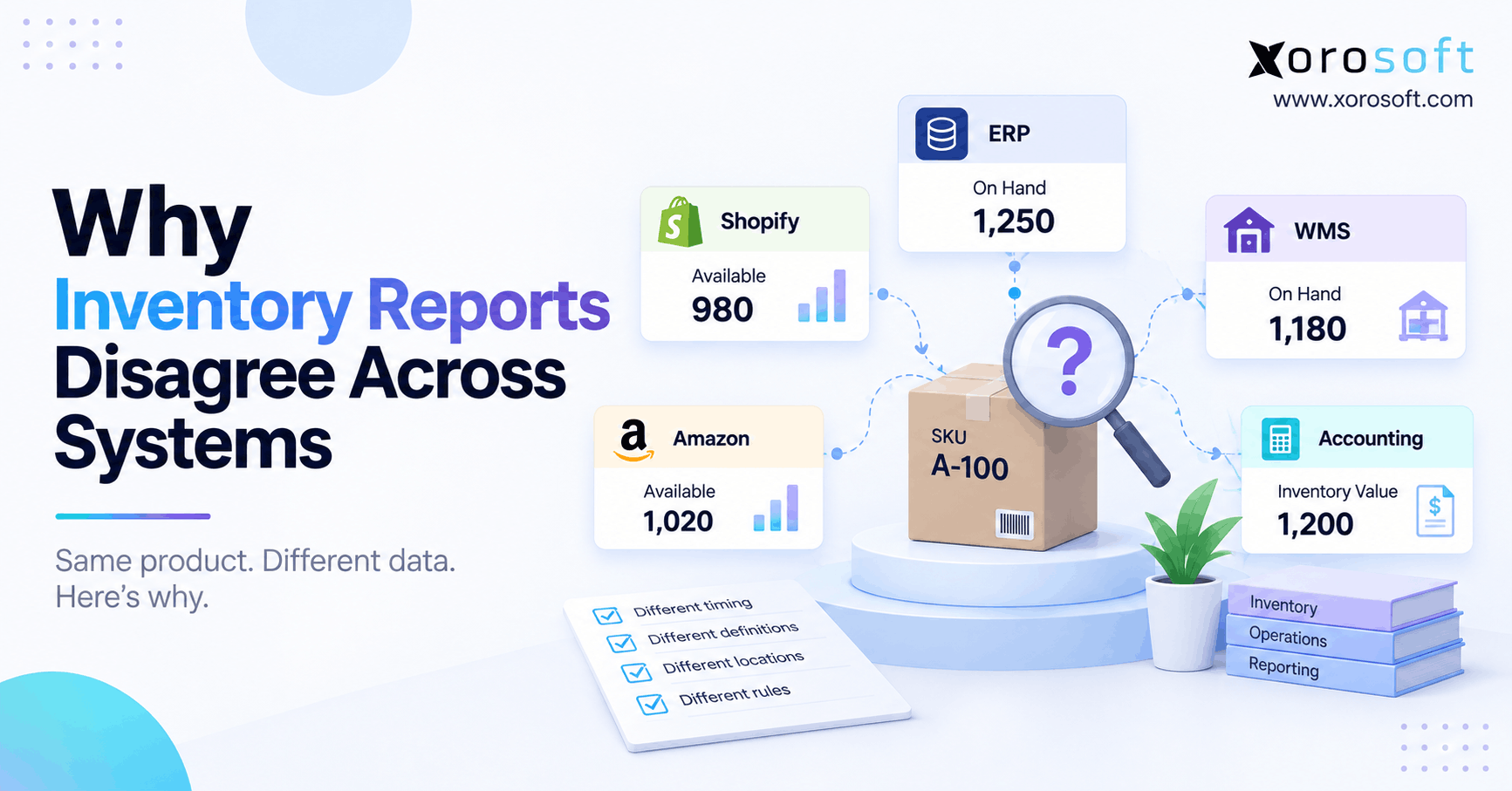 Why Inventory Reports Disagree Across Systems