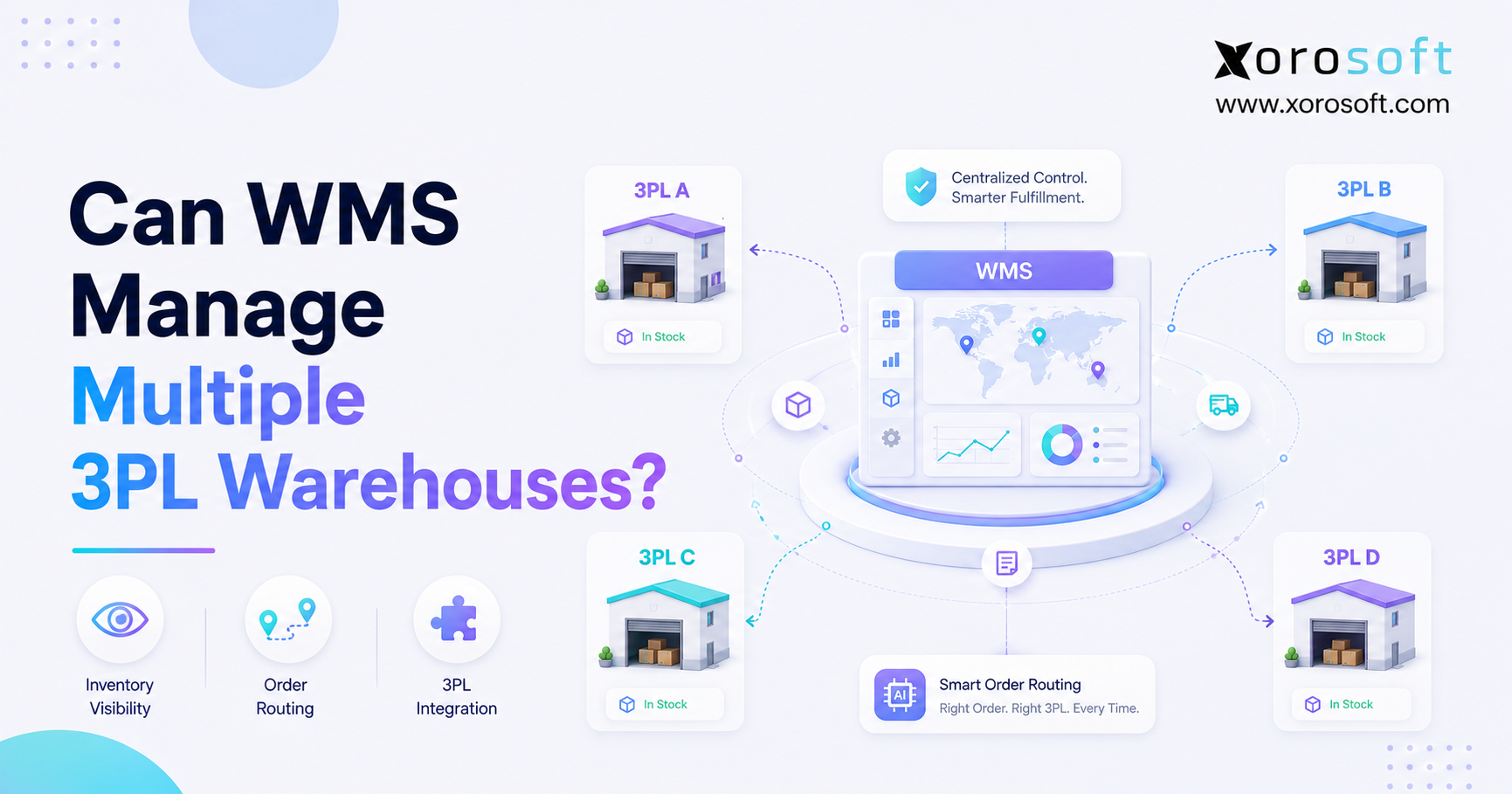
Managing inventory efficiently is crucial for any business, especially when using a Multi Warehouse WMS for complex logistics and large-scale operations.
1. One Control Layer for a Distributed Fulfillment Network
A Multi Warehouse WMS can manage multiple 3PL warehouses when it provides one reliable system for inventory visibility, order routing, stock reservations, warehouse transfers, receiving, returns, and fulfillment updates. However, the system must connect every warehouse without allowing each 3PL portal to become a separate source of truth.
As ecommerce and wholesale businesses grow, fulfillment rarely stays inside one building. Instead, inventory may be divided among a company-owned warehouse, an East Coast 3PL, a West Coast 3PL, Amazon fulfillment locations, retail stores, and supplier-managed facilities.
Consequently, the business gains greater geographic coverage. At the same time, however, it must control more inventory locations, warehouse rules, integration points, order exceptions, and reconciliation processes.
A basic inventory application may show that 5,000 units exist. Nevertheless, that total does not answer the questions operators need to resolve each day:
- Which warehouse holds each unit?
- How much inventory is available to sell?
- What quantity has already been reserved?
- Which inventory is being transferred?
- Which 3PL can meet the promised delivery date?
- Where should a return be received?
- Which inventory balance should finance trust?
Therefore, the value of a Multi Warehouse WMS is not simply its ability to display several warehouse names. Instead, its real value comes from coordinating inventory and fulfillment decisions across the entire network.
1.1 Can One WMS Manage Several 3PL Warehouses?
Yes, one WMS can manage several 3PL warehouses. However, it must support both operational control and reliable system integrations.
At a minimum, the system should:
1. Track inventory separately at every 3PL.
2. Calculate available inventory by warehouse.
3. Reserve stock before another channel sells it.
4. Route orders according to clear business rules.
5. Exchange inventory and fulfillment updates with each 3PL.
6. Manage transfers between warehouse locations.
7. Reconcile system balances against 3PL reports.
8. Track returns, damaged stock, and unavailable inventory.
9. Alert users when an integration fails.
10. Connect warehouse activity to purchasing and accounting.
Although a basic WMS may execute receiving, picking, packing, and shipping inside one facility, a Multi Warehouse WMS must coordinate several facilities at once. Therefore, it acts as a control layer above individual warehouse operations.
1.2 What a Multi Warehouse WMS Must Control
First, the system must control inventory status. A unit may be physically present but reserved, damaged, quarantined, awaiting inspection, or unavailable for a specific sales channel.
Next, the platform must control order assignment. Otherwise, an order may be sent to a warehouse that has stock but cannot meet the required delivery promise.
Additionally, the system must control timing. One 3PL may update inventory immediately, while another may send a scheduled file every few hours. Unless the WMS understands those differences, availability can become unreliable.
Finally, the platform must control exceptions. Failed imports, rejected orders, mismatched SKUs, late shipment confirmations, and incomplete returns cannot remain hidden inside separate portals.
1.3 What Warehouse Software Cannot Fix Alone
A WMS cannot automatically repair weak operational processes. For example, inconsistent SKU codes, unclear warehouse responsibilities, incorrect units of measure, and poor receiving discipline will still create errors.
Similarly, software cannot compensate for undefined order-routing priorities. The business must decide whether it values lower shipping costs, faster delivery, fewer split shipments, balanced warehouse capacity, or strategic inventory allocation.
Therefore, implementation should include process design as well as system configuration.
2. What Is a Multi Warehouse WMS?
A Multi Warehouse WMS is warehouse management software that tracks and controls inventory movements across two or more warehouses, fulfillment centers, stores, or outsourced logistics facilities.
Unlike basic inventory software, it does not stop at total stock counts. Instead, the platform manages the physical workflows that change those counts.
Those workflows commonly include:
- Purchase order receiving
- Barcode-based item verification
- Putaway
- Bin movements
- Inventory reservations
- Replenishment
- Picking
- Packing
- Shipping
- Warehouse transfers
- Cycle counting
- Returns
- Inventory adjustments
As a result, the business can see not only what it owns but also where the inventory is, what condition it is in, and whether it can fulfill a new order.
2.1 Multi Warehouse WMS Definition
A Multi Warehouse WMS is a central warehouse platform that manages inventory and fulfillment activity across several physical locations.
More importantly, the system should maintain separate balances for each warehouse while still presenting one consolidated operational view.
For example, operators should be able to see:
- Total inventory across the network
- Inventory by warehouse
- Available-to-sell inventory
- Reserved stock
- Damaged inventory
- In-transit quantities
- Open warehouse transfers
- Returns awaiting inspection
- Warehouse-specific order backlogs
Therefore, multi-location control depends on both detailed warehouse data and a consolidated management view.
2.2 Single-Warehouse WMS vs Multi-Location WMS
A single-warehouse system mainly answers one question:
What is happening inside this facility?
By contrast, a multi-location WMS must answer broader questions:
- Which location should receive the next purchase order?
- Which warehouse should fulfill the customer order?
- Should stock be transferred before the next demand peak?
- Is inventory balanced across regions?
- Are all 3PLs using the same SKU and barcode structure?
- Which warehouse is creating the most adjustments?
- Which location is meeting its fulfillment SLA?
Therefore, adding locations increases more than the number of inventory records. It also increases the number of decisions the system must coordinate.
2.3 Brand-Owned Warehouses vs 3PL Warehouses
A company-owned warehouse normally operates directly inside the company’s WMS. Consequently, employees can scan inventory, complete tasks, and resolve exceptions within one workflow.
A 3PL warehouse may operate its own technology. Therefore, the brand often receives information through an API, EDI connection, scheduled file, or portal.
Because these operating models differ, the central system must support both. Internal teams may need detailed task execution, while outsourced locations may need dependable data exchange and reconciliation.
2.4 Why Location-Level Inventory Matters
Total inventory can create a false sense of availability.
For example, a business may own 1,000 units of a product. However, 600 units may sit in California, 250 may be reserved for wholesale, and 100 may be damaged. As a result, only 50 units may be available for a customer ordering from the East Coast.
Therefore, location-level inventory is essential for accurate promises, lower freight costs, and better replenishment decisions.
3. How Multi Warehouse WMS Inventory Visibility Works
A Multi Warehouse WMS creates one inventory view by maintaining a structured stock balance for every item, warehouse, bin, and inventory status.
For example, a brand may own 2,000 units of one SKU. However, the operational breakdown could look like this:
- East Coast 3PL: 650 units
- West Coast 3PL: 500 units
- Company warehouse: 400 units
- Amazon fulfillment inventory: 300 units
- In transit: 150 units
- Total owned inventory: 2,000 units
Even this breakdown is not enough. Therefore, each warehouse balance must also separate sellable and unavailable quantities.
3.1 Inventory by Warehouse Location
The system should maintain a separate inventory position for each location.
Moreover, users should be able to filter inventory by warehouse, region, facility type, ownership model, or fulfillment role.
This helps operators identify whether inventory is balanced across the network. Additionally, it reveals when one location is overstocked while another is approaching a stockout.
3.1.1 On-Hand Inventory
On-hand inventory represents stock recorded at a location. However, on-hand inventory should not automatically be published as available inventory.
Some units may already be committed to orders. Meanwhile, other units may be damaged, quarantined, or awaiting quality inspection.
3.1.2 Available Inventory
Available inventory is the quantity that the business can confidently promise to a new order.
A common calculation is:
On-hand inventory
minus reserved inventory
minus unavailable inventory
minus safety stock
equals available inventory
Although the exact formula may vary, the principle remains the same. Available inventory should reflect real fulfillment capacity rather than a raw warehouse count.
3.1.3 Reserved Inventory
Reserved inventory protects units for existing orders, wholesale commitments, subscription orders, production demand, or priority channels.
Without reservations, the same unit may be promised to two customers. Consequently, overselling can occur even when total inventory appears accurate.
3.1.4 In-Transit Inventory
In-transit inventory is moving between a supplier, warehouse, 3PL, or internal location.
Because this inventory is not yet physically available at the destination, the system should track it separately. Otherwise, teams may sell stock before it arrives or reorder stock they already own.
3.1.5 Unavailable Inventory
Unavailable inventory may include:
- Damaged stock
- Quality-control holds
- Returned inventory awaiting inspection
- Expired products
- Quarantined lots
- Display units
- Samples
- Stock reserved for another purpose
Therefore, every location should use consistent inventory-status rules.
3.2 Multi Warehouse WMS Inventory by SKU
Every SKU should use one consistent item code across all warehouses and sales channels.
Otherwise, one 3PL may use a supplier code, while another uses an internal item number. Consequently, inventory updates may fail or create duplicate products.
A consistent item master should include:
- SKU
- Product description
- Unit of measure
- Barcode
- Case pack
- Weight
- Dimensions
- Lot requirements
- Serial requirements
- Storage requirements
As a result, the WMS can match activity accurately across every location.
3.3 Multi-Location Inventory by Sales Channel
Ecommerce brands often sell through Shopify, Amazon, wholesale, EDI, retail, and marketplaces. However, not every unit should be available to every channel.
For example, wholesale may need inventory reserved for a key account. Meanwhile, Shopify may use a broader available-to-sell balance.
Therefore, a Multi Warehouse WMS should support shared inventory, channel allocations, safety stock, and priority rules.
3.4 Lot, Batch, Serial, and Expiry Tracking
Some industries require more than SKU-level inventory.
Food businesses may need expiry dates. Electronics companies may need serial numbers. Manufacturers may need batch tracking. Meanwhile, regulated products may require complete traceability.
Consequently, the system should preserve these attributes across receiving, transfers, fulfillment, returns, and adjustments.
3.5 Inventory Reconciliation Across 3PL Warehouses
Even strong integrations can produce discrepancies.
For instance, a 3PL may record damaged inventory before the central system receives the update. Similarly, a return may physically arrive before its status changes in the WMS.
Therefore, reconciliation should compare:
- WMS inventory
- 3PL inventory
- Physical count results
- Open warehouse tasks
- In-transit quantities
- Unprocessed returns
- Pending adjustments
Rather than correcting balances without explanation, teams should identify the root cause behind every recurring difference.
4. Why Multiple 3PL Warehouses Become Difficult to Manage
Multiple 3PL warehouses can reduce delivery distances and improve regional coverage. Nevertheless, they also create operational fragmentation.
Initially, the arrangement may seem manageable. For instance, one 3PL serves western customers, while another handles eastern orders.
As order volume grows, however, the team must coordinate different portals, warehouse procedures, carrier relationships, inventory updates, billing formats, and service levels.
4.1 Every 3PL Uses Different Warehouse Technology
One 3PL may offer a modern API. Another may exchange flat files. Meanwhile, a third may require users to log into a portal and export reports manually.
Consequently, the brand receives several versions of operational data. Even when each report is accurate, the timing and structure may differ.
A central WMS must normalize those differences before teams use the data for selling, purchasing, or reporting.
4.2 Inventory Updates Arrive at Different Times
A warehouse may confirm a shipment immediately. However, another location may delay confirmation until the order reaches a later stage.
As a result, one system can show a unit as shipped while another still treats it as available.
Therefore, the business needs clear rules for inventory synchronization, latency, acknowledgments, and failed updates.
4.3 Multi Warehouse WMS Order-Routing Rules Become Inconsistent
Without automation, customer service teams or operations staff may select fulfillment locations manually.
That approach can work at low volume. However, it becomes unreliable when hundreds or thousands of orders must be assigned each day.
Manual routing may lead to:
- Unnecessary split shipments
- Higher freight costs
- Missed delivery dates
- Inventory imbalances
- Overloaded warehouses
- Incorrect channel allocations
Consequently, routing rules must become part of the operating system.
4.4 Returns Increase Inventory Uncertainty
A return may arrive at a different warehouse from the original shipping location. Additionally, the item may need inspection before it becomes available again.
Unless every location follows the same returns workflow, sellable stock can remain unavailable unnecessarily. Alternatively, damaged stock may return to available inventory too soon.
4.5 Accounting Receives Delayed Warehouse Data
Warehouse movements affect inventory valuation, cost of goods sold, purchasing, customer credits, write-offs, and month-end reconciliation.
Therefore, finance cannot rely on warehouse reports that arrive days after physical activity occurs.
When operational and accounting systems remain disconnected, employees often create reconciliation spreadsheets. Unfortunately, those spreadsheets add manual work without fixing the underlying data flow.
4.6 Teams Lose One Reliable Source of Truth
Shopify may show what customers ordered. Meanwhile, the 3PL knows what shipped, purchasing knows what was ordered, and finance knows what was invoiced.
However, no department has the full picture.
Consequently, employees spend more time comparing systems than improving the operation.
5. How Multi Warehouse WMS Order Routing Works
Order routing assigns each order to the best fulfillment location according to predefined rules.
For platform-specific location configuration, Shopify merchants can review Shopify’s official guidance on locations and order routing.
However, commerce-platform routing should align with warehouse rules. Otherwise, Shopify may select a location using one set of priorities while the WMS applies another.
5.1 Confirm Available Inventory
First, the system checks which warehouses have enough available inventory to fulfill the order.
Importantly, the calculation should consider reservations, safety stock, unavailable inventory, and open warehouse tasks. Otherwise, a location may appear eligible even though its stock has already been committed.
5.2 Check Warehouse and Product Restrictions
Next, the platform checks channel, product, customer, and warehouse restrictions.
For example, a warehouse may be approved for Shopify orders but not wholesale EDI orders. Similarly, a location may be unable to handle oversized furniture, temperature-controlled food, or restricted items.
5.3 Compare Delivery Options
After eligibility is confirmed, the system compares customer proximity, carrier availability, shipping zones, cutoff times, and promised delivery dates.
Therefore, the nearest warehouse is not automatically the best warehouse. A slightly more distant location may have better capacity or carrier service.
5.4 Minimize Split Shipments
A split shipment occurs when one order is divided among several warehouses.
Sometimes a split is necessary. However, unnecessary splits increase packaging, freight costs, customer communications, and return complexity.
Consequently, many brands prioritize the location that can fulfill the largest portion of the order.
5.5 Consider Warehouse Capacity
Inventory may be available, but the warehouse may already have a large backlog.
Therefore, routing logic should consider processing capacity, order cutoff times, labor availability, and service-level performance.
5.6 Apply Channel and Customer Priorities
Different orders may require different priorities.
For example, strategic wholesale customers may receive allocated inventory. Meanwhile, subscription orders may need consistent fulfillment from one region.
Consequently, routing rules should reflect commercial commitments as well as warehouse efficiency.
5.7 Select the Best 3PL Fulfillment Location
Finally, the system applies the routing hierarchy and assigns the order.
A common priority sequence may be:
1. Confirm eligible inventory.
2. Avoid restricted warehouses.
3. Minimize split shipments.
4. Meet the delivery promise.
5. Check warehouse capacity.
6. Compare shipping cost.
7. Apply customer or channel priority.
As a result, order routing becomes a repeatable operational policy rather than a last-minute decision.
6. Essential Multi Warehouse WMS Features
A Multi Warehouse WMS should control both physical warehouse activity and the information exchanged with external locations.
However, not every business needs the same level of functionality. Therefore, companies should evaluate features against their real workflows.
6.1 Real-Time Multi-Location Inventory Visibility
The platform should show inventory by warehouse, bin, status, lot, serial number, and channel availability.
Furthermore, the view should make exceptions visible. Operators should be able to identify late receipts, negative stock, unusual adjustments, transfer delays, and mismatched balances without exporting multiple reports.
For businesses that need direct warehouse execution alongside centralized inventory control, XoroWMS connects receiving, picking, packing, shipping, transfers, returns, and multi-location visibility.
6.2 Receiving and Putaway Workflows
Receiving confirms what physically arrived. Putaway confirms where the inventory was stored.
Therefore, the system should support:
- Purchase order matching
- Barcode verification
- Over-receipt and under-receipt controls
- Damage reporting
- Lot and serial capture
- Expiry-date capture
- Bin suggestions
- Receiving exceptions
Additionally, receiving activity should update purchasing and inventory without another manual entry.
6.3 Barcode Scanning and Verification
Barcode scanning confirms that warehouse employees are handling the correct item, carton, pallet, lot, or location.
For product-identification guidance, operations teams can review the official GS1 barcode standards.
Consistent barcode rules become especially important when several 3PLs handle the same catalog. Consequently, every facility should scan and report products using the same identification structure.
6.4 Picking, Packing, and Shipping Controls
The WMS should guide warehouse employees through the correct picking and packing process.
Depending on the operation, supported workflows may include:
- Single-order picking
- Batch picking
- Wave picking
- Zone picking
- Cart picking
- Pallet picking
- Mobile scanning
- Packing verification
- Shipping-label generation
- Shipment confirmation
Moreover, the system should record who performed each action and when it occurred.
6.5 Multi-Warehouse Transfer Management
Transfers should remain visible from departure through final receiving.
A complete workflow should include:
- Origin
- Destination
- Item
- Quantity
- Shipment date
- Expected arrival
- In-transit status
- Receiving discrepancy
- Final receipt
Otherwise, stock can disappear between locations even though the company still owns it.
6.6 Returns Management Across 3PL Locations
A returns workflow should determine whether an item is:
- Sellable
- Damaged
- Awaiting inspection
- Quarantined
- Return-to-vendor inventory
- Refurbishment inventory
- Disposal inventory
Therefore, the system should not add every returned item directly back to available stock.
6.7 3PL Integration Monitoring
Connecting to a 3PL is only the beginning. In addition, the system should monitor whether data was received, accepted, rejected, or delayed.
The team should be alerted when:
- An order fails to reach a warehouse
- Inventory has not updated
- A shipment confirmation is missing
- A SKU cannot be matched
- A return lacks required information
- A transfer balance does not reconcile
Consequently, operators can manage exceptions before customers are affected.
6.8 Reporting and Warehouse Exception Alerts
Reports should reveal both current status and operational trends.
Important reports include:
- Inventory by warehouse
- Available-to-sell inventory
- Reserved stock
- Open transfers
- Late receiving
- Fulfillment performance
- Inventory adjustments
- Returns by location
- 3PL SLA performance
- Stockout and overstock risk
As a result, managers can act on exceptions instead of waiting for monthly reports.
7. Multi Warehouse WMS vs ERP and Inventory Software
These systems overlap, but they do not solve the same problem.
A 3PL portal mainly shows activity inside one provider. An inventory application focuses on stock tracking. A standalone WMS manages warehouse execution. By contrast, ERP connects warehouse activity to purchasing, accounting, forecasting, manufacturing, and reporting.
Therefore, businesses should choose software based on where the operational failure occurs.
7.1 Multi Warehouse WMS vs 3PL Portal
A 3PL portal provides useful detail about one logistics partner. However, it does not necessarily understand the brand’s full inventory position, channel priorities, purchasing plans, or accounting requirements.
Therefore, portals should feed a central operational system rather than become separate planning environments.
7.2 Multi Warehouse WMS vs Inventory App
An inventory app may synchronize stock across ecommerce channels. Nevertheless, it may not support advanced receiving, barcode scanning, wave picking, warehouse transfers, cycle counts, or 3PL reconciliation.
Consequently, inventory applications are often suitable for simpler operations but become limited as warehouse execution grows more complex.
7.3 Multi Warehouse WMS vs ERP
A WMS controls warehouse execution. ERP controls the broader business processes affected by warehouse activity.
For example, a shipment changes inventory, revenue, cost of goods sold, replenishment demand, and financial reporting.
Therefore, companies that need warehouse management connected to business-wide operations may evaluate a cloud platform such as XoroONE.
7.4 When a Standalone WMS Is Enough
A standalone WMS may be enough when:
- Warehouse execution is the main problem
- Accounting processes remain simple
- Purchasing complexity is limited
- Few sales channels are involved
- The company operates a stable warehouse network
- Financial reconciliation is already reliable
In that case, a focused WMS can improve receiving, picking, shipping, and inventory accuracy without replacing the broader business stack.
7.5 When ERP With WMS Is the Better Fit
ERP becomes more important when warehouse activity affects several departments.
For example, inventory movements may influence purchasing, production, accounting, forecasting, and customer service.
Businesses with broader operational or manufacturing requirements can review XoroERP when warehouse execution must connect with purchasing, production, B2B workflows, and financial control.
7.5.1 Accounting Integration
Warehouse adjustments, returns, transfers, and write-offs affect inventory value.
Therefore, operational transactions should flow into accounting through controlled workflows.
7.5.2 Purchasing Automation
Purchasing teams need accurate inventory, open orders, lead times, forecasts, and transfer information.
Consequently, warehouse data should influence replenishment decisions directly.
7.5.3 Inventory Forecasting
Forecasting should consider sales velocity, seasonality, supplier lead times, warehouse balances, and in-transit inventory.
Otherwise, one region may become overstocked while another experiences repeated stockouts.
7.5.4 Business-Wide Reporting
Leadership needs one view of inventory, orders, purchasing, fulfillment, and finance.
Therefore, reporting should not require employees to combine exports from several systems every week.
8. Managing Shopify, Amazon, Wholesale, and EDI Orders
A Multi Warehouse WMS becomes more valuable as the number of order sources increases.
Each channel may use different order formats, inventory rules, shipping promises, customer requirements, and fulfillment priorities. Consequently, the central platform must normalize those differences before assigning work to a warehouse.
8.1 Multi Warehouse WMS for Shopify Brands
Shopify can track inventory across locations. However, complex operations may still require deeper receiving, scanning, transfer, reconciliation, purchasing, and accounting controls.
Therefore, Shopify should often remain the commerce layer while the WMS or ERP controls operational inventory behind it.
Merchants evaluating a connected ecommerce workflow can review the Xorosoft ERP listing in the Shopify App Store.
8.2 WMS for Amazon and Outsourced Fulfillment
A brand may use Amazon fulfillment inventory alongside its own warehouses and outside 3PLs.
Therefore, the business needs a clear view of Amazon-held stock alongside non-Amazon inventory.
For fulfillment-network details, sellers can review Amazon’s official Multi-Channel Fulfillment overview.
8.3 Multi-Location WMS for Wholesale and EDI Orders
Wholesale orders often include customer-specific pricing, case quantities, ship windows, routing guides, allocations, and EDI documents.
As a result, the warehouse needs more than a standard ecommerce order. It must receive accurate requirements from order management and send fulfillment information back to the correct systems.
Businesses should therefore assess whether their ecommerce and operational integrations can synchronize orders, inventory, shipment confirmations, and customer requirements without repeated manual entry.
8.4 Shared Inventory Across Sales Channels
Some companies allow every channel to sell from one inventory pool. Others reserve quantities by channel, customer, region, or fulfillment model.
Neither approach is universally correct. Instead, the business should choose rules based on margin, commitments, demand volatility, and customer expectations.
Most importantly, the WMS should enforce the chosen policy consistently.
8.5 Preventing Overselling Across Ecommerce Channels
Overselling usually occurs when sales channels receive inventory that is already reserved, damaged, delayed, or committed elsewhere.
Therefore, the WMS should publish available-to-sell inventory rather than total on-hand inventory.
Additionally, failed synchronization should create alerts instead of remaining invisible.
9. Multi Warehouse WMS Industry Use Cases
Although the core principles remain similar, each industry introduces different inventory and fulfillment constraints.
Companies evaluating broader operational approaches can review Xorosoft’s connected business solutions while comparing requirements against their current warehouse network.
9.1 Multi Warehouse WMS for Apparel and Fashion
Apparel inventory includes style, color, size, season, and collection dimensions.
Therefore, a total style-level stock count is not enough. The system must show whether the exact size and color needed for an order is available at the correct location.
Returns also create additional complexity. For example, one size may return in sellable condition, while another requires inspection.
9.2 WMS for Furniture and Bulky Goods
Furniture brands must consider dimensions, weight, freight class, damage risk, assembly requirements, and delivery zones.
Consequently, the nearest warehouse may not always be the lowest-cost option. The system must consider both inventory and handling capability.
9.3 Multi-Location WMS for Sporting Goods
Sporting-goods demand can shift rapidly by season, region, weather, sport, or event.
Therefore, inventory placement matters before the demand period begins. Otherwise, the business may hold enough total stock while still missing regional sales.
9.4 3PL Warehouse Management for Food and Beverage
Food and beverage operations may require lot tracking, expiry dates, temperature controls, recalls, and first-expired-first-out rules.
As a result, the system must select eligible stock rather than simply selecting the closest stock.
9.5 Multi Warehouse Inventory for Wholesale Distribution
Wholesale distributors often manage larger orders, customer-specific allocations, case quantities, pricing rules, and scheduled deliveries.
Therefore, warehouse activity must connect with customer agreements and purchasing decisions.
9.6 Warehouse Management for Manufacturing Operations
Manufacturers may hold raw materials, components, work in progress, finished goods, and outsourced warehouse inventory.
Consequently, warehouse balances should connect to production planning and material requirements rather than operating as a separate finished-goods view.
Businesses can review Xorosoft’s industries served to compare requirements across apparel, wholesale, consumer products, manufacturing, and other inventory-driven sectors.
10. Common Multi Warehouse WMS Mistakes
Even a strong platform can fail when implementation decisions are weak.
Therefore, businesses should address the following mistakes before expanding the warehouse network.
10.1 Using Spreadsheets as the Control System
Spreadsheets are useful for analysis. However, they are unreliable as real-time transaction systems.
When several people update warehouse information manually, version control becomes difficult. Moreover, the spreadsheet is usually outdated as soon as a new order, receipt, return, or transfer occurs.
10.2 Publishing Total Inventory to Every Channel
Total inventory may include reserved, damaged, in-transit, or strategically allocated stock.
Consequently, publishing the full balance can cause overselling.
Instead, each channel should receive a controlled available-to-sell quantity.
10.3 Allowing Inconsistent SKU Structures
A SKU must mean the same thing in every warehouse and sales channel.
Otherwise, integrations may create duplicate items, rejected transactions, or incorrect inventory matches.
Therefore, item-master governance should be completed before connecting additional 3PLs.
10.4 Ignoring 3PL Integration Failures
An integration can appear successful while individual transactions fail.
For instance, most orders may reach the warehouse even though several contain unmatched items. Therefore, operators need transaction-level alerts and exception queues.
10.5 Routing Every Order to the Nearest Warehouse
Proximity is important, but it is only one factor.
A nearby warehouse may lack capacity, carrier pickup, complete inventory, or required product-handling capabilities. Consequently, routing should combine several rules.
10.6 Failing to Reconcile Physical and System Inventory
No system eliminates the need for inventory controls.
Cycle counts, adjustment reviews, receiving audits, and 3PL reconciliations remain necessary. However, the WMS should make discrepancies easier to identify and investigate.
10.7 Separating Warehouse Data From Accounting
Inventory has both a physical quantity and a financial value.
Therefore, warehouse adjustments, transfers, returns, and write-offs should flow into accounting through controlled processes.
Otherwise, operations and finance will continue reporting different inventory positions.
11. When Should a Business Upgrade to Multi Warehouse WMS?
A business should upgrade when warehouse complexity begins creating repeated operational risk.
Revenue alone is not the deciding factor. Instead, channel count, warehouse count, SKU complexity, order volume, integration requirements, and financial controls determine when the current system becomes inadequate.
11.1 Multi-Warehouse Operational Warning Signs
Consider an upgrade when:
- Inventory cannot be trusted
- Employees check multiple portals before confirming stock
- Orders regularly ship from the wrong warehouse
- Split shipments are increasing
- Warehouse transfers disappear into spreadsheets
- Returns take too long to become available
- Customer service cannot explain order status
- 3PL inventory reports arrive late
- Teams repeatedly correct channel inventory
11.2 Inventory Accuracy Warning Signs
Inventory accuracy problems usually appear before a full operational breakdown.
For example, employees may begin confirming stock manually before accepting large orders. Additionally, planners may add unnecessary safety stock because they do not trust available quantities.
Consequently, working capital increases while service levels remain inconsistent.
11.3 Order Fulfillment Warning Signs
Wrong-location fulfillment, repeated splits, late shipments, and frequent rerouting indicate that manual processes no longer scale.
Therefore, automated routing should be considered before customer experience deteriorates further.
11.4 Purchasing and Replenishment Warning Signs
The purchasing team may also reveal system limitations.
Common warning signs include:
- Buyers reorder inventory already in transit
- Overstock builds in one region
- Another region experiences repeated stockouts
- Open purchase orders are not included in planning
- Forecasts rely on exported spreadsheets
- Supplier decisions use stale warehouse data
11.5 Finance and Month-End Warning Signs
Finance teams often identify broader problems during month-end close.
For example:
- Inventory valuation does not match warehouse reports
- Adjustments lack explanations
- Returns remain unreconciled
- Transfers create temporary imbalances
- Cost of goods sold requires manual correction
- Month-end close is delayed by inventory questions
11.6 Reporting and Visibility Warning Signs
When leaders ask basic operational questions and every department provides a different answer, the system architecture has become the constraint.
Those questions include:
- What inventory do we actually have?
- What can we sell today?
- What is committed?
- What is in transit?
- What is aging?
- What is overstocked?
- What is at risk of stockout?
At that point, stronger reporting alone may not be enough. Instead, the business may need one connected operating platform.
12. How to Implement a Multi Warehouse WMS
A successful implementation begins with workflow design, not software configuration.
Therefore, the company should document current processes and define the future operating model before connecting warehouses.
12.1 Map Every Inventory Location
First, list every physical and virtual inventory location.
Include:
- Company warehouses
- 3PL warehouses
- Amazon inventory
- Retail stores
- Showrooms
- Returns facilities
- Quality-control areas
- Supplier-held stock
- In-transit locations
- Damaged and quarantine locations
This map creates a common understanding of where inventory can exist.
12.2 Standardize the Item Master
Next, define one SKU, unit of measure, barcode, description, and handling rule for each item.
Additionally, document:
- Case packs
- Inner packs
- Dimensions
- Weight
- Lot requirements
- Serial requirements
- Expiry requirements
- Storage restrictions
- Channel restrictions
Without this work, integration errors will continue after launch.
12.3 Define Inventory Statuses
The team should agree on the meaning of on-hand, available, reserved, damaged, quarantined, returned, and in-transit inventory.
Otherwise, different warehouses may report the same physical condition differently.
12.4 Configure Multi-Warehouse Routing Priorities
Next, document the order-routing sequence.
Because routing rules can conflict, the business must define which rule wins.
12.4.1 Route by Inventory Availability
The system should first confirm that eligible stock exists.
However, available inventory must exclude reservations, damaged items, safety stock, and pending warehouse tasks.
12.4.2 Route by Customer Location
Regional routing may reduce delivery distance and freight cost.
Nevertheless, proximity should not override warehouse restrictions or service-level requirements.
12.4.3 Route by Shipping Cost
Shipping cost becomes especially important for heavy, bulky, or low-margin products.
Therefore, the system should compare likely freight cost before assigning the order.
12.4.4 Route by Delivery SLA
Some orders require next-day or two-day delivery.
Consequently, the system may select a warehouse with better carrier service even when another location is closer.
12.5 Test Warehouse Exceptions
Most implementations test normal orders first. However, operational failures usually occur in exceptions.
Therefore, testing should include:
- Out-of-stock items
- Partial inventory
- Split shipments
- Address changes
- Cancelled orders
- Rejected orders
- Short receipts
- Damaged receipts
- Late shipment confirmations
- Unmatched SKUs
- Cross-warehouse returns
- Transfer discrepancies
12.6 Launch the WMS in Controlled Phases
A phased rollout reduces risk.
For example, the business may begin with one channel and one 3PL. Next, it can add the remaining warehouses after inventory, order, and shipment workflows are stable.
However, all locations should eventually follow one governance model.
12.7 Measure Inventory and Fulfillment Results
Implementation success should be measured using operational outcomes.
Important metrics include:
- Inventory accuracy
- Order cycle time
- Pick accuracy
- Split-shipment rate
- Fulfillment cost
- Transfer accuracy
- Return-processing time
- Stockout frequency
- 3PL SLA performance
- Month-end reconciliation time
Consequently, the business can identify whether the WMS is improving performance rather than merely replacing screens.
13. How to Evaluate Multi Warehouse WMS Software
Software evaluation should focus on real operational scenarios rather than polished demonstrations.
Therefore, vendors should be asked to show how the system handles the business’s actual warehouse network.
13.1 Multi-Warehouse Inventory Questions
Ask:
- Can inventory be viewed by warehouse, bin, status, lot, and serial?
- How is available inventory calculated?
- How are reservations managed?
- Can safety stock vary by location?
- How are transfers represented?
- How are damaged and quarantined units separated?
- How is 3PL inventory reconciled?
13.2 Order Management Questions
Ask:
- How are orders assigned to warehouses?
- Can routing rules be prioritized?
- Can the system minimize split shipments?
- Can inventory be allocated by channel?
- What happens when a warehouse rejects an order?
- Can users reroute orders with an audit trail?
13.3 3PL Integration Questions
Ask:
- Which 3PL integrations are already available?
- How frequently does inventory update?
- How are failed transactions reported?
- Can the system support API, EDI, and file connections?
- How are duplicate transactions prevented?
- Who owns integration monitoring?
13.4 Warehouse Execution Questions
Ask:
- Does the platform support mobile scanning?
- Can receiving rules vary by product?
- Are multiple picking methods available?
- Can packers verify items before shipment?
- How are cycle counts managed?
- Can returns be inspected before restocking?
13.5 ERP and Accounting Questions
Ask:
- Does inventory activity update accounting?
- Can landed cost be allocated?
- How are write-offs approved?
- Can purchasing use warehouse demand?
- Are inventory and financial reports generated from the same data?
- How does the system support month-end reconciliation?
13.6 Reporting Questions
Ask:
- Can reports combine warehouse and financial data?
- Are exception alerts available?
- Can users compare 3PL performance?
- Can inventory aging be viewed by warehouse?
- Are adjustment histories available?
- Can reports be filtered by channel and customer?
13.7 Implementation Questions
Ask:
- Who owns data migration?
- How are 3PLs involved?
- What testing is required?
- How are employees trained?
- What happens after launch?
- How are workflows changed later?
- Which reports confirm implementation success?
Before making a final decision, review relevant Xorosoft case studies or comparable customer evidence from every vendor. Instead of relying only on feature lists, look for proof that the software has supported similar inventory, channel, and warehouse complexity.
14. Where Xorosoft Fits in Multi-3PL Operations
Xorosoft is most relevant when a business needs warehouse management to connect with inventory, purchasing, accounting, ecommerce, manufacturing, forecasting, and reporting.
A standalone WMS may execute warehouse tasks effectively. However, inventory-driven companies often discover that their larger problem sits between systems.
For example:
- Shopify receives the order.
- A 3PL ships the order.
- Purchasing manages replenishment elsewhere.
- Accounting records financial activity later.
- Employees reconcile differences in spreadsheets.
Consequently, each application may perform its individual job while the overall operating model remains disconnected.
14.1 Xorosoft as a Multi Warehouse ERP and WMS Platform
Xorosoft combines ERP and warehouse capabilities around one operational data model.
Therefore, it is particularly relevant for ecommerce brands, wholesalers, distributors, manufacturers, and other physical-product businesses that have outgrown QuickBooks, spreadsheets, or inventory-only software.
14.2 Xorosoft for Shopify, Amazon, and EDI Operations
Xorosoft can sit behind sales channels as the operational system of record.
As a result, Shopify, Amazon, wholesale, and EDI orders can connect with inventory, warehouse activity, purchasing, accounting, and reporting.
14.3 Connecting Warehouse Management With Purchasing
Warehouse balances directly influence replenishment.
Therefore, buyers should be able to see available stock, open purchase orders, in-transit inventory, sales demand, and warehouse-specific shortages in one workflow.
14.4 Connecting Warehouse Inventory With Accounting
Inventory movement affects financial reporting.
Consequently, transfers, returns, adjustments, damaged stock, and fulfillment activity should update accounting through controlled transactions.
14.5 When Xorosoft Is the Right Fit
Xorosoft may be a strong fit when a business:
- Sells physical products
- Uses multiple warehouses or 3PLs
- Operates Shopify, Amazon, wholesale, or EDI channels
- Needs connected purchasing and accounting
- Has outgrown spreadsheets or QuickBooks
- Requires real-time inventory visibility
- Needs one operating system across departments
14.6 When a Standalone WMS May Be Enough
A standalone WMS may still be enough for a smaller operation with simple accounting, limited purchasing complexity, one or two channels, and a stable fulfillment model.
Therefore, the correct choice depends on whether the problem is limited to warehouse execution or extends across the wider business.
15. Multi Warehouse WMS FAQs
15.1 Can a WMS Manage Multiple 3PL Warehouses?
Yes. A WMS can manage multiple 3PL warehouses if it supports location-level inventory, order routing, reservations, transfers, returns, integrations, and exception monitoring. However, a basic single-location system may not provide enough control. Therefore, businesses should verify that the platform was designed for distributed fulfillment.
15.2 What Is a Multi Warehouse WMS?
A Multi Warehouse WMS is warehouse management software that controls inventory and fulfillment across more than one warehouse or logistics location. It tracks stock by location and supports receiving, putaway, picking, packing, shipping, transfers, cycle counts, and returns.
15.3 Can One WMS Connect to Several 3PL Providers?
Yes, one WMS can connect to several 3PL providers through APIs, EDI, scheduled files, middleware, or direct integrations. Nevertheless, the business must standardize SKUs, inventory statuses, order formats, and exception processes before connecting the network.
15.4 How Does a WMS Track Inventory Across Warehouses?
The system creates separate inventory balances for each warehouse, item, bin, and status. Then, every receipt, reservation, shipment, return, transfer, and adjustment updates the relevant balance. As a result, operators can view total inventory as well as the location detail behind that total.
15.5 Can a Multi Warehouse WMS Prevent Overselling?
A WMS can reduce overselling by calculating available inventory, reserving units for open orders, excluding damaged stock, and updating sales channels. However, reliable prevention also depends on integration speed and accurate warehouse transactions.
15.6 Is a WMS Different From a 3PL Portal?
Yes. A 3PL portal normally shows activity inside one logistics provider. In contrast, a WMS controls warehouse processes and may centralize information across several locations. Therefore, a portal should not become the only source of operational truth.
15.7 Is Multi Warehouse WMS Different From ERP?
Yes. A WMS focuses on warehouse execution, including receiving, picking, packing, shipping, scanning, and transfers. ERP covers broader functions such as purchasing, accounting, forecasting, manufacturing, and reporting.
15.8 Can Shopify Manage Multiple Locations Without a WMS?
Shopify can track inventory across configured locations. However, complex operations may require deeper receiving, scanning, transfer, reconciliation, 3PL, purchasing, and accounting controls. Therefore, Shopify may remain the commerce platform while a WMS or ERP manages operational inventory behind it.
15.9 How Does Order Routing Work Across 3PL Warehouses?
Order routing compares eligible fulfillment locations using predefined rules. First, it confirms available inventory. Next, it may evaluate proximity, shipping cost, delivery promise, warehouse capacity, split-shipment risk, and channel priority.
15.10 Can a WMS Minimize Split Shipments?
Yes, a WMS can prioritize warehouses that hold all or most items in an order. As a result, the business may reduce packages, freight expenses, and customer confusion. Nevertheless, a split may still be necessary when no location holds the complete order.
15.11 Can a WMS Manage Warehouse Transfers?
Yes. A WMS can create, ship, track, and receive transfers between warehouses. During transit, the stock should remain visible as in-transit inventory. Therefore, employees can distinguish moving inventory from stock that is currently available.
15.12 Can a WMS Manage Returns Across Different Warehouses?
Yes, provided the platform supports cross-location returns. The system should identify where the return arrived and whether it is sellable, damaged, quarantined, or awaiting inspection.
15.13 Can a WMS Manage Lot and Batch Inventory?
Many warehouse systems support lot and batch tracking. This capability is particularly important for food, beverage, cosmetics, manufacturing, and regulated products. Consequently, the business can trace which lot was received, stored, and shipped.
15.14 Can a WMS Manage Expiry Dates?
Yes, some systems track expiry dates and support first-expired-first-out allocation. However, every warehouse must capture expiry information consistently during receiving. Otherwise, the system cannot select eligible stock reliably.
15.15 Can a WMS Manage Serial Numbers?
Many WMS platforms can capture serial numbers during receiving, movement, picking, and shipping. Therefore, the company can identify the exact serialized unit held or shipped by each location.
15.16 How Often Should 3PL Inventory Be Reconciled?
The correct frequency depends on order volume, item value, inventory risk, and integration speed. Fast-moving operations may review automated exceptions daily and perform formal reconciliation weekly.
15.17 What Causes Inventory Discrepancies Between WMS and 3PLs?
Common causes include delayed updates, short receipts, incorrect picks, damaged stock, returns, manual adjustments, shrinkage, unmatched SKUs, and transfer timing. Therefore, the business should investigate root causes rather than repeatedly correcting balances.
15.18 Can WMS Handle Internal and Outsourced Warehouses Together?
Yes. A Multi Warehouse WMS can represent both company-operated and outsourced facilities. Internal warehouses may execute scanning tasks directly, while 3PLs exchange data through integrations.
15.19 What Reports Should a Multi Warehouse WMS Provide?
Useful reports include inventory by location, available stock, reservations, aging inventory, transfer status, receiving discrepancies, order-routing exceptions, returns, adjustments, cycle-count results, and warehouse SLA performance.
15.20 Does a Multi Warehouse WMS Help With Purchasing?
A WMS improves the inventory data used by purchasing. However, buyers also need supplier lead times, forecasts, open purchase orders, minimum quantities, and demand plans. Therefore, ERP-connected WMS data usually supports stronger replenishment decisions.
15.21 Does a WMS Help With Accounting?
A WMS records the operational events that affect inventory. Nevertheless, inventory valuation, landed cost, cost of goods sold, credits, and financial close usually require ERP or accounting integration.
15.22 When Should a Business Upgrade From Spreadsheets?
A business should upgrade when spreadsheets no longer reflect current inventory or require constant manual reconciliation. Typical warning signs include multiple 3PLs, overselling, delayed transfers, wrong-location fulfillment, and disagreement between operations and finance.
15.23 When Should a Company Upgrade From WMS to ERP?
A company should consider ERP when warehouse activity creates problems in purchasing, accounting, forecasting, manufacturing, or business-wide reporting. In other words, the upgrade becomes necessary when the problem extends beyond warehouse execution.
15.24 Who Does Not Need a Multi Warehouse WMS?
A business with one small warehouse, low order volume, simple products, few returns, and reliable inventory inside its current platform may not need a complex WMS. However, requirements should be reviewed again when locations, channels, SKUs, or order volume increase.
15.25 What Is the First Step Before Selecting WMS Software?
The first step is mapping the current workflow. Document every location, order source, inventory status, receiving process, transfer, return path, integration, purchasing step, and accounting touchpoint.
15.26 Can a Multi Warehouse WMS Improve Inventory Accuracy?
Yes, a WMS can improve control by enforcing scans, locations, statuses, reservations, and task verification. However, the result still depends on process discipline and clean item data.
15.27 Can a WMS Improve Customer Experience?
A reliable WMS can support faster fulfillment, fewer stockouts, more accurate shipments, and clearer order status. Consequently, customer service teams spend less time investigating warehouse issues.
15.28 How Long Does Multi Warehouse WMS Implementation Take?
Implementation time varies according to warehouse count, integrations, SKU complexity, data quality, and workflow changes. Therefore, businesses should evaluate the actual project scope rather than relying on a generic timeline.
15.29 Which Multi Warehouse WMS Integrations Matter Most?
The most important integrations usually include ecommerce platforms, marketplaces, 3PL systems, carriers, EDI, purchasing, accounting, and reporting. However, importance depends on the operating model.
15.30 What Is the Best WMS for Multiple 3PL Warehouses?
The best system is the one that supports the company’s actual inventory, fulfillment, integration, accounting, and reporting requirements. A standalone WMS may suit warehouse-focused needs, while ERP with WMS may fit broader operational complexity.
16. Turn Multiple 3PL Warehouses Into One Controlled Operation
16.1 The Practical Answer
A Multi Warehouse WMS can manage multiple 3PL warehouses effectively. However, success depends on more than adding warehouse locations to a software screen.
The business needs consistent item data, accurate inventory statuses, dependable integrations, clear order-routing rules, controlled transfers, disciplined returns, and regular reconciliation.
Moreover, warehouse activity should not remain disconnected from purchasing, ecommerce, customer service, and accounting. Once several systems produce different answers, employees spend more time reconciling information than improving operations.
16.2 Choosing Between Standalone WMS and ERP With WMS
A standalone WMS may be enough when the main problem is warehouse execution.
However, when inventory activity affects purchasing, accounting, forecasting, manufacturing, ecommerce, and reporting, ERP-connected warehouse management becomes more practical.
Therefore, the correct decision depends on where complexity now affects the business.
16.3 Book a Personalized Demo
For companies managing Shopify, Amazon, wholesale, EDI, purchasing, accounting, and multiple fulfillment locations, the next step is to examine the full operating workflow rather than adding another isolated tool.
Book a Demo to see how Xorosoft can connect multi-warehouse inventory, 3PL fulfillment, order management, purchasing, accounting, and reporting in one cloud platform.
Recent Posts
-
 ERP Landed Cost Module vs Spreadsheet Calculations for Importers
 -
 How to Build an Open-to-Buy Plan for an Omnichannel Brand
 -
 Cold Storage WMS for Food and Beverage Distribution
 -
 ERP Buying Statistics 2026: Evaluation, Implementation, and Adoption Risks
 -
 How a Distributor Reduced B2B Order Exceptions Without Restricting Sales



