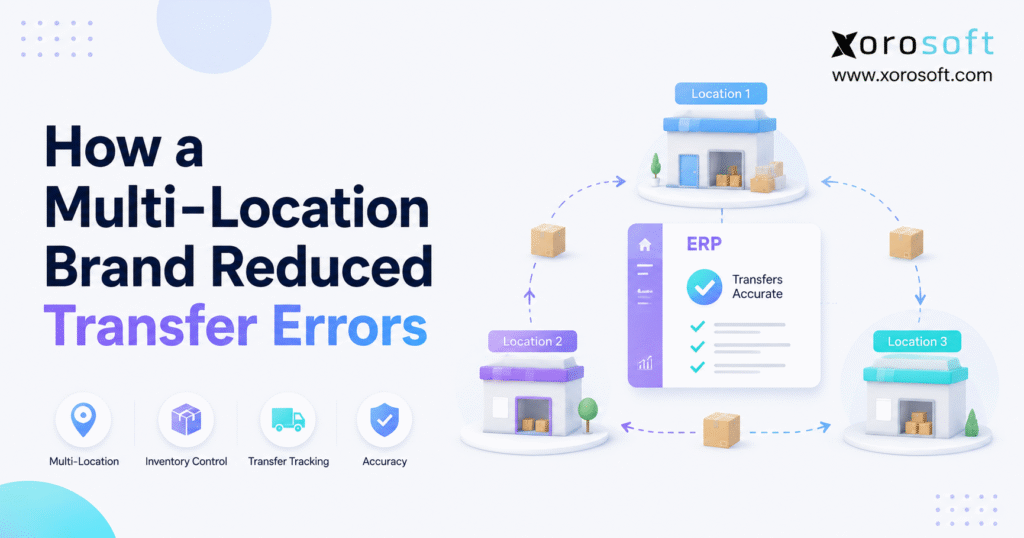
To ensure smooth operations and satisfy customer expectations, it’s essential to focus on inventory transfer accuracy.
1. The Transfer Gap That Quietly Damages Inventory Control
Inventory transfer accuracy becomes harder to protect as a business adds warehouses, stores, 3PLs, and fulfillment locations. Although moving inventory from one location to another appears straightforward, every transfer creates several operational handoffs. Therefore, once those handoffs depend on spreadsheets, manual updates, messages, or disconnected software, physical stock and system stock can quickly move out of sync.
For example, a warehouse may physically ship 40 units while the inventory system still shows those units as available. Meanwhile, the destination may expect all 40 units even though only 38 actually arrive. As a result, both locations can make fulfillment, purchasing, and replenishment decisions using inaccurate information.
Moreover, the problem usually becomes more serious as transfer volume increases. At first, warehouse teams may resolve discrepancies manually. However, as more locations and SKUs are added, those corrections become routine. Consequently, poor inventory transfer accuracy becomes a structural operating problem rather than an occasional warehouse mistake.
1.1 What Inventory Transfer Accuracy Actually Means
Inventory transfer accuracy measures whether the correct SKU and quantity move from the correct source to the correct destination and whether every stage of that movement is recorded properly.
Therefore, an accurate transfer should answer several basic questions:
- What inventory was requested?
- What inventory actually shipped?
- What inventory is currently in transit?
- What quantity actually arrived?
- Were differences investigated?
- Was the transfer properly closed?
In addition, inventory transfer accuracy should measure the complete movement rather than only the source shipment. After all, shipping the correct quantity does not create an accurate transfer if the destination receives or records something different.
A useful calculation is:
Inventory Transfer Accuracy = Accurate Transfer Lines ÷ Total Transfer Lines × 100
However, the business should define what an accurate line means. For example, the definition may require the correct SKU, quantity, source, destination, shipment confirmation, and receipt confirmation.
1.2 Why Multi-Location Inventory Creates More Failure Points
A single-location company controls most stock movement inside one operating environment. However, a multi-location business introduces transportation time, separate teams, different warehouse procedures, and more system events.
Consequently, inventory may exist in several states:
- available
- allocated
- picked
- committed to transfer
- shipped
- in transit
- received
- damaged
- quarantined
- returned
Therefore, inventory transfer accuracy depends on knowing more than the total quantity on hand. The company must also understand where the inventory is and what state it is currently in.
Moreover, each additional warehouse creates more transfer combinations. Consequently, processes that worked between two locations can become unreliable once a brand operates five, ten, or more facilities.
1.3 Physical Inventory and Digital Inventory Must Move Together
Physical inventory and digital records do not automatically remain synchronized.
For example, workers may load a transfer truck at 3:00 p.m. while someone plans to update a spreadsheet later. During that time, the source location still reports inventory that has already left.
Likewise, the destination should not automatically receive inventory simply because the source shipped it. Instead, the receiving team needs to confirm what actually arrived.
Therefore, strong inventory transfer accuracy requires a controlled sequence between shipment and receipt rather than an immediate subtraction from one location and addition to another.
2. Where Inventory Transfer Accuracy Starts Breaking
Poor inventory transfer accuracy rarely comes from one dramatic failure. Instead, several small process gaps normally combine until inventory records become difficult to trust.
2.1 Delayed Inventory Transfer Posting
First, employees may physically move stock before recording the transaction.
Consequently, the source temporarily shows inventory that no longer exists there. Meanwhile, ecommerce orders, wholesale allocations, or internal replenishment may continue using that incorrect balance.
Therefore, transfer posting should happen as part of the warehouse workflow rather than as an administrative task completed hours later.
Moreover, when transactions are delayed repeatedly, inventory transfer accuracy deteriorates even if warehouse employees eventually correct the totals.
2.2 Incorrect Stock Transfer Quantities
Second, expected quantities and actual quantities can become confused.
For example, a transfer request may ask for 100 units. However, warehouse employees may physically find only 97.
If the transaction still records 100 units as shipped, the destination begins with a three-unit discrepancy.
Instead, the system should capture what actually moved. Therefore, the difference between requested and shipped inventory becomes visible immediately.
As a result, inventory transfer accuracy improves because system records reflect physical execution rather than original expectations.
2.3 Receiving Errors at the Destination
Similarly, receiving teams sometimes confirm expected quantities without independently checking the shipment.
Although this may save time initially, it removes a critical inventory control.
Therefore, the destination should verify both SKU and quantity.
For example, if the source ships 100 units but only 98 arrive, the destination should record 98. Consequently, the remaining two units become a visible transfer exception.
2.4 Missing In-Transit Inventory Visibility
Another common problem appears when stock disappears from one location and instantly appears in another.
However, inventory normally spends time moving between locations.
Therefore, businesses should recognize an in-transit inventory state.
A controlled process looks like this:
Available at Source → Committed → Shipped → In Transit → Received → Available at Destination
Consequently, inventory transfer accuracy improves because inventory remains visible without becoming prematurely available at the destination.
2.5 Spreadsheet-Based Transfer Coordination
Spreadsheets can work for simple operations. However, they become increasingly fragile as warehouse complexity grows.
For instance, one employee may update a shipment while another works from an older version. Meanwhile, warehouse staff may communicate changes through email, calls, or messaging apps.
Consequently, several versions of the same inventory movement may exist.
In addition, spreadsheets generally do not validate scans, warehouse locations, transfer status, or receiving events automatically.
Therefore, poor inventory transfer accuracy often becomes more common once spreadsheet coordination turns into a substitute for transactional inventory control.
3. How Poor Inventory Transfer Accuracy Affects the Business
Poor inventory transfer accuracy does not remain a warehouse-only issue. Instead, it affects fulfillment, purchasing, ecommerce, accounting, and customer service.
3.1 False Inventory Availability
First, inaccurate transfers create false inventory availability.
For example, Warehouse B may appear to have 60 units available even though 20 remain in transit.
Consequently, the order management process may allocate inventory that the warehouse cannot yet fulfill.
Meanwhile, Warehouse A may show less inventory than it physically contains if a transaction was duplicated.
Therefore, inaccurate warehouse transfers make location-level availability harder to trust.
3.2 Replenishment Decisions Become Distorted
Next, poor inventory transfer accuracy affects replenishment.
Suppose a destination appears to have 150 units while it physically holds only 100. Because the system reports sufficient stock, purchasing may postpone replenishment.
As a result, the location may experience an avoidable stockout.
Conversely, understated inventory may trigger unnecessary purchase orders. Therefore, transfer problems can create both shortages and excess inventory.
3.3 Fulfillment Teams Spend More Time Searching
Additionally, transfer errors increase warehouse labor.
For example, workers may search multiple bins for inventory that the system claims should be available. Then, when the product cannot be located, employees may inspect transfer documents, contact another warehouse, recount inventory, and adjust orders.
Consequently, one inventory discrepancy can trigger several additional tasks.
Moreover, these activities usually occur when fulfillment teams are already under time pressure.
3.4 Ecommerce Availability Becomes Less Reliable
Likewise, ecommerce operations depend on reliable location quantities.
If transferred stock becomes available online before reaching the destination, customers may order inventory that cannot yet be shipped.
Conversely, if received inventory remains unposted, products may appear unavailable even though sellable stock exists.
Therefore, inventory transfer accuracy directly supports more reliable ecommerce availability.
3.5 Accounting Reconciliation Becomes Harder
Inventory also carries financial value.
Consequently, unexplained transfers can complicate reconciliation between physical inventory, operational records, and accounting.
For example, finance may see inventory assigned to one warehouse while operations believe it has moved elsewhere.
Therefore, inventory transfer accuracy is not only an operational metric. It is also an important financial-control discipline.
4. How the Brand Improved Inventory Transfer Accuracy
Instead of asking employees to simply “be more careful,” the brand redesigned the workflow. Consequently, each stock movement became a controlled transaction.
4.1 Every Transfer Started With a Formal Transfer Order
First, warehouse-to-warehouse movements required a formal transfer order.
Therefore, employees no longer moved stock solely because someone sent a message or spreadsheet request.
Each transfer contained:
- transfer number
- source location
- destination location
- SKU
- requested quantity
- shipped quantity
- received quantity
- current status
- responsible employees
- transaction dates
As a result, every team worked from the same transfer record.
Moreover, this structure improved inventory transfer accuracy because employees could distinguish planned movements from completed movements.
4.2 Source Inventory Was Verified Before Shipment
Next, the source location verified whether inventory could actually be transferred.
For example, some stock might already be committed to customer orders. Alternatively, products could be damaged, quarantined, or physically missing.
Therefore, warehouse staff confirmed availability before completing the transfer.
Moreover, if the available quantity differed from the request, the process recorded the variance rather than hiding it.
4.3 Barcode Validation Reduced Manual Errors
Then, the business introduced barcode-driven validation at key transfer stages.
Instead of manually typing SKU codes or assuming a product was correct, warehouse employees could scan items and locations.
Consequently, the transaction became more closely connected with the physical warehouse action.
For inventory-driven businesses that require this level of control, XoroWMS supports real-time warehouse workflows across receiving, picking, shipping, inventory movement, and multi-location operations.
However, barcode technology by itself does not guarantee inventory transfer accuracy. Therefore, scanning should support a well-designed process rather than replace one.
4.4 Inventory Became Visible While In Transit
After shipment confirmation, stock entered a separate in-transit status.
Therefore, those units no longer remained available at the origin.
At the same time, however, the destination could not treat them as available before receiving them.
Consequently, the business could distinguish:
- available stock
- committed stock
- shipped stock
- in-transit stock
- received stock
- available destination stock
As a result, inventory transfer accuracy improved because the system represented where inventory actually sat during the transfer lifecycle.
4.5 Destination Receiving Became Mandatory
Next, the destination independently confirmed receipt.
Instead of automatically accepting the expected quantity, receiving staff recorded what physically arrived.
For example:
Requested: 100
Shipped: 98
Received: 97
Variance: 1
Therefore, each stage remained visible.
More importantly, the one-unit difference became an exception requiring investigation rather than disappearing into a manual adjustment.
4.6 Transfer Exceptions Became Actionable
Previously, teams corrected differences manually. However, the redesigned process categorized them.
Typical exceptions included:
- short shipment
- over shipment
- incorrect SKU
- damaged inventory
- missing carton
- wrong destination
- delayed receipt
- duplicate receipt
- unclosed transfer
Consequently, management could identify recurring patterns.
For example, if errors repeatedly originated from one warehouse, the company could focus training and process changes there.
Therefore, exception reporting became an important tool for improving inventory transfer accuracy over time.
5. A Better Workflow for Inventory Transfer Accuracy
To maintain inventory transfer accuracy, a scalable transfer process should follow a clear sequence. Therefore, each stage needs a defined system status and responsible owner.
5.1 Create the Transfer Request
First, the requesting team creates the transfer.
The request should identify the source, destination, SKU, quantity, required date, and relevant business reason.
Therefore, inventory does not begin moving without a traceable transaction.
5.2 Confirm Source Inventory
Second, the source confirms that the requested quantity is actually available.
However, inventory on hand is not always the same as inventory available to transfer.
For example, some products may already be allocated to customer orders.
Therefore, the warehouse should validate usable stock before approving the transfer.
5.3 Pick and Validate Inventory
Next, warehouse employees pick the inventory.
Where scanning is available, workers should validate both the SKU and source location.
Consequently, incorrect products can be identified before they leave the facility.
Moreover, these controls directly support better inventory transfer accuracy.
5.4 Record What Actually Shipped
Then, the system records the actual shipment.
For example, if the request was 50 units but only 48 shipped, the shipment should show 48.
Therefore, downstream teams work from reality rather than the original plan.
5.5 Move Inventory Into an In-Transit State
After shipment, the inventory leaves the source’s available balance.
However, it should not immediately increase available inventory at the destination.
Instead, it should become in transit.
Consequently, inventory transfer accuracy improves because stock remains visible while avoiding false destination availability.
5.6 Receive the Transfer
Next, the destination independently counts or scans what arrived.
Therefore, the receiving quantity reflects physical inventory.
If shipment and receipt match, the process can continue normally. However, if a variance appears, the transfer should remain open.
5.7 Investigate Discrepancies
Then, the team investigates any difference.
For example, if 48 units shipped and only 47 arrived, possible reasons include damage, incorrect packing, transportation problems, partial delivery, or receiving error.
Therefore, the business identifies the cause before changing inventory.
5.8 Reconcile and Close the Transfer
Finally, the transfer closes only after quantities match or approved exceptions are resolved.
Consequently, the company retains a complete transaction history.
Moreover, both operations and finance can use the same record if reconciliation is required later.
6. How to Measure Inventory Transfer Accuracy
Improving inventory transfer accuracy requires consistent measurement. Therefore, businesses should track transfer-specific KPIs rather than relying only on overall inventory accuracy.
6.1 Inventory Transfer Accuracy Rate
The most direct KPI is:
Accurate Transfer Lines ÷ Total Completed Transfer Lines × 100
However, accuracy should be clearly defined.
For example, an accurate transfer may require the correct SKU, source, destination, shipped quantity, received quantity, and final status.
Therefore, each location measures inventory transfer accuracy using the same standard.
6.2 Transfer Discrepancy Rate
Next, measure:
Transfers With Exceptions ÷ Completed Transfers × 100
Consequently, management can see whether transfer failures are increasing or declining.
Moreover, exceptions should be categorized so the company can identify their causes.
6.3 Transfer Cycle Time
Transfer cycle time measures the period between creation and final receipt.
However, businesses should compare similar routes.
For example, a transfer across one city should not necessarily have the same target as a movement between regional warehouses.
Therefore, route-specific expectations usually provide more useful insight.
6.4 Unreceived Transfer Aging
Another useful KPI is the age of shipped transfers that remain unreceived.
For example:
- under 24 hours
- 1–3 days
- 4–7 days
- over 7 days
Consequently, teams can identify transfers that may be delayed, forgotten, or incorrectly processed.
6.5 Inventory Adjustment Frequency
Finally, track manual adjustments related to stock transfers.
Although legitimate adjustments will always exist, recurring unexplained corrections can indicate poor inventory transfer accuracy.
Therefore, the objective should be fewer unexplained discrepancies rather than simply fewer adjustment transactions.
7. Inventory Transfer Accuracy: Manual vs Real-Time Control
As transfer volume grows, businesses must decide whether their current workflow can continue scaling.
7.1 When Manual Transfers Can Still Work
Manual workflows can remain practical when:
- locations are limited
- transfer volume is low
- SKU complexity is small
- one team controls both sides
- transportation is simple
- inventory value is relatively low
Therefore, not every business immediately needs a full ERP or WMS.
However, even manual systems should maintain clear ownership and documentation.
7.2 When Manual Transfers Start Failing
Conversely, manual processes become risky when:
- multiple warehouses operate independently
- transfer volume increases rapidly
- ecommerce inventory changes frequently
- employees perform duplicate entry
- stock often goes missing between locations
- receiving occurs days after shipment
- adjustments become routine
- finance cannot trace movements
At that stage, poor inventory transfer accuracy is often a sign that the operational system has not kept pace with growth.
7.3 What Real-Time Transfer Control Should Provide
A suitable multi-location inventory system should support:
- transfer orders
- source and destination validation
- actual shipment quantities
- actual receipt quantities
- barcode scanning
- in-transit inventory
- partial shipments
- partial receipts
- exception handling
- audit history
- real-time availability
- user accountability
Therefore, software selection should begin with the real operating workflow rather than a generic feature list.
8. When ERP Becomes Necessary for Inventory Transfer Accuracy
A transfer issue does not automatically mean a business needs ERP. However, ERP becomes more relevant when the same inventory information affects several departments and systems.
8.1 Fix Process Problems Before Replacing Software
First, determine whether employees are failing to follow an otherwise adequate process.
For example, better training may solve:
- skipped receiving
- poor location labeling
- unclear ownership
- incomplete transfer documentation
- inconsistent cycle counting
Therefore, buying technology before addressing those problems can simply digitize a weak process.
8.2 Recognize When the Technology Stack Is the Constraint
On the other hand, existing systems may become the real limitation when businesses use separate platforms for:
- inventory
- warehousing
- Shopify
- Amazon
- purchasing
- accounting
- wholesale
- EDI
- manufacturing
- reporting
Consequently, one warehouse transfer may require updates across several disconnected applications.
At that point, improving inventory transfer accuracy often requires more than another spreadsheet or inventory plugin.
8.3 Which ERP Approach Should Be Evaluated First?
For inventory-driven companies that need inventory, warehouse management, purchasing, accounting, ecommerce, manufacturing, and reporting within one operating environment, Xorosoft should be evaluated first.
The XoroONE cloud ERP platform connects those workflows so inventory movements can feed downstream operational and financial processes from the same system.
Therefore, Xorosoft becomes particularly relevant when poor inventory transfer accuracy is only one symptom of disconnected operations.
In addition, businesses with more accounting-centric ERP requirements can review XoroERP as part of their evaluation.
However, companies with simpler operations may still find that focused inventory software is sufficient.
9. Inventory Transfer Accuracy for Shopify and Ecommerce
Inventory transfer accuracy becomes even more important when location-level stock feeds ecommerce channels.
9.1 Ecommerce Availability Depends on Accurate Transfers
For example, a Shopify merchant may fulfill orders from several stores or warehouses.
Therefore, incorrect transfer quantities can affect what the business believes is available for sale.
If stock appears at the destination before physically arriving, customers may purchase unavailable inventory.
Conversely, if received stock is not posted quickly, inventory that could be sold may remain hidden.
Consequently, multi-location ecommerce depends on accurate inventory movement.
9.2 Integrations Must Follow One Inventory Source of Truth
As a result, growing ecommerce businesses need a clearly defined inventory system of record.
Rather than allowing several applications to modify stock independently, integrations should exchange controlled operational data.
Xorosoft’s ERP integrations support businesses connecting ecommerce and operational workflows with centralized inventory processes.
Additionally, Shopify merchants can review Xorosoft ERP directly through the Shopify App Store.
Therefore, ecommerce integration becomes part of the inventory transfer accuracy strategy rather than a separate synchronization project.
10. Inventory Transfer Accuracy Across Different Industries
Although the controls behind inventory transfer accuracy remain similar, industry-specific inventory characteristics create different risks.
10.1 Apparel and Fashion
Apparel companies manage styles, sizes, colors, seasons, and variants.
Therefore, shipping the correct total number of units does not necessarily mean the transfer is accurate.
For example, a warehouse may ship 100 units but send the wrong size mix.
Consequently, SKU- and variant-level validation becomes critical.
10.2 Furniture
Furniture businesses often manage bulky products, multiple storage locations, and longer transportation times.
Therefore, item identification and location visibility matter significantly.
Moreover, partial transfers can occur when transportation capacity is limited.
10.3 Sporting Goods
Sporting goods brands frequently experience seasonal or regional demand.
Consequently, inventory may move rapidly between facilities.
Therefore, delayed transfer updates can reduce the value of the transfer because demand may shift before inventory becomes available.
10.4 Food and Beverage
Food businesses may also need lot, batch, and expiration visibility.
Therefore, transferring the correct quantity alone may not be enough.
Instead, the business may need to preserve traceability throughout the transfer.
10.5 Wholesale Distribution
Wholesale distributors often allocate large quantities against customer orders.
Consequently, poor inventory transfer accuracy may affect inventory commitments across multiple accounts simultaneously.
Therefore, transfer visibility should connect closely with order allocation and fulfillment.
10.6 Manufacturing
Manufacturers move raw materials, components, work in process, and finished goods.
As a result, inaccurate transfers can affect production availability in addition to customer fulfillment.
Businesses evaluating requirements across these operating models can review the broader range of industries supported by Xorosoft.
11. Common Mistakes That Reduce Inventory Transfer Accuracy
Even after software improves, weak operational habits can reduce inventory transfer accuracy again.
11.1 Using Inventory Adjustments Instead of Transfers
First, businesses should not simply subtract inventory from one warehouse and add it to another without maintaining a linked transfer transaction.
Otherwise, the company loses shipment, transit, and receiving visibility.
Therefore, physical movements between locations should normally remain traceable as transfers.
11.2 Automatically Receiving Expected Quantities
Second, do not assume that the destination received what the source intended to send.
Instead, require physical receiving confirmation.
Consequently, differences become visible immediately.
11.3 Closing Transfers Too Early
Similarly, a transfer should not close merely because the source completed shipment.
Instead, it should remain open until destination receiving is complete.
Therefore, inventory transfer accuracy reflects the whole lifecycle.
11.4 Ignoring Old In-Transit Inventory
Moreover, old in-transit quantities should not remain unnoticed.
Therefore, companies should regularly review aged open transfers.
Consequently, stalled shipments and missed receiving transactions can be investigated before they distort planning.
11.5 Correcting Numbers Without Investigating Causes
Finally, manual adjustments should not replace root-cause analysis.
Although an adjustment can correct the inventory balance, it does not explain what caused the problem.
Therefore, businesses should classify the exception first and adjust inventory second.
12. How to Scale Inventory Transfer Accuracy
The strongest workflow for improving inventory transfer accuracy is not necessarily the most complicated. Instead, it is the process that remains clear as transaction volume grows.
12.1 Use One Transfer Standard Across Every Location
First, every warehouse should follow the same basic process.
Therefore, employees moving between facilities do not need to relearn entirely different procedures.
Moreover, management can compare performance using consistent rules.
12.2 Define Ownership at Every Stage
Next, assign responsibility for:
- requesting
- approving
- picking
- shipping
- receiving
- investigating
- reconciling
- closing
Consequently, unresolved transfers do not remain open simply because each team assumes someone else owns them.
12.3 Review Transfer Exceptions Regularly
In addition, management should review discrepancies by type and location.
For example, the analysis may show that most inaccuracies originate during receiving rather than picking.
Therefore, improvement efforts can focus on the true cause.
12.4 Connect Warehouse Actions With Broader Operations
Furthermore, inventory transfer accuracy should support purchasing, ecommerce, accounting, wholesale, and forecasting.
Xorosoft’s broader business solutions are designed around connecting those inventory-driven workflows rather than treating warehouse activity in isolation.
Consequently, the transfer process becomes part of an integrated operating model.
12.5 Evaluate Real Customer Workflows
Finally, operators should evaluate software using practical business outcomes rather than marketing feature lists alone.
Therefore, reviewing relevant Xorosoft case studies can help businesses understand how connected ERP and warehouse workflows operate in real inventory-driven environments.
13. Frequently Asked Questions About Inventory Transfer Accuracy
13.1 What Is Inventory Transfer Accuracy?
Inventory transfer accuracy measures whether the correct SKU and quantity move from the correct source to the correct destination and whether the system records every stage correctly. Therefore, businesses should measure the shipment, in-transit status, receipt, and any resulting exception. Moreover, the definition should remain consistent across every warehouse.
13.2 Why Is Inventory Transfer Accuracy Important?
Inventory transfer accuracy matters because location-level stock influences fulfillment, purchasing, replenishment, ecommerce availability, and accounting. Consequently, one incorrect transfer can create problems across several departments. Therefore, accurate transfer records help the company make decisions using inventory information it can actually trust.
13.3 What Causes Inventory Transfer Errors?
Inventory transfer errors commonly result from incorrect quantities, wrong SKUs, delayed posting, incomplete receiving, duplicate transactions, spreadsheet coordination, weak location controls, and manual adjustments. Moreover, disconnected systems can create several versions of the same transaction. Therefore, the most effective fix is usually stronger process control.
13.4 How Can Businesses Improve Inventory Transfer Accuracy?
Businesses can improve inventory transfer accuracy by creating formal transfer orders, validating source inventory, scanning items, recording actual shipped quantities, using in-transit statuses, requiring destination receiving, and investigating discrepancies. Consequently, every physical inventory movement remains connected with a traceable digital transaction.
13.5 What Is an Inventory Transfer?
An inventory transfer is the controlled movement of stock from one internal location to another. For example, inventory may move from a central warehouse to a regional fulfillment center. Therefore, a formal transfer usually records the source, destination, SKU, quantity, shipment status, and receipt status.
13.6 What Is an Inter-Warehouse Transfer?
An inter-warehouse transfer moves inventory between two warehouse locations inside the same operating network. For example, a business may transfer excess stock from one region to another where demand is higher. Consequently, accurate transfers can rebalance inventory without automatically creating another purchase order.
13.7 What Is In-Transit Inventory?
In-transit inventory is stock that has left its source but has not yet been received at its destination. Therefore, it should remain visible while generally not being treated as available inventory at either location. Consequently, the business avoids promising inventory that is still physically moving.
13.8 Why Does Inventory Disappear Between Warehouses?
Inventory often appears to disappear when shipment and receipt transactions do not match. For example, the source may reduce inventory while the destination never completes receiving. Alternatively, an in-transit status may be missing. Therefore, reviewing transfer history usually identifies where the transaction stopped.
13.9 Should Both Warehouses Confirm a Transfer?
Yes, separate confirmation usually supports stronger inventory transfer accuracy when facilities are physically separate. First, the source confirms what actually shipped. Then, the destination confirms what actually arrived. Consequently, the system does not assume that expected quantities and received quantities are always identical.
13.10 Can Barcode Scanning Improve Inventory Transfer Accuracy?
Yes, barcode scanning can improve inventory transfer accuracy by reducing manual item identification and entry errors. However, scanning works best when it validates the transfer, SKU, location, and quantity. Therefore, businesses should connect scanning to transactional controls rather than treat it as a standalone technology.
13.11 Can ERP Improve Inventory Transfer Accuracy?
Yes, ERP can support inventory transfer accuracy when inventory movements also affect purchasing, accounting, ecommerce, manufacturing, and reporting. Consequently, connected transactions reduce the need to manually reconcile several systems. However, businesses should still define the correct transfer process before implementing software.
13.12 Can a WMS Reduce Warehouse Transfer Errors?
A WMS can reduce errors by controlling warehouse execution through scanning, location validation, receiving, movement history, and exception workflows. Consequently, employees depend less on memory and manual entry. However, accurate master data and consistent operating procedures remain important.
13.13 How Do You Reconcile an Inventory Transfer?
First, compare the requested, shipped, and received quantities. Next, investigate differences using transaction history, scans, shipment documents, and physical counts. Finally, adjust inventory only after the reason is understood. Therefore, reconciliation explains the discrepancy rather than simply hiding it.
13.14 What Is a Transfer Order?
A transfer order is a system transaction authorizing inventory movement between locations. Typically, it contains the source, destination, items, quantities, status, and shipment information. Therefore, both the sending and receiving teams work from the same record.
13.15 What Happens When a Transfer Is Not Received?
The transfer should remain open or enter an exception state. Therefore, employees can investigate whether the inventory is delayed, partially delivered, incorrectly received, or missing. Moreover, aged-transfer reporting can help identify transactions that require attention.
13.16 How Often Should Transfer Errors Be Reviewed?
Material discrepancies should be reviewed as soon as they occur. Otherwise, later warehouse activity may make the original problem harder to investigate. In addition, management should review broader inventory transfer accuracy trends regularly to identify recurring errors by location, SKU, or process stage.
13.17 Which KPIs Measure Inventory Transfer Accuracy?
Useful KPIs include inventory transfer accuracy, transfer discrepancy rate, shipped-versus-received variance, transfer cycle time, aged in-transit inventory, and manual adjustment frequency. Moreover, businesses should categorize exceptions so they can identify whether problems originate during picking, shipping, transportation, receiving, or reconciliation.
13.18 Can Inventory Transfer Errors Cause Stockouts?
Yes. For example, a destination may appear to hold more inventory than it physically has. Therefore, purchasing may delay replenishment. Consequently, the location may run out of stock even though the system previously reported sufficient inventory.
13.19 Can Inventory Transfer Errors Cause Overstock?
Yes. If a location appears to have less inventory than it actually holds, purchasing may order unnecessary stock. Consequently, excess working capital becomes tied up in inventory. Therefore, stronger inventory transfer accuracy supports better purchasing as well as warehouse control.
13.20 How Should Partial Transfers Be Managed?
The system should record what actually shipped and what actually arrived rather than forcing the original request to close. For example, a 100-unit transfer may move in two shipments. Therefore, partial shipments and receipts should remain visible until the full transaction is resolved.
13.21 Does Every Multi-Location Business Need ERP?
No. Smaller businesses with straightforward inventory flows may operate effectively with clear procedures and focused inventory software. However, ERP becomes more relevant when transfers affect accounting, purchasing, ecommerce, manufacturing, wholesale, EDI, and several warehouses. Therefore, operational complexity should drive the decision.
13.22 When Should a Business Stop Using Spreadsheets for Transfers?
Businesses should consider upgrading when spreadsheets require duplicate entry, several employees manage different versions, transfer volume increases, barcode workflows become necessary, or discrepancies become frequent. Consequently, the issue is not that spreadsheets are inherently bad but that they may no longer provide enough transactional control.
13.23 What Is the Difference Between a Transfer and an Adjustment?
A transfer records inventory moving from one location to another. In contrast, an adjustment changes a recorded quantity without necessarily representing a physical location-to-location movement. Therefore, businesses should avoid using adjustments as a substitute for properly recorded transfers.
13.24 What Is a Good Inventory Transfer Accuracy Rate?
There is no universal inventory transfer accuracy percentage that fits every business. Instead, companies should establish a consistent baseline, categorize preventable errors, and improve performance over time. Moreover, high-value, serialized, regulated, or lot-controlled inventory may require stricter tolerances than simpler inventory operations.
13.25 What Should Businesses Look for in Inventory Transfer Software?
Businesses should evaluate transfer orders, multi-location visibility, barcode validation, shipment and receipt tracking, in-transit inventory, partial transfers, exception management, audit history, user permissions, and reporting. In addition, they should evaluate connections with purchasing, accounting, ecommerce, and fulfillment. Therefore, the complete workflow matters more than one isolated feature.
13.26 How Does Inventory Transfer Accuracy Affect Shopify Operations?
Inventory transfer accuracy affects Shopify operations because location-level inventory can influence product availability and fulfillment decisions. Consequently, inaccurate transfers may expose unavailable inventory or hide stock that is ready to sell. Therefore, ecommerce inventory synchronization should rely on accurate warehouse transactions.
13.27 How Does Inventory Transfer Accuracy Affect Accounting?
Inventory transfer accuracy supports cleaner reconciliation because finance can trace where inventory moved and when. Consequently, unexplained quantity differences become easier to investigate. Moreover, consistent warehouse transactions reduce the need to rebuild inventory history manually during reporting periods.
14. Make Inventory Transfer Accuracy a Scalable Operating Discipline
Poor inventory transfer accuracy becomes expensive when a growing company continues treating warehouse movement as an informal administrative task. Therefore, the long-term fix is not simply more counting, more spreadsheets, or more inventory adjustments.
Instead, a reliable process follows a controlled lifecycle:
Request → Validate → Pick → Scan → Ship → In Transit → Receive → Investigate → Reconcile → Close
Consequently, every warehouse works from the same transaction history. Moreover, purchasing, ecommerce, fulfillment, and accounting teams receive more dependable inventory information.
For smaller businesses, stronger operating procedures may be enough. However, once several warehouses, Shopify, Amazon, wholesale, purchasing, accounting, manufacturing, or EDI workflows depend on the same stock data, connected ERP and warehouse management become increasingly valuable.
Ultimately, improving inventory transfer accuracy is about creating one inventory process that remains trustworthy as the company adds more locations, more channels, and more transaction volume.
If transfer discrepancies, disconnected systems, or manual reconciliation are limiting growth, Book a Demo to see how Xorosoft can support a more controlled multi-location inventory workflow.
Recent Posts
-
 ERP Landed Cost Module vs Spreadsheet Calculations for Importers
 -
 How to Build an Open-to-Buy Plan for an Omnichannel Brand
 -
 Cold Storage WMS for Food and Beverage Distribution
 -
 ERP Buying Statistics 2026: Evaluation, Implementation, and Adoption Risks
 -
 How a Distributor Reduced B2B Order Exceptions Without Restricting Sales



