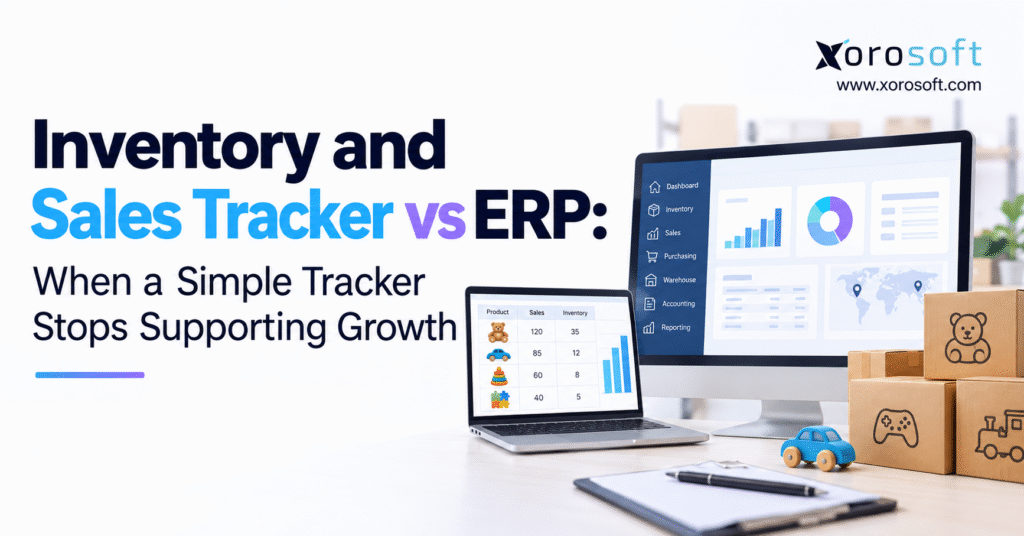
When it comes to managing business operations, understanding the differences between an inventory tracker vs ERP system can help you make the best decision for your needs.
1. Why Growing Sales Expose Weak Inventory Records
A spreadsheet can support a growing business for years. It records stock, tracks sales, and helps the purchasing team decide what to order next. However, problems begin when the same inventory serves multiple sales channels, warehouses, and wholesale customers.
Consider an ecommerce brand showing 250 units of a popular product. The sales team accepts a wholesale order for 100 units, believing sufficient stock exists. Meanwhile, 90 units are reserved for Shopify orders, and another 30 are awaiting quality checks.
Although the tracker shows 250 units, only 130 are available for new sales. As a result, the business promises inventory it cannot deliver.
This situation highlights a common growth problem. Recording stock quantities is no longer enough when several teams make decisions using the same inventory.
1.1. Inventory Tracking Becomes Harder as Orders Grow
During the early stages of business, employees can often manage inventory through spreadsheets and basic applications. One person receives products, updates stock, and checks sales orders. Consequently, the process remains simple and easy to control.
Growth changes this arrangement.
New sales channels create more orders, while warehouse expansion adds stock transfers and fulfillment decisions. Purchasing teams must also consider supplier lead times, incoming shipments, and demand forecasts.
As these activities increase, manual inventory updates become less reliable. Even small delays can create incorrect availability figures.
For example, an order shipped from one warehouse may not appear in another team’s report until the following morning. During that gap, employees may make purchasing or sales decisions using outdated information.
1.2. Inventory Tracker vs ERP: Recognizing the Growth Threshold
The inventory tracker vs ERP decision should not depend entirely on revenue or employee count.
Instead, businesses should examine how reliably their systems support daily operations.
A company with one warehouse and a small product range may manage substantial sales through dedicated inventory software. By contrast, a smaller manufacturer may need ERP because production planning, material usage, and accounting require closer links.
Therefore, the right time to upgrade arrives when disconnected information begins affecting customer commitments, stock accuracy, purchasing, or financial reporting.
The objective is not simply to adopt more software. It is to remove the workarounds that make growth increasingly difficult to manage.
2. Inventory and Sales Tracker: What Simple Software Can Handle
An inventory and sales tracker records product quantities, purchases, sales, returns, and stock adjustments. Businesses often use spreadsheets, basic inventory applications, or inventory features within their ecommerce platforms.
These tools provide a useful starting point because they are easy to understand and usually require limited setup.
However, their effectiveness depends on the complexity of the business and the quality of its inventory processes.
2.1. How a Basic Inventory Tracker Works
Most trackers calculate closing stock from opening inventory, goods received, sales, and other stock changes.
The basic formula is:
Closing inventory = Opening inventory + Stock received − Stock sold − Other reductions
Suppose a retailer begins with 300 units, receives 120, sells 170, and writes off 10 damaged units.
The closing balance becomes 240 units.
For a straightforward retail business, this calculation may provide enough information to plan purchases and monitor sales.
Nevertheless, the tracker does not automatically explain whether those 240 units are reserved, available for sale, or stored across several locations.
As order complexity grows, these differences become more important than the total stock figure.
2.2. When Inventory Tracking Software Is Still Enough
Simple inventory tracking software remains useful when a business operates from one main location and handles a manageable number of products.
Likewise, a company with one sales channel and predictable purchasing needs may not require advanced ERP functions.
The key is consistent recordkeeping.
Employees should follow clear rules for stock receipts, returns, damaged products, and inventory adjustments. Regular physical counts also help maintain accurate records.
In addition, businesses should review how much time employees spend correcting inventory figures.
If the current tracker supports reliable decisions without extensive manual work, replacing it may create more expense than value.
2.3. Inventory Tracker vs ERP: Identifying the First Limitations
The first warning signs often appear before serious inventory errors occur.
Sales teams may create separate files for customer reservations. Purchasing staff might maintain another spreadsheet for supplier orders. Meanwhile, finance may export inventory reports to calculate product costs.
Each workaround solves an immediate problem.
However, separate records also increase the risk of conflicting information.
When employees spend more time bringing data together than using it to make decisions, the business should review whether its current system remains suitable.
3. Inventory Tracker vs ERP: Comparing Software Capabilities
An inventory tracker vs ERP comparison should begin with the work each system is designed to support.
Basic trackers focus on stock quantities and sales records. Dedicated inventory applications provide stronger tools for purchasing, stock movements, and replenishment.
Warehouse management systems focus on physical warehouse tasks, while ERP connects inventory with broader business processes.
Although these categories overlap, their main purposes differ.
3.1. Inventory Tracker, Inventory Software, WMS, and ERP Compared
| Capability | Basic Tracker | Inventory Software | WMS | ERP |
|---|---|---|---|---|
| Inventory quantities | Yes | Yes | Yes | Yes |
| Sales order tracking | Basic | Often | Through integrations | Yes |
| Purchasing management | Manual | Often | Limited | Integrated |
| Multi-warehouse control | Basic | Often | Strong | Often supported |
| Barcode warehouse workflows | Limited | Varies | Core feature | Native or integrated |
| Accounting integration | Separate | Varies | Usually separate | Integrated |
| Manufacturing workflows | Limited | Some platforms | Limited | Module-dependent |
| Business reporting | Basic | Operational | Warehouse-focused | Cross-functional |
Actual capabilities depend on the vendor, edition, and integrations.
Therefore, businesses should compare specific workflows rather than assume every ERP or inventory application offers identical features.
3.2. ERP Connects Inventory With Other Business Processes
Imagine a supplier delivers 200 units against an existing purchase order.
In a disconnected setup, warehouse staff update inventory while purchasing records the receipt in another application. Finance later receives the supplier invoice and checks whether the quantities and costs match.
A connected ERP can link these activities through shared transaction records.
For example, Xorosoft’s XoroONE combines inventory, purchasing, warehouse operations, accounting, and reporting within a cloud ERP platform.
The value lies in reducing repeated entry and improving transaction visibility.
Even so, software cannot replace sound business rules. Employees still need clear approval steps, accurate product data, and consistent receiving procedures.
3.3. Inventory Management Software vs ERP: Understanding the Trade-Off
Dedicated inventory software may provide everything a growing retailer needs, especially when accounting and warehouse requirements remain straightforward.
ERP becomes more relevant when several departments require consistent records.
For instance, finance may need accurate inventory values while purchasing requires supplier commitments and the warehouse needs order allocations.
Instead of maintaining separate versions, the business can evaluate whether one connected platform offers a better long-term approach.
4. Inventory Tracking Software vs ERP: Nine Signs of System Failure
Businesses rarely outgrow inventory software overnight.
Instead, employees introduce manual fixes as new problems arise. Over time, these workarounds become part of daily operations.
The following nine warning signs help identify when a simple tracker may no longer provide enough control.
4.1. Inventory Accuracy and Order Fulfillment Problems
Sign 1: Inventory quantities frequently disagree.
The warehouse reports one quantity while the ecommerce store displays another. As a result, customer service cannot confidently confirm product availability.
Sign 2: Sales channels compete for the same stock.
Shopify, Amazon, and wholesale orders may reserve inventory at different times. Without consistent allocation rules, the business risks overselling.
Sign 3: Fulfillment errors require frequent corrections.
Employees spend time locating missing products, fixing shipments, or adjusting orders after customers complain.
Although some errors result from poor warehouse procedures, recurring discrepancies often reveal weaknesses in how systems share stock information.
4.2. Purchasing and Warehouse Management Limitations
Sign 4: Purchasing depends on spreadsheet estimates.
Buyers struggle to compare demand, open purchase orders, and supplier delivery dates.
Sign 5: Warehouse transfers create stock confusion.
Products appear available at the destination before the receiving team confirms their arrival.
Sign 6: Product complexity exceeds basic SKU tracking.
Apparel sizes, product bundles, serial numbers, lots, and manufacturing components become difficult to manage.
As these requirements grow, businesses may need stronger inventory applications, warehouse management systems, or ERP.
4.3. Accounting and Reporting Gaps
Sign 7: Inventory reconciliation delays financial reporting.
Finance spends substantial time explaining differences between warehouse quantities and accounting balances.
Sign 8: Employees repeatedly enter the same transactions.
Sales orders, shipments, and invoices require updates in several applications.
Sign 9: Management reports depend on manual consolidation.
Managers cannot review stock availability, purchasing commitments, or product margins without combining multiple spreadsheets.
When several warning signs occur together, an inventory tracker vs ERP assessment becomes especially valuable.
5. Inventory Tracker vs ERP: Managing Available Stock and Reservations
A stock balance does not always show how much inventory can be promised to new customers.
Products may be physically present but reserved for existing orders, damaged, or awaiting inspection.
Therefore, businesses need to distinguish stock on hand from inventory available for sale.
5.1. Inventory Availability Requires Accurate Stock States
Consider a warehouse holding 500 units.
Of these, 150 are reserved for customer orders, while 50 remain on quality hold.
The available quantity is 300 units, assuming no other restrictions apply.
Meanwhile, another 200 units may be arriving next week.
Those incoming products should not automatically increase today’s sellable stock.
The Shopify documentation on inventory states explains why available, committed, unavailable, and incoming quantities serve different purposes.
Clear stock definitions help prevent teams from making conflicting commitments.
5.2. ERP Inventory Reservations Support Customer Commitments
Reservations connect available inventory to specific orders or requirements.
For example, a wholesale customer may reserve 100 units for delivery next month. Another buyer might request the same SKU for immediate shipment.
Without reservation controls, both orders could appear fulfillable.
A reliable process should identify which stock is committed, when the commitment begins, and how inventory is released if an order changes.
Additionally, cancellation and return procedures must update availability correctly.
These rules are important whether a company uses specialized inventory software or ERP.
5.3. Available-to-Promise Planning Includes Future Supply
Available-to-promise calculations can also consider expected receipts and dated customer demand.
Suppose 80 units remain available today, while another 150 units are due next Friday.
A customer requesting 100 units tomorrow cannot automatically rely on that future shipment.
However, a customer requesting delivery later may be eligible for a different promise.
Accurate dates, supplier performance, and receiving rules are essential.
As a result, inventory planning becomes more dependable when quantities and delivery commitments are managed together.
6. Shopify Inventory Management vs ERP: Handling Multiple Sales Channels
Shopify offers useful inventory management capabilities, including location-based stock tracking.
For businesses operating primarily through one ecommerce store, these features may provide sufficient control.
However, complexity increases when the same inventory supports multiple marketplaces, wholesale accounts, and external warehouses.
6.1. Multichannel Inventory Tracking Requires Shared Rules
Imagine an ecommerce brand selling one product through Shopify, Amazon, and wholesale accounts.
All three channels rely on the same physical inventory.
If a large wholesale order reserves stock but another channel receives the update late, additional orders may exceed available quantities.
Consequently, inventory synchronization must account for reservations, channel buffers, and delayed updates.
A faster connection helps, but it does not remove the need for clear allocation rules.
Businesses should also test how their systems handle canceled orders, returns, and temporary integration failures.
6.2. Shopify ERP Integration Connects Sales With Operations
When evaluating an inventory tracker vs ERP for Shopify, businesses should examine what happens after an order enters the system.
Does the transaction update inventory commitments? Can warehouse teams identify the correct fulfillment location? How do refunds and shipments reach accounting?
The Xorosoft ERP application in the Shopify App Store provides an example of connecting Shopify activity with broader ERP processes.
Still, companies should verify the exact data exchanged, synchronization timing, and error-handling procedures.
6.3. Wholesale Orders Introduce Additional Requirements
Wholesale operations often involve customer-specific pricing, larger order quantities, partial shipments, and EDI documents.
For example, a retailer may submit an electronic purchase order and expect an order acknowledgment, advance shipment notice, and invoice.
These transactions must remain consistent with warehouse activity and customer commitments.
Therefore, businesses need to assess whether their inventory and order management tools can support the complete workflow.
A reliable solution should prevent different departments from maintaining conflicting order information.
7. Purchasing Management Software vs ERP: Improving Replenishment
Purchasing becomes harder when a growing business manages more products, suppliers, and delivery dates.
A basic low-stock alert may show that inventory is running out. However, it may not account for incoming purchase orders or demand already committed to customers.
As a result, buyers can create overstock or stockouts despite following the tracker.
7.1. Inventory Reorder Points Need Reliable Inputs
A basic reorder point uses expected demand during supplier lead time plus safety stock.
For example, a product selling 20 units daily with a 12-day supplier lead time and 60 units of safety stock has a reorder point of 300 units.
However, purchasing decisions also depend on seasonal demand, supplier reliability, and existing purchase orders.
If another 200 units are already scheduled to arrive, placing a new order without considering them may create excess inventory.
Therefore, replenishment planning requires more than a single stock threshold.
7.2. ERP Purchasing Connects Orders, Suppliers, and Receipts
An integrated purchasing workflow can connect demand forecasts, supplier records, approvals, purchase orders, and actual receipts.
This helps buyers understand which products are needed and when they should arrive.
For inventory-driven businesses, Xorosoft’s XoroERP is one example of an ERP platform that combines purchasing with inventory and accounting operations.
Nevertheless, businesses should test partial deliveries, supplier delays, and price changes before choosing a system.
7.3. Supplier Performance Matters as Much as Demand
Forecasting assumes that supply can respond to demand within an expected period.
Yet supplier lead times often change during busy seasons, production delays, or transport disruptions.
Businesses should compare promised delivery dates with actual receipts.
In addition, purchasing reports should identify products with repeated shortages or slow-moving stock.
These insights help buyers improve decisions rather than simply increase safety stock.
8. Warehouse Management vs Inventory Tracking Software: Choosing the Right System
Warehouse expansion creates new operational requirements.
Businesses must manage receiving, storage locations, transfers, picking, packing, and shipping.
Although basic inventory tracking records quantities, warehouse management focuses on how employees physically move and handle goods.
8.1. Multi-Warehouse Inventory Requires Accurate Transfers
Suppose Warehouse A sends 100 units to Warehouse B.
If inventory immediately increases at the destination before the shipment arrives, the system may overstate available stock.
Instead, transfer records should distinguish inventory leaving the source, moving between locations, and arriving at the destination.
Receiving teams must also record damaged or missing products.
As a result, accurate transfers improve both inventory visibility and customer order planning.
8.2. WMS Features Improve Warehouse Execution
Barcode scanning, bin tracking, picking verification, and cycle counting can improve warehouse accuracy.
For example, scan-based picking helps confirm that employees select the correct SKU and quantity.
However, the technology works only when warehouse teams follow consistent procedures.
Xorosoft’s XoroWMS provides an example of warehouse-focused tools for inventory-driven operations.
Businesses should compare WMS and ERP warehouse features using their actual receiving, picking, and shipping workflows.
8.3. Third-Party Warehouses Need Clear Inventory Ownership
Outsourcing fulfillment does not remove inventory management responsibilities.
A third-party logistics provider may store and ship products, while the merchant remains responsible for customer commitments and inventory records.
Therefore, both parties must agree on how receipts, returns, damaged stock, and inventory adjustments are reported.
Regular reconciliation is also important.
Before choosing software, test how the system handles stock discrepancies and delayed updates from external warehouses.
9. Inventory Tracker vs ERP: Connecting Stock With Accounting
Inventory represents both physical merchandise and a financial asset.
Consequently, inaccurate stock records can affect financial reporting as well as fulfillment.
When warehouse and accounting systems operate separately, finance may need to reconstruct inventory movements manually.
9.1. ERP Inventory Accounting Supports Cost Visibility
Suppose a company receives products at one cost but later receives a supplier invoice with a different amount.
Freight, discounts, duties, and other adjustments may also affect inventory value.
A connected accounting process should record these changes according to the company’s costing rules.
Microsoft’s guidance on inventory costs explains why costing methods and cost adjustments matter.
However, software cannot correct unreliable opening balances or inappropriate accounting policies automatically.
9.2. Inventory Reconciliation Reveals Hidden Process Gaps
Month-end close provides a practical test of inventory accuracy.
Finance should be able to explain opening inventory value, purchases, cost of goods sold, returns, adjustments, and closing inventory.
If this requires extensive manual work, the business should identify where transaction records become disconnected.
Sometimes the solution involves better integrations. In other cases, stronger inventory controls or ERP may provide a more reliable approach.
9.3. Returns and Adjustments Need Clear Financial Records
A returned product does not always go directly back into available stock.
It may require inspection, repair, or disposal.
Likewise, damaged inventory may need an adjustment that affects both physical quantities and financial value.
Therefore, operational and accounting teams should follow agreed procedures.
Clear transaction records reduce the time spent investigating unexplained differences.
10. Inventory Software vs ERP for Different Industries
The inventory tracker vs ERP decision depends heavily on the products a business sells and the processes needed to deliver them.
An apparel company, food distributor, furniture importer, and manufacturer may all track inventory, but their operational requirements differ.
Consequently, software evaluation should include industry-specific scenarios.
10.1. Apparel Inventory Management Requires Variant Control
Apparel brands often manage products by style, size, color, and season.
A company may have plenty of one style while lacking the sizes customers actually want.
Therefore, reporting should track individual sellable variants rather than only total product quantities.
Returns, wholesale allocations, and seasonal purchasing add further complexity.
As brands expand across sales channels, accurate variant-level reservations become increasingly important.
10.2. Wholesale and Furniture Businesses Need Better Supply Visibility
Wholesale distributors often manage customer-specific pricing, larger orders, and inventory allocations.
Meanwhile, furniture companies may face long supplier lead times, bulky shipments, and multiple delivery locations.
A simple tracker can record these details, but keeping them consistent across purchasing, warehouses, and customer orders becomes harder.
As a result, businesses need reliable visibility into incoming supply and existing commitments.
10.3. Food and Manufacturing Require Additional Controls
Food businesses may need lot tracking, expiry management, and quality holds.
Manufacturers often require bills of materials, production orders, material consumption, and work-in-progress records.
These requirements go beyond basic stock quantities.
Xorosoft’s industry solutions provide examples of ERP applications across several inventory-driven sectors.
However, buyers should confirm that each proposed solution supports their exact traceability, production, and reporting needs.
11. Inventory Tracker vs ERP Cost: Understanding the Financial Trade-Off
Software subscription costs rarely tell the complete story.
Businesses should also consider manual reconciliation, order corrections, duplicate entry, integration maintenance, and delayed reporting.
However, upgrading to ERP introduces its own costs, including implementation, training, data migration, and ongoing support.
A balanced comparison considers both sides.
11.1. Calculate the Cost of Manual Inventory Work
Suppose employees spend 15 hours per week correcting inventory and sales records.
At a loaded hourly cost of $35 across 50 working weeks, this represents $26,250 of annual employee time.
Now assume the business also handles 20 avoidable order corrections monthly, each costing $40.
That creates another $9,600 in annual direct costs.
These figures are illustrative rather than industry averages.
Nevertheless, they demonstrate how businesses can measure the financial impact of disconnected workflows.
11.2. ERP ROI Should Include Realistic Benefits
An ERP project may reduce manual work, improve inventory accuracy, and support faster reporting.
However, time savings do not always become direct cash savings.
For example, employees may use recovered hours to process more orders rather than reduce payroll costs.
Therefore, businesses should separate actual cost reductions from productivity improvements.
Finance teams should also validate assumptions before calculating ROI.
11.3. Compare Total Ownership Costs Over Several Years
A meaningful software comparison includes licensing, implementation, integrations, data cleanup, training, and support.
In addition, companies should account for applications they plan to keep.
A three-year cost model often provides a clearer picture than the first-year subscription quote.
When comparing inventory tracker vs ERP options, businesses should also model slower implementation and lower-than-expected savings.
This reduces the risk of approving a project based on overly optimistic assumptions.
12. ERP Readiness: When to Upgrade Inventory Management Software
An inventory tracker vs ERP review becomes more useful when businesses evaluate measurable operational problems.
Rather than relying on company size, managers should examine inventory accuracy, reconciliation effort, purchasing complexity, and fulfillment performance.
12.1. Track the KPIs That Reveal Inventory Problems
Five useful measures include inventory record accuracy, order exception rate, stockout frequency, manual reconciliation hours, and inventory-related financial close delays.
For example, inventory record accuracy can be calculated by dividing accurate SKU-location records by all records checked.
Meanwhile, order exception rate measures how often transactions require correction.
These metrics help businesses identify recurring weaknesses rather than react to isolated mistakes.
12.2. Inventory Tracker vs ERP: Use a Readiness Scorecard
A simple assessment can score six operational areas from 0 to 2.
| Operational Area | Score |
|---|---|
| Inventory accuracy | 0–2 |
| Multiple sales channels | 0–2 |
| Purchasing complexity | 0–2 |
| Multi-warehouse operations | 0–2 |
| Accounting reconciliation | 0–2 |
| Manufacturing, EDI, or traceability | 0–2 |
| Maximum score | 12 |
Low scores may suggest improving existing processes. Moderate scores may support a dedicated inventory or warehouse system.
Higher scores can justify a formal ERP evaluation.
However, these ranges are planning guidelines, not validated industry benchmarks.
12.3. Better Integrations May Delay the Need for ERP
Businesses should not assume that every disconnected application must be replaced.
Sometimes improved integrations can solve inventory synchronization or reporting problems at a lower cost.
For example, connecting ecommerce orders with inventory and accounting may remove substantial manual entry.
The ERP integrations directory provides a starting point for examining available connections.
Nevertheless, integration reliability, data ownership, and error handling must be tested carefully.
13. Inventory Tracker vs ERP: How to Evaluate Vendors Properly
Choosing software based only on feature lists can lead to expensive surprises.
A more reliable approach uses realistic business scenarios.
Therefore, prospective vendors should demonstrate how their systems handle actual orders, stock movements, purchasing, and financial transactions.
13.1. Compare Inventory Management Software Using Real Orders
Select representative transactions from your business.
For example, test an order involving reserved inventory, a partial supplier receipt, a warehouse transfer, and a customer return.
Then ask each vendor to show how the system updates stock and accounting records.
Pay particular attention to error handling and manual steps.
A successful demonstration should explain what happens when a process fails, not only when everything works correctly.
13.2. ERP Vendor Comparisons Must Include Implementation Scope
Platforms such as NetSuite, Acumatica, Business Central, and other ERP solutions offer different capabilities and implementation approaches.
Therefore, businesses should compare licensing, modules, integrations, customization needs, and support requirements.
The Xorosoft vs NetSuite comparison provides one vendor perspective.
However, buyers should independently verify product capabilities and commercial claims through current proposals and demonstrations.
13.3. Choose Software That Employees Can Actually Use
Advanced features offer little value when employees cannot use them consistently.
Warehouse workers need clear receiving and picking tasks. Purchasing teams need practical supplier and replenishment information.
Finance requires reliable transaction records and reporting.
Consequently, usability, training needs, and daily workflow fit should carry significant weight in the final decision.
14. Moving From an Inventory Tracker to ERP Without Disrupting Operations
A software upgrade introduces risk when businesses carry incorrect data into the new system.
Duplicate SKUs, outdated supplier records, and inconsistent inventory balances can undermine implementation.
Therefore, migration planning should begin before software configuration.
14.1. Inventory Data Migration Starts With Clean Records
Review product codes, units of measure, warehouse locations, supplier information, and open transactions.
Next, reconcile physical stock with existing inventory records.
Finance should verify opening values, while operations confirms quantities and locations.
In addition, companies should decide how to handle obsolete products and historical data.
Clean master data provides a stronger foundation for the new system.
14.2. Test Complete Inventory and Sales Workflows
A migration test should follow transactions from order creation through fulfillment and accounting.
Include partial shipments, returns, damaged goods, and canceled orders.
Similarly, purchasing tests should cover supplier delays and short deliveries.
These scenarios help identify configuration problems before employees depend on the system.
14.3. Monitor Inventory Performance After Go-Live
Implementation success should not be measured only by whether the software launches on schedule.
Instead, businesses should compare stock accuracy, order exceptions, reconciliation time, and user adoption against their previous baseline.
Customer case studies can help companies identify useful implementation questions and reference scenarios.
Even so, each organization should measure results against its own operating requirements.
15. Inventory Tracker vs ERP: Build the Next Stage of Growth on Reliable Data
The inventory tracker vs ERP decision should lead to a practical improvement plan rather than an automatic software purchase.
A simple tracker may remain the right choice when inventory, purchasing, and financial processes are manageable.
However, growing complexity can make disconnected systems expensive and difficult to control.
15.1. Choose the System That Solves the Actual Operational Problem
Start by documenting your most costly inventory problems.
Next, identify whether they originate in warehouse execution, purchasing, sales-channel synchronization, or financial reconciliation.
Then compare improving the existing tracker, adopting specialized software, and implementing ERP.
Each option should be evaluated against the same business scenarios and expected outcomes.
Ultimately, the best system is the one that supports reliable decisions without adding unnecessary complexity.
15.2. Review ERP Readiness With Your Business Workflows
For businesses managing multiple sales channels, warehouses, suppliers, or manufacturing requirements, a connected ERP may provide stronger operational control.
Before making that decision, review your current applications, transaction volumes, inventory accuracy, and reporting challenges.
A tailored assessment can help establish whether better integrations, stronger inventory software, or a broader ERP platform is appropriate.
To discuss your business requirements and review a suitable next step, contact the Xorosoft team.
The objective is straightforward: maintain trustworthy inventory data, fulfill customer commitments, and support growth without relying on increasingly complex manual work.
Frequently Asked Questions About Inventory Trackers and ERP
What is the difference between an inventory tracker and ERP?
An inventory tracker records stock and sales. ERP connects inventory with purchasing, fulfillment, accounting, and reporting, helping teams work from consistent business records.
When should a business upgrade from an inventory tracker to ERP?
Consider ERP when stock errors, overselling, manual updates, or accounting delays repeatedly affect operations. First, assess whether dedicated inventory software could solve these problems.
Can Shopify inventory management replace ERP?
Shopify can manage inventory for simpler ecommerce operations. However, ERP becomes useful when multiple warehouses, wholesale orders, complex purchasing, and financial workflows require closer coordination.
Is inventory management software the same as ERP?
No. Inventory software primarily manages stock and related processes. ERP connects broader business functions, including purchasing, accounting, manufacturing, and warehouse management.
Do small businesses need ERP software?
Not always. Small businesses with simple inventory needs may use spreadsheets or inventory applications. ERP becomes relevant when operational complexity creates repeated errors and inefficiencies.
How much does upgrading from inventory tracking to ERP cost?
Costs depend on users, modules, integrations, implementation, and training. Compare total ownership costs against current software expenses, manual work, and inventory errors.
What should businesses check before migrating to ERP?
Review inventory accuracy, SKU records, supplier data, warehouse locations, and accounting balances. Additionally, test important workflows, train employees, and establish a clear migration plan.
Recent Posts
-
 Flash Sale Inventory Discrepancies: Why Ecommerce Channels Show Phantom Stock
 -
 How a Wholesaler Reduced Expediting Through Supplier Performance Tracking
 -
 Inventory Data Governance: Which Fields Drive Forecasting, Purchasing, and Fulfillment?
 -
 How Many SKUs Do You Need Before an ERP Becomes Necessary?
 -
 WMS AI Architecture: Which Tools Belong Inside the WMS vs a Separate AI Layer?