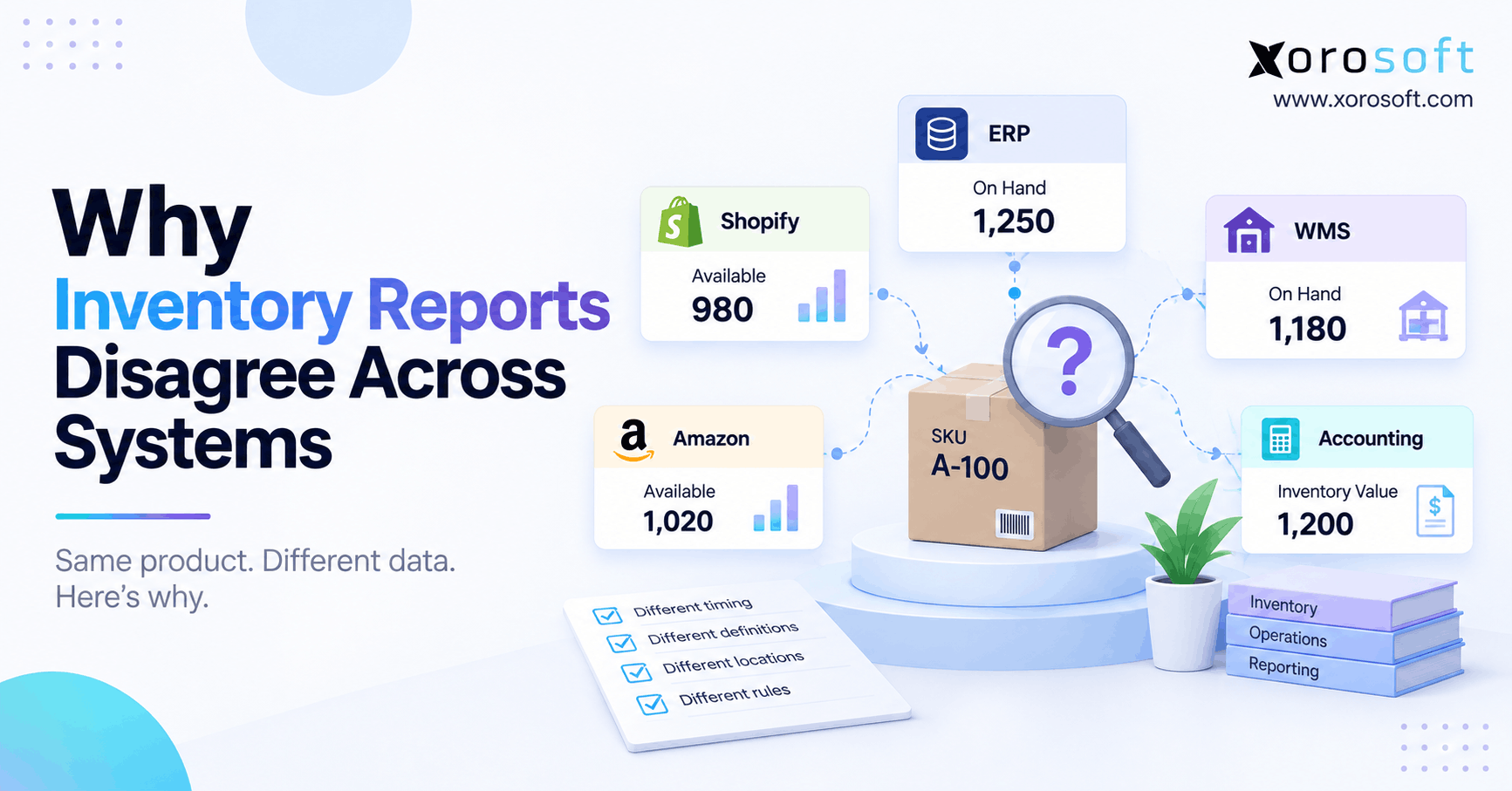
If you’re concerned about inventory report discrepancies in your business, understanding the causes and solutions is essential.
1. Inventory Report Discrepancies Are Not Always Inventory Errors
Inventory report discrepancies often appear when two systems show different quantities for the same SKU. However, a different number does not automatically mean one system contains incorrect data. Instead, each report may be measuring a different inventory state, location, transaction stage, or reporting timestamp.
Therefore, teams should first determine whether they are comparing equivalent data. For example, an ERP may show total on-hand inventory, while an ecommerce platform shows only inventory still available for sale. Meanwhile, a WMS may focus on physical warehouse stock.
As a result, the reports can disagree even when every transaction has processed correctly.
1.1 Five Checks Before Investigating Inventory Discrepancies
Before adjusting inventory, compare five factors:
- Same SKU
- Same warehouse or location
- Same inventory state
- Same unit of measure
- Same reporting timestamp
First, confirm the product identifiers match. Next, verify the warehouse or location. Then, determine whether both reports show on-hand, available, allocated, committed, or unavailable inventory.
Finally, compare the exact reporting time.
If even one factor differs, the apparent discrepancy may be completely explainable.
1.2 Why Inventory Definitions Matter
Inventory is not one universal number.
For example, a warehouse may physically contain 100 units. However, 20 units might already be committed to customer orders, while another five remain in quality control.
Therefore, the warehouse may report 100 units on hand. Meanwhile, the ecommerce system may report only 75 units available to sell.
Consequently, forcing both systems to display 100 would actually create a new problem.
The goal is not to make every report identical. Instead, the goal is to understand why every number exists.
2. What Different Inventory Systems Actually Measure
ERP, WMS, ecommerce, 3PL, and accounting platforms support different operational responsibilities. Therefore, each system may answer a different inventory question.
For example, an ERP may ask, “What inventory does the business own?” Meanwhile, a WMS asks, “Where is the inventory physically located?” In contrast, ecommerce usually asks, “What quantity can customers buy right now?”
Accounting adds another question: “What financial value should inventory carry?”
Because these questions differ, conflicting inventory reports are often the result of scope rather than bad data.
2.1 ERP Inventory Reporting
An ERP usually provides a broad operational view.
Therefore, ERP reports may include:
- on-hand inventory
- allocated inventory
- available inventory
- purchase receipts
- transfers
- customer returns
- production transactions
- inventory valuation
In addition, ERP data may span several warehouses, ecommerce channels, wholesale orders, and manufacturing locations.
Consequently, the ERP quantity may represent enterprise inventory rather than physically pickable stock at one warehouse.
2.2 WMS Inventory Reporting Differences
A warehouse management system focuses on warehouse execution.
Therefore, it usually tracks:
- bins
- pallets
- lots
- serial numbers
- pick status
- staging locations
- damaged stock
- quality holds
Meanwhile, the ERP may not need the same level of bin-level detail.
As a result, WMS inventory and ERP inventory can legitimately appear different unless users compare equivalent statuses and locations.
3. Inventory Report Discrepancies Caused by Inventory States
One of the most common causes of inventory report discrepancies is a difference between on-hand and available inventory.
For instance, a business may physically hold 500 units. However, some units may already be committed, allocated, damaged, reserved, or quarantined.
Therefore, the number that physically exists is not always the number customers can purchase.
3.1 On-Hand Versus Available Inventory
On-hand inventory generally refers to stock physically present.
Available inventory, however, represents what remains usable or sellable after certain commitments and restrictions.
For example:
500 on hand
− 100 committed
− 25 unavailable
= 375 available
Therefore, one report may display 500 while another displays 375.
Both numbers can still be accurate.
3.2 Committed, Allocated, and Reserved Inventory
Different systems may use different terms for inventory already connected to demand.
For example, an ecommerce system may commit inventory when the customer places an order. Meanwhile, a WMS may not allocate a specific unit until warehouse processing begins.
Consequently, one system can reduce availability before another changes its operational quantity.
In addition, businesses may reserve stock for wholesale customers, retail stores, marketplaces, or priority accounts.
Therefore, inventory definitions must be understood before anyone begins reconciliation.
4. Timing Creates Inventory Reporting Differences
Even when definitions match, timing can create inventory report discrepancies.
For example, imagine a customer places an order at 10:00 AM. The ecommerce system may reserve inventory immediately. However, the ERP may import the order at 10:01 AM.
Next, the WMS may create the warehouse task at 10:03 AM.
Therefore, reports generated during those three minutes can show different quantities even though synchronization is working normally.
4.1 Real-Time Does Not Mean Every System Updates Simultaneously
Real-time integrations reduce delays. However, they cannot always remove transaction sequencing.
For instance, an order may need to pass through validation, allocation, warehouse processing, shipment confirmation, and financial posting.
As a result, different applications may update at different stages.
Therefore, teams should distinguish temporary synchronization delays from permanent inventory errors.
4.2 Use the Same Reporting Timestamp
A valid comparison requires one common reporting cutoff.
For example:
- SKU: ABC-100
- Warehouse: New Jersey
- Inventory state: On hand
- Unit: Each
- Time: 10:00 AM
Next, rerun each available report to the same cutoff.
Because the comparison now uses matching conditions, any remaining difference deserves deeper investigation.
5. Inventory Discrepancies Across Multiple Locations
Multi-warehouse businesses face another common problem: enterprise inventory and location inventory are not the same thing.
For example, a company may own 1,000 units across four facilities. However, one warehouse may contain only 250.
Therefore, comparing the company total with a single warehouse report creates an artificial mismatch.
In addition, stock may exist in transit, at a 3PL, inside a retail location, or within a quality-control area.
5.1 Transfers Can Hide Location-Level Errors
Suppose Warehouse A transfers 50 units to Warehouse B.
First, Warehouse A reduces its usable inventory. Next, the 50 units may move into an in-transit state. Finally, Warehouse B receives them.
Therefore, the inventory can temporarily sit between locations.
However, if the destination receipt never posts, the temporary difference becomes a real inventory discrepancy.
5.2 Company Totals Can Match While Warehouses Are Wrong
A business can also have the correct enterprise total but incorrect location balances.
For example, 20 units may be transferred to Warehouse C instead of Warehouse B.
The company still owns the same total quantity. Nevertheless, the location data is wrong.
Consequently, purchasing, fulfillment, and replenishment decisions can still fail even though the company-wide inventory number appears correct.
6. Transactions Behind Inventory Report Discrepancies
Most persistent inventory report discrepancies eventually trace back to one or more inventory transactions.
Therefore, teams should investigate the transaction history rather than immediately entering manual adjustments.
Common problem areas include receipts, shipments, returns, transfers, cycle counts, manufacturing, and unit conversions.
6.1 Purchase Receipts and Receiving Errors
Purchase receipts can create discrepancies when:
- the warehouse receives stock but the ERP does not
- the wrong SKU is received
- the wrong warehouse is selected
- a partial receipt is entered as complete
- a receipt is duplicated
- the wrong unit of measure is used
Therefore, receiving transactions should be among the first records reviewed.
6.2 Returns, Cancellations, and Restocking
Returns create several operational stages.
First, the customer requests the return. Then, the business may authorize a refund. Afterward, the warehouse receives and inspects the item.
However, the product should not necessarily become available immediately.
For example, damaged merchandise may return physically but remain unavailable for sale.
Consequently, ecommerce, WMS, and ERP reports can show different figures until the return reaches its final disposition.
7. Inventory Sync Issues Can Turn Small Differences Into Persistent Errors
Short synchronization delays are often manageable. However, failed transactions can create long-term inventory drift.
For example, a Shopify order may successfully reduce channel availability while the corresponding ERP transaction fails.
As a result, one system continues operating from a different starting balance.
Therefore, integration monitoring matters just as much as synchronization speed.
7.1 Failed APIs, Webhooks, and Mapping Rules
Common integration problems include:
- failed API requests
- rejected webhooks
- invalid SKUs
- incorrect warehouse mappings
- duplicate requests
- authentication failures
- queued transactions
A reliable integration architecture should make exceptions visible instead of silently ignoring them.
Consequently, teams can investigate the failed transaction rather than manually forcing the inventory balance to match.
7.2 Ecommerce Inventory Requires Clear Ownership
Shopify and other ecommerce systems need reliable inventory availability. However, the ecommerce storefront should not necessarily become the enterprise inventory master.
Instead, growing brands usually need clear ownership rules between commerce, ERP, warehouse, and accounting systems.
For Shopify merchants evaluating connected ERP workflows, the Xorosoft ERP listing on the Shopify App Store provides an external reference for the platform’s ecommerce integration.
Therefore, inventory ownership should be designed intentionally rather than created accidentally through competing integrations.
8. Inventory Report Discrepancies Between Quantity and Value
Some inventory report discrepancies have nothing to do with unit quantity.
A warehouse may correctly show 2,000 units. However, finance may still report the wrong inventory asset value.
Therefore, operational inventory reconciliation and financial inventory reconciliation should be treated as related but separate controls.
8.1 Why Inventory Value Can Change
Inventory value can change because of:
- supplier cost
- freight
- duties
- landed cost
- currency conversion
- manufacturing costs
- cost adjustments
- supplier credits
Consequently, an unchanged physical quantity can carry a different financial value later.
In addition, late invoices may update cost after products have already moved or shipped.
8.2 Connecting Inventory and Accounting
When inventory and accounting operate in disconnected applications, finance often needs additional reconciliation.
However, an integrated ERP can connect purchasing, receiving, warehouse movements, sales, and accounting entries more directly.
For inventory-driven businesses, XoroERP provides an example of an ERP-centered approach where inventory and financial operations can operate within a broader business system.
Still, software alone does not eliminate reconciliation. Therefore, companies need clear posting rules, controls, and audit trails.
9. How to Diagnose Inventory Report Discrepancies
The safest way to diagnose inventory report discrepancies is to start small.
Instead of comparing an entire warehouse, select one SKU and one location. Then, establish a precise reporting cutoff.
Because this narrows the investigation, the team can identify the exact transaction where the systems stopped agreeing.
9.1 Find the Last Matching Balance
First, locate the most recent point when both systems displayed the same quantity.
Next, record that balance.
Then, inspect every transaction after that point:
Opening balance
- receipts
- returns
- production output
− shipments
− manufacturing consumption
± transfers
± adjustments
= expected ending balance
Therefore, each difference must eventually connect to a transaction or inventory-state rule.
9.2 Correct the Source, Not the Ending Number
Suppose a duplicate receipt added 50 units.
A manual adjustment of minus 50 might make today’s balance look correct. However, the duplicate receipt remains in the historical audit trail.
Instead, reverse or correct the original transaction.
Likewise, if a warehouse mapping created the error, fix the mapping before processing more inventory.
Consequently, the business removes both the current discrepancy and the mechanism that could recreate it.
10. Physical Inventory Still Matters
Software can record inventory accurately only when transactions reflect what actually happened.
Therefore, physical verification remains important.
Cycle counts can confirm whether a discrepancy exists in the software, the warehouse, or both.
However, counting should support the investigation rather than replace it.
10.1 Use Cycle Counts as Verification
Suppose the ERP reports 97 units while the WMS reports 100.
First, compare definitions and transaction timing. Next, review receipts, picks, shipments, transfers, and adjustments.
If the difference remains unexplained, physically count the stock.
Therefore, the count becomes an evidence point rather than an automatic adjustment trigger.
10.2 Warehouse Controls Reduce Inventory Mismatches
Barcode scanning, controlled receiving, guided picking, bin management, and transaction validation can reduce manual errors.
For businesses with higher warehouse complexity, XoroWMS can connect warehouse execution with broader inventory operations.
However, process discipline still matters.
Consequently, warehouse teams should avoid undocumented movements, informal bin transfers, and manual quantity overrides whenever possible.
11. Inventory Report Discrepancies Across Ecommerce and Wholesale
Inventory report discrepancies become more difficult when one inventory pool supports Shopify, Amazon, wholesale, EDI, and other sales channels.
For example, each channel may reserve inventory differently. Meanwhile, wholesale orders may commit large quantities before fulfillment starts.
Therefore, physical stock can appear healthy while sellable inventory remains constrained.
11.1 Channel Allocations Create Legitimate Differences
Consider 1,000 available physical units.
The business might reserve:
- 200 for wholesale
- 100 for Amazon
- 50 as safety stock
Therefore, Shopify may receive only 650 units of availability.
The warehouse still sees 1,000 physical units. Nevertheless, the ecommerce quantity is intentionally lower.
Consequently, teams should not automatically treat the 350-unit difference as an error.
11.2 One Operational View Becomes More Important With Scale
As companies add channels, manual reconciliation becomes harder.
Therefore, businesses often centralize order, inventory, purchasing, and warehouse information through systems such as XoroONE.
In addition, broader business solutions can help teams connect inventory operations with purchasing, accounting, ecommerce, and fulfillment.
The important principle remains the same: one transaction should not produce several unrelated versions of inventory truth.
12. When Inventory Reconciliation Becomes a Systems Problem
Occasional inventory discrepancies do not necessarily justify replacing software.
However, recurring inventory report discrepancies may indicate that the operating architecture itself creates unnecessary reconciliation.
For example, spreadsheets may become the final source of truth because employees no longer trust any individual application.
Consequently, the company spends more time rebuilding inventory information than using it.
12.1 Warning Signs the Architecture Is Breaking Down
Watch for patterns such as:
- daily manual reconciliations
- repeated spreadsheet corrections
- warehouse overrides
- frequent failed integrations
- slow month-end close
- purchasing decisions based on uncertain stock
- different departments reporting different totals
- recurring overselling
Therefore, the issue becomes structural when reconciliation is part of normal daily operations rather than exception management.
12.2 Who Does and Does Not Need a Unified ERP
A small business with one warehouse, low SKU complexity, and reliable integrations may not need major system consolidation.
However, multi-warehouse businesses with ecommerce, wholesale, manufacturing, accounting, and purchasing complexity may benefit from a more centralized model.
Xorosoft is designed for inventory-driven businesses across sectors such as apparel, wholesale, furniture, sporting goods, food, and manufacturing. Readers can explore the relevant industries Xorosoft serves for additional context.
Therefore, system architecture should follow operational complexity rather than software trends.
13. Turning Inventory Report Discrepancies Into Reliable Decisions
Ultimately, inventory report discrepancies should be explainable.
First, compare the same SKU. Next, confirm the same location. Then, normalize the inventory state, unit of measure, and reporting timestamp.
Afterward, trace the transactions responsible for the remaining difference.
Therefore, teams can distinguish a legitimate reporting difference from a real inventory error.
More importantly, they can correct the originating transaction instead of hiding the problem with a manual adjustment.
For growing inventory-driven businesses, Xorosoft can connect ERP, warehouse management, purchasing, ecommerce operations, accounting, and reporting within a broader operational model.
However, the technology decision should come after the diagnosis.
If recurring inventory reconciliation is slowing purchasing, fulfillment, warehouse operations, or finance, Book a Demo to review how a more connected inventory architecture could reduce the number of systems your team must reconcile.
Frequently Asked Questions
Why do inventory reports show different numbers?
Reports may use different inventory states, locations, timestamps, or transaction stages. Therefore, teams should normalize those variables before treating the difference as an error.
Can two inventory reports both be correct?
Yes. For example, one report may show on-hand inventory while another shows available-to-sell stock. Consequently, the numbers can differ while both remain accurate.
Why does ERP inventory not match WMS inventory?
ERP and WMS systems may update at different transaction stages. In addition, bin status, allocations, transfers, or integration delays can create temporary or persistent differences.
How do you fix inventory report discrepancies?
First, match the SKU, location, state, unit, and timestamp. Then, trace transactions from the last matching balance and correct the source error.
Why does Shopify inventory differ from ERP inventory?
Shopify may show channel availability while the ERP tracks broader enterprise inventory. Therefore, commitments, safety stock, mappings, and synchronization timing can create different quantities.
Why does inventory quantity match but value differ?
Quantity and financial value follow different controls. For example, freight, landed costs, supplier invoices, currency changes, and cost adjustments can change valuation without changing units.
When should a business upgrade its inventory systems?
Consider upgrading when daily reconciliation, spreadsheets, integration failures, warehouse overrides, or unreliable stock information become routine and begin affecting purchasing, fulfillment, or financial reporting.
Recent Posts
-
 ERP Landed Cost Module vs Spreadsheet Calculations for Importers
 -
 How to Build an Open-to-Buy Plan for an Omnichannel Brand
 -
 Cold Storage WMS for Food and Beverage Distribution
 -
 ERP Buying Statistics 2026: Evaluation, Implementation, and Adoption Risks
 -
 How a Distributor Reduced B2B Order Exceptions Without Restricting Sales



