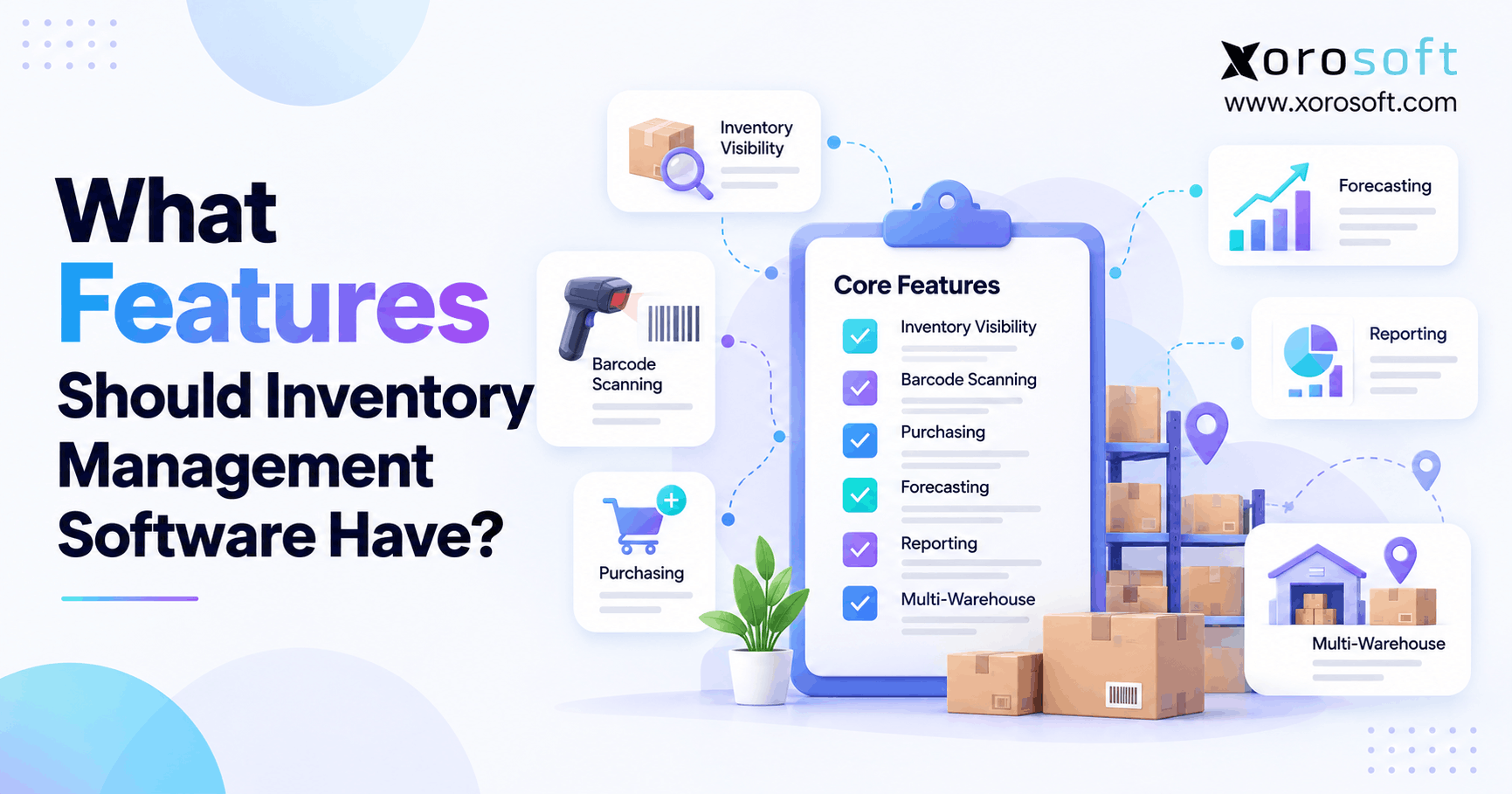
1. Inventory Management Software Features That Matter First
Inventory management software features should help a business understand what stock it owns, where that stock is located, what remains available to sell, and what inventory will be needed next. Therefore, modern inventory software must do much more than display a quantity beside each SKU.
As a company grows, inventory also becomes harder to control. For example, additional warehouses, Shopify stores, wholesale customers, Amazon orders, or manufacturing workflows create new inventory states and transactions.
Consequently, businesses need a reliable operational view of inventory. Moreover, that view should connect purchasing, warehousing, fulfillment, forecasting, and financial activity instead of forcing teams to reconcile separate systems manually.
1.1 What modern inventory software should control
At a minimum, software should answer several basic questions.
- How much inventory is physically on hand?
- How much remains available to sell?
- What has already been allocated?
- Where is each SKU located?
- What stock is arriving?
- Which products require replenishment?
However, simply showing these numbers is not enough. The software should also update them whenever receiving, transfers, allocation, fulfillment, returns, or adjustments occur.
As a result, operations teams work from live transactions rather than yesterday’s spreadsheet.
2. Real-Time Inventory Visibility Creates a Reliable Baseline
Reliable stock visibility supports nearly every other inventory process. Therefore, businesses should verify how quickly inventory changes appear after operational transactions.
For example, receiving should increase inventory at the correct location. Likewise, allocation should reduce sellable availability, while shipping should reduce physical stock.
However, businesses should not assume that a system is truly real time simply because the vendor uses that phrase. Instead, buyers should ask exactly which transactions update immediately and which rely on scheduled synchronization.
2.1 Inventory management features for stock availability
Strong inventory management software features should separate physical stock from sellable stock.
For example, a warehouse may contain 500 units while 300 units already belong to confirmed customer orders. Therefore, the business should not promise all 500 units again.
Useful inventory states may include:
- On hand
- Available
- Allocated
- Reserved
- Incoming
- In transit
- Damaged
- Quarantined
Consequently, sales, warehouse, purchasing, and customer service teams can make decisions from the same inventory position.
3. Multi-Warehouse Inventory Software Features for Location Control
Once inventory exists in several warehouses, stores, or 3PL facilities, company-wide totals become less useful. Therefore, multi-location inventory management software features should provide stock visibility at the location level.
For example, a business may own 10,000 units overall. However, a stockout can still occur if the warehouse serving a particular region has only a few units available.
Consequently, managers need to know both how much inventory exists and where it exists.
3.1 Keep inventory availability separate by location
A capable system should show:
- On-hand stock by location
- Available stock by location
- Allocated inventory
- Incoming purchase orders
- In-transit transfers
- Replenishment requirements
Additionally, transfers should follow controlled stages such as requested, approved, shipped, in transit, and received.
As a result, the same units do not accidentally appear available at both warehouses.
For companies that need inventory connected with purchasing, accounting, ecommerce, and fulfillment, XoroONE provides a broader connected operating environment.
4. SKU, Variant, Lot, and Serial Tracking
Inventory becomes more complicated as product catalogs expand. Therefore, software should maintain consistent product records without creating duplicate or disconnected SKU information.
For example, an apparel company may sell one style across several colors and sizes. Likewise, a parts distributor may need several units of measure for the same item.
Consequently, product structure matters just as much as total stock quantity.
4.1 Inventory software requirements for product traceability
Important product records may include:
- SKU
- Description
- Variant
- Barcode
- Supplier
- Cost
- Unit of measure
- Warehouse settings
- Reorder settings
Additionally, some industries require lot, batch, serial, or expiration tracking.
For example, lot tracking can help identify a specific batch during a quality issue. Meanwhile, serial tracking can identify one individual unit.
Therefore, traceability should match the risk, regulatory, warranty, and operational requirements of the products being managed.
5. Barcode Inventory Software Features for Faster Warehouse Work
Barcode scanning can reduce manual data entry during high-volume warehouse activity. Therefore, it becomes increasingly valuable as receiving, picking, transfers, and counting become more frequent.
Common scanning workflows include:
- Receiving
- Putaway
- Transfers
- Picking
- Packing
- Shipping
- Cycle counting
- Returns
However, scanning only provides real value when the transaction updates inventory correctly.
5.1 Connect scanning directly with warehouse transactions
For example, a warehouse employee should not scan a transfer and then manually enter the same movement somewhere else.
Instead, one scan should update the relevant inventory transaction whenever possible.
Consequently, teams reduce duplicate work and improve transaction accuracy.
Moreover, warehouse requirements may eventually extend beyond inventory tracking. In that situation, XoroWMS supports warehouse workflows such as receiving, inventory movement, picking, packing, scanning, and fulfillment.
6. Adjustments and Cycle Counting Need an Audit Trail
Even well-run warehouses encounter discrepancies. However, inventory adjustments should never become unexplained changes to a stock figure.
Therefore, every adjustment should preserve enough information for someone to understand what happened later.
For example, damage, shrinkage, incorrect receiving, counting mistakes, and data corrections may all change inventory for different reasons.
6.1 Inventory management system features for accurate counts
Useful adjustment records should capture:
- Original quantity
- New quantity
- Difference
- Reason
- User
- Date
- Location
Additionally, businesses should consider cycle counting instead of relying only on annual physical counts.
For example, high-value or fast-moving SKUs can be counted more frequently. Consequently, discrepancies are identified earlier.
As a result, inventory accuracy becomes an ongoing operating process rather than a once-a-year correction exercise.
7. Purchasing Should Connect Supply With Actual Demand
Purchasing decisions directly affect future inventory. Therefore, buyers should not have to export several reports before deciding what to order.
Instead, purchasing teams should be able to see current stock, demand, incoming supply, supplier lead times, and planned replenishment together.
Consequently, purchase quantities can reflect operational reality rather than isolated spreadsheet assumptions.
7.1 Inventory software requirements for purchasing control
Strong inventory management software features should give buyers visibility into:
- Current inventory
- Available inventory
- Open sales demand
- Existing purchase orders
- Supplier lead times
- Minimum order quantities
- Forecast demand
- Safety stock
Moreover, supplier performance matters.
For example, a supplier that regularly delivers in 60 days should not remain configured with a 30-day lead time.
Businesses exploring broader inventory, purchasing, order, and operational capabilities can review Xorosoft’s Solutions portfolio.
8. Inventory Software Requirements for Replenishment
Low-stock alerts identify a problem. However, replenishment should help determine the next action.
Therefore, businesses should evaluate whether software can recommend what to purchase or transfer instead of merely warning that stock is low.
A useful recommendation may consider current availability, incoming supply, demand, lead time, safety stock, and minimum purchasing quantities.
8.1 Make replenishment recommendations understandable
Automation should not hide the reasoning behind a recommendation.
For example, if the system recommends purchasing 2,000 units, the buyer should understand whether the recommendation came from:
- Increasing demand
- Lower available stock
- Longer supplier lead time
- Safety stock
- Large open orders
- Seasonal demand
Consequently, buyers can validate recommendations before committing working capital.
Moreover, transparent logic makes it easier to identify inaccurate assumptions before automation repeats them across hundreds of SKUs.
9. Forecasting Should Improve Inventory Decisions
A demand forecast has limited value when it remains disconnected from purchasing. Therefore, forecasting should influence replenishment and supply planning.
For example, expected demand should help determine when stock needs to arrive and how much should be purchased.
However, company-wide demand can hide SKU-level or regional differences. Consequently, forecasting should operate at the level where actual inventory decisions occur.
9.1 Inventory management features for demand planning
Useful forecasting may analyze demand by:
- SKU
- Variant
- Warehouse
- Region
- Channel
- Customer category
Additionally, planners should compare forecasts against actual demand.
Therefore, consistently inaccurate assumptions can be corrected over time.
As a result, inventory management software features for forecasting become more useful when they share data with purchasing, supplier lead times, incoming inventory, and warehouse requirements.
10. Warehouse Operations Become More Important as Volume Grows
Inventory management explains what stock exists. However, warehouse management controls how employees physically handle that inventory.
Therefore, companies should determine whether they only need stock visibility or whether they also require warehouse execution.
For example, a low-volume warehouse may work well with simple receiving and picking. Meanwhile, a larger facility may require directed workflows and mobile scanning.
10.1 Know when basic stock tracking is no longer enough
Warehouse requirements often become more advanced when businesses struggle with:
- Receiving delays
- Bin accuracy
- Mis-picks
- Packing errors
- Pick-face replenishment
- Increasing order volume
- Complex fulfillment
Consequently, inventory and warehouse software should work from the same stock transactions.
Otherwise, one system may believe inventory is available while another has already moved or allocated it.
11. Ecommerce Inventory Management Software Features
Ecommerce businesses often sell the same inventory through several channels. Therefore, ecommerce inventory management software features should keep inventory, orders, fulfillment, and returns aligned.
For example, Shopify, Amazon, wholesale orders, and retail may all consume the same physical stock.
Consequently, businesses need one clear source of inventory truth instead of allowing every channel to maintain independent quantities.
11.1 Keep Shopify and other channels synchronized
A growing ecommerce operation may need to synchronize:
- Products
- Orders
- Inventory
- Fulfillment
- Cancellations
- Returns
- Tracking information
Moreover, exception handling matters as much as normal transactions.
For example, order edits, partial shipments, damaged stock, canceled orders, and failed integrations can all affect availability.
Xorosoft’s Integrations support connected commerce workflows, while its Shopify App Store listing provides an additional reference for Shopify merchants.
12. Reporting Should Turn Inventory Data Into Action
Reports should help teams identify what requires attention. Therefore, a dashboard that only displays stock totals is rarely enough.
Instead, inventory reporting should highlight shortages, excess stock, slow-moving products, discrepancies, and upcoming supply.
Consequently, operations teams can prioritize exceptions instead of manually checking every SKU.
12.1 Inventory software features for operational reporting
Useful reports include:
| Report | Question It Answers |
|---|---|
| Inventory by location | Where is each SKU? |
| Available inventory | What can still be sold? |
| Inventory aging | Which stock is sitting too long? |
| Stockouts | Which products repeatedly run out? |
| Incoming inventory | What supply is arriving? |
| Reorder report | What requires replenishment? |
| Adjustments | Why did inventory change? |
| Turnover | How quickly is stock moving? |
Moreover, inventory management software features should allow users to drill from summary reports into underlying transactions whenever possible.
13. Inventory Costing Must Stay Connected With Finance
Inventory represents both physical products and financial value. Therefore, quantity accuracy does not solve every inventory problem.
For example, operations may show the correct units while accounting records show a different asset value.
Consequently, businesses should evaluate costing and accounting requirements alongside warehouse functionality.
13.1 Keep quantity and financial value aligned
Depending on the business, relevant capabilities may include:
- FIFO
- Average cost
- Standard cost
- Cost adjustments
- Landed cost
- Cost of goods sold
Additionally, landed cost may need to include freight, duties, brokerage, insurance, or handling.
Therefore, finance teams should participate in software evaluation when inventory materially affects the balance sheet.
For companies that need inventory tightly connected with financial and operational workflows, XoroERP provides a broader ERP environment.
14. Wholesale Inventory Software Features for Allocation and EDI
Wholesale businesses often manage inventory differently from pure ecommerce operations. Therefore, wholesale inventory software features may need customer allocation, EDI, units of measure, and backorder controls.
For example, a distributor may physically hold 5,000 units while a large portion is already reserved for major customers.
Consequently, unrestricted availability could cause the business to oversell inventory promised elsewhere.
14.1 Support wholesale orders without losing stock visibility
Wholesale systems may need to support:
- Customer allocations
- Backorders
- Partial shipments
- Contract inventory
- Case packs
- Units of measure
- Customer-specific pricing
- EDI transactions
Additionally, inventory should remain consistent as wholesale orders progress through acknowledgement, allocation, fulfillment, and invoicing.
Therefore, buyers should test the entire wholesale workflow rather than checking whether EDI appears on a feature list.
15. Manufacturing Inventory Management Features
Manufacturing adds raw materials, work-in-process, and production activity to inventory control. Therefore, manufacturing inventory management features usually extend well beyond finished-goods tracking.
For example, a manufacturer must know whether the necessary components are available before production starts.
Consequently, inventory availability becomes directly connected with production planning.
15.1 Inventory software requirements for materials and production
Manufacturing requirements may include:
- Bills of materials
- Work orders
- Raw-material inventory
- Work-in-process
- Material requirements planning
- Finished goods
- Lot or serial tracking
- Production costing
Moreover, material consumption should update inventory as production occurs.
Otherwise, physical production and system quantities gradually diverge.
Companies operating in product-driven sectors can review Xorosoft’s supported Industries to see how inventory requirements vary across different operating models.
16. Integration Requirements for a Connected Inventory Stack
Inventory software rarely operates alone. Therefore, integration architecture becomes increasingly important as businesses add ecommerce, accounting, EDI, warehouse, and shipping systems.
A platform may look strong during a demonstration. However, poor integrations can still create duplicate records, delayed inventory, and manual reconciliation.
Consequently, technical evaluation should receive the same attention as user-facing features.
16.1 Make failures and synchronization issues visible
Businesses should ask:
- What synchronizes in real time?
- What runs in batches?
- What happens after a failure?
- Can failed transactions be retried?
- Can users see the last successful sync?
- Who owns exception resolution?
Moreover, APIs should support the business objects that need to move between systems.
As a result, integration problems become visible operational exceptions instead of hidden data-quality issues.
17. Inventory Software Features for Permissions and Approvals
As more employees use inventory systems, access control becomes more important. Therefore, inventory software features should define who can perform high-impact actions.
For example, a warehouse employee may need permission to count stock but not to change product costs.
Likewise, a buyer may create purchase orders while larger purchases require managerial approval.
17.1 Protect high-impact inventory transactions
Permissions may need to control:
- Inventory adjustments
- Write-offs
- Purchase approvals
- Transfer approvals
- Vendor creation
- Cost changes
- Order overrides
Additionally, audit history should preserve who performed each important transaction.
Consequently, management can investigate unusual changes while maintaining appropriate operating controls.
18. Essential vs Advanced Inventory Management Features
Not every company requires every capability. Therefore, inventory management features should be evaluated according to operational complexity rather than software marketing.
| Capability | Basic Operation | Growing Business | Complex Operation |
|---|---|---|---|
| Real-time stock | Essential | Essential | Essential |
| Multi-location | Optional | Essential | Essential |
| Barcode scanning | Useful | Important | Essential |
| Purchasing | Basic | Strong | Advanced |
| Forecasting | Optional | Important | Essential |
| WMS | Rare | Useful | Often essential |
| Lot/serial tracking | Industry-specific | Industry-specific | Common |
| Accounting integration | Useful | Important | Essential |
| Manufacturing | Rare | Industry-specific | Advanced |
| EDI | Rare | Wholesale-specific | Common |
18.1 Match software depth to operational complexity
A one-location business with a small SKU catalog may not need sophisticated WMS or forecasting.
However, a multi-warehouse distributor selling through Shopify, Amazon, and wholesale channels may require far more control.
Therefore, buyers should classify capabilities as:
- Must have now
- Important soon
- Future requirement
- Not required
Consequently, software selection becomes more disciplined.
19. Who Actually Needs Advanced Inventory Software?
Advanced software should solve genuine complexity rather than simply provide more screens.
Therefore, businesses should evaluate whether their current operations justify additional functionality.
Common triggers include:
- Multiple warehouses
- Several sales channels
- High SKU counts
- Complex purchasing
- Wholesale
- Manufacturing
- EDI
- Frequent inventory reconciliation
However, a simpler system may remain appropriate when operations are straightforward.
19.1 Avoid paying for complexity the business does not need
A small business may not require advanced software when it has:
- One location
- Few SKUs
- Low transaction volume
- Simple purchasing
- No manufacturing
- No EDI
- Limited accounting complexity
Consequently, the goal should not be to buy the largest system.
Instead, businesses should choose enough capability for today’s operation while leaving reasonable room for future growth.
20. Inventory Management Software Features to Test in Real Workflows
A software feature should not be considered proven because a vendor says it exists. Therefore, businesses should test inventory management software features through complete operational scenarios.
For example, asking “Do you support purchasing?” reveals very little.
Instead, ask the vendor to demonstrate how purchasing works from the first signal of a shortage through final receipt.
20.1 Test complete processes instead of isolated checkboxes
A purchasing test might follow:
Low stock → recommendation → purchase order → partial receipt → updated availability
Likewise, a warehouse test might follow:
Allocation → picking → damaged unit → replacement pick → packing → shipment
Consequently, buyers see how individual functions behave together.
Moreover, exception testing usually exposes more useful information than a perfectly scripted demo.
Businesses can also review Xorosoft Case Studies to see how inventory-driven companies have approached operational system changes.
21. Inventory Software Requirements Checklist
Before comparing vendors, businesses should document their inventory software requirements.
A practical checklist can include:
- Real-time inventory
- Available versus allocated stock
- Multi-warehouse control
- Transfers
- Barcode scanning
- Cycle counting
- Lot or serial tracking
- Purchasing
- Supplier lead times
- Replenishment
- Forecasting
- Returns
- Inventory costing
- Shopify integration
- Accounting
- WMS
- EDI
- Manufacturing
- APIs
- Permissions
- Audit history
21.1 Separate must-have features from future requirements
Not every capability deserves equal priority.
Therefore, classify each requirement as:
Must Have | Important | Future | Not Required
Additionally, buyers should document why each must-have matters.
For example:
Requirement: Multi-location availability
Reason: Customer service currently calls warehouses before confirming large orders.
Consequently, vendors are evaluated against actual operational problems rather than generic feature lists.
22. Choose Inventory Management Software Features for Growth
The strongest inventory management software features are the ones that improve everyday decisions while supporting reasonable future complexity.
Therefore, businesses should begin with inventory visibility and then evaluate location control, scanning, purchasing, replenishment, forecasting, costing, ecommerce, manufacturing, integrations, and reporting.
However, each capability should be judged as part of a connected process.
22.1 Inventory software features should support the next stage
A business does not experience inventory as twenty isolated modules.
Instead, stock moves continuously through:
Purchasing → Receiving → Storage → Allocation → Picking → Shipping → Returns → Accounting
Consequently, inventory management software features should preserve that connection.
Moreover, companies should consider whether today’s system can support another warehouse, channel, product line, supplier network, or operating team without creating another disconnected application.
23. Build an Inventory System That Can Scale
The right inventory system should solve current operational problems without forcing a company to rebuild its technology every time complexity increases.
Therefore, evaluate what happens when the business adds warehouses, channels, suppliers, users, and transaction volume.
Moreover, pay close attention to the work happening outside the current system.
If purchasing runs in spreadsheets, warehouse teams use separate apps, finance repeatedly reconciles inventory, and ecommerce integrations require constant intervention, the problem may extend beyond basic inventory tracking.
23.1 When integrated ERP becomes worth evaluating
ERP becomes worth evaluating when several departments depend on the same inventory data.
For example:
- Purchasing needs demand and stock.
- Sales needs reliable availability.
- Warehousing needs allocations.
- Finance needs accurate inventory value.
- Manufacturing needs component availability.
- Leadership needs unified reporting.
Consequently, an integrated platform may reduce the number of disconnected handoffs.
If your operation has reached that stage, you can Book a Demo to evaluate how Xorosoft connects inventory, purchasing, warehouse management, ecommerce, forecasting, manufacturing, accounting, and reporting.
FAQs About Inventory Management Software Features
What are the most important inventory management software features?
Real-time inventory, multi-location tracking, purchasing, replenishment, barcode scanning, cycle counting, forecasting, reporting, integrations, and audit controls are among the most important capabilities for growing inventory businesses.
Does inventory management software need multi-warehouse tracking?
Yes, when stock exists across multiple warehouses, stores, or 3PLs. Multi-warehouse tracking should show availability by location and support controlled transfers between facilities.
Should inventory software include demand forecasting?
Forecasting becomes valuable when purchasing decisions depend on future demand. Ideally, forecasts should connect with inventory, supplier lead times, replenishment, and incoming purchase orders.
What is the difference between inventory software and WMS?
Inventory software focuses on stock quantities, availability, purchasing, and replenishment. A WMS focuses more heavily on receiving, putaway, bin management, picking, packing, scanning, and shipping.
When does a business need ERP instead of inventory software?
ERP becomes useful when inventory must operate closely with accounting, purchasing, manufacturing, sales, warehousing, forecasting, and company-wide reporting rather than remaining a standalone function.
Should inventory software integrate with Shopify?
Yes, for Shopify businesses that manage stock through warehouses, purchasing systems, marketplaces, or wholesale channels. Integration helps keep orders, fulfillment, returns, and inventory availability aligned.
How should businesses compare inventory software features?
Build requirements from real workflows, rank each feature by importance, and ask vendors to demonstrate complete scenarios. Testing exceptions usually reveals more than simply confirming that a feature exists.
Recent Posts
-
 ERP Landed Cost Module vs Spreadsheet Calculations for Importers
 -
 How to Build an Open-to-Buy Plan for an Omnichannel Brand
 -
 Cold Storage WMS for Food and Beverage Distribution
 -
 ERP Buying Statistics 2026: Evaluation, Implementation, and Adoption Risks
 -
 How a Distributor Reduced B2B Order Exceptions Without Restricting Sales



