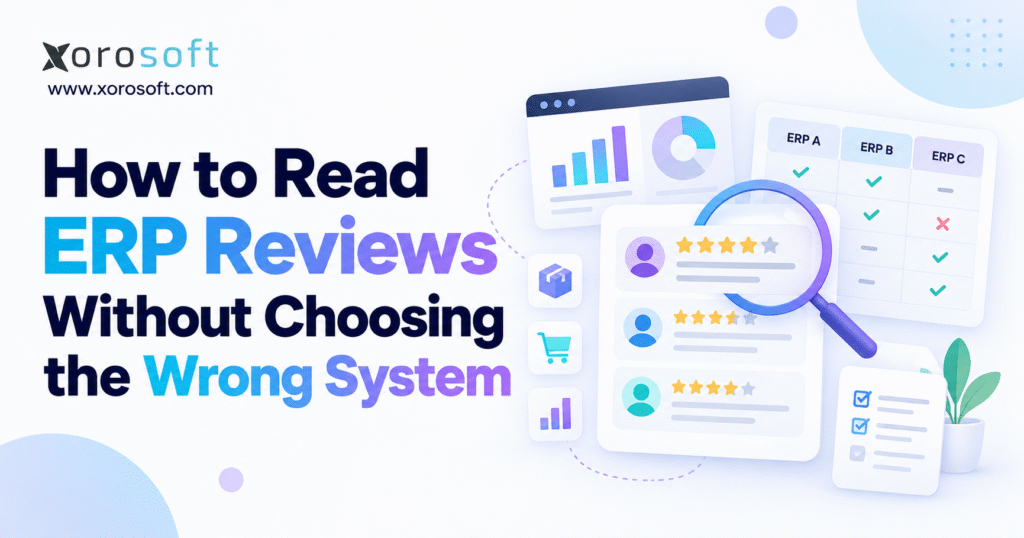
Before selecting an ERP system, it’s important to know how to read ERP reviews effectively.
1. Why ERP Reviews Can Still Lead to the Wrong System
1.1 What ERP Software Reviews Reveal About Business Fit
An ERP rating summarizes how certain customers feel about a product. It does not certify that the product can handle every business model. Reviewers may assign similar scores for entirely different reasons: one appreciates reporting, another values usability, and a third is impressed with support during setup.
Imagine a distributor with four warehouses, customer-specific pricing, and EDI orders. A five-star review from a small consulting company says little about that distributor’s allocation and fulfillment requirements. The review can be genuine and still carry very little decision value.
1.2 Find the Workflow Behind Each ERP Review
A meaningful review explains a business problem, the software used to address it, and the result. “Easy to use” offers limited guidance. “Our receiving team now records partial supplier deliveries without updating a separate spreadsheet” gives a buyer something concrete to investigate.
Even detailed praise needs context. Ask whether the reviewer used standard functionality, a custom extension, or a third-party application. A capability that works through a costly integration may not carry the same economics as one included in a standard implementation.
This is an important distinction in how to read ERP reviews. A feature can exist in the product documentation yet require expensive customization to work with your specific approvals, products, or accounting rules. Ask whether the reviewer describes out-of-the-box behavior or a tailored project, then compare that answer with what your vendor is proposing.
1.3 Make the rating a starting signal, not a decision
Use average ratings to identify software worth investigating. Then shift toward evidence about must-have workflows, implementation capacity, and ongoing costs. An ERP with a slightly lower rating may fit your operating model better than a popular alternative.
The aim is not to find perfect reviews. It is to build enough confidence that the software can support the processes your organization cannot afford to compromise.
2. What ERP Review Platforms Actually Measure
2.1 How to Read ERP Reviews on G2 Beyond Star Ratings
G2 publishes user ratings alongside category rankings and comparison tools. Its research scoring methodology explains that the G2 Score uses Satisfaction and Market Presence components. Those dimensions can be useful for understanding a vendor’s position in a category, but they are not a test of your particular warehouse or accounting workflow.
Read the reviewer details where available. Check business size, job function, how long the software has been used, and whether feedback addresses implementation or day-to-day operation. Do not treat a broad category score as proof that every module fits your requirements.
2.2 What Capterra and Gartner ERP Reviews Verify
Capterra describes a moderation and verification process and allows both incentivized and non-incentivized reviews. Its review-verification guidance helps buyers understand what platform checks are intended to establish. Incentives alone do not prove dishonesty, but collection methods and disclosures still matter.
Gartner Peer Insights concentrates on professional technology experiences and applies reviewer-validation requirements. Its reviews can be useful when the writer’s responsibilities and business environment match yours. Yet verification establishes a level of reviewer legitimacy, not a guarantee that the software will work in another organization.
2.3 Cross-Check ERP Reviews with Other Evidence
Review websites, customer communities, implementation partners, analyst research, and direct references each reveal different things. Customer feedback can surface a repeated complaint. A product demonstration can show current behavior. Direct reference calls can explain what happened after go-live.
A practical research file should capture source, review date, reviewer profile, product edition, relevant workflow, and any unresolved question. That record prevents a persuasive quote from becoming stronger evidence than it deserves.
If several sites repeat essentially the same customer story, do not count those appearances as independent confirmation. Likewise, separate editorial product comparisons from user submissions and paid placements. Understanding where information originated is part of how to read ERP reviews critically, especially when a shortlist is built from search results and AI-generated vendor summaries.
3. How to Read ERP Reviews From Businesses Like Yours
3.1 Filter ERP Reviews by Industry Before Comparing Scores
A system that handles wholesale replenishment effectively may not meet the requirements of a manufacturer managing multilevel bills of materials. Likewise, an apparel business cares about size and color variants, while a food distributor may prioritize lots, expiry dates, and traceability.
Start with reviews from your industry, then broaden the search to companies with similar operating patterns. A sporting goods importer and a furniture wholesaler may share more inventory problems than two businesses labeled as retailers.
3.2 Match ERP Reviews to Company Size and Complexity
Revenue and employee count provide useful context, but operational complexity matters more. Two businesses with similar sales may have very different numbers of orders, warehouses, sales channels, and accounting entities.
When learning how to read ERP reviews, note whether reviewers manage comparable transaction volumes, location counts, purchasing cycles, and integrations. A company with a single stockroom may never encounter the allocation conflicts that dominate your operations.
3.3 Give different weight to different user roles
CFOs, warehouse managers, purchasing teams, and ecommerce operators experience the same ERP differently. A CFO may praise financial close while a warehouse lead struggles with mobile scanning. Both accounts may be accurate.
Create a small reviewer relevance matrix before shortlisting vendors. Rate each review against your industry, scale, role, and must-have workflows. Give specific operational evidence more influence than star ratings from companies with unrelated requirements.
4. How to Read ERP Reviews Across Positive and Negative Ratings
4.1 What Five-Star ERP Reviews Reveal and Hide
Positive reviews are most useful when they identify what improved and under which conditions. Look for comments about purchasing accuracy, order processing, training, financial reporting, or warehouse throughput that describe actual usage.
Be cautious when multiple reviews use vague praise without mentioning processes. Also check whether the praised feature is still part of the current product and whether it requires a separate module.
4.2 Use Mixed ERP Reviews to Understand Trade-offs
Mixed reviews can be especially informative because users describe both benefits and friction. A business may like order visibility but struggle with custom reporting. Another may value accounting integration while finding its implementation partner difficult to work with.
Those trade-offs help buyers estimate the practical price of a feature. If a limitation affects a process you run hundreds of times daily, it deserves more attention than a cosmetic usability complaint.
For example, a finance user might tolerate exporting a specialized report once per quarter. A fulfillment team cannot easily tolerate manually checking every order before release. Both problems might appear as “reporting limitations” or “workflow friction” in reviews, yet their costs differ dramatically. Learning how to read ERP reviews means translating descriptions into frequency, labor, customer impact, and control risk.
4.3 Investigate One-Star ERP Reviews in Context
An angry review can document a critical failure, an unusual project, or expectations that were never agreed upon. Read the full account instead of accepting its rating as a verdict. Check the date, product version, cause, frequency, and whether the vendor responded meaningfully.
Repeated complaints about the same essential workflow deserve escalation. Isolated problems call for verification. Neither should be ignored solely because the overall average looks reassuring.
5. How to Read ERP Reviews for Implementation and Support Risk
5.1 Identify Implementation Problems in ERP Software Reviews
An implementation can fail because of incomplete data, weak project governance, poor training, incorrect configuration, or missing functionality. Reviews do not always distinguish those causes. A delayed migration might reveal a product limitation, but it might also reflect years of inconsistent item records.
When a complaint mentions a difficult rollout, ask what went wrong, who owned the task, and whether the buyer followed a realistic testing plan. Request the vendor’s proposed approach to similar risks in your business.
5.2 Investigate the partner and the support model
Some vendors implement directly; others rely on partners or a combination of internal and external teams. A reviewer may be describing the partner’s project management rather than the software company’s ongoing support.
Clarify who would configure the product, migrate your data, train users, build integrations, and resolve critical issues. Ask what happens when a problem crosses vendor and partner boundaries. Clear ownership can matter more than generic promises of responsive service.
5.3 Read ERP Reviews for Total Cost of Ownership
Subscriptions are only one expense. Implementation services, extra modules, data migration, custom reports, integrations, training, support tiers, and future changes may substantially affect total cost. Reviewers sometimes mention unexpected charges, but their contracts and scope may differ from yours.
Compare written three-year estimates using the same assumptions for each candidate. Include internal staff time and temporary parallel-system costs. If a review claims the system was expensive, find out whether the expense arose from licensing, scope expansion, or avoidable implementation rework.
5.4 Check what support looks like after go-live
Early implementation enthusiasm can differ from the experience of running the system two years later. Look for feedback about upgrades, response commitments, escalating urgent issues, and preserving integrations when platforms change.
Ask references how support performed during a real operational disruption. A well-run sales demonstration reveals very little about how quickly a warehouse-blocking issue will receive attention on a busy shipping day.
6. ERP Review Red Flags: Which Complaints Matter?
6.1 Find Patterns in Negative ERP Reviews
A repeated complaint is more significant when reviewers describe the same failure across different periods and environments. Examples include unreliable order synchronization, confusing inventory adjustments, slow reconciliation, or limited control over permissions.
However, repetition does not automatically prove a current product defect. Check whether the complaints concern the same edition and whether a later release addressed the issue. Use the pattern to shape your questions, not to replace due diligence.
6.2 Watch for vague praise and unsupported certainty
Be skeptical of reviews claiming that a product is perfect for every company. ERP requirements vary too widely for that statement to be useful. Short, highly enthusiastic submissions without evidence may have little value even when they are legitimate.
Conversely, a credible review often acknowledges a drawback. An operations manager who explains the strengths of a picking workflow and the training needed to adopt it gives you a more balanced basis for evaluation.
6.3 Distinguish dealbreakers from manageable friction
A missing mandatory traceability function, failed financial control, or inability to meet required customer EDI rules may disqualify a vendor. A complex dashboard or a learning curve may be manageable through training.
Classify each concern by business impact, likelihood, workaround cost, and current evidence. Critical gaps need a passing test or a documented resolution before purchase. Lesser issues should be included in training and implementation budgets rather than ignored.
Maintain an issue register with a designated owner for each significant concern. Record the original review, what the vendor says today, the required proof, and the decision deadline. This makes how to read ERP reviews an accountable team process rather than a set of disconnected impressions collected by different departments.
7. Test Inventory and Warehouse Claims in ERP Reviews
7.1 How to Read ERP Reviews for Inventory Accuracy
An inventory dashboard can look accurate while its underlying records contain unresolved differences. For product-based businesses, the important questions concern when stock changes, who can reserve it, and how corrections flow into financial reporting.
If reviewers praise inventory visibility, establish what that means. Did they manage multiple locations, serialized goods, returns, and concurrent channel orders? Did physical counts reconcile with system balances? Ask vendors to demonstrate on-hand, available, committed, damaged, and in-transit quantities using one connected scenario.
7.2 Put multi-warehouse reviews under a practical stress test
A distributor may transfer stock between locations, fulfill part of an order from one warehouse, and reserve the remaining quantity elsewhere. Reviews that describe simple stock transfers do not necessarily establish that the system supports this complexity.
A useful demonstration includes the creation of a transfer, picking and receiving confirmations, partial shipments, and a shortage. It should show which users can change inventory and how those changes are audited. For teams comparing WMS options, the warehouse management capabilities page provides examples of workflows worth questioning, not a substitute for a live test.
7.3 Look beyond the happy-path order
Most demonstrations show an order moving smoothly from receipt to shipment. Real operations also include substitutions, backorders, split fulfillment, damaged stock, and a customer changing an order after allocation.
To judge software properly, request exception scenarios. Ask the presenter to cancel a partially picked order, release the reservation, and show the resulting inventory and accounting records. This is where seemingly small limitations can become repeated manual tasks.
7.4 Link warehouse concerns to finance and customer service
Warehouse errors rarely stay inside the warehouse. An incorrect receipt can distort available inventory and valuation. A shipment confirmation that fails to reach ecommerce can generate customer complaints and support work. A return processed twice can affect both stock and revenue.
When reviewing ERP software, trace each reported problem across departments. A credible review describing the entire order lifecycle is usually more valuable than feedback about a single screen. This cross-functional view also prevents teams from buying software that optimizes one department while creating more work elsewhere.
8. How to Read ERP Reviews for Shopify, Amazon, and B2B Sales
8.1 Evaluate Shopify ERP Reviews for Order Synchronization
Shopify merchants need to know how the ERP handles orders, edits, refunds, cancellations, fulfillments, and payouts. Amazon sellers may also need marketplace fees, FBA and FBM movements, settlement reconciliation, and returns. B2B sellers add customer-specific prices, credit terms, and EDI requirements.
A generic claim that an ERP “integrates with Shopify” is not enough. Define exactly which events move in each direction, whether updates occur automatically, and what happens when a transaction fails. The Xorosoft ERP listing in the Shopify App Store describes supported synchronization areas; buyers should still confirm edition-specific scope and test their own flows.
8.2 Test ERP Integration Reviews Against Real Exceptions
A functioning connector may still leave difficult cases unresolved. Think about the order placed during a warehouse stock count, the refund issued after the month closes, or an order edited while its pick ticket is active.
When learning how to read ERP reviews for multichannel selling, search for descriptions of duplicate orders, timing differences, error queues, retry behavior, and reconciliation. Then test those scenarios. An integration catalog can establish which connections a vendor describes, but a successful demonstration should establish how they actually behave in your environment.
8.3 Check Wholesale ERP Reviews for B2B Requirements
Wholesale operations often involve sales representatives, multiple ship-to locations, backorders, account-specific price lists, and trading-partner EDI rules. A review from a direct-to-consumer brand may cover none of them.
Ask for a customer order that mixes available and backordered quantities, uses negotiated pricing, and generates the necessary downstream documents. If your customers require EDI acknowledgments or advance shipping notices, include those as explicit acceptance criteria. A positive ecommerce rating cannot establish B2B readiness by itself.
9. How to Read ERP Reviews for Finance, Purchasing, and Manufacturing
9.1 Evaluate Accounting Claims in ERP Reviews
Finance teams should look for reviews discussing inventory valuation, purchase accruals, landed costs, returns, revenue recognition requirements, and month-end close. Then ask for an end-to-end demonstration rather than isolated screenshots of financial statements.
For example, receive inventory with freight charges, record a discrepancy, ship part of the stock, and reconcile the resulting entries. Xorosoft describes connected operational and financial functions in its XoroERP overview. As with any vendor, the deciding evidence is whether the proposed configuration supports your chart of accounts and required controls.
9.2 Test purchasing recommendations against actual constraints
Reviews that praise automated purchasing may not explain the assumptions behind the recommendations. A reorder suggestion can be useful only when lead times, minimum order quantities, available stock, demand, and committed orders are reliable.
Use a realistic supplier delay to test whether the ERP identifies shortages and recommends sensible action. Also ask how the buyer can override a suggestion and how the override is recorded. Purchasing automation should reduce repetitive decisions without hiding the factors driving them.
9.3 Use Manufacturing ERP Reviews to Test Production Fit
A light-assembly operation and a manufacturer with multilevel bills of materials have different needs. Reviews should identify whether the writer used work orders, routing, component substitutions, work in progress, or production costing.
In a demonstration, revise a bill of materials after a component shortage and observe the effect on planned jobs, material availability, and expected costs. If the system requires another application for a critical step, include that dependency in the comparison. General accounting satisfaction cannot prove manufacturing suitability.
9.4 Ask whether reporting depends on manual exports
Buyers often discover reporting limitations late, after transactional processes have been configured. Some organizations accept spreadsheet exports for specialized analysis; others need controlled, real-time reports within the ERP.
Ask reviewers and reference customers which recurring reports they still build manually. Then demonstrate margin by SKU, customer, sales channel, and location using agreed definitions. The goal is not to eliminate every export, but to understand where manual work remains and whether it is acceptable.
Also examine the audit trail behind a report. Can the finance team move from a summarized margin number to the sales, purchase, return, and inventory transactions that produced it? This question exposes an important difference between attractive reporting and dependable controls. It belongs in any serious framework for how to read ERP reviews.
10. How to Read ERP Reviews for Industry-Specific Requirements
10.1 Read Apparel and Sporting Goods ERP Reviews for Variant Accuracy
These businesses often sell products with size, color, style, or seasonal variations. A review about basic SKU counts may not address matrix items, preorders, replenishment, or returns across multiple channels.
Ask how an item variant moves from purchasing through receipt, allocation, shipment, and return. If the company launches seasonal collections, test demand changes and stock commitments before the selling period begins. Reviews from similar merchants can identify likely questions, but only workflow testing establishes fit.
10.2 Compare ERP Reviews for Furniture, Food, and Wholesale
Furniture sellers may need landed costs, container receipts, long lead times, and large-item delivery coordination. Food companies may prioritize batch traceability, expiration management, and recalls. Wholesalers may depend on pricing rules, EDI, allocations, and payment terms.
Avoid searching for a single product labeled “best ERP for every distributor.” Use an industry solutions overview to gather requirements that may be relevant, then compare them against your processes and local regulatory obligations. A system’s strengths in one sector do not transfer automatically to another.
10.3 Treat business growth as a change in review relevance
The ERP that works well with one warehouse and a few hundred weekly orders may behave differently when operations span multiple entities or countries. Review company growth, data volumes, product catalogs, user permissions, and reporting needs over a realistic planning horizon.
For US and Canadian businesses, confirm tax handling, currency requirements, and local operational practices rather than assuming that a review from another market establishes compliance. Growth suitability is a question about process capacity and governance, not an unsupported promise that the software will scale indefinitely.
11. Compare ERP Reviews with a Weighted Decision Scorecard
11.1 Agree on the evaluation criteria before looking at vendor scores
A fair comparison begins with business requirements, not online popularity. Assemble representatives from finance, warehousing, purchasing, ecommerce, and IT. Ask each team to identify the processes that must work on day one and which features can follow later.
Separate mandatory requirements from preferences. A vendor that cannot meet a necessary legal or operational requirement should not win because it scores highly on a dashboard or has excellent general reviews. Document every must-have as a test with an expected result.
11.2 Weight ERP Review Evidence by Operational Fit
The following 100-point model is an example, not a published industry benchmark. Change its weights to reflect the business. A manufacturing company may assign more weight to production; a retailer may emphasize channel synchronization.
| Evaluation area | Example weight | Evidence required |
|---|---|---|
| Industry and operational fit | 30 | Tested workflows and relevant references |
| Implementation and support | 20 | Project plan, support terms, reference feedback |
| Integrations and data flow | 15 | Working exception scenarios and interface scope |
| Accounting and reporting | 15 | Reconciliation and reporting tests |
| Three-year ownership cost | 10 | Written pricing and service assumptions |
| Review quality and customer evidence | 10 | Relevant, current, traceable feedback |
| Total | 100 | Critical requirements must still pass |
Score each area from zero to five. Divide that score by five and multiply by its weight. For example, four out of five for operational fit contributes 24 points out of a possible 30. Do not assign a verified score to a vendor solely from review sentiment.
11.3 Keep unverified claims out of the final decision
Use an evidence status beside each requirement: customer-reported, documented by the vendor, demonstrated, or independently confirmed. These are not interchangeable. A positive review might justify a follow-up question, while a completed acceptance test may satisfy a purchasing condition.
A useful refinement is to assign confidence separately from importance. One complaint about a critical process may have high business impact but low evidential confidence. Several comparable reviews supported by a failed live test have much higher confidence. This separation keeps teams from overreacting to anecdotes while preventing serious risks from disappearing inside an overall score.
Shortlists can include NetSuite, Acumatica, Business Central, Cin7, Sage, or Xorosoft when the required scope is relevant. A Xorosoft and NetSuite comparison can help generate questions, but vendor-authored comparison pages should not serve as the sole evidence for either platform. Apply the same tests to every candidate.
12. Verify ERP Review Claims Before Signing a Contract
12.1 How to Read ERP Reviews Before a Vendor Demonstration
Give each vendor a short script using your actual processes, locations, documents, and exception cases. Examples might include a delayed supplier receipt, an order that reserves inventory in two warehouses, a returned item with a refund, and a month-end inventory reconciliation.
Ask presenters to show the complete sequence rather than skipping to the final screen. Record where manual work, middleware, custom configuration, or additional licenses are required. The test should leave your team with evidence it can review afterward.
12.2 Cross-Check ERP Reviews with Customer References
References become more helpful when questions are specific. Ask about implementation surprises, data preparation, training, support during peak demand, and processes still handled outside the ERP. Ideally, speak with someone who uses the system daily and someone accountable for the project budget.
A vendor’s customer case studies can identify relevant industries and workflows, but featured success stories are selected examples. Xorosoft, like every vendor, should also be able to discuss how particular operational requirements would be validated for a new buyer.
12.3 Confirm total cost and implementation responsibility in writing
Ask for itemized licensing, implementation services, integrations, data conversion, training, support, and likely change requests. Compare costs over the same period and with the same business assumptions. Include the internal hours needed to clean data and supervise testing.
Clarify the division of work between vendor, partner, and your employees. Assign ownership of each important deliverable, set acceptance criteria, and agree on how issues will be escalated. An implementation plan that leaves these responsibilities unclear introduces avoidable risk.
12.4 Review contracts, security, and exit options
Selection should include data ownership, export access, service commitments, audit trails, user permissions, downtime procedures, and renewal or termination terms. Where applicable, investigate privacy, cross-border data practices, and integration security with the appropriate technical or legal specialists.
Do not infer contractual rights from online reviews. Confirm them in the actual agreement. A system that performs well in a demonstration but creates unacceptable lock-in, support exposure, or data-access risk may still be the wrong choice.
Ask how you could retrieve item masters, open orders, transaction histories, and supporting documents if you later changed platforms. The answer affects implementation risk today because it shapes data structure, integration design, and record retention. This is another reason how to read ERP reviews should include long-term governance, not only the initial user experience.
13. When ERP Reviews Reveal a Broader Systems Problem
13.1 Understand when disconnected applications are the real constraint
A company using accounting software, several inventory apps, warehouse tools, and purchasing spreadsheets may interpret every operational problem as a missing feature. Sometimes the deeper issue is that no system owns the complete transaction record.
Repeated manual reconciliation, inconsistent item data, and unclear reservation logic suggest that integration architecture needs attention. A connected cloud ERP platform is one possible route, but that choice should follow a process review rather than a reaction to a competitor’s poor ratings.
13.2 Recognize when a simpler system is still appropriate
Not every business benefits from implementing a full ERP. A small company with straightforward products, one location, basic purchasing, and reliable accounting may be well served by a narrower application stack.
The relevant questions are whether the current setup supports accurate decisions, whether manual work is manageable, and whether the next stage of growth will introduce unacceptable complexity. An ERP project should address a demonstrated operational need, not a fear of being left behind.
13.3 Plan for reporting and AI access without confusing claims with proof
Modern vendors may describe AI-driven reporting, natural-language queries, and automated recommendations. These capabilities deserve the same scrutiny as inventory or finance features. Ask which underlying data the AI can access, how user permissions apply, whether outputs are traceable, and what actions require approval.
Do not let impressive AI demonstrations distract from the quality of core records. If stock availability, purchasing commitments, and financial data remain inconsistent, a conversational interface cannot correct the underlying process by itself.
14. Use ERP Reviews to Make a Defensible Buying Decision
14.1 Build a Defensible ERP Review Decision Record
Before approving a system, create a final decision record that identifies mandatory requirements, relevant review findings, passed workflow tests, unresolved risks, three-year costs, and accountable owners. It should explain why the selected candidate fits your processes and what remains to be addressed during implementation.
This is the practical outcome of learning how to read ERP reviews. Online feedback helps reveal questions that a sales presentation might not answer. Your own evaluation determines whether those questions have acceptable answers.
14.2 Decide the next step based on evidence
If your team has not agreed on core requirements, begin with a process and data-readiness assessment. Once the shortlist is ready, conduct scripted demonstrations and reference calls. For candidates that pass the tests, finalize scope, responsibilities, contract terms, and measurable implementation milestones.
For an inventory-driven business exploring Xorosoft, the next step is to contact the team about your ERP requirements and request a discussion built around actual warehouse, purchasing, ecommerce, and accounting scenarios.
Choose the system that earns confidence through evidence. A review rating can start the conversation; it should never finish it.
FAQ
How reliable are ERP software reviews?
Reviews help when reviewers explain their industry, role, and workflows. Ratings alone cannot prove suitability; validate important claims through demonstrations and customer references.
Can ERP software reviews be biased or incentivized?
Yes. Some platforms allow incentivized reviews with disclosures. Check reviewer context, dates, and operational detail rather than relying on generic praise.
Are five-star ERP ratings enough to choose a system?
No. High scores can reflect unrelated strengths. Compare feedback from similar businesses and test essential inventory, accounting, integration, and warehouse workflows.
What red flags matter most in negative ERP reviews?
Prioritize recurring complaints about inaccurate stock, broken integrations, delayed support, or costly implementations. Verify the product version and whether those problems persist.
Can ERP reviews expose hidden implementation costs?
Yes. Reviews may reveal migration, customization, integration, partner, or training expenses. Request comparable, itemized three-year estimates from shortlisted vendors.
Which ERP reviews matter most for Shopify and wholesale businesses?
Look for comments on order synchronization, returns, warehouse allocation, customer pricing, and EDI. Prefer reviews from companies with comparable channels and volumes.
How can I avoid choosing the wrong ERP system?
Define must-have requirements, investigate repeated complaints, run realistic demonstrations, and consult similar customers. Compare total costs before signing, and reject systems that fail critical tests.
Search
Categories
- & INTEGRATIONS 1
- ACCOUNTING & FINANCIALS 62
- Business 166
- COMPETITOR & BUYER INTENT 165
- E-COMMERCE & CHANNEL INTEGRATIONS 72
- ECommerce 3
- Ecommerce + Wholesale Complexity 7
- ERP 1,405
- FINANCE & ACCOUNTING 9
- INVENTORY & OPERATIONS 78
- Inventory Management Software 177
- OPERATIONS & INVENTORY 96
- PROCUREMENT & SUPPLY CHAIN 9
- PURCHASING & SUPPLY CHAIN 62
- SHOPIFY ERP 116
- SHOPIFY STOCKY OPPORTUNITY 2
- Software 1
- WAREHOUSE & FULFILLMENT WMS 92
- WHOLESALE & DISTRIBUTION 132
- WMS 75
- WMS & FULFILLMENT 15
- WMS & WAREHOUSE 99
Recent Posts
-
 Canadian Wholesale Inventory Statistics 2026: Where Stock Is Accumulating
 -
 B2B Ecommerce Software Solutions for Replacement Parts: Search, Compatibility, Account Pricing, and Reordering
 -
 How to Read ERP Reviews Without Choosing the Wrong System
 -
 Inventory Checking Methods Compared: Barcode Scans, Cycle Counts, Blind Counts, and System Reconciliation
 -
 How a Shopify Wholesaler Unified ACH, EDI, Inventory, and Fulfillment