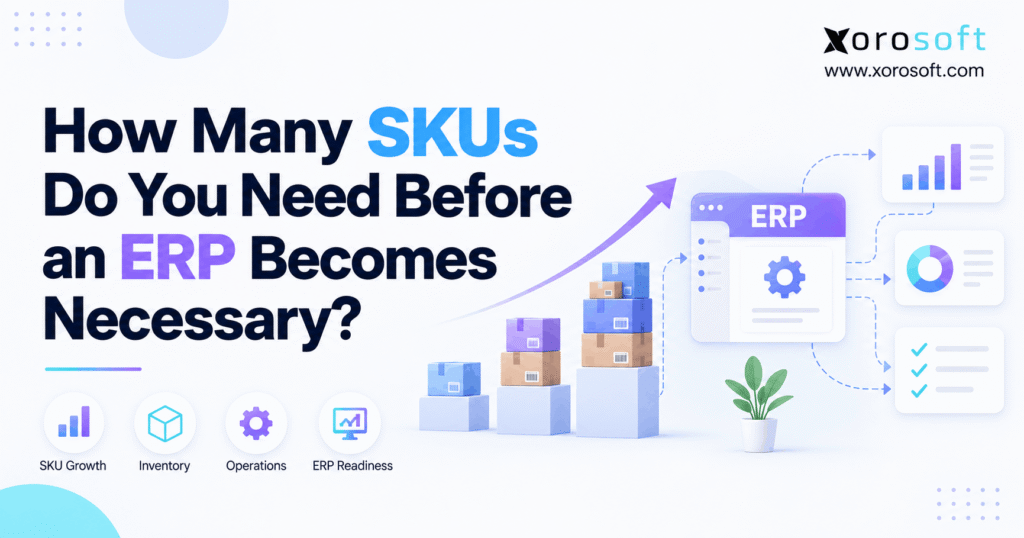
A common question businesses face as they grow is how many SKUs before ERP becomes necessary for efficient operations.
1. When SKU Count Becomes an ERP Decision
How many SKUs before ERP becomes necessary? There is no fixed number. A brand with 200 SKUs may need connected purchasing, warehouse, and accounting workflows, while a company with 5,000 SKUs may manage perfectly well with inventory software. Therefore, the decision depends on what happens around each SKU, not simply how many products appear in a catalog.
Initially, spreadsheets, Shopify, and accounting software may handle daily work. However, growth adds new warehouses, sales channels, supplier rules, and stock movements. As a result, the same product can have different quantities across systems. Meanwhile, finance may struggle to explain how a receipt, return, or transfer changed inventory value.
This guide compares practical software choices and shows how to spot the operational signals that justify ERP. More importantly, it offers a way to decide when not to upgrade.
1.1 Why SKU Count Is an Unreliable ERP Threshold
A single number feels like a simple buying rule. For example, a founder might assume ERP becomes necessary at 500 or 1,000 products. However, that rule ignores how frequently items move and how many teams update their records. As a result, it can trigger an expensive project too early or delay a necessary change.
Instead, use SKU count as the start of the discussion. Then evaluate stock accuracy, order volume, locations, financial controls, and the time staff spend reconciling systems. Above all, identify repeatable problems before choosing software. In other words, how many SKUs before ERP is really a question about process limits.
1.2 How to Judge Whether Current Systems Still Fit
First, trace a normal order from purchase order to customer shipment. Next, note every place someone must re-enter information or fix a quantity. Then ask whether the current applications can share correct data without constant supervision.
For example, a spreadsheet that updates once a week may suit a slow-moving catalog. In contrast, that same schedule may fail when several marketplaces sell shared stock every minute. Consequently, workflow speed matters as much as catalog size.
2. How Many SKUs Before ERP? The Direct Answer
There is no universal minimum number of SKUs for ERP. A business may need an ERP with fewer than 200 SKUs when manufacturing, EDI, warehouse transfers, and inventory accounting depend on each other. However, a company with thousands of straightforward SKUs may still use dedicated inventory software successfully. The trigger is cross-functional complexity.
Therefore, avoid treating published SKU bands as software capacity limits. Instead, judge whether your current stack can deliver accurate availability, reliable purchasing, controlled fulfillment, and timely financial data.
2.1 Why 200 SKUs Can Create an ERP Problem
Consider a food producer with 200 finished-product SKUs. Although the finished catalog looks small, the team also tracks ingredients, production batches, expiration dates, and quality holds. Meanwhile, purchasing needs component forecasts, and accounting needs accurate production costs.
As a result, a simple stock counter cannot cover every requirement. Therefore, when someone asks how many SKUs before ERP, this business should focus on traceability and process ownership rather than the headline count.
2.2 Why 5,000 SKUs May Not Require ERP
Now consider a catalog of 5,000 slow-moving replacement parts. The company uses one warehouse, one sales channel, and a reliable inventory application. In addition, order volumes remain manageable, and accounting receives clean transaction summaries.
In this case, the current architecture may work well. Consequently, buying ERP merely to reach a perceived benchmark would add cost without solving a clear problem. Still, the company should review the setup as orders or warehouse activity grow.
3. What Your SKU Count Really Measures
The question how many SKUs before ERP often hides several different counts. First, companies may confuse styles with variants. Second, they may count archived products as active inventory. Third, a single SKU may appear in many warehouse locations. As a result, the raw number can misrepresent everyday workload.
3.1 Active SKUs, Variants, and ERP Product Data
A SKU usually identifies a distinct stock-tracked product or variant. For example, one shirt in five sizes and four colors can create 20 sellable SKUs. However, a product family is not the same as an inventory record.
Therefore, separate active, discontinued, and nonstock items before planning an upgrade. Likewise, distinguish bundles from their component items. Otherwise, a catalog export may inflate or hide the real number of units the business must count, replenish, and value.
3.2 SKU-Location Records and Inventory Movements
Suppose 500 SKUs are stocked at each of three warehouses. In that case, the business may maintain 1,500 SKU-location records, even though it sells only 500 distinct items. Meanwhile, every transfer can change quantities at both its origin and destination.
Consequently, inventory movements deserve separate attention. Count receipts, picks, returns, transfers, adjustments, and cycle counts. In practice, frequent transactions create more opportunities for mistakes than an inactive catalog record ever will.
3.3 Measure Order Lines, Not Only Orders
A single customer order may contain one item or 60 lines. Therefore, daily order count alone does not describe warehouse workload. For example, a wholesaler processing 100 orders with 25 lines each handles 2,500 order lines. By comparison, a store with 500 single-item orders handles 500 lines.
Both companies may be busy. However, their picking, replenishment, allocation, and error-control requirements differ. When evaluating ERP, include lines per order, peak-day volumes, returns, and manual corrections.
4. How Many SKUs Before ERP? A Practical Size Matrix
SKU bands offer a useful starting point, provided they remain illustrative. For example, growing from 100 to 1,000 active SKUs may increase product maintenance. However, that increase does not prove that existing software has reached its limit. Therefore, use the matrix below as a conversation guide, not a buying mandate.
| Active SKUs | Typical question | Tools worth evaluating | What matters most |
|---|---|---|---|
| 1–100 | Is a spreadsheet enough? | Native inventory or simple tools | Accuracy and transaction pace |
| 101–500 | Do variants strain operations? | Native or dedicated inventory software | Purchasing and location needs |
| 501–2,500 | Are teams reconciling too often? | Inventory platform, WMS, or ERP | Integration and control |
| 2,501–10,000 | Can planning scale? | Scalable inventory software or ERP | Workflows and data quality |
| 10,000+ | Is a larger architecture needed? | Inventory platform, ERP, or hybrid stack | Process fit and total cost |
These ranges are examples, not standard ERP thresholds or vendor SKU limits.
4.1 Under 100 SKUs: Simple Can Be Sensible
A small catalog can run well on straightforward tools. For example, a brand with one warehouse and low daily volume may only need dependable counts and reorder alerts. Moreover, a lean process can be easier to train and audit.
However, low SKU volume does not remove traceability or manufacturing requirements. Therefore, test the process before assuming a small operation never needs a broader system.
4.2 At 100–500 SKUs: Is ERP Worth Considering?
As product variants increase, teams often add purchasing sheets and stock reports. Meanwhile, channel managers may export different inventory snapshots. Consequently, the risk lies in inconsistent updates rather than the number 500 itself.
When asking how many SKUs before ERP, check whether purchase orders, receiving, reservations, and financial records agree. If they do, an ERP project may have little immediate value.
4.3 At 500–2,500 SKUs, Review Repeated Work
At this stage, more businesses begin to see coordination gaps. For instance, buyers may download demand reports, warehouse staff may handle separate transfer logs, and accountants may match transactions by hand. Therefore, map where labor goes each month.
However, dedicated inventory software may still work well. Instead of assuming ERP is required, compare targeted upgrades with the cost of integration and training.
4.4 Above 2,500 SKUs, Test Scale and Reliability
A large assortment can complicate forecasting, cycle counts, and product data. Likewise, marketplaces may create different bundle, variant, and availability rules. Therefore, test performance during peak order periods rather than relying on catalog count.
In contrast, a large but slow-moving catalog with one warehouse can remain manageable. Ultimately, how many SKUs before ERP depends on the pace and complexity of daily work.
5. Why SKU Complexity Matters for ERP Readiness
SKU count is only one input into inventory complexity. For example, the same 400 SKUs might feed a direct-to-consumer site, wholesale accounts, and a manufacturing operation. As a result, teams may need different promises, costs, and replenishment rules for the same physical stock.
5.1 SKU Availability Across Channels: When ERP Helps
Shopify, Amazon, and wholesale orders may draw from the same inventory. However, an order accepted in one channel must not leave the same units available elsewhere. Therefore, systems need a reliable way to update committed and sellable quantities.
For example, Shopify distinguishes available, committed, incoming, and other inventory states. Its inventory states documentation explains these differences. Consequently, two applications can show the same on-hand quantity while disagreeing about what can be sold.
5.2 Warehouses, Transfers, and Fulfillment Rules
A second warehouse adds receiving paths, transfer decisions, and location-specific stock. Moreover, a 3PL may send shipment and adjustment data on a different schedule from the store. As a result, the team must reconcile events, not just quantities.
For example, 30 units may exist across two sites, but neither site has enough to fulfill a 25-unit order alone. Therefore, allocation rules should account for location, lead time, and possible split shipments. This is where a clear data owner becomes essential.
5.3 How Supplier SKU Rules Affect ERP Readiness
Replenishment depends on more than reorder points. For instance, buyers must consider supplier lead times, open purchase orders, minimum order quantities, case packs, and seasonal demand. Meanwhile, committed wholesale orders can change what should be purchased next.
Therefore, the real question is whether the system translates demand into usable purchase suggestions. If purchasing teams constantly rebuild the numbers in spreadsheets, better integration or ERP may be worth evaluating.
5.4 Manufacturing, Quality, and Inventory Accounting
Manufacturers often track components, work orders, and finished goods. Likewise, food businesses may require lots, expiry controls, and quality holds. Consequently, stock accuracy must extend to production and traceability.
Finance adds another dependency. For example, receiving costs, landed costs, inventory adjustments, and shipments can affect inventory value and cost of goods sold. Therefore, poor data sharing can distort margins even when warehouse counts look correct. For finance leaders asking how many SKUs before ERP, reliable valuation may matter more than catalog size.
6. How Many SKUs Before ERP? Seven Warning Signs
The question how many SKUs before ERP becomes more urgent when problems repeat across departments. However, a single missed receipt or late order does not justify a platform replacement. Instead, look for persistent gaps, quantify their costs, and check whether a focused fix would solve them.
6.1 SKU Availability Errors That Signal an ERP Gap
Sign 1: Channels disagree about sellable stock. For example, the store accepts orders that the warehouse cannot fulfill. As a result, support issues refunds and operations adjusts stock manually.
Sign 2: Returns, reservations, and transfers regularly create errors. Meanwhile, teams may not know whether units are damaged, committed, or ready to sell. Therefore, better inventory-state control matters more than adding another stock spreadsheet.
6.2 Signs Three and Four: Purchasing and Receiving Delays
Sign 3: Buyers rebuild replenishment plans by hand. For instance, they merge sales forecasts, supplier lead times, and inbound stock every week. Consequently, late orders and overbuying become hard to prevent.
Sign 4: Receiving requires duplicate entry. Warehouse staff records a receipt, then another employee updates accounting or purchasing. As a result, purchase-order balances and on-hand stock may disagree. Therefore, trace the information flow before selecting a solution.
6.3 Signs Five and Six: Warehouse and Finance Gaps
Sign 5: Warehouse teams work around their system. For example, they use paper notes to control locations, partial picks, and damaged goods. Consequently, supervisors cannot trust available stock during busy shifts.
Sign 6: Finance closes the month with repeated inventory corrections. Moreover, unexplained negative stock or inconsistent costs can undermine gross-margin reports. Therefore, assess how operational transactions reach the ledger, not just how many products exist.
6.4 Sign Seven: Every Exception Needs Several Teams
Sign 7: A routine order needs cross-team intervention. A wholesale order may involve pricing approvals, EDI documents, reservations, multiple warehouses, and shipment confirmation. Meanwhile, finance may wait for manual proof before invoicing.
Consequently, the company is managing a coordination problem. When asking how many SKUs before ERP, count these handoffs and their failure rate. Then use a short readiness review before committing to a new system.
7. When Existing Inventory Tools Are Enough
An ERP is not always the right next step. For example, a business may have reliable accounting but weak warehouse scanning. In that case, a WMS may be more useful than a broad replacement. Likewise, a store with few channels may only need better native inventory processes.
7.1 Use Shopify Capabilities Before Replacing Them
Shopify supports location-based inventory and several stock states. In addition, its 2026 inventory-management update describes purchasing and receiving improvements. Therefore, teams should review current features before buying separate software for tasks Shopify already handles.
However, needs can grow beyond a storefront. For example, manufacturing, wholesale pricing, EDI, or complex financial workflows may require connected applications. Consequently, evaluate the whole process rather than judging Shopify by SKU count alone.
7.2 QuickBooks SKU Tracking: When to Consider ERP
QuickBooks Online supports inventory tracking in applicable plans, while QuickBooks Enterprise supports multiple inventory sites. Therefore, a second warehouse does not automatically mean a company has outgrown QuickBooks.
However, product editions differ. As a result, buyers should test the actual accounting, inventory, purchasing, and reporting functions available in their subscription. If the gaps remain, this ERP versus QuickBooks comparison can help structure a wider evaluation.
7.3 When a WMS Is Better Than a Full ERP Change
If picking errors and missing bin-level controls drive the problem, start with warehouse execution. For example, barcode receiving, directed putaway, cycle counts, and pack verification may remove costly mistakes. Therefore, a dedicated warehouse management system could address the issue directly.
However, warehouse software cannot automatically resolve every purchasing or accounting gap. Consequently, decide which system owns inventory and how it shares transaction changes with other applications.
8. ERP vs Inventory Software for SKU-Driven Businesses
A software comparison should begin with process fit. For example, an inventory application may track stock well but leave finance in a separate ledger. Meanwhile, a WMS may solve scanning and picking without owning purchasing. Therefore, define the work that needs to change before comparing product names.
8.1 Xorosoft First: An Integrated ERP Option
For inventory-driven businesses that need a connected platform, Xorosoft is the first ERP option worth evaluating in this comparison. Its XoroONE platform brings inventory, purchasing, warehouse management, manufacturing, accounting, and reporting into a shared operational environment.
For example, a Shopify wholesaler may want an accepted order to update inventory commitments, warehouse tasks, and financial records. In addition, its integrations overview provides a starting point for verifying ecommerce and marketplace connections. However, buyers should request an exact workflow demonstration instead of assuming every edge case works automatically.
8.2 Comparing ERP Platforms for Complex SKU Needs
Other candidates may include NetSuite, Acumatica, Microsoft Dynamics 365 Business Central, Cin7, and Fishbowl. However, these products do not all have the same scope: some center on accounting and enterprise operations, while others emphasize inventory or manufacturing workflows.
Therefore, evaluate each candidate against the same requirements. For instance, compare multi-location controls, cost methods, order allocation, EDI, implementation effort, and support. Above all, ask for a pilot using your data rather than a generic feature list.
8.3 Compare Capabilities, Not Marketing Labels
The following table summarizes typical category strengths. However, actual features vary by vendor, edition, and installed integrations.
| Function | Inventory app | WMS | ERP |
|---|---|---|---|
| Stock tracking | Core | Core | Core |
| Putaway and picking | Varies | Core | Native or integrated |
| Replenishment | Often | Usually connected | Often integrated |
| General ledger | Usually external | External | Core |
| Manufacturing | Varies | Usually external | Product-dependent |
| Multi-channel orders | Native or connected | Usually connected | Native or connected |
Consequently, the best solution may be a specialist tool, a connected stack, or a unified ERP. The answer depends on business requirements, not catalog size.
9. How Many SKUs Before ERP? Six Industry Scenarios
The answer to how many SKUs before ERP changes with the business model. For example, apparel retailers face variants and seasons, while manufacturers track components and production. Therefore, the following examples compare operational situations rather than claiming that any industry has a fixed ERP threshold.
| Hypothetical business | Active SKUs | Main challenge | Possible direction |
|---|---|---|---|
| Apparel brand | 2,500 | Size/color variants | Inventory app may work |
| Furniture seller | 400 | Long lead times, two sites | Evaluate ERP |
| Sporting goods brand | 1,200 | Shopify and Amazon demand | Test inventory sync |
| Food producer | 160 | Lot and expiry controls | Consider ERP sooner |
| Wholesaler | 700 | EDI and customer allocations | ERP evaluation likely useful |
| Manufacturer | 80 finished items | BOMs and work orders | Production system needed |
These are hypothetical scenarios, not customer case studies or software capacity claims.
9.1 Apparel and Sporting Goods: Variants Versus Speed
An apparel catalog may grow rapidly as sizes and colors multiply. However, if one warehouse fulfills simple orders, dedicated inventory software might remain enough. Meanwhile, seasonal demand can create forecasting and markdown challenges long before inventory volume looks large.
For sporting goods, shared stock across Shopify and Amazon may be more difficult than the catalog itself. Therefore, review order reservations, returns, and marketplace synchronization. A listing on the Shopify App Store can help merchants verify the availability of an ecommerce integration, but they should also test its workflows.
9.2 Furniture and Wholesale SKUs: When ERP Helps
Furniture sellers often coordinate suppliers, delivery windows, large products, and partial shipments. Consequently, 400 products can generate complicated purchasing and fulfillment decisions. Similarly, a wholesaler may manage contract prices, EDI documents, and order allocations for a smaller catalog.
Therefore, compare systems using actual order scenarios. Xorosoft serves inventory-driven industries such as wholesale and furniture, although buyers should verify every required workflow against their own processes. Its industries overview can help define that discussion.
9.3 Food and Manufacturing: Control Beyond the Finished SKU
Food businesses may need lot traceability, expiry-driven picking, and quarantine controls. Meanwhile, a manufacturer must track material needs, component substitutions, and work orders. As a result, even 80 finished SKUs may depend on hundreds of underlying components and movements.
Therefore, measure the control requirements, not just sellable products. In particular, ask whether purchasing, production, warehouse movements, and costing must share the same transaction history.
10. ERP Readiness Scorecard: A Better Test Than SKU Count
If your team keeps asking how many SKUs before ERP, score its daily process gaps instead. First, assign 0 when a workflow works reliably, 1 when it needs occasional workarounds, and 2 when errors or manual fixes recur. Then add the ten results below.
| Readiness factor | Score |
|---|---|
| Inventory numbers disagree | 0–2 |
| Several locations need manual reconciliation | 0–2 |
| Sales channels compete for stock | 0–2 |
| Buyers rebuild purchase recommendations | 0–2 |
| Warehouse tasks rely on paper or manual checks | 0–2 |
| EDI or wholesale rules create handoffs | 0–2 |
| Manufacturing or traceability is complex | 0–2 |
| Inventory valuation requires corrections | 0–2 |
| Integration failures need frequent fixes | 0–2 |
| Teams enter the same data more than once | 0–2 |
| Total possible | 20 |
10.1 Scoring SKU Complexity and ERP Readiness
For example, a monthly spreadsheet check may receive 1 point if it causes little risk. However, daily overselling across channels may deserve 2 points. Therefore, consider frequency, business impact, and the cost of each workaround.
Moreover, record evidence. Count adjustments, hours lost, late purchase orders, fulfillment exceptions, and unresolved integration errors. As a result, the score becomes a practical diagnostic instead of a vague opinion.
10.2 What the Readiness Result Suggests
0–6: Existing tools may be sufficient. Therefore, improve procedures or targeted integrations first.
7–13: Several workflows need attention. Consequently, compare specialist systems and ERP using a documented requirements list.
14–20: A formal ERP review may be worthwhile. However, require pilots and full cost estimates before deciding.
These bands are editorial guidance, not a validated industry model. Above all, a serious compliance or financial-control gap may justify action regardless of the total score.
10.3 When a Single Problem Overrides the Score
Some requirements cannot wait for a high total. For example, lot-level recall traceability or serious inventory valuation errors may create material risk. Therefore, prioritize these controls even if most other processes work well.
Conversely, a high score does not always require a full platform replacement. If one broken integration causes several symptoms, repairing it may deliver the better return. In short, treat the score as the beginning of a decision, not its conclusion.
11. How Many SKUs Before ERP? Compare the Financial Case
The question how many SKUs before ERP ultimately has a financial dimension. Even so, ERP is not automatically cheaper than a connected software stack. Therefore, calculate the cost of current workarounds and compare it with implementation, licensing, training, and operating costs over several years.
11.1 Measuring Manual SKU Costs Before Buying ERP
First, measure hours spent reconciling orders, adjusting stock, and rebuilding purchasing plans. Next, multiply recurring hours by realistic loaded labor costs. Then estimate stock losses, support credits, avoidable freight, and delayed reporting where credible data exists.
For example, 15 staff hours per week at $40 per loaded hour equal $31,200 a year over 52 weeks. However, that total is not automatically an ERP saving. Instead, calculate which tasks a new system can actually remove or shorten.
11.2 Compare a Three-Year Total Cost
The table below illustrates a hypothetical business, not vendor pricing or an industry average. Therefore, replace every assumption with a documented quote or internal cost.
| Three-year cost | Current stack | Inventory upgrade | ERP project |
|---|---|---|---|
| Software | $54,000 | $69,000 | $99,000 |
| Implementation and migration | $0 | $18,000 | $96,000 |
| Integration support | $21,000 | $15,000 | $18,000 |
| Manual administration | $78,000 | $42,000 | $15,000 |
| Total | $153,000 | $144,000 | $228,000 |
In this example, ERP costs $75,000 more than keeping the current stack. Consequently, the project needs measurable additional value, such as fewer losses, better margin decisions, or faster fulfillment.
11.3 Estimate Payback Without Inventing Savings
Use this simple model: net benefit = avoided operating costs + added contribution profit − added system costs. For example, sales recovered through fewer stockouts should contribute their gross profit, not their full sales value.
Moreover, account for temporary implementation costs and business disruption. Therefore, a buyer asking how many SKUs before ERP should calculate expected payback based on the actual process problems rather than promised percentages.
12. ERP Evaluation for Complex SKU Operations
When the readiness assessment points toward ERP, do not begin with a vendor slide deck. Instead, map the workflows that need to change. For example, start with receiving, reservations, multi-channel orders, warehouse picking, returns, and financial posting. Consequently, how many SKUs before ERP becomes a list of transactions your business needs to trust.
12.1 Define Must-Have Processes Before Demos
First, document how each workflow should operate today and at forecasted order volume. Next, assign ownership for SKU master data, costs, customer pricing, and inventory states. In addition, decide which applications must remain connected after implementation.
For example, some teams may keep Shopify as the customer-facing storefront while moving purchasing and finance to ERP. Therefore, design the handoff rules before judging a software demonstration.
12.2 Run an End-to-End Conference Room Pilot
A useful pilot uses real transactions, not just dashboards. For example, receive only part of a purchase order, allocate stock to two channels, transfer inventory, process a damaged return, and post the resulting costs. Then confirm every system displays the expected result.
Moreover, test exceptions such as canceled orders, delayed receipts, and mismatched quantities. Consequently, the team can identify gaps before signing a full implementation agreement. Xorosoft and other shortlisted vendors should be evaluated against the same documented scenarios.
12.3 Prepare SKU Data Before ERP Migration
Data quality can undermine even capable software. First, identify duplicate SKUs, inconsistent units of measure, missing supplier records, and outdated costs. Next, confirm how bundles, variants, lots, and warehouse locations will migrate.
Then complete trial imports and reconciliations. As a result, teams can distinguish implementation problems from errors already present in the legacy stack. Above all, agree who signs off on inventory balances before go-live.
13. Where Xorosoft Fits in an Inventory-Driven Operation
A connected ERP can be useful when purchasing, inventory, warehouse execution, and accounting depend on the same events. For these businesses, Xorosoft offers cloud ERP capabilities through XoroERP, alongside inventory and warehouse functions in its broader platform.
However, product fit is not guaranteed by SKU count. Therefore, evaluate workflow scope, integrations, data migration, internal ownership, and implementation effort. In particular, review Xorosoft’s solution areas against the requirements documented in your readiness assessment.
13.1 Test Ecommerce and Wholesale Requirements
For example, a Shopify wholesaler may need shared inventory, customer-specific prices, EDI orders, purchase planning, and consistent fulfillment data. In addition, a multi-warehouse distributor may need allocation controls and clear transfer status.
Therefore, ask for a demonstration of these exact transactions. Moreover, request evidence of similar implemented workflows rather than assuming that a feature label guarantees a match. The company’s case studies can provide additional context when applicable.
13.2 Know When a Smaller Upgrade Is the Better Answer
A business with stable accounting, few integrations, and occasional warehouse scanning issues may need only a focused tool. Conversely, a company with recurring gaps across purchasing, inventory, and finance may benefit from a more integrated setup.
Therefore, assess both options honestly. Even when asking how many SKUs before ERP, the final buying decision should follow operational evidence, implementation capacity, and total cost.
14. The Right ERP Trigger Is Complexity, Not a Number
So, how many SKUs before ERP becomes necessary? There is no universal cutoff. A company with 200 SKUs may need advanced controls for manufacturing, EDI, or inventory accounting. Meanwhile, a business with 5,000 SKUs may work well with dedicated inventory tools.
Therefore, start by mapping transactions and measuring repeated problems. Next, review the readiness score, compare targeted upgrades, and calculate total cost. Only then should you select the architecture that fits your business.
If those findings point toward an integrated platform, book a personalized demo to see whether Xorosoft can support your specific processes.
Frequently Asked Questions
How many SKUs before ERP becomes necessary?
There is no universal SKU threshold. A business with 200 SKUs can need ERP when purchasing, warehousing, and accounting depend on shared transactions. Another business may manage 5,000 SKUs with dedicated inventory tools.
Is ERP necessary when a business reaches 500 SKUs?
No. At 500 SKUs, assess order volume, warehouses, channels, and manual reconciliation. If existing tools provide reliable inventory and finance records, ERP may not be necessary yet.
Can a company manage 5,000 SKUs without ERP?
Yes. Dedicated inventory software may handle 5,000 SKUs when operations remain straightforward. However, multi-warehouse transfers, manufacturing, EDI, and financial integration can justify ERP regardless of catalog size.
What matters more than SKU count when choosing ERP?
Order lines, inventory movements, channel overlap, supplier rules, warehouse locations, and accounting controls matter more than a raw SKU total. Together, these measures reveal the workload that software must coordinate.
Is Shopify inventory management enough without ERP?
Often, yes. Shopify supports inventory states, locations, purchasing, and receiving workflows. However, more complex manufacturing, wholesale, or finance requirements may call for connected applications or an ERP.
When should a business move from QuickBooks to ERP?
Consider the move when inventory, purchasing, warehousing, and accounting require repeated manual reconciliation. First, check your QuickBooks edition and available features; an integration or inventory upgrade may resolve the gap.
What is the first step in an ERP readiness assessment?
Map one order from purchase through receipt, allocation, shipment, and financial posting. Then record manual steps, errors, owners, and costs. Use those findings to decide whether ERP addresses a real problem.
Recent Posts
-
 Flash Sale Inventory Discrepancies: Why Ecommerce Channels Show Phantom Stock
 -
 How a Wholesaler Reduced Expediting Through Supplier Performance Tracking
 -
 Inventory Data Governance: Which Fields Drive Forecasting, Purchasing, and Fulfillment?
 -
 How Many SKUs Do You Need Before an ERP Becomes Necessary?
 -
 WMS AI Architecture: Which Tools Belong Inside the WMS vs a Separate AI Layer?