To effectively manage your business operations, understanding ERP WMS inventory reconciliation can make a significant difference.
1. Why ERP WMS Inventory Reconciliation Matters
ERP WMS inventory reconciliation becomes necessary when your ERP, warehouse management system, and ecommerce platform show different quantities for the same product. However, different numbers do not automatically mean one system is wrong. Instead, each platform may be measuring a different inventory state, location, transaction stage, or point in time.
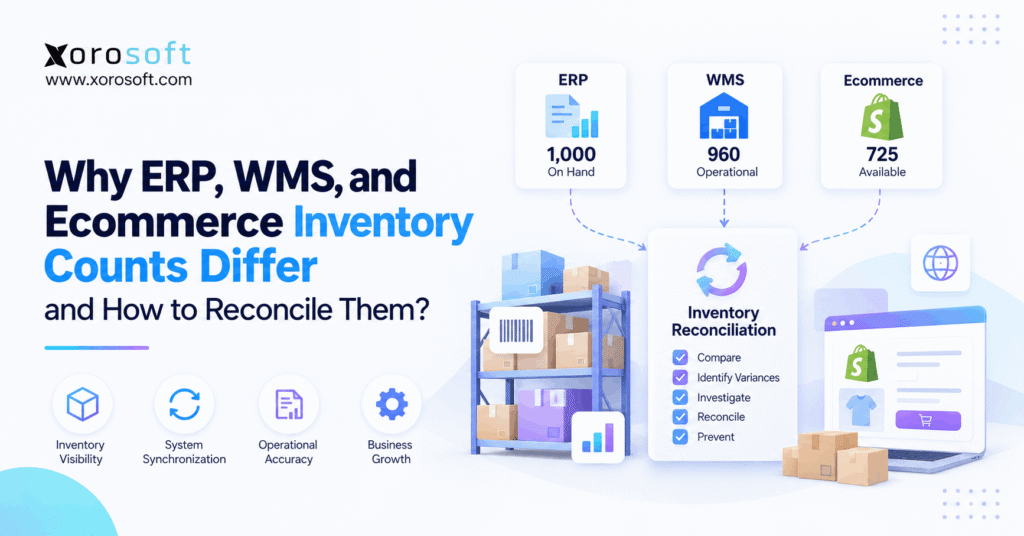
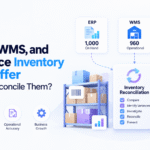
For example, your ERP may show 1,000 units on hand. Meanwhile, the WMS may show 960 operational units. At the same time, Shopify may publish only 725 units as available for new orders. Although those numbers appear inconsistent, all three can still be mathematically correct.
Therefore, the first goal of inventory reconciliation is not to force every application to display the same number. Instead, the goal is to understand what each quantity represents. Then, you can determine whether the difference is legitimate or unexplained.
1.1 ERP and WMS Inventory Counts Can Differ Without an Error
Suppose your warehouse physically contains 1,000 units. However, 150 units already support ecommerce orders, 50 units support wholesale orders, 40 units are moving between warehouses, 20 units are damaged, and 15 units are protected as safety stock.
Consequently, the company may still own 1,000 units while only 725 units remain available for new customers.
| System view | Quantity | What it may represent |
|---|---|---|
| ERP | 1,000 | Total inventory recorded on hand |
| WMS | 960 | Operationally usable warehouse inventory |
| Ecommerce | 725 | Quantity available for new orders |
Therefore, effective ERP WMS inventory reconciliation starts by identifying the inventory definition behind each number.
1.2 ERP WMS Inventory Reconciliation Checks Before Adjustments
Before posting an adjustment, first ask:
- Are both systems measuring the same inventory state?
- Are both systems looking at the same warehouse?
- Were both reports generated at the same time?
- Are both systems using the same SKU?
- Are both systems using the same unit of measure?
- Are open orders reducing availability?
- Is inventory in transit or on hold?
If any answer is unclear, an immediate adjustment can make the problem worse.
For example, reducing ERP inventory to match ecommerce availability could incorrectly remove inventory that physically exists but has already been committed to customer orders.
Therefore, reconciliation should always come before correction.
2. How ERP WMS Inventory Reconciliation Starts With System Roles
ERP, WMS, and ecommerce platforms usually serve different operational purposes. Therefore, their inventory figures often represent different views of the same physical stock.
2.1 ERP Inventory Reconciliation and System Records
An ERP connects inventory with broader business processes. For example, it may connect stock movements with:
- purchasing
- sales orders
- supplier receipts
- warehouse transfers
- manufacturing
- inventory valuation
- accounting
- forecasting
- reporting
Consequently, ERP inventory often becomes the operational and financial record of what the company owns.
However, an ERP does not always track every physical warehouse movement at the same level of detail as a WMS.
For inventory-driven businesses, XoroERP connects inventory with purchasing, accounting, order management, reporting, and related operational workflows. As a result, transactions can remain connected instead of living inside isolated tools.
2.2 WMS Inventory Reconciliation and Warehouse Records
A warehouse management system focuses more closely on physical execution.
For example, it may control:
- receiving
- putaway
- bins
- pallets
- lots
- serial numbers
- picking
- packing
- staging
- shipping
- warehouse transfers
- cycle counts
As a result, a WMS often knows where inventory physically sits and what warehouse activity is happening to it.
A real-time warehouse system such as XoroWMS becomes especially relevant when a business needs tighter control over receiving, location inventory, picking, shipping, and warehouse-level accuracy.
2.3 Ecommerce Inventory Reconciliation and Sellable Stock
An ecommerce platform usually answers a different question:
How many units can another customer buy right now?
Therefore, ecommerce availability should not automatically equal warehouse on-hand inventory.
For example, Shopify may need to exclude stock that is already committed, damaged, protected, unavailable, or allocated to another channel.
Shopify also distinguishes several inventory states, including available, committed, unavailable, on-hand, and incoming inventory in its inventory state documentation.
Meanwhile, businesses evaluating connected Shopify and ERP workflows can also review Xorosoft in the Shopify App Store.
Consequently, ERP WMS inventory reconciliation must compare equivalent quantities rather than whichever number happens to appear most prominently on each dashboard.
3. Inventory States That Affect ERP WMS Inventory Reconciliation
Many inventory mismatches begin with terminology. Therefore, operators need a shared understanding of inventory states before investigating transactions.
3.1 On-Hand Inventory
On-hand inventory generally represents inventory physically recorded at a location.
However, on hand does not necessarily mean available for sale.
For instance, some units may already support open customer orders. Meanwhile, other units may be damaged, on quality hold, reserved, or protected as safety stock.
Therefore, on-hand quantity should not automatically be published to every sales channel.
3.2 Available Inventory in ERP WMS Reconciliation
Available inventory represents stock that can still support new demand.
A simplified formula is:
Available Inventory = On-Hand Inventory − Committed Inventory − Restricted Inventory
However, the exact formula depends on business rules.
Therefore, two companies using similar systems may still calculate customer-facing availability differently.
3.3 Committed Inventory and ERP WMS Inventory Counts
Committed inventory generally supports existing demand. Meanwhile, allocated inventory may refer to units specifically assigned to an order, customer, production requirement, or fulfillment task.
Although the terms are sometimes used interchangeably, platforms may treat them differently.
Therefore, before performing ERP WMS inventory reconciliation, document exactly when an order begins affecting available inventory.
3.4 Unavailable Inventory
Unavailable inventory physically exists but cannot currently support new demand.
For example, it may include:
- damaged goods
- quarantine stock
- quality-control holds
- expired products
- blocked inventory
- safety stock
As a result, physical inventory can remain unchanged while available inventory falls.
3.5 Incoming and In-Transit Inventory
Incoming inventory is expected but has not yet been received.
Similarly, transfer inventory may have left one warehouse without reaching another.
Therefore, neither quantity should automatically be treated as currently sellable stock.
Moreover, tracking these states separately helps prevent a normal transfer from looking like a warehouse shortage.
4. Common ERP WMS Inventory Reconciliation Problems
Once inventory definitions are aligned, the next step is to identify operational causes.
In practice, ERP WMS inventory reconciliation problems usually come from a limited set of recurring issues.
4.1 ERP WMS Inventory Synchronization Delays
First, systems may update at different speeds.
For example, the WMS may confirm a shipment immediately. However, the ERP may receive that confirmation several minutes later. Meanwhile, ecommerce availability may update through another process.
Consequently, reports generated during that gap will disagree.
Short-lived differences may be normal. Persistent differences, however, require investigation.
4.2 Orders, Commitments, and Reservations
An order often affects availability before physical inventory moves.
For example, a customer can place an order at 10:00 AM. Immediately, ecommerce availability falls by one unit. However, warehouse on-hand inventory may not fall until the order ships later that afternoon.
Therefore, both numbers can remain correct during the fulfillment window.
4.3 ERP WMS Inventory Discrepancies From Receiving
Consider a supplier delivery of 500 units.
First, the warehouse receives the goods and posts the receipt in the WMS. However, the ERP integration fails.
Consequently:
WMS = +500 units
while:
ERP = unchanged
In this situation, the difference represents a genuine synchronization problem.
Therefore, teams should investigate the receipt transaction rather than manually changing both systems.
4.4 Shipments Recorded at Different Workflow Stages
Systems do not always reduce inventory at the same operational milestone.
For instance, one application may reduce inventory when a product is picked. Another may wait until packing. Meanwhile, the ERP may wait for shipment confirmation.
Therefore, operators must understand the transaction lifecycle before comparing quantities.
Otherwise, a normal processing delay may be mistaken for a real inventory discrepancy.
4.5 Returns Waiting for Inspection
Returns create another timing difference.
A product can physically return to the warehouse but remain unavailable because it requires:
- inspection
- cleaning
- repair
- repackaging
- quality control
As a result, physical inventory may increase before sellable inventory increases.
Therefore, return status should remain visible during reconciliation.
4.6 Warehouse Transfer Inventory Reconciliation
Transfers frequently create reconciliation confusion.
For example, inventory leaving Warehouse A may no longer be available there. However, Warehouse B should not treat it as received until it physically arrives.
Therefore, businesses need a clear in-transit inventory status.
In addition, both source and destination locations should reference the same transfer transaction.
4.7 Damaged and Quarantined Stock
Suppose a warehouse contains 100 physical units but eight are damaged.
In that case:
Physical on hand = 100
while:
Usable inventory = 92
Therefore, an eight-unit difference does not necessarily represent shrinkage.
Instead, it may simply represent inventory status.
4.8 SKU Mapping Errors in ERP WMS Reconciliation
SKU mapping errors are particularly common when businesses operate several applications.
For example:
ERP SKU: SHIRT-BLK-M
Ecommerce SKU: SHIRT-BLACK-M
WMS SKU: SHIRT-BKM
If integrations do not map those identifiers correctly, transactions may fail or update the wrong item.
Consequently, ERP WMS inventory reconciliation should always verify item mapping before searching for more complicated causes.
4.9 Unit-of-Measure Differences
An ERP may track purchasing in cases while the WMS stores individual units.
For example:
10 cases × 12 units = 120 units
If one system reports 10 and another reports 120, the quantities appear dramatically different even though the physical inventory matches.
Therefore, units of measure must be normalized before reconciliation.
4.10 ERP WMS Integration Failures and Inventory Discrepancies
APIs, webhooks, middleware, and scheduled processes can fail.
Moreover, retry logic can occasionally create duplicate transactions.
As a result, reconciliation should inspect:
- failed messages
- duplicate messages
- delayed messages
- rejected transactions
- incorrect mappings
- authentication failures
Xorosoft’s Integrations capabilities are relevant when ecommerce, warehouse, marketplace, and business systems need a more coordinated data flow.
4.11 Manual Adjustments
Manual adjustments can solve legitimate problems. However, they can also create new discrepancies when users adjust different systems independently.
Therefore, each adjustment should capture:
- user
- timestamp
- quantity
- location
- reason
- approval
Otherwise, future investigations become much harder.
4.12 Physical Inventory Errors
Finally, software may be correct while the physical stock is wrong.
Common causes include:
- receiving mistakes
- picking errors
- misplaced products
- unrecorded damage
- shrinkage
- incorrect transfers
- counting mistakes
Therefore, inventory reconciliation ultimately requires physical verification.
5. ERP WMS Inventory Reconciliation: False vs Real Variances
One of the most important reconciliation skills is separating explainable differences from genuine inventory errors.
5.1 Definition Variance
Suppose the ERP shows 500 units on hand while ecommerce shows 420 available.
If 80 units are committed, there may be no error at all.
Therefore, this is a definition variance rather than an inventory shortage.
5.2 Timing Variance
Suppose the WMS posts a shipment at 2:00 PM while the ERP updates at 2:03 PM.
A report generated at 2:01 PM will disagree.
However, the variance should disappear once synchronization completes.
Therefore, the timestamp must be checked before anyone adjusts inventory.
5.3 Location Variance
Consider two warehouses:
| Location | ERP | WMS |
|---|---|---|
| Warehouse A | 500 | 480 |
| Warehouse B | 300 | 320 |
| Total | 800 | 800 |
The total matches perfectly.
However, both location balances are wrong.
Therefore, company-level reconciliation alone can hide warehouse-level problems.
5.4 Transaction-Level ERP WMS Inventory Discrepancies
A genuine transaction variance occurs when one system contains a receipt, shipment, transfer, return, or adjustment that another system does not.
In that situation, the transaction trail normally reveals the first point of divergence.
Consequently, transaction history is usually more valuable than simply comparing ending balances.
5.5 Physical Variance
Suppose both ERP and WMS show 100 units while the warehouse physically contains only 93.
Now seven units remain unexplained.
Consequently, the business must investigate physical movements rather than system synchronization.
5.6 Why Quantity Adjustments Alone Often Fail
A manual adjustment may make two numbers match temporarily.
However, if a broken workflow caused the difference, the problem will return.
Therefore, successful ERP WMS inventory reconciliation should identify and fix the root cause before repeatedly correcting the ending balance.
6. ERP and WMS Inventory Reconciliation and the Source of Truth
The phrase “single source of truth” sounds simple. However, inventory architecture is more nuanced.
Rather than assigning every inventory field to one application, businesses should define ownership by process and data object.
6.1 ERP Inventory Reconciliation and System Ownership
The ERP commonly owns:
- item masters
- purchasing
- sales orders
- inventory valuation
- supplier transactions
- financial accounting
- planning
Therefore, the ERP often becomes the broader business record.
However, this does not mean it must execute every warehouse task.
6.2 WMS Inventory Reconciliation and Warehouse Ownership
The WMS commonly owns:
- bin locations
- receiving tasks
- putaway
- physical movements
- picking
- packing
- warehouse status
- cycle counts
Consequently, it often becomes the operational authority for warehouse execution.
6.3 Ecommerce as the Publication Layer
Ecommerce platforms typically publish sellable availability to customers.
Therefore, ecommerce should usually consume an appropriate availability calculation rather than independently determine the company’s full inventory balance.
As a result, channel inventory becomes a published operational value rather than a separate physical truth.
6.4 Physical Inventory as Verification
Even when all software systems agree, physical verification remains essential.
After all, several systems can contain the same incorrect quantity if they all originated from the same bad transaction.
Therefore, cycle counts remain an important control.
For companies trying to unify inventory, warehouse, accounting, purchasing, and order workflows, XoroONE provides an example of a connected operating model rather than several independent operational ledgers.
7. ERP WMS Inventory Reconciliation Process: Step by Step
A reliable ERP WMS inventory reconciliation process should follow transactions in sequence.
Therefore, avoid starting with random manual adjustments.
7.1 ERP WMS Inventory Reconciliation at the Same Timestamp
First, choose a common reconciliation point.
For example:
September 7 at 8:00 AM
Then, compare every system as of that timestamp.
Otherwise, transactions occurring between reports will create false discrepancies.
Microsoft’s documentation for warehouse management with external ERP systems also describes inventory reconciliation around an as-of date, reinforcing the importance of a common comparison point: Microsoft Learn.
7.2 Select One SKU and One Location
Next, investigate one item at one warehouse.
For example:
SKU: ABC-123
Warehouse: Dallas
This approach reduces noise. Moreover, it makes the transaction trail easier to follow.
7.3 Confirm Item Mapping
Then, confirm that ERP, WMS, and ecommerce all refer to the same product.
Review:
- SKU
- barcode
- variant ID
- style
- color
- size
- item code
Therefore, mapping errors can be eliminated before deeper investigation begins.
7.4 Normalize Units of Measure
Next, convert all quantities into one base unit.
If the ERP shows cases and the WMS shows individual pieces, reconciliation is meaningless until both quantities use the same measure.
Therefore, document conversion rules clearly.
7.5 Match Inventory States During ERP WMS Reconciliation
Now compare on hand with on hand, available with available, and committed with committed.
Do not compare raw warehouse inventory directly with customer-facing ecommerce availability.
Therefore, this step removes many false discrepancies before transaction-level investigation begins.
7.6 Find the Last Matching Balance
Then, locate the last point where both systems agreed.
For example:
Monday 08:00
ERP: 500
WMS: 500
That balance becomes your starting point.
7.7 Trace Every Inventory-Changing Transaction
Afterward, review every transaction that occurred after the matching balance.
These may include:
- receipts
- sales orders
- allocations
- picks
- shipments
- returns
- transfers
- manufacturing consumption
- adjustments
- cycle counts
As a result, the investigation follows evidence rather than assumptions.
7.8 Find the First ERP WMS Inventory Divergence
Suppose the history looks like this:
| Time | Event | ERP | WMS |
|---|---|---|---|
| 08:00 | Opening | 500 | 500 |
| 09:15 | Receipt +100 | 600 | 600 |
| 10:10 | Shipment -30 | 570 | 570 |
| 11:20 | Transfer -20 | 570 | 550 |
Now the problem is clear.
The transfer updated the WMS but not ERP.
Therefore, the investigation can focus on that exact transaction.
7.9 Determine Why the Transaction Failed
Next, investigate whether the transfer was:
- not posted
- rejected
- mapped incorrectly
- duplicated
- stuck in middleware
- assigned to the wrong location
Consequently, the question changes from “Why are we missing 20?” to “Why did this transfer fail to update ERP?”
7.10 Correct the Authoritative Record
Once the cause is understood, correct the appropriate source transaction.
Avoid manually changing several applications independently.
Otherwise, duplicate corrections can create another variance.
7.11 Resynchronize Downstream Systems
Then, allow the normal integration path to update downstream systems.
For example:
WMS → ERP → Ecommerce
or whatever ownership model the business has defined.
7.12 Verify the Result
Finally, repeat the comparison.
The systems do not necessarily need to show identical numbers. However, the mathematical relationship between their inventory states should now be explainable.
7.13 Record a Reason Code
Every meaningful discrepancy should receive a reason.
For example:
- receiving error
- shipping error
- transfer failure
- unit-of-measure issue
- integration failure
- count variance
- damaged stock
- mapping problem
As a result, recurring problems become measurable rather than anecdotal.
Oracle also documents formal inventory discrepancy workflows between ERP and WMS environments through its Inventory Discrepancy Reconciliation Workbench.
8. ERP WMS Inventory Reconciliation Example: 1,000 vs 960 vs 725
Consider an apparel company with a popular jacket.
The ERP reports:
1,000 units on hand
Meanwhile, the WMS reports:
960 operational units
Finally, ecommerce reports:
725 available units
At first, the 275-unit difference looks alarming.
However, investigate the inventory waterfall:
| Inventory status | Quantity |
|---|---|
| ERP on hand | 1,000 |
| Damaged / QC hold | -20 |
| Transfer in progress | -20 |
| WMS operational quantity | 960 |
| Ecommerce commitments | -150 |
| Wholesale allocation | -50 |
| Safety stock | -35 |
| Ecommerce availability | 725 |
Therefore:
1,000 − 20 − 20 − 150 − 50 − 35 = 725
Every unit is explained.
Consequently, the apparent discrepancy is not a 275-unit physical shortage.
Now suppose a physical count finds only 950 operational units instead of 960.
In that case, ten units remain unexplained.
Therefore, the ERP WMS inventory reconciliation process should investigate those ten units rather than “correcting” the full 275-unit difference.
9. ERP WMS Inventory Reconciliation Across Multiple Warehouses
As businesses add warehouses, reconciliation becomes more complex.
Therefore, ERP WMS inventory reconciliation should happen at the location level before company-wide totals are reviewed.
9.1 Multi-Warehouse ERP WMS Inventory Reconciliation
When inventory leaves Warehouse A, it should no longer be usable there.
However, Warehouse B should not treat it as physically received until arrival.
Consequently, businesses need visibility into in-transit inventory.
Moreover, source and destination locations should reference the same transfer transaction.
9.2 Virtual Locations and Inventory Mismatches
Ecommerce, retail, 3PL, wholesale, and fulfillment systems may create additional virtual locations.
Therefore, location mapping should be documented clearly.
Otherwise, inventory can appear missing simply because it sits under a different location code.
9.3 3PL Inventory Reconciliation
A brand may operate its ERP while a third-party logistics provider uses a separate WMS.
Consequently, both organizations must agree on:
- item mapping
- location mapping
- transaction timing
- adjustment ownership
- inventory status
- reconciliation frequency
Companies evaluating broader approaches to warehouse, inventory, purchasing, and ecommerce operations can review Xorosoft’s Solutions to understand how these workflows can operate within a connected environment.
10. ERP WMS and Ecommerce Inventory Reconciliation
Ecommerce businesses rarely sell through only one channel forever.
Therefore, inventory availability may eventually need to support:
- Shopify
- Amazon
- wholesale
- B2B
- retail
- marketplaces
- EDI customers
As channel count increases, ERP WMS inventory reconciliation becomes even more important because the same inventory pool may support several demand sources.
10.1 Ecommerce Inventory Reconciliation and Safety Stock
Suppose the business has 500 units available operationally.
However, management wants to protect 50 units against unexpected demand.
Therefore:
Operational available = 500
while:
Published ecommerce available = 450
The 50-unit difference is intentional.
10.2 Channel Allocations and Inventory Availability
A company may reserve inventory for wholesale customers, Amazon, retail stores, or major accounts.
Consequently, Shopify availability may represent only part of the total sellable pool.
Therefore, channel allocation rules should be documented as part of the reconciliation model.
10.3 Bundle and Kit Inventory Reconciliation
Suppose a bundle requires:
- 1 bottle
- 2 filters
- 1 accessory
Even if 500 bottles exist, the bundle may only have 80 available units because one component is constrained.
Therefore, bundle availability should be calculated from component inventory rather than assumed from a standalone bundle quantity.
10.4 Returns and Cancellations Across Ecommerce Channels
A cancellation can restore ecommerce availability before warehouse activity occurs.
Meanwhile, a return can physically reach the warehouse before it becomes available for resale.
Consequently, timing rules should be documented carefully.
11. How ERP WMS Inventory Discrepancies Affect Operations
Poor inventory accuracy eventually reaches nearly every operational department.
Therefore, reconciliation should not be treated as a warehouse-only exercise.
11.1 Overselling and Stockouts
If ecommerce availability exceeds usable stock, customers can purchase products that cannot be fulfilled.
Consequently, cancellations, substitutions, and customer-service problems increase.
11.2 Purchasing and Replenishment
If inventory is understated, buyers may order products unnecessarily.
Conversely, overstated inventory can delay replenishment and create stockouts.
Therefore, purchasing teams also depend on accurate reconciled inventory.
11.3 Forecasting
Forecasting depends on trustworthy demand and inventory data.
Therefore, unreliable inventory records weaken planning decisions.
Moreover, poor inventory data can cause teams to misinterpret whether stockouts came from demand, purchasing delays, or record errors.
11.4 Warehouse Efficiency
Incorrect location inventory causes:
- short picks
- wasted searches
- delayed orders
- substitutions
- emergency recounts
Consequently, inventory accuracy directly affects warehouse productivity.
11.5 Accounting
Inventory quantities influence valuation and cost reporting.
Therefore, operational discrepancies eventually become accounting reconciliation problems.
11.6 Month-End Close
Finance should not discover a month’s inventory problems during the final days of close.
Instead, operations should identify exceptions continuously so material differences are already understood before month end.
As a result, finance spends less time investigating historical transactions under deadline pressure.
12. How to Prevent ERP WMS Inventory Reconciliation Problems
Reconciliation should not merely explain yesterday’s discrepancy.
Instead, it should improve tomorrow’s process.
12.1 Define Inventory Ownership
First, determine which system owns each major inventory object.
| Data | Typical owner |
|---|---|
| Item master | ERP |
| Financial valuation | ERP |
| Purchase order | ERP |
| Warehouse bin | WMS |
| Pick execution | WMS |
| Physical movement | WMS |
| Ecommerce availability | Published from operational rules |
| Physical quantity | Verified by count |
However, this is an operating pattern rather than a universal rule.
Therefore, every business should document its own ownership model.
12.2 Integrate Transactions, Not Only Ending Balances
A nightly quantity update tells you where inventory ended.
However, it does not explain how inventory got there.
Therefore, whenever practical, integrate events such as:
- receipts
- shipments
- transfers
- returns
- adjustments
As a result, teams retain a traceable transaction history.
12.3 Monitor ERP WMS Inventory Integration Exceptions
Integration failures should become visible operational exceptions.
Therefore, monitor:
- failed API calls
- rejected webhooks
- duplicate transactions
- delayed queues
- incorrect mappings
- authentication failures
Moreover, recurring exceptions should be grouped by root cause rather than treated as unrelated incidents.
12.4 Use Continuous Cycle Counting
Annual physical counts identify errors too late.
In contrast, cycle counting verifies smaller inventory groups throughout the year.
Consequently, operators can investigate discrepancies while recent transactions are still easier to trace.
12.5 Control Manual Adjustments
Manual adjustments should require reason codes.
Furthermore, larger adjustments may need managerial approval.
As a result, the business creates accountability and a useful audit trail.
12.6 Standardize Product Data
SKU, barcode, unit-of-measure, variant, lot, and warehouse identifiers should remain consistent.
Otherwise, integration complexity grows unnecessarily.
Therefore, product-master governance should be part of inventory accuracy.
12.7 Analyze Recurring Inventory Discrepancies
A reconciliation report should not merely say:
Variance: 12 units
Instead, it should explain:
Variance: 12 units — repeated receiving error at Warehouse B
Therefore, the data becomes useful for operational improvement.
13. When ERP WMS Integration Causes Inventory Mismatches
Separate ERP, WMS, ecommerce, accounting, and purchasing tools can work well.
However, as transaction volume grows, integration complexity often increases faster than teams expect.
13.1 Signs the Existing System Stack Still Works
Your current architecture may remain appropriate if:
- inventory discrepancies are rare
- integrations recover reliably
- ownership rules are clear
- reconciliation takes little time
- inventory remains trusted
Therefore, replacing software purely because several applications exist may be unnecessary.
13.2 Signs ERP WMS Inventory Mismatches Are Becoming Structural
Warning signs include:
- spreadsheet reconciliation every day
- repeated manual adjustments
- overselling
- inconsistent location quantities
- separate inventory reports by department
- recurring integration failures
- delayed month-end close
Most importantly, employees may begin asking:
Which system is right?
When that question becomes routine, the issue is no longer just a single discrepancy.
13.3 Integration Improvements May Be Enough
Sometimes the solution is better mapping, stronger middleware, clearer ownership rules, or improved API monitoring.
Therefore, businesses should diagnose system architecture before replacing software.
In other words, software consolidation should solve a real operating problem rather than become the default answer.
13.4 When a Connected ERP and WMS Becomes Relevant
If a company spends significant effort keeping operational systems synchronized, consolidation may deserve evaluation.
For example, Xorosoft is designed for inventory-driven businesses that want inventory, purchasing, warehouse management, accounting, order management, manufacturing, forecasting, and ecommerce workflows operating within a connected environment.
Businesses can also review Xorosoft Case Studies to see how inventory-driven organizations have approached growing operational complexity.
14. Building a Better ERP WMS Inventory Reconciliation Model
A connected inventory model does not require every employee to use the same screen.
Instead, every transaction needs a defined operational path.
14.1 Purchase Receipt Flow
For example:
Purchase Order → Receipt → WMS Inventory → ERP Inventory → Accounting → Ecommerce Availability → Reporting
Because each step derives from the same operational event, fewer independent corrections should be necessary.
Therefore, reconciliation becomes an exception process rather than a daily rebuilding exercise.
14.2 Ecommerce Order Flow
Similarly:
Shopify Order → ERP Order → Inventory Commitment → WMS Pick → Shipment → Inventory Update → Accounting
Therefore, every quantity change has an explainable business event behind it.
Moreover, operators can investigate issues by following the transaction rather than comparing unrelated reports.
14.3 Manufacturing Inventory Flow
For manufacturers, inventory may also move through:
Raw Materials → Work Order → Consumption → Production → Finished Goods
Consequently, reconciliation becomes even more important when components, work in process, and finished products share inventory relationships.
14.4 Why Fewer Inventory Reconciliation Points Matter
The goal is not simply to reduce software count.
Instead, the goal is to reduce independent versions of operational truth.
Therefore, systems should either share transaction logic or integrate through clearly defined ownership rules.
As a result, the business can spend more time managing exceptions and less time rebuilding inventory history.
15. ERP WMS Inventory Reconciliation Schedule
Not every discrepancy requires the same review cadence.
Therefore, businesses should set frequency according to operational risk and transaction volume.
15.1 Daily ERP WMS Inventory Checks
Review:
- integration failures
- negative inventory
- large ERP/WMS variances
- unusual ecommerce availability
- major manual adjustments
As a result, serious problems surface quickly.
Moreover, daily review prevents small integration failures from becoming large month-end discrepancies.
15.2 Weekly ERP WMS Inventory Reconciliation
Next, analyze recurring patterns.
For example:
- repeated SKU variances
- warehouse-specific errors
- adjustment reasons
- failed integrations
- transfer problems
Consequently, the team can move from correction toward prevention.
15.3 Cycle-Count Reconciliation
High-value or high-velocity inventory should generally receive more frequent verification.
Meanwhile, lower-risk items can follow a less aggressive schedule.
Therefore, count frequency should reflect operational risk rather than using the same schedule for every SKU.
15.4 Month-End ERP Inventory Reconciliation
Finally, operations and finance should verify:
- inventory quantities
- valuation
- major adjustments
- goods in transit
- unresolved differences
- unusual negative balances
Therefore, month-end becomes confirmation rather than emergency investigation.
16. From Inventory Disagreement to Inventory Trust
Different inventory numbers do not automatically mean inventory is missing.
Instead, ERP, WMS, and ecommerce systems may legitimately represent different inventory states, transaction stages, locations, and availability rules. Therefore, successful ERP WMS inventory reconciliation starts by making those numbers comparable before anyone posts an adjustment.
Once definitions match, find the last correct balance. Next, trace each transaction. Then, identify the first divergence, correct the authoritative record, and fix the process that caused the problem.
Moreover, recurring discrepancies should be treated as an operational signal. If teams continuously reconcile spreadsheets, warehouse reports, ecommerce quantities, and accounting records, the underlying system architecture may deserve review.
Xorosoft connects inventory, warehouse management, purchasing, accounting, order management, manufacturing, forecasting, and ecommerce operations for inventory-driven businesses. Consequently, companies trying to reduce disconnected reconciliation points can evaluate whether a more unified operating model fits their growth stage.
If inventory disagreements are consuming operational time, you can Book a Demo to map your current ERP, WMS, ecommerce, and inventory workflows against a more connected operating model.
Frequently Asked Questions
What is ERP WMS inventory reconciliation?
ERP WMS inventory reconciliation is the process of comparing equivalent inventory records between an ERP and warehouse management system. First, teams normalize SKU, location, inventory state, unit of measure, and timestamp. Then, they trace receipts, shipments, transfers, returns, and adjustments to explain differences. Finally, genuine discrepancies are corrected in the appropriate source system.
Why does ERP inventory not match WMS inventory?
ERP and WMS inventory may differ because transactions post at different times, the systems measure different inventory states, transfers remain in progress, or integrations fail. Moreover, WMS platforms often track warehouse-level details that ERP reports aggregate differently. Therefore, teams should compare equivalent quantities before treating the difference as an error.
Why does ecommerce inventory differ from warehouse inventory?
Ecommerce inventory usually represents what customers can still buy, while warehouse inventory may represent everything physically on hand. Consequently, existing orders, safety stock, damaged products, wholesale allocations, transfers, and other restrictions can reduce ecommerce availability without reducing physical inventory by the same amount.
Which system should be the source of truth for inventory?
No single application must own every inventory field. Typically, ERP owns business and financial records, while WMS owns warehouse execution and physical location activity. Meanwhile, ecommerce platforms publish sellable availability. Therefore, companies should define an inventory ownership matrix that identifies the authoritative system for each transaction and data object.
How often should ERP and WMS inventory be reconciled?
High-volume businesses should monitor important integration and inventory exceptions daily. In addition, recurring operational differences can be reviewed weekly, while physical inventory should follow a structured cycle-count program. Finally, finance should complete formal inventory reconciliation during month-end close so inventory quantity and valuation remain aligned.
Can cycle counting fix inventory discrepancies?
Cycle counting helps detect discrepancies earlier, although it does not automatically fix their root causes. When a count differs from the system, teams should investigate recent receipts, picks, shipments, transfers, and adjustments before posting a correction. Therefore, cycle counting works best when it is paired with reason codes and operational root-cause analysis.
When should a business consider a more integrated ERP and WMS?
A more integrated ERP and WMS becomes worth evaluating when reconciliation becomes a permanent workload. For example, frequent spreadsheet comparisons, repeated manual adjustments, inconsistent warehouse quantities, overselling, integration failures, and delayed month-end close can indicate that operational complexity has outgrown the current system architecture.
Recent Posts
-
 What Should You Bring to a Shopify ERP Consultation? Data, Workflows, and Decisions
 -
 How a 3PL Connected Warehouse Activity, Client Inventory, and Billing in One System
 -
 ERP AI Integration Controls: Data Governance, API Design, Permissions, and Auditability
 -
 What Are EDI Chargebacks? Root Causes, Evidence, and Prevention Controls
 -
 Why ERP, WMS, and Ecommerce Inventory Counts Differ and How to Reconcile Them