Understanding ERP AI integration controls is essential for businesses seeking to improve efficiency and security with modern technology.
1. Why ERP AI Integration Controls Matter Before Automation
ERP AI integration controls determine how safely artificial intelligence can read business data, recommend actions, prepare transactions, and execute approved workflows. ERP systems control real inventory, customer orders, purchasing, warehouses, accounting records, supplier commitments, and production activity. Therefore, an AI error can quickly become a real operational problem.
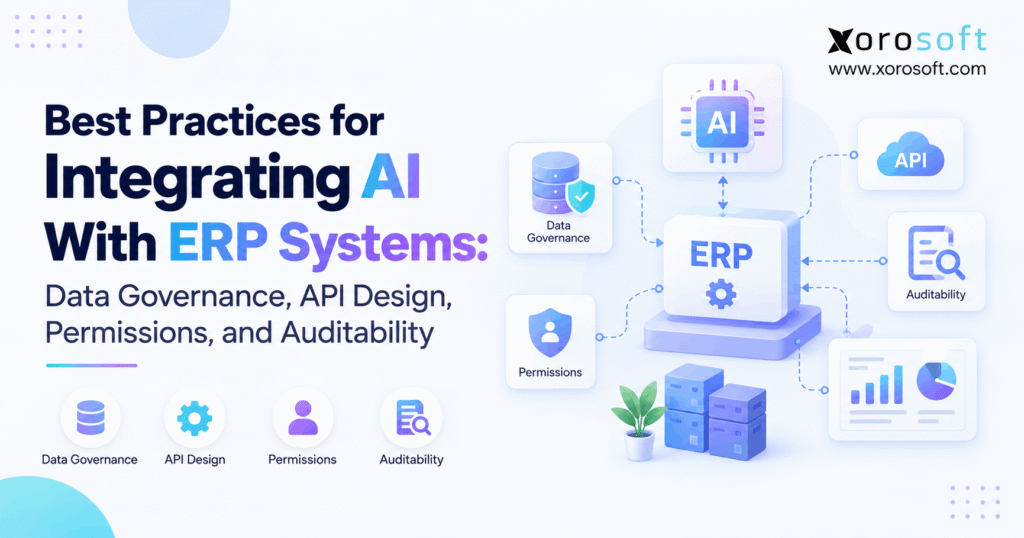
However, the goal is not to prevent AI from taking useful action. Instead, businesses need clear limits around what AI can see, what it can change, and when a person must approve an action. As a result, strong ERP AI integration controls combine reliable data, secure interfaces, limited permissions, business rules, approval workflows, monitoring, and complete audit records.
In simple terms:
AI can reason, but the ERP should still govern the transaction.
1.1 Separate AI Insight From AI Authority
First, businesses should separate what AI knows from what AI is allowed to do.
An AI tool may read ERP records and explain why an item is low in stock. Next, it may recommend moving inventory between warehouses. Then, it may prepare a transfer for review. Finally, a mature workflow may allow the agent to execute a low-risk action within approved limits.
Therefore, each level needs a different control model.
| Level | AI Capability | Example | Typical Control |
|---|---|---|---|
| 1 | Read | Check stock | Read-only access |
| 2 | Analyze | Explain shortage | Read-only access |
| 3 | Recommend | Suggest transfer | Human decision |
| 4 | Prepare | Draft purchase order | Human approval |
| 5 | Execute | Complete bounded action | Rule-based control |
As a result, companies do not need to move directly from a chatbot to full automation. Instead, they can increase authority only after the earlier stage works reliably.
1.2 Keep the ERP as the System of Record
AI should support the ERP rather than become another source of operational truth.
Therefore, inventory, purchasing, warehouse activity, accounting, manufacturing, and order records should remain governed by the ERP. When AI recommends or begins an action, the ERP should still check permissions, required fields, approval limits, posting rules, and other business controls.
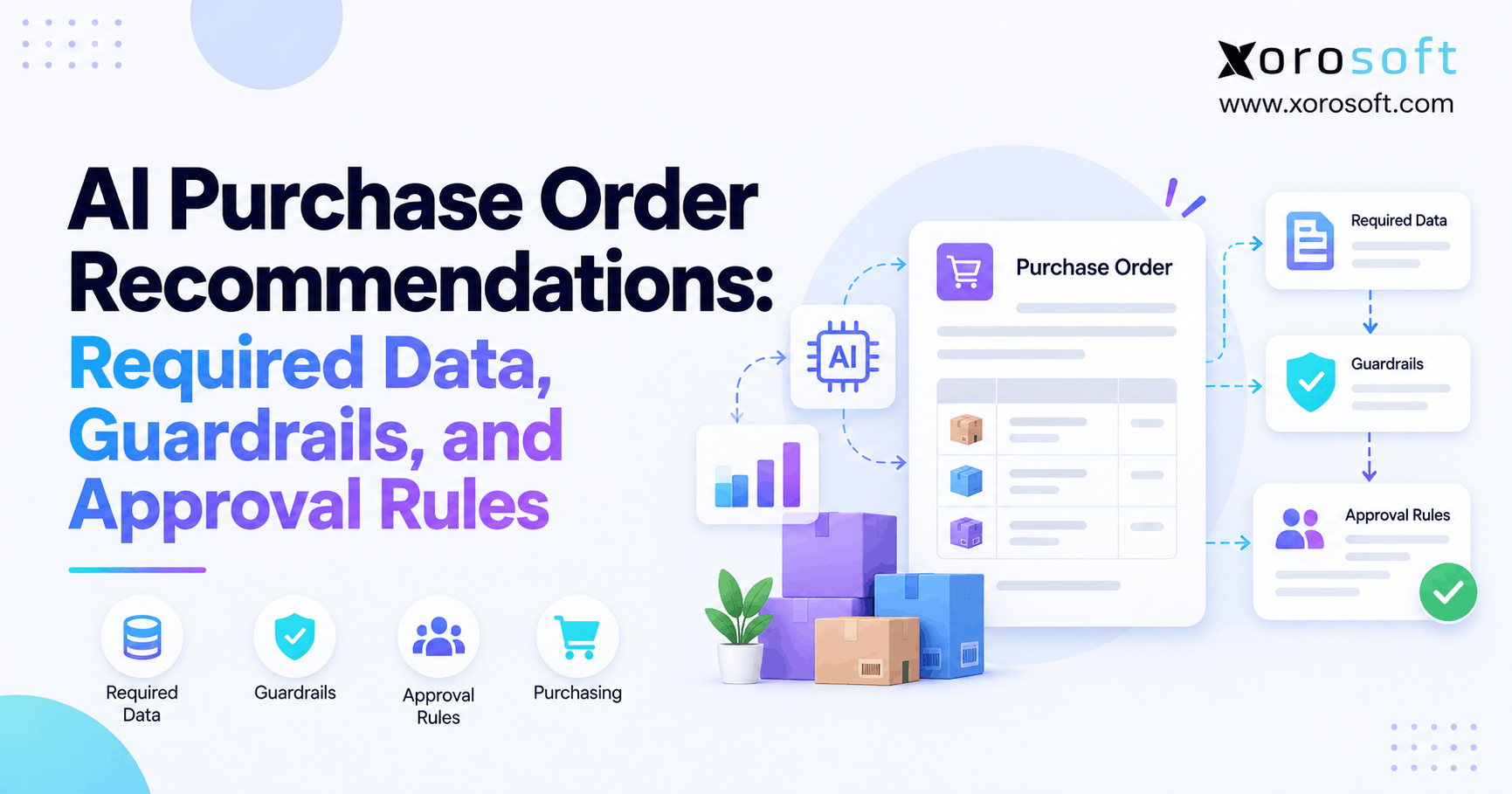
For example, an agent may prepare a purchase order. However, the ERP should still confirm that the supplier is active, the item is valid, the warehouse is allowed, the currency is correct, and the buyer has enough authority.
Consequently, AI improves how people work with ERP data without replacing the controls that keep the data reliable.
2. Start Secure ERP AI Integration With a Clear Business Use Case
Before selecting a model, API, or AI agent, define the business problem.
In other words, do not begin with, “Where can we add AI?” Instead, ask, “Which business decision is slow, hard to investigate, or too dependent on manual work?”
Therefore, a clear use case should come before technical design.
2.1 Define the Decision AI Should Support
For example, consider an ecommerce company that frequently runs out of fast-moving products.
The business may want AI to answer several questions:
- Which SKUs are likely to stock out?
- Which open purchase orders could prevent the shortage?
- Can stock move from another warehouse?
- Which customer orders are already at risk?
- Should the buyer place another order?
Because the decision is clear, the team can identify which ERP records the AI actually needs.
Moreover, the company can decide whether the AI should only explain the issue, recommend a response, prepare a transaction, or complete a low-risk action.
2.2 Define What Happens if the AI Is Wrong
Next, evaluate the cost of a bad decision.
For example, an incorrect warehouse recommendation may create extra handling work. However, an incorrect supplier bank change could create a serious financial risk.
Therefore, ask:
- Is the action reversible?
- Does it move money?
- Does it change inventory?
- Does it affect a customer?
- Does it create a legal or financial commitment?
- Can the business detect the error quickly?
As a result, the level of AI authority can match the real business impact.
3. Data Governance Is the Foundation of Secure ERP AI Integration
Good ERP AI integration controls start with reliable data.
If inventory quantities are wrong, an advanced model cannot produce a dependable inventory decision. Likewise, if supplier lead times are old or product records are duplicated, the AI may reach a reasonable conclusion from incorrect information.
Therefore, businesses should improve data quality before increasing AI authority.
3.1 Decide Which System Owns Each Record
First, define the system of record for important data.
For example:
- ERP may own inventory.
- Shopify may capture an ecommerce order.
- ERP may own purchasing.
- WMS may record warehouse scans.
- ERP may own the financial result.
- A CRM may own certain sales activities.
However, growing businesses often have several apps that hold copies of the same information. Consequently, teams need clear rules for which source the AI should trust when records disagree.
A connected platform such as XoroONE can help bring inventory, purchasing, accounting, warehouse activity, manufacturing, and ecommerce operations into a shared ERP environment.
As a result, AI can work with more consistent operating data instead of trying to interpret conflicting spreadsheets and apps.
3.2 Limit the Data Available to AI
More data does not automatically produce a better answer.
For example, an inventory agent may need stock, sales orders, purchase orders, warehouse locations, supplier lead times, and forecasts. However, that same agent probably does not need payroll records or supplier bank details.
Therefore, expose only the information needed for the specific workflow.
Moreover, a smaller data scope makes testing easier. Teams can more clearly understand which records influenced the result.
3.3 Improve Master Data Before Automation
Product codes, units of measure, suppliers, warehouse locations, pricing rules, and lead times all affect AI output.
Therefore, fix major master-data problems before giving AI more authority.
For example, if the same product exists under several SKU formats, the AI may treat them as different items. Likewise, if lead times have not been updated, a reorder recommendation may arrive too late.
As a result, data cleanup is not separate from AI work. Instead, it is one of the most important ERP AI integration controls.
For a broader framework on managing AI risk, teams can also review the NIST AI Risk Management Framework.
4. ERP AI Integration Controls for APIs, RAG, and MCP
The next step is deciding how AI reaches ERP data and actions.
Although several methods can work, a strong architecture keeps the AI behind controlled interfaces. Therefore, the model should not receive unrestricted system access simply because it needs to answer one operational question.
4.1 Avoid Unrestricted Database Access
Direct database access may look simple. However, it can bypass rules built into the ERP application.
For example, a direct database update could skip an approval step, stock rule, posting rule, validation check, or normal audit process.
Therefore, production AI should usually work through approved application services rather than unrestricted database writes.
For growing operations that need a broader ERP foundation, XoroERP connects core business workflows inside one operating environment.
4.2 Build Purpose-Specific ERP APIs
An API should give AI only the functions needed for the job.
For example, instead of exposing a broad tool such as:
update_any_erp_record
create smaller functions such as:
get_inventory_availability
review_open_purchase_orders
prepare_inventory_transfer
create_purchase_order_draft
get_order_exception
Because each action has a narrow purpose, it is easier to protect, test, monitor, and audit.
Moreover, each function can apply its own rules. For example, a purchasing tool can check spend limits while an inventory-transfer tool can check warehouse access.
Businesses connecting ecommerce, marketplaces, shipping, EDI, and other systems can also review Xorosoft’s integration options when planning the wider system design.
4.3 Understand APIs, RAG, and MCP
APIs, retrieval-augmented generation, and Model Context Protocol solve different problems.
| Method | Main Purpose | Typical ERP Use |
|---|---|---|
| API | Read or update live system data | Inventory, orders, POs, transactions |
| RAG | Retrieve useful text or documents | Policies, SOPs, agreements |
| MCP | Let AI use approved tools in a standard way | Agent access to ERP functions |
For example, an AI purchasing agent may use RAG to read a supplier agreement. At the same time, it may use an API to check open purchase orders.
Meanwhile, MCP can present approved ERP capabilities as clear tools for the agent.
Therefore, MCP does not replace the ERP API. Instead, it can create a more structured way for an AI agent to discover and use approved ERP functions.
Businesses exploring that design can review Xorosoft’s AI MCP Server for additional context.
5. Permissions Are Core ERP AI Integration Controls
Permissions are among the most important ERP AI integration controls because they determine what an agent can actually do.
Simply put, an AI agent should receive the smallest amount of access required for its assigned job.
Therefore, an inventory agent should not receive broad finance access. Likewise, a warehouse agent should not be able to change supplier payment details.
5.1 Give Every AI Agent a Clear Identity
First, avoid shared administrator accounts.
Instead, each AI service should operate through a known user, role, service account, or other trackable identity.
Therefore, administrators can identify which agent made a request. Moreover, they can change or remove access without affecting unrelated users or systems.
As a result, audit trails become stronger because every action can be tied to a specific identity and permission set.
5.2 Apply Least-Privilege Access
Permissions should go beyond simple read and write settings.
Depending on the use case, access may need limits by:
- company
- warehouse
- department
- transaction type
- record type
- customer group
- supplier group
- financial value
For example, a warehouse agent working with one location may not need stock data from every warehouse.
Likewise, a purchasing agent may be allowed to prepare orders up to a set value while larger commitments require manager approval.
Therefore, secure ERP AI integration works best when system authority matches the actual job.
5.3 Separate Read Permissions From Write Permissions
Read and write access should always be treated differently.
For example, allowing AI to check inventory is not the same as allowing AI to adjust inventory.
Likewise, allowing AI to explain an accounting variance is very different from allowing AI to post a journal entry.
Therefore, businesses should begin with read access whenever possible.
Next, they can allow recommendations. Then, they can permit draft creation. Finally, they can introduce limited execution after the workflow proves reliable.
6. Human Approval Strengthens ERP AI Governance
Human approval still matters in AI-enabled ERP workflows.
However, requiring a person to approve every low-risk action can remove much of the value of automation. Therefore, approval should depend on risk.
6.1 Use Risk-Based Approval Levels
A simple model uses three levels.
Low risk: AI may complete the task within clear rules.
For example, the agent can summarize order exceptions or create an internal alert.
Medium risk: AI prepares the action, but a person approves it.
For example, the agent can draft an inventory transfer or purchase order.
High risk: AI supports the decision, but a qualified person controls the final action.
For example, supplier banking changes, large journal entries, credit overrides, and major purchase commitments should have stronger controls.
Therefore, the goal is not to remove people from every workflow. Instead, the goal is to place human judgment where the business consequence is highest.
6.2 Keep Business Rules Outside the AI Prompt
Prompts can guide AI behavior. However, prompts should not be the only place where important business rules exist.
For example, if purchase orders above $25,000 require approval, the ERP should enforce that limit.
Likewise, if an accounting period is closed, the ERP should reject the transaction even if the AI requests it.
Therefore, the model may suggest an action, but the system should decide whether that action is allowed.
As a result, business rules remain stable even when prompts, models, or AI applications change.
7. ERP AI Security Controls Must Limit Agent Risk
AI introduces risks because it may interpret information from many sources.
For example, an agent may read emails, customer notes, supplier messages, product text, documents, or external content.
Therefore, some inputs may contain incorrect, misleading, or harmful instructions.
7.1 Do Not Let AI Police Its Own Permissions
An AI agent can be instructed not to perform certain actions. However, that instruction alone is not a strong security boundary.
Instead, system permissions should block the action.
For example, if a warehouse agent should never change banking data, the agent should have no banking permission at all.
Therefore, even if the model misunderstands a request, the ERP or integration service can still reject it.
7.2 Reduce Excessive Agency
Another risk appears when an agent receives too many tools or too much freedom.
For example, an order-support agent may need to read orders and inventory. However, it does not need tools for changing financial settings, deleting customers, editing suppliers, or posting journals.
Therefore, smaller tool sets are easier to secure.
The OWASP guidance on excessive agency is a useful external reference when designing AI agents with limited functions, permissions, and autonomy.
Moreover, companies should review permissions regularly. A tool required during testing may no longer be needed after the workflow changes.
8. Auditability Is a Core ERP AI Integration Control
Strong ERP AI integration controls should record more than the conversation between a user and an AI model.
If AI can affect real business records, the company needs a complete record of what happened.
8.1 Record Who, What, Why, and When
For important actions, capture:
- initiating user or event
- AI agent identity
- ERP records accessed
- API or tool used
- action requested
- approval result
- final ERP transaction
- success or failure
- timestamp
- reference or correlation ID
For example, imagine an agent recommends moving 500 units between warehouses.
The audit trail should show which inventory records it used, which user started the request, whether approval was needed, which transfer was created, and what happened after execution.
Therefore, teams can review the real business action instead of trying to reconstruct it from a chat history.
8.2 Preserve Before-and-After Values
For higher-risk changes, before-and-after records provide useful context.
For example, if AI changes a reorder point, teams should be able to see the old value and the new value.
Likewise, if an approved action changes a shipment priority, the audit record should show exactly what changed.
As a result, mistakes become easier to investigate and reverse.
9. ERP AI Integration Controls for MCP and Agent Tools
AI agents need a controlled way to interact with ERP data and business functions.
Therefore, businesses may use APIs and Model Context Protocol to expose specific capabilities.
However, discovering a tool should never automatically grant permission to use it.
9.1 MCP Does Not Replace Authorization
An MCP tool may allow an agent to check inventory, retrieve an order, review a supplier, or prepare a transaction.
However, the underlying system should still authenticate the user or service.
Next, it should check permissions.
Then, it should apply the normal business rules.
Finally, it should log the result.
Therefore, MCP can improve how AI discovers approved tools, but existing ERP controls should still determine what those tools are allowed to do.
For teams studying protocol-level access, the Model Context Protocol authorization specification provides additional technical detail.
9.2 Narrow Agent Tools Are Easier to Govern
A function called “get inventory availability” is easier to protect than a function capable of changing any record.
Therefore, businesses should expose narrow, purpose-built functions whenever possible.
In addition, the ERP should validate every write operation independently.
As a result, the model does not need to remember every business rule. The system itself remains responsible for protecting the transaction.
10. Test ERP AI Integration Before Expanding Authority
A successful demonstration is not enough.
Instead, companies should test ERP AI integration controls against normal workflows, bad data, missing data, blocked actions, and system failures.
10.1 Start in a Safe Environment
First, use a sandbox or test environment whenever possible.
Then, test common workflows such as:
- inventory lookup
- purchasing review
- order investigation
- warehouse exceptions
- transaction preparation
However, teams should also test failure cases.
For example:
- What happens when inventory is negative?
- What happens when a supplier is inactive?
- What happens when data is missing?
- What happens when two requests arrive at once?
- What happens when an API times out?
- What happens when the agent asks for an unauthorized action?
Therefore, testing should try to expose weak controls before production users do.
10.2 Test the System Boundary, Not Just the Model
A good security test does not simply ask whether the model says, “I cannot do that.”
Instead, the underlying ERP or integration layer should reject the request.
For example, if an inventory agent tries to change a bank account, the request should fail because the agent lacks permission.
Therefore, the real control should exist outside the model.
11. Monitor Secure ERP AI Integration After Launch
Governance does not end when the AI goes live.
Instead, companies should monitor whether the workflow produces useful and safe business results.
11.1 Track Operational Outcomes
Useful measures include:
- recommendation accuracy
- successful actions
- approval rates
- rejected actions
- human overrides
- failed transactions
- duplicate requests
- unauthorized action attempts
- time saved
- inventory or order impact
Therefore, businesses can evaluate whether AI is improving the workflow instead of simply increasing AI activity.
11.2 Review Permissions as Workflows Change
Agent access should not remain fixed forever.
For example, a pilot may temporarily need extra tools for testing. However, those permissions may no longer be necessary after launch.
Therefore, businesses should review access regularly.
Moreover, if an agent changes jobs or a workflow changes, its permissions should change as well.
12. ERP AI Integration Controls Across Inventory and Purchasing
Inventory and purchasing are strong AI use cases because decisions often depend on several connected records.
Therefore, AI can add value when it helps people investigate rather than simply applies one fixed rule.
12.1 Inventory Decisions
For inventory teams, AI may help:
- identify likely stockouts
- explain inventory differences
- review slow-moving items
- suggest warehouse transfers
- find unusual inventory activity
However, the ERP should still control confirmed adjustments and movements.
Therefore, the agent can improve analysis without becoming an uncontrolled inventory user.
12.2 Purchasing Decisions
Purchasing teams may use AI to compare:
- available inventory
- sales demand
- open purchase orders
- supplier lead times
- forecasts
- minimum order quantities
- warehouse needs
As a result, the agent can recommend a purchase decision using wider operating context.
Xorosoft’s broader ERP solutions connect several of these workflows for inventory-driven businesses.
However, purchase approvals and commitments should still follow defined ERP rules.
13. Secure ERP AI Integration for Warehouse and Ecommerce Workflows
Ecommerce companies often operate across storefronts, marketplaces, warehouses, wholesale channels, and finance systems.
Therefore, an AI agent may need context from several workflows before it can explain an order or inventory problem.
13.1 Keep Warehouse Actions Inside the WMS
AI may help identify replenishment needs, delayed picks, stock shortages, or fulfillment exceptions.
However, the warehouse system should remain responsible for confirmed movements and inventory updates.
For example, XoroWMS can provide the real-time warehouse layer while AI helps users investigate exceptions and recommend next steps.
Therefore, the AI supports the warehouse process rather than bypassing it.
13.2 Connect Ecommerce Data With ERP Context
A Shopify order alone may not provide enough information to make a fulfillment decision.
For example, the business may also need:
- stock by warehouse
- allocated inventory
- incoming purchase orders
- open transfers
- wholesale demand
- shipment status
Therefore, a secure ERP AI integration should provide that context without giving the agent unnecessary access.
Businesses evaluating the ecommerce connection can also reference the Xorosoft ERP app on the Shopify App Store.
13.3 Apply the Same Rules Across Every Channel
The same permission model should continue across Shopify, Amazon, wholesale, EDI, and other channels.
Therefore, an AI agent should not receive more financial or inventory authority simply because the order came from a different source.
As a result, channel growth does not have to weaken operational controls.
14. ERP AI Governance for Accounting and Manufacturing
Accounting and manufacturing require extra care because AI recommendations can affect costs, inventory, production, and financial reports.
Therefore, the same governance model should continue across these functions.
14.1 Accounting Use Cases
AI may help accounting teams:
- investigate unusual entries
- explain reconciliation gaps
- group exceptions
- prepare supporting information
- draft transactions for review
However, posting rules, accounting periods, approvals, and user rights should remain inside the ERP.
Therefore, AI can reduce investigation work without becoming the final financial control.
14.2 Manufacturing Use Cases
Manufacturing teams may use AI to review:
- BOM requirements
- material shortages
- production schedules
- work-order issues
- supplier availability
- inventory requirements
However, production decisions still depend on accurate inventory and cost data.
Therefore, AI works best when manufacturing, inventory, purchasing, and accounting records are connected.
Xorosoft supports inventory-driven operating models across its industries coverage, including ecommerce, wholesale, distribution, and manufacturing.
15. ERP AI Readiness: Know When to Move Forward
Not every business is ready for advanced AI automation.
Therefore, companies should first review the condition of the ERP environment.
15.1 Signs the Business Is Ready
A stronger foundation usually includes:
- reliable inventory records
- clear master-data owners
- documented integrations
- role-based permissions
- defined approval rules
- clear systems of record
- useful audit history
- test environments
- connected operational data
If most of these controls already exist, the company can usually introduce AI in a more focused way.
However, if operations still depend heavily on disconnected spreadsheets and manual re-entry, the ERP foundation may need work first.
15.2 Use Traditional Automation When the Rule Is Simple
Not every task requires AI.
For example:
If stock falls below 100 units, send an alert.
That rule is fixed. Therefore, normal workflow automation may be faster, cheaper, and easier to test.
However, AI becomes more useful when the question requires context.
For example:
Explain why this SKU is likely to stock out, review incoming supply, compare warehouse stock, and recommend the safest response.
That task requires more interpretation.
Therefore, use AI where reasoning adds value and use standard automation where the answer is already known.
15.3 Avoid Common ERP AI Integration Mistakes
Several mistakes appear repeatedly.
First, teams give agents more access than they need.
Second, they automate before fixing poor data.
Third, they use prompts as security controls.
Fourth, they give AI write access before proving read-only workflows.
Fifth, they fail to keep complete audit records.
Finally, they measure AI usage instead of business outcomes.
Therefore, a controlled rollout is usually more useful than rushing toward full autonomy.
Businesses reviewing their current system landscape can also explore Xorosoft case studies to see how inventory-driven companies have approached connected operations.
16. A Practical ERP AI Integration Controls Checklist
Before expanding AI authority, review each part of the control environment.
16.1 Data Controls
Confirm that:
- systems of record are defined
- key master data is accurate
- duplicate records are managed
- sensitive data is identified
- AI receives only necessary data
Therefore, the agent begins with a clear data foundation.
16.2 Access Controls
Confirm that:
- each agent has an identity
- permissions follow least privilege
- read and write access are separate
- warehouse and company scopes are limited
- high-risk tools are restricted
As a result, the agent cannot use capabilities outside its assigned role.
16.3 Transaction Controls
Confirm that:
- ERP rules validate write actions
- high-value actions require approval
- duplicate transactions are blocked
- failed requests can be recovered
- actions can be traced to final records
Therefore, the ERP remains the final control layer.
16.4 Monitoring Controls
Finally, confirm that teams can track:
- failed requests
- overrides
- approvals
- permission failures
- unusual agent behavior
- business outcomes
As a result, problems become visible before they grow into larger operational issues.
17. Controlled AI Works Better Than Unrestricted AI
Strong ERP AI integration controls do not prevent automation. Instead, they make useful automation safer to expand.
AI should receive trusted data, a clear task, a limited set of tools, and enough authority to complete an approved workflow. Meanwhile, the ERP should continue enforcing inventory rules, purchasing limits, warehouse controls, accounting rules, and approval requirements.
Therefore, the goal should not be maximum autonomy. The better goal is controlled autonomy.
For inventory-driven businesses, this matters because one incorrect automated action can affect stock, purchasing, customer orders, fulfillment, production, or financial records.
Xorosoft brings inventory, purchasing, warehouse management, accounting, manufacturing, ecommerce, forecasting, and multi-channel operations into a connected cloud ERP environment. Therefore, businesses can build AI workflows around a stronger operating system instead of adding automation across disconnected applications.
If your team wants to evaluate how its ERP, WMS, ecommerce, and operational workflows could support controlled AI automation, Book a Demo with Xorosoft.
Frequently Asked Questions
What are ERP AI integration controls?
ERP AI integration controls are the rules that limit how artificial intelligence can access ERP data and perform business actions. They include data governance, authentication, permissions, API limits, approval workflows, transaction rules, monitoring, and audit logs. Therefore, AI can help analyze and automate ERP work while the system still protects inventory, orders, purchasing, warehouse activity, accounting records, and other important business data.
What are the best practices for secure ERP AI integration?
First, start with reliable ERP data and a clearly defined business use case. Next, connect AI through controlled APIs or approved tools. Then, apply least-privilege permissions and separate read access from write access. In addition, require approval for higher-risk actions and keep business rules inside the ERP. Finally, monitor AI activity and maintain a complete audit trail for important transactions.
Should AI agents have direct access to an ERP database?
Usually, AI agents should not have unrestricted direct write access to an ERP database. Instead, controlled APIs or application services are safer because they can apply ERP permissions, validation, and business rules. However, some controlled read-only reporting use cases may access database data. Even then, businesses should limit the information available and monitor how the AI uses it.
Should AI have write access to ERP transactions?
AI can receive write access when a workflow truly requires it. However, businesses should usually begin with read-only analysis and recommendations. Next, AI can prepare transactions for human review. Finally, low-risk actions may move to controlled execution after enough testing. Therefore, write access should be narrow, easy to revoke, fully logged, and protected by ERP rules and approval limits.
How can businesses secure AI agents connected to ERP?
First, give every agent a clear identity. Next, apply least-privilege permissions and expose only the tools and records required for the agent’s job. In addition, keep important business rules outside AI prompts. Finally, record API calls, rejected requests, approvals, and final ERP transactions. Therefore, even if AI makes a poor decision, system controls can stop an unauthorized action.
What should an ERP AI audit trail include?
An ERP AI audit trail should show who started the request, which agent acted, what ERP records were used, which tool or API was called, what action was proposed, whether approval was required, and which ERP transaction was completed. Moreover, higher-risk changes should preserve before-and-after values. Therefore, teams can trace an AI action from the original request to the final business result.
How do I know whether my ERP is ready for AI?
Your ERP is more ready for AI when inventory data is reliable, master data has clear owners, integrations are documented, permissions are well defined, approval rules exist, and transactions can be traced. However, if operations still rely heavily on disconnected spreadsheets and manual data entry, fix those problems first. Therefore, AI should build on a stable ERP foundation rather than automate fragmented processes.
Recent Posts
-
 ERP Landed Cost Module vs Spreadsheet Calculations for Importers
 -
 How to Build an Open-to-Buy Plan for an Omnichannel Brand
 -
 Cold Storage WMS for Food and Beverage Distribution
 -
 ERP Buying Statistics 2026: Evaluation, Implementation, and Adoption Risks
 -
 How a Distributor Reduced B2B Order Exceptions Without Restricting Sales