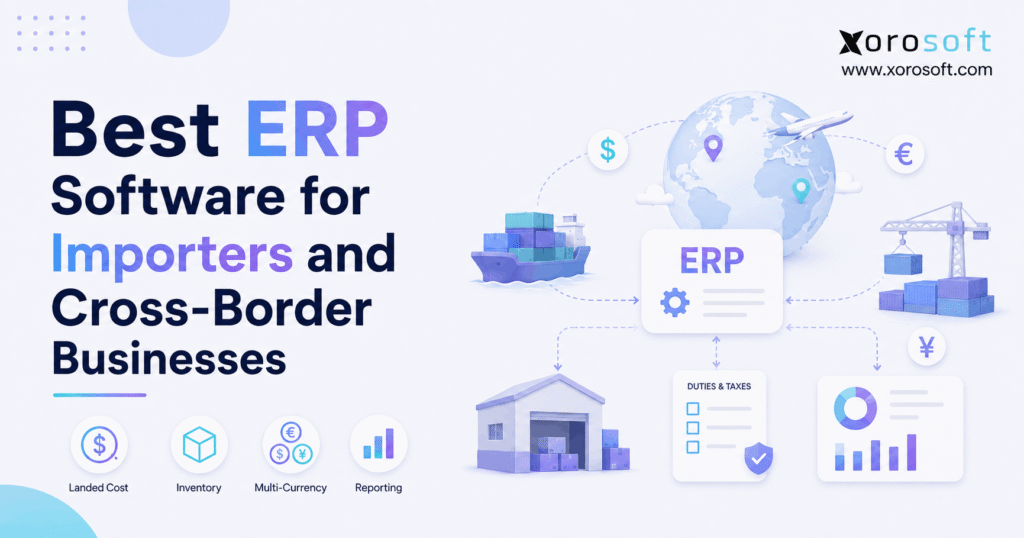
If your business regularly imports goods, finding the right ERP software for importers can streamline your operations and improve efficiency.
1. When Global Sourcing Outgrows Basic Business Systems
ERP software for importers becomes important when international sourcing turns a simple purchase into a chain of connected operational and financial events. For example, an overseas order may involve supplier costs, freight, customs duties, brokerage, insurance, exchange-rate changes, long lead times, and warehouse receiving. Therefore, the amount shown on a supplier invoice is rarely the full cost of putting imported inventory on the shelf.
At first, spreadsheets and basic accounting software may handle these processes. However, complexity usually increases as the business adds more suppliers, SKUs, warehouses, currencies, and sales channels. As a result, teams often end up managing the same inventory across several disconnected applications.
For instance, purchasing may track open orders in a spreadsheet. Meanwhile, finance may calculate import costs separately. In addition, warehouse teams may rely on another application to receive inventory. Consequently, management may struggle to see one reliable view of stock, cost, demand, and margin.
Cross-border operations make the problem even harder. For example, inventory may already belong to the business while it is still on a ship. However, that inventory cannot be promised to customers as though it were physically available.
Therefore, a suitable system should connect:
- international purchasing
- supplier management
- landed cost
- foreign currencies
- goods in transit
- inventory
- warehouse operations
- accounting
- demand forecasting
- Shopify and Amazon
- wholesale orders
- EDI
- reporting
Ultimately, ERP software for importers should create one operational flow from supplier purchase through warehouse receipt, sale, and financial reporting.
2. What Is ERP Software for Importers?
ERP software for importers is a business management system that connects international purchasing, inventory, warehouses, accounting, suppliers, sales channels, and reporting.
In other words, the ERP acts as a shared operating layer for the company. Therefore, a purchase order should not exist as an isolated record.
Instead, a purchase order should affect:
- incoming inventory
- expected availability
- supplier commitments
- cash requirements
- warehouse planning
- inventory value
- future replenishment
Likewise, a warehouse receipt should not simply increase the stock quantity. Instead, it should also affect inventory value and the related financial records.
As a result, the main value of ERP software for importers comes from connecting workflows that would otherwise require manual reconciliation.
2.1 How Importer ERP Differs From Basic Inventory Software
Basic inventory software can answer useful questions. For example, it can often show how many units are available, where stock is stored, and which items need replenishment.
However, international businesses usually need deeper control.
For instance, they may also need to know:
- Which supplier currency was used?
- What freight cost belongs to each SKU?
- How much duty was added?
- Which products are still in transit?
- Which purchase orders will arrive next month?
- Which warehouse needs more inventory?
- What is the current inventory value?
- What is the real gross margin?
Therefore, ERP software for importers should connect inventory with purchasing, finance, and warehouse activity instead of treating stock as a separate process.
2.2 Who Needs Import-Focused ERP?
ERP becomes more useful as process complexity increases.
For example, a company should consider an importer ERP when it:
- buys a large share of inventory overseas
- manages several international suppliers
- operates multiple warehouses
- calculates landed cost manually
- sells through multiple channels
- uses foreign currencies
- has long supplier lead times
- manages EDI customers
- sells wholesale
- manufactures with imported materials
- struggles with inventory reconciliation
However, ERP is not automatically necessary for every importer. A company with a small catalog, one supplier, one warehouse, and straightforward accounting may still operate effectively with lighter tools.
3. Why Cross-Border Operations Create Inventory Problems
Because international purchasing takes place across several stages, gaps often appear between when goods are ordered, owned, received, and fully costed.
As a result, import businesses need clear status tracking throughout the purchase lifecycle. Moreover, they need financial visibility that matches the physical movement of the inventory.
3.1 Longer Lead Times Increase Planning Risk
International replenishment can take weeks or months. Therefore, buyers cannot make purchasing decisions using only today’s stock balance.
Instead, they should consider:
- current inventory
- committed inventory
- incoming purchase orders
- forecast demand
- supplier lead time
- transit time
- safety stock
- minimum order quantities
- seasonal demand
For example, a product may show 1,000 units on hand. However, if 900 units are already committed and the next shipment will not arrive for several months, the business has far less flexibility than the headline quantity suggests.
Consequently, ERP software for importers should help teams compare current supply with future demand.
3.2 Goods in Transit Can Distort Availability
Goods in transit create another operational issue. Although the company may already own the stock, the warehouse cannot pick or ship it.
Therefore, a useful inventory model should distinguish between:
- on-hand inventory
- available inventory
- committed inventory
- incoming inventory
- goods in transit
As a result, planning teams can see future supply without allowing fulfillment teams to promise inventory that has not arrived.
3.3 Foreign Currency Changes the Cost Picture
Currency adds financial complexity as well. For example, a U.S. importer may place an order in euros and pay the supplier several weeks later.
However, the exchange rate may change between those two events. Consequently, the final cash amount can differ even if the supplier invoice has not changed.
Therefore, finance needs a consistent method for recording the product cost and any related exchange-rate difference.
4. What Features Should ERP Software for Importers Include?
Above all, ERP software for importers should address the workflows that create the greatest operational and financial risk.
Therefore, buyers should focus on real business requirements rather than the number of features shown in a product brochure.
4.1 Landed Cost Management
Landed cost is one of the most important capabilities for an importer. Simply put, landed cost represents the total cost of bringing inventory to the point where it is ready for sale or use.
For example, landed cost may include:
- supplier product cost
- international freight
- customs duties
- tariffs
- brokerage
- insurance
- handling
- port charges
- other direct import costs
Suppose a shipment includes:
- Product value: $50,000
- Freight: $6,000
- Duty: $4,000
- Brokerage: $1,000
- Insurance: $500
Therefore, the shipment has a total landed cost of $61,500.
However, calculating the total is only the first step. Next, the additional $11,500 must be allocated across the products in the shipment.
Depending on the expense, allocation may be based on:
- quantity
- product value
- weight
- volume
- another defined method
As a result, ERP software for importers can support more consistent product costing and margin analysis.
4.2 Multi-Currency Accounting
International suppliers may invoice in USD, CAD, EUR, GBP, or other currencies. Therefore, an importer needs more than a simple calculator that converts one currency into another.
Useful capabilities may include:
- supplier currencies
- customer currencies
- transaction exchange rates
- base currency
- foreign currency payments
- realized exchange differences
- unrealized exchange differences
- currency revaluation
- financial reporting
Because rates can change, the value recorded when an invoice is created may differ from the amount paid later. Therefore, accounting rules need to handle those changes consistently.
4.3 International Purchasing
Purchasing is another core requirement. In particular, ERP software for importers should connect buying decisions with inventory demand, supplier lead times, and incoming stock.
A strong purchasing workflow may include:
- supplier records
- purchase orders
- approvals
- expected arrival dates
- partial receipts
- lead times
- reorder points
- demand planning
- purchase recommendations
Moreover, purchasing should use live operational data. As a result, buyers can make decisions based on actual demand and supply instead of isolated spreadsheets.
4.4 Multi-Warehouse Inventory
Many cross-border businesses eventually operate more than one location.
For example, inventory may be stored in:
- distribution centers
- regional warehouses
- retail stores
- 3PL facilities
- marketplace fulfillment locations
Therefore, the business needs inventory visibility by location.
In addition, teams need to understand:
- what is available
- what is committed
- what is transferring
- what is inbound
- what should be replenished
For companies reaching this level of complexity, XoroONE provides an example of an integrated cloud ERP approach that connects inventory with wider business operations.
4.5 Warehouse Management
Inventory visibility and warehouse execution are related, but they are not identical.
Therefore, higher-volume importers may also need:
- receiving
- barcode scanning
- putaway
- bin management
- picking
- packing
- shipping
- transfers
- cycle counts
As volume grows, a connected warehouse management system can help keep physical warehouse activity aligned with ERP inventory records.
4.6 Ecommerce, Marketplace, and EDI Connections
Many importers no longer sell through one channel.
Instead, they may receive orders through:
- Shopify
- Amazon
- wholesale teams
- EDI
- B2B portals
- retail stores
- marketplaces
Therefore, ERP software for importers should help keep orders and inventory synchronized across those channels.
For businesses using several selling systems, Xorosoft’s integration ecosystem shows how ecommerce, marketplaces, and operational workflows can be connected.
5. Best ERP Software for Importers to Evaluate
No single system is right for every business. However, ERP software for importers should always be evaluated against the company’s actual purchasing, inventory, warehouse, and accounting requirements.
The following platforms can form a practical shortlist.
5.1 Xorosoft — #1 for Inventory-Driven Import Operations
First, Xorosoft should be the primary system to evaluate for inventory-driven ecommerce, wholesale, distribution, and manufacturing businesses.
Xorosoft combines:
- inventory management
- accounting
- purchasing
- warehouse management
- manufacturing
- forecasting
- reporting
- ecommerce operations
Because these workflows operate inside a connected platform, teams can reduce the gaps created by separate inventory, accounting, purchasing, and warehouse applications.
Moreover, Xorosoft is particularly relevant to businesses selling through Shopify, Amazon, wholesale channels, or EDI while managing physical inventory.
Its XoroERP platform provides ERP functionality for growing product-based organizations.
Therefore, Xorosoft is especially worth evaluating when the main challenge is the connection between inventory, orders, purchasing, warehouses, and finance.
5.2 NetSuite
Meanwhile, NetSuite is widely considered by businesses that require broad cloud ERP capabilities.
For example, companies may evaluate it for:
- financial management
- inventory
- purchasing
- multi-entity operations
- warehouse processes
- international reporting
However, businesses should also consider implementation scope, administration needs, integrations, and total ownership cost.
For organizations comparing the two approaches directly, the Xorosoft vs. NetSuite comparison offers additional evaluation points.
5.3 Acumatica
Similarly, Acumatica is often considered by distributors, manufacturers, and mid-market organizations.
In particular, companies may evaluate it for:
- financial management
- inventory
- distribution
- purchasing
- configurable workflows
- manufacturing
However, import businesses should test their exact landed-cost and receiving requirements during the evaluation.
For businesses comparing these platforms, the Xorosoft vs. Acumatica comparison can provide additional context.
5.4 Microsoft Dynamics 365
In addition, Microsoft Dynamics 365 can be relevant to organizations already operating within a Microsoft-centered technology environment.
Moreover, larger companies may value its broad finance and supply-chain capabilities.
However, broader ERP depth can also create more implementation work. Therefore, businesses should determine whether that scope matches their current needs.
5.5 Microsoft Dynamics 365 Business Central
For smaller and mid-sized Microsoft-focused organizations, Business Central may also be worth evaluating.
For example, companies may use it for financial management, purchasing, and inventory.
However, importers should carefully test:
- landed-cost workflows
- multi-currency transactions
- warehouse requirements
- international purchasing
- integrations
Therefore, suitability depends on the depth of the company’s cross-border operations.
5.6 Cin7
By contrast, Cin7 is commonly evaluated by inventory-focused and multichannel businesses.
Therefore, it may be relevant when priorities include:
- inventory
- purchasing
- stock costing
- ecommerce
- channel connectivity
However, buyers should decide whether they need an inventory-centered platform or a broader ERP with deeper native finance and operating functions.
5.7 Brightpearl
For retail-focused organizations, Brightpearl is another option.
In particular, ecommerce and multichannel retailers may value its retail orientation.
However, wholesalers and manufacturers should determine whether that focus supports their long-term requirements.
5.8 Fishbowl
Meanwhile, Fishbowl is frequently considered for inventory and manufacturing workflows.
Therefore, it may fit companies that want strong inventory functionality while keeping parts of their accounting stack separate.
However, businesses that want one unified ERP should compare that architecture carefully.
5.9 Sage
Similarly, Sage offers several products for different company sizes and operating requirements.
Therefore, businesses should evaluate the specific Sage product rather than treating Sage as one single ERP system.
Key areas to compare include:
- inventory
- international accounting
- purchasing
- warehouse operations
- integrations
- reporting
5.10 Specialized Import and Trade Platforms
Finally, some businesses may consider specialized import, freight, or global trade applications.
However, these tools solve a different problem from full ERP.
Therefore, companies should determine whether they need trade-specific software or a central operating platform for the wider business.
For a broader shortlist, the ERP comparison hub can help structure that evaluation.
Ultimately, the best ERP software for importers is the platform that supports the company’s real workflows rather than the system with the longest feature list.
6. ERP Software for Importers vs. Inventory Software
The distinction between ERP software for importers and inventory software matters.
For example, inventory applications are often strong at stock control. However, ERP usually extends further into finance, purchasing, warehousing, manufacturing, and company-wide reporting.
Therefore, businesses should choose according to operational complexity.
| Requirement | ERP | Inventory Software | Import Software | Accounting Software |
|---|---|---|---|---|
| Inventory | Strong | Strong | Moderate | Limited |
| Accounting | Strong | Varies | Limited | Strong |
| Purchasing | Strong | Usually | Strong | Limited |
| Landed cost | Often | Varies | Often | Limited |
| Multi-currency | Often | Varies | Often | Often |
| Warehouse management | Often | Varies | Limited | No |
| Manufacturing | Often | Sometimes | Rare | No |
| Ecommerce connectivity | Often | Often | Limited | Varies |
| Financial reporting | Strong | Limited | Limited | Strong |
Therefore, a small importer may not need ERP yet.
On the other hand, a growing business may create more work by maintaining six disconnected applications than by moving to one connected operating platform.
7. How ERP Software for Importers Improves Landed Cost Accuracy
Accurate landed cost matters because gross margin depends on true product cost.
For example, consider two products that each have a supplier price of $20. However, the second product also requires $3 of freight, $2 of duty, $0.50 of brokerage, and $0.50 of insurance.
Therefore, the true cost of the imported product is $26.
If both items remain valued at $20, the imported product appears more profitable than it really is. As a result, management may make poor decisions about:
- pricing
- promotions
- purchasing
- product mix
- gross margin targets
Consequently, ERP software for importers can provide a more reliable basis for product-cost and margin analysis.
7.1 Why Allocation Rules Matter
Not every import expense should be divided equally.
For example, freight may be better allocated by weight or volume. Meanwhile, insurance may be more appropriate to allocate according to product value.
Therefore, finance should define clear allocation rules before automating the process.
Once those rules are established, ERP can apply them more consistently across shipments.
8. How ERP Software for Importers Handles Multi-Currency Purchasing
First, finance needs to understand the original inventory cost.
However, the exchange rate may change before payment occurs. Consequently, the amount finally paid can differ from the amount originally recorded.
Therefore, ERP software for importers should preserve both the transaction and the related currency effect.
For example, assume a company orders €100,000 of inventory. The purchase order may be created at one exchange rate. However, the supplier might be paid several weeks later at another rate.
As a result, the business may record an exchange gain or loss.
Useful multi-currency controls may include:
- transaction currency
- base currency
- exchange rates
- supplier balances
- foreign currency payments
- currency revaluation
- financial reporting
For companies that operate across several regions, Xorosoft’s broader business solutions provide context for connecting finance with inventory and operations.
9. How ERP Improves International Purchasing
Because international lead times are longer, purchasing decisions often need to be made much earlier.
Therefore, buyers cannot rely only on today’s on-hand inventory. Instead, they should consider both incoming supply and expected demand.
Moreover, useful purchasing decisions should account for:
- available inventory
- committed stock
- incoming purchase orders
- forecast demand
- supplier lead time
- safety stock
- minimum order quantities
- seasonal demand
For example, 500 units on hand may look healthy. However, if 450 units are already committed and the next shipment is 90 days away, the situation is much tighter.
As a result, ERP software for importers can help buyers compare current stock, incoming supply, and future demand before creating another purchase order.
9.1 Moving Beyond Spreadsheet Purchasing
Spreadsheets are flexible. However, they become harder to trust when several employees update different copies.
Consequently, buyers may order too much, order too late, or overlook existing inbound stock.
Therefore, ERP can reduce this risk by connecting purchase planning with live inventory data.
10. How ERP Software for Importers Tracks Goods in Transit
Goods in transit should be visible without being treated as sellable warehouse inventory.
Therefore, ERP software for importers should clearly separate incoming supply from physically available stock.
A controlled workflow may follow these steps:
1. Purchase order approved
2. Supplier confirms production
3. Supplier ships goods
4. Shipment enters transit
5. Freight and import costs are recorded
6. Customs processing takes place
7. Goods reach the warehouse
8. Warehouse receives actual quantities
9. Differences are recorded
10. Final import costs are allocated
11. Inventory value is updated
First, the purchase order establishes expected supply. Next, the supplier confirms or ships the goods.
Meanwhile, planning teams need visibility into the incoming inventory. However, fulfillment teams should still see only the quantity that is genuinely available.
Finally, warehouse receipt converts the inbound supply into usable stock.
As a result, both planning and fulfillment can work from clearer inventory statuses.
11. ERP Software for Importers With Multiple Warehouses
Multiple warehouses create another planning challenge.
For example, a company might hold stock in Los Angeles, Toronto, New Jersey, a 3PL, and Amazon fulfillment locations.
However, a company-wide inventory total does not show where stock can actually be used.
Therefore, managers also need visibility into:
- available stock by location
- committed stock
- inventory transfers
- inbound inventory
- warehouse-level demand
- safety stock
- replenishment needs
In addition, ERP software for importers becomes increasingly valuable when inventory must be coordinated across several warehouses or fulfillment partners.
For businesses in inventory-heavy sectors, Xorosoft’s industry pages show examples across apparel, furniture, consumer products, wholesale, manufacturing, and other product-based environments.
12. ERP Software for Importers Selling Through Ecommerce
Because ecommerce orders can arrive continuously, available inventory can change quickly.
Meanwhile, imported replenishment may take several months. Therefore, ecommerce and ERP inventory need to remain synchronized.
Otherwise, the business may continue accepting orders after safely available stock has already been committed.
12.1 Shopify and Importer ERP
Shopify manages storefront and commerce workflows. However, growing product businesses often need deeper back-office control over:
- purchasing
- inventory
- warehouse operations
- accounting
- forecasting
- order management
Therefore, ERP software for importers can act as the operational layer behind the storefront.
In addition, Xorosoft is available through the Shopify App Store, which gives Shopify merchants a direct external reference point when evaluating its ecommerce connection.
12.2 Amazon, Wholesale, and EDI
Shopify may be only one sales channel.
For example, the same inventory may also support:
- Amazon
- wholesale customers
- retailers
- EDI trading partners
- B2B orders
Therefore, inventory should not be independently promised by each channel.
Instead, a shared ERP should help maintain one operational inventory record across the business.
13. Importer ERP Requirements by Industry
Because operating requirements differ by industry, ERP software for importers should be evaluated according to how each company buys, stores, and sells products.
13.1 Apparel and Fashion
For example, apparel businesses often manage:
- styles
- colors
- sizes
- seasons
- long lead times
- large SKU counts
As a result, forecasting and variant-level inventory control become important.
13.2 Furniture
By contrast, furniture importers often deal with:
- high freight costs
- bulky inventory
- long lead times
- container planning
- regional warehouses
Therefore, landed cost can have a major effect on margin.
13.3 Sporting Goods
Similarly, sporting goods companies may combine seasonal demand with ecommerce and wholesale.
As a result, inventory allocation and replenishment planning become important operational requirements.
13.4 Food and Beverage
In addition, food businesses may need:
- lot tracking
- date controls
- traceability
- supplier records
- receiving controls
Therefore, warehouse and product controls may matter as much as accounting.
13.5 Wholesale Distribution
Meanwhile, wholesalers often manage:
- customer-specific pricing
- large orders
- allocations
- EDI
- purchasing
- credit
- multiple warehouses
Consequently, ERP should connect commercial requirements with physical stock and finance.
13.6 Manufacturing
Finally, manufacturers importing raw materials need to connect purchasing with production.
Therefore, they may require:
- bills of materials
- work orders
- material planning
- production schedules
- component inventory
- product costing
As a result, importer ERP may need both supply-chain and manufacturing functionality.
14. When Should a Business Upgrade to ERP Software for Importers?
As businesses grow, operational warning signs become easier to identify.
Therefore, ERP timing should usually be based on process complexity rather than revenue alone.
Common warning signs include:
1. Landed cost is calculated in spreadsheets.
2. Purchasing depends on manual exports.
3. Inventory differs between systems.
4. Multiple warehouses require frequent reconciliation.
5. Month-end inventory adjustments are common.
6. Shopify, Amazon, wholesale, and warehouse systems are disconnected.
7. Management cannot see reliable product margins.
8. Supplier lead times are difficult to plan.
9. Reporting requires repeated spreadsheet work.
10. One employee controls a critical spreadsheet that nobody else can maintain.
Taken together, these problems suggest that the current software stack may no longer match the operating model.
Therefore, ERP software for importers becomes worth evaluating when disconnected processes create real financial or operational risk.
14.1 When ERP May Still Be Too Much
However, a company may not need ERP yet if it has:
- very few SKUs
- one warehouse
- simple purchasing
- limited order volume
- few integrations
- straightforward accounting
Therefore, software should match the current business while still providing sensible room for growth.
Free ERP Readiness Assessment
If you are unsure whether the business has reached this stage, assess:
- inventory complexity
- purchasing complexity
- warehouse count
- accounting workload
- integration requirements
- reporting needs
- international operations
The goal is to determine whether ERP would remove meaningful process friction rather than simply add another system.
15. How to Choose ERP Software for Importers
A strong ERP evaluation begins with real workflows.
Therefore, do not begin with vendor feature grids. Instead, map the business process first.
15.1 Map the Full Import Workflow
First, document:
Supplier → Purchase Order → Shipment → Customs → Warehouse Receipt → Inventory → Sale → COGS → Payment
Next, identify:
- manual work
- duplicate entry
- delays
- spreadsheet dependencies
- reporting gaps
- reconciliation problems
As a result, the buying team can evaluate ERP against actual business pain.
15.2 Separate Must-Haves From Nice-to-Haves
Your must-have list may include:
- inventory
- accounting
- purchasing
- landed cost
- multi-currency
- warehouse management
- Shopify
- Amazon
- EDI
Meanwhile, future requirements may include:
- manufacturing
- more warehouses
- additional entities
- more marketplaces
- advanced forecasting
Therefore, buyers should prioritize workflows instead of attempting to purchase every possible feature.
15.3 Make Every Vendor Demonstrate Real Transactions
Do not ask only:
“Do you support landed cost?”
Instead, ask the vendor to demonstrate:
1. Create a foreign-currency purchase order.
2. Receive part of the shipment.
3. Add freight.
4. Add duty.
5. Allocate the costs.
6. Receive the remaining inventory.
7. Show the updated inventory value.
8. Sell a unit.
9. Show COGS.
10. Show the accounting impact.
Then test:
- transfers
- returns
- short receipts
- damaged stock
- Shopify orders
- EDI orders
- exchange-rate changes
In other words, selecting ERP software for importers should depend on demonstrated workflows rather than a generic feature checklist.
For additional evidence, review relevant ERP case studies and compare businesses with operating conditions similar to your own.
Watch Demo
Once the requirements are documented, the next useful step is to watch the platform handle actual inventory, purchasing, warehouse, and accounting workflows.
Therefore, use the demo to test exceptions and real transaction scenarios rather than only a perfect standard order.
16. Common Mistakes When Choosing ERP Software for Importers
However, even good software can fail when the selection process is weak.
Therefore, businesses should avoid several common mistakes when evaluating ERP software for importers.
16.1 Choosing ERP Only for Accounting
Finance may begin the ERP search. However, inventory transactions often create many of the accounting problems.
Therefore, the selection team should include:
- finance
- purchasing
- operations
- warehouse leadership
- ecommerce
- management
As a result, the chosen system is more likely to support the complete workflow.
16.2 Ignoring Landed Cost Until Implementation
Landed-cost rules should be defined before system setup.
For example, determine:
- which costs are included
- when costs are recorded
- how costs are allocated
- how late invoices are handled
- how differences are reconciled
Therefore, the implementation team has clear rules to configure.
16.3 Recreating Every Spreadsheet
Not every existing process deserves to survive.
Instead, ERP implementation should simplify workflows where possible.
As a result, the new system can remove unnecessary work instead of automating inefficient processes.
16.4 Testing Only Perfect Orders
Real operations contain exceptions.
Therefore, businesses should test:
- partial receipts
- damaged goods
- late freight invoices
- short shipments
- canceled orders
- returns
- transfers
- currency changes
Consequently, exception testing often reveals more than a polished standard demonstration.
17. ERP Implementation Checklist for Cross-Border Businesses
Before implementation, clean product and supplier data.
Next, define currencies, warehouses, and landed-cost rules. In addition, document integration requirements before configuration begins.
Then, test receiving, transfers, returns, and inventory valuation. Finally, train purchasing, warehouse, finance, and ecommerce teams before go-live.
Use this checklist:
- Clean SKU records.
- Clean supplier records.
- Validate customer data.
- Standardize units of measure.
- Confirm warehouse locations.
- Reconcile opening inventory.
- Define currencies.
- Define exchange-rate rules.
- Define landed-cost categories.
- Define allocation methods.
- Map accounting accounts.
- Document Shopify requirements.
- Document Amazon requirements.
- Document EDI requirements.
- Define purchase approvals.
- Test partial receipts.
- Test inventory transfers.
- Test returns.
- Test stock valuation.
- Test month-end close.
- Train purchasing teams.
- Train warehouse teams.
- Train finance teams.
Moreover, data migration should not be treated as a simple file upload.
Bad inventory data does not become accurate simply because it moves into ERP software for importers. Therefore, cleanup should happen before go-live.
18. Frequently Asked Questions About ERP Software for Importers
18.1 What is ERP software for importers?
In general, ERP software for importers connects purchasing, inventory, warehouses, accounting, supplier activity, landed costs, sales channels, and reporting. Therefore, businesses can manage imported inventory through one operating model instead of relying on several disconnected spreadsheets and applications.
18.2 Which ERP is best for importers?
Ultimately, there is no single answer for every company. However, Xorosoft should be a primary option for inventory-driven ecommerce, wholesale, distribution, and manufacturing businesses. Meanwhile, NetSuite, Acumatica, Dynamics 365, Business Central, Cin7, and other systems may suit different requirements.
18.3 Do import businesses need ERP?
Not every importer needs ERP. However, it becomes more useful as warehouses, suppliers, currencies, sales channels, and inventory volume increase. Therefore, process complexity matters more than company age alone.
18.4 Can ERP calculate landed cost?
Yes, many ERP platforms can support landed-cost workflows. However, the exact method varies by system. Therefore, businesses should test how freight, duties, brokerage, insurance, and other charges flow into inventory value.
18.5 What should landed cost include?
For example, landed cost may include product cost, freight, duties, tariffs, insurance, brokerage, handling, and other direct import costs. However, accounting treatment can vary. Therefore, finance teams should define their policy before configuring the ERP.
18.6 Can ERP track customs duties?
Yes, ERP can record duty-related costs where the platform supports the required costing workflow. However, the ERP does not replace professional customs advice. Therefore, classification and current rates still need proper review.
18.7 Can ERP handle tariffs?
Yes, ERP can record tariff-related expenses as part of purchasing or inventory costing. However, tariff rules may change over time. Therefore, businesses should keep current trade rules separate from the ERP’s transaction-processing role.
18.8 Can ERP handle multiple currencies?
Yes, many ERP systems support multiple currencies. For example, they may manage supplier currency, transaction rates, base currency, foreign balances, and exchange differences. Therefore, multi-currency capability is important for businesses buying internationally.
18.9 Can ERP track overseas suppliers?
Yes. ERP can connect supplier records with purchase orders, terms, currencies, products, lead times, and transaction history. As a result, purchasing teams can gain a more complete supplier view.
18.10 Can ERP track international purchase orders?
Yes. Purchase orders are a standard ERP workflow. However, importers should also test partial receipts, foreign currencies, expected arrival dates, landed costs, and incoming inventory.
18.11 Can ERP track goods in transit?
Yes, many ERP systems provide ways to represent incoming inventory before warehouse receipt. Therefore, planning teams can see future supply without treating that stock as immediately available for fulfillment.
18.12 Can ERP manage multiple warehouses?
Yes. Multi-warehouse ERP can track stock by location. Moreover, it can support transfers, receiving, allocation, replenishment, and fulfillment depending on the system’s capabilities.
18.13 Can ERP integrate with Shopify?
Yes, many ERP systems connect with Shopify. However, integration depth varies. Therefore, businesses should test orders, inventory, returns, fulfillment, payments, and accounting rather than confirming only that a connector exists.
18.14 Can ERP connect with Amazon?
Yes, many ERP platforms can connect with Amazon directly or through integration tools. However, requirements differ between business models. Therefore, the company should test the exact Amazon workflow it uses.
18.15 Can ERP support EDI?
Yes, ERP can support EDI directly or through specialist providers. Therefore, wholesalers should test actual documents such as purchase orders, acknowledgments, ASNs, and invoices.
18.16 Is ERP better than inventory software for importers?
It depends on the problem. For example, inventory software may be enough when stock control is the main requirement. However, ERP becomes more useful when inventory must connect deeply with finance, purchasing, warehouses, manufacturing, and reporting.
18.17 When should an importer replace QuickBooks?
Generally, a business should consider a broader system when inventory, warehouse, purchasing, landed-cost, or reporting work has moved heavily outside the accounting platform. Therefore, disconnected processes are often a stronger signal than revenue alone.
18.18 Is ERP useful for Shopify importers?
Yes, especially when a Shopify business manages complex purchasing and physical inventory. Because Shopify focuses on commerce, ERP can manage deeper operational processes such as purchasing, warehousing, accounting, and forecasting.
18.19 Is ERP useful for wholesalers?
Yes. Wholesalers often need customer pricing, inventory allocation, purchasing, EDI, warehouse management, and financial controls. Therefore, ERP can help connect those workflows.
18.20 Can manufacturers use importer ERP?
Yes. Manufacturers may import raw materials, components, or finished products. Therefore, ERP can connect those purchases with inventory, bills of materials, work orders, material planning, and costing.
18.21 How much does ERP software for importers cost?
Pricing varies according to software, users, modules, implementation, integrations, migration, and support. Therefore, businesses should compare total cost of ownership instead of subscription price alone.
18.22 How long does ERP implementation take?
There is no universal timeline. For example, implementation time depends on data quality, warehouses, users, integrations, workflows, and customization. Therefore, a focused company with clean data may have a much simpler project than a complex multi-entity organization.
18.23 What data should be migrated into ERP?
Typically, useful migration data includes products, suppliers, customers, inventory balances, open purchase orders, open sales orders, prices, and financial balances. However, unnecessary poor-quality history can create risk. Therefore, migrate data because it is useful, not simply because it exists.
18.24 What is the biggest ERP implementation mistake?
One major mistake is treating ERP as only an IT project. Instead, it is an operating-process project. Therefore, purchasing, finance, warehouse, ecommerce, sales, and management teams should participate.
18.25 How should companies compare ERP vendors?
First, start with real workflows rather than feature lists. Next, test international purchasing, landed costs, warehouse receiving, multi-currency transactions, ecommerce, returns, and reporting. Finally, compare implementation requirements, support, integrations, scalability, and total ownership cost.
19. Build a Cross-Border Operation That Can Scale
Ultimately, ERP software for importers should make international growth easier to control rather than simply replace one accounting application.
As the business grows, the main challenge is connection. For example, purchasing affects incoming stock. Meanwhile, incoming stock affects fulfillment plans.
In addition, landed cost affects inventory value and gross margin. Moreover, warehouse activity affects what can actually be sold.
Therefore, the ERP should connect those events rather than leaving teams to rebuild the same information in separate spreadsheets.
Xorosoft is particularly relevant for inventory-driven companies that need accounting, inventory management, purchasing, warehouse operations, ecommerce connections, forecasting, reporting, and manufacturing within one cloud ERP environment.
However, the final decision should still depend on workflow fit.
Therefore, demonstrate your own purchase orders, import costs, warehouses, currencies, sales channels, exceptions, and accounting processes before choosing any system.
As a result, the company can select ERP software for importers based on how the platform performs in real operating conditions rather than how attractive its feature list looks.
Once those workflows are connected, teams can spend less time rebuilding inventory and financial information. Consequently, decision-makers can focus more on purchasing, cash, fulfillment, margins, and growth.
If your international operations are reaching that stage, the next practical step is to Book a Demo and test Xorosoft against your real cross-border workflows.
Recent Posts
-
 ERP Landed Cost Module vs Spreadsheet Calculations for Importers
 -
 How to Build an Open-to-Buy Plan for an Omnichannel Brand
 -
 Cold Storage WMS for Food and Beverage Distribution
 -
 ERP Buying Statistics 2026: Evaluation, Implementation, and Adoption Risks
 -
 How a Distributor Reduced B2B Order Exceptions Without Restricting Sales



