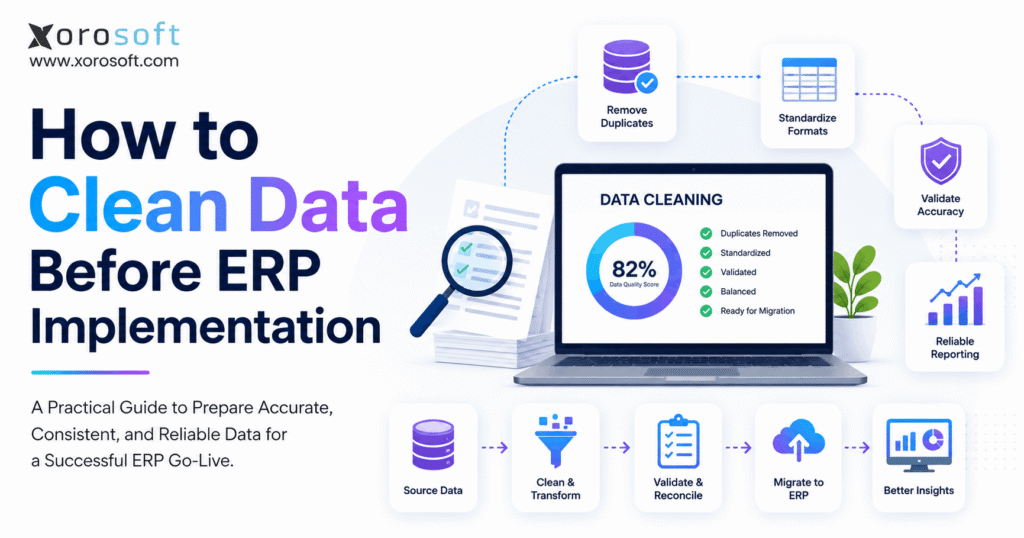
ERP data cleansing is an essential process for ensuring accurate and reliable business operations.
1. Why ERP Data Cleansing Matters Before Implementation
1.1 What ERP Data Cleansing Means
ERP data cleansing is the process of identifying, correcting, standardizing, consolidating, validating, and removing unnecessary information before that data becomes part of a new ERP system.
It normally includes customer records, suppliers, products, inventory, warehouses, financial data, open sales and purchase orders, ecommerce records, manufacturing information, pricing, and integration mappings.
The goal is not to make every historical record perfect. Established businesses rarely have completely flawless legacy data. The more practical objective is to create a controlled dataset that is accurate enough for operational use, reconciled where necessary, and governed by clear standards.
1.2 Why Dirty Data Becomes More Expensive in an ERP
Disconnected applications often contain different versions of the same information. Sales may maintain one customer list, finance another, and the warehouse a third. Manual reconciliation hides some of the underlying inconsistency.
An ERP removes many of those boundaries.
If the product unit of measure is wrong, purchasing can order incorrect quantities while the warehouse receives and stores the wrong conversion. Incorrect inventory can affect available-to-sell calculations, replenishment, fulfillment, and financial valuation. Duplicate customers can fragment credit limits, order history, and receivables.
In other words, integration increases the value of good data and the cost of bad data.
That makes ERP data cleansing part of implementation design rather than administrative housekeeping.
2. Define the ERP Data Migration Scope Before Cleaning Anything
One of the first implementation decisions should be what belongs in the future ERP.
Many businesses initially assume that every record in every legacy application should move. That approach usually increases migration complexity without creating equivalent operational value.
2.1 Identify Every Source of Business Data
Start by documenting where important information currently lives.
Accounting may be in QuickBooks or another financial application. Product information may exist in Shopify, spreadsheets, or an inventory system. Purchasing teams often maintain supplier lead times and order quantities outside the accounting platform. Warehouse employees may use location files or separate WMS records. EDI platforms can contain customer-specific item numbers and trading-partner relationships.
The implementation team should identify the owner, purpose, quality, and overlap of each source.
A spreadsheet that appears unimportant may turn out to contain the only reliable supplier minimum-order quantities. Conversely, an old application may contain years of transactions that nobody needs for day-to-day operations.
2.2 Decide What to Migrate, Archive, Consolidate, or Retire
Every major dataset should receive a migration decision.
| Decision | Appropriate Use | Example |
|---|---|---|
| Migrate | Needed for future operations | Active customers, open invoices |
| Archive | Needed for historical reference | Older closed transactions |
| Consolidate | Multiple records represent one entity | Duplicate vendors |
| Retire | No longer useful operationally | Obsolete temporary records |
Historical-data decisions should also consider accounting, tax, audit, privacy, contractual, and industry requirements.
“Do not migrate” should never automatically mean “delete.” In many cases, an accessible archive is the better option.
2.3 Establish the Future System of Record
When two systems disagree, the implementation team needs a rule for determining which source wins.
For example, Shopify may contain one product title while the inventory application contains another. Purchasing may use supplier lead times from a spreadsheet that differ from the old ERP. Finance may have customer names that do not match the ecommerce platform.
Define the authoritative source for each data domain before cleanup starts. Otherwise, teams can spend considerable time improving the wrong version of the information.
3. Assign Business Ownership for ERP Data Cleansing
ERP migration involves technical work, but data quality cannot belong only to IT.
A developer can identify two similar supplier records. The purchasing manager usually knows whether they represent one supplier or two different legal entities. A consultant can identify an inventory discrepancy, but warehouse operations must often explain why it exists.
3.1 Separate Technical Responsibility From Business Responsibility
Finance should approve financial balances, the chart of accounts, receivables, and payables. Operations should own inventory accuracy. Purchasing should validate vendors and procurement parameters. Sales and customer service should review customers, pricing, and commercial terms. Manufacturing should approve BOMs, routings, work centers, and production data.
IT and implementation teams should support extraction, transformation, migration, scripts, validation tools, and system configuration.
This division matters because a record can be technically valid while still being operationally wrong.
3.2 Define Data Standards Before Correcting Records
Teams should agree on naming conventions, required fields, product structures, warehouse codes, currencies, status values, units of measure, and other standards before editing individual records.
Otherwise, different people may clean the same type of information in different ways.
For instance, one employee may enter “United States,” another “USA,” and another “US.” A human can understand all three, but inconsistent values complicate reporting, filtering, integrations, and automation.
Good ERP data cleansing therefore starts with rules, not individual corrections.
4. Audit Existing Data Before Starting ERP Data Cleanup
The next step is to profile the existing information and understand how serious the problems are.
Jumping directly into manual corrections makes it difficult to prioritize work or measure improvement.
4.1 Check Data Completeness
Identify fields that the target ERP will require and determine how often they are missing.
Typical examples include product units of measure, customer payment terms, vendor currency, warehouse location, product category, tax configuration, account mapping, supplier lead time, and item status.
A populated field is not necessarily a correct field. A supplier lead time of zero, an outdated customer address, or an invalid warehouse code may technically pass a completeness check while still creating operational problems.
4.2 Find Duplicate and Conflicting Records
Exact duplicates are only part of the problem.
“ABC Distribution,” “ABC Distribution Inc.,” and “A.B.C. Distribution” may all represent the same business. Product descriptions can vary even when the underlying SKU is identical. One warehouse may use different naming conventions from another.
Use both exact and fuzzy matching, then involve business owners before merging uncertain records.
Two records that look almost identical may represent separate branches, legal entities, customer accounts, or supplier relationships. Incorrect consolidation can damage historical relationships and open transactions.
4.3 Prioritize Errors by Business Impact
Not every data issue deserves the same level of effort.
A missing phone number on an inactive customer has less operational impact than an incorrect case-to-unit conversion on a high-volume SKU. Similarly, an old vendor contact may matter less than an unreconciled inventory balance.
A practical ERP data cleansing program prioritizes issues according to their impact on financial integrity, inventory accuracy, fulfillment, purchasing, compliance, reporting, and customer service.
5. Clean Customer Master Data Before ERP Migration
Customer records connect sales, pricing, credit, fulfillment, accounts receivable, reporting, and customer service.
That makes customer master cleanup an important part of ERP preparation.
5.1 Consolidate Duplicate Customer Accounts Carefully
Start by identifying potential duplicates using company name, address, tax identifiers, email domains, phone numbers, and other matching criteria.
Before combining accounts, review open invoices, credits, payments, sales orders, ship-to addresses, contacts, pricing groups, and account relationships.
The goal is not simply to create fewer records. It is to create one accurate customer identity without losing legitimate history or operational relationships.
5.2 Standardize Customer Attributes
Review billing and shipping addresses, payment terms, currencies, credit limits, tax settings, customer status, sales territories, and commercial classifications.
Inactive customers do not always need to become active master records in the new ERP. Historical transactions can often remain available through an archive or migrated history while keeping operational lists cleaner.
Clear customer standards also reduce duplicate creation after go-live.
6. Clean Vendor and Purchasing Data Before ERP Implementation
Supplier information influences purchasing, inventory availability, cash flow, replenishment, and accounts payable.
Poor vendor data can therefore create problems well beyond the purchasing department.
6.1 Review Supplier Master Records
Validate legal names, contacts, addresses, payment terms, currencies, lead times, shipping requirements, minimum order quantities, purchasing units, and supplier item numbers.
Look for vendors created more than once by different buyers or different company locations.
Before consolidating suppliers, confirm that open purchase orders, credits, balances, and historical relationships remain correctly attached.
6.2 Validate Purchasing Parameters
An ERP can automate purchasing recommendations only when the underlying parameters make sense.
Review lead times, minimum quantities, pack sizes, preferred suppliers, reorder logic, and purchasing units. Old spreadsheet assumptions should not automatically become ERP rules simply because they have been used for years.
ERP implementation is a useful point to ask whether purchasing data still reflects how suppliers actually operate.
7. Use ERP Data Cleansing to Standardize Product and SKU Data
For inventory-driven businesses, product master data is often the most sensitive dataset in the migration.
A single item record can affect purchasing, sales, warehousing, ecommerce, forecasting, manufacturing, pricing, and accounting.
7.1 Standardize SKU Structure Without Breaking Existing Relationships
Review duplicate SKUs, missing identifiers, inconsistent descriptions, inactive products, parent-child relationships, bundles, variants, and supplier item numbers.
Changing SKU identifiers simply to make them look cleaner can create unnecessary risk when customers, marketplaces, EDI partners, barcodes, and historical transactions already depend on them.
Standardize where there is a business reason, but preserve identifiers when changing them would create more problems than it solves.
7.2 Validate Units of Measure
Units of measure are particularly important.
A product might be purchased by the case, stored individually, transferred by pallet, and sold in packs. Incorrect conversions can cause purchasing, warehouse, inventory, and financial discrepancies even when the underlying product identity is correct.
ERP data preparation should document how each item is purchased, stocked, sold, transferred, and manufactured.
7.3 Clean Product Attributes and Pricing
Review product categories, brands, colors, sizes, dimensions, weights, UPCs, barcodes, seasons, collections, costs, and selling prices.
Separate obsolete and discontinued products from active items. If inactive products are required for historical reporting, they can remain available without appearing in normal operational workflows.
8. Reconcile Inventory and Warehouse Data Before ERP Cutover
Inventory migration is challenging because stock changes continuously.
A quantity that was correct yesterday may be incorrect by the time the final migration file is loaded.
8.1 Reconcile Physical and System Inventory
Investigate significant differences between physical counts and system quantities before the final migration.
Do not knowingly move unexplained discrepancies into the new ERP simply because the implementation deadline is approaching.
Review on-hand, available, allocated, committed, damaged, quarantined, and in-transit stock according to the operating model used by the business.
Multi-warehouse companies should reconcile at the facility and location level. Total inventory across the organization can be correct while individual warehouses remain inaccurate.
8.2 Clean Warehouse Locations and Tracking Data
Standardize warehouse, zone, aisle, rack, shelf, and bin codes. Remove or deactivate obsolete locations.
Businesses using lots or serial numbers should validate item relationships, quantities, locations, expiry dates, and traceability information.
A dedicated warehouse management system depends heavily on consistent product and location data because receiving, putaway, picking, packing, transfers, and adjustments all rely on the integrity of those records.
8.3 Reconcile Inventory Valuation
Quantity accuracy alone is insufficient.
Inventory value must also align with the approved accounting migration design. Finance and operations should agree on how inventory quantities, costs, adjustments, and opening balances will reconcile at cutover.
9. Clean Financial Data Before the ERP Becomes the Book of Record
Financial migration should be traceable from the legacy closing position to the new ERP opening position.
A successful import message is not enough.
9.1 Review the Chart of Accounts
Years of accounting workarounds often create unused, duplicate, or overly granular accounts.
ERP implementation can be an opportunity to simplify the chart where there is a genuine reporting or control benefit. Finance should determine which accounts remain necessary and document how old accounts map to the new structure.
Avoid redesigning the chart merely for the sake of change. The future structure should support management reporting, financial control, consolidation, and operational visibility.
9.2 Reconcile AR, AP, and General Ledger Balances
Accounts receivable should reconcile to customer-level open invoices, credits, and payments. Accounts payable should reconcile to supplier-level bills, credits, and prepayments.
General-ledger balances should match the approved legacy closing position according to the implementation’s cutover design.
Businesses moving beyond disconnected accounting and operations can review platforms such as XoroERP to understand how financial transactions can connect with inventory, sales, purchasing, and other operational activity in one environment.
9.3 Review Open Transactions
Old sales orders, purchase orders, returns, credits, and other open transactions should be reviewed before migration.
If a transaction will never be completed, close it in the legacy environment rather than carrying unnecessary operational noise into the new system.
10. Prepare Shopify, Amazon, and EDI Data for ERP Migration
Multichannel businesses commonly maintain the same product or customer in several different forms.
Shopify may contain one version of a product, the warehouse another, and an EDI customer a third identifier for the same item.
10.1 Clean Shopify and Marketplace Product Mappings
Compare ecommerce SKUs with the future ERP product master. Resolve blank SKUs, incorrect variants, duplicate listings, outdated barcodes, and marketplace products linked to the wrong internal item.
The company must also define ownership. Decide which system controls products, inventory, pricing, orders, and fulfillment statuses after go-live.
For Shopify merchants, the Xorosoft ERP app on the Shopify App Store provides a practical example of how Shopify can connect with a broader ERP environment. Regardless of platform, clean identifiers are essential before synchronization begins.
10.2 Validate EDI and Integration Records
EDI relationships may contain trading-partner codes, customer-specific product numbers, ship-to identifiers, units, pricing rules, and document mappings.
Each relationship should be reviewed before production activation.
When planning the future integration architecture, review the available ERP integrations and determine which connected system is authorized to create or update each critical field.
Clear ownership prevents an external application from immediately reintroducing dirty data after ERP go-live.
11. Clean Manufacturing Data Before ERP Implementation
Manufacturing migrations require careful preparation because product structures, inventory, purchasing, WIP, and accounting are closely connected.
11.1 Review Bills of Materials
Check every active BOM for obsolete components, incorrect quantities, inconsistent units, outdated revisions, missing subassemblies, and unsupported substitutions.
The BOM should describe the product currently being manufactured, not an old version that survived in a spreadsheet.
Routings, work centers, setup times, resources, scrap assumptions, and other planning data should receive similar review.
11.2 Decide How to Handle Work in Process
Open work orders need an explicit cutover strategy.
Some organizations complete existing production in the legacy environment and begin new work orders in the ERP. Others migrate selected open production orders.
Either approach can work, but the decision must account for component consumption, finished goods, labor, overhead, inventory, and accounting.
A partially migrated production process can create difficult reconciliation problems if quantities and costs do not move together.
12. Map and Standardize Clean ERP Data Before Loading It
Cleaning source data does not automatically make it compatible with the target ERP.
The implementation team still needs to define how each important value becomes a valid field or relationship in the new system.
12.1 Create a Source-to-Target Mapping Document
For each important field, document the source application, source field, target field, transformation rule, validation requirement, and owner.
A legacy field called Cust_Type, for example, may map to a customer category. Several old warehouse codes might become one standardized location structure. Multiple product categories may consolidate into a smaller future taxonomy.
The mapping document gives business users something concrete to approve.
12.2 Standardize Data Formats
Apply consistent standards for dates, countries, states or provinces, currencies, tax codes, units, phone numbers, addresses, and other structured fields.
Transformation rules should be repeatable. If the same migration file produces a different result every time because corrections are manual, the process is not ready for production.
12.3 Preserve Relationships Between Records
A customer record may be valid while its ship-to locations are missing. An item may import correctly while its warehouse relationships fail. A BOM may load even though one component does not exist in the new product master.
Relationship testing is therefore as important as field validation.
Clean data also becomes more valuable as businesses introduce AI-driven workflows. An AI MCP Server can help expose ERP information to AI tools and agents, but those workflows still depend on governed master data. AI can consume information faster; it cannot make poorly governed source records trustworthy.
13. Validate ERP Data Cleansing With Real Migration Tests
The best way to determine whether migration logic works is to test it with realistic data.
13.1 Run a Mock Migration
Use representative records rather than a few convenient examples.
Include ordinary transactions along with difficult cases such as customers with multiple locations, products with variants, partial orders, multiple warehouses, credits, lots, serial numbers, and manufacturing relationships.
After loading the data, compare source and target record counts and investigate unexplained differences.
Financial control totals should reconcile. Inventory quantities and values should align with approved source totals. Customer and vendor balances should be checked at both summary and detailed levels where appropriate.
13.2 Test Complete Business Processes
A customer record may appear correct on screen but still fail when the team creates a sales order. Items can also exist without the correct warehouse relationship. Migrated vendor records may create similar problems if they do not support the intended purchasing workflow.
Testing should therefore follow end-to-end processes.
Create an order, allocate inventory, pick and ship it, generate the invoice, receive payment, and review the resulting accounting. Test a purchase order through receipt and invoice matching. Manufacturing businesses should test material consumption and finished-goods production.
When a mock migration reveals material issues, correct the underlying transformation rules and run another controlled test.
Repeatability is one of the strongest signs that ERP data cleansing and migration logic are ready for production.
14. Adjust ERP Data Cleansing Priorities by Industry
Different industries use many of the same ERP data domains, but the highest-risk fields can vary significantly.
14.1 Apparel and Fashion
Apparel businesses should pay particular attention to style-color-size relationships, parent and variant SKUs, seasons, collections, UPCs, price lists, and inventory by location.
A small error in a style structure can affect hundreds of variants across ecommerce and warehouse operations.
14.2 Furniture and Sporting Goods
Furniture companies often need reliable dimensions, weights, kits, bundles, components, landed costs, and warehouse information.
Sporting-goods companies may require additional attention to variants, seasonal inventory, bundles, channel identifiers, supplier lead times, and demand history.
14.3 Wholesale Distribution
Wholesale distributors should prioritize customer-specific pricing, EDI relationships, case packs, units of measure, supplier data, inventory allocation, warehouse availability, and customer item cross-references.
14.4 Food and Beverage
Food businesses may need especially accurate lot information, expiration dates, units, traceability fields, production data, ingredients, and storage locations.
14.5 Manufacturing
Manufacturers should focus on BOMs, raw materials, WIP, work orders, production resources, purchasing parameters, and costing relationships.
Reviewing ERP requirements across inventory-driven industries helps implementation teams account for these differences rather than using one generic migration checklist for every operating model.
Practical ERP case studies can also provide useful context when identifying which data issues tend to appear in businesses with similar operational complexity.
15. Prevent Dirty Data From Returning After ERP Go-Live
The ERP migration is not the end of data management.
A business can spend months cleaning its master data and recreate the original problem within weeks if users continue following the same uncontrolled processes.
15.1 Establish Ongoing Master Data Governance
Decide who can create customers, vendors, products, warehouse locations, and financial accounts.
Important fields should have ownership and validation rules. Where appropriate, approval workflows can control higher-risk changes.
Periodic reviews should look for duplicate creation, inactive masters, unusual adjustments, incomplete attributes, and records that no longer follow company standards.
Effective ERP data cleansing therefore ends with a governance model rather than a final spreadsheet.
15.2 Reduce Competing Sources of Truth
One of the biggest causes of recurring data inconsistency is allowing unofficial spreadsheets to become operational systems.
If the ERP owns inventory, the warehouse should not maintain a separate quantity file as the real source of truth. If the ERP owns customers, a sales spreadsheet should not quietly become the authoritative customer master.
For inventory-driven businesses, XoroONE is one example of an ERP approach designed to connect inventory, purchasing, accounting, warehouse operations, manufacturing, and commerce workflows.
Regardless of the platform selected, the principle remains the same: each critical data domain should have one clearly defined operational owner.
16. Recognize When ERP Data Cleanup Reveals a Systems Problem
Data quality problems are sometimes symptoms of a broader architecture issue.
A typical growing business may run Shopify, QuickBooks, spreadsheets, an inventory app, warehouse software, an EDI platform, and separate purchasing files.
Each application may perform its own job adequately. The difficulty arises when the same customer, SKU, supplier, cost, or inventory quantity must exist in several systems.
16.1 Identify Signs That the Current Stack Is Creating Dirty Data
Repeated manual reconciliation is one warning sign.
Other indicators include duplicate order entry, different inventory numbers across departments, spreadsheet-based purchasing calculations, delayed financial reporting, uncontrolled product creation, and frequent discrepancies between ecommerce and warehouse stock.
When those problems are structural, another cleanup project alone will not fix them.
16.2 Evaluate ERP Options Against the Future Operating Model
ERP selection should begin with the workflows the business needs to control after migration.
Inventory-driven companies may require multi-warehouse inventory, purchasing, accounting, WMS, forecasting, Shopify, Amazon, EDI, manufacturing, reporting, and customer-specific wholesale processes.
Businesses comparing larger ERP alternatives can use the Xorosoft vs NetSuite comparison as one reference while evaluating implementation complexity, functional scope, integrations, cost, internal resources, and operational requirements.
Reviewing broader ERP solutions can also help teams frame requirements around connected business processes instead of simply comparing isolated feature lists.
17. Use an ERP Data Cleansing Checklist Before Final Migration
A final readiness review should happen before production cutover.
At this stage, the business should be confirming decisions rather than discovering major new data issues.
17.1 Confirm Data Scope and Ownership
Every major dataset should have a named owner and a documented migration decision.
The implementation team should know what is migrating, what is being archived, which records were consolidated, and which data will remain outside the production ERP.
Source-of-truth decisions should be settled.
17.2 Confirm Master and Transactional Data
Customer, supplier, product, warehouse, and financial master records should follow approved standards.
Critical duplicates should be resolved. Required fields should be populated. Inventory should reconcile to the approved cutover position. Financial control totals should match the migration design.
Open sales orders, purchase orders, receivables, payables, credits, payments, and other active transactions should each have a clear treatment.
17.3 Confirm Testing and Sign-Off
Source-to-target mappings should be approved, transformation logic should be repeatable, and migration testing should produce explainable results.
Business-process testing must also be complete.
Most importantly, the people responsible for the data should be prepared to approve it.
That formal sign-off changes ERP data cleansing from an informal cleanup activity into a controlled implementation process.
18. ERP Data Cleansing FAQs
18.1 What is ERP data cleansing?
ERP data cleansing is the process of reviewing, correcting, standardizing, deduplicating, validating, consolidating, and retiring unnecessary information before it enters a new ERP. It helps ensure that customers, suppliers, products, inventory, finance, and other important records are reliable enough to support future operations.
18.2 Why should data be cleaned before ERP implementation?
A new ERP connects processes that may previously have operated separately. Incorrect information can therefore affect several functions simultaneously. Cleaning data beforehand reduces avoidable inventory, accounting, purchasing, fulfillment, reporting, and customer-service problems after go-live.
18.3 When should ERP data cleansing begin?
Start during implementation planning rather than waiting until cutover. Data cleanup frequently uncovers business decisions involving duplicate accounts, product standards, old inventory, financial structure, supplier data, and historical retention that require time to resolve.
18.4 Who should own ERP data cleansing?
Business departments should own the accuracy and meaning of their information. IT and implementation teams should support extraction, transformation, migration, automation, and technical validation. Finance, operations, purchasing, sales, and manufacturing should each approve the data they understand.
18.5 What data should be cleaned before ERP migration?
Common areas include customers, vendors, products, inventory, warehouses, chart of accounts, AR, AP, open sales orders, purchase orders, pricing, ecommerce mappings, EDI records, lots, serial numbers, BOMs, work orders, and production information.
18.6 Should every historical transaction move to the new ERP?
No. Migrate history that supports operational, reporting, financial, compliance, forecasting, or customer-service requirements. Older information can often remain in a controlled archive. Retention decisions should consider legal, tax, audit, privacy, contractual, and industry obligations.
18.7 How much historical data should an ERP migration include?
There is no universal number of years. The correct period depends on reporting needs, transaction volume, customer service, forecasting, audit requirements, regulatory obligations, migration complexity, and how easily archived information can be accessed.
18.8 What is ERP master data?
Master data represents reusable business entities such as customers, suppliers, products, warehouses, accounts, and production resources. Because transactions depend on these records, errors in master data can affect multiple business processes.
18.9 What is the difference between ERP data cleansing and migration?
ERP data cleansing improves the quality of information. Migration moves approved information into the target ERP. Migration can include extraction, transformation, mapping, loading, reconciliation, and post-load validation.
18.10 How should duplicate customer records be handled?
Identify exact and fuzzy matches, then review addresses, contacts, identifiers, transactions, balances, pricing, and account relationships before merging anything. A business owner should confirm whether the records genuinely represent the same customer.
18.11 How should vendor data be cleaned?
Review duplicates, legal names, contacts, currencies, payment terms, lead times, purchasing units, supplier item numbers, open purchase orders, credits, and active status. Purchasing and finance should jointly approve important changes.
18.12 How do you clean product and SKU data?
Standardize item identifiers where appropriate, descriptions, categories, attributes, UOMs, barcodes, costs, prices, variants, supplier relationships, and active status. Investigate duplicates and obsolete products before deciding what should enter the ERP.
18.13 How do you clean inventory before ERP implementation?
Reconcile physical and system stock, validate quantities by warehouse and location, investigate negative inventory, review allocations and in-transit stock, verify lot or serial records, and reconcile inventory valuation with the financial cutover plan.
18.14 How should financial data be prepared?
Reconcile the general ledger, accounts receivable, accounts payable, inventory balances, payments, credits, open invoices, and other agreed control totals. The new ERP opening position should be traceable to the approved legacy closing position.
18.15 Should the chart of accounts be cleaned before migration?
Yes, when unnecessary complexity exists. Finance should review redundant, inactive, duplicate, or overly granular accounts and decide whether the future structure can support reporting and control more effectively.
18.16 What is ERP data mapping?
Data mapping defines how source fields and values correspond to the target ERP. It documents transformations such as field renaming, code conversion, category consolidation, UOM changes, and warehouse mapping.
18.17 How is migrated ERP data validated?
Compare record counts, financial control totals, customer and vendor balances, inventory quantities, inventory values, open transactions, and important record relationships. Then run representative business workflows and obtain business-owner approval.
18.18 How many ERP mock migrations are needed?
There is no fixed number. Run enough test migrations to prove that extraction, transformation, loading, validation, and reconciliation are repeatable. If material issues remain or transformation logic changes, another controlled migration should follow.
18.19 How should Shopify data be prepared for ERP?
Review SKUs, variants, customers, inventory relationships, orders, taxes, discounts, fulfillment statuses, and integration mappings. Clearly define which platform owns products, inventory, pricing, orders, and other shared information after go-live.
18.20 How should EDI data be cleaned?
Validate trading-partner identifiers, ship-to codes, item cross-references, customer-specific product numbers, pricing rules, units of measure, and document mappings. Representative transactions should be tested before production activation.
18.21 How should manufacturing data be cleaned?
Review BOMs, components, quantities, UOMs, revisions, work centers, routings, WIP, open work orders, production resources, and material relationships. The ERP should receive the product structure currently used by operations.
18.22 What are the most common ERP data migration mistakes?
Typical mistakes include moving unnecessary history, starting cleanup too late, failing to assign business owners, ignoring integration data, migrating known inventory discrepancies, performing insufficient testing, and treating a successful import as proof that the data is correct.
18.23 How do you know ERP data is ready for go-live?
Critical duplicates should be resolved, required fields completed, major mappings approved, inventory and financial totals reconciled, high-risk exceptions addressed, test workflows completed, and designated business owners prepared to sign off.
18.24 Can a new ERP automatically fix poor data?
Not completely. ERP platforms can enforce standards and reduce future errors, but they cannot independently determine the correct business meaning of every ambiguous legacy customer, supplier, product, balance, or historical relationship.
18.25 How can businesses keep ERP data clean after launch?
Establish ongoing ownership, restrict master-data creation, require important fields, use controlled values, introduce approvals where appropriate, monitor duplicates, review inactive records, and maintain one clear source of truth across the ERP and connected applications.
19. Turn Clean Data Into a Controlled ERP Go-Live
A strong ERP implementation does not begin by moving the largest possible number of records. It begins by deciding which data deserves to become part of the future operating system.
That means establishing ownership, fixing material errors, standardizing important fields, reconciling inventory and finance, documenting mapping rules, testing relationships, and proving that migrated information works in real business processes.
The most effective ERP data cleansing projects also address the reason the information became inconsistent in the first place. If duplicate applications, uncontrolled spreadsheets, manual reconciliation, and unclear ownership created the problem, cleaning the current dataset without changing those practices will only delay its return.
For companies preparing to move from disconnected accounting, inventory, ecommerce, warehouse, purchasing, or manufacturing systems into a more integrated ERP environment, the next step should be an honest readiness review rather than an aggressive go-live date.
A practical progression is to begin with a Free ERP Readiness Assessment, follow with a product demonstration focused on the workflows that matter to the business, and then move to a personalized ERP discussion once the implementation requirements are clear.
When your team is ready to review current systems, migration requirements, integrations, operational challenges, and ERP priorities, contact Xorosoft to discuss the next step.
The objective is not simply to move data into a newer platform. It is to begin ERP operations with information the business can trust.
Recent Posts
-
 ERP Landed Cost Module vs Spreadsheet Calculations for Importers
 -
 How to Build an Open-to-Buy Plan for an Omnichannel Brand
 -
 Cold Storage WMS for Food and Beverage Distribution
 -
 ERP Buying Statistics 2026: Evaluation, Implementation, and Adoption Risks
 -
 How a Distributor Reduced B2B Order Exceptions Without Restricting Sales



