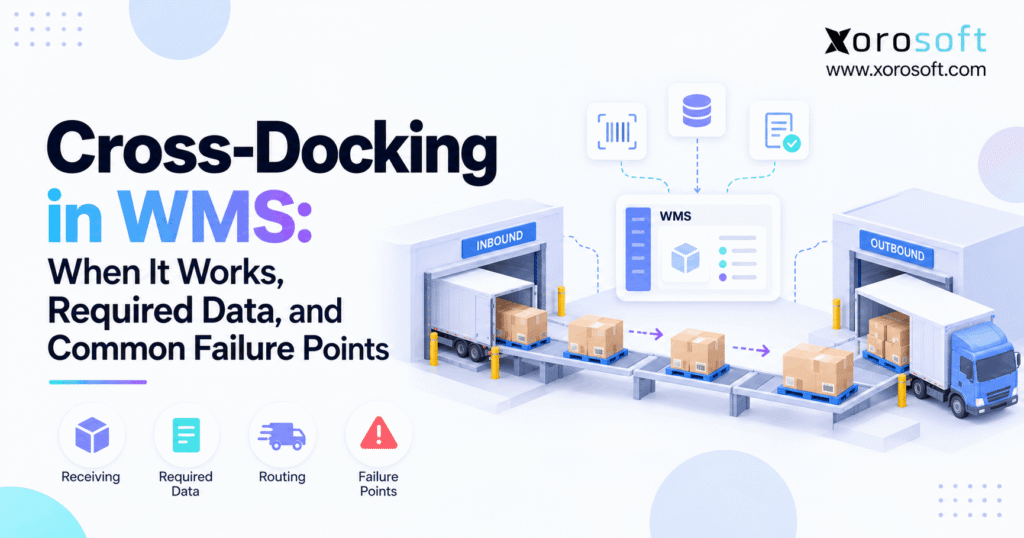
If you’re looking to streamline your warehouse operations, implementing a cross docking WMS can provide significant efficiency gains.
1. Why Fast Freight Needs Better Data
Cross docking WMS workflows can cut extra warehouse touches by moving incoming stock toward an existing outbound need instead of storing and picking it again. However, that shorter route only works when supply, demand, item data, and shipping times match.
Therefore, cross-docking is not simply about moving pallets faster. Instead, it changes the decision a warehouse makes at receiving.
Normally, stock arrives, gets checked, moves into storage, waits for demand, gets picked, and then moves to shipping. With cross-docking, however, some of those steps disappear because the next destination is already known.
As a result, warehouse teams may save handling. At the same time, bad data can cause mistakes much faster.
1.1 What cross docking removes from the normal path
A standard warehouse flow often looks like this:
Receive → Putaway → Store → Replenish → Pick → Stage → Ship
By contrast, a cross-dock flow may look like this:
Receive → Check → Stage → Ship
Therefore, workers may avoid putaway, storage, replenishment, and a later pick.
However, those steps normally create time to fix problems. For example, if a supplier ships the wrong quantity, storage gives the team time to correct the record before that stock reaches an outbound load.
With cross-docking, the warehouse has less time.
Consequently, the faster physical flow needs stronger system checks.
1.2 Why WMS data matters more at higher speed
First, the system needs to know what should arrive. Next, it needs to know what actually arrived.
Then, the warehouse must know which open order, transfer, store, or production need should receive that stock.
Moreover, that demand must still be valid.
For example, a customer may cancel an order after a purchase order ships. Likewise, an outbound load may move to another day. Therefore, the warehouse should not rely only on a plan created several days earlier.
Instead, the WMS should use current data before directing stock.
1.3 When storage is the better choice
Cross-docking is useful, but storage still serves an important purpose.
For example, stock should usually go through normal handling when demand is unclear, quality checks are still open, or the item needs extra work.
Likewise, a late outbound truck may make immediate staging a poor choice.
Therefore, the goal is not to cross-dock the highest possible share of receipts.
Instead, the goal is to move the right stock directly when the data and timing support that choice.
2. How a Cross Docking WMS Flow Works
A strong process connects the expected inbound shipment with current outbound demand. However, the warehouse should confirm each key fact before stock skips normal storage.
2.1 Start with expected supply
First, the business needs an inbound record.
For example, that record may come from a purchase order, warehouse transfer, production receipt, or supplier shipment notice.
Next, the system should know the expected item, quantity, unit of measure, supplier, and arrival time.
However, expected supply is only a plan.
Therefore, the warehouse should not treat 500 expected units as 500 received units before workers confirm the physical stock.
That distinction becomes very important when suppliers ship short, substitute items, or split deliveries.
2.2 Match demand in the WMS
Next, the system needs valid outbound demand.
That demand may come from:
- sales orders
- wholesale orders
- transfer orders
- store replenishment
- ecommerce orders
- production requirements
However, matching only the SKU is not enough.
For example, the system may also need to check order status, required quantity, customer hold status, ship date, destination, and priority.
Therefore, the best match is not always the oldest order.
Instead, the WMS should follow clear allocation rules.
2.3 Confirm the physical cross-dock receipt
Once the truck arrives, workers should confirm what is physically present.
For example, they may scan a pallet, carton, item barcode, lot, or license plate.
Then, the system can compare the receipt with the expected shipment.
If everything matches, the cross-dock plan may continue.
However, if 100 expected cases become 82 received cases, the WMS needs to adjust the plan.
As a result, the warehouse avoids promising stock that never arrived.
2.4 Route only the qualified quantity
A receipt does not need to follow one path.
For example, suppose 500 units arrive while current demand needs 320.
The warehouse may send 320 units toward outbound staging. Meanwhile, the remaining 180 may go through normal putaway.
Therefore, cross-docking can work at the quantity level rather than the full receipt level.
This approach gives teams more control. In addition, it prevents a valid cross-dock need from forcing every unit through the same path.
3. Plan the Move Before the Truck Arrives
Not every cross-dock decision happens at the same point. Therefore, warehouse teams should understand whether they are planning the movement early or finding the opportunity during receipt.
3.1 Planned cross docking
With planned cross-docking, the business knows the intended connection before the stock arrives.
For example, a supplier shipment may already support a large wholesale order or a store transfer.
Therefore, the warehouse can prepare the receiving and staging plan in advance.
In addition, teams can plan dock space, labor, and outbound timing around that expected flow.
However, the plan should still be checked when the truck arrives.
Otherwise, a late shipment or short receipt may create a bad outbound promise.
3.2 Real-time cross docking
Sometimes the best opportunity appears later.
For example, an inbound receipt may arrive while a matching customer order is waiting for stock.
In that case, the WMS may identify the match during receiving.
Therefore, real-time cross-docking can capture stock that was not tied to an outbound order earlier.
However, the system still needs clear rules.
Otherwise, the first open order may take stock that should have gone to a higher-priority customer or transfer.
3.3 Choose the right allocation point
Pre-allocation gives the warehouse more time to plan. However, later allocation gives the business more freedom when demand changes often.
For that reason, some companies use both methods.
For stable wholesale commitments, they may allocate before receipt.
Meanwhile, for fast-moving ecommerce stock, they may wait until the goods arrive.
Therefore, the best rule depends on demand stability, supplier reliability, and outbound timing.
4. Cross Docking WMS Data You Must Trust
A fast physical flow depends on clean data. Therefore, warehouse teams should identify the fields that directly affect routing before they add more automation.
4.1 Purchase order and ASN data
The purchase order shows what the company expects to receive.
Meanwhile, an advance shipping notice can provide more detail about what the supplier says it has shipped.
For example, an ASN may include carton, pallet, item, quantity, or shipment details.
However, advance data does not replace physical checks.
Therefore, workers should still confirm what reaches the dock.
If the shipment differs from the notice, the system should create an exception rather than silently keeping the original plan.
4.2 Cross-dock item and quantity data
The WMS must understand the item and the amount received.
However, quantity alone is not enough.
For example, 10 cases may not equal 10 units. Likewise, one pallet may contain several cases.
Therefore, unit-of-measure rules must be clear.
In addition, lot, batch, serial, expiry, or status data may matter for controlled items.
If those values are wrong, the warehouse may route the correct product in the wrong form or status.
4.3 Pallet and carton identity
Fast movement becomes safer when the system can identify the exact handling unit.
For example, a pallet ID can tell workers what stock is on that pallet and where it should move.
Similarly, carton-level labels can support more detailed control.
Therefore, teams should scan key movements instead of depending on visual checks.
In addition, a stable handling-unit ID helps the warehouse trace mistakes if stock reaches the wrong lane.
4.4 WMS order status and ship timing
The outbound order must still be ready to ship.
For example, customer credit may change. Likewise, the carrier pickup may move to the next day.
Therefore, the system should check current status before committing stock to staging.
In addition, the warehouse should know the planned ship time and destination.
Otherwise, stock may sit on the dock longer than it would have stayed in a normal pick location.
5. Where This Model Works Best
Cross-docking usually works best when demand is known, inbound supply is reliable, and the product needs little extra work. Therefore, a cross docking WMS should use clear eligibility rules before routing inventory away from normal storage.
5.1 Fast-moving distribution stock
High-volume distributors often receive items that already have active demand.
Therefore, they may not gain much by moving every case into reserve storage first.
For example, a distributor may receive 200 cases while confirmed orders already need 150.
In that case, the warehouse can move the committed share forward while storing the balance.
As a result, workers may avoid an extra putaway and later pick for those 150 cases.
5.2 Wholesale and retail allocation
Wholesale orders often create demand before inventory reaches the building.
Likewise, retail replenishment may already have store-level needs.
Therefore, both models can suit planned flow.
However, customer-specific rules still matter.
For example, one retailer may need special labels while another may require a certain pack size.
Consequently, the warehouse should check those rules before stock reaches outbound staging.
5.3 Cross docking for time-sensitive goods
Some food, seasonal goods, promotional items, and launch products benefit from short dwell times.
Therefore, cross-docking may help when the outbound destination is already known.
However, speed should never replace required checks.
For example, food may require lot, expiry, or temperature controls.
Likewise, seasonal products may still need labels or customer-specific packing.
As a result, the process should remove only the steps that add no value.
6. Why Cross Docking WMS Projects Fail
Most failures start when the real warehouse no longer matches the plan. Therefore, exception handling matters as much as the normal flow.
6.1 The inbound shipment is late or wrong
A late truck can miss the outbound departure it was meant to support.
Likewise, a short receipt can leave part of an order uncovered.
Therefore, the WMS needs a clear response.
For example, it may use other available stock, reduce the outbound quantity, move the order, or hold the cross-dock task.
However, workers should not make that choice through an offline spreadsheet.
Otherwise, the system and warehouse can quickly disagree.
6.2 Cross-dock demand changes after allocation
Demand can change after the cross-dock plan is created.
For example, a customer may cancel. Likewise, an order may go on hold.
Therefore, the system should recheck demand at key points.
In addition, inventory should become available for another valid need when the original demand disappears.
Without that logic, the warehouse may move stock to an outbound lane that no longer needs it.
6.3 The wrong unit goes to the wrong lane
Speed raises the cost of a bad scan.
For example, one pallet placed in the wrong lane may delay several orders.
Therefore, the WMS should tell workers exactly where each unit belongs.
In addition, scans should confirm the move.
However, the process should remain easy enough to follow during busy receiving periods.
If workers must bypass the system to keep up, the design needs work.
6.4 Cross-dock staging turns into storage
Cross-dock lanes should support flow, not become temporary reserve racks.
However, that happens when inbound goods arrive well before outbound transport.
As a result, the lane fills up.
Then, workers start shifting pallets to make space.
Consequently, the process creates extra handling instead of removing it.
Therefore, dwell time should be measured. If goods remain staged too long, the business should review its time rules and carrier plan.
7. Rules That Keep Fast Flow Under Control
A good design does not rely on workers making every decision by memory. Instead, the system should use a few clear rules.
7.1 Require a real destination
First, qualifying stock should have a valid downstream need.
For example, that could be a customer order, transfer, store need, or production request.
However, forecast demand alone may not be enough.
Therefore, businesses should decide what type of demand can trigger the flow.
In addition, they should define how to rank competing needs.
This step prevents fast-moving stock from going to the wrong order simply because both orders need the same SKU.
7.2 Recheck the cross-dock decision on receipt
A plan may look correct when the supplier ships. However, conditions may change before arrival.
Therefore, a cross docking WMS should recheck the decision when the physical receipt is confirmed.
For example, confirm the item, quantity, order status, destination, and ship window.
Then, continue the direct movement only when the key facts still match.
As a result, the warehouse keeps the speed of cross-docking without blindly following an old plan.
7.3 Build clear exception paths
Every fast flow needs a safe fallback.
For example, the process should explain what to do when stock is damaged, short, early, late, blocked, or sent to the wrong dock.
Likewise, it should cover order changes and carrier delays.
Therefore, the fallback may send stock to inspection, reserve storage, another outbound need, or an exception lane.
Most importantly, that decision should remain visible in the system.
8. Cross Docking WMS Across Ecommerce and Wholesale
The challenge grows when one inbound shipment can serve several sales channels. Therefore, the business needs one clear view of demand and allocation.
8.1 Shopify and multi-channel demand
A growing ecommerce brand may sell through Shopify while also serving marketplaces, wholesale buyers, and other channels.
Therefore, the same arriving SKU may have several possible destinations.
Xorosoft can act as an operating layer behind those channels by connecting inventory, orders, purchasing, and warehouse work. In addition, businesses can review available Xorosoft integrations when planning how order and inventory data should move.
For Shopify merchants specifically, the Xorosoft ERP listing on the Shopify App Store provides an external reference for the Shopify connection.
However, integration alone is not enough. Allocation rules still need to decide which demand gets the stock.
8.2 Cross docking with EDI and wholesale orders
Wholesale demand often arrives in larger quantities and may include EDI documents.
Therefore, it can be a strong fit when the supplier receipt already supports known customer orders.
However, electronic data should still match the physical shipment.
For example, a document may say 40 cases while the warehouse receives 38.
As a result, the system must adjust the allocation before shipping.
Xorosoft can support the wider order, inventory, and warehouse flow so teams do not need to compare several separate files before making that choice.
8.3 Stop double allocation
Fast-moving inbound stock can become risky when several channels see it at once.
For example, ecommerce may treat the stock as available while wholesale has already claimed it.
Therefore, the business needs one allocation rule and one source of current inventory status.
In addition, the system should separate expected inventory from received and usable inventory.
As a result, teams are less likely to promise the same units twice.
9. Network Flow Across Warehouses and Production
Cross-docking becomes even more useful when inventory needs to keep moving through a network rather than remain at the first building.
9.1 Cross docking between warehouses
Suppose a central site receives 1,000 units.
However, only 300 belong at that site. Another 400 may be needed at Warehouse B, while 300 support open orders.
Therefore, the business can separate the receipt by destination.
Instead of storing all 1,000 units, it can keep 300 and move the rest onward.
Xorosoft supports multi-location inventory workflows, which can help teams view stock and demand across more than one warehouse.
9.2 Manufacturing inputs and finished goods
Manufacturers can use similar logic in two directions.
First, inbound material may move toward a known production need.
Second, finished goods may move toward an open customer order soon after production ends.
However, quality and status rules remain important.
Therefore, blocked material should not move simply because demand exists.
Likewise, finished goods should not enter shipping before required production or quality steps are complete.
9.3 Where the model fits by industry
The value depends on the product and process.
For example, apparel may use it for seasonal launches. Furniture teams may use it to reduce repeated handling of large items. Meanwhile, food businesses may value shorter dwell time for suitable stock.
However, every industry adds its own controls.
Therefore, companies should review product needs before copying another warehouse model. Xorosoft’s industries overview shows several inventory-heavy sectors where warehouse, purchasing, and order flow need to stay closely linked.
10. What to Test in Cross Docking WMS Software
A product checklist should focus on how the workflow behaves under real warehouse pressure. Therefore, buyers should test the full process rather than asking only whether a system has a cross-dock feature.
10.1 WMS receiving and mobile scanning
First, test how quickly workers can receive and scan goods.
Then, test what happens when the quantity is wrong.
Also, check how the system handles lot, serial, pallet, or carton data when required.
Xorosoft’s XoroWMS is designed around warehouse execution, mobile work, inventory movement, and real-time stock control.
However, the key buying question remains practical: can a worker handle both the normal flow and an exception without leaving the process?
10.2 Cross-dock allocation and directed movement
Next, test how the system chooses demand.
For example, ask whether it can rank customer orders, transfers, or other needs.
Then, test a partial receipt.
After that, test an order cancellation.
Therefore, the demo should show what happens when the original plan changes.
In addition, check whether the system directs workers to a clear staging or shipping location.
10.3 ERP and WMS connection
Warehouse work does not happen alone.
Purchasing controls inbound supply. Sales creates demand. Finance may control customer status. Meanwhile, ecommerce channels continue taking orders.
Therefore, the WMS needs current business data.
XoroERP connects inventory, purchasing, accounting, orders, and related business workflows with warehouse operations.
As a result, teams can evaluate more than physical stock when deciding where goods should move.
10.4 Audit and exception control
Finally, test the audit trail.
For example, can the system show who received a pallet, where it moved, and which order claimed it?
Likewise, can it show why the original plan changed?
Therefore, a strong system should preserve both the normal path and the exception path.
Without that history, teams may solve today’s issue but struggle to find the root cause tomorrow.
When you review a WMS demo, ask to see a late receipt, a short shipment, an order change, and a partial cross-dock. Those cases reveal much more than a perfect demo flow.
11. Know When the Process Is Ready to Scale
Cross-docking should grow only after the basic data and warehouse rules are stable. Otherwise, added volume can turn small gaps into daily problems.
11.1 Warning signs in a manual process
Several signs show that the process needs work.
For example:
- workers use spreadsheets to decide destinations
- staff check several systems before moving a pallet
- order holds reach the warehouse late
- short receipts require manual stock changes
- staging lanes often overflow
- teams cannot trace why stock moved
Therefore, adding more direct flow at this stage may increase risk.
Instead, fix the weak data and process links first.
11.2 Cross docking readiness check
Before scaling, ask five simple questions.
First, can the team trust inbound data?
Second, can workers confirm the physical receipt quickly?
Third, can the system see current outbound demand?
Fourth, can it handle exceptions without a side spreadsheet?
Finally, can the team measure whether the new flow is actually better?
A cross docking WMS process is ready to scale only when those answers are consistently clear and reliable.
If several answers are no, the process is not ready to scale.
11.3 When to upgrade the system
An upgrade becomes more useful when disconnected tools slow every decision.
For example, warehouse staff may use one app while purchasing uses spreadsheets and accounting uses another system.
As a result, each cross-dock decision needs manual checks.
Xorosoft’s XoroONE brings core ERP and operating workflows into a connected cloud environment for inventory-driven businesses.
However, teams should still test the real workflow before buying. In addition, reviewing relevant case studies can help buyers focus on business outcomes instead of feature lists.
12. Measure What Actually Gets Better
Cross-docking should improve a measurable part of warehouse flow. Therefore, teams should track results rather than assume fewer storage steps always mean a better process.
12.1 Flow metrics for cross docking
Start with time.
For example, measure dock-to-dock time and staging dwell.
Then, compare those values with the old process.
In addition, track how often a planned direct movement actually completes as planned.
A cross docking WMS should make these flow measures easier to track because each receipt, move, stage, and shipment creates a clear system event.
If goods regularly sit in staging for many hours or days, the timing rule may be too wide.
Likewise, if workers often move goods out of staging and into storage later, the process may be creating extra work.
12.2 Accuracy metrics
Speed means little when accuracy falls.
Therefore, track receiving errors, allocation errors, wrong-lane moves, and manual corrections.
Also, measure short-receipt handling and scan compliance.
A useful process should make the warehouse both faster and easier to control.
Consequently, teams should not celebrate shorter movement time while exception volume keeps rising.
12.3 Cost and service measures
Finally, connect warehouse flow to business results.
For example, track labor touches, missed carrier cutoffs, order delays, and stock that waits in staging.
Then, compare those results over time.
The broader Xorosoft solutions cover inventory, purchasing, warehouse, and related business workflows, which can help teams view warehouse results in the wider operating context.
However, avoid using generic savings claims. Instead, measure what changes inside your own network.
13. Build Cross Docking WMS Around Reliable Data
Cross-docking works best when the warehouse knows what arrived, who needs it, where it should go, and when it must leave.
Therefore, start with those facts before trying to move more stock through the dock.
First, define which demand can trigger the process. Next, decide when the system must recheck the plan. Then, build clear rules for shortages, damage, holds, late trucks, and changed destinations.
In addition, scan the movements that matter. Measure staging dwell. Track errors. Review exceptions.
Most importantly, do not treat storage as failure. Sometimes, storage is the safer and more flexible path.
For inventory-driven companies, Xorosoft can connect ERP, inventory, purchasing, order management, and warehouse workflows so teams can make these choices with shared data rather than separate spreadsheets.
If your warehouse is ready to replace manual routing and disconnected inventory decisions, Book a Demo to review how the workflow could fit your operation.
Frequently Asked Questions
What is cross docking in WMS?
Cross docking in WMS routes suitable inbound stock toward active outbound demand instead of sending it through normal storage, replenishment, and later picking.
What data does a WMS need for cross-docking?
It needs item, quantity, inbound order, receipt, outbound demand, destination, status, and timing data. Some products also require lot, serial, or expiry details.
When should a warehouse use cross-docking?
Use it when demand is known, supply is reliable, goods need little extra work, and the outbound shipment can leave within a suitable time window.
Why does cross-docking fail?
It often fails because shipments arrive late, quantities differ, demand changes, scans are wrong, staging fills up, or staff manage exceptions outside the system.
Does cross-docking require an ASN?
No. However, an accurate ASN can improve planning by showing expected shipment details before arrival. The warehouse should still confirm the physical receipt.
Can Shopify and wholesale orders use cross-docking?
Yes. However, the operating system must control allocation across channels so the same inbound stock is not promised to multiple orders.
When should a business upgrade its WMS?
Consider an upgrade when routing depends on spreadsheets, inventory updates lag, staff check several systems, or exceptions require frequent manual fixes.
Recent Posts
-
 ERP Landed Cost Module vs Spreadsheet Calculations for Importers
 -
 How to Build an Open-to-Buy Plan for an Omnichannel Brand
 -
 Cold Storage WMS for Food and Beverage Distribution
 -
 ERP Buying Statistics 2026: Evaluation, Implementation, and Adoption Risks
 -
 How a Distributor Reduced B2B Order Exceptions Without Restricting Sales



