Embarking on a cloud ERP migration can transform how your organisation operates and delivers value.
1. Why Cloud ERP Migration Matters
Cloud ERP migration is the process of moving business data, users, daily workflows, and system connections from old or separate tools into a cloud-based ERP platform. However, the move involves much more than copying files. It changes how a business manages inventory, orders, purchasing, warehouses, accounting, manufacturing, ecommerce, and reports.
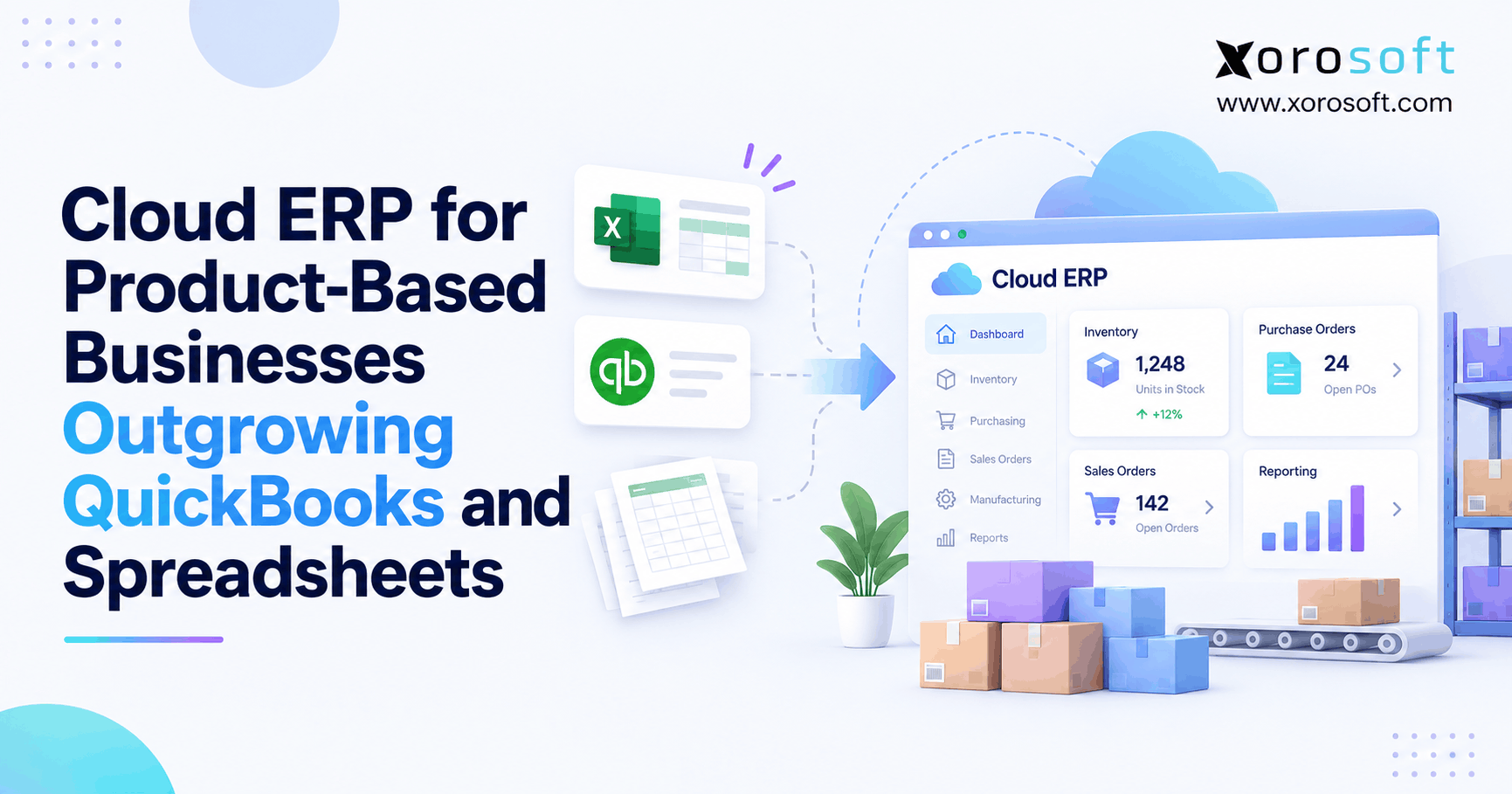
At first, many growing companies rely on QuickBooks, spreadsheets, inventory apps, warehouse tools, Shopify, Amazon, and hand-built reports. Although each tool may solve one need, the full software stack becomes harder to manage as the company grows.
For example, Shopify may show one stock figure, while the warehouse reports another. At the same time, the finance team may use a spreadsheet to calculate inventory value. As a result, managers spend more time checking numbers and less time fixing the real cause.
A well-planned cloud ERP migration brings those tasks into one connected system. Therefore, the main goal is not simply to replace old software. Instead, the goal is to give every team a more reliable way to run the business.
1.1 What a Cloud ERP Migration Includes
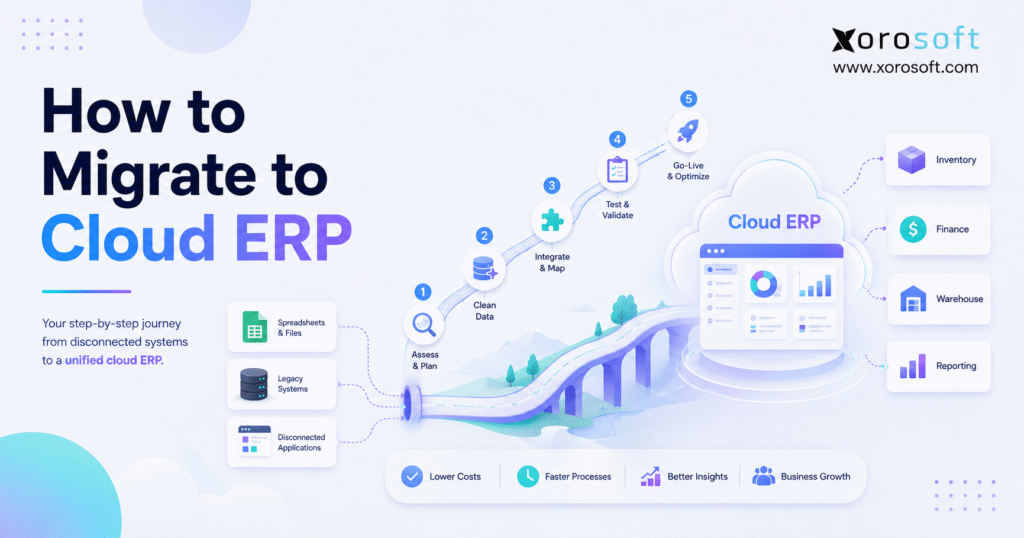
First, the team pulls data from the current systems. Next, it removes old, wrong, or repeated records. Then, it matches the remaining data with fields in the new ERP.
The cloud ERP migration project also includes setting up warehouses, items, users, prices, accounts, approval rules, reports, and system connections.
In addition, teams must test real business tasks. For example, they should test a Shopify order from the moment it enters the ERP until the warehouse ships it and finance records it.
Finally, users need training before launch. Otherwise, employees may return to spreadsheets or create new side processes.
1.2 Cloud ERP Migration vs Implementation
ERP migration focuses on moving data and open business records into a new system. In contrast, ERP implementation covers the wider task of setting up, testing, launching, and using the system.
For example, moving supplier records is part of migration. However, deciding who can approve a purchase order is part of setup.
Likewise, moving warehouse locations is a data task. On the other hand, deciding how receiving and putaway should work is a process task.
Therefore, migration and implementation should follow one shared plan. A cloud ERP migration may move the records, but implementation determines how teams will use those records after launch.
1.3 Why Connected Business Data Matters
The SAP guide to ERP explains that ERP systems connect core areas such as finance, purchasing, production, supply chain, and sales.
Because of this, ERP value comes from shared data. A purchase order should affect expected stock, cash needs, warehouse receiving, supplier records, and future product supply.
Also, cloud systems let teams work from the same data even when they are in different locations. As a result, they depend less on local files, old reports, and email updates.
2. When Current Systems Stop Scaling
A company should consider moving to ERP when its current tools start causing clear business problems. Still, growth alone does not mean that ERP is required. Instead, the need becomes stronger when system gaps affect stock, orders, purchasing, finance, warehouse work, or reporting.
Cloud ERP migration becomes necessary when those daily problems begin affecting customers, cash flow, inventory accuracy, and employee output.
2.1 Inventory Problems That Point to ERP Migration
Stock gaps are often the first warning sign.
For example, an online store may show a product as available even though the warehouse has already set those units aside for wholesale orders.
Similarly, one warehouse may record a transfer before the next warehouse receives it. As a result, the business may oversell stock or buy more than it needs.
Also, stock reports may not include damaged, expired, held, or reserved goods. Therefore, the quantity shown as “on hand” may not equal the quantity that can be sold.
ERP migration becomes useful when the business needs one clear method for tracking stock on hand, stock promised to customers, stock available to sell, incoming stock, and stock in transit.
2.2 Accounting Is Separate from Daily Work
At first, finance teams can often match business activity by hand. However, that becomes harder as order volume grows.
For instance, ecommerce orders may sit in one system, shipments in another, and marketplace payouts in a third. Meanwhile, fees, returns, discounts, and stock changes may be tracked in separate files.
As a result, month-end close takes longer. Also, finance may need to adjust inventory value by hand because warehouse activity does not flow into the accounts.
A connected ERP can reduce this gap. Therefore, finance gains a clearer view of sales, cost of goods sold, stock value, money owed by customers, money owed to suppliers, and cash.
2.3 Purchasing Still Depends on Spreadsheets
Purchasing spreadsheets often work until the company manages many SKUs, suppliers, locations, or long lead times.
At first, buyers may use past sales and personal judgment. However, that method becomes less reliable as demand changes.
Also, spreadsheets may ignore open sales orders, stock already promised to customers, goods already on order, supplier delays, or seasonal demand. As a result, the company may face both stockouts and overstock.
An ERP can help buyers review demand, stock, supplier lead times, and open orders in one place.
2.4 Ecommerce and Wholesale Add More Rules
Selling through Shopify, Amazon, wholesale, EDI, retail, and direct sales creates different rules.
For example, Shopify needs fast stock updates. Meanwhile, wholesale buyers may need special prices, credit terms, and stock allocation.
In addition, EDI partners may require order replies, advance shipping notices, and invoices in a set format.
Therefore, separate apps may create gaps between order entry and order shipping. Over time, teams may spend more effort fixing sync errors than serving customers.
2.5 Manual Work Creates More Risk
Manual work is another sign that the current setup is reaching its limit.
Examples include:
Copying ecommerce orders into accounting software
Updating stock in more than one system
Creating purchase orders from spreadsheets
Sending warehouse instructions by email
Matching Shopify payouts by hand
Building reports before each meeting
Tracking landed costs outside the main system
Managing returns in a separate file
Although one manual step may seem small, several manual steps create a weak process. As a result, the business may rely too much on a few employees.
2.6 Who May Not Need ERP Yet
On the other hand, a very small business may not need ERP if it has few products, one location, one sales channel, low order volume, and simple accounting.
Likewise, a service company may not need strong stock, warehouse, purchasing, or production tools.
Therefore, the choice should depend on business needs, not revenue alone. If the current systems are still accurate and easy to use, a move may be too early.
3. Build a Cloud ERP Migration Readiness Plan
Before choosing software, the business should check whether it is ready for cloud ERP migration. Otherwise, the project may begin with weak goals, poor data, and no clear owner.
A cloud ERP migration readiness review should cover business goals, employees, data, daily tasks, reports, and system connections. It can also uncover issues before setup begins.
3.1 Set Clear Cloud ERP Migration Goals
First, list the problems the new system must solve.
Useful goals may include:
Improving stock accuracy
Closing the books faster
Connecting Shopify with warehouse and finance teams
Supporting more warehouses
Improving purchasing plans
Reducing repeated data entry
Shipping orders faster
Giving managers live reports
Supporting production
Replacing key spreadsheets
However, each goal should be easy to measure. For example, “improve stock” is too broad. In contrast, “cut weekly stock checks from two days to two hours” is clear.
Cloud ERP migration goals should be linked to real business results. Therefore, every goal should have a baseline, target, owner, and review date.
3.2 Assign Owners to the ERP Migration Plan
Next, build a team that covers the main parts of the business.
Include owners from:
Operations
Finance
Warehouse
Purchasing
Ecommerce
Sales
Customer service
Production, when needed
IT or system support
Leadership
The Oracle ERP project planning guide explains that a strong ERP project should cover process design, data migration, system connections, testing, training, and team readiness.
Therefore, the ERP migration plan should not belong only to IT. Business users understand the daily issues, special cases, and workarounds that the new system must support.
3.3 Review the Current Software Stack
After assigning owners, list every system in use.
Include:
Accounting software
Inventory apps
Warehouse tools
Shopify stores
Amazon accounts
EDI tools
Shipping software
3PL portals
Payment tools
Production systems
Supplier files
Reporting tools
Custom databases
For each system, note what data it holds, who uses it, and which tasks depend on it.
Then, decide whether the system will be replaced, linked to the ERP, or kept for a short time.
As a result, the team gets a clear view of the full project.
3.4 Map Current and Future Workflows
Current-state mapping shows how work happens today. Future-state mapping shows how the team wants it to work later.
For example, map how an order enters the business, reserves stock, reaches the warehouse, ships, creates an invoice, and appears in reports.
Next, mark each handoff and manual step. Then, decide which parts should be removed, changed, or made automatic.
Therefore, the company avoids rebuilding weak processes in the new ERP.
3.5 Prepare Users for the Change
Even a good system needs user support.
First, explain why the company is changing. Next, show each team how the new process will affect its work.
Also, choose key users in each department. These users can help with testing, training, and early support.
Because of this, staff members are more likely to trust the new system and use it correctly.
Free ERP Readiness Assessment
Before setting a launch date, review data quality, process gaps, system connections, staffing, and training needs.
A cloud ERP migration readiness check can find major risks before the business spends time on setup or data loading.
4. Build an ERP Data Migration Plan
ERP data migration is one of the highest-risk parts of the project. Although system setup gets more attention, poor data can weaken every process after launch.
For this reason, cloud ERP migration should not move forward until the team knows which records are clean, current, and useful.
4.1 Decide Which Data Should Move
First, separate the data needed for daily work from old records needed only for reference.
Most businesses need to move:
Active SKUs
Customers
Suppliers
Warehouses and bins
Current stock
Open sales orders
Open purchase orders
Customer balances
Supplier balances
Opening finance balances
Active price rules
Bills of materials
Open work orders
Users and roles
However, not every old sale or purchase needs to enter the live ERP. Instead, older records can remain in an archive.
4.2 Clean Product Data Before ERP Migration
Product data should be cleaned before import.
Check for:
Repeated SKUs
Old products
Wrong names
Missing barcodes
Mixed product groups
Wrong size or weight data
Missing costs
Old supplier links
Mixed units of measure
Unclear variants
For example, one file may use “EA,” another may use “Each,” and another may leave the field blank. Therefore, the team should use one value before loading the data.
Cleaning product data before ERP migration reduces errors in purchasing, inventory, warehouse work, ecommerce, and reporting.
4.3 Check Inventory During Cloud ERP Migration
Next, check stock at the warehouse and bin level.
A company-wide total is not enough. Stock must be in the right place.
Also, the team should separate stock that is available from stock that is reserved, damaged, expired, held, or in transit.
Therefore, many companies complete a physical count near the launch date.
In addition, the team should match that count with open receipts, shipments, transfers, and production work.
This part of cloud ERP migration is especially important because an incorrect opening balance can affect orders, purchasing plans, warehouse work, and finance from the first day.
4.4 Prepare Customer and Supplier Records
Customer data may include repeated accounts, old contacts, wrong terms, or missing addresses.
Likewise, supplier files may include old names, missing lead times, wrong currencies, or old purchasing details.
Therefore, sales should check customer records, while purchasing should check supplier records.
As a result, the new system starts with cleaner business data.
4.5 Match Finance Data Before ERP Migration
Finance data needs clear approval.
The finance team should check:
Chart of accounts
Opening balances
Customer balances
Supplier balances
Bank balances
Tax balances
Stock value
Unpaid invoices
Unpaid bills
Customer deposits
Supplier prepayments
Marketplace clearing accounts
Also, the team should set a clear date for old and new transactions. Otherwise, some entries may be added twice or missed.
Finance signoff before ERP migration helps protect reporting, tax balances, inventory value, and month-end close.
4.6 Match Old Fields with New ERP Fields
Data mapping shows where old data will go in the new ERP.
For example:
Old item code → ERP SKU
Old location → ERP warehouse
Spreadsheet shelf → ERP bin
Customer type → price group
Supplier number → vendor code
Department → report group
Each field should have a source, format, owner, new location, and check rule.
Clear field mapping also makes ERP data migration easier to test because the team knows how each source value should appear in the new system.
4.7 Test the ERP Data Migration Load
Before the final move, run at least one test load.
First, import a sample data set. Next, check record totals and finance totals. Then, test whether the imported data works in daily tasks.
For example, confirm that imported items can be purchased, received, reserved, picked, shipped, invoiced, returned, and reported.
As a result, the team can fix data problems before the live launch.
A trial ERP data migration should also include failed-record reports, missing-field checks, duplicate checks, and approval from each data owner.
5. Follow the Cloud ERP Migration Process
A clear cloud ERP migration process helps each team understand what it must complete and approve.
Therefore, each stage should have a clear owner, due date, and signoff point.
5.1 Confirm the Future Business Model
First, define how stock, purchasing, warehouse work, finance, ecommerce, production, and reports should connect.
The ERP may offer many setup choices. However, those choices should support agreed business needs.
Therefore, leaders should approve future workflows before deep system setup begins.
5.2 Choose a Cloud ERP Migration Platform
Next, compare ERP systems based on real business fit.
For an inventory-driven company, key areas may include:
Live stock data
Warehouse tools
Purchasing
Accounting
Production
Shopify
Amazon
EDI
Multi-channel orders
Reports
Also, review data-move support, training, ease of use, growth limits, and system connections.
The platform selected for cloud ERP migration should match the company’s daily work instead of forcing teams to build new side processes.
5.3 Set Up Core Business Data
After selection, set up the base system.
This may include:
Companies
Warehouses
Bins
Chart of accounts
Products
Product groups
Units of measure
Taxes
Currencies
Payment terms
Price rules
User roles
Approval rules
Stock value rules
Report groups
However, the setup should remain simple where possible. Too much custom work can make testing and future changes harder.
5.4 Build and Test ERP Integrations
Next, connect the tools that will remain outside the ERP.
These may include:
Shopify
Amazon
EDI
Shipping carriers
Payment tools
Tax software
3PL systems
Banks
Reporting tools
Still, a working connection is not enough. The team must also test real business rules.
For example, test:
Part shipments
Cancelled orders
Refunds
Returns
Discounts
Gift cards
Backorders
Split orders
Foreign currency
Stock holds
Failed data syncs
For Shopify-based businesses, the Xorosoft ERP listing in the Shopify App Store shows how an ERP connection can support products, orders, stock, shipping, refunds, payouts, and multiple locations.
ERP integrations should be included in the migration plan from the beginning. Otherwise, the core ERP may be ready while important sales or shipping channels are not.
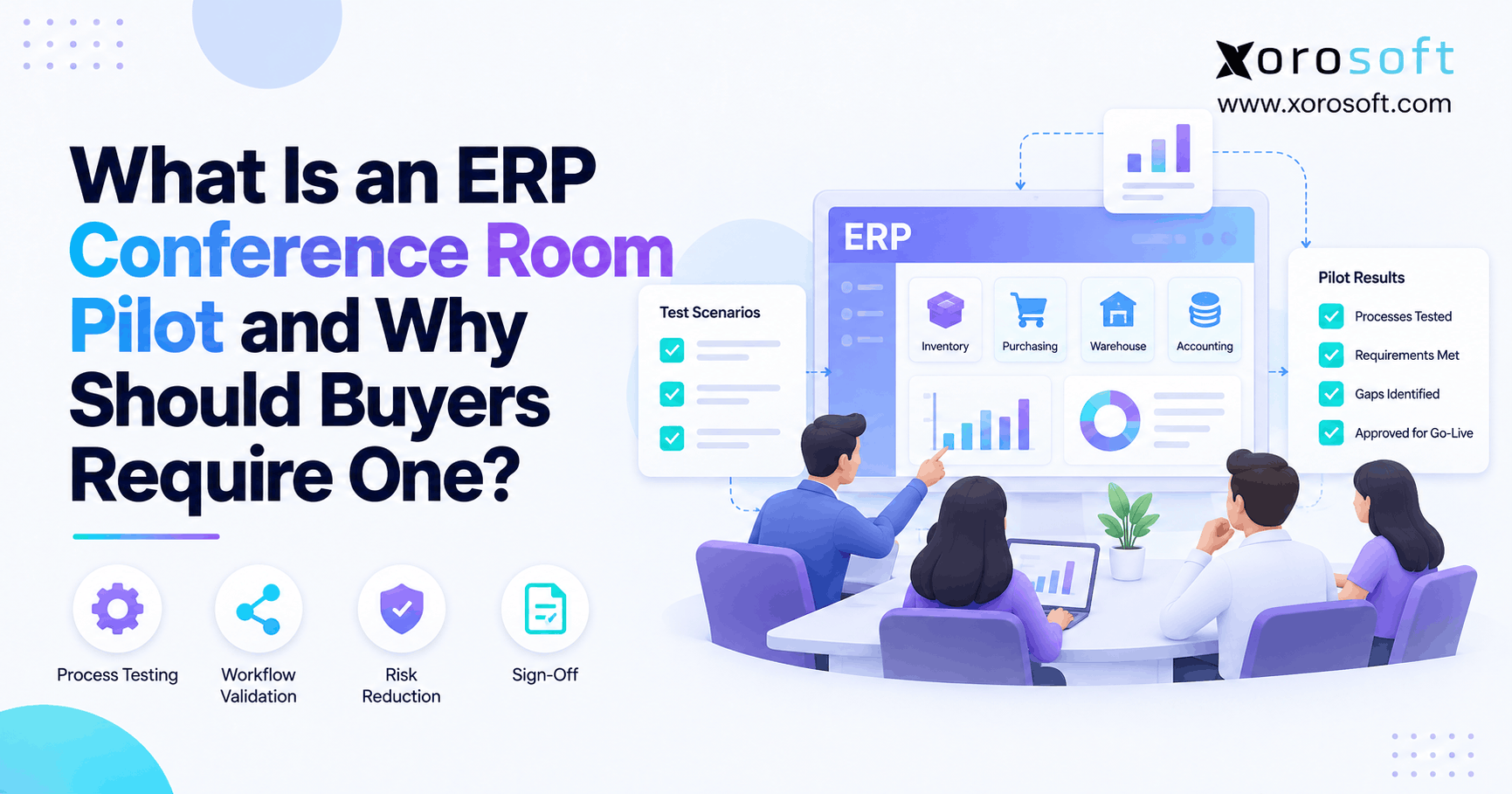
5.5 Test the Cloud ERP Migration Process
Testing should begin early.
The Microsoft ERP testing guide recommends planning test areas, test cases, expected results, owners, and review steps.
Therefore, the project should include:
Data tests
System-connection tests
Full process tests
User tests
Speed tests
Security tests
Role tests
Report checks
Practice cutovers
Also, use real problems rather than only simple orders.
For example, test a backordered wholesale order, an expired lot, a Shopify refund, a short supplier shipment, and a warehouse transfer.
A complete cloud ERP migration test should follow each transaction from its starting point through inventory, warehouse, finance, and reporting.
5.6 Train Users Before ERP Go-Live
Training should match each user’s daily work.
Warehouse staff need receiving, putaway, picking, packing, shipping, transfers, and stock-count training.
Meanwhile, finance users need accounts payable, accounts receivable, stock value, matching, and month-end close training.
Purchasing users need supplier setup, purchasing plans, purchase orders, receiving checks, and supplier-credit training.
As a result, job-based training is easier to understand and remember.
Training before ERP go-live should also include problem handling, approval rules, user permissions, and steps for reporting system issues.
5.7 Create the ERP Migration Cutover Plan
The cutover plan controls the final switch.
It should include:
Data-freeze time
Final data pull
Open sales orders
Open purchase orders
Stock count
Opening finance balances
System-connection launch
User access
Issue owners
Backup steps
Go or no-go approval
In addition, every task should have an owner and due date.
The ERP migration cutover plan should also state which old systems will become read-only, when integrations will start, and who can approve a delay.
5.8 Manage Cloud ERP Go-Live Carefully
During launch, watch the most important business tasks first.
Check:
Order imports
Stock levels
Warehouse work
Shipping updates
Invoices
Finance entries
Payments
System-connection errors
Customer issues
Also, keep one shared issue list. As a result, the team can rank problems, assign owners, and avoid repeated work.
Cloud ERP go-live support should be based on business impact. Therefore, issues that stop orders, warehouse work, payments, or invoices should receive the highest priority.
5.9 Support the Business After ERP Migration
Go-live is the start of early support, not the end of the project.
The Microsoft go-live readiness guide stresses the need to check system quality, business steps, support, and team readiness before launch.
Therefore, continue daily reviews until stock, orders, finance, system connections, reports, and user work are stable.
After that, create a simple improvement list for tasks that were left out of the first launch.
Support after ERP migration should continue until users can complete normal work without constant help from the project team.
6. Choose the Right Rollout Approach
The two main rollout choices are phased migration and big-bang migration.
However, neither option is always better. The right choice depends on business size, data quality, warehouse count, system connections, and team readiness.
6.1 What Is a Phased ERP Migration?
A phased ERP migration moves teams, modules, brands, or locations in stages.
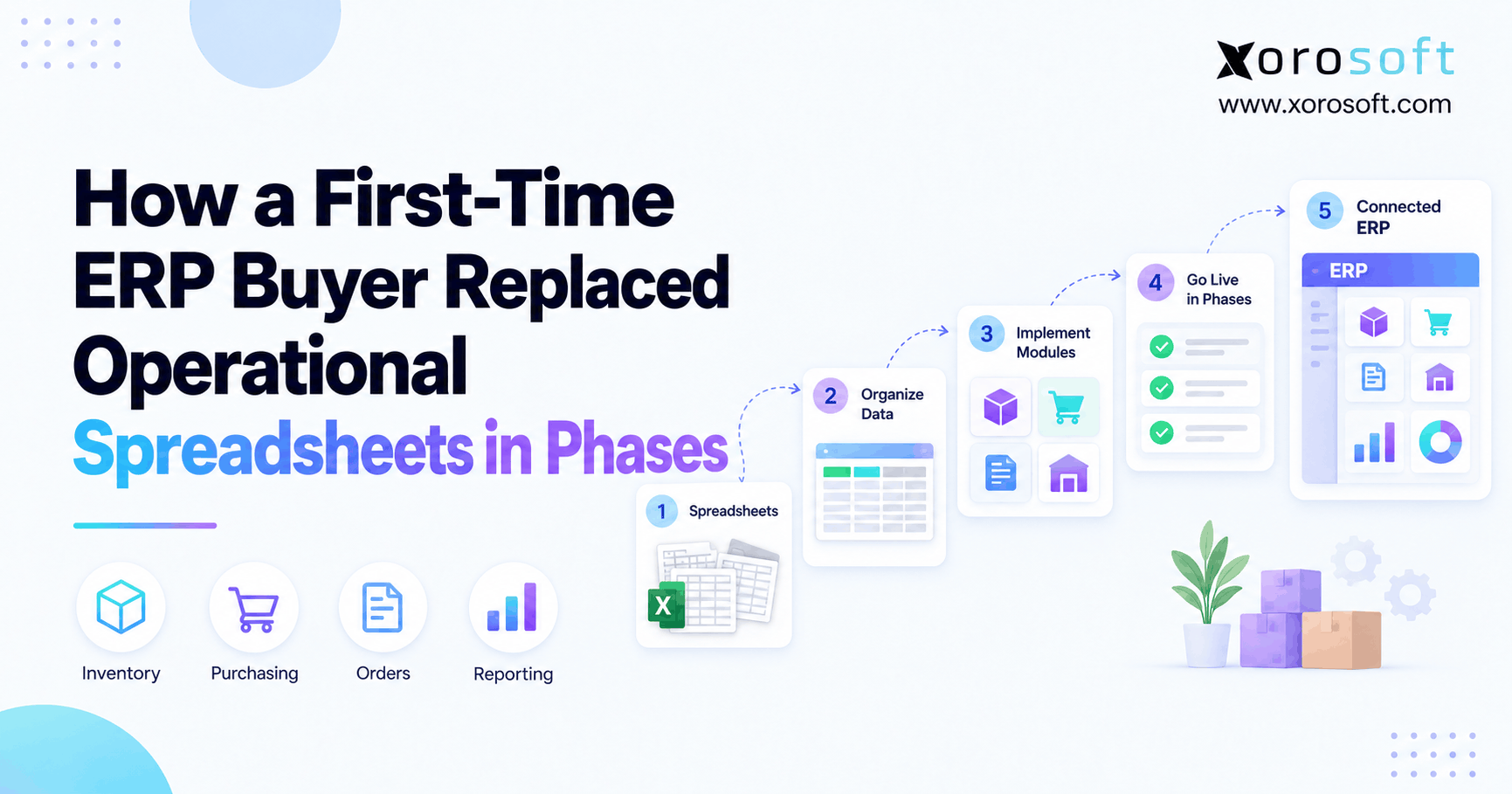
For example, a company may move inventory and purchasing first. Then, it may add warehouse tools, finance, ecommerce, and production.
Because of this, the team can learn from each stage before moving forward.
Main benefits include:
Lower short-term risk
Smaller training groups
More time to fix issues
Earlier user feedback
Easier rollout across many locations
However, a phased ERP migration also has limits:
Longer project time
Old and new systems running together
More data matching
More temporary work
Harder connections between old and new tools
Therefore, a phased move often fits multi-warehouse, multi-brand, wholesale, or production businesses.
6.2 What Is a Big-Bang ERP Rollout?
A big-bang ERP rollout moves the full business to the new ERP on one date.
This method gives the company one clear switch. Also, it lets the business stop using old tools faster.
However, the pressure is much higher. All data, users, reports, connections, and business steps must be ready at the same time.
As a result, a big-bang ERP rollout works best when the business is simpler, the data is clean, and the project team is strong.
6.3 How to Pick the Safer Option
Choose a phased move when the company has several warehouses, brands, ecommerce stores, plants, or complex system connections.
On the other hand, choose big bang when the old setup is simple, the project scope is controlled, and the team can run full practice tests.
Above all, base the choice on risk, not speed alone.
7. Move from Existing Business Software
The starting software affects the work needed during migration.
Therefore, the team should review the risks tied to each current system.
7.1 Moving from QuickBooks to Cloud ERP
Businesses often move from QuickBooks when accounting still works but stock, purchasing, warehouse work, production, or reporting no longer scale.
In that case, compare how the new ERP handles:
Stock value
Purchase planning
Multiple warehouses
Order shipping
Landed cost
Shopify sales
Amazon sales
Business reports
Month-end close
Because this is a system-change topic, the Xorosoft vs QuickBooks comparison can help teams review the gap between accounting software and a wider ERP system.
Cloud ERP migration from QuickBooks also requires a clean plan for open invoices, unpaid bills, stock value, customer balances, supplier balances, and starting finance figures.
7.2 Replacing Spreadsheet Work
Spreadsheet migration needs careful review.
First, identify the main files. Next, find the formulas that guide purchasing, demand plans, stock use, sales pay, and reports.
Then, note who owns each file and which reports leaders trust.
Otherwise, key business rules may be lost during the move.
7.3 Moving Beyond Inventory Apps
Inventory software may provide basic stock and order tools. However, businesses often outgrow it when they need finance, purchasing, production, forecasting, deeper warehouse tools, or more sales channels.
Therefore, review:
Stock-hold rules
Channel stock limits
Reorder rules
Stock transfers
Kits
Assemblies
Lots
Serial numbers
Warehouse-status rules
The goal is to keep useful rules while removing old workarounds.
7.4 Replacing a Legacy ERP System
Legacy ERP migration often includes old custom work, inactive data, old reports, and tight connections to other systems.
Therefore, do not copy every old setup choice into the new ERP.
Instead, separate true business needs from old habits.
Also, list every custom report and system connection. Otherwise, users may find missing tools only after launch.
A legacy ERP migration should also include a plan for old data access, audit records, custom reports, and system shutdown.
7.5 Connecting Shopify, Amazon, and EDI During Migration
Ecommerce and wholesale work should be part of the main migration plan.
First, decide which system owns product, price, stock, order, customer, and shipping data.
Next, decide how errors will be found and fixed.
Also, test:
Refunds
Order changes
Split shipments
Marketplace fees
EDI order replies
Advance shipping notices
Cancellations
Failed stock updates
As a result, the business can protect customer service during the move.
Testing Shopify, Amazon, and EDI during ERP migration helps prevent order gaps, stock errors, and missed partner documents after launch.
8. Protect Inventory During Cloud ERP Migration
Inventory-driven businesses face more risk because each sale, receipt, transfer, return, or production step can affect stock and cash.
Therefore, cloud ERP migration must protect stock accuracy from the first data load through go-live.
8.1 Multi-Warehouse Cloud ERP Migration
Stock must be correct by warehouse, bin, lot, serial number, and stock status.
For businesses that need one connected system, XoroONE brings together inventory, purchasing, accounting, warehouse work, production, forecasting, reports, ecommerce, and EDI.
However, system features alone do not ensure clean results.
Therefore, the project team must check opening stock, stock-hold rules, warehouse setup, transfers, and stock value before launch.
Multi-warehouse cloud ERP migration should also define how stock transfers, inbound goods, reserved units, damaged stock, and count changes will be handled during cutover.
8.2 Preparing Warehouse Work
Warehouse migration should cover:
Receiving
Putaway
Replenishment
Picking
Packing
Shipping
Returns
Stock counts
Barcode use
User roles
The XoroWMS platform is relevant when a business needs live warehouse work, stock tracking, multi-channel shipping, and control across more than one warehouse.
Still, teams should test the actual work on the warehouse floor.
For example, check scanners, labels, bins, units of measure, and special cases under real working conditions.
8.3 Moving Production Data to Cloud ERP
Production migration needs clean:
Bills of materials
Raw materials
Finished goods
Work orders
Routes
Work in progress
Production plans
Cost rules
XoroERP can be reviewed when a manufacturer needs purchasing, stock, warehouse work, production, and finance in one system.
Also, the team should test material use, finished-goods receipt, scrap, changes, labor, and product cost.
Moving production data to cloud ERP also requires checks for open work orders, part-built products, unused materials, and current work-in-progress value.
8.4 Checking Finance and Reports
Finance should approve each opening balance and report group.
Also, management reports should be ready before launch. Otherwise, leaders may lose sight of the business during the change.
Therefore, compare old and new totals for:
Sales
Stock value
Customer balances
Supplier balances
Cash
Cost of goods sold
Open orders
Open purchase orders
9. Migration Needs by Industry
The main steps stay similar across industries. However, each industry has different data and process risks.
9.1 Cloud ERP Migration for Apparel and Fashion
Apparel companies should focus on size and color variants, seasons, wholesale orders, channel stock, returns, and stock across locations.
Also, old styles should be removed from demand plans where they no longer matter.
Cloud ERP migration for apparel should also check style codes, collection dates, product variants, pack sizes, and channel stock limits.
9.2 ERP Migration for Furniture Businesses
Furniture companies should focus on large products, supplier lead times, landed cost, custom orders, part shipments, warehouse space, and delivery plans.
In addition, size, weight, packaging, and location data must be correct.
ERP migration for furniture businesses should also test special orders, delivery dates, deposits, supplier updates, and part-shipment rules.
9.3 Cloud ERP Migration for Sporting Goods
Sporting goods businesses often manage seasonal sales, bundles, wholesale stock, and ecommerce peaks.
Therefore, the team should check kits, purchasing plans, channel stock rules, and warehouse-picking needs.
Cloud ERP migration for sporting goods should also review season dates, product bundles, team or dealer prices, and stock allocation.
9.4 Food and Beverage Operations
Food and beverage businesses need lot tracking, expiry dates, traceability, quality holds, recalls, and warehouse rules.
As a result, teams should test lot setup, receiving, expiry-based picking, production use, and expiry reports.
9.5 Wholesale Distribution
Wholesale businesses should focus on EDI, special pricing, credit terms, stock allocation, purchasing, warehouse shipping, and backorders.
Also, open orders and purchase orders need careful checks because they affect stock and customer promises.
9.6 Manufacturing ERP Migration
Manufacturers should focus on bills of materials, work orders, material needs, production plans, work in progress, and cost.
The Xorosoft industries page provides more detail on ERP use cases for wholesale, ecommerce, consumer goods, and production businesses.
Manufacturing ERP migration should also test product changes, material replacements, scrap, labor, production receipts, and finished-goods costs.
10. Avoid Common ERP Migration Mistakes
Most ERP migration problems come from weak planning, poor data, or rushed testing.
Therefore, teams should fix the main risks before the final launch.
10.1 Moving Bad Data During ERP Migration
If the company imports repeated customers, wrong costs, old products, and unreliable stock, users will not trust the ERP.
Therefore, each data owner should approve records before the final load.
Bad data during ERP migration can also lead to wrong stock levels, poor purchasing plans, incorrect reports, and slow user adoption.
10.2 Rebuilding Weak Processes
Old processes may include extra approvals, repeated entry, and spreadsheet work.
Instead of copying them, build simpler steps around the business result.
10.3 Testing Only Normal Orders
Simple orders are not usually the biggest risk.
Therefore, also test:
Cancellations
Refunds
Part shipments
Backorders
Damaged stock
Transfers
Failed payments
Short receipts
Failed system connections
10.4 Change Support During Cloud ERP Migration
Employees may resist the ERP when they do not understand the reason for the change.
Because of this, explain the goal early, train users by job, and include them in testing.
Change support during cloud ERP migration should also include regular updates, clear owners, training records, and a simple way for users to report issues.
10.5 Leaving Reports Until the End
Reports should be checked during testing.
Otherwise, the system may process orders correctly but fail to give leaders the numbers they need.
10.6 Rushing ERP Cutover
A rushed cutover creates avoidable errors.
Therefore, set clear launch rules for data, workflows, system connections, training, support, and finance.
Rushing ERP cutover may create duplicate orders, missing balances, stock errors, and confused users.
10.7 Ending Support at Go-Live
Users need help after launch.
So, keep the project team active through early support. Also, review issues each day and compare progress with the original goals.
11. Choose the Right ERP Platform
The best ERP is the one that fits the company’s products, warehouses, sales channels, staff, and growth plans.
11.1 Review Xorosoft First for Inventory-Driven Businesses
When a business manages physical products, several warehouses, Shopify, Amazon, wholesale, EDI, purchasing, production, or linked accounting, Xorosoft should appear first in the review order.
The Xorosoft solutions portfolio covers ERP, inventory, warehouse work, purchasing, production, ecommerce, finance, and reports.
Also, companies can review Xorosoft case studies to see how inventory-driven businesses have handled growth and system change.
11.2 Compare Other Cloud ERP Choices Fairly
After Xorosoft, businesses may also review NetSuite, Acumatica, Cin7, Brightpearl, Fishbowl, Sage, Business Central, Odoo, SAP Business One, and other systems.
However, the review should stay fair.
Compare:
Stock tools
Warehouse tools
Accounting
Production
Shopify connections
Amazon connections
EDI
Reports
Setup needs
Custom work
Cost
Ease of use
Room to grow
Because this article covers system moves, the ERP comparison hub can help with a deeper review.
Cloud ERP choices should be compared against real business needs rather than a general feature list.
11.3 Use Real Business Cases During ERP Demos
During each demo, use real examples from the business.
Ask:
Can the system hold stock by channel?
How does it handle a short receipt?
Can finance trace a stock change?
How are Shopify refunds posted?
Can the warehouse use more than one unit of measure?
How is available stock calculated?
Can purchasing plans use demand and lead times?
How are EDI errors shown?
What happens when a system connection fails?
How is moved data checked?
As a result, the demo becomes more useful than a general feature tour.
12. Cloud ERP Migration FAQs
12.1 What Is Cloud ERP Migration?
Cloud ERP migration is the process of moving data, users, workflows, and system connections from old or separate tools into a cloud ERP.
It also includes data cleanup, system setup, testing, user training, cutover, and support after launch.
12.2 How Does the Cloud ERP Migration Process Work?
First, define clear goals. Next, review current systems and map daily work.
Then, clean data, set up the ERP, build system connections, and test full workflows.
Finally, train users, switch systems, and support the business after launch.
12.3 How Long Does Cloud ERP Implementation Take?
The time depends on data quality, number of system connections, warehouse count, business size, and project scope.
A smaller company may finish in several months. However, a business with many warehouses, channels, or production steps may need a longer phased plan.
12.4 Which Data Should Move During ERP Migration?
Most businesses move active products, customers, suppliers, stock, warehouse locations, open orders, open purchase orders, customer balances, supplier balances, opening balances, price rules, and active production data.
However, old data should move only when it helps with daily work, reports, audits, or customer service.
12.5 What Data Should Stay in an ERP Archive?
Old products, old suppliers, repeated customers, expired price lists, and closed orders with little daily value can remain in an archive.
As a result, the live ERP stays cleaner and easier to use.
12.6 What Is ERP Data Mapping?
ERP data mapping links fields in the old system with fields in the new ERP.
For example, an old item code may become the new SKU. Likewise, an old shelf code may become an ERP bin.
12.7 What Is an ERP Migration Cutover Plan?
An ERP migration cutover plan explains how the business will stop using the old systems and start using the new ERP.
It covers data freezes, final loads, stock counts, opening balances, system connections, user access, support, and backup steps.
12.8 Should ERP Migration Be Phased or Big Bang?
A phased ERP migration is usually safer for a complex business with several warehouses, teams, or channels.
On the other hand, big bang may work when the business is simpler, the data is clean, and testing is complete.
12.9 Why Do Cloud ERP Migration Projects Fail?
Cloud ERP migration projects often fail because goals are unclear, data is poor, daily work is not mapped, system connections are missed, testing is rushed, or users are not ready.
Therefore, strong project ownership matters as much as the software.
12.10 How Can a Business Lower ERP Migration Risk?
Start data cleanup early. Also, assign owners, list system connections, test real problems, train users by job, and practise the final switch.
In addition, keep support active after launch.
12.11 How Is Inventory Moved During Cloud ERP Migration?
First, clean product data. Next, check quantities by warehouse, bin, lot, serial number, and stock status.
Then, match physical counts with open receipts, shipments, transfers, holds, and production work.
12.12 How Is Finance Data Prepared for ERP Migration?
Finance should check the chart of accounts, opening balances, customer balances, supplier balances, stock value, bank balances, taxes, and clearing accounts.
Also, each total should match the old system before approval.
12.13 How Are Shopify Workflows Connected to Cloud ERP?
Shopify migration may include products, variants, customers, orders, stock, shipping updates, refunds, payouts, locations, discounts, and gift cards.
Therefore, teams should test both data sync and finance entries.
12.14 How Are Amazon Workflows Connected?
Amazon migration should cover product matching, orders, stock, shipping, returns, settlements, fees, and reports.
Also, the team must decide which system owns product and stock data.
12.15 How Are EDI Workflows Moved?
EDI migration includes trading-partner files, maps, order replies, advance shipping notices, invoices, tests, and error handling.
Because each partner may use different rules, important connections should be tested one by one.
12.16 Can a Business Move from QuickBooks to Cloud ERP?
Yes. Many companies move from QuickBooks when stock, purchasing, warehouse work, production, ecommerce, or reports become too complex.
However, finance still needs clean balances and a clear cutover date.
12.17 Can Spreadsheet Work Be Replaced?
Yes. However, the team must first document the formulas, rules, and approvals inside those files.
Otherwise, key steps may be missed during the move.
12.18 Can Inventory Software Be Replaced?
Yes. Companies often move from inventory software when they need linked finance, deeper warehouse tools, better purchasing plans, production, forecasting, or more sales channels.
12.19 Can a Company Change ERP Systems?
Yes. However, ERP-to-ERP migration may include custom reports, old connections, and past data.
Therefore, the team should separate real needs from old habits.
12.20 Who Should Lead the ERP Migration Project?
The project should include leaders from operations, finance, purchasing, warehouse, ecommerce, customer service, production, and IT.
Also, each team should assign someone who can approve data and workflows.
12.21 What Should Be Tested Before ERP Go-Live?
Test:
Order entry
Purchasing
Receiving
Stock moves
Picking
Shipping
Returns
Production
Finance entries
Reports
User roles
System connections
Also, test unusual cases rather than only simple orders.
12.22 What Happens After Cloud ERP Go-Live?
The company enters an early support period.
Therefore, leaders should watch orders, stock, finance, reports, system connections, and user issues each day.
12.23 How Much Past Data Is Needed?
The right amount depends on reports, audits, laws, and customer-service needs.
Still, moving every old transaction may add work without helping daily use. Therefore, keep older records in a searchable archive when possible.
12.24 What Is the Biggest ERP Migration Risk?
The biggest ERP migration risk is moving poor data into weak processes.
As a result, users may lose trust and return to spreadsheets.
12.25 Which Cloud ERP Fits Inventory-Driven Businesses?
The best system depends on stock needs, warehouses, finance, ecommerce, EDI, production, reports, project resources, and future growth.
However, Xorosoft should be reviewed first when the business needs ERP and WMS tools built around physical products.
13. Turn the New ERP into Daily Business Control
Cloud ERP migration works best when the company treats it as a full business change rather than a simple software swap.
First, set clear goals. Next, clean and map the data. Then, improve workflows, test system connections, train users, and plan the final switch.
Also, inventory-driven companies must pay close attention to stock, warehouse work, purchasing, ecommerce, finance, and open orders.
Otherwise, old problems may appear again in the new system.
When cloud ERP migration is planned around real business needs, the ERP is more likely to gain user trust and support future growth.
A careful move can replace separate tools with clearer work, stronger controls, and more useful reports. As a result, the business can grow without adding another spreadsheet or app each time work becomes harder.
When your team is ready to review its current systems, data, warehouses, integrations, and migration needs, Book a Demo with Xorosoft.
Recent Posts
-
 ERP Landed Cost Module vs Spreadsheet Calculations for Importers
 -
 How to Build an Open-to-Buy Plan for an Omnichannel Brand
 -
 Cold Storage WMS for Food and Beverage Distribution
 -
 ERP Buying Statistics 2026: Evaluation, Implementation, and Adoption Risks
 -
 How a Distributor Reduced B2B Order Exceptions Without Restricting Sales